


































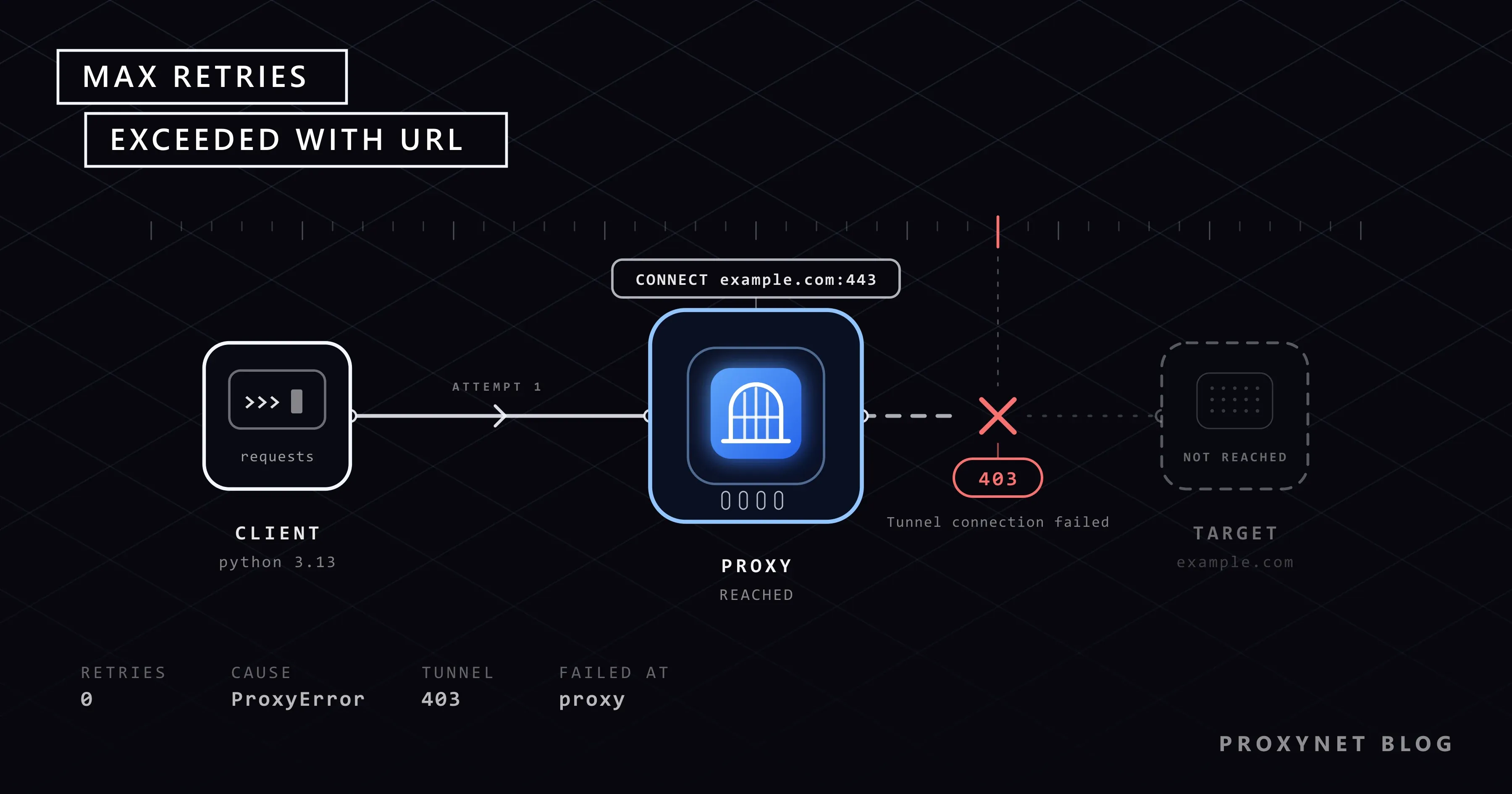
Your price tracking script ran all night without a problem. This morning you pasted the proxy address from your new plan into it, and now the terminal prints one long line: HTTPSConnectionPool(host='example.com', port=443): Max retries exceeded with url. The script has no retry setting, and the host in the message is the shop you scrape, so your eyes go straight to the shop. At the very end of the line, inside the brackets, it says Tunnel connection failed: 403 Forbidden, and that answer came from the proxy, not from the shop.
This guide takes the message apart: why it says "max retries" when you set none, a reading table built from error strings we produced ourselves, the proxy variants, timeouts and the same error in pip. It ends with a tested Python script that names the cause.
What does "Max retries exceeded with url" mean?
The message is produced by urllib3, the library that opens connections for Requests. When urllib3 gives up on a request, it raises MaxRetryError. Requests catches it and raises its own exception, picked by the inner cause: ConnectTimeout, ProxyError, SSLError, RetryError when retries by status code run out, or plain ConnectionError for everything else. Here is a string from our test run, split into its four parts:
requests.exceptions.ProxyError                        <- 1. the Requests exception
HTTPSConnectionPool(host='example.com', port=443):    <- 2. the pool: target host and port
Max retries exceeded with url: /                      <- 3. the wrapper text and the path
(Caused by ProxyError('Unable to connect to proxy',   <- 4. the real cause, outermost first
    OSError('Tunnel connection failed: 403 Forbidden')))
Part 2 is where people go wrong. For an https:// URL, the pool line shows the target, even when the request goes through a proxy; the proxy address appears only inside part 4, if at all. For a plain http:// URL sent through a proxy, it is the other way round: the pool line shows the proxy, and part 3 carries the full target URL, as in HTTPConnectionPool(host='127.0.0.1', port=8083): Max retries exceeded with url: http://example.com/.
Why does it say "max retries" when you never set any retries?
Requests does not retry failed connections by default. In the source of requests/adapters.py, DEFAULT_RETRIES = 0, and the adapter turns it into Retry(0, read=False). The urllib3 documentation for the Retry class states that errors are wrapped in MaxRetryError unless retries are disabled with retries=False. Zero retries does not count as disabled, so one failed attempt already comes out as "Max retries exceeded".
Raising the retry count does not fix the cause. A misspelled proxy name, a wrong port or a refused tunnel fails the same way every time. In our test, an unreachable address with a 2-second connect timeout failed after 2 seconds by default and after 7 seconds with two retries and a short backoff. Retries help only with short network drops. If the connection succeeds but the error appears on the .json() line as Expecting value, the problem is in the response body, not the network; we cover that case in How to Fix JSONDecodeError: Expecting Value in Python.
How do you read the error message, step by step?
Read the message from the outside in:
- Find the Requests exception.
ProxyErrormeans the failure happened on the way to the proxy or at the proxy. - Read the pool line. For
https://targets,hostandportare the target. Port 443 through an HTTP proxy means the request travels through a CONNECT tunnel. - Read the first class after
Caused by. This is urllib3's diagnosis:NameResolutionError,NewConnectionError,ConnectTimeoutError,SSLErrororProxyError. - Read the innermost text.
Failed to resolve 'name',[Errno 111] Connection refusedon Linux,[WinError 10061]on Windows,CERTIFICATE_VERIFY_FAILEDorTunnel connection failed: 403 Forbidden. Ahost=here may be the proxy. - Note how long the call took. A failure after exactly your connect timeout (or a multiple of it) is a timeout; a quicker one is a refusal or a rejected tunnel. On Windows, a refused connection took about two seconds per address in our tests, and
localhosttook four (IPv6, then IPv4).
HTTPSConnectionPool errors: what the Caused by part tells you
We produced every string below on Python 3.13 with Requests 2.34.2 and urllib3 2.8.0, through a local test proxy. Long parts are shortened with ...; the Windows error text also depends on the system language.
| Caused by (innermost part) | Requests exception | What happened | Check first |
|---|---|---|---|
NameResolutionError(... Failed to resolve 'no-such-host.invalid' ...) | ConnectionError | The target name did not resolve | URL spelling, DNS, VPN |
NewConnectionError(... [Errno 111] or [WinError 10061] ...) | ConnectionError | Nothing listens on that port | Service running, right port |
ConnectTimeoutError(... 'Connection to 10.255.255.1 timed out. (connect timeout=2)') | ConnectTimeout | No TCP connection within the timeout | Address, firewall, timeout value |
SSLError(SSLCertVerificationError(... CERTIFICATE_VERIFY_FAILED ...)) | SSLError | The certificate is not trusted | certifi, company root certificate |
ProxyError('Unable to connect to proxy', NewConnectionError(...)) | ProxyError | The proxy port refused the connection | Proxy host and port, local firewall |
ProxyError('Unable to connect to proxy', NameResolutionError(... 'pr.proxynet.invalid' ...)) | ProxyError | The proxy name did not resolve | Typo in the proxy host |
ProxyError('Unable to connect to proxy', ConnectTimeoutError(...)) | ProxyError | The proxy did not answer in time | Proxy address, outbound rules for that port |
ProxyError(..., OSError('Tunnel connection failed: 403 Forbidden')) | ProxyError | The proxy refused the CONNECT tunnel | Target port, proxy type and port, allow rules |
ProxyError(..., OSError('Tunnel connection failed: 407 Proxy Authentication Required')) | ProxyError | The proxy wants valid credentials | See Proxy Authentication |
ProxyError(..., OSError('Tunnel connection failed: 502 Bad Gateway')) | ProxyError | The proxy could not reach the target | Target host and port |
ProxyError('... Your proxy appears to only use HTTP and not HTTPS ...', SSLError(... WRONG_VERSION_NUMBER ...)) | ProxyError | The proxy URL starts with https:// | Write http:// |
Three details sit outside the table. A proxy that times out raises ProxyError, so except ConnectTimeout never sees it. A read timeout is not wrapped: it arrives as ReadTimeout with the text Read timed out. (read timeout=3). And a plain http:// URL through a proxy with a wrong password raises nothing; you get a response with status 407.
What does "ProxyError: Cannot connect to proxy" mean?
Cannot connect to proxy. (urllib3 1.26) and Unable to connect to proxy (urllib3 2.x) are the same error. Both can appear on one machine: pip 25.x bundles urllib3 1.26.20, while a fresh Requests install pulls urllib3 2.8.0. Read the second argument, not the wording:
NewConnectionError: nothing listens on that proxy port, or a local firewall blocks it. Copy the host and port from the panel again.NameResolutionError: the proxy host name is misspelled or your DNS cannot resolve it.ConnectionResetError(Errno 104on Linux,WinError 10054on Windows): the proxy or a device on the way closed the connection.OSError('Tunnel connection failed: ...'): the proxy answered but did not open the tunnel; the status code is its answer.
For the browser version, "The proxy server is not responding", see What Is a Proxy Error?
Tunnel connection failed: 403 Forbidden: why does the proxy refuse CONNECT?
An https:// request through an HTTP proxy starts with CONNECT example.com:443. The proxy opens a TCP connection to the target and relays encrypted bytes; it never sees the page. Under RFC 9110, section 9.3.6, any answer other than a 2xx means the tunnel was not formed. Python's http.client module reads that answer and writes Tunnel connection failed.
The 403 is the proxy's decision; the target never saw your request. The RFC says proxies should limit CONNECT to known ports or a list of safe targets, because a tunnel to port 25 could relay spam. Common reasons:
- The target port is not allowed.
https://example.com:8443/can fail whilehttps://example.com/works. - An allow list. Company proxies and some hosting platforms allow only approved domains. Ask the IT team or read the platform's documentation; do not route around the policy.
- The wrong proxy type or port, for example a port meant for another protocol.
- Provider rules. A provider can refuse tunnels to some targets; its documentation says which status codes it uses.
A 403 from the target site arrives as a normal response with a page; that case is in HTTP Status Codes in Web Scraping. A tunnel 407 means the proxy wants credentials.
Should the proxy URL start with http:// or https://?
In the proxies dictionary, the key is the scheme of the target, and the value is how to reach the proxy. The Requests documentation's own example maps 'https' to 'http://10.10.1.10:1080'. Most proxies speak plain HTTP and open a CONNECT tunnel for encrypted sites (see our HTTPS proxy page), so both keys get an http:// value:
proxies = {
    "http": "http://user:pass@pr.proxynet.io:8000",
    "https": "http://user:pass@pr.proxynet.io:8000",  # http:// here too
}
With https:// in the value, urllib3 2.x opens TLS to the proxy itself, a plain HTTP proxy answers with non-TLS bytes, and you get WRONG_VERSION_NUMBER with the hint Your proxy appears to only use HTTP and not HTTPS. The urllib3 page on this error gives the same fix, also for a wrong HTTPS_PROXY variable.
Two related points:
- SOCKS. Install
requests[socks]. Withsocks5://your machine resolves the name, so in our test a bad name failed before the proxy was contacted; withsocks5h://the proxy resolves it (SOCKS vs. HTTP Proxy, SOCKS5 proxy). - Environment variables. The Requests advanced usage page warns that environment proxies can overwrite
session.proxies, and recommendsproxies=on each request. The variables are explained in Using a Proxy with wget.
What happens without a timeout? ConnectTimeout vs ReadTimeout
Requests has no default timeout: without timeout=, a call can hang for minutes and give you no error to read. Pass a tuple such as timeout=(3.05, 20): connect timeout, then read timeout, in seconds. The documentation suggests a connect timeout slightly above a multiple of 3, the default TCP retransmission window.
The two timeouts fail differently:
- ConnectTimeout: no TCP connection in time. It comes wrapped in "Max retries exceeded", and the API reference calls it safe to retry.
- ReadTimeout: connected, but no data within the read timeout. It is not wrapped, and the server may already have processed the request, so retrying a POST can do the work twice.
The connect timeout applies to each IP address, so a name with IPv4 and IPv6 addresses can double the wait. The read timeout is the gap between bytes, not a limit on the whole download. Defaults in other libraries are in HTTPX vs. Requests vs. AIOHTTP. A browser driven by Playwright works the other way round: it waits 30 seconds by default, and Playwright Timeout 30000ms Exceeded: Causes and Fixes covers what to do when that runs out.
The same error in pip: "Retrying ... after connection broken by"
pip bundles its own Requests and urllib3, so pip install fails for the same reasons. The pip documentation lists the defaults: --retries 5 and --timeout 15 seconds. We ran pip 26.2.1 with --retries 2 through a local proxy that refuses every CONNECT with 403:
WARNING: Retrying (Retry(total=1, connect=None, read=None, redirect=None, status=None)) after connection broken by 'OSError('Tunnel connection failed: 403 Forbidden')': /simple/six/
WARNING: Retrying (Retry(total=0, connect=None, read=None, redirect=None, status=None)) after connection broken by 'OSError('Tunnel connection failed: 403 Forbidden')': /simple/six/
ERROR: Could not find a version that satisfies the requirement six (from versions: none)
ERROR: No matching distribution found for six
The package exists; pip never reached the index. The cause is in the WARNING lines. pip 25.2 printed the same warning with the urllib3 1.26 wording, ProxyError('Cannot connect to proxy.', ...).
For CERTIFICATE_VERIFY_FAILED behind a company proxy that inspects TLS, pass the company root certificate with --cert; --trusted-host turns verification off and is a last resort. Why the browser connects while Python fails, and the same fix for npm, Git and curl, is in Unable to Get Local Issuer Certificate: Causes and Fixes.
A Python script that names the cause
The script turns an exception into one line: what failed and what to check. It:
- retries only failed connections, twice;
- keeps
read=False: in our test,read=0turned aReadTimeoutinto a wrappedConnectionError; - sets
other=0: without it, a tunnel refused with403or407was tried three times; - passes
proxies=andtimeout=(3.05, 20)on every request; - catches
ProxyError,SSLErrorandConnectTimeoutbeforeConnectionError, their parent class.
Retries by status code are a separate layer (HTTP Status Codes in Web Scraping), and so is rotation (How to Rotate Proxies in Python).
"""Find the real cause behind "Max retries exceeded with url" and say what to check."""
import re
import ssl
import time

import requests
from requests.adapters import HTTPAdapter
from urllib3.exceptions import (
    ConnectTimeoutError,
    NameResolutionError,
    NewConnectionError,
    ProxyError as Urllib3ProxyError,
)
from urllib3.util import Retry

PROXY = "http://user:pass@pr.proxynet.io:8000"  # http:// even for https:// targets
TIMEOUT = (3.05, 20)  # seconds: (connect, read)


def make_session():
    """A session that retries failed connections twice and nothing else."""
    retry = Retry(
        total=2,
        connect=2,      # DNS failures, refused and timed-out connections
        read=False,     # keep ReadTimeout a ReadTimeout: the server may have the request
        other=0,        # a proxy that refused the tunnel will refuse it again
        status=0,       # retries by status code belong to another layer
        backoff_factor=0.5,
    )
    adapter = HTTPAdapter(max_retries=retry)
    session = requests.Session()
    session.mount("http://", adapter)
    session.mount("https://", adapter)
    return session


def causes(exc):
    """The exception and every error wrapped inside it, outermost first."""
    chain = []
    while exc is not None and all(exc is not seen for seen in chain):
        chain.append(exc)
        inner = None
        for candidate in (getattr(exc, "reason", None), getattr(exc, "original_error", None),
                          exc.__cause__, exc.__context__, *exc.args[:2]):
            if isinstance(candidate, BaseException):
                inner = candidate
                break
        exc = inner
    return chain


def explain(exc):
    """One line: what failed, on which side, and what to check first."""
    chain = causes(exc)
    text = " | ".join(str(e) for e in chain)
    side = "proxy" if any(isinstance(e, Urllib3ProxyError) for e in chain) else "target"

    tunnel = re.search(r"Tunnel connection failed: (\d{3})", text)
    if tunnel:
        code = tunnel.group(1)
        if code == "407":
            return "proxy asked for credentials (407): check user:pass or the IP whitelist"
        if code == "403":
            return "proxy refused the CONNECT tunnel (403): check the target port and the proxy's allow rules"
        return f"proxy was reached but could not reach the target ({code}): check the target host and port"
    if "appears to only use HTTP" in text:
        return "proxy URL starts with https:// but the proxy speaks plain HTTP: write http://"
    if any(isinstance(e, NameResolutionError) for e in chain):
        host = re.search(r"Failed to resolve '([^']+)'", text)
        return f"{side} name {host.group(1) if host else ''} does not resolve: check spelling, DNS and VPN"
    if any(isinstance(e, ssl.SSLCertVerificationError) for e in chain):
        return "certificate not trusted: update certifi or set REQUESTS_CA_BUNDLE to your company root CA"
    if isinstance(exc, requests.exceptions.ReadTimeout):
        return "connected, but no answer within the read timeout: the server may have the request"
    if any(isinstance(e, NewConnectionError) for e in chain):
        return f"{side} refused the connection: wrong port, service down, or a firewall rejects it"
    if any(isinstance(e, ConnectTimeoutError) for e in chain):
        return f"no TCP connection to the {side} within the connect timeout: check address, port, firewall"
    return f"unrecognised, read the innermost error: {chain[-1]!r}"


def fetch(session, url, proxy=PROXY):
    """GET one URL and print the status, or the diagnosis if the request failed."""
    proxies = {"http": proxy, "https": proxy} if proxy else None  # per request: env vars cannot override it
    start = time.monotonic()
    try:
        resp = session.get(url, proxies=proxies, timeout=TIMEOUT)
    except requests.exceptions.ProxyError as exc:      # before ConnectionError: it is a subclass
        kind, error = "ProxyError", exc
    except requests.exceptions.SSLError as exc:        # also a ConnectionError
        kind, error = "SSLError", exc
    except requests.exceptions.ConnectTimeout as exc:  # a ConnectionError and a Timeout at once
        kind, error = "ConnectTimeout", exc
    except requests.exceptions.ReadTimeout as exc:     # never wrapped in "Max retries exceeded"
        kind, error = "ReadTimeout", exc
    except requests.exceptions.ConnectionError as exc:
        kind, error = "ConnectionError", exc
    else:
        print(f"{'OK':<16}{time.monotonic() - start:6.2f}s  {url}  HTTP {resp.status_code}")
        return resp
    print(f"{kind:<16}{time.monotonic() - start:6.2f}s  {url}\n{'':<24}{explain(error)}")
    return None


if __name__ == "__main__":
    session = make_session()
    for url in ["https://httpbin.org/ip", "https://example.com/"]:
        fetch(session, url)
In urllib3 2.x, NameResolutionError is a subclass of NewConnectionError, which is a subclass of ConnectTimeoutError, so explain() tests the most specific class first. The script needs only pip install requests.
What the output looks like
We ran fetch() on Windows 11 once per case: a local test proxy (right and wrong password, closed port, misspelled name, https:// scheme), a second one that refuses every CONNECT, and real hosts for the certificate and timeout cases. The read timeout was 5 seconds:
OK                0.77s  https://httpbin.org/ip  HTTP 200
ProxyError        0.02s  https://httpbin.org/ip
                        proxy asked for credentials (407): check user:pass or the IP whitelist
ProxyError        0.00s  https://example.com/
                        proxy refused the CONNECT tunnel (403): check the target port and the proxy's allow rules
ProxyError        0.02s  https://no-such-host.invalid/
                        proxy was reached but could not reach the target (502): check the target host and port
ProxyError        7.10s  https://httpbin.org/ip
                        proxy refused the connection: wrong port, service down, or a firewall rejects it
ProxyError        1.02s  https://httpbin.org/ip
                        proxy name pr.proxynet.invalid does not resolve: check spelling, DNS and VPN
ProxyError        0.21s  https://httpbin.org/ip
                        proxy URL starts with https:// but the proxy speaks plain HTTP: write http://
SSLError          0.63s  https://self-signed.badssl.com/
                        certificate not trusted: update certifi or set REQUESTS_CA_BUNDLE to your company root CA
ConnectTimeout   10.16s  http://10.255.255.1/
                        no TCP connection to the target within the connect timeout: check address, port, firewall
ReadTimeout       5.02s  http://127.0.0.1:8082/
                        connected, but no answer within the read timeout: the server may have the request
ConnectionError  13.12s  http://localhost:8083/
                        target refused the connection: wrong port, service down, or a firewall rejects it
The refused tunnels failed in milliseconds because other=0 stopped them. The closed proxy port took three attempts of about two seconds plus one second of backoff, the connect timeout three times 3.05 seconds plus backoff, and localhost 13 seconds because each attempt tried IPv6 and then IPv4. The 502 came from our test proxy, which could not resolve the target.
Where you run into this error
- Scraping through a proxy: proxy mistakes show up here before any status code (data scraping).
- CI and Docker builds behind a company proxy: builds often miss the host's proxy settings, and
localhostis the container (Linux Proxy Settings). - API integrations with a fixed exit IP: a tunnel refusal looks like an API outage (Static IP for API Access).
- Testing a new proxy: run one request with a timeout before a whole job (How to Test a Proxy).
- Browser automation: the same tunnel failure shows up as
ERR_TUNNEL_CONNECTION_FAILED(Playwright with a proxy). In an ordinary Chrome or Edge window, How to Fix err_tunnel_connection_failed in Chrome and Edge walks through the fixes. - Company networks: a firewall and a proxy both filter connections (Proxy vs Firewall).
Common mistakes
- Raising the retry count. A permanent cause stays permanent; you only wait longer.
- Blaming the target because its name is in the pool line. For
https://URLs the proxy appears only in the brackets. - Forgetting an old
HTTPS_PROXYvariable. It can silently replacesession.proxies. - Leaving
verify=Falsein production. The Requests documentation warns it exposes you to man-in-the-middle attacks. Update certifi or setREQUESTS_CA_BUNDLE; for a local debugging proxy, see MITM Proxy. - Catching
ConnectionErrorfirst. It swallowsProxyError,SSLErrorandConnectTimeout. - Mixing up tunnel
403and407. One is a rule, the other credentials. - Reading pip's last line. The cause is in the
WARNINGlines above it.
Decision guide
| What you see | What to do |
|---|---|
NameResolutionError in Caused by | Fix the name that failed (proxy host or URL); no retries |
ProxyError with NewConnectionError | Recopy proxy host and port; check the local firewall |
Tunnel connection failed: 403 | Check target port, proxy type and port, allow rules |
Tunnel connection failed: 407 | Check credentials or the IP whitelist |
SSLError: CERTIFICATE_VERIFY_FAILED | Update certifi or set REQUESTS_CA_BUNDLE (pip: --cert) |
| Calls hang or time out now and then | timeout=(3.05, 20) plus a connection-only Retry |
| pip says "No matching distribution found" | Read the WARNING: Retrying line |
Frequently asked questions
Does raising the retry count fix "Max retries exceeded"?
Only when the network drops for a moment. For a name that does not resolve, a closed port or a refused tunnel, every retry fails the same way. Read the Caused by part first.
What is the default timeout in Python Requests?
There is none: without timeout=, a request can wait indefinitely. Give every call a (connect, read) tuple.
Is the Requests timeout in seconds or milliseconds?
Seconds. A float such as 3.05 works; a single number sets both phases, and a tuple like (3.05, 20) sets them separately.
Can I use verify=False for CERTIFICATE_VERIFY_FAILED?
Only for a quick local test, since it lets anyone in the path read or change the traffic. The lasting fix is an up-to-date certifi or, behind a company proxy that inspects TLS, its root certificate in REQUESTS_CA_BUNDLE.
Why does pip say "No matching distribution found" when the package exists?
pip could not reach the package index, so it found no versions. The WARNING: Retrying ... after connection broken by lines above name the real cause, such as Tunnel connection failed: 403 Forbidden.
Why do I get this error when calling localhost:8000?
Nothing listens on that port: the server is down, uses another port, or your code runs in Docker, where localhost is the container. The innermost error is [Errno 111] or [WinError 10061]. Finding which program holds a port is covered in What Is Port 8080?
Summary
"Max retries exceeded with url" is a wrapper: the cause is after Caused by, and it appears after one attempt because Requests does not retry by default. For proxy errors, tell a failure on the way to the proxy from a tunnel the proxy refused, and keep http:// in the proxy URL. Give every request a timeout tuple and retry only connection failures. Test a new setup with one request first (how to test a proxy), and compare options on our proxy services page.


