


































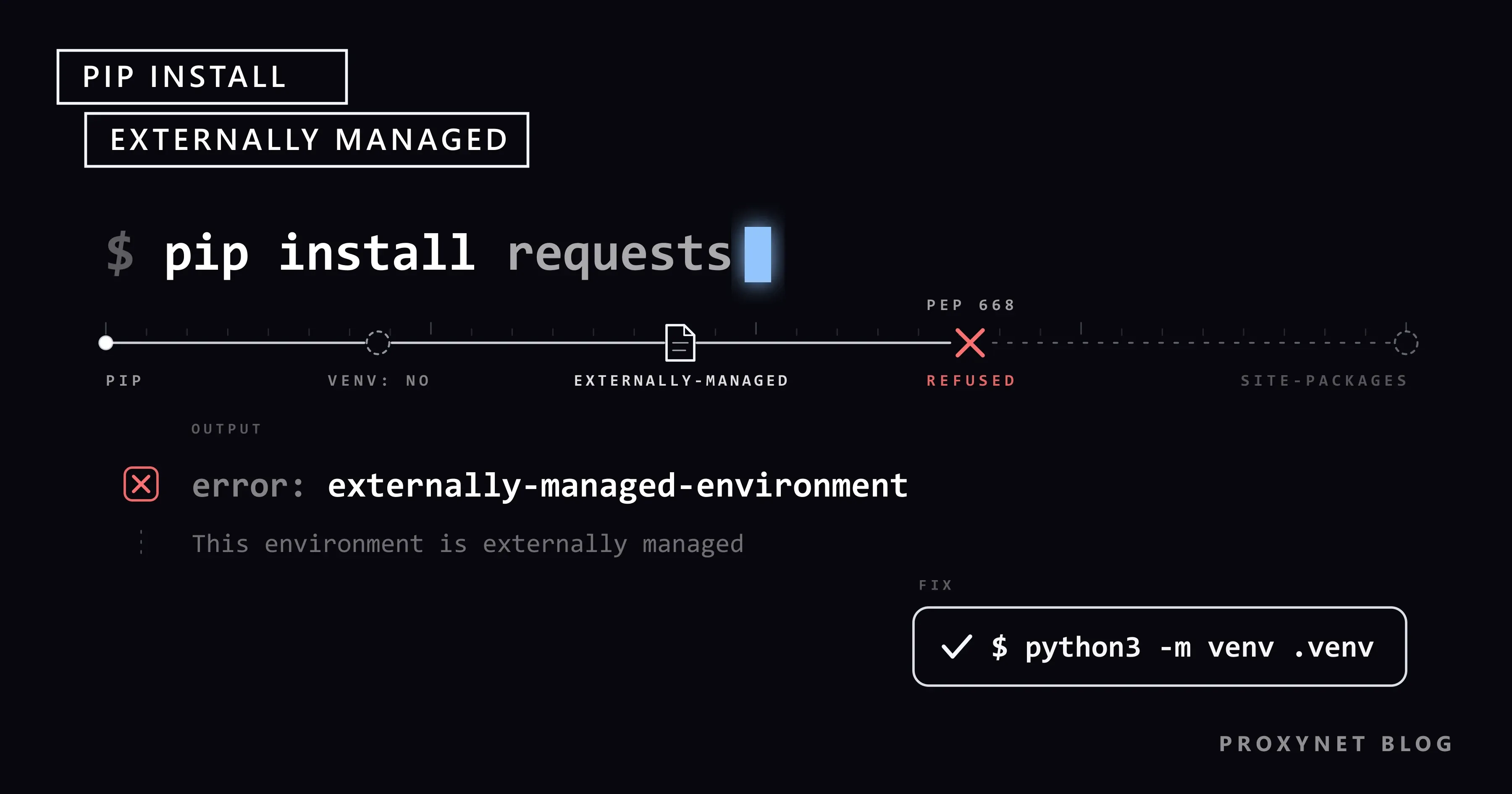
You set up a new Ubuntu 24.04 server, a Raspberry Pi or a Mac with Homebrew, type pip install requests as you have for years, and pip stops with error: externally-managed-environment. The same command still works on your old machine, and the message asks you to use apt, a virtual environment or pipx instead.
This guide explains what the error protects, which systems turn it on, and the fixes in the order we recommend them, with the override flag last. We ran every command against a reproduction of the error. The final sections cover pip behind a proxy server and a first request through a proxy from the new environment.
What does "error: externally-managed-environment" mean?
It means pip found a marker saying that another tool owns this Python installation. PEP 668 defines the marker: a file named EXTERNALLY-MANAGED in the interpreter's standard library directory, for example /usr/lib/python3.13/ on Debian 13. pip has read the file since version 23.0, released in January 2023. When the file exists and pip is not running inside a virtual environment, pip prints the file's text and exits without installing anything.
We reproduced the error on Windows 11 with pip 26.2.1: we placed Debian 13's marker text in the standard library directory of a throw-away Python 3.14.8 and ran python -m pip install requests. The output matches what Debian users see:
error: externally-managed-environment

× This environment is externally managed
╰─> To install Python packages system-wide, try apt install
    python3-xyz, where xyz is the package you are trying to
    install.

    If you wish to install a non-Debian-packaged Python package,
    create a virtual environment using python3 -m venv path/to/venv.
    Then use path/to/venv/bin/python and path/to/venv/bin/pip. Make
    sure you have python3-full installed.

    If you wish to install a non-Debian packaged Python application,
    it may be easiest to use pipx install xyz, which will manage a
    virtual environment for you. Make sure you have pipx installed.

    See /usr/share/doc/python3.13/README.venv for more information.

note: If you believe this is a mistake, please contact your Python installation or OS distribution provider. You can override this, at the risk of breaking your Python installation or OS, by passing --break-system-packages.
hint: See PEP 668 for the detailed specification.
The first two lines, the note and the hint come from pip. The indented block is the text of the marker file, so it changes with the system: Arch Linux suggests pacman -S python-xyz, Homebrew suggests brew install xyz, and both also point to a virtual environment and pipx.
Why does pip refuse to install here?
Two package managers would otherwise write to the same directory without knowing about each other. On Debian, Ubuntu or Arch, parts of the operating system are written in Python and import libraries that the system package manager installed. That package manager records which versions those programs need; pip does not read those records. PEP 668 describes the result: a pip install can upgrade or remove a library the operating system shipped, and can even break Fedora's own package manager, dnf.
Sending pip to a separate directory does not solve this either. Distributions put locally installed packages in places like /usr/local, and in the layout PEP 668 recommends, local installs take precedence over distribution packages, so the system's Python programs import whatever pip placed there. The marker settles it: projects get their own environments, and the system Python stays as the distribution built it.
How does pip decide to block an install?
- It checks for a virtual environment. Inside a venv,
sys.prefixdiffers fromsys.base_prefix, the check ends, and the install goes ahead. - It looks for the marker in the directory that
sysconfig.get_path("stdlib")returns. - It reads the message from the file's
Errorkey, or from a translatedError-<language>key if the file has one, and prints it. - It blocks both
pip installandpip uninstall.--userdoes not help:pip install --user requestsstopped with the same error in our test. Running pip withsudochanges nothing. - The
--break-system-packagesoption skips the check, and so do its environment variable and config file forms, covered below.
To see which case you are in, ask the interpreter you are about to use:
python3 -c "import os, sys, sysconfig; print('venv:', sys.prefix != sys.base_prefix); print('marker:', os.path.isfile(os.path.join(sysconfig.get_path('stdlib'), 'EXTERNALLY-MANAGED')))"pip blocks the install only when this prints venv: False and marker: True. Inside a virtual environment, the base interpreter's marker stays visible, so our venv printed marker: True as well, but the first line read venv: True and pip installed normally.
Which systems ship the marker?
Debian, Ubuntu, Raspberry Pi OS, Arch Linux and Homebrew ship it; Fedora and the official Docker images do not.
| System | Marker | The message suggests |
|---|---|---|
| Debian 12 and later | Yes | apt install python3-xyz, venv, pipx |
| Ubuntu 23.04 and later | Yes | Same text as Debian |
| Raspberry Pi OS Bookworm and later | Yes | Same text as Debian |
| Arch Linux | Yes | pacman -S python-xyz, venv, pipx |
| Homebrew Python | Yes | brew install xyz, venv, pipx |
| Fedora | No | pip installs go to /usr/local |
Official python Docker images | No | Not applicable |
Debian marked its Python 3.11 package before Debian 12 was released, and Ubuntu 23.04 shipped that same package, so Ubuntu 24.04 LTS and the Ubuntu or Debian systems people run in WSL on Windows show the same message. Fedora takes another route: it ships no marker and sends sudo pip install to /usr/local instead.
Fix 1: Create a virtual environment for your project
A virtual environment (venv) is a directory with its own python and its own package folder, linked to the system interpreter but separate from its packages. pip skips the PEP 668 check inside it, and nothing you install there can touch the system.
cd ~/my-project
python3 -m venv .venv
source .venv/bin/activate
python -m pip install requests
In our test, the last command ended with:
Successfully installed certifi-2026.7.22 charset_normalizer-3.5.2 idna-3.20 requests-2.34.2 urllib3-2.8.0Activation only puts the environment's bin directory first in your PATH. The Python venv documentation lists the command for each shell, with .venv\Scripts\activate on Windows. You can skip activation and call the environment's interpreter directly, which is the safer form in scripts, cron jobs and systemd units:
.venv/bin/python -m pip install requests
.venv/bin/python app.py
Treat .venv as disposable. Keep it out of Git (since Python 3.13, venv writes a .gitignore into the folder), record your packages with python -m pip freeze > requirements.txt, and rebuild elsewhere with python -m pip install -r requirements.txt. A venv does not survive being moved or copied to another machine; create it again there.
In VS Code, the Python extension finds a .venv folder in the workspace and prefers it. If it picks another interpreter, run Python: Select Interpreter from the Command Palette (Ctrl+Shift+P, or Cmd+Shift+P on a Mac) and choose the one inside .venv; new terminals then open with the environment active.
"ensurepip is not available" on Debian and Ubuntu
Debian ships venv support in a separate package, so on a minimal server the python3 -m venv .venv command itself can fail. Debian's patched venv module prints this message, with the version number of your Python:
The virtual environment was not created successfully because ensurepip is not
available.  On Debian/Ubuntu systems, you need to install the python3-venv
package using the following command.

    apt install python3.13-venv
Install the package (python3-venv pulls in the version-specific one), delete the half-created folder and run the command again:
sudo apt install python3-venv
rm -rf .venv
python3 -m venv .venv
Fix 2: Install command-line tools with pipx
If you want a program rather than a library, such as a formatter, a linter or an HTTP client, use pipx, the tool the error message itself suggests. pipx creates one virtual environment per application and puts its commands on your PATH, so tools never break each other's dependencies.
sudo apt install pipx      # macOS: brew install pipx
pipx ensurepath
pipx install ruff
Open a new terminal after pipx ensurepath. In our test, pipx install ruff reported installed package ruff 0.17.0 and the ruff command worked at once; pipx upgrade ruff and pipx uninstall ruff manage it later. The pipx installation guide has the commands for other systems.
Fix 3: Use the distribution's own package
For a library that a system script needs, the distribution may already package it. Debian, Ubuntu and Raspberry Pi OS name Python libraries python3-<name>; Arch uses python-<name>:
sudo apt install python3-requests     # Debian, Ubuntu, Raspberry Pi OS
sudo pacman -S python-requests        # Arch Linux
These versions get the distribution's security updates but are often older than the latest release on PyPI. Homebrew packages applications, and its documentation sends you to a venv for libraries.
Sometimes a project needs both: a hardware library from apt on a Raspberry Pi and a newer package from PyPI. Create the environment with python3 -m venv --system-site-packages .venv. The venv then sees the system's packages, and pip still installs into the venv only. In our test, requests went into .venv while an already installed system library loaded from the system folder.
Fix 4: Use uv for environments and tools
uv is a package and project manager that replaces several pip, venv and pipx commands with one program. It respects the marker too: uv pip install --system against our marked Python stopped with error: The interpreter at … is externally managed, followed by the same Debian text. Its normal workflow uses a virtual environment, so the error does not come up:
uv venv
uv pip install requests
uv tool install ruff
uv venv creates .venv in the current folder, uv pip install installs into it without activation, and uv tool install is the counterpart of pipx install. All three worked in our test.
Containers and CI pipelines
The official python images on Docker Hub compile their own Python into /usr/local and ship no marker, so pip install works in them as before. The error appears when a Dockerfile starts from a debian or ubuntu image and installs Python with apt. The fix is the same as on a laptop: install python3-venv, create the environment with RUN python3 -m venv /opt/venv, and add ENV PATH="/opt/venv/bin:$PATH". Every later RUN pip install -r requirements.txt and the container's python then use the venv, just as they would after activation.
CI systems often start a new shell for every step, so an earlier activation is gone. Call the environment's interpreter by path (.venv/bin/python -m pip install …, .venv/bin/python -m pytest) in each step.
Why is --break-system-packages a last resort?
It switches the protection off instead of solving the conflict, and it does work: in our reproduction, pip install --break-system-packages requests installed the package into the marked Python, and so did the environment variable PIP_BREAK_SYSTEM_PACKAGES=1 and the line break-system-packages = true in the [global] section of a pip configuration file. The flag does not make the install safe; it only removes the warning, and pip may now upgrade or remove a library that the system's own tools import. A later system update can then overwrite what pip installed.
Deleting the EXTERNALLY-MANAGED file has the same effect for every user and program on the machine. If you really need the override, use it where the damage stays contained, such as a container you rebuild or a virtual machine, and never in a shell profile or a global pip configuration, where it silently applies to every later install.
How do you use pip behind a proxy server?
Give pip the proxy URL with --proxy, the HTTPS_PROXY variable or its config file. Company and campus networks often allow web traffic only through a proxy server that asks for a username and password, and pip does not report a missing login as a proxy problem. Without credentials, our local test proxy answered every attempt with status 407, and pip printed five retries (four removed below) and a misleading conclusion:
WARNING: Retrying (Retry(total=4, connect=None, read=None, redirect=None, status=None)) after connection broken by 'OSError('Tunnel connection failed: 407 Proxy Authentication Required')': /simple/requests/
ERROR: Could not find a version that satisfies the requirement requests (from versions: none)
ERROR: No matching distribution found for requests
from versions: none means pip never reached the package index, not that the package does not exist. The pip user guide lists every option; these three cover most cases:
# for one command
python -m pip install --proxy http://user:pass@proxy.example.com:8080 requests

# for every command in this shell
export HTTPS_PROXY=http://user:pass@proxy.example.com:8080

# stored in the active virtual environment only
python -m pip config --site set global.proxy http://user:pass@proxy.example.com:8080
All three installed requests through our test proxy. With --site, pip wrote the setting into the venv's own config file (pip.conf, or pip.ini on Windows); without it, pip config set writes your user-level file, which applies to every environment. If the password contains @, : or /, percent-encode those characters; How to Fix HTTP 407 Proxy Authentication Required covers the encoding and other credential errors.
Behind a proxy that inspects HTTPS traffic, the next error is usually CERTIFICATE_VERIFY_FAILED. pip 24.2 and later also trust the operating system's certificates, so a company root certificate that IT installed in the system store often fixes it, and --cert points pip to a bundle file. Unable to Get Local Issuer Certificate: Causes and Fixes explains how to tell the causes apart.
How do you send a first request through a proxy from the venv?
With requests installed in the venv, a request through a proxy takes one dictionary. The script reads the proxy URL from an environment variable, so credentials stay out of the code:
import os
import sys

import requests

# The endpoint and credentials from your proxy dashboard
PROXY = os.environ.get("PROXY_URL", "http://user:pass@pr.proxynet.io:8000")
proxies = {"http": PROXY, "https": PROXY}

print("Python:", sys.executable)
try:
    r = requests.get("https://example.com/", proxies=proxies, timeout=15)
    print("Status:", r.status_code)
except requests.exceptions.ProxyError as err:
    print("Proxy error:", err)
Run it with .venv/bin/python first_request.py. Through our local test proxy, the Python: line showed the interpreter inside .venv and the second line read Status: 200. With a wrong password, it printed a Proxy error ending in Tunnel connection failed: 407 Proxy Authentication Required. Started with the system python3, the script never got that far: ModuleNotFoundError: No module named 'requests', because the packages live in the venv.
The proxy type decides how target sites see your requests. A Residential Proxy exits through home connections in the country and city you choose, with a new address per request or a sticky session of 1 to 60 minutes; use it to see pages as local visitors see them, within each site's terms and rate limits.
A Datacenter Proxy gives you dedicated IPv4 addresses with unmetered traffic, which suits steady jobs such as checking your own services and APIs from several countries. To send data rather than fetch it, How to POST JSON with Python Requests covers json=, headers and the matching cURL commands.
Where you run into this error
- New servers and VPS images on Debian 12 or later or Ubuntu 24.04, where old setup scripts still call
sudo pip install. - Raspberry Pi projects that follow older tutorials for sensor and GPIO libraries.
- Macs where
python3comes from Homebrew. - Dockerfiles based on
debianorubuntuimages that install Python withapt. - WSL on Windows, which runs Ubuntu or Debian.
- CI jobs after the base image moves to a newer release.
Common mistakes
- Running
sudo pip installinside an activated venv. On Debian,sudoreplacesPATHwith a fixed list (secure_path), finds the system pip, and the error returns. A venv in your home folder needs nosudo. - Installing in the venv but running with
python3. The system interpreter does not see the venv's packages and fails withModuleNotFoundError. - Committing
.venvto Git or copying it to another machine. Rebuild it fromrequirements.txt. - Setting
break-system-packagesin a global pip configuration. It switches the protection off for every later install.
Decision guide
| Your goal | Use |
|---|---|
| Libraries for a project | python3 -m venv .venv |
| A command-line tool | pipx install <tool> |
| A library for a system script | apt install python3-<name> |
| System packages plus PyPI packages | venv --system-site-packages |
| One tool for environments and tools | uv venv, uv tool install |
| Docker image on Debian or Ubuntu | venv in /opt/venv, first in PATH |
| pip behind a company proxy | --proxy or HTTPS_PROXY |
| A container you will throw away | --break-system-packages |
Frequently asked questions
Why did pip install stop working after I upgraded Ubuntu or Debian?
Your new release ships the EXTERNALLY-MANAGED marker, and pip 23.0 and later honour it. Debian 12 and Ubuntu 23.04 were the first releases with the file, so moving up from Debian 11 or Ubuntu 22.04 is the usual trigger.
Is it safe to use --break-system-packages?
Not on a system you want to keep. It lets pip replace or remove libraries that the operating system's own Python tools import. Use it only in a container or virtual machine you can rebuild.
Does pip install --user avoid the error?
No. The check looks at the interpreter, not at the user folder the files would go to, so --user installs are blocked as well; our test confirmed it.
Can I delete the EXTERNALLY-MANAGED file?
You can, but it switches the protection off for every user and program on the machine, exactly like a global --break-system-packages, and a later update of the Python package may restore the file. A venv solves the problem without either side effect.
Do I have to activate the virtual environment every time?
No. Activation changes PATH for the current shell only. Calling .venv/bin/python (.venv\Scripts\python.exe on Windows) uses the environment directly, which is the reliable form for scripts, services and CI.
Why does pip still show the error inside my virtual environment?
Then the pip you ran is not the venv's pip: sudo, a new terminal without activation, or an editor terminal using the system interpreter. Run python -m pip --version; the path it prints should point inside .venv.
Summary
error: externally-managed-environment is the operating system telling pip that the system Python is not its to change. Give each project a virtual environment, give each command-line tool its own through pipx, and leave the system Python to apt, pacman or Homebrew. Keep --break-system-packages for machines you can throw away. When those scripts need to reach sites from other locations, see our proxy services.


