


































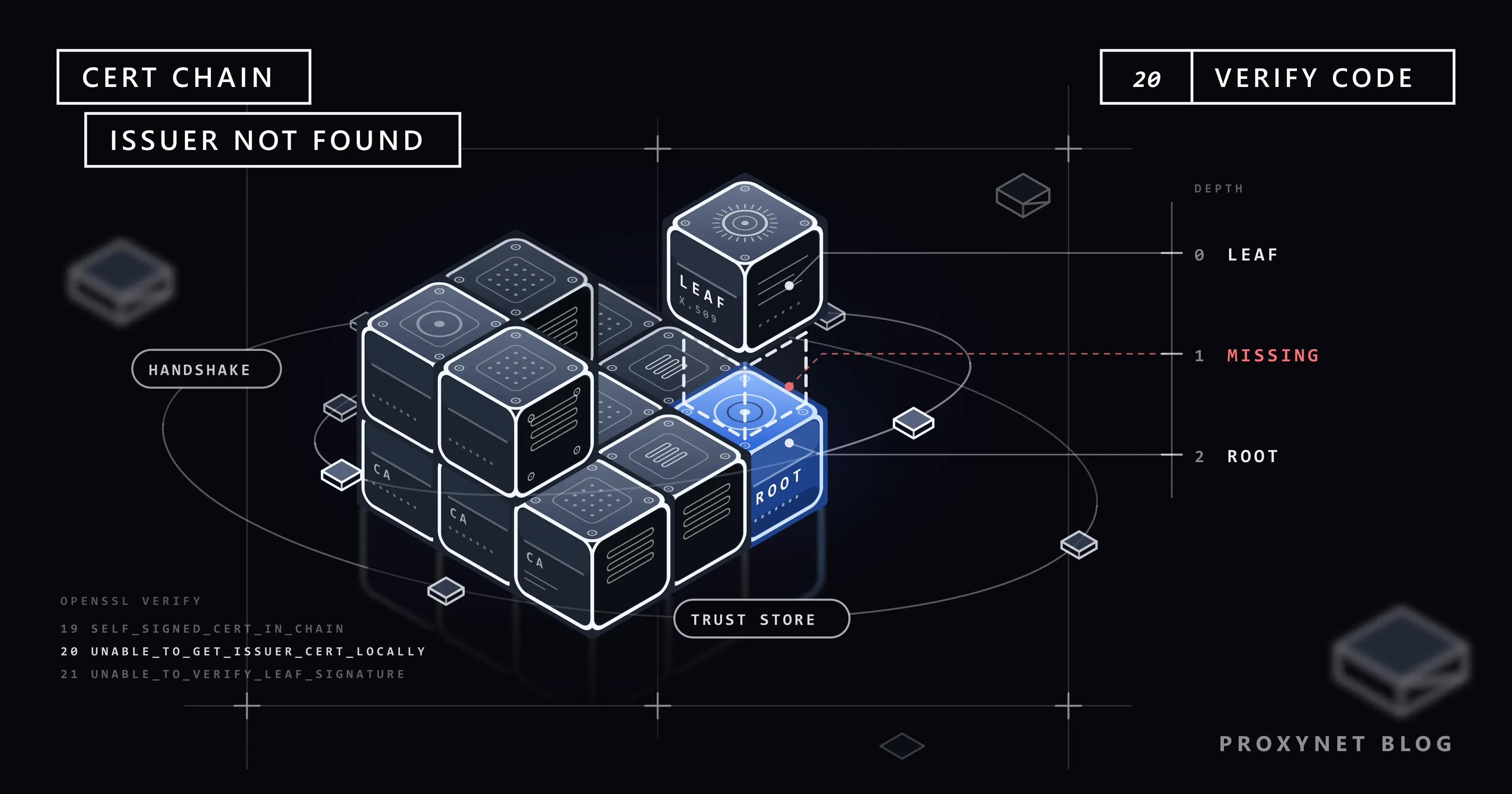
You run npm install on a work laptop and it stops with npm error code UNABLE_TO_GET_ISSUER_CERT_LOCALLY. The registry opens fine in Chrome on the same machine, and a colleague working from home installs the same packages without trouble. A Python script fails with CERTIFICATE_VERIFY_FAILED, and git clone reports an SSL certificate problem. Nothing is wrong with the registry: your tools and your browser trust different lists of certificate authorities.
This guide explains what the client checks, separates the three causes with errors we reproduced on local test servers, and gives the fix for Python, npm, Git and curl, plus the server-side fix.
What does "unable to get local issuer certificate" mean?
A TLS certificate names its owner (the subject) and the certificate authority that signed it (the issuer). A server sends its own certificate, called the leaf, plus one or more intermediate certificates that link it to a root certificate. Roots are not sent during the connection: every client keeps its own set of trusted roots, the trust store, and that set is the "local" in the message.
The text is OpenSSL's verify error 20, X509_V_ERR_UNABLE_TO_GET_ISSUER_CERT_LOCALLY. The client reached a certificate whose issuer it found neither among the certificates the server sent nor in its own store. The handshake stops before your request is sent.
How does certificate chain verification work?
- The server sends its chain. The leaf comes first, each following certificate signs the one before it, and the root may be left out because clients already have it (RFC 8446, section 4.4.2).
- The client checks the leaf: the name must match the host in the URL, and the dates must be valid.
- The client finds each issuer among the certificates sent, checks the signature, and repeats one level up.
- The top must end in the trust store, signed by a root the client already trusts.
- A missing link stops the handshake, and the wording depends on where the chain stopped.
The trust store depends on the tool, not the machine. Requests uses certifi, a Python package with Mozilla's root list; Node.js compiles a snapshot of the Mozilla store into each release; Git for Windows reads its own ca-bundle.crt or the Windows store. So one program can fail where another succeeds on the same laptop.
Three error messages, one family
We created a root, an intermediate and a leaf with OpenSSL, ran three local HTTPS servers that send different parts of the chain, and called them on Windows 11 from Python 3.13.9 (Requests 2.34.2), Node.js 24.11.1 (npm 11.6.2), curl 8.21.0 and Git 2.55 with OpenSSL. No tool knew our root.
| What the server sent | Python (ssl, Requests) | Node.js and npm | curl and Git (OpenSSL) |
|---|---|---|---|
| Leaf + intermediate | unable to get local issuer certificate | UNABLE_TO_GET_ISSUER_CERT_LOCALLY | unable to get local issuer certificate (20) |
| Leaf only | unable to get local issuer certificate | UNABLE_TO_VERIFY_LEAF_SIGNATURE | unable to get local issuer certificate (20) |
| Leaf + intermediate + root | self-signed certificate in certificate chain | SELF_SIGNED_CERT_IN_CHAIN | self-signed certificate in certificate chain (19) |
Python and curl use the same words for a missing intermediate and an unknown root, so only the chain tells you which side to fix. The third row is the same problem with the root included: the server, or a proxy in the middle, sent a root your tool does not trust.
The three causes behind the error
1. The server leaves out its intermediate certificate
The administrator installed only the leaf, so every client without the intermediate fails, on every network. Browsers often hide this: Mozilla explains that Firefox ships known intermediates in advance, while other browsers download a missing one in the background. Python, Node.js, curl and Git do neither, so "it works in Chrome" proves nothing.
2. A TLS-inspecting proxy or antivirus re-signs the traffic
Company web gateways, antivirus products with HTTPS scanning, and debugging tools such as mitmproxy, Charles and Fiddler open the encrypted connection and present a new certificate for the site, signed by their own root. IT installs that root in the system store of managed laptops, so browsers accept it; tools with their own list do not. Clues: the error appears on the office network or VPN, not at home, and hits almost every site. If you run such a tool yourself, its root certificate step is covered in What Is a MITM Proxy?
3. Your tool trusts a different list than your system
The bundles of Requests, Node.js and Git never see a root your company installed in Windows or macOS, or a private CA that signs internal services. Python from the python.org macOS installer needs its own certificate step for the same reason, and outdated systems and bundles can lack newer public roots.
How do you find out which cause you have?
Look at the chain the server really sends. Git for Windows ships openssl, so this also runs in Git Bash:
openssl s_client -connect localhost:47444 -servername localhost -showcerts </dev/nullOur server on port 47444 sends only its leaf. The relevant lines:
Certificate chain
 0 s:CN=localhost
   i:O=Example Corp, CN=Example Corp Issuing CA
Verify return code: 21 (unable to verify the first certificate)
s: is the subject and i: the issuer; a complete chain adds an entry 1 s:. For the inspection case, we ran a local proxy that re-signs traffic like a company gateway, with a CA named Example Corp, and requested example.com through it (-proxy 127.0.0.1:47461):
Certificate chain
 0 s:CN=example.com
   i:O=Example Corp, CN=Example Corp Issuing CA
 1 s:O=Example Corp, CN=Example Corp Issuing CA
   i:O=Example Corp, CN=Example Corp Root CA
Verify return code: 20 (unable to get local issuer certificate)
Through a plain tunnel, the same command showed the site's real chain, issued by Cloudflare TLS Issuing ECC CA 3, and Verify return code: 0 (ok). Read your own output like this:
- Only entry 0, public issuer: the server leaves out its intermediate (cause 1).
- Issuer is your company, a security product or a debugging tool: something re-signs the traffic (cause 2).
- Complete public chain and
0 (ok), but your tool fails: the tool reads another trust store (cause 3).
How do you fix it in Python?
Requests wraps the error in a longer line; Max Retries Exceeded With URL explains how to read its Caused by part. Our test produced:
requests.exceptions.SSLError: HTTPSConnectionPool(host='localhost', port=47443): Max retries exceeded with url: / (Caused by SSLError(SSLCertVerificationError(1, '[SSL: CERTIFICATE_VERIFY_FAILED] certificate verify failed: unable to get local issuer certificate (_ssl.c:1032)')))If IT has installed the company root in the operating system, let Python use that store. The truststore package (Python 3.10 or later) makes Requests and the ssl module verify through the system store; its documentation limits inject_into_ssl() to applications and scripts, not libraries:
import truststore
truststore.inject_into_ssl()  # call once, at the start of your script

import requests

print(requests.get("https://example.com/", timeout=10).status_code)
Otherwise, build a bundle with certifi's roots plus the company root and point REQUESTS_CA_BUNDLE at it:
cat "$(python -m certifi)" corp-root.pem > ca-bundle-plus-corp.pem
export REQUESTS_CA_BUNDLE="$PWD/ca-bundle-plus-corp.pem"
Both example.com and our test server then returned 200. Never use the company root alone: the variable replaces certifi, and in our test example.com then failed with the same error. Rebuild the file after a certifi upgrade.
Unlike Requests, pip has also used the system certificates since version 24.2 (pip documentation), so pip install can work where Requests fails. Pass --cert or set PIP_CERT for a specific bundle. On macOS with the python.org installer, run Install Certificates.command once.
If a site you collect data from leaves out its intermediate, add it, downloaded from the issuing CA, to the combined file (that made our leaf-only server pass) and tell the owner.
How do you fix it in Node.js and npm?
The npm output carries the Node.js code:
npm error code UNABLE_TO_GET_ISSUER_CERT_LOCALLY
npm error errno UNABLE_TO_GET_ISSUER_CERT_LOCALLY
npm error request to https://localhost:47443/demo-pkg failed, reason: unable to get local issuer certificate
Node.js adds the roots in the file named by NODE_EXTRA_CA_CERTS to its built-in list (Node.js documentation). npm runs on Node.js, so one variable fixes both:
export NODE_EXTRA_CA_CERTS="$PWD/corp-root.pem"
npm view demo-pkg version --registry https://localhost:47443/
The second command printed 1.0.0 (PowerShell: $env:NODE_EXTRA_CA_CERTS = "C:\certs\corp-root.pem"). Node.js reads the variable only at startup, not from inside a running script.
npm's own cafile setting replaces the trusted list instead. With only the company root in it, our request to the public registry failed:
npm error request to https://registry.npmjs.org/left-pad failed, reason: unable to get local issuer certificateIf the root is already in the system store, Node.js can read that store: --use-system-ca arrived in Node.js 23.8.0 and NODE_USE_SYSTEM_CA=1 in 24.6.0 and 22.19.0, and both worked with npm in our test (NODE_OPTIONS=--use-system-ca). AI coding assistants built on Node.js read the same variables; Claude Code's documentation lists NODE_EXTRA_CA_CERTS for company CAs.
How do you fix it in Git?
With the OpenSSL backend, Git passes on curl's wording:
fatal: unable to access 'https://localhost:47443/repo.git/': SSL certificate OpenSSL verify result: unable to get local issuer certificate (20)On Windows, let Git use the Windows store. The Git for Windows installer offers "Use the OpenSSL library" and "Use the native Windows Secure Channel library"; you can switch later:
git config --global http.sslBackend schannelIf the root is missing there too, Schannel reports SEC_E_UNTRUSTED_ROOT (0x80090325), "The certificate chain was issued by an authority that is not trusted", in the system language. It ignores http.sslCAInfo unless http.schannelUseSSLCAInfo is set.
On macOS, Linux or the OpenSSL backend, point Git at a file for one server only:
git config --global http.https://git.example.com/.sslCAInfo /path/to/corp-root.pemIn our test, the configured host got past TLS, another host still failed, and github.com kept working. If the gateway inspects every site, use Schannel or a combined file (Git's bundle plus the company root).
How do you fix it in curl?
The curl error number is 60. Our curl 8.21.0 phrases it as below; other builds print SSL certificate problem: unable to get local issuer certificate:
curl: (60) SSL certificate OpenSSL verify result: unable to get local issuer certificate (20)
More details here: https://curl.se/docs/sslcerts.html
--cacert corp-root.pemverifies against that file and replaces the default bundle, so use a combined file for public sites too.--ca-native(curl 8.2.0+) adds the system store to OpenSSL builds on Windows, and on macOS when built with Apple's SecTrust.- Windows' own
curl.exeuses Schannel and the Windows store. With a private CA that publishes no revocation data, it stops atschannel: the revocation status is unknown;--ssl-revoke-best-effortaccepts that and still checks the chain. --proxy-cacertverifies an HTTPS proxy, one reached with anhttps://proxy URL. A plainhttp://proxy has no certificate of its own; cURL with Proxy covers both.
The curl project's page on SSL certificate verification strongly recommends never skipping verification in production.
Why are verify=False, -k and NODE_TLS_REJECT_UNAUTHORIZED=0 not fixes?
They stop checking the chain instead of repairing it, so the client accepts any certificate for any name, including one from someone on the same network who wants to read your traffic; the Node.js documentation calls NODE_TLS_REJECT_UNAUTHORIZED=0 insecure in so many words. In our Git test, http.sslVerify=false reached the server without a warning, so the broken setup simply stays. Such switches also spread: a variable in a shell profile reaches every Node.js program, and a test's verify=False ends up in production.
How do you send a complete chain from your own server?
Configure the leaf followed by every intermediate, and leave the root out. In nginx, the ssl_certificate file holds the server certificate first and the intermediates after it (nginx documentation); in the wrong order, nginx refuses to start with key values mismatch. Certbot writes fullchain.pem for this, while cert.pem holds the leaf alone; Apache 2.4.8 and later takes fullchain.pem in SSLCertificateFile. Check from outside with openssl s_client -connect yourdomain:443 -servername yourdomain -showcerts: you should see entries 0 and 1 and Verify return code: 0 (ok).
Two 2026 changes make this check worth automating. Since 15 March 2026, the CA/Browser Forum's Baseline Requirements cap public certificates at 200 days (100 from March 2027, 47 from March 2029), so renewals come more often, and each is a chance to deploy the wrong file. On 27 May 2026, Let's Encrypt moved its default profile to Generation Y intermediates, which reach the familiar ISRG roots through cross-signs; Certify The Web, a Windows certificate client, documents Windows servers sending the shorter chain to the new roots, which older clients cannot verify.
Does a proxy cause this error?
Only a proxy that decrypts traffic. For an https:// request through an HTTP proxy, the client sends CONNECT host:443 and the proxy relays encrypted bytes, so you verify the site's own certificate, as our plain tunnel showed. Proxynet's gateways are plain tunnels too: an HTTPS Proxy connection needs no root certificate on your machine.
When you scrape through a Residential Proxy pool, the exit address changes but the site's certificate does not, so a chain error on one target follows you to every exit; rotating IPs will not fix it.
Where you run into this error
- Package installs on a company laptop: npm, pip and yarn fail behind a TLS-inspecting gateway while the browser works.
- CI runners and Docker builds: a container has its own trust store, so the company root goes into the image.
- AI coding assistants: command-line tools built on Node.js call their APIs through the same gateway.
- API clients: in Postman, open Settings, then Certificates, turn on CA certificates and select the PEM file.
- Scrapers: a site with a missing intermediate fails in every script while it opens in a browser.
- Internal services: dashboards and Git servers signed by a company CA.
Common mistakes
- Pointing
REQUESTS_CA_BUNDLE, npm'scafileor--cacertat the company root alone. All three replace the default list. - Adding the wrong certificate. The file must hold the root IT publishes, not the leaf of one site.
- Saving the certificate as binary DER. These settings expect PEM, the text form starting with
-----BEGIN CERTIFICATE-----. - Setting
NODE_EXTRA_CA_CERTSinside the script. Node.js reads it only at startup. - Deploying
cert.peminstead offullchain.pem. Browsers may still work, so nobody notices.
Decision guide
| What you see | What to do |
|---|---|
Only entry 0, public issuer | Owner serves the full chain; meanwhile add the intermediate to your bundle |
| Issuer is your company, antivirus or debugging tool | Get that root from IT and add it per tool |
Public chain and 0 (ok), one tool fails | Let the tool read the system store: truststore, --use-system-ca, Schannel |
| npm fails | NODE_EXTRA_CA_CERTS; cafile only with a full bundle |
| Git fails for one internal server | http.<url>.sslCAInfo for that host |
| curl fails | --cacert with a combined file, or --ca-native |
Frequently asked questions
Why does the site open in my browser but fail in Python, curl or Node.js?
The browser and the tool read different trust stores, and browsers repair incomplete chains themselves. A script reads its own bundle and does neither; compare the chain with openssl s_client to see which applies.
Is it safe to use verify=False, -k or NODE_TLS_REJECT_UNAUTHORIZED=0?
Not as a fix. They turn off every certificate check, so anyone between you and the server can read or change the traffic. Use them at most for one command against your own test server.
What is the difference between "unable to get local issuer certificate" and "self-signed certificate in certificate chain"?
Both mean the chain ends at a root your tool does not trust. In the first, the root was not sent and could not be found locally; in the second, the server or a proxy sent the root itself. The fix is the same.
Where do I get my company's root certificate?
From your IT or security team; on a managed laptop it is already in the system store, so truststore, --use-system-ca and Schannel work without a file. Never take a root from an unofficial source: a trusted root can sign for any domain.
Why does pip work when Requests fails on the same machine?
Since version 24.2, pip checks the system certificates as well as certifi, while Requests reads certifi only. The truststore package gives your script the same behaviour.
Can a proxy cause "unable to get local issuer certificate"?
Only one that decrypts traffic: a company gateway, an antivirus with HTTPS scanning, or a debugging proxy. A tunnelling proxy that uses CONNECT passes the site's own certificate through unchanged.
Summary
The error means your client could not connect the server's certificate to a root it trusts. openssl s_client tells you why: a lone leaf points to the server, a company issuer to TLS inspection, a clean public chain to your tool's own bundle. Add the right root where that tool looks and leave verification on. For proxies that tunnel traffic without touching certificates, see our proxy services.


