


































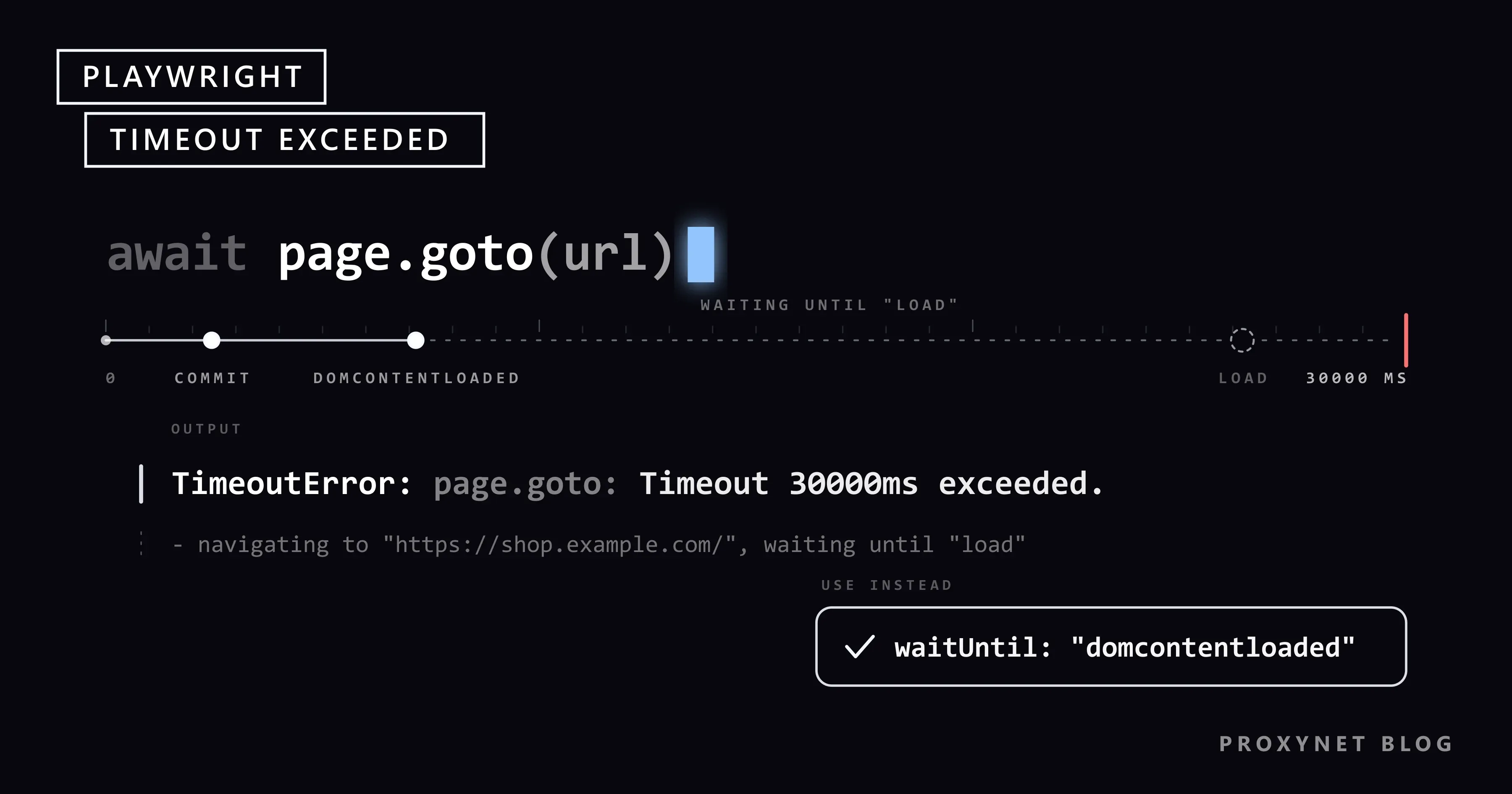
Your price check works on your laptop. You move it to a server, send it through a proxy, and after half a minute the log shows TimeoutError: page.goto: Timeout 30000ms exceeded. On the next run the page opens, and the script stops one line later with locator.click: Timeout 30000ms exceeded. You change the number to 60000, and the script now fails after a full minute, because the number was never the problem.
This guide covers the four kinds of timeout, the call log, waitUntil, where to set limits, slow proxies and block pages that end up as "element not found", then a tested retry script in Python and Node.js and the Puppeteer equivalent. Every message below comes from our runs with Playwright 1.63 and Puppeteer 25.12 against a local test site and test proxy.
What does "Timeout 30000ms exceeded" mean in Playwright?
Playwright waits on its own: page.goto() until the page reaches a load state, every locator action until the element exists and can take the action. When a wait hits its limit, Playwright raises a TimeoutError. In the library that limit is 30000 ms, 30 seconds; our Python and Node.js runs both stopped at exactly 30.0 seconds.
The message names the method that waited, the limit, and in a call log what Playwright was doing. This one came from a test page whose server never answered:
TimeoutError: page.goto: Timeout 30000ms exceeded.
Call log:
  - navigating to "http://127.0.0.1:8090/slow", waiting until "load"
Python prints Page.goto and Locator.click with a capital letter, Node.js page.goto and locator.click. In Python, import the class under another name, because TimeoutError from playwright.sync_api would hide Python's built-in one. In Node.js it is errors.TimeoutError from the playwright package.
Which timeout ran out? The four kinds
The library, which scrapers use, gives navigations and actions 30 seconds each. The Playwright Test runner gives them no limit of their own and the whole test 30 seconds instead, as the Playwright timeouts documentation lists; that is why the JavaScript API reference calls the goto default 0.
| Message starts with | Kind | Default | Change it with |
|---|---|---|---|
page.goto: Timeout … | Navigation | 30 s (library), none (Test) | timeout on the call, set_default_navigation_timeout(), navigationTimeout |
locator.click: Timeout … | Action or locator | 30 s (library), none (Test) | timeout on the call, set_default_timeout(), actionTimeout |
expect(locator)… failed with Timeout: 5000ms | Assertion | 5 s | expect: { timeout }, in Python expect.set_options(timeout=…) |
Test timeout of 30000ms exceeded. | Whole test (Playwright Test) | 30 s | timeout in the config, test.setTimeout(), test.slow() |
Two details from our runs. In Python, a failed expect() raises a plain AssertionError, which except PlaywrightTimeoutError does not catch. And when the test timeout hits during page.goto, Playwright Test adds page.goto: net::ERR_ABORTED; maybe frame was detached? under the timeout line. That is not a network error: the runner closed the page under the waiting call.
How do you read the call log?
The call log is the most useful part of the message. Here is a click on a button that a cookie banner covers, shortened from our run:
Locator.click: Timeout 5000ms exceeded.
Call log:
  - waiting for locator("#buy")
    - locator resolved to <button id="buy">Add to cart</button>
  - attempting click action
    2 × waiting for element to be visible, enabled and stable
      - element is visible, enabled and stable
      - scrolling into view if needed
      - done scrolling
      - <div id="cookie-banner">We use cookies</div> intercepts pointer events
    - retrying click action
Read it in four steps:
- The method in the first line names the wait:
goto,click,fill,textContent. - The last step in the log says where it stopped.
waiting for locator("#price")with nothing under it means nothing matched;locator resolved to …means the element was found but the action could not run. - The reason line, if any:
intercepts pointer events(something sits on top),element is not visible,element is not enabled. - The elapsed time. A failure at exactly your limit is a real wait. An earlier error such as
net::ERR_PROXY_CONNECTION_FAILEDis a different problem, covered in What Is Playwright and How to Use It With a Proxy.
Navigation timeouts: page.goto and waitUntil
page.goto() waits for a lifecycle event, chosen with waitUntil (wait_until in Python):
commit: the response has arrived and the document has started loading.domcontentloaded: the HTML has been parsed; images, fonts and iframes may still be loading.load(the default): the page and the resources it pulls in, images and stylesheets included, have finished.networkidle: no network connections for at least 500 ms. The page.goto reference marks it as discouraged and says to rely on assertions instead.
The default load causes many navigation timeouts: one slow image, tracking pixel or widget keeps the event from firing while the text you want is already in the page. On our test page the price was in the HTML and one image never finished. With load, goto timed out after 10 seconds; with domcontentloaded, it returned in 0.1 seconds with the price readable. networkidle failed on a page that calls an endpoint every 300 ms, as chat widgets and live prices do.
The pattern that holds up: navigate with domcontentloaded, then wait for the one element you need.
response = page.goto(url, wait_until="domcontentloaded")
price = page.locator("#price").inner_text() # waits for the element, up to the action timeoutconst response = await page.goto(url, { waitUntil: "domcontentloaded" });
const price = await page.locator("#price").innerText();If goto still times out with domcontentloaded, the HTML itself arrived too late, a network question (see the proxy section). If the data sits in the HTML or a JSON endpoint, you may not need a browser at all; Static vs Dynamic Pages shows how to check.
Locator and action timeouts: auto-waiting and what blocks it
Before a click, Playwright checks that the element is visible, stable (not moving), enabled and really receives the click at that point, and repeats the checks until the limit runs out. A locator timeout comes down to a short list of causes:
- The selector matches nothing. A typo, a class name that changes with every build, or text that differs by language. Stable attributes (
id,data-*) orget_by_role()last longer. - The element appears too late. A price rendered 12 seconds after load fails a 10-second limit every time.
- Something covers it. Cookie banners and modals show up as
intercepts pointer events. Close the overlay the way a visitor would;force=Trueskips the check, and the click lands where no user could click. - It is inside an iframe.
page.locator("#price")does not look into frames; in our test it timed out, whilepage.frame_locator("iframe").locator("#price")returned the price at once. - You are on another page than you think. A block page or login wall has no
#price(see below).
page.wait_for_selector() still works, but Playwright's API reference marks it as discouraged in favour of locators, which look the element up again on every attempt and so survive re-renders. How this differs from Selenium's explicit waits is in Playwright vs Selenium.
Setting timeouts on purpose: per call, per context, in config
A timeout passed to one call wins over everything. Below that, page defaults win over context defaults, and a navigation default wins over the general one. In Python, set the defaults on the context so every page in it inherits them:
context = browser.new_context()
context.set_default_navigation_timeout(15_000)  # goto, reload, wait_for_url
context.set_default_timeout(10_000)             # locators, clicks, waits
page = context.new_page()
page.goto(slow_report_url, timeout=45_000)      # one known-slow page gets more
In Playwright Test the limits live in the config. With this config, a missing element failed in our run with locator.click: Timeout 10000ms exceeded. and a page that never answered with page.goto: Timeout 15000ms exceeded.:
import { defineConfig } from "@playwright/test";

export default defineConfig({
  timeout: 60_000,              // whole test, including hooks and fixtures
  expect: { timeout: 10_000 },  // each expect(...) assertion
  use: {
    actionTimeout: 10_000,      // click, fill, textContent ...
    navigationTimeout: 15_000,  // goto, reload, waitForURL ...
  },
});
test.slow() triples the limit for one slow test. Avoid timeout=0 in production: a page that never answers then holds a context forever. Two-minute limits everywhere are not much better; a queue with a hundred dead URLs then needs more than three hours.
Slow proxies: measure first, then set the timeout
A proxy adds a hop to every request, and a browser makes many requests per page. Residential exits run over home connections and usually add more latency than datacenter exits, so a limit that never fires on your office line can fire through a distant exit. Measure before you pick a number. This script opens the same page five times in fresh contexts, with the limit off only for the measurement:
import statistics
import time

from playwright.sync_api import sync_playwright

PROXY = {"server": "http://pr.proxynet.io:8000", "username": "user", "password": "pass"}
URL = "https://shop.example.com/product/42"

with sync_playwright() as p:
    browser = p.chromium.launch(proxy=PROXY)
    times = []
    for _ in range(5):
        context = browser.new_context()  # fresh session, no cache between runs
        page = context.new_page()
        start = time.monotonic()
        page.goto(URL, wait_until="domcontentloaded", timeout=0)  # no limit while measuring
        page.locator("#price").wait_for(timeout=0)
        times.append(time.monotonic() - start)
        context.close()
    browser.close()

print("runs:", " ".join(f"{t:.2f}s" for t in times))
print(f"median {statistics.median(times):.2f}s, slowest {max(times):.2f}s")
Through our local test proxy, which adds 2 seconds to every request, it printed:
runs: 3.42s 3.38s 3.37s 3.38s 3.38s
median 3.38s, slowest 3.42s
Base the limit on the slowest run with room above it; we chose 15 seconds. On a real target take more samples, and measure again when the country, proxy type or site changes. Three more points:
- Load less. Blocking images, media and fonts with
page.route()cuts requests per page; the code is in our Playwright proxy guide. - Pick the exit for the job. Datacenter Proxy exits are faster where the target accepts datacenter IPs. Where a site needs home IPs or a city, use Residential Proxy exits with their own measured limit.
- Check the credentials. With a wrong proxy password on an HTTPS site, our
requestfailedlistener printednet::ERR_TUNNEL_CONNECTION_FAILEDat once, butpage.gotofailed only when its 10-second limit ran out. A credential problem can look like a slow proxy, so add this listener while debugging:
page.on("requestfailed", lambda r: print("FAILED:", r.url, r.failure))Outside the browser, Python's Requests reports proxy failures as "Max retries exceeded"; Max Retries Exceeded With URL explains how to read it.
When a block page turns into "element not found"
This case costs the most time. The site refuses the request and serves a block page with status 403 or 429. page.goto() does not throw for HTTP error statuses; our goto returned normally with a 403. The script then waits out the full limit for an element the block page will never contain. The log says timeout; the real answer was a refusal.
Our test block page was titled "Access denied", and the Python expect() error even printed its accessibility snapshot with heading "Access denied" in it. Look before you wait:
- Keep the response that
gotoreturns and read its status. - Read
page.title(); block and challenge pages have titles of their own. - If either says blocked, stop: no retry, no waiting for the element.
- Find out why: your request rate, the site's
robots.txtand terms, or whether it offers an API.
Retrying a block page makes it worse, and switching IPs to get past a refusal is not a fix: the site has said no. A 429 means too many requests; slow down and honour Retry-After (429 Too Many Requests and Rate Limit Errors Explained). Why sites flag automated visitors is in How Bot Detection Works. We do not cover ways around these pages; what lasts is a slower crawl, permission or the official API (Web Scraping vs API).
Full example: measured timeouts, a block check and retries
The script opens product pages through a proxy. Each attempt gets a fresh context with deliberate limits. It checks the status and title before waiting for content, stops on a block page, and retries only timeouts, with exponential backoff plus a random part (jitter) so parallel workers do not retry in step.
"""Open product pages through a proxy with measured timeouts, a block check and retries."""
import random
import time

from playwright.sync_api import TimeoutError as PlaywrightTimeoutError
from playwright.sync_api import sync_playwright

PROXY = {"server": "http://pr.proxynet.io:8000", "username": "user", "password": "pass"}
URLS = [f"https://shop.example.com/product/{n}" for n in (42, 43, 44)]

NAV_TIMEOUT = 15_000     # ms: about 4x the slowest page we measured through the proxy
ACTION_TIMEOUT = 10_000  # ms: locators, clicks and waits
ATTEMPTS = 3
STOP_STATUS = {403, 429}  # a refusal or a rate limit: retrying makes it worse
STOP_WORDS = ("access denied", "blocked", "captcha", "verify you are human")  # adjust per site


class Blocked(Exception):
    """The site answered with a block or rate-limit page: stop and find out why."""


def fetch_price(browser, url):
    for attempt in range(1, ATTEMPTS + 1):
        context = browser.new_context()  # clean cookies and cache on every attempt
        context.set_default_navigation_timeout(NAV_TIMEOUT)
        context.set_default_timeout(ACTION_TIMEOUT)
        page = context.new_page()
        start = time.monotonic()
        try:
            response = page.goto(url, wait_until="domcontentloaded")
            status = response.status if response else None
            title = page.title()
            if status in STOP_STATUS or any(word in title.lower() for word in STOP_WORDS):
                raise Blocked(f"HTTP {status}, title {title!r}")
            return page.locator("#price").inner_text()  # auto-waits up to ACTION_TIMEOUT
        except PlaywrightTimeoutError as exc:
            print(f"  attempt {attempt}: {str(exc).splitlines()[0]} ({time.monotonic() - start:.1f}s)")
            if attempt == ATTEMPTS:
                raise
            time.sleep(2**attempt + random.random())  # 2-3 s, then 4-5 s
        finally:
            context.close()


with sync_playwright() as p:
    browser = p.chromium.launch(proxy=PROXY)
    for url in URLS:
        print(url)
        try:
            print("  price:", fetch_price(browser, url))
        except Blocked as exc:
            print("  stopped, not retrying:", exc)
        except PlaywrightTimeoutError:
            print(f"  gave up after {ATTEMPTS} attempts")
    browser.close()
We ran it with the host swapped for our local test site (shop.test), through the proxy that adds 2 seconds per request; the third page was set to stall on its first two requests:
http://shop.test/product/42
  price: $19.90
http://shop.test/product/43
  stopped, not retrying: HTTP 403, title 'Access denied'
http://shop.test/product/44
  attempt 1: Page.goto: Timeout 15000ms exceeded. (15.0s)
  attempt 2: Page.goto: Timeout 15000ms exceeded. (15.0s)
  price: $19.90
The block page cost one request and no waiting; the stalled page cost two timeouts and then succeeded. Retries driven by status codes, such as 503 with Retry-After, belong in a separate layer; HTTP Status Codes in Web Scraping has that code. The same core in Node.js:
import { chromium, errors } from "playwright";

const PROXY = { server: "http://pr.proxynet.io:8000", username: "user", password: "pass" };
const URLS = ["https://shop.example.com/product/42", "https://shop.example.com/product/45"];

const browser = await chromium.launch({ proxy: PROXY });
for (const url of URLS) {
  const context = await browser.newContext();
  context.setDefaultNavigationTimeout(15_000); // goto, reload, waitForURL
  context.setDefaultTimeout(10_000);           // locators, clicks, waits
  const page = await context.newPage();
  try {
    const response = await page.goto(url, { waitUntil: "domcontentloaded" });
    console.log(url, "status", response?.status(), "title", await page.title());
    console.log("  price:", await page.locator("#price").innerText());
  } catch (err) {
    if (!(err instanceof errors.TimeoutError)) throw err;
    console.log("  timeout:", err.message.split("\n")[0]);
  } finally {
    await context.close();
  }
}
await browser.close();
On our test site the second page renders its price after 12 seconds:
http://shop.test/product/42 status 200 title Product
  price: $19.90
http://shop.test/product/45 status 200 title Product
  timeout: locator.innerText: Timeout 10000ms exceeded.
Puppeteer: "Navigation timeout of 30000 ms exceeded"
Puppeteer uses the same model under other names. Its default is also 30 seconds, page.setDefaultNavigationTimeout() and page.setDefaultTimeout() change it, and waitUntil accepts load, domcontentloaded, networkidle0 and networkidle2. The Puppeteer lifecycle event reference defines the last two as at most 0 or 2 open connections for 500 ms, so they fail on busy pages just like networkidle.
import puppeteer, { TimeoutError } from "puppeteer";

const browser = await puppeteer.launch({ args: ["--proxy-server=http://pr.proxynet.io:8000"] });
const page = await browser.newPage();
await page.authenticate({ username: "user", password: "pass" });
page.setDefaultNavigationTimeout(15_000); // goto, reload, waitForNavigation
page.setDefaultTimeout(10_000);           // waitForSelector and other waits

try {
  const response = await page.goto("https://shop.example.com/product/45", { waitUntil: "domcontentloaded" });
  console.log("status", response?.status(), "title", await page.title());
  await page.waitForSelector("#price");
} catch (err) {
  if (!(err instanceof TimeoutError)) throw err;
  console.log(`${err.name}: ${err.message} (${err.cause?.message})`);
} finally {
  await browser.close();
}
Our Puppeteer 25.12 runs printed these messages; the first comes from a page that never answered, with the default limit:
TimeoutError: Navigation timeout of 30000 ms exceeded
TimeoutError: Waiting for selector `#price` failed (Waiting failed: 10000ms exceeded)
The selector message leaves out the limit; it sits in err.cause. The proxy goes in as a Chromium flag and the credentials through page.authenticate(), which turns on request interception in the background. The causes and fixes above apply unchanged.
Where you run into this error
- Scraping JavaScript-rendered shops: prices load after the HTML, so wait for the element (data scraping).
- Crawling a long queue: one stuck page should cost one timeout, not the run (web crawler).
- Testing your own app from other countries: each exit has its own latency, so set limits per country (app testing).
- AI agents that drive a browser: an agent calling
gotohits the same limits (Playwright MCP). - Scheduled crawls: read the site's crawl rules before tuning speed (What Is a robots.txt File).
Common mistakes
- Raising the default to 60 or 120 seconds. A wait that cannot succeed only fails later.
- Treating
networkidleas "ready". Busy pages never go quiet. - Fixed sleeps before every step.
time.sleep()andwaitForTimeout()are too long on fast pages and too short on slow ones. - Catching only
TimeoutErroraroundexpect()in Python. It raisesAssertionError. - Skipping the status and the title. A block page then becomes a 30-second "element not found".
- Retrying blocked requests. Retries are for timeouts and network drops, not for
403and429. - Silencing overlays with
force=True. The click lands where a user could not click.
Decision guide
| What you see | What to do |
|---|---|
page.goto: Timeout, waiting until "load" | domcontentloaded, then wait for the element |
page.goto: Timeout, waiting until "networkidle" | Drop networkidle; wait for one element |
page.goto: Timeout with domcontentloaded | Measure load time through the proxy; set the limit from it |
waiting for locator(...) and nothing under it | Check the selector, frames and which page you are on |
intercepts pointer events | Close the overlay the way a user would |
Status 403 or 429, or a block title | Stop; slow down, check robots.txt, ask or use an API |
Test timeout of 30000ms exceeded. | Find the step that hung; raise the limit only for slow tests |
requestfailed shows ERR_TUNNEL_CONNECTION_FAILED | Fix the proxy credentials before touching timeouts |
Frequently asked questions
What is the default timeout in Playwright?
In the library, 30 seconds for navigations and actions. In Playwright Test, a whole test gets 30 seconds and each expect() 5 seconds; actions and navigations have no limit of their own.
How do I increase the timeout for page.goto?
Pass it to the call (page.goto(url, timeout=60_000) in Python, { timeout: 60_000 } in Node.js), set set_default_navigation_timeout() on the context, or navigationTimeout in the Playwright Test config. Raise it only after measuring.
Why does page.goto time out when the page is already on screen?
goto waits for the load event by default, and one image or widget that never finishes holds it back. Use domcontentloaded and wait for the element you need.
Should I use networkidle?
No. Playwright's reference marks it as discouraged, and pages with polling or live chat may never reach it. Wait for a specific element instead.
How do I catch a Playwright TimeoutError in Python?
Import it as from playwright.sync_api import TimeoutError as PlaywrightTimeoutError and catch that name. A failed expect() raises AssertionError.
Can a proxy cause Playwright timeouts?
Yes. A slow exit can push pages past the limit, and wrong credentials on an HTTPS site can surface as a timeout. Measure through the proxy, set limits from the results and listen to requestfailed. A block page is not fixed by a different proxy.
Summary
"Timeout 30000ms exceeded" names the wait that ran out, not the cause. Read the method and the end of the call log, then fix what it points to: a load or networkidle wait, a selector, an overlay, a frame, a block page or a slow exit. Set limits on the context from measured load times, give the rare slow page its own limit, retry only timeouts with backoff, and stop on blocks. To choose exits that suit your targets, compare our proxy services.


