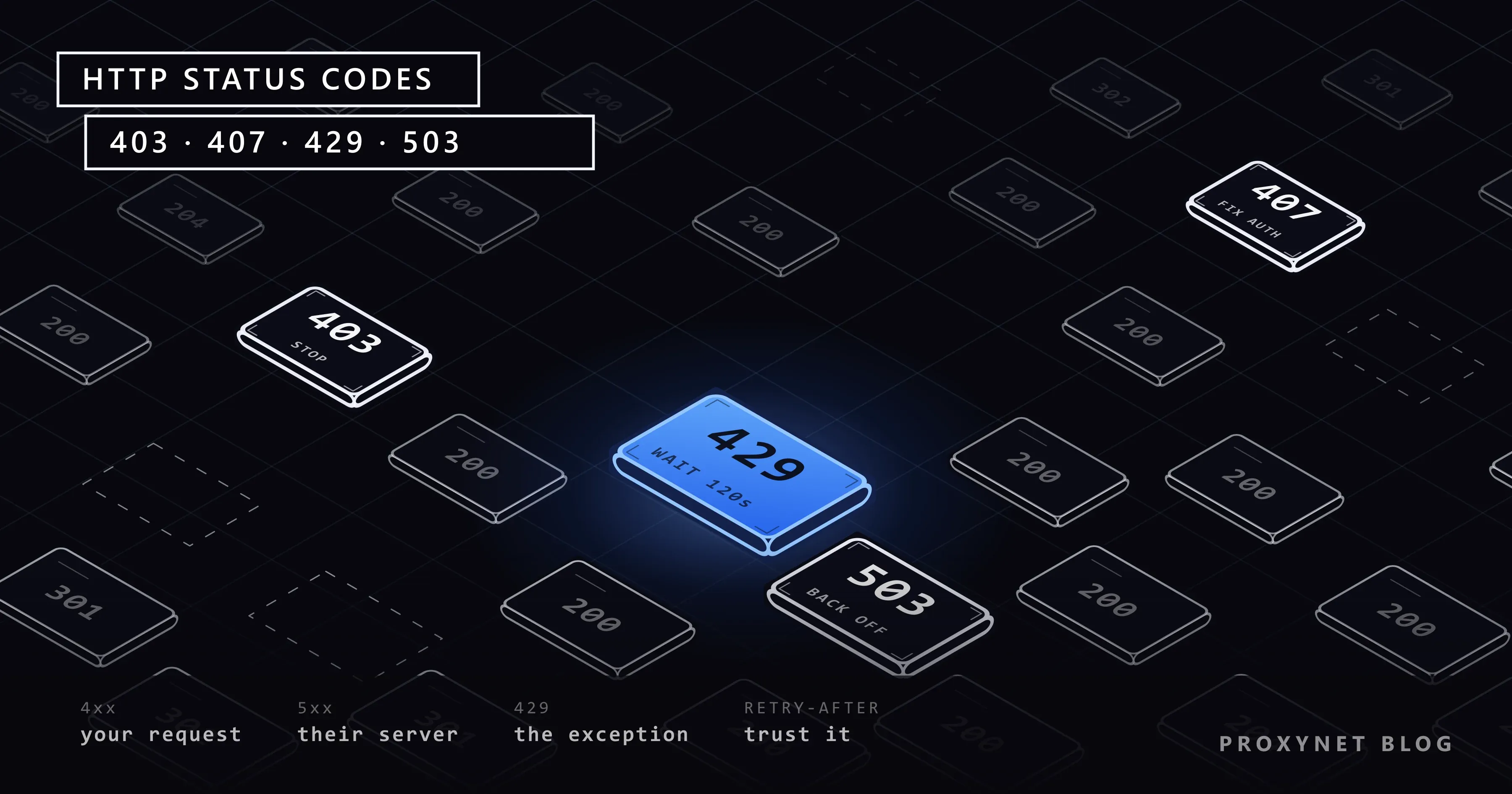
The most common lines in a scraper's log are not the successful 200 responses but the 403, 429 and 503 codes that pop up in between. Each of these codes describes a different problem, and each needs a different reaction. A script that treats all of them the same way, "retry three times", either pushes against a permanent block and makes things worse, or loses data on a temporary problem that would have cleared up after a few seconds.
In this article we explain how to read HTTP status codes, what the codes you run into most in scraping (403, 407, 429 and 503) mean and the likely causes behind them. Then we cover 502, 504 and connection errors, how to use the Retry-After header, and put which codes to retry and which to stop on into a single table. At the end there is a tested Python example that applies these decisions.
How do you read HTTP status codes?
Every HTTP response starts with a three-digit status code. The first digit sets the class of the response. The codes are defined in section 15 of RFC 9110; MDN's list of status codes also gives short explanations and examples for each.
| Class | Meaning | In scraping terms |
|---|---|---|
1xx | Informational, request in progress | You won't see these in practice |
2xx | Success | The page arrived, but still check its content |
3xx | Redirect | The address changed or you were sent to a login page |
4xx | Client-side problem | Something is wrong with your request, identity or speed |
5xx | Server-side problem | The server, gateway or proxy could not complete the request |
The most important distinction for scraping is this: most 4xx codes give the same result when you send the exact same request again. You need to change something about the request. Most 5xx codes are temporary, and the same request can succeed after waiting a while. 429 is the exception: it is a 4xx code, but it clears up with waiting.
One more warning that applies regardless of the code: seeing 200 does not mean you got the data you wanted. Bot protection systems often return a challenge page with a 200 code. Before counting a response as successful, check that the page contains an element you expect (a product title, a price field).
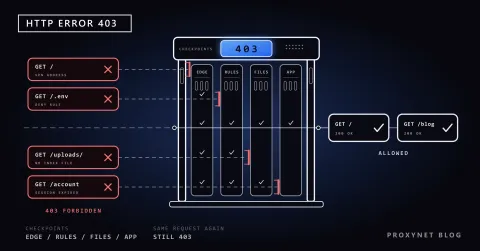
What does 403 Forbidden mean?
403 says the server understood your request but refuses to fulfil it. According to RFC 9110, the server does not have to explain why. The difference from 401 Unauthorized, used when authentication is missing, is that with 403 adding credentials usually does not change the result.
Likely causes of a 403 in scraping:
- IP reputation or IP type. Sites that restrict traffic from data center addresses return
403to those addresses directly. - Geographic restriction. The site only allows access from certain countries.
- Missing or inconsistent headers. The library's default
User-Agentvalue or a header combination never seen in a browser. - A web application firewall (WAF) rule. The request matched a security rule.
- Blocking because of your earlier traffic. An IP address that exceeds the rate limit for a long time can start getting
403instead of429after a while. - A page that really requires authorisation. A path that cannot be reached without logging in.
What to do: don't send the same request again right away. Try opening the address in a real browser with the same IP. If it opens in the browser, the problem is in your request itself (headers, speed); if it doesn't, the problem is the IP or the location. We go through every cause of a 403 and its fix, in the browser as well as in code, in 403 Forbidden Error: What It Means and How to Fix It.
What does 407 Proxy Authentication Required mean?
407 does not come from the target site but from the proxy server. It means the proxy wants you to prove your identity before forwarding the request to the target. So when you see 407, you need to look at your proxy connection, not the target site's rules.
Likely causes:
- The username or password is wrong.
- The password contains special characters such as
@,:or/that are not encoded inside the proxy address (@→%40). - The IP whitelist method is in use, but the IP address the connection comes from is not on the list.
- The library does not send the credentials in the address to the proxy.
- The account's balance or traffic allowance has run out.
Libraries show 407 in different ways. For HTTPS requests the proxy tunnel cannot be set up, so you often get an exception rather than a response object: Python Requests raises ProxyError, and HTTPX raises ProxyError too; in Node.js, Axios returns an error with status code 407. We show the library differences with tested examples in Using a Proxy in Node.js.
What to do: don't retry; fix the configuration. Check whether the Proxy-Authorization header is being sent in curl -v output; the command itself is in How to Use a Proxy with cURL. We walk through the two authentication methods and diagnosing 407 step by step in Proxy Authentication: User:Pass vs IP Whitelist.
What does 429 Too Many Requests mean?
429 says you sent too many requests in a given period. The code is defined in section 4 of RFC 6585, which states that the server can send a Retry-After header with the response to say how long you should wait.
What the rate limit is counted against varies by site:
- By IP address: requests from the same address are added up.
- By session or cookie: requests in the same session are added up; changing IP does not reset the counter.
- By API key: on official APIs the limit is usually tied to the key.
- By endpoint: on heavy endpoints such as search pages, the limit is lower than on product pages.
Some APIs report your remaining allowance with headers such as X-RateLimit-Remaining and X-RateLimit-Reset. These header names are not standard and vary from service to service; check the documentation of the API you use.
What to do: if there is a Retry-After, wait that long. If not, apply exponential backoff: 1 second on the first attempt, then 2, 4, 8 seconds, adding a random component to each. Lower concurrency at the same time; if you wait and continue at the same speed, you will get 429 again shortly.
What does 503 Service Unavailable mean?
503 says the server cannot handle the request right now, but the situation is temporary. Maintenance, overload or a crashed application server behind it are typical causes. According to RFC 9110, the server can say when to try again with Retry-After.
In scraping, 503 has two different faces:
- Real load or maintenance. The site returns
503to everyone. There is nothing to do but wait. - A temporary block from bot protection. Some protection systems return
503with a challenge page to traffic they find suspicious. If the body contains a challenge screen, the problem is not server load but your traffic itself.
What to do: tell the two cases apart by looking at the body. For real load, wait with Retry-After or exponential backoff. If you see a challenge page, review your speed and client identity instead of retrying. We explain why these screens appear in browser automation in Puppeteer and CAPTCHA.
502, 504 and connection errors
A scraper using a proxy runs into errors from the proxy itself as well as responses from the target site. These codes matter for working out which link in the chain has the problem.
500 Internal Server Error: an error occurred in the target application. Sometimes it is specific to one page. It can be retried once or twice; if it keeps happening, skip that address.502 Bad Gateway: an intermediate gateway (proxy, CDN or reverse proxy) could not get a valid response from the server behind it. In a proxy context, it can mean the proxy could not reach the target. Retry after a short wait. How to tell whether a 502 came from your proxy or from the site, and what to check on each side, is in 502 Bad Gateway Error: What It Means and How to Fix It.504 Gateway Timeout: the gateway did not get a response from the server behind it in time. It shows up when the target is slow or the proxy's exit point is far away. Retry.408 Request Timeout: the server timed out while waiting for the request to complete. Retry.- Connection errors: there is no code; the client throws an exception. Connection refused (
ECONNREFUSED), connection reset (ECONNRESET), timeout, host not found (ENOTFOUND) and so on. If the address or port is wrong, no retry will fix it; for temporary situations such as a dropped network, retrying helps. Python Requests wraps these errors in aMax retries exceeded with urlmessage; we explain how to read the cause in parentheses in Max Retries Exceeded With URL. - CDN-specific codes: some CDNs use non-standard codes in the
520-526range. These usually describe connection problems between the CDN and the site's own server.
404 Not Found and 410 Gone say the page does not exist. Instead of retrying, remove the address from your list; if you suddenly see many 404s, the site's URL structure may have changed.
How do you use Retry-After?
The Retry-After header can come in two forms:
- A number of seconds:
Retry-After: 120→ wait 120 seconds. - An HTTP date:
Retry-After: Wed, 16 Sep 2026 07:28:00 GMT→ try after this date.
Four rules for using it properly:
- If the header is there, don't guess; follow it. The time the server gives is more accurate than any backoff you would calculate.
- Set an upper limit. If the header says something long, such as several hours, leave the address for a later run instead of letting your script hang for that long.
- Apply the wait to the site, not just to that request. If you keep sending other requests to the same site in parallel while holding back the request that got
429, the limit keeps being exceeded. - Parse the date form too. Code that only expects a number ignores a header that arrives as a date. We shared a Python function that handles both forms in How to Scrape Websites Without Getting Blocked.
Which codes do you retry and which do you stop on?
| Code | Meaning | Likely cause in scraping | What to do |
|---|---|---|---|
200 | Success | The page arrived, but it may be a challenge page | Check for an expected element in the content |
301 / 302 | Redirect | The address changed or you were sent to a login page | Follow the redirect; if it's a login page, check the session |
400 | Bad request | Broken parameter or body | Stop and fix the request |
401 | Authentication required | Missing login or API key | Stop and add credentials |
403 | Refused | IP type, location, headers, WAF rule | Stop and diagnose |
404 / 410 | Page not found | Deleted product, changed URL structure | Remove from the list |
407 | Proxy authentication required | Wrong password, unencoded character, whitelist | Stop and fix the proxy settings |
408 | Request timeout | Slow connection | Retry |
429 | Too many requests | Rate limit exceeded | Wait as long as Retry-After, slow down |
500 | Server error | Error in the target application | Try a few times, then skip |
502 | Bad gateway | Proxy or CDN could not reach the target | Retry after a short wait |
503 | Service unavailable | Load, maintenance or a protection page | Check the body; wait with Retry-After |
504 | Gateway timeout | Slow target, distant exit point | Retry; use a closer location if needed |
| Connection error | No response | Dropped network, wrong address or port | Retry if temporary; fix the configuration if permanent |
Example: retries that decide by status code
The example below uses HTTPX's async client. For 408, 429 and 5xx codes it honours the Retry-After header; if there is no header, it applies exponential backoff with a random component. For codes where retrying won't change the result, such as 403, 404 and 407, it stops by raising a separate exception. Proxy authentication errors (which arrive as ProxyError for HTTPS requests) fall into this group too.
import asyncio
import random

import httpx

RETRY_STATUS = {408, 429, 500, 502, 503, 504}
STOP_STATUS = {400, 401, 403, 404, 407, 410}


class StopScraping(Exception):
    """Cases where retrying won't change the result."""


def backoff(response, attempt, base=1.0, cap=60.0):
    retry_after = response.headers.get("Retry-After") if response is not None else None
    if retry_after and retry_after.isdigit():
        return min(int(retry_after), cap)
    return min(cap, base * 2**attempt) * random.uniform(0.5, 1.0)


async def fetch(client, url, attempts=5):
    for attempt in range(attempts):
        response = None
        try:
            response = await client.get(url)
        except httpx.ProxyError as exc:
            raise StopScraping(f"Proxy error (check your credentials): {exc}") from exc
        except httpx.TransportError:
            pass  # dropped connection, timeout: can be retried
        else:
            status = response.status_code
            if status < 400:
                return response
            if status in STOP_STATUS:
                raise StopScraping(f"{url}: HTTP {status}, will not retry")
            if status not in RETRY_STATUS:
                return response
        await asyncio.sleep(backoff(response, attempt))
    raise RuntimeError(f"{url}: no result after {attempts} attempts")


async def main():
    proxy = "http://user:pass@pr.proxynet.io:8000"
    async with httpx.AsyncClient(proxy=proxy, timeout=20, follow_redirects=True) as client:
        urls = ["https://example.com/product/1", "https://example.com/product/2"]
        results = await asyncio.gather(*(fetch(client, u) for u in urls), return_exceptions=True)
        for url, result in zip(urls, results):
            print(url, result if isinstance(result, Exception) else result.status_code)


asyncio.run(main())
Extend the example in two places for your own job. First, asyncio.gather starts every address at once; in a real job, limit the number of simultaneous requests to the same site with asyncio.Semaphore. Second, Retry-After can also come as an HTTP date; if you need to parse that form too, use the function linked above. The differences between HTTPX and other Python libraries are in HTTPX vs Requests vs AIOHTTP.
Logging and monitoring errors
Use status codes not only for decisions in the moment but also to monitor the health of the job. Recording these numbers on every run helps you notice problems early:
- Responses by code: if the
429rate rises, you are going too fast; if the403rate rises, something changed on the IP or header side. - Distribution by site and endpoint: is the problem on one site or on every site? Errors rising on all sites at once usually point to the proxy or the network.
- Retry count and total waiting time: if retries take up a large share of the job's time, the concurrency setting is wrong.
200responses without the expected element: the only sign of silent data loss.
Use cases
- Daily price monitoring: products that return
404are removed from the list, and concurrency is lowered on the next run for sites that returned429. The general setup is on our data scraping solution page. - Catalogue collection from many sites: a rising
403rate on one site needs a separate diagnosis for that site; a Rotating Proxy is used to spread the load. - Your own panel that needs a session: a
302redirect to the login page can show that the IP changed mid-session; a Sticky Proxy is preferred to keep the same IP for the session. - A new proxy setup: if the first requests return
407orProxyError, the problem is not the target but the credentials.
Common mistakes
- Retrying the same number of times on every error. Repeating
403and407does not change the result; it only generates unnecessary traffic. - Not reading the
Retry-Afterheader. Coming back early on your own guess when the server told you how long to wait. - Not adding a random component to backoff. Hundreds of requests that failed at the same moment get retried at the same moment and create a new pile-up.
- Accepting a
200response without looking at the content. Challenge pages silently produce empty data. If that HTML body goes straight into a.json()call, the error shows up as JSONDecodeError: Expecting Value; we cover the diagnosis in How to Fix JSONDecodeError: Expecting Value in Python. - Treating
407as the target site's error. You need to check your proxy configuration, not the target. - Not capping retries. A loop that keeps going forever on a permanent problem wears out both your resources and the target site.
Decision guide
| What you see | First thing to do |
|---|---|
429 | Wait as long as Retry-After, lower concurrency |
503 with a normal error page | Wait and retry |
503 with a challenge page | Stop, review speed and client identity |
403 | Try with the same IP in a browser and diagnose the cause |
407 or ProxyError | Check the proxy username, password and whitelist |
502 / 504 | Retry after a short wait; if it continues, change the exit location |
404 / 410 | Remove the address from the list |
200 but no data | Check for a challenge page or dynamic loading |
Frequently asked questions
What is the difference between 403 and 401?
401 Unauthorized says the request requires authentication and you did not send valid credentials. 403 Forbidden says the server understood the request but refuses it regardless of credentials. With 401, adding credentials can be the fix; with 403, it usually isn't.
Why does a 407 error come from the proxy and not the target site?
Because the request never reached the target. The proxy authenticates you before forwarding the connection and answers itself if authentication fails. That is why 407 has nothing to do with the target site's rules.
Is changing IP after a 429 a solution?
If the rate limit is counted by IP, it may help temporarily, but it doesn't change the speed that caused the problem, and it doesn't help at all if the limit is per session or per account. The right reaction is to wait and slow down; rotation should be planned from the start to spread load.
How long should I wait if there is no Retry-After header?
Apply exponential backoff: start with a few seconds, double on every attempt, set an upper limit and add a random component to each wait. If it still fails after a few attempts, leave the address for a later run.
Does a 503 error mean the site is down?
Not always. It can also be maintenance, temporary load or a block from bot protection. Look at the response body: is it a maintenance message, a generic error page or a challenge screen?
I get 502 errors when using a proxy. Where is the problem?
502 says the intermediate gateway could not get a valid response from the server behind it. In a proxy context, it can mean the proxy could not reach the target or the target dropped the connection. Try the same address without the proxy: if it works without the proxy, the problem is at the proxy's exit point; if it doesn't work without the proxy either, the problem is on the target site.
Summary
HTTP status codes tell your scraper what to do: 429 and 503 ask you to wait, 403 asks for a diagnosis, 407 asks you to fix the proxy configuration, and 404 asks you to drop the address. If there is a Retry-After header, follow it; if not, use exponential backoff with a random component and cap every retry loop. Don't forget to check the content of 200 responses too. You can find proxy types that suit your data collection work in our proxy services.