


































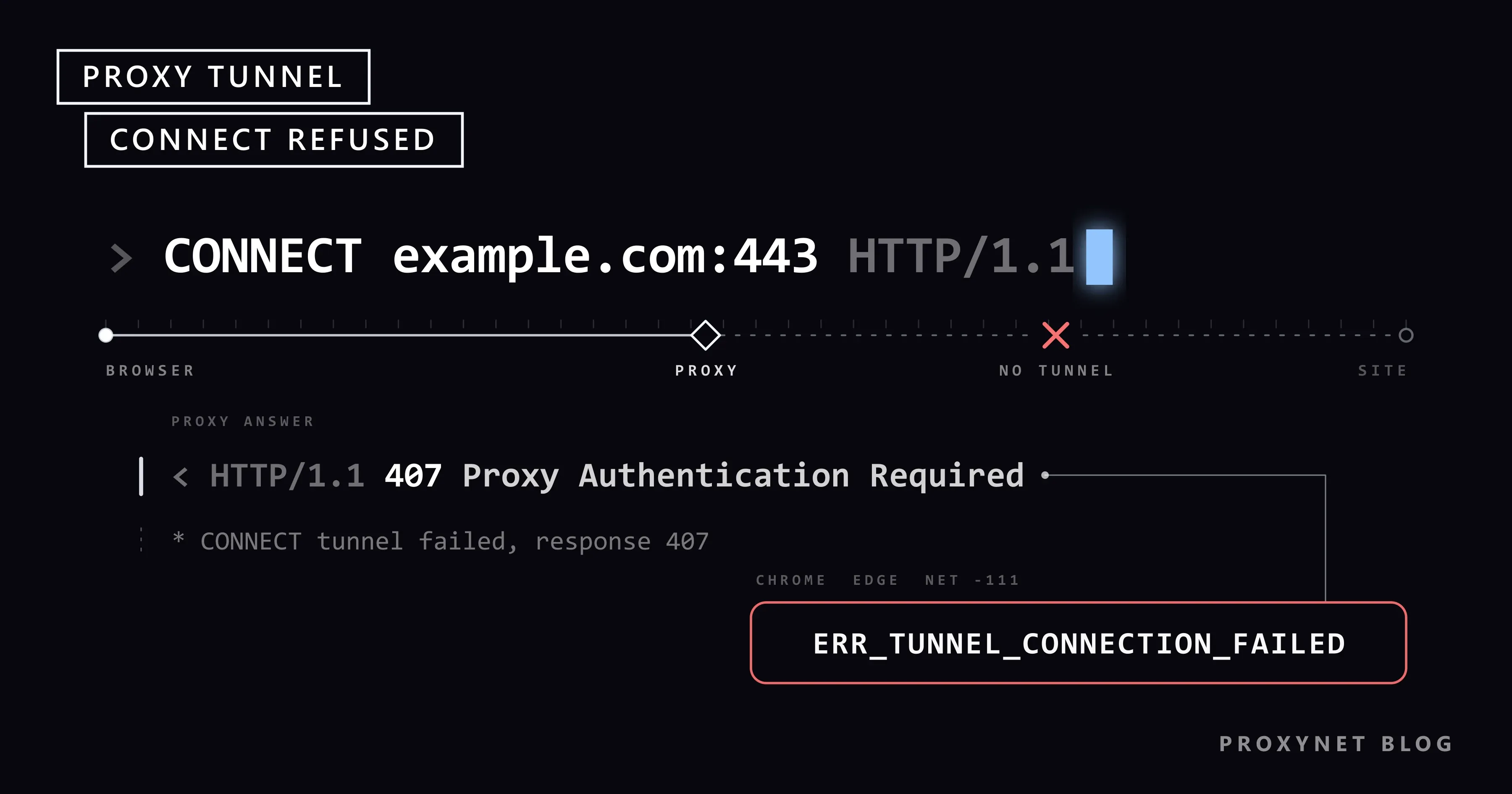
You open a site in Chrome and get a grey page instead: "This site can't be reached", a line saying the webpage "might be temporarily down", and ERR_TUNNEL_CONNECTION_FAILED at the bottom. Other sites fail the same way. Perhaps you had just switched on Opera's free VPN or a VPN extension, or typed in a proxy you bought.
The site is almost certainly fine. Your browser got as far as a proxy, asked it for a connection to the site, and the proxy said no. Below: what that tunnel is, the causes we reproduced with a test proxy, what to check if you never set up a proxy and what to check if you did, plus one command that shows the proxy's own answer.
What does ERR_TUNNEL_CONNECTION_FAILED mean?
A proxy is a server that sits between your browser and the internet and passes your requests on (What Is a Proxy Server and How Does It Work?). While a proxy is on, the browser does not connect to secure sites (addresses that start with https://) by itself. It asks the proxy to make the connection.
That request is called a tunnel: "connect me to example.com on port 443, then pass the bytes along". If the proxy agrees, the encrypted page travels through it like water through a pipe, and the proxy cannot read what is inside. If it refuses, there is no pipe. In Chrome's list of network errors this is error -111, a tunnel through the proxy that could not be established. Edge, Opera and Brave share Chrome's engine (Chromium) and show the same code.
Why does the page say the site might be down?
Chrome has no special text for this error. When our test proxy refused every tunnel, Chrome 154 showed its general "This site can't be reached" page and Edge 154 showed "Hmmm… can't reach this page". A refusing proxy usually explains itself, but the Chromium source code discards that answer "to avoid letting the proxy impersonate the target server". A malicious proxy could otherwise show a fake page under the real site's address.
How is it different from ERR_PROXY_CONNECTION_FAILED?
The two codes mark two points on the same road:
| Code | Where it stops | What it means |
|---|---|---|
ERR_PROXY_CONNECTION_FAILED | Before the proxy | The proxy could not be reached: wrong address or port, or the server is down |
ERR_TUNNEL_CONNECTION_FAILED | At the proxy | The proxy answered but refused, or failed, to open the tunnel |
Chrome's error list explicitly keeps tunnel failures out of the first code, so with the tunnel error the proxy's address is usually right. If your screen says "No internet" and "There is something wrong with the proxy server, or the address is incorrect", you have the other error; What Is a Proxy Error? covers it.
How does the error happen, step by step?
- The browser checks for a proxy. Chrome and Edge use the Windows or macOS proxy setting, unless an extension or a built-in VPN such as Opera's has taken over.
- It connects to the proxy. If this fails, you get
ERR_PROXY_CONNECTION_FAILEDinstead. - It asks for a tunnel. For an
https://site it sendsCONNECT example.com:443, the site's name and port. The proxy, not your computer, looks up the site's address. - The proxy answers with a number. Under the HTTP standard, RFC 9110, section 9.3.6, an answer in the 200 range opens the tunnel; any other answer means it was not formed.
- The browser reacts. With 200 the page loads. With 407 ("Proxy Authentication Required") Chrome opens a sign-in window for the proxy's username and password. With anything else, such as 403 or 502, it shows
ERR_TUNNEL_CONNECTION_FAILED.
Step 3 is why flushing DNS or clearing browsing data does nothing here: the browser never looked up the site and never got a page from it. Plain http:// addresses use no tunnel, so in our test the same refusing proxy produced "HTTP ERROR 403" on http://example.com and the tunnel error on the https:// version.
What causes ERR_TUNNEL_CONNECTION_FAILED?
We reproduced each proxy answer with a small test proxy on our own computer and opened https://example.com in Chrome 154.
| Cause | What you see | First check |
|---|---|---|
| Missing or wrong proxy password (407) | A sign-in window; if cancelled, "HTTP ERROR 407" | Copy the username and password again |
| IP whitelist, and your home IP changed | This error or a sign-in window, depending on the provider | Add your current IP in the dashboard |
| Balance or traffic used up | This error or a sign-in window, depending on the provider | The balance in the dashboard |
| The proxy cannot reach the site (502, 503) | This error | Wait a few minutes or start a new session |
| A work or school proxy blocks the site (403) | This error | Ask the IT team |
| A per-IP proxy limited to the sites you chose | This error on the other sites | The product's site access setting |
| A VPN extension or Opera's VPN has server trouble | This error | Turn it off or pick another location |
| Antivirus scanning encrypted traffic | This error on some or all sites | Pause the scanning for one test |
| A SOCKS5 port in an HTTP proxy box | Usually ERR_EMPTY_RESPONSE or ERR_CONNECTION_RESET | Use the HTTP port |
A cancelled sign-in window ended on "HTTP ERROR 407" in Chrome 154 and Edge 154 in our test, while Chromium's source still describes a path where it ends in ERR_TUNNEL_CONNECTION_FAILED. Treat both screens as the same password problem.
You never set up a proxy: what to check first
If you never set up a proxy, something else did: a VPN extension, Opera's VPN, an unblocker program or a security tool. Reload the page after each step.
- Turn off VPN and proxy extensions. In Chrome, select More > Extensions > Manage Extensions at the top right and switch off every VPN, proxy or "change location" extension (Google's steps). In Edge, select Extensions to the right of the address bar, then Manage extensions, and use the toggle next to each one (Microsoft's steps).
- Switch off Opera's VPN. Click the VPN badge in the address bar and flip the switch off.
- Check the system proxy setting. Remove a leftover proxy with How to Remove a Proxy from Chrome and Windows, or on a Mac with How to Set Up Proxy Settings on Mac and Safari. If it returns after a restart, What Is a Proxy Error? shows how to find the program that writes it.
- Test your antivirus. Some security programs sit in the middle of every secure connection to scan it (often called HTTPS scanning). If pausing that scanning for a minute clears the error, add an exception or update the program instead of leaving protection off.
- On a work or school computer, stop here. The organisation sets that proxy, and a refusal means the site is not allowed on that network. Ask the IT team.
Quick cross-check: if the site opens on your phone over mobile data, it is up, and the problem is on the computer.
Why does Opera's VPN or a VPN extension cause it?
Opera's free VPN is built into the browser and carries only the browser's traffic; Opera's own help page for Android calls the VPN and the data saver "proxy solutions". Many free VPN extensions for Chrome and Edge work the same way, pointing the browser's proxy setting at their server.
So when such a VPN's server is overloaded or cannot reach the site, you get a proxy error: ERR_PROXY_CONNECTION_FAILED if the server does not answer, ERR_TUNNEL_CONNECTION_FAILED if it answers but opens no tunnel.
In Opera, click the VPN badge and choose another virtual location from the list, or let Opera pick one. If the error stays, flip the switch off; if pages then load, the VPN was the cause. Some free extensions also refuse connections once their data allowance runs out. How a browser VPN differs from a full VPN app is in Proxy vs. VPN.
You set up a proxy yourself: four checks
If you entered a proxy you bought, the proxy was reached and turned you away. Keep your provider's dashboard open.
1. Username and password. The Windows proxy box has no password field, so Chrome asks in a sign-in window. A cancelled window, a typo or a trailing space all lead to a 407; copy both values instead of typing them.
2. IP whitelist. With IP whitelisting the proxy admits the addresses you listed instead of asking for a password. Many home connections get a new IP from time to time, for example after a modem restart, and from then on the proxy does not recognise you. Add the current address or switch to a password; see Proxy Authentication: User:Pass vs IP Whitelist and Static IP vs Dynamic IP.
3. Port and type. A browser's proxy box expects an HTTP proxy, and providers serve HTTP and SOCKS5 on different ports. In our test a SOCKS5 port in the HTTP box gave ERR_EMPTY_RESPONSE or ERR_CONNECTION_RESET. HTTPS Proxy is the type browsers understand directly; SOCKS5 Proxy suits apps that ask for SOCKS5 (SOCKS vs. HTTP Proxy).
4. Balance and site access. When the balance or traffic runs out, the proxy stops opening tunnels. Per-IP products such as ISP Proxy and Datacenter Proxy reach the target sites chosen at order time; access to all websites is a paid add-on. If such a proxy refuses one site, check the Target Host row in the gate's details (Create and Set Up an ISP Proxy). If the proxy could not reach the site (502 or 503), wait or start a new session; with Residential Proxy a new session also brings a new exit IP.
If all four look right, test the proxy outside the browser as in Is My Proxy Working? How to Test a Proxy, and if it fails there too, send the error text and the time to your provider's support.
Advanced: see the proxy's answer with one command
This part is for readers comfortable with a command line. curl, which ships with Windows 10, Windows 11 and macOS, asks the proxy for a tunnel like the browser does but prints the proxy's answer. In Windows PowerShell type curl.exe, because there curl means a different command.
curl -v -x http://user:pass@pr.proxynet.io:8000 https://example.comPut your own details in place of user:pass and the address. We ran this command shape against a test proxy on our computer that rejects these credentials; these are the key lines of its output (curl 8.21.0, Windows 11), shortened:
* Establishing HTTP proxy tunnel to example.com:443
> CONNECT example.com:443 HTTP/1.1
> Host: example.com:443
> Proxy-Authorization: Basic dXNlcjpwYXNz
< HTTP/1.1 407 Proxy Authentication Required
* CONNECT tunnel failed, response 407
curl: (7) CONNECT tunnel failed, response 407
Lines with > are what curl sent, lines with < are the proxy's answer. The Proxy-Authorization line holds your credentials encoded, not encrypted, so never post the full output publicly. The number after "response" is the verdict:
CONNECT tunnel established, response 200: the tunnel works; look at the browser setup.response 407: username and password, or the IP whitelist.response 403: a rule refused this site or port.response 502orresponse 503: the proxy could not reach the site.
Other curl proxy messages are in cURL with Proxy.
Related errors
| Error | What it means | Read more |
|---|---|---|
ERR_PROXY_CONNECTION_FAILED | The proxy could not be reached at all | What Is a Proxy Error? |
| "HTTP ERROR 407" | The proxy's sign-in window was cancelled | HTTP Status Codes in Web Scraping |
ERR_NO_SUPPORTED_PROXIES | Chrome cannot use the configured proxy; in our test, a SOCKS5 address with a username and password | Selenium Proxy in Python |
ERR_SOCKS_CONNECTION_FAILED | A SOCKS proxy failed to connect you to the site | What Is a SOCKS5 Proxy? |
Tunnel connection failed: 403 Forbidden (Python) | The same refusal in the Requests library | Max Retries Exceeded With URL |
Where you might run into it
- Proxy switcher extensions that route only some sites: the error shows on those sites only (Proxy SwitchyOmega Setup).
- Company networks, where a central proxy decides which sites are allowed (What Is a PAC File?).
- Antidetect browser profiles with one proxy per profile: one profile fails, the others work (What Is an Antidetect Browser?).
- Browser automation, where Playwright, Puppeteer and Selenium log it as
net::ERR_TUNNEL_CONNECTION_FAILED(Playwright with a proxy). - A new proxy plan: one test request before a long job (Create and Set Up a Residential Proxy).
Common mistakes
- Clearing the cache, cookies or DNS. The refusal happened at the proxy, before any page arrived.
- Restarting the router. The line is fine, and with an IP whitelist a restart can make things worse by bringing a new home IP.
- Blaming the website. "Might be temporarily down" is generic text, not a diagnosis.
- Turning the antivirus off for good instead of adding an exception.
- Changing the proxy on a work computer. Policy writes it back, and the block is the network's decision.
Decision guide
| Your situation | What to do |
|---|---|
| It started with a VPN extension or Opera's VPN | Turn it off or choose another location |
| You never set a proxy and use no VPN | Check the system proxy setting, then your antivirus |
| A sign-in window keeps coming back | Copy the username and password from the dashboard |
| It worked yesterday, you use an IP whitelist | Add today's home IP |
| One site fails on a per-IP proxy | Check the product's site access setting |
ERR_EMPTY_RESPONSE right after entering a proxy | Use the HTTP port, not the SOCKS5 port |
| Work or school computer | Ask the IT team |
Frequently asked questions
Is ERR_TUNNEL_CONNECTION_FAILED a problem with the website?
Almost never. The proxy refused or failed to open the connection, so the site did not receive your request at all.
Why does the error appear on some sites but not on others?
The proxy decides site by site. A work proxy may block only some sites, a per-IP proxy may be limited to the sites you chose, and a proxy may fail to reach one site while reaching the rest.
Why do I get it as soon as I turn on Opera's VPN?
Opera's browser VPN sends your browsing through Opera's proxy servers, and when the server for your virtual location has trouble, you get a tunnel error. Choose another location or turn the VPN off.
Will clearing my cache or flushing DNS fix it?
No. The site's name travels to the proxy inside the CONNECT request, and the proxy looks up the address. Your browser cache and your computer's DNS play no part.
Is it the same error when Playwright or Puppeteer prints net::ERR_TUNNEL_CONNECTION_FAILED?
Yes, same Chromium code, same meaning. Automated browsers show no sign-in window, so the username and password go into the tool's proxy settings. In our test, headless Chrome without credentials reported ERR_INVALID_AUTH_CREDENTIALS.
Can the proxy read my pages once the tunnel works?
No. The page stays encrypted between your browser and the site, so the proxy sees which site you connect to and how much data passes, not what you read or type.
Summary
ERR_TUNNEL_CONNECTION_FAILED means the browser reached a proxy and the proxy did not open the tunnel; the site is usually fine. Without a proxy of your own, turn off VPN extensions and Opera's VPN, then check the system proxy setting and your antivirus. With one, check the password, the IP whitelist, the port, the balance and the site access setting, and read the proxy's answer with curl when in doubt. You can compare proxy types and their uses on our proxy page.


