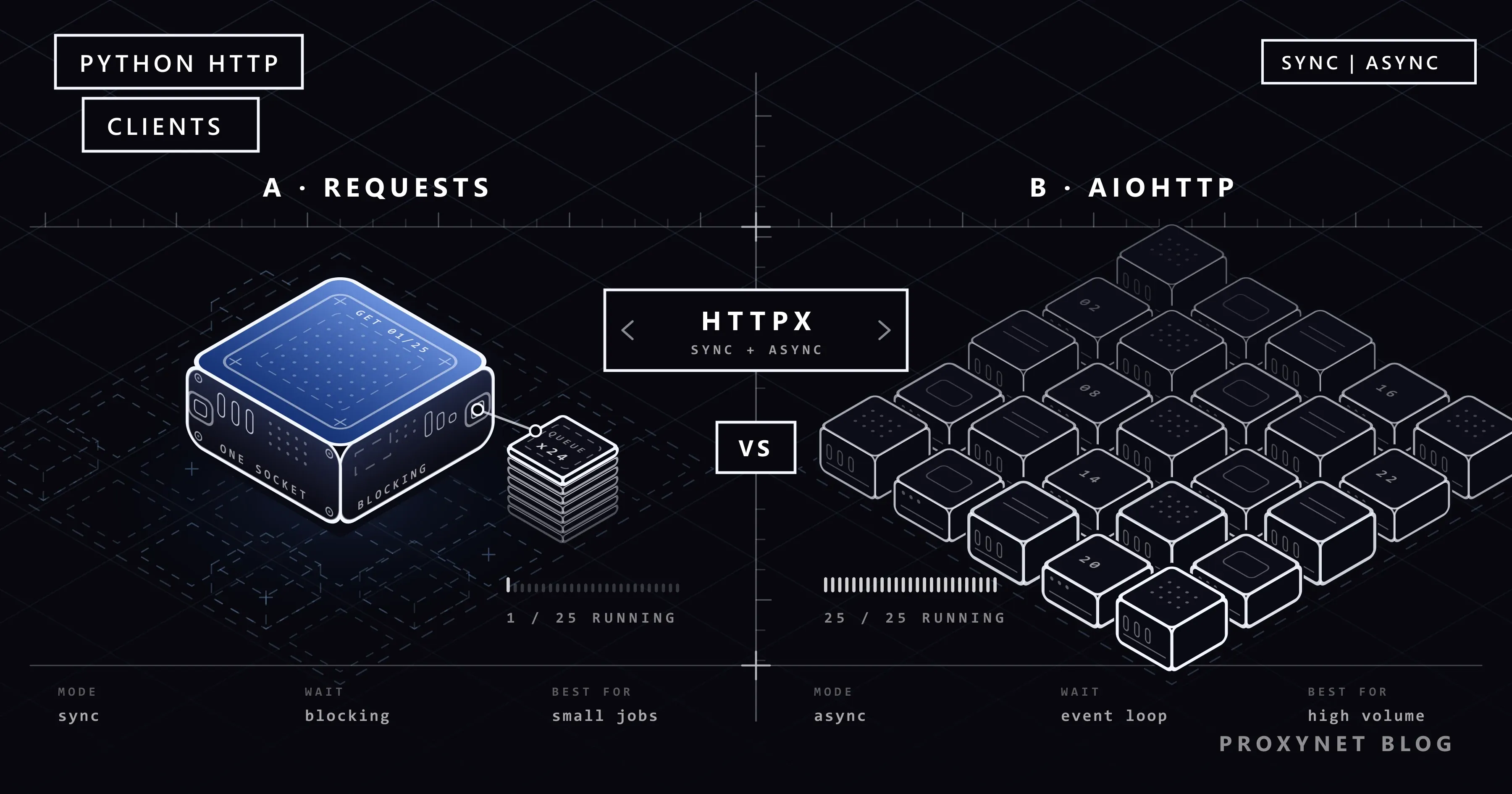
Three libraries stand out for sending HTTP requests in Python: Requests, HTTPX, and AIOHTTP. All three do the same basic job, but the difference between them doesn't show up while writing a small script — it shows up when you need to manage thousands of requests at once. This article compares the three libraries on ease of use, concurrency, proxy support, error handling, and ecosystem, gives working examples for each, and shows the path from Requests to async.
The code in the examples was tested with Python 3.13 and Requests 2.32, HTTPX 0.28, and AIOHTTP 3.13.
The three libraries, briefly
- Requests: Python's most widely used HTTP library. It runs synchronously, it's very easy to learn, and documentation and examples are everywhere. Keep in mind that the program waits at that line until each request finishes.
- HTTPX: Offers an interface very similar to Requests, both synchronous and asynchronous. It also has HTTP/2 support. HTTPX is generally the least painful way to move existing Requests code to async.
- AIOHTTP: A library designed as async from the ground up. It also includes a web server alongside the client. It's a mature and popular choice for jobs that need very high concurrency.
What do synchronous and asynchronous mean?
Since this is the concept at the center of the comparison, let's explain it briefly. A synchronous client sends the request and waits until the response arrives; the program does nothing else during that time. An asynchronous client hands control back to the event loop after sending the request; while waiting for the response, other requests can go out.
Most of the duration of a web request is spent on the network, that is, waiting for the target server to respond. In synchronous code that wait is wasted; in async code, dozens of other requests can be waiting during the same span. The difference isn't felt when fetching a hundred pages; it turns into the difference between hours and minutes when fetching ten thousand.
The cost of this advantage is complexity: async/await syntax, the event loop, and incompatibility with non-async libraries. That's why saying "async is always better" is wrong; when there's no need for it, synchronous code is more readable and easier to maintain.
The key differences in one table
| Feature | Requests | HTTPX | AIOHTTP |
|---|---|---|---|
| Synchronous use | Yes | Yes | No |
| Asynchronous use | No | Yes | Yes |
| HTTP/2 | No | Yes (with an extra package) | No |
| Proxy (HTTP/HTTPS) | Built in | Built in | Built in |
| SOCKS proxy | With requests[socks] | With httpx[socks] | With an external package |
| Default timeout | None (waits indefinitely) | 5 seconds | 5 minutes (total) |
| Following redirects | On by default | Off by default | On by default |
| Connection pooling | With Session | With Client | With ClientSession |
| Learning curve | Very easy | Easy | Moderate |
| Good fit for | Simple scripts, low volume | Mixed sync + async projects | High concurrency |
The "default timeout" row in the table is the most commonly overlooked difference among the three libraries. If you don't give a timeout in Requests, a request can wait forever; adding timeout= to every Requests call should be a habit. We show the difference between ConnectTimeout and ReadTimeout, and how each looks in the error message, in Max Retries Exceeded With URL.
Requests: simple and synchronous
Installation:
pip install requestsA single request through a proxy:
import requests

PROXY = "http://kullanici:parola@pr.proxynet.io:8000"
proxies = {"http": PROXY, "https": PROXY}

response = requests.get("https://httpbin.org/ip", proxies=proxies, timeout=20)
print(response.status_code, response.json())
The https key in the proxies dictionary is the proxy used when going to HTTPS addresses. It's correct for the value to start with http://: HTTPS traffic is tunneled inside the connection established with the proxy.
If you're going to send more than one request, use Session; connections are reused, cookies are preserved, and the proxy setting is done once:
import requests

PROXY = "http://kullanici:parola@pr.proxynet.io:8000"

with requests.Session() as session:
    session.proxies.update({"http": PROXY, "https": PROXY})
    session.headers.update({"User-Agent": "data-collection-bot/1.0"})
    for path in ["ip", "headers", "user-agent"]:
        r = session.get(f"https://httpbin.org/{path}", timeout=20)
        print(path, r.status_code)
Requests's limit is concurrency. If you fetch 1,000 pages one after another, the total time approaches the sum of each request's duration. You can ease this with concurrent.futures.ThreadPoolExecutor, but at very high volumes an async library works more efficiently. The examples here only send GET requests; we showed how to write POST requests with a JSON body, query parameters via params= and headers in Requests in our How to POST JSON with Python Requests: cURL Equivalents article.
HTTPX: between the two worlds
Installation:
pip install httpxSynchronous use is almost identical to Requests:
import httpx

PROXY = "http://kullanici:parola@pr.proxynet.io:8000"

with httpx.Client(proxy=PROXY, timeout=20) as client:
    response = client.get("https://httpbin.org/ip")
    print(response.json())
The async version of the same code sends more than one request at the same time:
import asyncio
import httpx

PROXY = "http://kullanici:parola@pr.proxynet.io:8000"
URLS = ["https://httpbin.org/ip"] * 10

async def main():
    async with httpx.AsyncClient(proxy=PROXY, timeout=20) as client:
        responses = await asyncio.gather(*(client.get(url) for url in URLS))
        print([r.status_code for r in responses])

asyncio.run(main())
Here, 10 requests go out at the same time rather than one after another. The total time approaches the duration of the slowest request.
To use HTTP/2, install pip install "httpx[http2]" and pass http2=True to the client. When sending many requests to the same server, connection cost drops because they're multiplexed over a single connection. When using a proxy, HTTP/2 runs between you and the target site inside the CONNECT tunnel; the proxy doesn't need to support HTTP/2.
AIOHTTP: for high concurrency
Installation:
pip install aiohttpimport asyncio
import aiohttp
PROXY = "http://pr.proxynet.io:8000"
AUTH = aiohttp.BasicAuth("kullanici", "parola")
URLS = ["https://httpbin.org/ip"] * 10
async def fetch(session, url):
async with session.get(url, proxy=PROXY, proxy_auth=AUTH) as response:
return response.status
async def main():
async with aiohttp.ClientSession() as session:
statuses = await asyncio.gather(*(fetch(session, url) for url in URLS))
print(statuses)
asyncio.run(main())In AIOHTTP, the proxy is given per request with the proxy= parameter instead of on the session. You can pass credentials separately with proxy_auth, or write them into the address itself (http://kullanici:parola@...). Giving a different proxy on every request is naturally possible with this design; if you want to rotate your own IP list, AIOHTTP makes it easy.
Another difference with AIOHTTP is that the response body must be read inside the context manager. Calling await response.text() after leaving the async with block throws an error; read the body inside the block and store it in a variable.
Limiting concurrency
Don't leave concurrency unbounded when using async. Launching ten thousand URLs at once with asyncio.gather both strains your own system's file descriptor limit and pushes the target site into rate limiting instantly. Limiting the number of open requests at once with asyncio.Semaphore protects both sides:
import asyncio
import httpx

PROXY = "http://kullanici:parola@pr.proxynet.io:8000"
URLS = [f"https://httpbin.org/get?i={i}" for i in range(100)]
LIMIT = asyncio.Semaphore(10)

async def fetch(client, url):
    async with LIMIT:
        r = await client.get(url)
        return r.status_code

async def main():
    async with httpx.AsyncClient(proxy=PROXY, timeout=20) as client:
        results = await asyncio.gather(*(fetch(client, u) for u in URLS))
        print(sum(1 for s in results if s == 200), "succeeded")

asyncio.run(main())
In this example, a hundred requests are queued, but at most ten of them are open at the same time. Adjust the limit based on the target site's tolerance and your proxy package's concurrent connection allowance.
Error handling and retries
Network errors arrive as exceptions in all three libraries; however, HTTP error codes (404, 429, 500) are not exceptions by default. Checking the response is your job:
- In Requests and HTTPX, calling
response.raise_for_status()throws on 4xx and 5xx responses. - In AIOHTTP, the same job is done either with
response.raise_for_status()or withraise_for_status=Truewhen opening the session.
The codes you'll see most often when working with a proxy are:
| Code | Meaning | What to do |
|---|---|---|
| 407 | Proxy authentication failed | Check the username, password, and special-character encoding |
| 429 | Target site is rate-limiting | Lower concurrency, wait and retry, increase IP distribution |
| 403 | Target site is rejecting the request | Review the User-Agent and IP type |
| 502 / 504 | Proxy couldn't reach the target | Retry with a different exit IP |
Write your retry logic with exponential backoff: one second on the first attempt, then two, then four. Persisting at fixed intervals can end with an IP that's getting 429s being blocked entirely.
Performance: which is faster?
The "which is faster" question in library selection usually looks in the wrong place. Most of a web request's duration is spent on the network; the library's own processing time is small next to that.
What's decisive is how many requests you can be waiting on at once:
- A synchronous client waits for each request in turn.
- An asynchronous client can be waiting on hundreds of requests at once.
So for a 10-page job, Requests is enough. For a 10,000-page job, HTTPX's async client or AIOHTTP shortens the time significantly. There are measurable differences within the same class (between async HTTPX and AIOHTTP), and AIOHTTP is generally ahead in raw throughput; but this difference is overshadowed in most projects by the target site's response time and proxy latency.
How should proxy and concurrency be thought of together?
Async libraries can send a large number of requests at once; but if all of these requests are exiting from a single IP, the target site applies a rate limit quickly. As you increase concurrency, you also need to think about IP distribution:
- A different IP per request: With Rotating Proxy you use a single entry address and get a different exit IP on every request. No change is needed in your code; all the examples above work as-is.
- The same IP for the whole session: In flows that log in or maintain state, like a shopping cart, Sticky Proxy keeps the same IP for a set duration.
- Rotating your own list: If you have a fixed IP list, you can do the rotation in code; see our How to Rotate Proxies in Python article for a step-by-step example.
- IP type: On protected targets, IP type is decisive before concurrency; we explained why in our Residential vs. Datacenter Proxy article.
Moving from Requests to HTTPX
If you want to move an existing Requests project to async, HTTPX is the shortest path. Differences to watch for in the migration:
| Requests | HTTPX | Note |
|---|---|---|
requests.get(url) | httpx.get(url) | Same |
proxies={"http": p, "https": p} | proxy=p | A single parameter |
timeout=None by default | timeout=5 by default | HTTPX ships with a timeout on |
| Redirects followed by default | follow_redirects=True required | HTTPX doesn't follow by default |
Session() | Client() / AsyncClient() | Same logic |
response.json() | response.json() | Same |
Most of the code works unchanged; the differences are in the five rows above. Moving to a synchronous Client first and running your tests, then switching to AsyncClient, reduces risk.
Which should you choose?
- Choose Requests: for small scripts, automation tasks, API integrations, and jobs where concurrency doesn't matter.
- Choose HTTPX: if you might move from synchronous to async later, if you need HTTP/2, or if you want both usages together in the same project.
- Choose AIOHTTP: for very high-volume data collection designed as async from the start, and when the same application needs both a client and a server.
If fetching pages over plain HTTP isn't enough — meaning the content loads via JavaScript — these libraries alone aren't sufficient and you'll need browser automation. We covered this distinction in our Web Scraping: JavaScript or Python? article. For browser automation on the Python side, see our Selenium and Using a Proxy with SeleniumBase guides.
Frequently asked questions
Is it hard to move from Requests to HTTPX?
Usually not. Writing httpx.get instead of requests.get works directly in most simple code. The differences are in details like the timeout being on by default, redirects not being followed by default, and the name of the proxy parameter. The migration table above lists these differences.
How do I use a SOCKS5 proxy?
Install pip install "requests[socks]" for Requests, pip install "httpx[socks]" for HTTPX, and use the socks5:// scheme in the proxy address. If you also want DNS resolution done on the proxy side, write socks5h:// in Requests. See our SOCKS vs. HTTP Proxy article for the differences between the protocols.
Is async code always better?
No. Async code is more complex and harder to debug. For a job that won't really benefit from concurrency, synchronous code is more readable and easier to maintain.
Is using threads with Requests an alternative to async?
For moderate volumes, yes. Running dozens of requests in parallel with ThreadPoolExecutor is possible while the code stays synchronous. At hundreds of concurrent requests, threads' memory cost rises; at that point an async client is more efficient.
Do I have to hardcode proxy credentials?
No. All three libraries read the HTTP_PROXY and HTTPS_PROXY environment variables (trust_env defaults to on in HTTPX). Keeping credentials in an environment variable reduces the risk of leaking them when pushing code to a repository.
How many requests should I open at once?
There's no single correct number. It's determined by the target site's tolerance, your proxy package's concurrent connection allowance, and your own machine's limits. Starting at ten and increasing until you see a 429 response is a safe method.
In short
All three libraries do their job well; the choice depends on the project's scale. Requests stands out for simple jobs, HTTPX for flexibility and future-proofing, and AIOHTTP for high concurrency. Whichever library you choose, set a timeout, limit concurrency, and write retries with exponential backoff. As volume grows, IP strategy matters as much as the library. For large-scale data-collection infrastructure, take a look at our data-scraping solutions.