Your scraper gets a 403 on a category page that opens without trouble in the browser, and the error says nothing beyond the status code. Side by side, the browser's request and the Python request would show the difference in a minute, but HTTPS keeps both sealed. A MITM proxy on your own computer opens that seal for you alone.
This guide explains how a MITM proxy reads HTTPS, compares Charles, Fiddler and mitmproxy with their 2026 licence terms, and covers the root certificate, your own mobile apps, a tested Python setup and chaining to an upstream proxy. Everything assumes your own device and app, or a system you have written permission to test.
What is a MITM proxy?
"Man-in-the-middle" names an attack: someone slips between two parties without their knowledge and reads what they send. A MITM proxy uses the same position for debugging. You install the tool, the traffic is yours and you trust its certificate yourself, so nobody is deceived. Companies use the technique for TLS inspection on staff computers; that side belongs to proxy vs firewall.
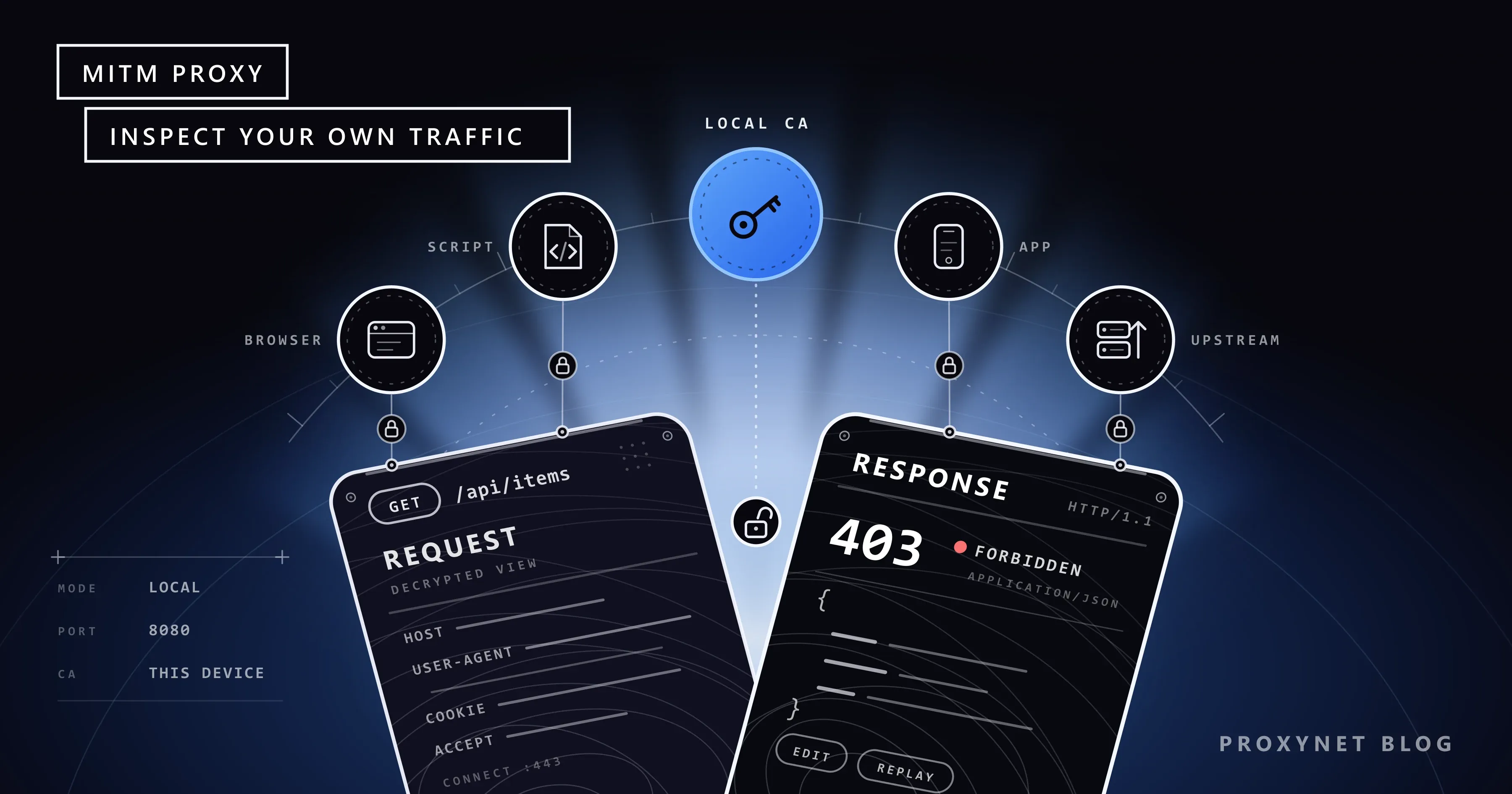
A normal forward proxy (how a proxy server works) sees only the target host of an HTTPS request, from the CONNECT example.com:443 line, and then carries encrypted bytes. A MITM proxy ends the encrypted connection on your machine, so it sees the full URL, every header and the body.
How does a MITM proxy open HTTPS traffic?
RFC 9110 describes a tunnel as a blind relay that passes messages on without changing them. A normal proxy keeps that rule after CONNECT; a MITM proxy breaks it on purpose, for clients that trust its certificate. Following mitmproxy's description of the flow:
- The client sends
CONNECT example.com:443to the local tool. - The tool answers
200 Connection Established, as if it had opened the tunnel. - The client starts the TLS handshake and names the host in the SNI field.
- The tool connects to that host over TLS and reads the names (CN and SAN) in the server's certificate.
- It creates a certificate with those names and signs it with its local root certificate (the CA, certificate authority).
- If the client trusts that CA, the handshake completes, and the tool reads the traffic in plain text before re-encrypting it towards the server.
If the client does not trust the CA, step 6 fails with a certificate error, as it should. In a browser, that failure is the full-page warning explained in Your Connection Is Not Private Error: Causes and Fixes. A tool sitting in the handshake can also break it outright; Chrome then shows ERR_SSL_PROTOCOL_ERROR instead of a certificate warning, as How to Fix err_ssl_protocol_error in Chrome and Edge explains. A Proxynet gateway never does step 5: it relays the CONNECT tunnel blindly, so an HTTPS Proxy needs no root certificate on your device.
Charles, Fiddler and mitmproxy compared
Based on the vendors' own pages in September 2026; licence models only, no prices.
| Tool | Licence | Platforms | Interface | Default port | Upstream proxy | Automation |
|---|---|---|---|---|---|---|
| Charles | Paid user licence after a 30-day trial | Windows, macOS, Linux | Desktop app | Usually 8888 | HTTP, HTTPS and SOCKS; Basic or NTLM auth | Breakpoints, Rewrite, Map Local |
| Fiddler Everywhere | Subscription, 10-day trial | Windows, macOS, Linux | Desktop app | 8866 | Manual proxy string; Kerberos, Negotiate or NTLM auth | Rules |
| Fiddler Classic | Non-commercial use only since 3 August 2026 | Windows only | Desktop app | 8888 | Not covered here | FiddlerScript |
| mitmproxy | Open source, MIT | Windows, macOS, Linux | Terminal, browser (mitmweb), command line (mitmdump) | 8080 | --mode upstream: with upstream_auth (Basic) | Python addons, CI |
Charles and Fiddler Everywhere fit mobile QA teams that edit requests in a window; mitmproxy fits developers who want the check in a test suite or CI, where every step is a Python function. Burp Suite targets security testing, which is outside this guide.
What is Charles Proxy and when should you pick it?
Charles is a desktop app you can try for 30 days before buying a user licence. It decrypts only the hosts on its SSL Proxying list (* means every host) and forwards other HTTPS traffic unopened. A tester points the iPhone's Wi-Fi proxy at the laptop and port 8888, allows the device when Charles asks, then uses Breakpoints to edit requests, Map Local to answer from a file and throttling to imitate a slow network.
What is Fiddler? Classic and Everywhere
Fiddler Classic runs only on Windows, is no longer developed, and has FiddlerScript. Since 3 August 2026 its licence allows non-commercial use only; commercial users had until 17 September 2026 to move, and there is no paid Classic licence.
Fiddler Everywhere is the commercial product: Windows, macOS and Linux, a subscription after a 10-day trial, HTTP/2 and TLS 1.3 support, and port 8866. You turn on HTTPS capture, trust its root certificate and filter sessions by host.
What is mitmproxy? Three interfaces and Python addons
mitmproxy is MIT-licensed; release 12.2.3 (12 May 2026) needs Python 3.12 or newer. It ships mitmproxy (terminal view), mitmweb (browser view) and mitmdump (no interface, for scripts and CI), all on port 8080 by default.
On first start it creates its CA in ~/.mitmproxy, unique to that installation: the private key (mitmproxy-ca.pem) sits next to certificate files for each platform (mitmproxy-ca-cert.pem, .p12, .cer). With the proxy set on a device, mitm.it offers the right file and install steps. An addon is a Python file whose functions are named after events such as response.
Why do you need a root certificate, and is it safe?
Whoever holds a CA's private key can create a certificate that looks valid for any site on every device that trusts it. The risk lives in that key, not in the tool:
- Only a CA your own tool generated. Our free proxy safety guide says not to install a certificate a proxy service asks for, and that stands: a remote CA lets a stranger read your traffic. A tool on your own computer is different, because its key never leaves your machine.
- Only on test devices, only for the test. Do not share or commit
~/.mitmproxy, and remove the CA when done. - Keep the tool's checks on. mitmproxy's
ssl_insecureoption skips certificate checks towards the server, and its help text warns that this leaves mitmproxy itself open to interception.
To remove the CA:
- Windows:
certmgr.msc> Trusted Root Certification Authorities > Certificates. - macOS: delete the tool's certificate in Keychain Access.
- iPhone: Settings > General > VPN & Device Management > the profile > Remove Profile.
- Android (Pixel): Settings > Security & privacy > More security settings > Encryption & credentials > User credentials; other makers differ above the last two steps.
Seeing your own mobile app's traffic on Android and iPhone
Point the phone's Wi-Fi proxy at your computer's IP address and the tool's port, using Android proxy settings or iPhone proxy settings.
Android. Per the network security configuration docs, apps targeting Android 7.0 (API level 24) or newer trust only system CAs by default, so your app may fail with a TLS error while the browser works. In your own app, add a debug-overrides block:
<!-- res/xml/network_security_config.xml -->
<network-security-config>
    <debug-overrides>
        <trust-anchors>
            <certificates src="user" />
        </trust-anchors>
    </debug-overrides>
</network-security-config>
Reference it with android:networkSecurityConfig="@xml/network_security_config" in the manifest. Android ignores the block when android:debuggable is false, so a release build keeps normal trust rules.
iPhone. After installing the profile, enable full trust under Settings > General > About > Certificate Trust Settings.
Pinning. An app that pins certificates refuses the tool's certificate. In your own app, adjust pinning in the test build; in someone else's app, pinning is the developer's decision, and this guide stops there.
Intercepting, editing and replaying requests
All three tools let you pause a request and change a header before it leaves, answer a request with a local file to test an error screen, and send a saved request again, so a bug that appears once a day can be repeated on demand. In mitmproxy, -w flows.mitm saves flows and -C flows.mitm replays them. Replay only against your own API or an endpoint you may test, within its rate limits.
For a web page's background request, DevTools is enough (finding the XHR request); the local tool is for scripts and apps.
Debugging a Python scraper with a MITM proxy
Back to the 403: we route the script through mitmdump, log every response and print request details for every error. Tested with Python 3.13, mitmproxy 12.2.3 and Requests 2.34.2 (pip install mitmproxy requests).
The addon, debug_addon.py, prints one line per response and, for 4xx and 5xx, the headers that usually differ from a browser's, whether a cookie was sent and the start of the body:
"""mitmdump addon: one line per response, request details for every 4xx and 5xx."""
from mitmproxy import http

WATCH = ("User-Agent", "Accept", "Accept-Language", "Accept-Encoding")


def response(flow: http.HTTPFlow) -> None:
    req, resp = flow.request, flow.response
    print(f"{resp.status_code} {req.method} {req.pretty_url}")
    if resp.status_code < 400:
        return
    for name in WATCH:
        print(f"    {name}: {req.headers.get(name, '(not sent)')}")
    print(f"    Cookie: {'sent' if 'Cookie' in req.headers else 'not sent'}")
    body = resp.get_content(strict=False) or b""  # decompressed if gzip or br
    print(f"    body: {body[:300].decode('utf-8', 'replace')!r}")
The script, scraper_debug.py, uses the proxy only when DEBUG_PROXY is set and trusts the local CA through verify. The Requests documentation warns that verify=False makes an application vulnerable to MitM attacks, so it never appears here:
"""Fetch pages with Requests; set DEBUG_PROXY to route them through a local mitmdump."""
import os
import sys
from pathlib import Path

import requests

DEBUG_PROXY = os.environ.get("DEBUG_PROXY")  # e.g. http://127.0.0.1:8080
MITM_CA = Path.home() / ".mitmproxy" / "mitmproxy-ca-cert.pem"

session = requests.Session()
session.headers.update({
    "User-Agent": "Mozilla/5.0 (Windows NT 10.0; Win64; x64) AppleWebKit/537.36 "
                  "(KHTML, like Gecko) Chrome/140.0.0.0 Safari/537.36",
    "Accept-Language": "en-GB,en;q=0.9",
})


def request_options():
    options = {"timeout": (5, 30)}  # (connect, read) in seconds
    if DEBUG_PROXY:
        if not MITM_CA.is_file():
            sys.exit(f"{MITM_CA} not found: start mitmdump once, it creates the CA there.")
        # Passed per request: a Session.proxies value can be overridden by HTTPS_PROXY.
        options["proxies"] = {"http": DEBUG_PROXY, "https": DEBUG_PROXY}
        options["verify"] = str(MITM_CA)  # trust the local CA, never verify=False
    return options


def fetch(url):
    try:
        return session.get(url, **request_options())
    except requests.exceptions.SSLError as exc:
        sys.exit(f"TLS check failed for {url}: is {MITM_CA} the CA of the "
                 f"mitmdump that is running?\n{exc}")
    except requests.exceptions.ProxyError as exc:
        sys.exit(f"Debug proxy {DEBUG_PROXY} did not answer: is mitmdump running?\n{exc}")


if __name__ == "__main__":
    for url in sys.argv[1:] or ["https://httpbin.org/headers"]:
        resp = fetch(url)
        print(resp.status_code, url)
        for name, value in resp.request.headers.items():
            print(f"    {name}: {value}")
Start mitmdump on the loopback address only:
mitmdump --listen-host 127.0.0.1 -p 8080 -s debug_addon.py -w flows.mitmThen run the script in a second terminal (in PowerShell, set $env:DEBUG_PROXY = "http://127.0.0.1:8080" first):
DEBUG_PROXY=http://127.0.0.1:8080 python scraper_debug.py https://httpbin.org/headers https://httpbin.org/status/403The mitmdump window printed this (connection lines removed):
200 GET https://httpbin.org/headers
403 GET https://httpbin.org/status/403
    User-Agent: Mozilla/5.0 (Windows NT 10.0; Win64; x64) AppleWebKit/537.36 (KHTML, like Gecko) Chrome/140.0.0.0 Safari/537.36
    Accept: */*
    Accept-Language: en-GB,en;q=0.9
    Accept-Encoding: gzip, deflate, br
    Cookie: not sent
    body: ''
Now open the page in a browser set to the same proxy. Accept: */* against the browser's text/html,..., or a missing cookie from an earlier page, are typical findings; the latter means the script skipped a step (Sessions and Cookies in Python). If the site refuses non-browser clients on purpose, that is its answer: use its API or ask for permission.
A wrong CA file stopped the script with CERTIFICATE_VERIFY_FAILED and our hint; npm, Git and curl each read their own CA list too, and Unable to Get Local Issuer Certificate: Causes and Fixes shows where to add the tool's CA for each. mitmdump --set server=false -C flows.mitm -s debug_addon.py replayed both requests and exited without opening a listener.
The server sees the tool's TLS handshake, not your script's, so a site that checks TLS fingerprints may answer differently while the tool is on; compare with a run without DEBUG_PROXY. Environment variables are in wget proxy, rotation in how to rotate proxies in Python, and library choice in HTTPX vs Requests vs AIOHTTP.
Testing from another country: chaining the local tool to a proxy
To see the prices your app shows a user in Germany, send the device's traffic to the local MITM tool (where decryption happens), from there to an upstream proxy, and on to the target. For HTTPS targets, the upstream proxy only carries the re-encrypted tunnel; Proxynet does not decrypt it.
mitmproxy. Upstream mode forwards every request, and upstream_auth adds Basic authentication:
mitmdump --listen-host 127.0.0.1 --mode upstream:http://pr.proxynet.io:8000 --set upstream_auth=user:pass -s debug_addon.pyWe tested this against a local proxy that requires a password. With a wrong password, the script got a 502 from mitmdump, and its log showed the cause: the upstream refused the CONNECT with 407.
Charles. External Proxies takes separate addresses for HTTP, HTTPS and SOCKS, with Basic or NTLM authentication and a wildcard bypass list.
Fiddler Everywhere. Settings > Gateway takes a manual proxy string, and the documentation lists Kerberos, Negotiate and NTLM for upstream authentication, not a username and password. With Proxynet, authorise your computer's IP address instead (user:pass and IP whitelist).
Use a Mobile Proxy for a carrier IP or a Residential Proxy for a home connection; the full scenario is on our app testing page.
What is a MITM proxy used for?
- Scraper vs browser: find the header that turns
200into403(HTTP status codes). - Postman: see the final headers Postman sends (Postman proxy settings).
- Your own app: follow API calls and errors on a test phone (app testing).
- Proxy headers: spot
ViaorX-Forwarded-Foron plain HTTP (anonymous proxy levels). - A
407: check whether credentials reach the upstream proxy (proxy authentication methods). - Proxy checks: confirm the exit and answers before a job (how to test a proxy).
Common mistakes
- Leaving the CA installed. Anyone who later gets the key can pose as any site to that device.
- Shipping
verify=False. Pointverifyat the CA file instead. - Expecting an Android app to trust a user CA. API level 24+ apps ignore it outside a debug build that allows it.
- Skipping SSL Proxying for the host in Charles. You see encrypted
CONNECTentries and no content. - Listening on every interface. Without
--listen-host,mitmdumpbound to0.0.0.0and::in our test; bind to127.0.0.1unless a phone must connect. - Sharing flow files carelessly. They hold cookies and headers.
- Using Fiddler Classic at work after August 2026. Its licence is non-commercial only.
Decision guide
| Need | Recommendation |
|---|---|
| Compare a scraper's request with the browser's | mitmproxy with a small addon; Requests verify set to the CA file |
| Edit requests in a window for mobile QA | Charles or Fiddler Everywhere |
| Fiddler for commercial work on Windows | Fiddler Everywhere or another tool, not Fiddler Classic |
| HTTPS traffic of your own Android app | debug-overrides in the debug build only |
| Test your app as a user in another country | Chain the local tool to a mobile or residential proxy (app testing) |
| Find a web page's background request | The DevTools Network tab; no MITM tool needed |
Frequently asked questions
Is using a MITM proxy legal?
On your own device and app, or a system you have written permission to test, it is a debugging tool. Reading others' traffic secretly is a different act. For scraping, see is web scraping legal.
Is mitmproxy safe?
The tool is open source and runs locally. The risk is the CA's private key in ~/.mitmproxy: keep it private, install the CA only on test devices, and remove it afterwards.
Is Fiddler Classic still free, and how is it different from Fiddler Everywhere?
Since 3 August 2026 Fiddler Classic is free only for non-commercial use; it runs on Windows and is no longer developed. Fiddler Everywhere is the paid, cross-platform product with HTTP/2 and TLS 1.3 support.
Is there a free alternative to Charles Proxy?
mitmproxy is open source and runs on the same platforms; mitmweb gives it a browser view. Charles itself has a 30-day trial.
I installed the certificate on Android, so why is my app's traffic still missing?
Apps targeting API level 24 or newer trust only system CAs by default. Allow user CAs in your own app's debug build with debug-overrides, and adjust pinning in the test build if the app pins certificates.
What is the difference between a MITM proxy, a normal proxy and a VPN?
A normal proxy and a VPN carry encrypted traffic unread and change your exit IP (proxy vs VPN). A MITM proxy opens it on your computer and keeps your IP unless chained upstream.
Summary
A MITM proxy is a tool for reading your own traffic, with a CA that stays local, temporary and on test devices only. Charles and Fiddler Everywhere suit work in a window; mitmproxy suits scripts and CI. When a test has to come from another country, chain the local tool to an upstream proxy, starting from our app testing page.