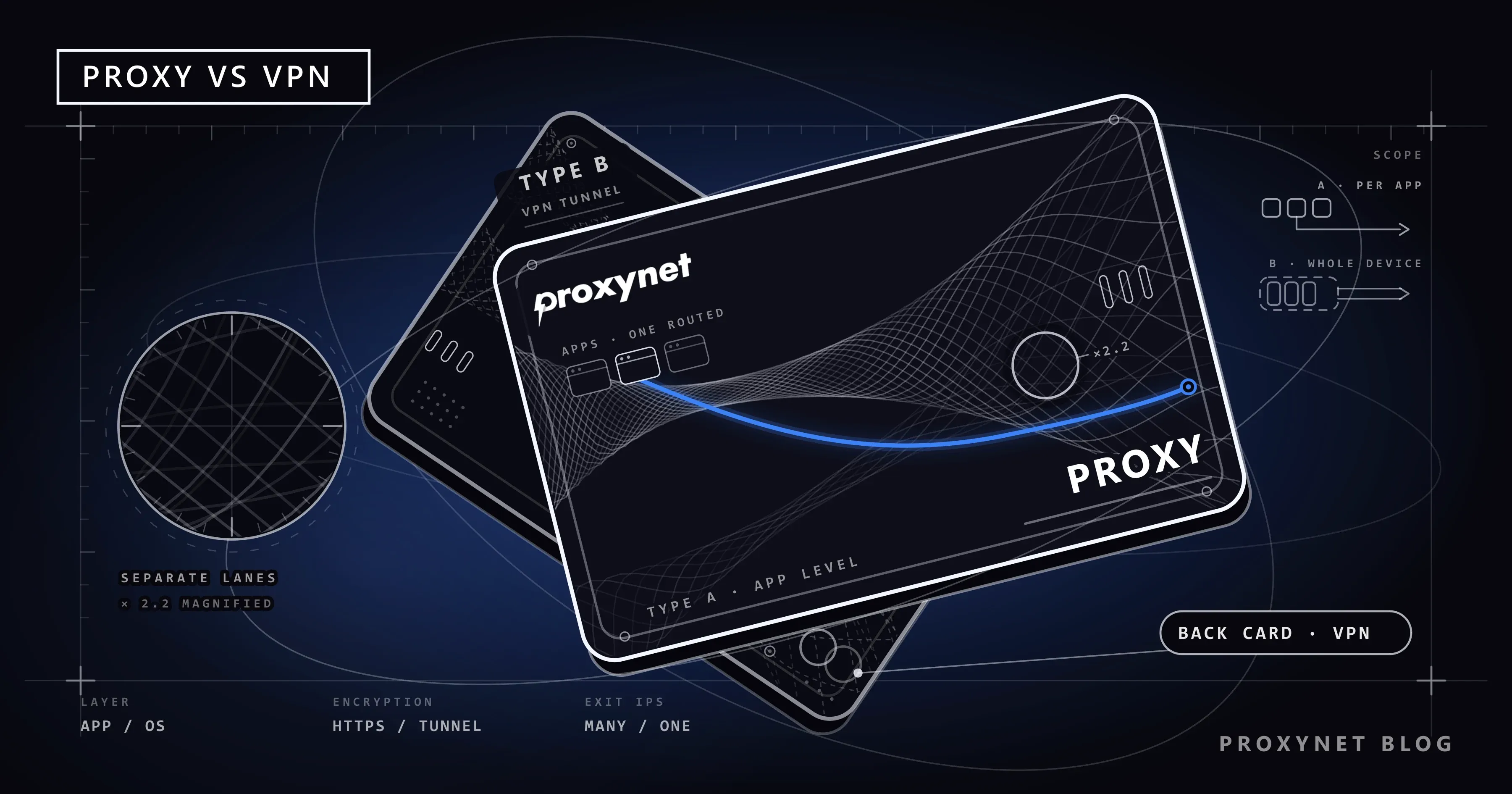
Both a proxy and a VPN hide your IP address from the target site, so they're often used interchangeably. Yet the problem each one solves is different. A proxy routes the traffic of an app or script you choose through another address. A VPN, on the other hand, puts all of your device's traffic into an encrypted tunnel. One's focus is flexibility and scale; the other's is protecting the connection as a whole.
This article explains step by step how the two technologies work, summarizes the differences in a table, shows which is right for which task with scenarios, and clarifies commonly confused points.
How does a proxy work?
A proxy is an intermediary server that sits between you and the target site. Your browser or your code sends the request to the proxy, and the proxy forwards the request to the target with its own IP address and brings the response back to you. The target site only sees the proxy's address.
The path a request follows looks like this:
- The app knows the proxy's address and port (from settings or from code).
- The request first goes to the proxy server; it's authenticated with a username and password if needed.
- The proxy forwards the request to the target site with its own IP.
- The target site's response comes back to the app through the proxy.
Proxies work at the application level. That is, only the program you set the proxy on goes through this path; other applications on the same computer keep using their own connection. This is both an advantage and something to watch out for: when you set a proxy on your browser, another program running in the background still goes out with your real address.
There are two common protocols:
- HTTP/HTTPS proxy is designed for web traffic. It opens a tunnel for HTTPS connections with the
CONNECTmethod; this method is defined in RFC 9110. See the HTTPS Proxy page for details. - SOCKS5 proxy operates at a lower level and carries TCP and UDP traffic without inspecting its content (RFC 1928). For game clients and desktop applications, SOCKS5 Proxy is usually more suitable. You can find a comparison of the two protocols in our SOCKS vs. HTTP Proxy article.
How does a VPN work?
A VPN builds an encrypted tunnel between your device and the VPN server. The browser, the email client, background updates — all traffic leaving the device enters this tunnel. Your internet service provider or the Wi-Fi network you're connected to can't see the content, only that encrypted data is going to the VPN server. The target site, meanwhile, sees the VPN server's IP address.
VPNs work at the operating-system level. When you connect, the system creates a virtual network interface and changes the routing table so all traffic goes to that interface. This means you don't need to configure each application individually; but for the same reason, leaving a single application outside the tunnel isn't possible by default either. The "split tunneling" feature some VPN clients offer partly gets around this limit. Because all traffic now depends on that interface, a fault in the tunnel's routing or DNS settings can leave the app showing "connected" while no page loads; the fixes are in VPN Connected but No Internet? Causes and Fixes.
Among modern VPN protocols, WireGuard and IPsec are common. WireGuard stands out for its small codebase and low overhead; IPsec is a long-established standard in corporate networks with broad device support. What a VPN hides, what it leaves visible and how the common protocols compare are explained in plain language in What Is a VPN and How Does It Work?.
The key differences between proxy and VPN
| Criterion | Proxy | VPN |
|---|---|---|
| Scope | The configured app or script | All traffic on the device |
| Level it operates at | Application | Operating system (network interface) |
| Encryption | Doesn't add it itself (HTTPS provides it separately) | Encrypts the entire tunnel |
| Speed overhead | Low | Higher, due to encryption |
| Different IPs at the same time | Easy: a different IP per request or session | Usually one IP per connection |
| IP type options | Residential, mobile, ISP, datacenter | Mostly datacenter |
| Location targeting | Country, city, carrier | Usually country |
| Automation compatibility | Adds easily to code, bots, and browsers | Not convenient for automation |
| Authentication | Username/password or IP authorization | Certificate, key, or account |
| Main purpose | Data collection, testing, multi-account | Personal privacy, secure network access |
Is "hiding your IP" the same thing?
Both technologies hide your own address from the target site; but what's hidden and from whom differs.
- A proxy hides your IP from the target site. Others on your network, or your service provider, still see unencrypted traffic (which HTTPS already blocks anyway).
- A VPN hides your IP from the target site and also keeps the content and destination of the traffic from the local network and the service provider. All they see is the encrypted stream going to the VPN server.
On the other hand, neither technology changes your browser fingerprint, cookies, or account information. If you've logged into a site, what your IP is no longer matters; the site recognizes you from your account. We covered this topic in our What Is Browser Fingerprinting? article.
When should you choose a proxy?
A proxy's strength is scale and control. It's the right tool when you need to work with a large number of IP addresses, per application, and in a programmable way:
- Data collection and web scraping. For distributing a script's traffic that sends thousands of requests across different IPs, you use a proxy, not a VPN. Rotating Proxy automates this by changing the address on every request. See our data-scraping solutions for more.
- Multi-account management. Assigning each account a separate, fixed IP prevents accounts from being linked to each other. This is a common need on social media and e-commerce accounts; a ISP Proxy per account is designed for this job.
- Location-based testing. Checking how ads, prices, and search results appear across different cities. SEO and SERP tracking needs city-level targeting; a VPN often doesn't offer that.
- App-level routing. When you want only one program to exit with a different IP while the rest of the traffic uses the normal connection. You can even route programs that don't offer a proxy setting one by one with tools like Proxifier.
- Gaming. A SOCKS5 exit close to the target server affects latency for game clients; see the details in our Fixing Ping and Packet Loss in Games article.
When should you choose a VPN?
A VPN's strength is device-level protection:
- Untrusted networks. Protecting your traffic from others on the network at a cafe, hotel, or airport Wi-Fi.
- Remote access to corporate networks. Connecting securely to internal company systems from home is the use case a VPN was originally built for.
- Protecting all traffic from a single point. When you want everything to go out encrypted instead of configuring each application one by one.
- Privacy from your service provider. When you don't want the local network or provider to see which sites you're connecting to.
Can a proxy be used instead of a VPN (or vice versa)?
In some cases, yes, but with the limits understood.
Using a VPN instead of a proxy: For simple things like viewing content from another country in a single browser, a VPN is enough. But it falls short when you need dozens of different IPs at once, per-request rotation, or city-level targeting. Also, most VPN exits are datacenter addresses; protected sites recognize these easily. We explained why in our Residential vs. Datacenter Proxy article.
Using a proxy instead of a VPN: You can define a system-wide proxy on the operating system, but applications that don't read the proxy setting stay outside the tunnel and traffic isn't encrypted. If you want protection from the local network, a proxy doesn't meet that need.
A third option often mentioned alongside these two is Smart DNS; how the three differ and when each one fits is covered in Smart DNS vs VPN vs Proxy: Which One Should You Use?.
Can the two be used together?
It's possible. You can protect device traffic with a VPN while also defining a proxy separately inside a specific data-collection tool. In this case, the request goes through the VPN tunnel first, then through the proxy; the target site sees the proxy's address, and the local network sees only the VPN tunnel.
An extra layer always means extra latency; so unless you genuinely have both needs, moving forward with a single solution is more efficient. The typical situation where this setup makes sense is doing work that requires a proxy while operating from an untrusted network.
Three commonly confused ideas
- A proxy encrypts traffic. No. Encryption comes from the target site's HTTPS; the proxy only relays it. This claim appears incorrectly in many sources.
- A VPN makes you anonymous. No. A VPN only hides your IP and the content of your traffic from the local network. Accounts you're logged into, cookies, and your browser fingerprint keep identifying you.
- A free one is enough. It's risky for business use. Free services' revenue model is often the users' own traffic, and you can't audit your data as it passes through a server run by someone you don't know. We explained why a non-shared address matters in our What Is a Private Proxy? article.
Another common assumption is that both tools are allowed everywhere; the rules differ by country, and we summarize them in Is Using a VPN or Proxy Legal? Laws by Country.
Decision guide
| Your need | Recommendation |
|---|---|
| Secure connection on cafe or hotel Wi-Fi | VPN |
| Remote access to a corporate network | VPN |
| A different IP across thousands of requests | Proxy (rotating) |
| A fixed IP per account | Proxy (ISP) |
| City-level location testing | Proxy (residential) |
| Low latency for a game client | Proxy (SOCKS5) |
| Content from another country in a single browser | Either works; VPN is simpler |
| Programmable IP management from code | Proxy |
Frequently asked questions
Which is more secure, a VPN or a proxy?
In terms of encrypting the connection, a VPN is more comprehensive because it encrypts all traffic. A proxy, on the other hand, is designed for routing and IP management rather than security. Since most web traffic is already encrypted with HTTPS, content passing through a proxy is protected in practice too.
Is it a problem to use a free VPN or proxy?
Free services have a revenue model, and it's often the users' own traffic. You can't audit how your data is handled as it passes through a server run by someone unknown. For business use, prefer a transparent, legally accountable provider.
Does a proxy fully hide my IP address?
The target site sees the proxy's address, not yours. But other signals, like your browser fingerprint, cookies, and account information, can still identify you. Hiding your IP alone doesn't mean anonymity.
Is a proxy faster than a VPN?
Generally yes, because there's no encryption overhead. But actual speed depends on the proxy server's location, IP type, and line quality. A datacenter proxy close to the target server can be noticeably faster than a distant VPN server; a residential proxy tied to a home line can behave more variably.
Should I use a proxy or a VPN on my phone?
A VPN is more practical for personal privacy; it covers every app with a single tap. If a specific app needs to exit with a different IP, a proxy can be defined from the Wi-Fi settings. We covered the steps for this on iPhone in our Setting Up a Proxy on iPhone article.
If I turn on a proxy and a VPN at the same time, which takes priority?
Both work, and a chain forms: traffic enters the VPN tunnel first, then goes to the proxy inside the tunnel, and the proxy reaches the target. The target site sees the proxy's IP.
In short
If you want to protect all of your personal device's traffic, a VPN is the right choice; if you need to work with a large number of IPs, per application, and within automation, a proxy is. If your work is data collection, testing, or account management, a VPN won't give you the flexibility you're looking for; if your work is personal privacy on an untrusted network, a proxy won't provide that protection. You can browse our proxy solutions to choose the right proxy type.