


































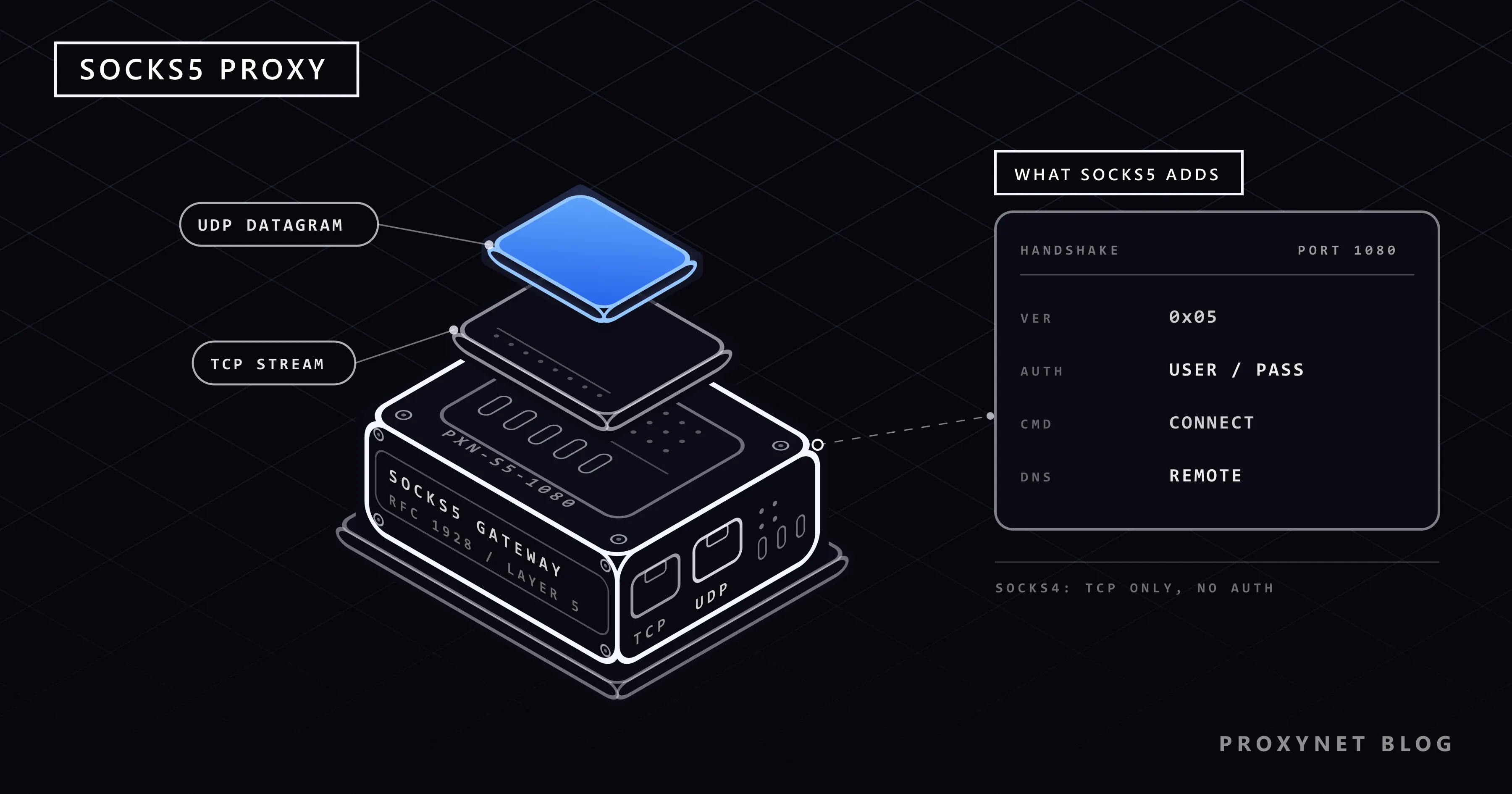
A game client that ignores your browser's proxy, a Telegram app that asks for a "SOCKS5 server", a scraper whose DNS lookups should not leave your office network: all three lead to the same protocol. SOCKS5 opens a connection on your behalf and passes bytes in both directions, whatever the traffic is.
This guide covers SOCKS4 and SOCKS5, the handshake step by step, UDP and DNS through the proxy, setup, buying checks and common errors. The code was tested against a local SOCKS5 server.
What is SOCKS?
A SOCKS proxy is an intermediary server. The client tells the proxy which address and port it wants to reach, the proxy opens that connection, and from then on it passes the traffic between the two sides. The target sees the proxy's IP address instead of the client's.
SOCKS proxies neither inspect nor modify what they carry. That is why SOCKS is placed at layer 5 of the OSI model, below HTTP, and why SOCKS proxies suit applications that speak very different protocols: a game client, a mail program and an SSH session can use the same proxy. OpenSSH even becomes a local SOCKS server when started with ssh -D (OpenSSH manual).
There are two main versions: SOCKS4 and SOCKS5. When a provider says "SOCKS" today, it means SOCKS5.
What is the old protocol SOCKS4?
SOCKS4 is the earlier version, for TCP connections only. Its request is tiny: a version byte, a command, the destination port, the destination IPv4 address and a user ID (SOCKS4 specification).
Key features of SOCKS4
- TCP only: CONNECT for outgoing connections and BIND for incoming ones. There is no UDP.
- IPv4 only: the destination field is four bytes, so only IPv4 targets can be addressed.
- No password: the user ID identifies a user but does not log them in. In practice SOCKS4 servers control access by client IP.
- Client-side DNS: the client must resolve the domain name and send an IP. The SOCKS4a extension fixed this by letting the client send the name for the proxy to resolve (SOCKS4a specification).
SOCKS4 survives in legacy tools and simple internal relays. Modern game clients need UDP and hostnames, so people who use a proxy for games choose SOCKS5. A SOCKS5-only server rejects SOCKS4 requests, so check which version your tool sends.
What is a SOCKS5 proxy?
SOCKS5 is the current version of the protocol, published in 1996 as RFC 1928. It adds what modern applications need:
- TCP and UDP: besides CONNECT and BIND it has a UDP ASSOCIATE command, so it carries web traffic, email, file transfers, voice calls, DNS queries and game traffic.
- Authentication: client and server agree on a method: none, GSSAPI, or username and password as defined in RFC 1929. Commercial providers use a username and password or an IP whitelist.
- IPv6: a target can be an IPv4 address, an IPv6 address or a domain name.
- Proxy-side DNS: the client may send the domain name, so the proxy resolves it and the lookup never leaves your own network.
Setup needs a host, a port, and usually a username and password. What varies is tool support: Chrome cannot send a SOCKS5 password, iPhone and Android Wi-Fi settings accept only HTTP proxies, and some libraries need an extra package.
How does a SOCKS5 connection work?
Every SOCKS5 session starts with a short exchange over a TCP connection to the proxy. The steps follow RFC 1928:
- Greeting. The client sends the version and its authentication methods, for example
05 02 00 02: none (0x00) and username/password (0x02). - Method selection. The server returns its choice, for example
05 02, or05 FFif none is acceptable. - Authentication. The client sends the username and password, each prefixed with its length. Status 0 means success.
- Request. The client sends a command (CONNECT = 1, BIND = 2, UDP ASSOCIATE = 3), an address type (IPv4 = 1, domain name = 3, IPv6 = 4), the address and the port.
- Reply. The proxy tries the connection and answers with a code: 0 success, 1 general failure, 2 not allowed by rules, 3 network unreachable, 4 host unreachable, 5 connection refused, 6 TTL expired, 7 command not supported, 8 address type not supported.
- Relay. The proxy copies bytes both ways. For HTTPS, TLS runs inside this tunnel, so the proxy sees only encrypted data.
The script below performs these steps by hand, then opens TLS to httpbin.org through the tunnel. Against our test server it printed server picked method 0x2, auth status 0, reply code 0 and the exit IP; with a wrong password it stopped at auth status 1.
import socket
import ssl
import struct

PROXY_HOST, PROXY_PORT = "pr.proxynet.io", 1080
USER, PASSWORD = b"user", b"pass"
TARGET_HOST, TARGET_PORT = "httpbin.org", 443


def recv_exact(sock, n):
    data = b""
    while len(data) < n:
        chunk = sock.recv(n - len(data))
        if not chunk:
            raise ConnectionError("proxy closed the connection")
        data += chunk
    return data


sock = socket.create_connection((PROXY_HOST, PROXY_PORT), timeout=15)

# 1. Greeting: version 5, two methods offered (0x00 no auth, 0x02 username/password)
sock.sendall(b"\x05\x02\x00\x02")
ver, method = recv_exact(sock, 2)
print("server picked method", hex(method))
if method == 0xFF:
    raise SystemExit("no acceptable authentication method: send credentials or whitelist your IP")

# 2. Username/password sub-negotiation (RFC 1929)
if method == 0x02:
    sock.sendall(b"\x01" + bytes([len(USER)]) + USER + bytes([len(PASSWORD)]) + PASSWORD)
    _, status = recv_exact(sock, 2)
    print("auth status", status)  # 0 = success
    if status != 0:
        raise SystemExit("wrong username or password")

# 3. CONNECT request with a domain name (ATYP 0x03): the proxy resolves DNS
name = TARGET_HOST.encode()
sock.sendall(b"\x05\x01\x00\x03" + bytes([len(name)]) + name + struct.pack(">H", TARGET_PORT))
ver, rep, _, atyp = recv_exact(sock, 4)
print("reply code", rep)  # 0 = succeeded, 4 = host unreachable, 5 = connection refused
if rep != 0:
    raise SystemExit(f"SOCKS5 request failed with REP={rep}")
addr_len = {1: 4, 4: 16}.get(atyp) or recv_exact(sock, 1)[0]
recv_exact(sock, addr_len + 2)  # bound address and port, not needed here

# 4. From here on the socket is a plain tunnel: TLS runs end to end with the target
tls = ssl.create_default_context().wrap_socket(sock, server_hostname=TARGET_HOST)
tls.sendall(b"GET /ip HTTP/1.1\r\nHost: httpbin.org\r\nConnection: close\r\n\r\n")
response = b""
while chunk := tls.recv(4096):
    response += chunk
print(response.decode(errors="replace").split("\r\n\r\n", 1)[1])
How does SOCKS5 carry UDP traffic?
The proxy does not simply forward UDP on the port you connect to:
- The client opens the usual TCP connection, authenticates and sends a UDP ASSOCIATE request.
- The proxy replies with the address and port of its UDP relay.
- The client sends each datagram to the relay with a small header holding the target address and port; the relay forwards it and wraps replies the same way.
- The association lasts as long as the TCP connection from step 1.
Both sides must implement it: Chrome, for example, never relays UDP through SOCKS5, as the Chromium proxy documentation states. Proxynet's SOCKS5 service supports UDP. The transport protocols are compared in TCP vs. UDP.
What are the differences between SOCKS4 and SOCKS5?
SOCKS4a is included because it closed the DNS gap before SOCKS5.
| Feature | SOCKS4 | SOCKS4a | SOCKS5 |
|---|---|---|---|
| Traffic | TCP | TCP | TCP and UDP |
| Authentication | User ID only, no password | Same as SOCKS4 | None, GSSAPI, username and password |
| Target address | IPv4 | IPv4 or domain name | IPv4, IPv6 or domain name |
| DNS resolution | Client | Proxy | Client or proxy, the client decides |
| cURL scheme | socks4:// | socks4a:// | socks5://, socks5h:// |
| Typical use today | Legacy tools | Legacy tools | Games, apps, messaging, scraping |
SOCKS5 keeps unauthorized users out with a password, while SOCKS4 can only filter by IP. SOCKS5 also reaches IPv6 targets (see IPv4 vs IPv6 Proxies) and carries UDP for calls, streaming and games.
SOCKS5 or HTTP proxy: which one do you need?
An HTTP(S) proxy understands web requests; SOCKS5 carries any TCP or UDP connection without knowing about HTTP. For web traffic both work, and HTTP(S) has wider tool support. For games, desktop apps, non-web protocols and UDP, SOCKS5 is the one that works. The full comparison is in SOCKS vs. HTTP Proxy: Which One Should You Choose?.
socks5 vs socks5h: where is DNS resolved?
A SOCKS5 request can name the target by IP or by domain name, and that decides who looks the name up:
- cURL:
socks5://resolves locally;socks5h://or--socks5-hostnamelets the proxy resolve (Everything curl). - Python Requests and HTTPX: the same schemes; the Requests documentation says
socks5hresolves on the proxy. - Firefox: the "Proxy DNS when using SOCKS v5" checkbox, on by default since Firefox 128.
- Chrome: always leaves resolution to a SOCKS5 proxy.
In our test server's log, cURL with socks5h:// arrived as domain httpbin.org:443; with socks5:// it arrived as a bare IP, meaning the lookup had already gone through the local resolver. Local resolution shows your network every domain you visit, so prefer remote resolution. Leak tests are in WebRTC and DNS Leaks.
Is a SOCKS5 proxy secure? Does it encrypt traffic?
No. SOCKS5 changes the path of your traffic, not its content. HTTPS already encrypts web pages, so the proxy learns only the destination and port; plain HTTP, FTP or mail without TLS is readable.
- The proxy password travels in clear text. RFC 1929 says so itself. Use a unique password, or an IP whitelist on shared networks.
- The operator sees your connections. A paid proxy is run by a known company; free SOCKS5 lists are not. See Are Free Proxies and Web Proxy Sites Safe?.
If the link to the proxy must be encrypted, ssh -D 1080 user@server gives you a local SOCKS server whose traffic travels inside SSH.
How do you use a SOCKS5 proxy?
| Tool | SOCKS5 support | Where to set it |
|---|---|---|
| cURL | Yes, with password | -x socks5h://user:pass@host:port |
| Python Requests / HTTPX | Yes, extra package | pip install "requests[socks]" or "httpx[socks]" |
| Firefox | Yes, no password field | Settings, search "proxy", Configure proxy (older versions: Network Settings > Settings…), SOCKS v5 |
| Chrome | TCP only, no password | --proxy-server="socks5://host:port" with an IP whitelist |
| macOS | Yes | System Settings > Network > Details > Proxies > SOCKS proxy |
| iPhone, Android Wi-Fi | No, HTTP only | The HTTP port, or an app with its own setting |
| Telegram, Proxifier | Yes, with password | The app's own proxy setting |
Step-by-step guides: Firefox, Windows and Chrome, Telegram and Proxifier.
Test the proxy with cURL
# The proxy resolves DNS (recommended)
curl -x "socks5h://user:pass@pr.proxynet.io:1080" https://httpbin.org/ip

# The same request with separate options
curl --socks5-hostname pr.proxynet.io:1080 --proxy-user user:pass https://httpbin.org/ip
The response shows the proxy's exit IP. More options are in How to Use cURL with Proxy; a browser-only check is in How to Test a Proxy.
Use it in Python with retries
This script retries network hiccups but stops at once on configuration errors, which retrying cannot fix.
# pip install "requests[socks]"
import time

import requests

PROXY = "socks5h://user:pass@pr.proxynet.io:1080"  # socks5h = the proxy resolves DNS
PROXIES = {"http": PROXY, "https": PROXY}

# Configuration errors: retrying will not fix them
FATAL = ("SOCKS5 authentication failed", "sent invalid data", "Missing dependencies for SOCKS")


def fetch(url, attempts=3):
    for attempt in range(1, attempts + 1):
        try:
            r = requests.get(url, proxies=PROXIES, timeout=(10, 30))
            r.raise_for_status()
            return r
        except (requests.ConnectionError, requests.Timeout, requests.exceptions.InvalidSchema) as exc:
            message = str(exc)
            if any(text in message for text in FATAL) or attempt == attempts:
                raise
            print(f"attempt {attempt} failed, retrying: {exc.__class__.__name__}")
            time.sleep(2 ** attempt)


start = time.perf_counter()
r = fetch("https://httpbin.org/ip")
print("exit IP:", r.json()["origin"], f"({time.perf_counter() - start:.2f}s)")
In our test it printed the exit IP, failed at once with a wrong password and retried twice on a closed port. Ports here are examples; your dashboard shows yours.
What are SOCKS5 proxies used for?
- Online games. Game clients use their own protocols and often UDP; a routing tool sends them through SOCKS5. See our Growtopia proxy page for one example.
- Messaging apps. Telegram accepts SOCKS5 with a password in its own settings.
- Programs without a proxy setting. Proxifier routes any desktop program through SOCKS5, per application.
- Data collection. Scrapers that should resolve DNS at the exit use SOCKS5 with
socks5h; see our web scraping solutions.
Residential, mobile, ISP or datacenter: what to check before buying SOCKS5 proxies
SOCKS5 is a protocol, not a kind of IP, so buying a SOCKS5 proxy means choosing an IP type for the job and a service that works with your tools.
| IP type | Where the IP comes from | Suits |
|---|---|---|
| Datacenter | Data-center servers, fixed | Games, bulk transfers, targets that do not filter by IP type |
| Static ISP | Consumer ISP addresses, fixed for months | Long sessions, account management |
| Residential | Home connections, rotating or sticky | Scraping, local results, price checks |
| Mobile | 4G/5G carrier IPs | Mobile apps, platforms that expect carrier IPs |
A private SOCKS5 proxy is an IP only you use; residential and mobile IPs come from a shared pool instead. See Residential vs. Datacenter Proxy. Before you buy, check:
- UDP. Not every SOCKS5 service relays it. Proxynet's does.
- Authentication. If your tool cannot send a SOCKS5 password, as with Chrome, you need an IP whitelist; Proxynet allows up to 10 IPs. See Proxy Authentication: User:Pass vs IP Whitelist.
- Remote DNS. The service should accept domain names so
socks5hworks. - Ports and credentials. On Proxynet, residential and mobile use one gateway with separate HTTP and SOCKS5 ports; the Endpoint Generator in the dashboard builds the username with country, city and session.
- Sessions. Sticky sessions (1-60 minutes on Proxynet) keep one IP through a login flow.
- A test first. Run the cURL command and check location and DNS leaks.
Proxynet's residential and mobile pools hold 160M IPs together, 140M of them residential, and the mobile pool includes Turkcell, Türk Telekom and Vodafone lines in Türkiye. Product pages: SOCKS5 Proxy, Residential Proxy, Mobile Proxy and ISP Proxy. More questions: What to Look for When Buying a Proxy. For a side-by-side look at who sells SOCKS5 and on what terms, see Best SOCKS5 Proxy Providers - 2026.
Common SOCKS5 errors and how to fix them
We reproduced the cURL 8.21, Python and Chrome messages against our test server; the missing-package text is quoted from the Requests source.
| Error message | Likely cause | Fix |
|---|---|---|
curl: (97) User was rejected by the SOCKS5 server (1 1). | Wrong username or password | Copy the credentials again; URL-encode special characters |
curl: (97) No authentication method was acceptable. | No credentials sent and your IP is not whitelisted | Add user:pass or whitelist your IP |
curl: (97) Received invalid version in initial SOCKS5 response. | SOCKS5 sent to an HTTP proxy port | Use the SOCKS5 port |
curl: (56) Proxy CONNECT aborted | http:// scheme pointed at a SOCKS5 port | Switch to socks5h:// |
Missing dependencies for SOCKS support. | PySocks is not installed | pip install "requests[socks]" |
ERR_SOCKS_CONNECTION_FAILED (Chrome) | Proxy wants a password Chrome cannot send | Whitelist your IP |
ERR_PROXY_CONNECTION_FAILED (Chrome) | Proxy host or port unreachable | Check host, port and firewall |
| Game logs in, then drops in a match | UDP is not relayed | Use a SOCKS5 service and routing tool with UDP support |
Python wraps these in a Max retries exceeded line; see Max Retries Exceeded with URL.
Decision guide
| Your need | Recommendation |
|---|---|
| Game client, voice calls or other UDP traffic | SOCKS5 with UDP, plus a routing tool if needed |
| Telegram or another app with a SOCKS5 field | SOCKS5 with username and password |
| Chrome or Chromium automation | SOCKS5 with an IP whitelist, or HTTP(S) with a password |
| Scraping websites with Python or Node.js | HTTP(S), or SOCKS5 with socks5h |
| System-wide proxy on iPhone or Android | The HTTP(S) port of the same plan |
Frequently asked questions
What port does SOCKS5 use?
Port 1080 by convention. Providers often use other ports, so use the one your dashboard shows. Proxy ports are explained in What Is Port 8080?.
Is SOCKS5 the same as a VPN?
No. A VPN encrypts all device traffic to its server. SOCKS5 covers only the applications you configure and does not encrypt. See Proxy vs. VPN.
Is a SOCKS5 proxy the same as a residential proxy?
No. SOCKS5 is the protocol your application uses to talk to the proxy; residential describes where the exit IP comes from. Residential, datacenter, ISP and mobile proxies can all be reached over HTTP or SOCKS5.
Does SOCKS5 work with HTTPS websites?
Yes. The TLS handshake and certificate check happen between your client and the site, so the proxy cannot read the page.
Can I use SOCKS5 on iPhone or Android?
Not through the Wi-Fi proxy settings, which accept only an HTTP proxy on both systems. Apps with their own proxy setting, such as Telegram, accept SOCKS5. For system-wide use, enter the HTTP(S) port of the same plan, as shown in Android proxy settings.
Are free SOCKS5 proxy lists safe?
Not for anything with a login. You cannot know who runs a free server, and it can read unencrypted traffic. Use them only for throwaway tests.
Summary
SOCKS5 relays TCP and UDP connections without reading them and replaces SOCKS4 in every practical respect, but it does not encrypt. Use socks5h, an IP whitelist where a tool cannot send a SOCKS5 password, and check UDP support for games or calls. For SOCKS5 and HTTP(S) access on the same plan, see our proxy services.


