


































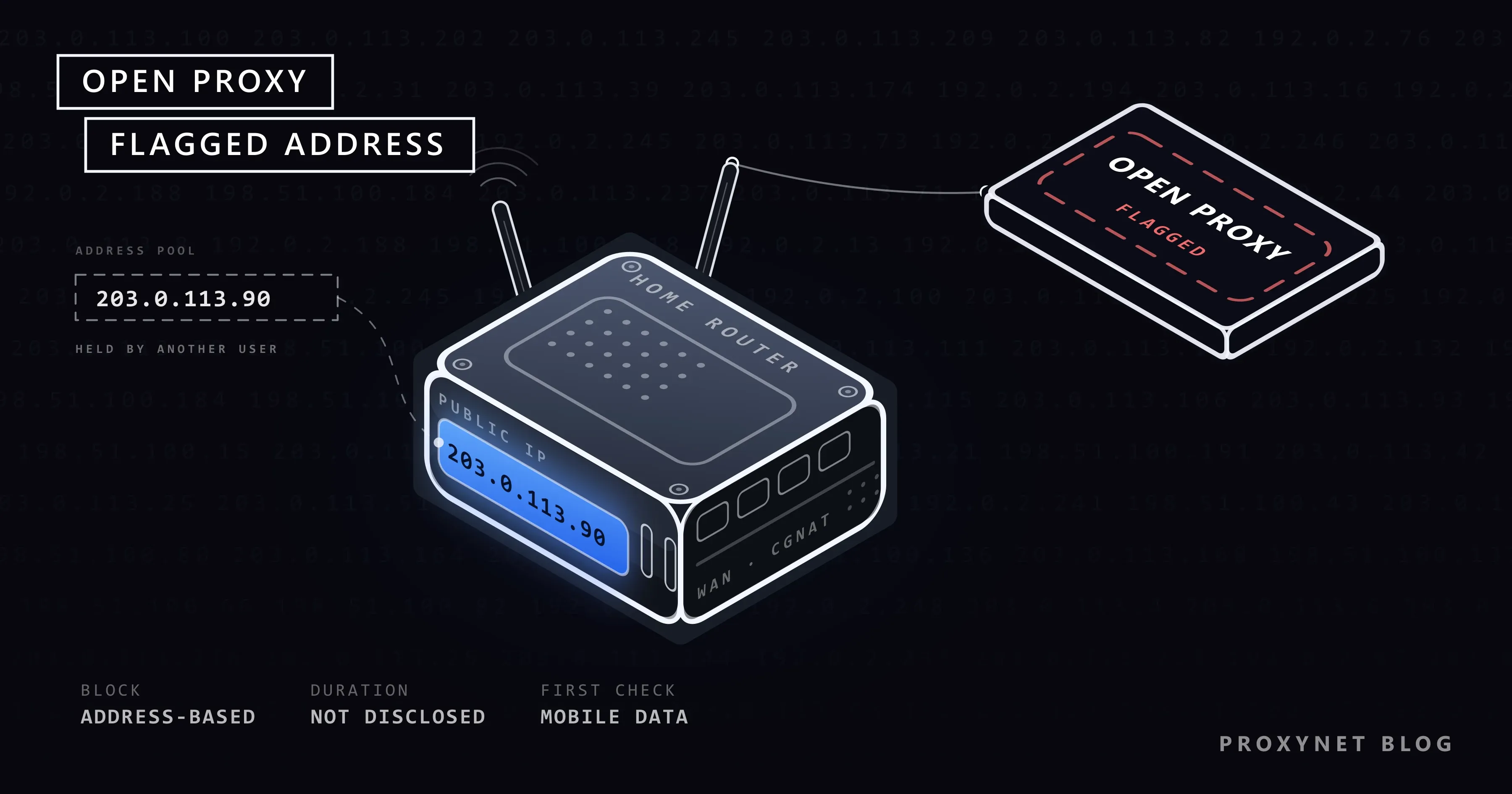
You try to log in to Instagram, your password is correct, but the screen says "The IP address you are using has been flagged as an open proxy". Or you can log in, but the like and follow buttons turn you away with "Try Again Later". On forums all of these situations get a single name: IP ban. In reality four different blocks hide behind that name, and each one has a different fix.
In this post we first show you how to tell which block you are facing. Then we explain what the open proxy warning means, why it appears on a home connection, how the "Suspicious Login Attempt" warning differs from it, and when the block goes away. At the end you will find Instagram's own reporting channels and a short section for teams that manage client accounts. None of the steps require technical knowledge.
What exactly does "IP ban" mean on Instagram?
An IP address is the address your device shows to the outside world when it connects to the internet. Instagram does not see you only by your username; it sees you together with the address you connect from and the device you use. When one of these three looks risky to the system, the restriction is tied to that piece of information.
That is why two people who say "I got banned" are often not going through the same thing. One has a restricted account, the other a restricted address. The first sees the same warning even after switching networks; the second logs in without trouble the moment they switch to mobile data.
Is it really an IP ban? Four types of block
The table below helps you work out which block you are facing, starting from the message you see on screen.
| Type of block | What do you see on screen? | What is it tied to? | How do you tell it apart? |
|---|---|---|---|
| IP (address) block | "The IP address you are using has been flagged as an open proxy", or "Please wait a few minutes before you try again" on the login or sign-up screen | The address you reach the internet from | The problem disappears on mobile data; other accounts on the same Wi-Fi are affected too |
| Action block | "Try Again Later", "We restrict certain activity to protect our community", "Action Blocked" | Your account and its recent activity | You can log in, but likes, follows or comments do not work; changing networks changes nothing |
| Account block | A screen saying your account has been disabled or suspended | Your account | The same screen appears on every device and every network |
| Device-related problem | The warning appears for any account you open on the same phone, while the same account works on another phone | The phone or the app | Another device on the same network has no problem |
To use the table, run these four checks in order:
- Turn off Wi-Fi and try mobile data. Your phone's mobile data uses a different address from your home internet. If everything works on mobile data, the problem is not your account but the address your Wi-Fi uses to reach the internet.
- Check another account or device on the same network. If someone else at home logs in to Instagram over the same Wi-Fi without trouble, the block is most likely tied to your account or your device, not to the address.
- Try
instagram.comin a browser. If the warning from the app does not appear in the browser, updating the app or clearing its cache may be enough. - Open the Account Status screen. If you can log in, tap Menu in the top right of your profile and go to Account Status below More info and support. Instagram lists removed content and features you can't use here. The path is described on Instagram's Account Status help page.
If Account Status shows a restriction, the issue is your account, not your IP. If the screen is clean and mobile data works, you really are facing a restriction tied to the address.
What does "The IP address you are using has been flagged as an open proxy" mean?
A proxy is an intermediary server that lets you reach the internet from another address instead of your own. An open proxy is a proxy that asks for no credentials, so anyone on the internet can connect through it. It is like an apartment building with an unlocked front door: nobody knows who goes in and out. That is why open proxies are often used for bulk account creation, spam and password guessing. We covered how proxies work in general in What Is a Proxy Server and How Does It Work?.
Large platforms like Instagram keep track of the addresses this kind of traffic comes from. When the address you connect from matches those records, the open proxy warning appears on the login or sign-up screen. The rest of the message tells you to visit the Help Center (help.instagram.com) if you believe this is incorrect.
The warning does not mean you set up a proxy. Instagram evaluates the address, not the person; if that address was abused by others before you or at the same time as you, you see the same warning. We looked at why a site may treat your connection as "VPN or proxy" more broadly in VPN or Proxy Detected Error: What It Means and Why.
Why does this warning appear on a home connection?
It seems surprising that someone who does not even use a VPN at home gets an open proxy warning. Most of the causes come down to your address not belonging to you alone.
Someone else may have used the address before you. On most home connections the address is not fixed; when the router reconnects, the provider may hand you another address from its pool. The address you got today was in another subscriber's hands yesterday. If that subscriber abused it, you inherit the restriction. You can find the difference between fixed and changing addresses in our post on static and dynamic IP addresses.
You may be sharing the address with hundreds of people at the same time. Mobile carriers and some home internet plans put many subscribers behind a single public address. This method is called CGNAT, and the behaviour of one person on that address can affect everyone. The details are in What Is CGNAT? How to Check and Get Out of It.
You are on a shared network. In dorms, cafés, schools and offices everyone reaches the internet from the same address. Dozens of accounts logging in from one address within a short time looks, to Instagram, like one person running a large number of accounts.
A VPN or free proxy is on. Thousands of people share the exit addresses of these services, and some of those addresses are already flagged. A forgotten VPN app on the phone or an extension in the browser is a common cause of this warning. We explained the other risks of free services in our post on whether free proxies are safe.
A device on your network may have malware. Some malware turns the device it infects into a relay that carries other people's traffic. In that case you may run into blocks on other sites as well, not only on Instagram. You can check whether your address is flagged on other lists with the method in our post on IP blacklists.
Which signals does Instagram look at?
Instagram does not disclose which behaviour triggers which restriction, or the thresholds. None of the "this many likes per hour, this many follows per day" figures circulating online come from Instagram. What it has disclosed is this:
- Third-party follower and like apps. In its announcement on reducing inauthentic activity, Instagram says these apps violate its Terms of Use, that it will remove the likes, follows and comments made through them, and that it will ask the account owner to change their password.
- Automated access and data collection. The Help Center page on accounts restricted for data scraping lists three reasons: the account accessing information in an automated way, the username and password being given to apps that offer likes or followers, and using an app that interacts with Instagram in unauthorized ways.
- Creating accounts in unauthorized ways. The same page also states that the Terms of Use do not allow attempts to create accounts in unauthorized ways. This is consistent with the open proxy warning appearing on the sign-up screen as well as the login screen.
Beyond these, there are general signals every large platform looks at: the number of requests from one address in a short time, the number of accounts logged in from a single address, and whether the address belongs to a home connection or a data center. We explained the last distinction in ISP vs Residential Proxies: Which One Should You Choose?, and the browser and device side in What Is Browser Fingerprinting?.
Is the "Suspicious Login Attempt" warning an IP ban?
No. The suspicious login warning is a security check, not a penalty. When Instagram sees a login to your account from a device, city or address it is not used to, it asks whether it is really you. It usually sends a code to your email or phone, and once you enter the code you carry on.
A common cause of this warning is, again, a VPN: an account that logged in from Istanbul five minutes ago and now logs in from Amsterdam raises suspicion. Buying a new phone, travelling abroad or opening the account on someone else's device has the same result. Other platforms react to a login from abroad in similar ways; we cover them in Social Media Login From Another Country: Why and What to Do.
When you see the warning, do the following:
- Enter the code only inside the Instagram app or on
instagram.com. Links that arrive by email can be fake. - On your profile, follow Menu > Accounts Center > Password and security > Where you're logged in. If there is a device you do not recognize, select it and tap Log out.
- If you saw a login you do not recognize, change your password and turn on two-factor authentication from the same screen.
If the login attempt was not yours, the problem is not your address; it is that your password has fallen into someone else's hands.
Why doesn't the "turn on a VPN and it's fixed" advice work?
On forums the first answer to the open proxy warning is usually "turn on a VPN". This advice generally makes things worse, for three reasons.
First, the exit addresses of shared VPNs are already among the most flagged addresses; you move from a flagged home address to a flagged VPN address. Second, the moment you turn on the VPN your account appears to log in from another country, and a suspicious login check is added on top of the open proxy warning. Third, trying different VPN servers one after another means logins to your account are attempted from many countries in a short time. A compromised account looks exactly like that.
You can find when a VPN or a proxy is actually useful, and how they differ, in Proxy vs. VPN: Which One and When?.
When is an Instagram IP ban lifted, and how many days does it last?
The honest answer: Instagram does not publish a duration for restrictions tied to an address. Figures such as "24 hours", "48 hours" or "7 days" that appear on forums are users' own experiences, and they do not agree with each other. For some users the warning disappears after a few hours, for others it lasts for days.
When your address changes (when the router reconnects or the provider assigns a new address), the restriction usually does not come with you, because it is tied to the address. If, on the other hand, the cause is an app connected to your account or the account's own activity, changing the address changes nothing.
What should you do, step by step?
The steps below start with the least effort. After each step try Instagram once; if it does not work, move on to the next.
1. Turn off the VPN, the proxy and related extensions
If you have a VPN app running on your phone, or a VPN or proxy extension in your browser, turn it off. Also check whether a proxy has been entered manually in the phone's Wi-Fi settings. We showed where this setting lives on iPhone in How to Set iPhone Proxy Settings? and on Android in How to Set Up Proxy Settings on an Android Phone.
2. Try from another network
If you are on Wi-Fi switch to mobile data, and if you are on mobile data switch to Wi-Fi. If the problem disappears, the block is tied to the address and your account is safe; you can use Instagram from the working network for a while.
3. Remove the access of follower and like apps
If you ever logged in to your account through a "who unfollowed me", "free followers" or auto-like type of app, that may be the source of the restriction. These apps send requests to Instagram from their own servers, using your password.
- Tap Menu in the top right of your profile.
- Below Your app and media, go to Website permissions.
- Tap Apps and websites, then the Active tab at the top.
- Tap Remove next to every app you do not recognize or no longer use.
Then change your password. Once the password changes, apps holding your old password can no longer get into your account. Do not forget to delete the app from your phone as well.
4. Restart the router
Turn the router off, wait half a minute and turn it back on. If your provider assigns changing addresses, you may get a new one and the address-based restriction stays behind. The address does not change on every subscription; we explained when it does in our post on how to change your IP address. On a phone, turning airplane mode on and off for a few seconds usually does the same job for mobile data.
5. Wait
If the first four steps did not help, the right thing to do is wait. During this time do not try to log in from the same network and do not try to create a new account. You can keep using Instagram from a working network such as mobile data.
How do you report it to Instagram, and how do you appeal?
We did not come across an application form specific to IP restrictions in the Help Center. The working channels Instagram offers are these:
- Account Status. If the restriction is tied to your account, it shows up here. In its Account Status announcement, Instagram says a user who thinks the decision is a mistake can appeal from the same screen. The option on the screen is called Request a review.
- Report a Problem. On your profile, follow Menu > Help > Report a Problem. Attach a screenshot of the warning and briefly write which network it appeared on and that you are not using a VPN. These reports may not get individual replies, but this is how wrongly flagged addresses reach Instagram.
If your account was disabled for breaking the rules, opening a new account under a new identity is not the solution. That goes against the Terms of Use and ends with the new account being disabled too. The way to appeal a disabled account is the prompt that appears on the login screen.
For teams managing client accounts: one fixed address per account
This section is for agencies and social media managers. Five employees in an agency logging in to twenty client accounts from the same office address is, to Instagram, exactly the "many accounts from one address" picture. The accounts may be real and the authorization may be in writing, but the system cannot know that.
Instagram's own tools come first: account switching in the app and the client assigning you a role in Meta Business Suite. This way no password is shared and login activity looks orderly on the client's account. We explained the details in our post on managing multiple Instagram accounts.
If you do need to log in to accounts separately, the logic is this: each account always logs in from the same address, and that address is used only for that account. An address that keeps changing triggers the suspicious login check, so rotating addresses are not suitable for this job.
- With ISP Proxy the address stays the same for months and is registered to an internet service provider; it is suitable for assigning one address to each client account.
- Sticky Proxy keep the same address for the length of a session; they are enough for short checks and reporting work.
- Mobile Proxy use mobile carrier addresses. Our post Residential vs Mobile Proxies: Comparison Guide explains how platforms evaluate mobile addresses.
- For teams that want to keep accounts in separate browser profiles, What Is an Antidetect Browser and How Does It Work? is the starting point.
You can find the use cases on our Instagram proxy and social media proxy pages. Let us state one limit clearly: a proxy does not lift the restriction on a restricted account and does not change the outcome of a rule violation. Creating fake accounts, running follower bots or reopening a disabled account from another address is not what these products are for.
The "one account, one IP" rule
Everything in the previous section reduces to a single rule: one account is always opened from one address, and that address opens nothing else. It matters in both directions. If the same account appears from a new address at every login, Instagram treats each login as a possible takeover and asks for a code. If many accounts appear from one address, the address itself becomes what the system watches, and a problem on any of those accounts spreads to the rest. Keeping the pairing fixed removes both signals at once: the account looks like a person with a stable connection, and no other account can drag it into a restriction.
Why a mobile 4G/5G exit is trusted
Mobile carriers place thousands of subscribers behind one public address; that is the CGNAT arrangement described in What Is CGNAT? How to Check and Get Out of It. For Instagram this has a practical consequence. Restricting a carrier address would lock out everyone who happens to share it that hour, so platforms treat mobile addresses as ordinary user traffic and judge the account's behaviour instead. A Mobile Proxy exits through exactly such a carrier connection, which is why it resembles a phone on mobile data more closely than any other proxy type. It is not a way around the rules: the account's actions are still judged, and a mobile exit that runs a follower bot is restricted like any other.
Sticky sessions: the same address for 1 to 60 minutes
With a Sticky Proxy, the exit address is held for a session length you choose between 1 and 60 minutes and only then rotates. For a login, a few replies and a story upload, a 30-minute session is enough; set the session a little longer than the work you plan to do so the address does not change mid-task. If the same account is opened every day for months, a ISP Proxy with an address that does not rotate at all is the calmer choice; the sticky session suits short, occasional checks.
Five checks before you log in
- Look at the exit address. Open a "what is my IP" page in the same browser profile you will use for Instagram. The address and the country shown must be the proxy's, not your own; if they are not, the profile is not going through the proxy.
- Match the time zone and the language. A device set to one time zone and an address in another is a mismatch Instagram can see. Set the profile's or the device's time zone and language to the address's country.
- Turn off anything on top. A VPN app, a browser VPN extension or a second proxy layered over the first changes the address again. One proxy, nothing else.
- Warm up before acting. Open the app, scroll the feed and read for a few minutes before the first like, follow or message. A login followed by a burst of actions is the pattern of an automated account.
- Keep the pairing. Do not open another account in the same profile, and do not open this account elsewhere. Where the proxy is entered on a phone, in a browser profile or in a multi-profile browser is shown in Instagram Proxy Settings: Where They Are and How to Use Them.
Common mistakes
- Trying to log in again and again when the warning appears. Every attempt is a new suspicious request from the same address.
- Hopping from one VPN to another. Your account appears to have logged in from five different countries in a short time, and an account security problem is added to the address problem.
- Giving your password to apps that promise "ban removal". No service can lift Instagram's restriction from the outside. Every app you give your password to is a new reason for a restriction.
- Trying to solve the problem by creating a new account. A sign-up attempt made while the address is flagged gets the same warning.
- Deleting the follower app from the phone but leaving its access on. Deleting the app is not enough; you need to remove the access in Instagram's settings and change your password.
Decision guide
| Your situation | What to do |
|---|---|
| The open proxy warning appears and a VPN is on | Turn off the VPN, then close and reopen the app |
| The open proxy warning appears and you do not use a VPN | Try mobile data, restart the router, and if it continues send it through Report a Problem |
| You can log in, but likes and follows do not work | Remove third-party app access, change the password, check Account Status |
| You received a "Suspicious Login Attempt" warning | Enter the code, check the Where you're logged in list, change the password if there is a login you do not recognize |
| You are on a dorm, school or office network | Use mobile data; let the network administrator know |
| The same warning appears on other sites too | Scan your devices for malware |
| You are an agency logging in to many client accounts from one office | Business Suite roles first; if needed, one fixed address per account |
Frequently asked questions
How can you tell it is an Instagram IP ban?
If you get the warning on Wi-Fi but can log in without trouble on mobile data, the restriction is tied to the address. Other people on the same Wi-Fi seeing the same warning confirms it. If the same message appears whichever network you try, the block is tied to your account, not the address.
How many days does an Instagram IP ban last?
Instagram does not publish a duration for these restrictions. User experiences range from a few hours to a few days, and the exact figures found online have no official basis. When your address changes the restriction usually ends, because it was applied to that address and not to you.
Does the open proxy warning mean my account will be disabled?
No. The warning targets the address you connect from, not your account. If you can log in from another network, there is no penalty on your account. To be sure, you can look at the Account Status screen.
Does restarting the router remove the IP ban?
If your provider assigns a new address on every connection, yes: the restriction stays behind along with the old address. If you have a static IP or the provider hands back the same address, nothing changes. If the restriction is tied to your account, the router has no effect at all.
Is the "Try Again Later" warning an IP ban?
Usually not. This message is most often an action block, that is, a temporary restriction on your account's recent activity or on an app you connected. If it continues after you change networks, the source is not the address. Remove connected apps, change your password and use the account calmly for a few days.
Will I get an Instagram IP ban if I use a proxy?
What matters is who the address is shared with and what is done with the account. Free and public proxies trigger this warning often; an address that belongs only to you and does not change for a long time looks like a normal home connection. Whichever address you use, auto-likes, mass following and fake accounts are against the Terms of Use.
Summary
What people call an "IP ban" on Instagram is usually a temporary restriction applied not to your account but to the address you reach the internet from. The "flagged as an open proxy" warning can be caused by a VPN left on, a shared network, or a shared or inherited address. First identify the type of block: if mobile data works, the issue is the address; if it continues on every network, it is the account. Turn off the VPN, remove the access of follower apps and change your password, restart the router and wait. Instagram does not publish a duration; instead of trying again and again, use Report a Problem and Account Status. If you are a team managing client accounts from a single office, you can take a look at our proxy services, which offer a fixed address per account.


