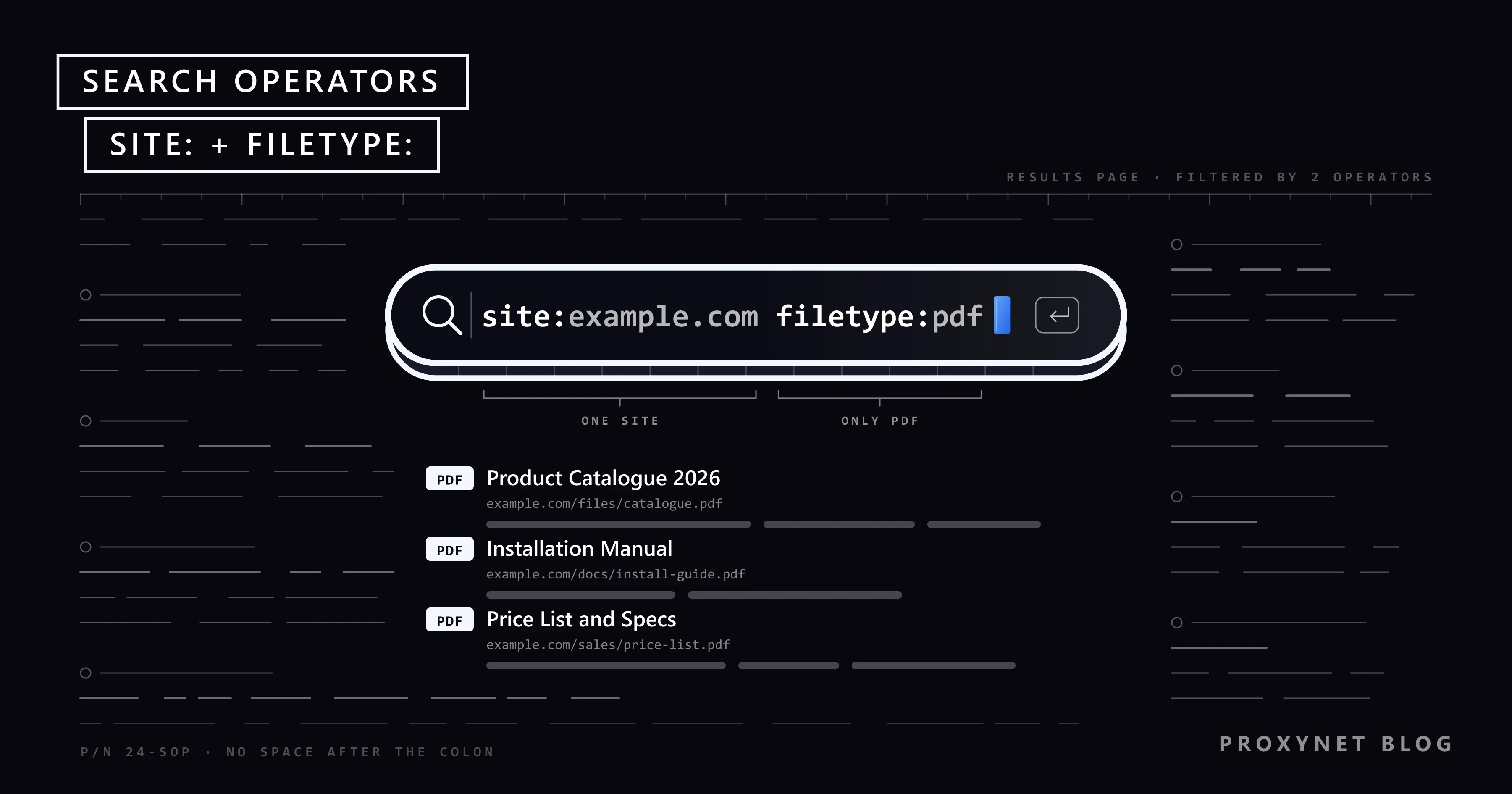
You remember that a supplier published its product catalogue as a PDF, but the search box on its website finds nothing. Typed into Google, site:supplier.example filetype:pdf catalogue can bring it up in one search. Two short commands told Google to look at one site only and at PDF files only. That is all a search operator is: an instruction you type into the search box to narrow the results.
This post lists the operators Google documents today, with an example for each, and shows how to combine them. It also covers older operators such as intitle: and inurl:, the ones that stopped working, the Advanced Search page, how SEO teams use operators and why an operator sometimes seems to do nothing.
What are Google search operators?
Google search operators are words, symbols and short commands that you type into the search box with your query to filter the results. A plain query asks Google for the most relevant pages; an operator adds a condition every result must meet, such as "only from this site" or "only PDF files".
Google lists the operators for everyday searchers on its help page Refine Google searches and a few more for site owners in its Search Central documentation. Most follow one pattern: a keyword, a colon and a value, written together as site:example.com. A few are plain symbols, such as quotation marks or a minus sign.
How do you combine search operators?
You combine operators by typing them one after another in the same search box, separated by spaces, in any order. Each one narrows the results further, so build the query in steps:
- Start with the topic. Type the words a matching page would contain:
solar inverter manual. - Lock the phrase that must appear. Put it in quotation marks:
"inverter manual". - Choose where to look. Add
site:with a domain or a URL prefix. - Choose the format or period. Add
filetype:pdf, orafter:2025for documents updated after that year. - Remove the noise. Put a minus sign before a word that pulls in wrong results:
-warranty. - Loosen if needed. If nothing comes back, remove the last operator you added.
"inverter manual" site:example.com filetype:pdf after:2025 -warrantyWrite each operator and its value as one unbroken word. Google's help page is explicit: "Do not put spaces between the operator and your search term." site:example.com works; site: example.com does not.
Which Google search operators work today?
These are the operators Google documents on its Search help page, its Advanced Search page or in Search Central; we read all three on 17 November 2026.
| Operator | What it does | Example |
|---|---|---|
"…" | Exact word or phrase | "cold brew ratio" |
- | Leaves a word out | mercury -planet |
site: | One site, domain or URL prefix | site:example.com pricing |
filetype: | One file format | annual report filetype:pdf |
before: | Updated before a date | budget template before:2024 |
after: | Updated after a date | remote work study after:2025-06-01 |
OR | Either of two words | marathon OR triathlon training |
.. | A range of numbers | monitor 24..27 inch |
imagesize: | Images of one size | imagesize:1920x1080 |
src: | Pages using one image file | src:https://example.com/logo.png |
site: covers a domain with its subdomains, so site:example.com returns pages from www.example.com and blog.example.com. Add a path to search one section, as in site:https://www.example.com/blog/. Google notes that site:https://www.example.com and site:https://example.com/ return different results, so match the form your site uses.
filetype: matches the format Google detected from the file's content type or extension. Google can index PDF, Word, Excel, PowerPoint, CSV, plain text, XML and about a dozen other formats, so filetype:xlsx works like filetype:pdf.
before: and after: take a year or a full date (2025 or 2025-06-01), and together they set a range. They filter on the date a document was last updated as Google estimates it from several signals, which is not always the date printed on the page.
OR and .. come from the hints on the Advanced Search page: OR in capital letters between alternatives, and two full stops between two numbers. imagesize: and src: work only in Google Images.
What happened to intitle:, inurl: and intext:?
intitle:, inurl: and intext: still appear in most operator lists, but Google's current help pages no longer document them. Treat them as unofficial: they may return a partial list, and Google can change or drop them without notice, as it did with cache:.
Each has a documented equivalent. On the Advanced Search page, the "terms appearing" menu limits your words to one part of the page:
| Unofficial operator | Meaning | Advanced Search option |
|---|---|---|
intitle:guide | Word in the page title | in the title of the page |
inurl:pricing | Word in the address | in the URL of the page |
intext:refund | Word in the body text | in the text of the page |
The typed versions are fine for a quick look. For anything you will put in a report, repeat the check with the Advanced Search option or, for your own site, in Search Console.
Which operators no longer work?
Three operators that once worked are gone, and Google itself has said so:
| Operator | What it did | Status today |
|---|---|---|
cache: | Opened Google's stored copy of a page | Stopped working in 2024 |
related: | Listed sites similar to a domain | Unsupported since 2023 |
+ | Forced a word to appear | Removed; use quotation marks |
Google's documentation changelog records the two recent removals: on 24 September 2024 it deleted the cache: page because the operator "no longer works in Google Search", and on 18 July 2023 it dropped related: as no longer supported. For the plus sign, Google's help page still links to a forum thread asking why it was removed.
info:, link: and ~ also turn up in old cheat sheets. We found no current Google statement about them, so do not build a workflow on them.
How do you search without operators?
Google's Advanced Search page offers the same filters as a form, so you need no syntax. Open it directly, or run a search, click Tools below the search box and choose Advanced Search. Its fields map onto the operators:
- this exact word or phrase: quotation marks.
- any of these words:
OR. - none of these words: the minus sign.
- numbers ranging from: the two full stops.
- site or domain:
site:; it also takes a domain ending such as.govor.edu. - terms appearing: the title, text, URL or links of the page.
- file type:
filetype:. - last update: anytime, past 24 hours, past week, past month or past year.
The form also filters by language, region and usage rights, which finds pages you are free to use yourself.
How do SEO teams use search operators?
SEO teams use operators for quick manual checks on their own site and for reading what competitors publish.
Spot-check what Google has indexed
site:example.com lists pages Google has indexed from your domain, and a URL prefix narrows that to one section. Use it to see whether a new section shows up at all, or whether deleted pages still do. Do not read the number of results as your index size: Google's site: operator documentation says the list is not exhaustive and the operator is not meant for counting indexed pages.
For real numbers, open the Page indexing report in Search Console, which counts your indexed pages and gives the reasons the others are not indexed. For a single address, the URL Inspection tool shows its status directly.
Then compare that with your sitemap, the file that lists the pages you want indexed. How to locate and read it is explained in how to find a website's sitemap.
Find duplicate and thin pages
Search one distinctive sentence from a page in quotes on your own domain: site:example.com "every order ships in a recycled box". If ten pages come back, that sentence is template text repeated across the site; filter or print versions of one page are duplicates to merge or redirect. site:example.com/tag/ shows how many tag pages Google holds, and those are often thin. The same sentence without site: shows other domains that copied your text.
Find forgotten files and subdomains
Because site: includes subdomains, it also shows test hosts such as staging.example.com that were never meant to be public. site:example.com filetype:pdf lists old brochures still in the index, and site:example.com before:2022 brings up pages that may need an update or a redirect.
Follow mentions and competitor content
"Example Analytics" review after:2026-01-01 finds pages updated this year that mention a product. On a competitor's domain, site:competitor.example/blog/ after:2026-09-01 lists what they published recently. Read the pages yourself; the goal is to see their topics and angles, not to copy them.
Why do search operators sometimes not work?
An operator that seems to do nothing usually has one of these causes:
- A space after the colon. Google's help page says
site: example.comdoes not work. - A retired or unofficial operator.
cache:andrelated:are gone;intitle:andinurl:are undocumented. - Index limits. Search Central notes that operators are bound by indexing and retrieval limits: they only see what Google has indexed and chooses to return.
- The wrong product.
imagesize:andsrc:work only in Google Images. - Too many conditions. Four filters on a small site can leave nothing.
- Estimated dates.
before:andafter:rely on Google's guess of when a page was updated. - Location and language. The same query can return a different list in another country.
Can operator searches trigger Google's unusual traffic page?
They can. Google shows an "unusual traffic from your computer network" page with a CAPTCHA when it suspects that searches come from software, such as rank checkers or search scrapers, rather than a person. Long operator queries fired off in quick succession by hand can look similar, especially from a shared office or school network.
Solve the check and slow down; for the same data every day, use Search Console and its API instead of repeated searches. What the page means and how to clear it is covered in our post on the Google unusual traffic error.
Is it ethical to use search operators?
Using operators is ordinary searching; what matters is what you look for. Lists of "dorks", operator strings built to find exposed passwords, camera feeds, admin panels or other people's documents, lead into data nobody meant to share. Opening such files can break computer-misuse and data-protection laws, and this post does not cover them.
Point the same operators at your own domain instead: site:example.com filetype:xlsx or filetype:csv shows spreadsheets Google has indexed from your site. If one should not be public, delete it or put it behind a login, then use the Removals tool in Search Console, which hides a URL from results for about six months. A file that held customers' or employees' personal data can also be a reportable incident under laws such as the GDPR or Türkiye's KVKK.
Do operator results differ by country?
Yes. Google ranks results by the searcher's location and language, so the same site: or quoted query can return a different list, in a different order, in Germany than in Brazil. Operators filter what Google would show you; they do not switch off localisation. A competitor check run from your office describes only your own market.
SEO teams working on several markets therefore look at results the way a searcher there sees them, with a handful of searches by hand. The options, from Google's region setting to the gl parameter, are compared in how to search Google from another country.
When a check must come from the market itself, a separate browser profile connected through a Residential Proxy in the target country or city shows the page as a home user there sees it. Keep it to a few manual searches: automated queries to Google break its spam policies, whatever IP address they come from.
Where you meet search operators
- SEO and content teams checking indexing, duplicates and competitor topics.
- Journalists and researchers tracing an official PDF or the original of a quote.
- Developers searching one documentation site for an error message.
- Security and IT teams auditing which files from their own domain are visible in search.
- Shoppers looking for a manual on the manufacturer's own site.
Common mistakes
- Reading the
site:count as your index size. The Page indexing report has the real figure. - Leaving a space after the colon.
site: example.comdoes not work. - Trusting old cheat sheets. Many still list
cache:,related:and+. - Stacking every operator at once. Add one at a time and watch what each changes.
- Treating one search as true for every market. Results change with country and language.
- Automating operator queries. Scripts that query Google break its spam policies.
Decision guide
| Your need | Use |
|---|---|
| An exact phrase | Quotation marks |
| One site or section | site: with a domain or URL prefix |
| PDFs, spreadsheets, slides | filetype:pdf, xlsx or pptx |
| Pages from a period | after: and before: |
| A word in the title or URL | Advanced Search, "terms appearing" |
| How many pages are indexed | Search Console, Page indexing report |
| Results in another market | A manual check from that country |
Frequently asked questions
Is there an official list of Google search operators?
Yes, but it is short. Google's help page "Refine Google searches" lists quotation marks, the minus sign, site:, filetype:, before: and after:; Search Central adds imagesize: and src: for Google Images, and the Advanced Search page shows OR and number ranges. Most downloadable cheat sheets come from third parties and often still list retired operators.
Why are my Google search operators not working?
The usual causes are a space after the colon, a retired operator such as cache: or an unofficial one such as intitle:. Operators also see only what Google has indexed, so a missing page may simply not be in the index; check it with the URL Inspection tool in Search Console.
How do I search Google within a date range?
Combine after: and before: with a year or a full date: electric bike review after:2025-01-01 before:2025-07-01. Without syntax, use the "last update" menu on the Advanced Search page. Both rely on Google's estimate of when a page was last updated.
How do I search only one website on Google?
Type site: and the domain, then your words: site:example.com return policy. Add a path to search one section, as in site:https://www.example.com/help/. The Advanced Search page offers the same option in its "site or domain" field.
Does the cache: operator still work?
No. Google's documentation changelog says cache: no longer works in Google Search; its documentation was removed on 24 September 2024. For an older copy of a page, use a web archive such as the Internet Archive's Wayback Machine.
Is it allowed to use Google search operators?
Yes. Operators are a standard feature described on Google's own help pages. What its spam policies forbid is sending automated queries, such as scripts that scrape results for rank checking. Using operators to reach exposed private files is a legal and ethical problem whatever tool you use.
Summary
Google search operators are short commands that narrow a search. Quotation marks, the minus sign, site:, filetype:, before: and after: are documented today, OR and number ranges come from Advanced Search, intitle: and inurl: are unofficial, and cache: and related: are gone. Type them without a space after the colon and use Search Console, not a site: count, for index questions. To see a market's results from inside that market, our SEO proxy page describes the location-targeted options.