You want to see how a site looks from another country, or you would rather not show your IP address. Type "free proxy" into a search engine and two kinds of results come up: web proxy sites where you enter a site name into a box, and lists with hundreds of IP addresses and port numbers. Neither asks for money and both work within a minute. The question that follows is always the same: can something this easy and free be safe?
This post explains how the two types work, who runs these servers and where their money comes from. It covers how far HTTPS protects you, what academic measurements found and why these addresses get blocked all the time, and it ends with a table that answers which uses are acceptable. There is no free proxy list or site recommendation in this post; the reason becomes clear as you read.
What is a free proxy, and how many types are there?
A proxy is an intermediary server that goes out to the internet on your behalf. You send the request to the proxy, the proxy passes it to the site and brings the response back to you. The site sees the proxy's address, not yours. We covered the basics in What Is a Proxy Server and How Does It Work?; here we look only at the free ones.
Three different things circulate under the name "free proxy", and their risks are not the same:
- Web proxy sites. A page you open in your browser. You type the address of the site you want into the box in the middle, and the site opens that page inside itself. No installation or settings are needed. CroxyProxy is one of the best-known names of this type; what follows describes how the type works, not one particular service.
- Open proxy lists. Constantly refreshed lists made of lines such as
203.0.113.10:8080. You enter the address by hand into the proxy settings of your browser or operating system. The site that publishes the list does not own these servers; it only collects addresses it has found open on the internet. - Free proxy and VPN apps, browser extensions. Tools you switch on and off with one tap. Behind them sits one of the two models above, or the provider's own servers.
On the lists you will see labels such as "transparent", "anonymous" or "elite" next to the addresses. These labels say whether the proxy passes your real IP address on to the site, not whether the server can be trusted. The details are in Transparent, Anonymous and Elite Proxies.
Who runs free proxies, and where does the money come from?
Running a server costs money: electricity, bandwidth, maintenance. If someone opens one to everybody for free, either they do not know about it or their income comes from somewhere else. The addresses on open lists fall roughly into four groups:
- Misconfigured servers. A proxy that a company or school set up for internal use has been left open to the outside by a configuration mistake. The owner closes it once they notice. This is one reason addresses on the lists die within a few hours or days.
- Compromised devices. A computer, a router or another internet-connected device infected with malware is run as a proxy without its owner knowing. In that case your traffic passes through a device in a stranger's home, and the person controlling that device is an attacker.
- Servers opened on purpose. The operator leaves the server open in order to watch the traffic, add ads to pages or collect user data. Security researchers also set up similar trap servers to observe attack traffic; in both cases your traffic is being recorded.
- Volunteers and test servers. Some have no bad intent. The problem is that you cannot tell from the list which address belongs to which group.
On web proxy sites the revenue model is easier to see: ads added above and below the page, an upsell to a paid plan, in some cases usage data. Living on ads does not prove bad intent. But who runs the service, how long it keeps logs and who it shares them with is usually not written down; and even when it is, you cannot audit it.
How does a web proxy site work?
A web proxy site takes a different route from a normal proxy. Your browser never connects to the target site; it talks only to the web proxy site. The steps are:
- You open the web proxy site and type the target site's address into the box.
- The service's server downloads that page on your behalf, over its own connection.
- It rewrites every link, image and form in the downloaded page so that they pass through its own address.
- It sends you the modified page, usually with its own bar or ads added on top.
- When you click a link or fill in a form, the request again goes to the service first and the same cycle repeats.
This setup has an important security consequence. Your browser's address bar shows the name of the web proxy site, not the target site. The padlock you see also belongs to the connection between your browser and the web proxy site. The party that sets up the encrypted connection with the target site is the service, and it is also the one that decrypts it. To rewrite the page it has to see the content in plain text anyway.
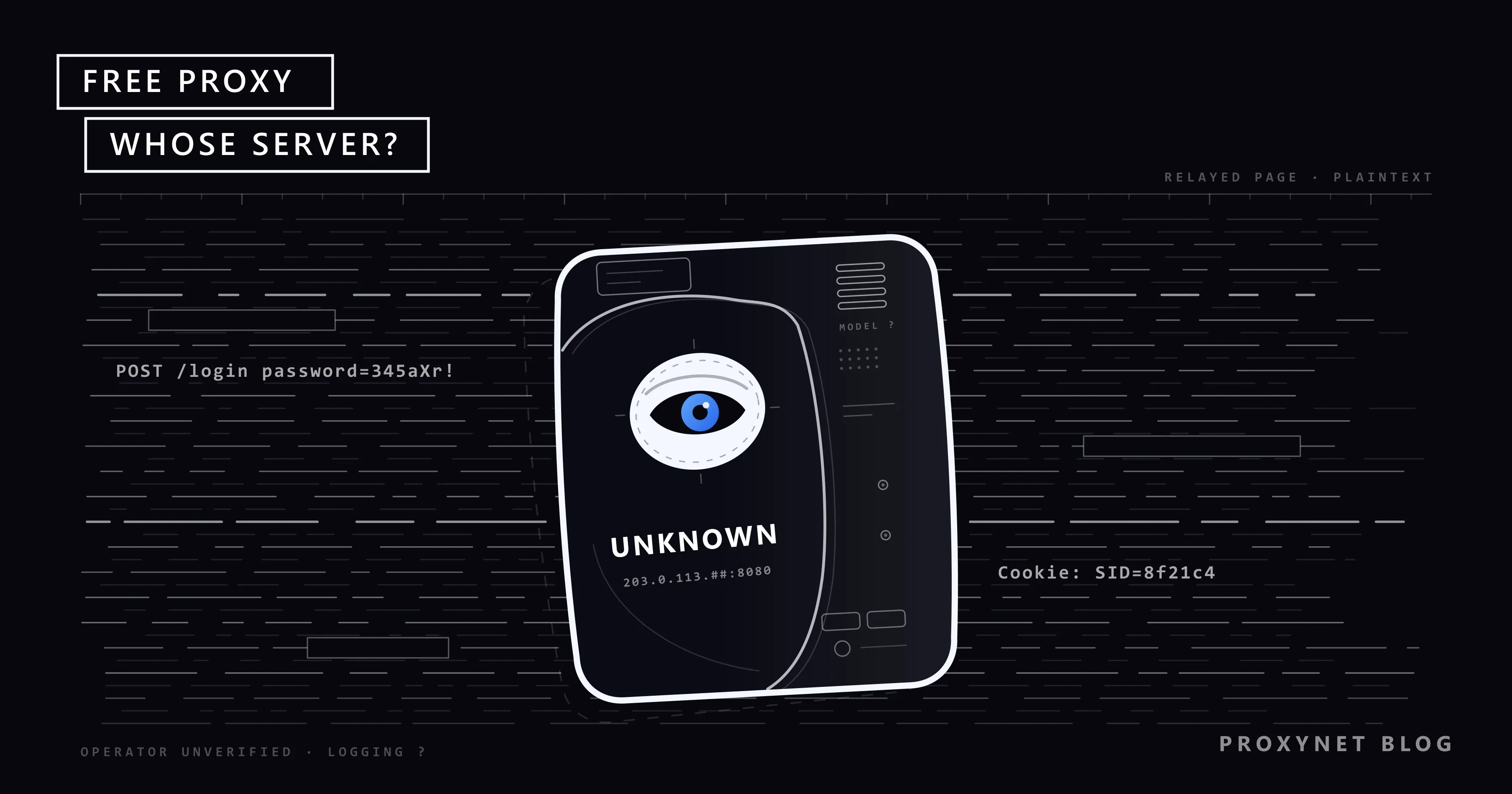
In practice this means that if you sign in to an account through a web proxy site, your username, your password and the session cookie created after login pass through the service's server in readable form. There is no way to know whether the service records them.
Videos stuttering, pages breaking after login or buttons not working on web proxy sites come from the same cause. Today's sites build the page with programs that run in the browser, and the service cannot correctly rewrite every address inside those programs.
| Feature | Web proxy site | IP:port proxy from a list |
|---|---|---|
| How is it used? | A site is opened in the browser and the address is typed into a box | The address and port are entered in the device's proxy settings |
| Who runs it? | Usually an unclear company or individual | Unknown; the list publisher does not know either |
| Can it see the content of an HTTPS page? | Yes, the service decrypts it | No, a tunnel is set up (as long as no certificate warning appears) |
| Can it alter an unencrypted (HTTP) page? | Yes | Yes |
| How many people share the IP? | All users of the service | Everyone who finds the list |
How far does HTTPS protect you?
When you visit a site whose address starts with https:// through an IP:port proxy taken from a list, your browser sends the proxy a request called CONNECT. That request contains only the name of the site you want to reach and the port number. The proxy sets up the connection and then carries the data flowing in both directions without looking inside. Mozilla's developer documentation describes this behaviour on its CONNECT method page. Because the encryption is set up between your browser and the target site, the proxy cannot read the page content, your password or your cookies.
This protection is real, but it has three limits:
- Which site you connect to, when and with how much data is visible. The site name is written openly in the
CONNECTrequest. The content is hidden; the visit record is not. The owner of a café or hotel Wi-Fi network sees the same kind of record, as we explain in Is Public Wi-Fi Safe? What the Network Owner Can See. - Unencrypted pages have no protection at all. A page whose address starts with
http://passes through the proxy in plain text. Chrome shows "Not secure" in the address bar on these pages, and Google's help page on checking a site's connection states the reason plainly: someone may be able to view and change the information you send and get. With a proxy of unknown identity in the middle, that "someone" is no longer hypothetical. - A certificate warning leaves the protection in your hands. If the proxy tries to step into the encrypted connection, your browser notices the fake certificate and shows a full-page warning. How to read that screen, and how to tell an attack from a harmless cause such as a wrong clock, is covered in Your Connection Is Not Private Error: Causes and Fixes. If you click through and continue to the site, you have switched the protection off yourself. If a proxy service or app asks you to "install a certificate" on your device, the purpose is exactly to silence this warning; do not install it. A certificate generated by a debugging tool you run on your own computer to inspect your own traffic is a different case; we explain the difference in What Is a MITM Proxy?.
On web proxy sites the protection described in this section does not apply. No tunnel is set up there; the service decrypts the traffic.
What did research find about free proxies?
Fear marketing is easy on this topic; percentages with no clear source circulate online. We look only at two peer-reviewed academic measurements. Both were published in 2018, so the figures describe the lists of that period and should not be read as today's rate. The mechanisms, however, have not changed.
Researchers from FORTH, the University of Cyprus and Stony Brook University monitored open HTTP proxies for two months and published the results at NDSS 2018. Of the working proxies, that is, those able to fetch the page, 38% made some change to the page passing through them. Most of those changes were harmless. However, 5.15% of the same proxies made a change the researchers considered malicious or unwanted: within that group, 47% injected ads into the page, 39% injected code used to track and fingerprint the user, and 12% tried to redirect the user to pages hosting malware.
A team from Georgetown and Northeastern universities ran a broader measurement the same year: over 50 days, more than 107,000 open proxies found on list sites and 13 million requests. According to the study presented at ACSAC 2018, more than 92% of the listed proxies never responded to requests. Among those that worked, the team found proxies that added cryptocurrency mining code to pages, proxies that tried to step into encrypted connections, and proxies that planted remote access trojans inside programs downloaded through them.
The conclusion from the two studies needs no exaggeration. Most open proxies are not malicious; most do not even work. But malicious ones exist, they cannot be told apart from the others on a list, and when you hit one, your loss can range from an ad to a hijacked account.
Why are free proxies slow and blocked all the time?
Security aside, free proxies often do not get the job done either. There are three reasons.
Most are dead. The list site finds the address once and publishes it; the server may have shut down that same day.
Everyone uses the ones that work. Thousands of people see the list at the same time as you and pile onto the few working addresses. With the server's bandwidth split among that many people, pages open late and videos stutter.
The address has a bad record. Sites look at the IP address of an incoming connection. If requests from thousands of different people and automated programs arrive from the same address in a short time, the site does not trust that address: it shows a verification box, gives an "unusual traffic" warning or blocks it outright. Open proxy addresses also end up on IP blacklists and in risk score databases quickly. We explained these mechanisms in What Is an IP Blacklist and How Do You Get Delisted? and in our post on IP fraud scores, and the general effect of a shared address in What Is CGNAT?. If the screen you see says "VPN or proxy detected", the post on that warning explains the cause; if it is Google's unusual traffic page, this post does.
The extra risk in free apps and extensions
Free proxy or VPN apps carry one more risk: some of them do not only carry your traffic, they also let others use your connection. Deep in the terms of use it says that you allow your device's internet connection to serve as an exit point for other users' traffic. While such an app is installed, something done by a person you do not know looks from the outside as if it came from your home address.
Browser extensions need care as well. A proxy extension asks for broad permissions in order to work, and when those permissions go to an extension with an unknown operator, the result resembles the web proxy site situation. If you are going to install an extension, choose one with a known publisher that ships without built-in servers and uses only the proxy address you enter yourself.
Which uses are acceptable, and which never are?
Not every use of a free proxy carries the same risk. The test is simple: what would you lose if the information passing over that connection ended up in someone else's hands?
- Looking at a single public page without signing in. You are curious how a news site or a product page looks from another country. The risk is low; keep in mind that the page you see may have been altered, and do not download anything.
- Learning what a proxy is. Trying it once to see where the setting goes is reasonable; switch the setting off when you are done. We showed how to check whether a proxy works and whether it leaks your address in Is My Proxy Working? How to Test a Proxy and WebRTC and DNS Leaks.
- Email, social media, game accounts. Do not use one. On a web proxy site your password is directly visible. On an IP:port proxy HTTPS protects you, but clicking through a single certificate warning or opening a single unencrypted page is enough.
- Banking, payments, government portals, work accounts. Never. There is no benefit to weigh here.
- Regular or business use. For work such as account management, price tracking or data collection, the address has to be yours and has to work tomorrow as well; a free address cannot offer that. What an unshared address means is covered in our private proxy guide, and choosing a type for the job in What to Look for When Buying a Proxy.
One note: whether a proxy is free or paid does not change whether what you do with it is legal. Getting around your school's or workplace's network rules with a web proxy site both breaks those rules and brings every risk above into that network.
Why does a free list turn out expensive for data collection?
This section is for developers considering a free list for a student project or a small data collection job. In practice three items upset the calculation.
The first is time. Because most addresses on the list do not respond, your program spends its time waiting for timeouts and retrying. The addresses that work are blacklisted, so the target site returns 403 or 429; we covered these codes in HTTP Status Codes in Web Scraping. The second is data quality. If the server in the middle adds ads or code to the page, the data you collect is contaminated, and most of the time you will not notice. The third is security. An API key or session cookie you attach to your request passes through that server in readable form over an unencrypted connection.
In a learning project you usually do not need a proxy at all: send your requests sparsely and follow the site's robots.txt rules. Reaching for a free list means taking on all three items above; the money you think you saved comes back as lost hours and data you cannot trust.
What should you do if you have used a free proxy?
If you signed in to your accounts through a free proxy in the past, take these steps:
- Turn the proxy setting off. On Windows 11, go to Settings > Network & internet > Proxy and make sure the Use a proxy server switch is off. On a phone the setting is in the details of the Wi-Fi network; we showed where in How to Set Up Proxy Settings on an Android Phone and How to Set iPhone Proxy Settings?.
- Remove proxy and VPN apps and extensions you do not use. Switching them off is not enough; they can keep running in the background.
- Change the passwords of the accounts you signed in to during that period. Do this with the proxy off, from your own connection. If you use the same password on other sites, change those too.
- Close open sessions. Most platforms have a "sign out of all devices" option in their security settings. This invalidates session cookies that may have been captured.
- Turn on two-step verification. Even if your password has leaked, the second step stops the login.
Common mistakes
- Seeing the padlock and assuming you are safe. On a web proxy site the padlock shows the connection between you and the service. It does not show end-to-end encryption between you and the target site.
- Clicking through a certificate warning. A certificate warning that appears while a proxy is on is the clearest sign that someone is trying to get in the middle.
- Treating the "elite" label as a guarantee. The label says the server does not pass your IP address on to the site. It does not say the server is not recording your traffic.
- Forgetting the setting is on. When the system proxy setting stays on, all your browser traffic passes through that server for days. When the server dies, your internet stops with a "proxy server isn't responding" error.
- Downloading programs through the proxy. The measurements found servers that planted malware inside downloaded files. Download installers over your own connection, from the official source.
Decision guide
| Need | Recommendation |
|---|---|
| Checking once how a public page looks from another country | Low risk; do not sign in, do not download files, switch it off when done |
| Signing in to an email, social media or game account | Do not use a free proxy; sign in from your own connection |
| Banking, payments, government portals | Never; also check that the proxy setting is off |
| A student project, a small data collection trial | Try first without a proxy and slowly; follow the site's robots.txt rules |
| Managing several accounts on a regular basis | A free list will not do; the address dies at any moment, its record is poor and your session cookies are at risk |
| Data collection and price tracking in production | A free list will not do; code injected into the page quietly contaminates the data you collect |
| Working with company data | Do not route it through a free proxy; there is no way to verify whether the server keeps logs |
Frequently asked questions
Is using a free proxy dangerous?
It depends on the job. Looking at a public page without signing in is low risk. Anything where you enter a password, card details or personal data is dangerous, because your traffic passes through the server of someone whose identity you do not know.
Can a web proxy site see the password I type?
Yes. Because a web proxy site opens and rewrites the target page on its own server, it sees what you type into forms in plain text, including your password and session cookie. You cannot verify from the outside whether it records them.
Does a free proxy become safe if I use HTTPS?
Partly. With an IP:port proxy entered in your device's proxy settings, HTTPS protects the page content and your password. Which site you visit and when is still visible, unencrypted pages are not protected, and the protection ends the moment you click through a certificate warning. On web proxy sites HTTPS does not protect you from the service itself.
Why do the addresses on up-to-date proxy lists not work?
Most addresses on the lists are servers that were left open by mistake or were compromised, and they close once the owner notices. List sites find an address once and publish it; they do not check it continuously. In the broad 2018 measurement, more than 92% of the listed proxies did not respond to requests.
What is the real difference between a free and a paid proxy?
There is a speed difference too, but the real difference is who is known. With a free server you cannot verify the operator, the source of its income or whether it keeps logs, and there is nobody to turn to when something goes wrong. An address from a list is also used by everyone else who finds it, so it is closed to no one; we explained authentication methods in Proxy Authentication: User:Pass vs IP Whitelist.
Is a VPN safer than a free proxy?
As long as it is free, the same question applies to the VPN: who runs the server, and where does the money come from? A VPN puts all traffic into an encrypted tunnel, but the server at the other end of the tunnel is still where your traffic passes. We compared the two tools in Proxy vs. VPN: Which One and When?.
Summary
Because web proxy sites open the page on their own server, they see everything, including your passwords. With IP:port proxies from lists, HTTPS protects the content, but which site you visit is visible, unencrypted pages can be altered, and nobody knows who runs the server. Peer-reviewed measurements from 2018 showed that most of these servers do not work and that some of the working ones add ads, tracking code and malware to pages. Do not use a free proxy for accounts and payments; if you already have, switch the setting off and renew your passwords. The measure is simple: if you cannot verify who runs an address, assume that everything passing through it may be in a stranger's hands.