You open a site and get an almost bare page: 503 Service Temporarily Unavailable in large letters, nginx underneath. Another site says Service Unavailable and blames maintenance downtime or capacity problems. In Chrome you may get the browser's own error page instead, "This page isn’t working", with "HTTP ERROR 503" at the bottom.
All of these are one HTTP status code, and of the server errors it is the most hopeful: the server itself says the problem is temporary. Below: what it means, who sent the page, what visitors and site owners can do, how to schedule maintenance without hurting search, and what a 503 means for scripts and proxies.
What does 503 Service Unavailable mean?
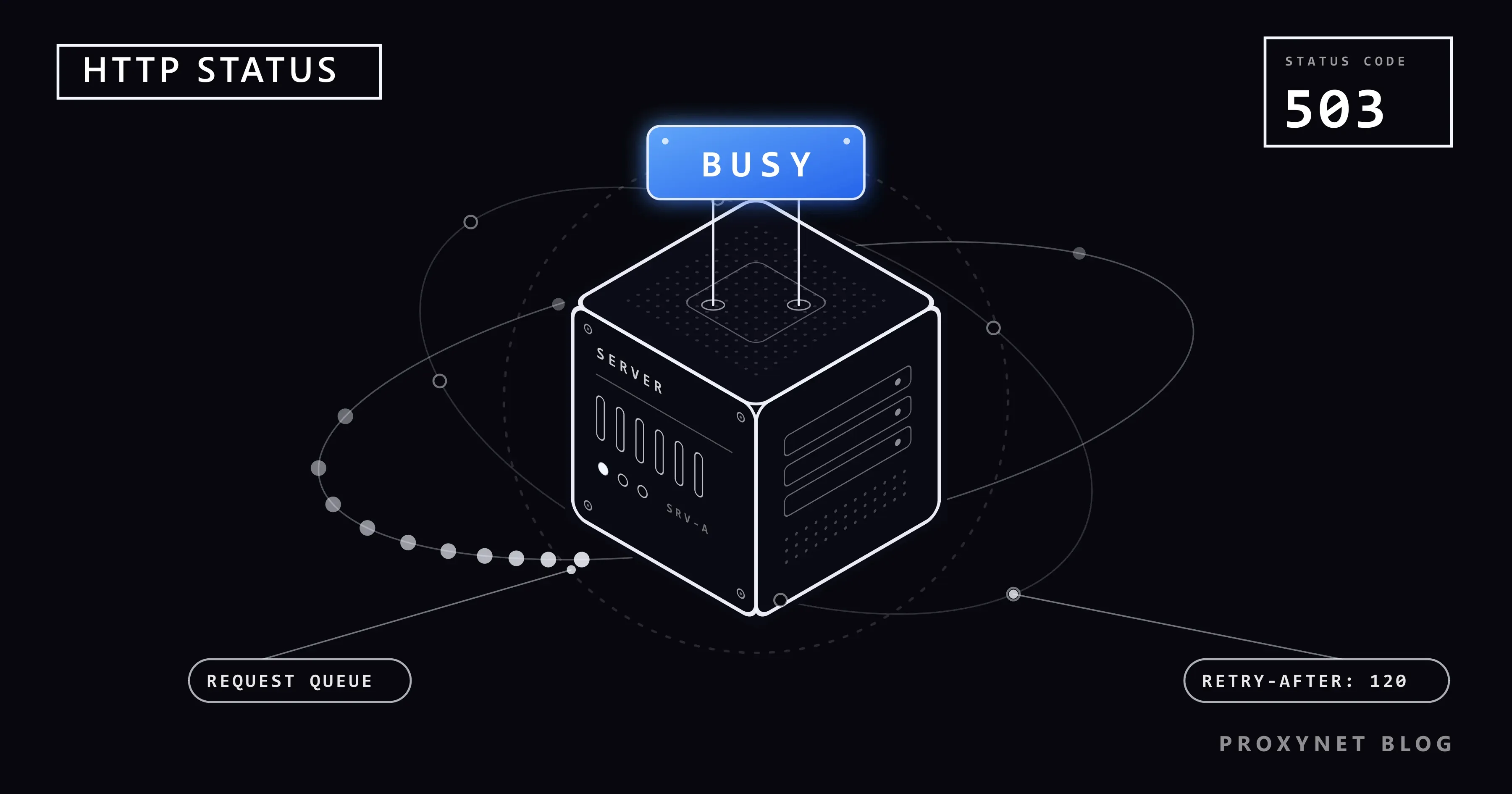
A 503 means the server received your request but refuses to process it for the moment. The HTTP standard, RFC 9110, section 15.6.4, names two reasons: a temporary overload or scheduled maintenance, both expected to clear after some delay. Like every code starting with 5, it is a server error.
What sets 503 apart is that it is temporary by design. A 500 says something broke; a 503 says "not now". The server may add a Retry-After header, an extra line sent with the response that says when to come back: a number of seconds (Retry-After: 120 means two minutes) or a date. The browser does not show it, but scripts, apps and search engine crawlers can read it.
Is a 503 error your fault?
Almost never. Your connection delivered the request and the server answered it, just not with the page, so restarting your router changes nothing.
Your own traffic plays a part in one case: a rate limit. Some servers answer too many requests from one address with a 503 instead of the more specific 429 Too Many Requests, so a page reloaded over and over, or a script, can trigger it. Behind an office network or a mobile carrier that shares one public address among many people, other people's requests count too. 429 Too Many Requests and Rate Limit Errors Explained shows how such limits are counted.
A VPN or proxy can also send a 503 of its own when it is overloaded or cannot reach the site.
How does a 503 happen, step by step?
- Your browser reaches the site's front server: a web server such as nginx, Apache or IIS, a load balancer that spreads visitors across several servers, or a CDN (content delivery network, a service that answers for a site from many locations).
- The front server checks whether it can take the request. Is the application running, is a worker free, is the queue short enough, is maintenance mode on, has this address passed a request limit?
- One check fails, for example a stopped application pool or a maintenance switch that is on.
- The server answers 503, often with
Retry-Afterand a short page. - Your browser shows that page, or its own error page if the 503 arrived without one.
What does the 503 page look like, and who sent it?
The wording tells you which program refused the request, and that tells a site owner where to look.
| What you see | Sent by | Usual meaning |
|---|---|---|
503 Service Temporarily Unavailable, nginx below | nginx | A request limit or a maintenance rule |
Service Unavailable, …due to maintenance downtime or capacity problems | Apache httpd | Often Apache could not reach the application behind it |
503 Service Unavailable, No server is available to handle this request. | HAProxy, a load balancer | Every server behind it is down or full |
Error 503 Backend fetch failed, Guru Meditation and an XID | Varnish, a caching server | It could not get the page from the site's server |
Service Unavailable, HTTP Error 503. The service is unavailable. | IIS on Windows Server | The application pool is stopped or overloaded |
| "Briefly unavailable for scheduled maintenance. Check back in a minute." | WordPress | An update is running or was interrupted |
| "This page isn’t working", "HTTP ERROR 503" | Chrome | The 503 came with an empty page |
The server texts come from each program's source code or documentation. We checked the last row with a small test server on our own computer: for an empty 503, Chromium 145 showed "This page isn’t working", "localhost is currently unable to handle this request.", "HTTP ERROR 503" and a Reload button; a 503 with a maintenance page showed that page instead.
What is the difference between 500, 502, 503 and 504?
All four are server errors, but only 503 is defined as temporary; the other three describe a failure that lasts until something is fixed.
| Code | Name | What happened | Temporary by design? |
|---|---|---|---|
500 | Internal Server Error | The application hit an error | No |
502 | Bad Gateway | The gateway got a broken answer, or none | No |
503 | Service Unavailable | The server refuses work for now | Yes |
504 | Gateway Timeout | The gateway waited too long for an answer | No |
A gateway is the front server that passes requests to the application behind it. In practice the codes overlap: the same stopped application shows as a 502 behind nginx and as a 503 behind Apache or HAProxy. 502 Bad Gateway Error: What It Means and How to Fix It covers the gateway side.
What causes a 503 error?
A server sends a 503 when it decides that refusing a request is better than trying and failing. The usual triggers:
- A traffic spike. A sale, a news story or a wave of bots brings more requests than there are workers; refusing the extra ones keeps the server from failing for everyone.
- Planned maintenance. The owner switched on a maintenance page, or the software did it during an update. WordPress answers every request with a 503 and
Retry-After: 600while an update runs. - A stopped application. The program that builds the pages crashed or never started. On IIS this shows as a stopped application pool, the group of worker processes that runs a site.
- No healthy server behind the load balancer. HAProxy answers 503 when no server is available, or when every server is at its connection limit and a request has waited past its
timeout queuesetting. - A rate limit. nginx's request limiter rejects requests above the limit with 503 unless configured otherwise (limit_req_status). A 503 that hits only one visitor or one script is usually a limit, not an outage.
- A dependency is down. Some applications answer 503 while their database or another service they rely on is unreachable.
What can you do as a visitor?
- Wait a few minutes, then reload once. If the page names a time, such as WordPress's "Check back in a minute", go by it. Reloading every few seconds adds to the load.
- Check whether the site is down for everyone. Open it on your phone over mobile data. Large services post outages on a status page: Apple's is called System Status, Microsoft's is the service health status page.
- Turn off your VPN or proxy. If the page loads without it, the 503 came from the VPN's server, or the site limits traffic from that address.
- If only you get the error, slow down. Stop refreshing, pause download managers and look for an extension that reloads tabs automatically. A rate limit usually clears within minutes.
- Report it with the time, the address and anything printed on the page, such as Varnish's XID.
Clearing the cache rarely helps: a browser does not keep a 503 for later unless the server explicitly allows it, so every reload asks the server again.
If it is your site: how do you fix a 503?
Start by finding which layer answered: the page's wording, the table above and the server response header usually name it.
- Look for a maintenance switch that is still on. WordPress puts a
.maintenancefile in the site's root folder during updates and treats maintenance as over once the file is ten minutes old; deleting it ends maintenance at once. A maintenance rule in your web server or CDN must be removed by hand. - Check that the application runs. Restart the service or container and read its log for the crash. Apache logs
AH01114: HTTP: failed to make connection to backendwhen the program behind it does not accept connections. - On IIS, check the application pool. In IIS Manager, open Application Pools: a Stopped pool answers every request with 503. Rapid-fail protection stops a pool after five worker crashes within five minutes by default; the System event log says why. Microsoft's IIS status code list explains the sub-codes, from 503.0 for a stopped pool to 503.4 for a full FastCGI queue.
- Read the HTTP.sys log on Windows. Requests refused before they reach IIS are logged in
%SystemRoot%\System32\LogFiles\HTTPERR, with reasons such asAppOffline,DisabledorQueueFullin the last field. - Test the load balancer's health checks. A check that fails while the application works takes every server out of rotation, and HAProxy then says no server is available.
- Add capacity, or loosen limits that hit real people. If 503s appear at peak hours, add workers, cache popular pages or add servers. If offices or mobile users trip your rate limit, raise the burst allowance and consider answering with 429.
A monitor that loads a few key pages every minute warns you before customers do. To see whether only one region gets 503s, for example visitors routed to one CDN location, run the same check through Residential Proxy exits in a few countries.
How do you take a site down for maintenance without hurting SEO?
Answer with a 503 and a Retry-After header. A "back soon" page sent as 200 OK tells search engines the maintenance text is the page's content; a 404 tells them the page is gone.
Google's guide to pausing a website recommends a 503 informational page for urgent closures of one to two days, with Retry-After set to a best-effort date or duration, and calls it a measure for a few days at most. It also warns never to return 503 for robots.txt, the file that tells crawlers what they may fetch, because that blocks all crawling.
Google's crawlers slow down when a site returns 5xx errors and speed up again gradually once pages answer normally; URLs that keep returning server errors are eventually dropped from the index. Serve the maintenance page as a static file from the web server, not from the application you are updating.
Advanced: see a 503 and its Retry-After with curl
This part is for readers comfortable with a command line. curl ships with Windows 10, Windows 11 and macOS; in Windows PowerShell, type curl.exe. Our small Node.js test server answers every request with a 503, Retry-After: 120 and a one-line maintenance page; we called it with curl 8.22.0 on Windows 11:
curl -sSi http://localhost:8503/HTTP/1.1 503 Service Unavailable
Retry-After: 120
Content-Type: text/html; charset=utf-8
Cache-Control: no-store
Date: Sun, 15 Nov 2026 15:44:44 GMT
Connection: keep-alive
Keep-Alive: timeout=5
Transfer-Encoding: chunked
<!doctype html><title>Down for maintenance</title><h1>Down for maintenance</h1><p>Back in about two minutes.</p>-i prints the status line and headers above the page; -sS hides the progress meter but keeps error messages. Retry-After: 120 asks clients to wait two minutes, and Cache-Control: no-store keeps browsers and caches from storing the error. Point the command at your own site to see what it really sends.
What does a 503 mean for scrapers and proxy users?
For a script, a 503 is a request to come back later, and the right response is to do exactly that. If Retry-After is present, wait that long and pause every request to that site, not only the one that failed. Without it, back off: one second, then two, four and eight, with a little randomness, and stop after a few tries. Then lower the number of parallel requests.
A 503 that shows up only when your crawler speeds up is a rate limit in practice. Slow down until it stops; switching IP addresses to keep the same pace ignores what the site asked for.
Through a proxy, first check who sent the 503. If the proxy produced it, the site never saw your request and curl prints CONNECT tunnel failed, response 503; Squid, a common proxy server, does this when it cannot look up the site's name. A site's 503 arrives through a working tunnel with the site's own page, so test the URL without the proxy first.
A 503 whose body is a challenge page rather than a maintenance notice is a decision about your traffic, not an outage. HTTP Status Codes in Web Scraping: 403, 407, 429, 503 shows how to tell the two apart, with a tested retry function that reads Retry-After.
Where you might run into a 503
- Cloud apps such as OneDrive or SharePoint during an incident on the service's side.
- Ticket sales, product launches and exam results in the minutes after they open.
- WordPress sites while a plugin, theme or core update runs.
- Your own scripts, when a site's rate limit uses 503 instead of 429.
Common mistakes
- Reloading every few seconds, one more request for a server that is already refusing work.
- Owners: a maintenance page with status 200, which search engines take for the page's content.
- Owners: a 503 left in place for weeks. Google treats it as a measure for a few days.
- Owners: answering
robots.txtwith 503, which stops all crawling. - Scripts: ignoring
Retry-Afteror switching IPs to push through a limit.
Decision guide
| Your situation | What to do |
|---|---|
| A 503 page on one site, other sites work | Wait a few minutes, reload once |
| It fails on mobile data too | The site is down; check its status page |
| The page mentions scheduled maintenance | Come back at the time it gives |
| Only you get it, after many reloads | Stop for a few minutes, check extensions |
| It loads with your VPN off | Leave the VPN off for this site |
| Your WordPress site is stuck in maintenance | Delete .maintenance in the site root |
| Your IIS site, the pool shows Stopped | Fix the crash in the event log, start the pool |
Your script gets 503 with Retry-After | Wait that long for the whole site, lower concurrency |
Frequently asked questions
Is a 503 Service Unavailable error my fault?
Usually not: the server is overloaded, under maintenance or deliberately refusing work. The exception is a rate limit. If you reload a page many times or run a script, the site may answer 503 until you slow down.
How long does a 503 error last?
It depends on the cause. A traffic spike or a restart passes in seconds or minutes, planned maintenance lasts as long as the work, and Retry-After, when present, gives the server's own estimate. A crash nobody noticed can last for hours.
Why do OneDrive, SharePoint or Apple services show 503 Service Unavailable?
Their apps fetch everything from the service's servers, and during an incident or maintenance those servers answer 503. The problem is on the service's side: check Microsoft's service health status page or Apple's System Status page and try again later.
What does No server is available to handle this request mean?
It is HAProxy's built-in 503 page. HAProxy is a load balancer in front of the site, and every server behind it was down, failing its health check or too busy. Only the site's operators can fix it.
What does Error 503 Backend fetch failed mean?
It is the default error page of Varnish, a caching server in front of many sites: it could not get the page from the site's own server. The XID under Guru Meditation helps administrators find the request in their logs.
Does a 503 error hurt a site's Google rankings?
A short one does not; Google's crawlers slow down and come back later, which is why 503 is the right code for planned maintenance. If pages keep returning 503 for many days, Google eventually drops them from the index.
Summary
A 503 Service Unavailable means the server is reachable but refusing work for now, because of overload, maintenance or a limit, and Retry-After may say for how long. Visitors wait, reload once and check status pages. Owners find the layer that answered and fix the stopped application, the empty backend pool, the tight limit or the forgotten maintenance switch. Scripts honour Retry-After and slow down. Proxy types for monitoring and data collection are on our proxy page.