


































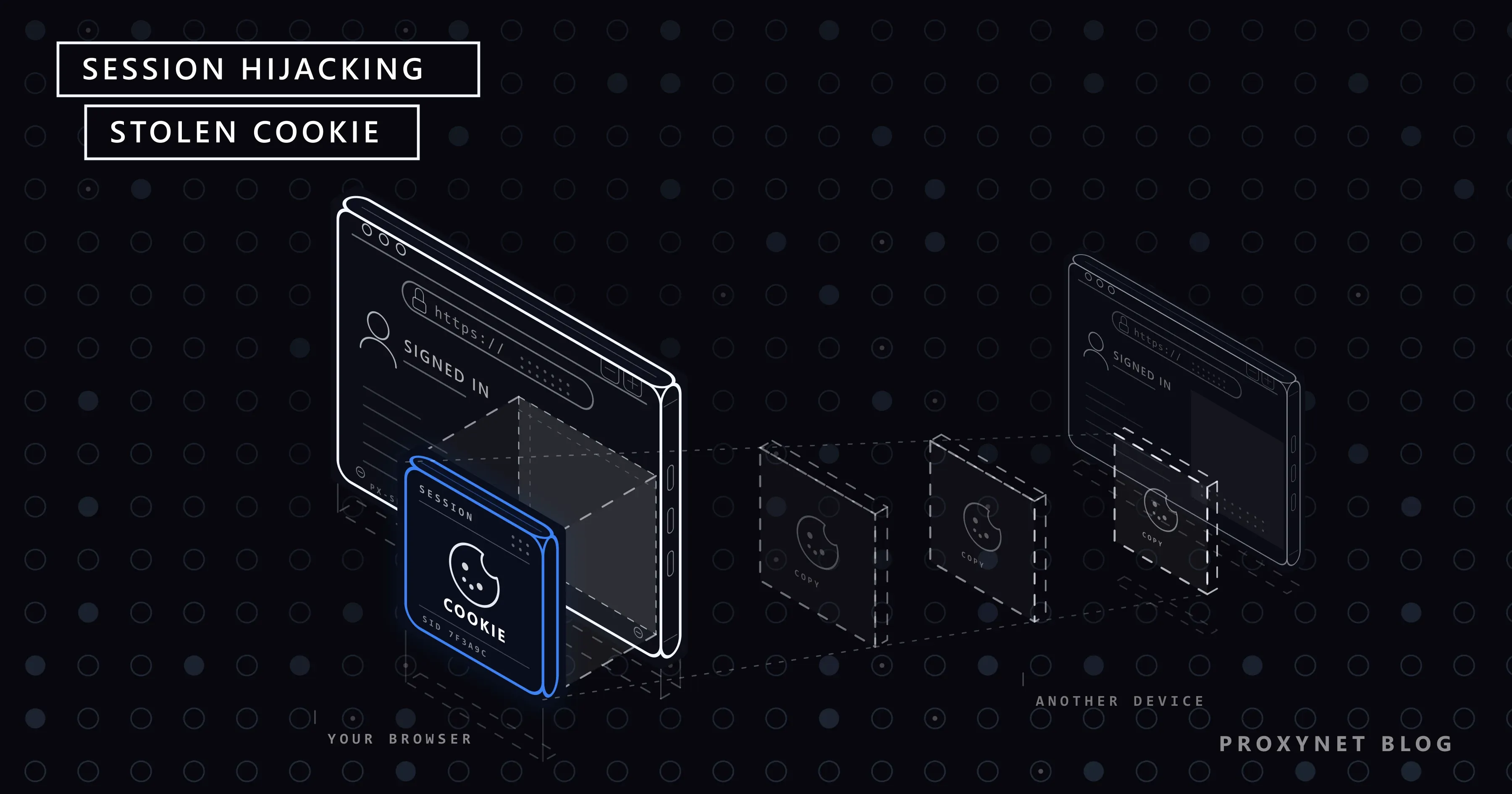
Your email provider sends a "new sign-in" alert from a country you have never visited. Your password is long and unique, and two-factor authentication is on, so nobody guessed anything. What most likely left your computer was not the password but the small cookie your browser received after you signed in. Whoever holds a copy of that cookie is, as far as the website can tell, you.
This post explains what a session cookie is, how it gets stolen (infostealers first, because most cases start there), why it gets past two-factor authentication and what to do. Separate sections cover what site owners should configure and why sites watch the IP address and device behind a session.
What is session hijacking?
Session hijacking, also called cookie hijacking or session theft, is the takeover of a web session that a real user started. The attacker does not get in through the login page. They reuse the proof of login the site handed out after it.
The OWASP Session Management Cheat Sheet explains why this matters: once a session exists, its ID is "temporarily equivalent to the strongest authentication method used by the application". If you signed in with a password and a security key, the cookie is worth as much as both while it stays valid.
What is a session cookie, and why is it worth stealing?
Websites do not ask for your password on every click. After you sign in, the server creates a long random value, the session ID, and sends it to your browser in a cookie; the browser sends it back with every request. It works like a hotel key card: the front desk checks your ID once, then the card opens the door until it expires.
Apps do the same with access and refresh tokens. MDN's Set-Cookie reference uses "session cookie" strictly for a cookie without an expiry date, removed when the browser shuts down. Login cookies often live longer: "stay signed in" keeps them valid for weeks, which is what makes a stolen copy useful.
How does session hijacking work?
- You sign in with a password and a code or phone prompt. This is the only moment two-factor authentication is checked.
- The site issues a session cookie. From now on, the cookie alone keeps you signed in.
- A copy leaves your control. Malware reads the browser's cookie store, a fake login page relays your sign-in and keeps the cookie, or a bug on the site exposes it.
- The copy is used elsewhere. The server sees a valid session and asks for nothing. MITRE ATT&CK, the public catalogue of attacker techniques, says this "bypasses some multi-factor authentication protocols since the session is already authenticated" (T1550.004). Security teams call it "pass the cookie".
- The attacker digs in: a new recovery email, a forwarding rule, purchases, before the session expires.
Defence sits at step 3 (stop the copy leaving), step 4 (make it useless elsewhere) and step 5 (notice it fast).
How do attackers steal session cookies?
| Method | What it relies on | Main defence |
|---|---|---|
| Infostealer malware | An infected download or a pasted command on your computer | Clean device, device-bound sessions |
| Adversary-in-the-middle phishing | You sign in on a look-alike page that relays to the real site | Passkeys or a security key |
| Cross-site scripting (XSS) | A bug lets an injected script run in the site's pages | HttpOnly cookies |
| Session sniffing | The cookie travels over plain HTTP | HTTPS everywhere, Secure flag |
| Session fixation | The site keeps the same ID after login | A new ID at every login |
| Predictable or leaked IDs | Guessable IDs, or IDs in URLs and logs | Long random IDs in cookies only |
Phishing that relays the login. Some phishing pages sit between you and the real site, pass your password and code through, and keep the session cookie the real site returns; MITRE lists this "malicious proxy" route under stealing web session cookies. Passkeys defeat it: the FIDO Alliance describes them as phishing-resistant credentials tied to your account on one website.
Cross-site scripting. A script slipped into a site's pages through a bug runs as if the site wrote it and can read any cookie without the HttpOnly flag.
Session sniffing. On a network you do not control, unencrypted traffic can be read; HTTPS closes this for the cookie, and Is Public Wi-Fi Safe? covers what stays visible. Reading HTTPS traffic requires your device to trust an extra root certificate. Developers add one on purpose to debug with a MITM proxy on their own machine; never install one because a network or a website asks you to.
What is an infostealer, and how does it get past 2FA?
An infostealer is malware that copies saved data from a computer and sends it out within minutes: browser passwords, cookies, autofill entries, crypto wallets and app tokens. The haul, a stealer log, is sold in bulk.
A joint FBI and CISA advisory on the LummaC2 infostealer of 21 May 2025 lists what such malware takes, from "financial credentials" to "multifactor authentication (MFA) details", and how it arrives: phishing emails, fake or cracked software and fake CAPTCHA pages. Those pages tell the visitor to press Windows + R, paste with Ctrl + V and press Enter, which runs the attacker's command. No real "are you human" check asks for that.
Two-factor authentication does not help once the cookie is gone, because the cookie is the result of a login that already passed 2FA. At the end of August 2026, Anthropic signed out Claude users whose sessions had been copied by infostealers on their own computers, warning that signing out "doesn't remove the malware" (Help Net Security). While the device stays infected, the next session is copied too.
Have I Been Pwned also loads stealer logs: verify your email address through its free notification service to see the websites your address appeared against, and treat each of them as exposed.
Session hijacking vs credential stuffing, phishing and CSRF
| Attack | What the attacker gets | Does 2FA stop it? |
|---|---|---|
| Session hijacking | A signed-in session (cookie or token) | No, the session already passed 2FA |
| Credential stuffing | A leaked password, tried on other sites | Yes, in most cases |
| Password phishing | Your password, sometimes a one-time code | Codes can be relayed; passkeys stop it |
| Cross-site request forgery (CSRF) | One action sent through your own browser | No; SameSite cookies and CSRF tokens do |
In CSRF the cookie never leaves your browser; session hijacking moves it to another machine.
Signs your session was hijacked
- A "new sign-in" alert you did not trigger, or an unknown device in the account's list of active sessions.
- Changes you did not make: recovery email or phone, forwarding rules, connected apps, payment methods.
- Messages or orders you did not send, or a balance or usage quota that drains while you are away.
- Being signed out without warning, sometimes because the site spotted a second copy of your session.
A two-factor prompt you did not request means something else: someone has your password. Deny it and change that password.
What to do if your session was stolen
- Clean the device first. Run a full scan with your security software; if it finds an infostealer, or you are unsure, back up your files and reinstall the operating system. Otherwise the malware simply copies your next session.
- End all sessions from a clean device. In a Google account: Google Account > Security & sign-in > Your devices > Manage all devices, then select each unknown device and choose Sign out (Google's steps). Most large services have a similar list.
- Change the password. Google then signs you out everywhere except a few devices listed on its password help page; other services may keep old sessions alive, so do step 2 as well.
- Check what was left behind: recovery details, mail forwarding, connected apps, payment methods. Then add a passkey where offered.
How to prevent session hijacking as a user
- Install software only from official sources, and never paste a command that a web page asks you to run.
- Use passkeys or a security key. A phishing page can relay a code, not a passkey.
- Skip "stay signed in" on shared computers and sign out when you leave them.
- Review your email account's active sessions now and then.
- Remove browser extensions you no longer use; one with broad permissions can read cookies.
- Keep the browser updated, since protections such as device-bound sessions arrive through updates.
How to prevent session hijacking on your site
The OWASP cheat sheet is the reference. The points that matter most:
- Set the cookie flags.
Secure(HTTPS only),HttpOnly(no script access),SameSite=LaxorStrict, and the__Host-prefix, which requires Secure,Path=/and noDomain. - Make IDs unguessable: at least 64 bits of entropy, from your framework's generator, never in URLs.
- Issue a new session ID at login and at every privilege change; this closes session fixation.
- Expire sessions. OWASP's examples: an idle timeout of 2-5 minutes for high-value applications, 15-30 minutes for low-risk ones, and an absolute timeout of 4-8 hours.
- Make logout real. Invalidate the session on the server and let users see and end their sessions.
- Ask again before sensitive changes such as a new password, email address or payout account.
- Serve every page over HTTPS with HSTS, so browsers never fall back to plain HTTP.
Set-Cookie: __Host-sid=<random value>; Path=/; Secure; HttpOnly; SameSite=LaxDevice Bound Session Credentials (DBSC)
DBSC ties a session to the device that created it. The browser keeps a private key in secure hardware, such as the TPM chip on Windows, and must prove it holds that key whenever it renews the site's short-lived cookies, so a copied cookie soon expires and cannot be renewed elsewhere. Google announced on 9 April 2026 that DBSC is entering public availability in Chrome 146 on Windows, with macOS to follow, as an open W3C standard. The Chrome docs describe the site-side setup and warn that malware already present at registration may be able to extract the key.
Why sites tie your session to your IP address and device
Few sites lock a session to one IP address, because real users move between Wi-Fi and mobile data all day. Instead they watch for a session that suddenly changes character: a cookie issued to a laptop on a home connection appears minutes later from a hosting network in another country, with a different browser fingerprint. That looks like theft, so the site ends the session or asks you to sign in again. OWASP notes that a skilled attacker can get around IP and User-Agent binding, so these checks are one layer, not the fix.
The same logic catches honest users. If your VPN or proxy changes country mid-session, or a rotating proxy gives every request a new address, the site sees one session jumping across the map and logs you out; Why Your Bank Flags a Login from an Unusual Location shows this from the user's side.
Teams that work in signed-in accounts through a proxy, such as agencies managing client ad accounts, keep one exit per account. A Sticky Proxy session holds the same IP for 1 to 60 minutes, and an ISP Proxy keeps one address, registered to an internet provider, for as long as you rent it; Payment Platforms and IP Consistency covers the finance case. A proxy does not protect a cookie from theft, and Proxynet's Terms of Service forbid unauthorised access attempts.
Where session hijacking hurts most
- Banks and payment apps, where a hijacked session can move money; see the finance page.
- Online shops and seller accounts, with saved cards and payout details; see the e-commerce page.
- Social media and ad accounts, where a taken-over page can post scams or spend the budget; the social media page covers keeping one IP per account.
- Admin panels and company tools, where one stolen session can expose customer data; the data security page covers testing your own login pages from outside.
Common mistakes
- Trusting 2FA to protect a session that is already open.
- Signing out on a computer that is still infected.
- Changing the password and assuming old sessions ended.
- Site: a logout that only deletes the cookie in the browser.
- Site: hard-locking sessions to one IP address, which logs out mobile users while barely slowing an attacker.
Decision guide
| Your situation | What to do first |
|---|---|
| A "new sign-in" alert you did not trigger | From a clean device, end all sessions and change the password |
| Security software found an infostealer | Clean or reinstall the computer, then end sessions and change passwords |
| Your email appears in stealer logs | Treat the listed sites as exposed; add passkeys |
| A 2FA prompt you did not request | Deny it and change that password |
| You run a site with logins | Cookie flags, a new ID at login, server-side logout, a session list |
| Your team works in client accounts through a proxy | One sticky or static exit per account |
Frequently asked questions
Can session hijacking bypass two-factor authentication?
Yes. Two-factor authentication is checked at sign-in, and a stolen cookie represents a sign-in that already passed it. Passkeys stop the phishing route, but not malware on your own device.
Does logging out protect me from session hijacking?
On a well-built site, logging out ends the session on the server, so a copied cookie stops working. On an infected device, though, the next session is copied again, so clean the device first.
Does HTTPS prevent session hijacking?
It stops sniffing on the network, but not malware on your device, an XSS bug or a phishing page with its own valid certificate.
Can a VPN or a proxy stop session hijacking?
No. Both change the network path, but an infostealer reads the cookie from your disk and a phishing page gets it from you directly. A free VPN or proxy run by a stranger can even add risk; see Are Free Proxies Safe?
What is the difference between session hijacking and session fixation?
In hijacking, the attacker takes a session ID that already exists. In fixation, the attacker plants a known ID before you sign in and waits for you to authenticate it; a new ID at login defeats it.
Is session hijacking illegal?
Yes. Using someone else's session without permission is unauthorised access under computer misuse laws in most countries. Testing is lawful only on your own systems or with the owner's written permission.
Summary
Session hijacking skips the login: whoever holds a copy of your session cookie or token is signed in as you, password and two-factor code already counted. Most cases start with infostealer malware on the victim's own computer, then phishing pages that relay the login, XSS bugs and unencrypted connections. Users defend with clean devices, passkeys and a look at their active sessions; sites with strict cookie flags, new IDs at login, short lifetimes, a real logout and device-bound sessions. If your team works in signed-in accounts through a proxy, keep each account on a steady address with our proxy services.


