


































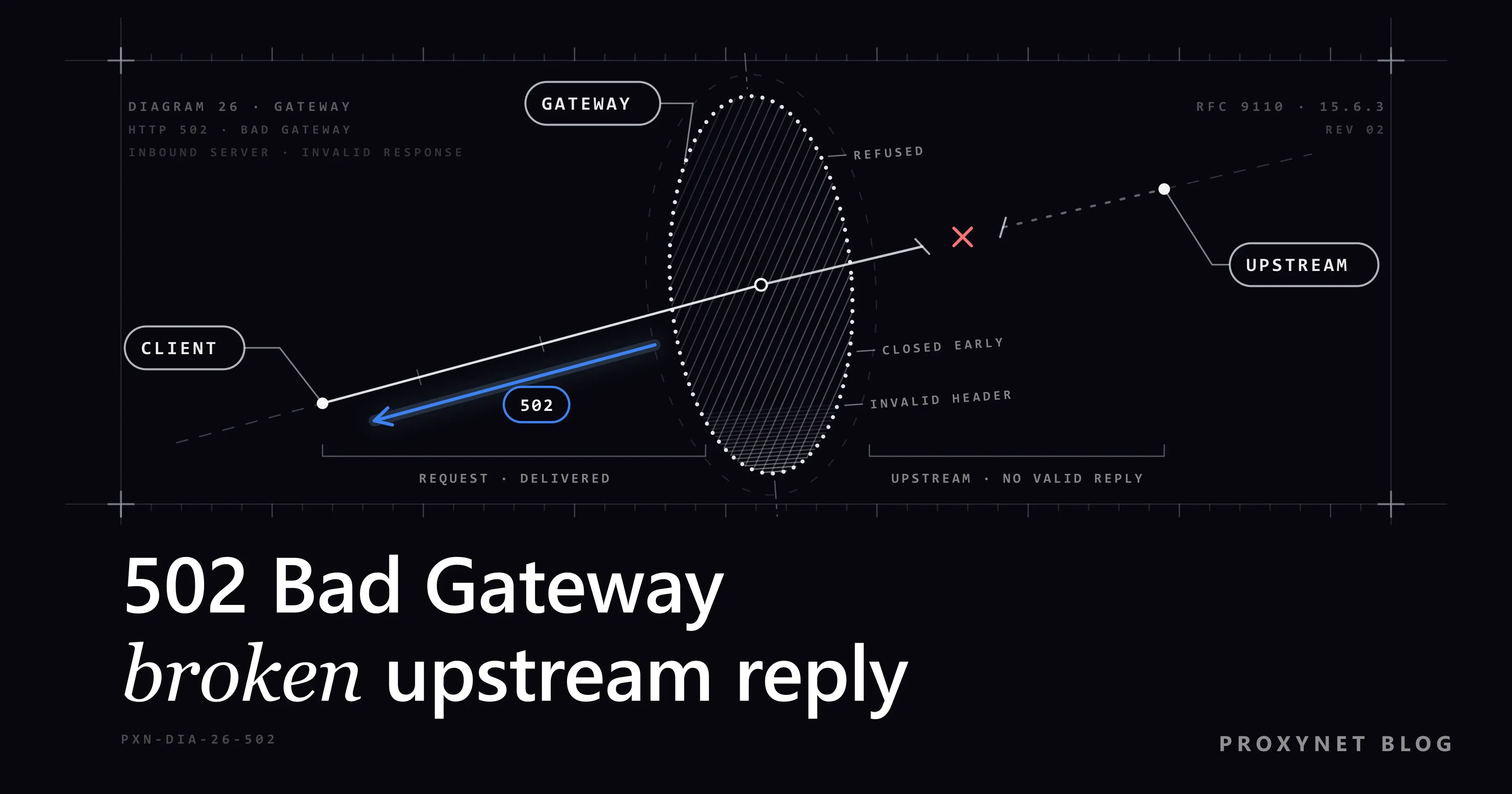
You open a site and get an almost empty white page: "502 Bad Gateway" in large letters and the word "nginx" underneath. On another site the page is titled "Proxy Error" and says the proxy server received an invalid response from an upstream server. Behind Cloudflare it looks friendlier, with three icons in a row and the last one, "Host", marked "Error".
All three are the same HTTP status code, and in most cases nothing is wrong on your side. Below: what "gateway" and "upstream" mean, how to read each version of the page, what a visitor can try, how a site owner finds the cause in the logs, and what a 502 from your own proxy means.
What does 502 Bad Gateway mean?
Most websites are not one computer. The address you type usually leads to a front server: a reverse proxy such as nginx or Apache, a load balancer, or a CDN (content delivery network, a service that answers for a site from many locations) such as Cloudflare. The front server does not build the page. It passes your request to the server behind it, where the site's application runs, and relays the answer back. Forward Proxy vs Reverse Proxy explains this setup.
The HTTP standard calls the front server a gateway and the one behind it the upstream server. RFC 9110 defines 502 in one sentence: a server acting as a gateway or proxy received an invalid response from the server behind it. "Invalid" covers a refused connection, a connection that closed halfway and an answer the gateway could not read.
Is a 502 error your fault?
Almost never. Your connection delivered the request to the site's front server; the failure happened after that, between two machines that belong to the site. The exception is a VPN, a proxy or a VPN extension: it fetches pages for you, so it is a gateway too, and when it cannot get a usable answer from the site it can report a 502 of its own.
How does a 502 happen, step by step?
- Your browser finds the front server. DNS, the internet's address book, returns the address of the CDN or reverse proxy, not of the application.
- The front server accepts your request and forwards it upstream, to the application: a PHP process, a Node.js app, or one of several servers in a pool.
- The upstream fails. It refuses the connection because it is not running, hangs up midway, or sends something that is not valid HTTP.
- The gateway answers 502. If the upstream was only slow and the gateway stopped waiting, the code is usually 504 instead.
- Your browser shows the gateway's error page, or its own page if the gateway sent an empty one.
What does the 502 page look like, and who sent it?
The look of the page tells you which program gave up. Chrome and Edge show their own page only when the gateway sends a 502 with no page attached.
| What you see | Sent by | Usual meaning |
|---|---|---|
| "502 Bad Gateway", "nginx" below | nginx, the site's reverse proxy | The application behind nginx is down or crashed |
| "Proxy Error … received an invalid response from an upstream server", "Reason: Error reading from remote server" | Apache httpd | The backend hung up or passed Apache's proxy timeout |
| "Error 502, Bad gateway", icons for Browser, Cloudflare and Host, "Host: Error", a Ray ID | Cloudflare | The site's own server failed; Cloudflare works |
| Error 520 | Cloudflare | The site's server sent an empty or odd answer |
| Error 521 | Cloudflare | The site's server refused the connection |
| Error 522 | Cloudflare | Connecting to the site's server timed out |
| Error 523 | Cloudflare | No route to the site's server |
| Error 524 | Cloudflare | The site's server sent nothing back in time |
| "This page isn't working", "HTTP ERROR 502" | Chrome or Edge | An empty 502 with no detail |
Apache's "Reason" line names the exact failure. The same "Proxy Error" heading with "Error during SSL Handshake with remote server" carries status 500: Apache could not set up the encrypted connection to the backend. Cloudflare explains each of its codes in its 5xx errors guide (for 524 it waits 125 seconds by default); all of them are trouble between Cloudflare and the site's server.
What is the difference between 502, 503 and 504?
| Code | Name | What happened | Who fixes it |
|---|---|---|---|
500 | Internal Server Error | The application itself hit an error | The site owner |
502 | Bad Gateway | The gateway got a broken answer, or none | The site owner |
503 | Service Unavailable | Overload or planned maintenance | Usually time |
504 | Gateway Timeout | The gateway waited too long | The site owner |
RFC 9110 defines 504 in the same gateway terms: "an invalid answer" versus "no answer in time". For a visitor the advice is the same for all three. For an owner, 502 points to a dead or misbehaving application, 504 to a slow one. One twist: when Apache cannot connect to its backend at all, it answers 503.
What can you do as a visitor?
- Wait a minute, then reload. Many 502s last only while an application restarts, for example during an update. Press F5 or the Reload button on Chrome's error page; once or twice is enough.
- Check whether the site is down for everyone. Open it on your phone over mobile data instead of Wi-Fi. If it fails there too, the problem is on the site's side; many services announce outages on a status page.
- Turn off your VPN or proxy. Switch off the VPN app, VPN extension or proxy and reload. In Chrome, extensions are under More > Extensions > Manage Extensions (Google's steps). If the page now loads, the VPN's server was the gateway that failed. Not sure whether a proxy is set? What Is a Proxy Error? shows where to look.
- If the site moved recently, look it up again. Rarely, your computer still holds an old address for a site that changed hosts. Restarting the computer, or clearing the DNS cache as in What Is DNS?, fetches the new one.
- Tell the site. Send the time, the exact address and the text on the page; on a Cloudflare page, add the Ray ID.
Clearing cookies and the cache does not help: under the HTTP standard a browser does not keep a 502 for reuse unless the server explicitly allows it.
If it is your site: what causes a 502?
The visitor sees one line; your gateway's error log holds the reason. In nginx the error_log line in nginx.conf names the file, and nginx's own Linux packages write to /var/log/nginx/error.log (error_log). Apache calls its error log the first place to look; Debian and Ubuntu keep it at /var/log/apache2/error.log, Fedora and RHEL at /var/log/httpd/error_log. Search for the minute the 502 appeared.
| nginx log line | What it means | What to check |
|---|---|---|
connect() failed (111: Connection refused) while connecting to upstream | Nothing listens at the upstream address | Is the app running on the proxy_pass port? |
connect() to unix:… failed (2: No such file or directory) | The socket file in the config does not exist | The socket path, e.g. after a PHP upgrade |
upstream prematurely closed connection while reading response header from upstream | The app took the request and died | The app's own log, memory limits |
upstream sent too big header while reading response header from upstream | The headers did not fit nginx's buffer | Large cookies; proxy_buffer_size |
no live upstreams while connecting to upstream | Every server in the group is marked as failed | The upstream block |
upstream timed out (110: Connection timed out) | The app was too slow | A 504; proxy_read_timeout |
In nginx's source, a timeout becomes 504 and every other upstream failure 502. A response whose first part does not fit proxy_buffer_size counts as invalid, which is why oversized cookies end in a 502. And 11: Resource temporarily unavailable on a Unix socket means its queue is full: the application is overloaded, not stopped.
Other common causes:
- Apache's "Error reading from remote server". The backend closed the connection or stayed silent past
ProxyTimeout, which defaults to the server'sTimeout(mod_proxy). Unlike nginx, Apache shows a slow backend as 502. - Keep-alive mismatch. If the application closes idle connections sooner than the gateway expects, a request sent on a just-closed connection fails. AWS lists this among its load balancer's 502 causes and advises a keep-alive longer than the load balancer's idle timeout.
- A firewall blocks the CDN. Behind a CDN every visitor arrives from the CDN's addresses, and a security plugin can take them for an attack. Cloudflare reports this as 521 or 522 and publishes its ranges at cloudflare.com/ips.
- Deploys. A release that restarts the application produces 502s until it is back; restarting one server at a time closes the gap.
Longer timeouts do not cure a crashed application, so fix the upstream first. Repeated errors also reach search: Google's crawlers slow down on server errors, and URLs that keep returning them are eventually removed from the index. A monitor that checks every minute warns you first. Run it through ISP Proxy exits in a few countries and you see whether only one CDN region fails, with checks coming from fixed addresses you can allowlist.
What does a 502 from your own proxy mean?
When a scraper, a monitoring tool or an app sends traffic through a proxy, there is a second gateway in the chain: yours. When a forward proxy cannot reach the site, many proxies answer with a 502 of their own, and the site never sees the request. The two cases look different:
- The proxy's 502 answers the request that opens the tunnel, before any page arrives. curl prints
CONNECT tunnel failed, response 502; Python's Requests raises aProxyErrorwithTunnel connection failed: 502 Bad Gateway(Max Retries Exceeded With URL takes it apart). - The site's 502 comes through a working tunnel, with the site's own error page and headers.
What to do, in order:
- Open the same URL without the proxy. If it fails there too, the site is down; try later.
- Check the host and port in your code. A typo fails at the proxy every time.
- Retry a few times with growing pauses, then stop. HTTP Status Codes in Web Scraping, in its section "502, 504 and connection errors", lists which codes to retry.
- If the URL works without the proxy but fails through one exit, start a new session. With Residential Proxy a new session brings a new exit IP and a different route.
A 502 is a failed connection, not a block: if the site answers with 429 or a block page, slow down instead of changing addresses. And if a site starts returning 502s while your crawler runs, your traffic may be part of the load; lower the number of parallel requests.
Advanced: see who sent the 502 with one command
This part is for readers comfortable with a command line. curl ships with Windows 10, Windows 11 and macOS; in Windows PowerShell type curl.exe.
curl -sSI https://example.com-I asks only for the headers; -sS hides the progress bar but keeps error messages. To go through your proxy, add -x http://user:pass@pr.proxynet.io:8000 before the address. We ran it against a test setup on our own computer (curl 8.21.0, Windows 11). A gateway whose application was switched off:
HTTP/1.1 502 Bad Gateway
Content-Type: text/html
Content-Length: 112
With -x, a test proxy asked to reach a port where nothing was listening:
HTTP/1.1 502 Bad Gateway

curl: (7) CONNECT tunnel failed, response 502
The first line is the status. On a real site, a server: header usually names the program that answered (cloudflare, nginx, Apache). The CONNECT tunnel failed line appears only when your own proxy produced the 502.
Where you might run into a 502
- Sites behind Cloudflare, where it sits next to Cloudflare's own 520 to 524 errors for the same kind of server trouble (Cloudflare Error 520, 521, 522 and 524: What They Mean).
- A VPN extension or Opera's VPN, whose servers act as a gateway for every page (How to Fix err_tunnel_connection_failed).
- A site that does not answer at all, which is a different screen (This Site Can't Be Reached).
- Uptime checks of your own site, which catch a 502 within a minute (What Is Uptime Kuma?).
Common mistakes
- Clearing cookies and the cache again and again. The 502 is made on the server side.
- Restarting the router or reloading every second. Your connection delivered the request, and extra reloads only add load.
- Owners: raising timeouts to hide 502s. In nginx a 502 means the application refused, crashed or answered wrongly.
- Owners: blocking the CDN's addresses with a firewall or security plugin.
- Proxy users: blaming the proxy before testing the URL without it.
Decision guide
| Your situation | What to do |
|---|---|
| A "502 Bad Gateway" page, other sites work | Wait a minute and reload |
| It fails on mobile data too | The site is down; check its status page |
| It loads with your VPN or proxy off | Pick another VPN location or check the proxy |
| Cloudflare page with "Host: Error" | Send the Ray ID and the time to the site |
| Your site, nginx says "Connection refused" | Start the application, check the proxy_pass port |
| Your site, Apache says "Error reading from remote server" | Check the backend, then ProxyTimeout |
| Your script prints "CONNECT tunnel failed, response 502" | Test without the proxy, then start a new session |
Frequently asked questions
How long does a 502 Bad Gateway error last?
There is no fixed time. A restart or an update causes 502s for seconds or minutes; an application that crashed while nobody was watching can return them for hours.
Can a VPN or proxy cause a 502 error?
Yes. A VPN server or proxy fetches pages for you, so when it cannot reach a site, it can answer with a 502 itself. Turn it off and reload; if the page loads, choose another location.
What does "Proxy Error: the proxy server received an invalid response from an upstream server" mean?
It is Apache's 502 page. Apache runs in front of the site as a reverse proxy, and the application behind it hung up or did not answer in time. It is the site's proxy, not one on your computer.
Is a 502 the same as a 504?
No, but they are close: with 502 the gateway got an invalid answer, with 504 no answer in time. nginx uses 504 for timeouts, while Apache shows a slow backend as 502 too.
Does a 502 error hurt a site's Google rankings?
A short outage does little. Google's crawlers slow down on server errors, and URLs that keep returning them for a long time are eventually dropped from the index.
Why does the 502 appear only on some pages, or only sometimes?
One heavy page, such as a search, may crash the application; one server in a pool may be unhealthy; or a keep-alive mismatch breaks a random request. Compare the error log's times with the requested addresses.
Summary
A 502 Bad Gateway means the site's front server got a broken answer, or none, from the server behind it. As a visitor, wait and reload, test another network, turn off VPNs and proxies, and report the time and Ray ID if it lasts. As an owner, read the gateway's error log. As a proxy user, tell your proxy's 502 apart from the site's first. You can compare proxy types for scraping and monitoring on our proxy page.


