


































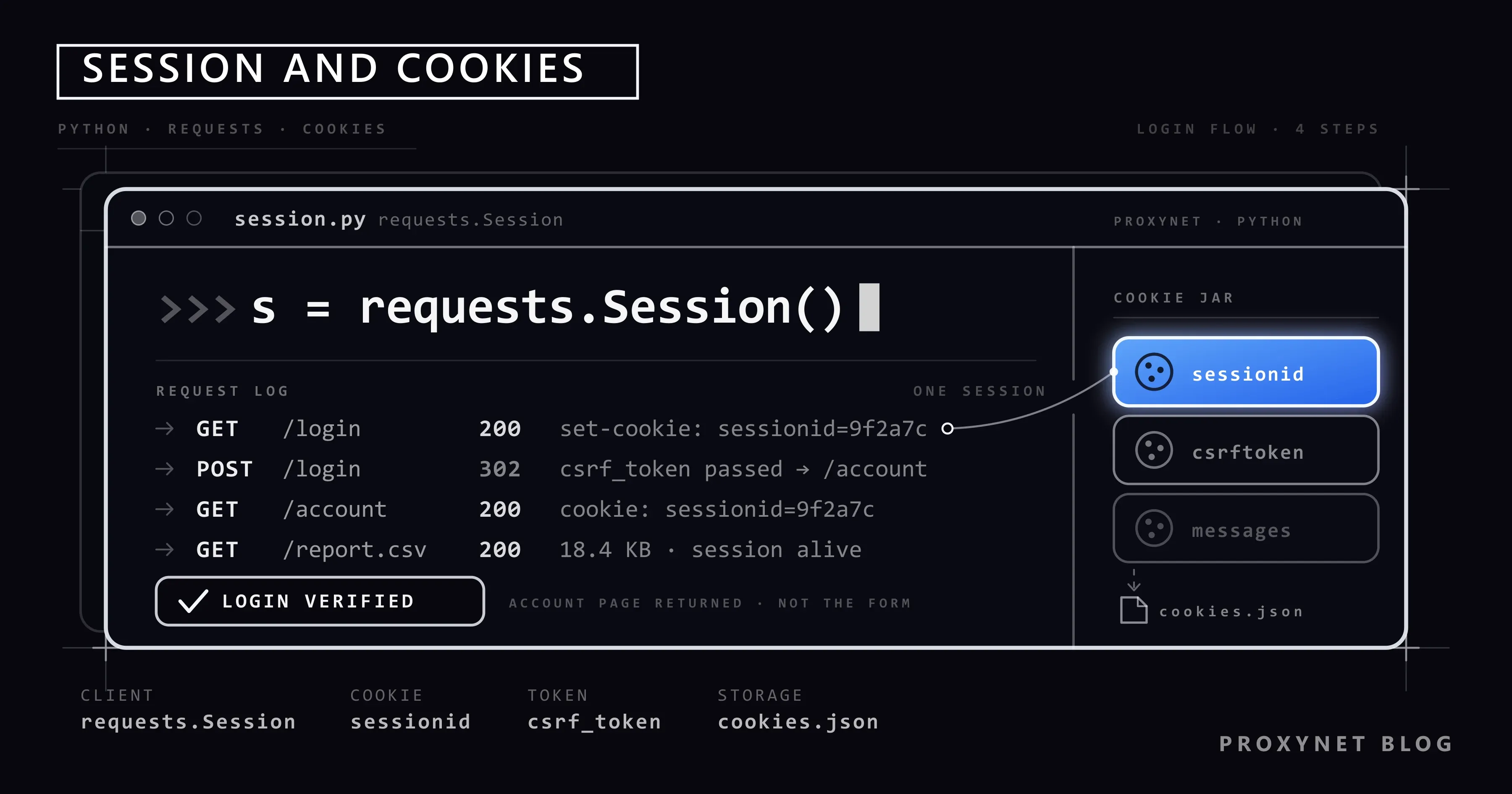
Every morning you log in to your own company dashboard by hand and download a report. The dashboard has an export button, no official API, and the same five clicks repeat every day. The moment you try to hand that over to a Python script, the login page is the first wall: the page requests.get() downloads is not the report, it is the login form. HTTP is a stateless protocol, and the server only recognises you through a cookie you attach to every request.
This article explains what cookies and sessions are, why the CSRF token has to be read again on every run, and how a login flow is built with requests.Session. After that we cover writing the session to disk, refreshing it when it expires, keeping credentials out of the code, and staying on the same exit IP for the whole session. At the end there is Playwright's storage_state method for sites that submit their form with JavaScript. The code examples were tested against quotes.toscrape.com.
Which logins does this article cover?
Everything here rests on a single assumption: the account you log in to is yours, or its owner gave you written permission. Your own company's admin panel, your own shop account, a customer system where the customer asked you in writing to "pull this report for us every day". Anything outside that is not the subject of this article.
Three questions before any code:
- Is there an official API or export? If there is, do not automate the interface. An API key is stable and does not break when the interface changes; login automation is what you fall back to when there is no other way to the data. We covered the legal side in Is Data & Web Scraping Legal?.
- What do the site's terms of service say? If a clause forbids automated access, your account can be suspended. Being technically possible does not make it permitted.
- Is your permission in writing? On client work, verbal approval is not enough. Which account, which pages and how often should be written down in a contract or an email.
Four things are deliberately not explained here:
- No password guessing. Code that feeds a list into the form field (credential stuffing) or generates combinations (brute force) has no place here. Do not do it: unauthorised access to an account that is not yours is a criminal offence in every country, and being technically able to try does not change that.
- No two-factor or CAPTCHA bypass. These checks exist to protect the account; trying to get past them with a script lowers the security of the very account you are working with. If your own account has 2FA enabled, the right path is the provider's API key or app-password mechanism; if there is none, that job is not going to be automated.
- No other people's accounts. "A friend's account", "the account of someone who left the company" and credentials shared on the internet all belong in this category.
- No stealing or moving session cookies. A session opened with a cookie copied from someone else's browser is impersonation. The cookie files in this article are produced by your own login only and stay on your own machine.
One more distinction is needed because the names look alike: authenticating to a proxy server (user:pass or IP authorisation) and logging in to a target site are two different jobs. We explained the first in Proxy Authentication: User:Pass vs IP Whitelist; this article is about the second.
What are cookies and sessions?
HTTP is stateless: the server remembers nothing that ties two requests together. Cookies fill that gap. The server puts a Set-Cookie header in its response, the client stores the value and sends it back with a Cookie header on later requests to the same domain. Every attribute of the header is documented one by one on MDN's Set-Cookie page.
A "session" is what gives that cookie a meaning. There are two common designs:
- Server-side session. The cookie carries only a random identifier (
sessionid,PHPSESSID,JSESSIONID); who the user is lives in a record on the server. If the server deletes that record, the session ends even though the cookie is still in your hands. - Signed cookie. The user information is inside the cookie and the server signs it with a secret key. Flask's default
sessioncookie works this way.
How long a cookie lives is set by Expires and Max-Age. Section 4.1.2.2 of RFC 6265 says that if a cookie has neither Max-Age nor Expires, the client keeps it until "the current session is over". In a browser that means "until you close the browser"; in a Python script it means "as long as the process lives". So do not be surprised when your script logs in again on every run: the cookie it kept was never persistent in the first place.
Which requests a cookie is attached to is decided by these attributes of the Set-Cookie header:
| Attribute | What it does | What it means in a script |
|---|---|---|
Domain | Which domain the cookie goes to | A cookie for panel.example.com is not added to an example.com request |
Path | Which path it is valid under | A cookie on /report is not sent with a request to / |
Secure | Sent over HTTPS only | A request that falls back to HTTP carries no cookie |
HttpOnly | In-page JavaScript cannot read it | You will not see it with document.cookie in the browser console; an HTTP client still sees it |
SameSite | Whether it is added to requests coming from another site | With Strict, the first request from an external link looks logged out |
This table is not theory, it is a diagnostic list: most "the login looks successful but the next request lands on the login page again" reports come from a Domain or Path mismatch.
What is a CSRF token and why is it read every time?
While your session is open on a banking page, a hidden form on another site can send a request in your name. The browser attaches the cookie automatically, so the server takes it for your request. This is called cross-site request forgery (CSRF).
The most common defence is the method called the "synchronizer token" on OWASP's CSRF prevention page: the server embeds a random value tied to that session into every form page as a hidden field. When the form is submitted, that value has to match its counterpart in the session cookie. A form on another site cannot know the token that belongs to your session, so the match fails.
That has three consequences for whoever writes the script:
- The token is not fixed. Copy it from the browser once and hard-code it, and it stops working the next day. On every run you have to download the login page and read the field from there.
- The token is bound to the session. Sending the token on one request and the form on another connection does not work. Both have to go through the same
Sessionobject; that is the first reason to use aSessionat all. - The field name varies by site.
csrf_token,csrfmiddlewaretoken(Django),authenticity_token(Rails) and_token(Laravel) all do the same job. Look at the form source before writing code.
In applications that expect the token in a header (X-CSRF-Token) instead of a hidden field, you still read the value from the page, but you put it in the headers dictionary rather than the body.
Which approach should you choose?
There are three approaches to a job behind a login, and the site's login form decides which one you take.
| Approach | When | Cost | Weak point |
|---|---|---|---|
requests.Session | The form is plain HTML and the fields are visible in the page | Lowest, no browser | Cannot see fields generated by JavaScript |
Playwright storage_state | The login form is submitted with JavaScript or the token is produced by a script | High, a real browser starts | Memory, time, setup overhead |
| Hybrid: log in with a browser, continue over HTTP | The login is complex but the data pages are plain HTML | A browser once, cheap afterwards | Cookies move between two environments, IP consistency is mandatory |
Make the choice by looking at the page source, not by guessing: if you see input fields with a name inside a <form method="post">, requests is enough. If the fields are empty or the form is submitted with fetch(), move to the second or third approach.
How do you log in with requests.Session?
There are five steps and the order matters: the first four are the login itself, the fifth is for later runs.
- Download the login page with
GET. This response brings two things: a session cookie that is still anonymous, and the CSRF token in the form. TheSessionputs the cookie into its own jar. - Actually read the form fields. Fill in the form in a browser, submit it and look at the request body in the Network tab of the developer tools. Field names are not guessed, they are copied from there; if there is a hidden
nextorredirectfield, send that too. - Send the
POSTwith the sameSession. The cookie is attached by itself. If the form'sactionpoints to a different path, send the request there. - Verify the login from the content. The status code is misleading: many applications return
200for a wrong password as well and re-render the form with an error message. The criterion is an element that only appears while you are logged in: a logout link, the username, an account menu. - Store the cookies. The next run skips the login step.
According to the Session Objects section of the Requests documentation, besides keeping cookies for the life of the instance, a Session also reuses the TCP connection for requests going to the same host. The pattern is identical in all three libraries in HTTPX vs. Requests vs. AIOHTTP Compared; only the class name changes.
A working example: quotes.toscrape.com
The code below was tested against quotes.toscrape.com/login. This is an open training site built for scraping practice, and it accepts every username and password you type; it performs no real authentication, it only imitates the flow. Seeing the mechanism there first keeps you from producing a run of failed logins on your own account.
The core flow first, four steps:
import os

import requests
from bs4 import BeautifulSoup

BASE_URL = "https://quotes.toscrape.com"

session = requests.Session()

# 1) Request the login form: the session cookie and the CSRF token arrive with this response
page = session.get(f"{BASE_URL}/login", timeout=20)
page.raise_for_status()
token = BeautifulSoup(page.text, "html.parser").select_one('input[name="csrf_token"]')["value"]

# 2) Credentials are not hard-coded, they are read from environment variables
payload = {
    "csrf_token": token,
    "username": os.environ["SITE_USERNAME"],
    "password": os.environ["SITE_PASSWORD"],
}

# 3) Send the form with the same Session; the Session attaches the cookie itself
result = session.post(f"{BASE_URL}/login", data=payload, timeout=20)
result.raise_for_status()

# 4) Verify from the page content, not from the status code
if BeautifulSoup(result.text, "html.parser").select_one('a[href="/logout"]') is None:
    raise SystemExit("Could not verify the login")

print("Logged in, cookies:", list(session.cookies.keys()))
Put the credentials in the environment before running; writing a password into the code writes it into version history as well:
export SITE_USERNAME="username"
export SITE_PASSWORD="password"
python login.py
On Windows PowerShell the form is $env:SITE_USERNAME = "username". We explained how to make environment variables permanent for command-line tools in Using a Proxy with wget: Commands and Examples.
How do you save a session to disk and when do you refresh it?
Logging in on every run fills your account's security log with pointless entries, and in some applications repeated logins within a short time also trigger extra verification. The solution is to write the cookie jar to a file and load it back on the next run.
The full script below does that: it loads saved cookies if there are any, logs in if there are not, checks on every request that the session is still open, and if it has dropped, logs in again once. Doing it once matters: an unconditional loop turns into an endless run of login attempts when the problem is the credentials.
import json
import os
import time
from pathlib import Path

import requests
from bs4 import BeautifulSoup

BASE_URL = "https://quotes.toscrape.com"
COOKIE_FILE = Path("session_cookies.json")
DELAY_SECONDS = 2.0


class LoginError(Exception):
    """The login did not complete; look at the cause instead of retrying."""


def build_session():
    session = requests.Session()
    session.headers["User-Agent"] = "report-script/1.0 (contact: you@example.com)"
    proxy_url = os.environ.get("PROXY_URL")  # e.g. http://user:pass@pr.proxynet.io:8000
    if proxy_url:
        session.proxies = {"http": proxy_url, "https": proxy_url}
    return session


def save_cookies(session, path=COOKIE_FILE):
    cookies = [
        {"name": c.name, "value": c.value, "domain": c.domain, "path": c.path,
         "expires": c.expires, "secure": c.secure}
        for c in session.cookies
    ]
    path.write_text(json.dumps(cookies), encoding="utf-8")
    try:
        path.chmod(0o600)  # the file is as sensitive as a password; limited effect on Windows
    except OSError:
        pass


def load_cookies(session, path=COOKIE_FILE):
    if not path.exists():
        return False
    try:
        cookies = json.loads(path.read_text(encoding="utf-8"))
    except json.JSONDecodeError:
        return False
    now = time.time()
    for c in cookies:
        if c["expires"] and c["expires"] < now:
            continue  # never load an expired cookie
        session.cookies.set(c["name"], c["value"], domain=c["domain"], path=c["path"],
                            expires=c["expires"], secure=c["secure"])
    return True


def is_logged_in(html):
    return BeautifulSoup(html, "html.parser").select_one('a[href="/logout"]') is not None


def login(session):
    page = session.get(f"{BASE_URL}/login", timeout=20)
    page.raise_for_status()
    field = BeautifulSoup(page.text, "html.parser").select_one('input[name="csrf_token"]')
    if field is None:
        raise LoginError("No csrf_token field in the form; the page structure may have changed")
    payload = {
        "csrf_token": field["value"],
        "username": os.environ["SITE_USERNAME"],
        "password": os.environ["SITE_PASSWORD"],
    }
    result = session.post(f"{BASE_URL}/login", data=payload, timeout=20)
    result.raise_for_status()
    if not is_logged_in(result.text):
        raise LoginError("Could not verify the login; check the credentials and the form fields")
    save_cookies(session)


def get_page(session, path):
    """Fetches the page; if the session dropped, logs in again only once."""
    for attempt in range(2):
        response = session.get(f"{BASE_URL}{path}", timeout=20)
        response.raise_for_status()
        if is_logged_in(response.text):
            return response
        if attempt == 0:
            print("Session invalid, logging in again")
            session.cookies.clear()
            login(session)
    raise LoginError("Still not logged in after a second attempt; stop and look at the cause")


def main():
    session = build_session()
    if load_cookies(session):
        print("Saved cookies loaded")
    else:
        print("No saved session, logging in")
        login(session)

    for number in range(1, 4):
        response = get_page(session, f"/page/{number}/")
        quotes = BeautifulSoup(response.text, "html.parser").select("div.quote")
        print(f"Page {number}: {len(quotes)} records")
        time.sleep(DELAY_SECONDS)


if __name__ == "__main__":
    main()
The first run says "No saved session" and logs in; the second says "Saved cookies loaded" and goes straight to the data. Three things to watch:
- The cookie file is a secret. The value inside it stands in for the password for that session. Add the file to
.gitignoreand keep it out of backups and shared folders; Playwright's documentation gives the same warning for its state file. - Do not load an expired cookie.
load_cookiesfilters those by looking atexpires; without it the script starts out with an invalid session. - Detect a dropped session from the content. Some applications redirect to the login page with a
302, others render the form with a200. A single criterion likeis_logged_incatches both.
Why do you need the same IP for the whole session?
Some applications tie an open session to the IP address the login came from, or to that address's network. If the next request arrives from another address, the session is closed, the user is redirected to the login page, or extra verification is requested. This is a security decision, and its purpose is to make a stolen session cookie harder to use somewhere else.
For a script that uses a proxy, this means one thing: a rotating pool breaks the session in jobs that require a login. A rotating proxy changes the exit IP on every request or at short intervals; the address you logged in from and the address you download the report from end up different, and the application does not recognise you. We explained how rotation works and which jobs it suits in What Is IP Rotation and How Does It Work?.
The right setup is one of two options:
- With Sticky Proxy you stay on the same exit IP for a period you set, 1 to 60 minutes. If the session is short and you release the connection when the job is done, this is enough.
- With ISP Proxy the address stays the same from run to run as well. On systems that limit panel access to specific IPs this is the only way, because you report the address to the other side once and have it added to the list.
The scenario of getting an address onto an API's allow list is in Static IP for API Access: Fix IP Authorization Errors, and the general case for a fixed IP is in the "Sticky IP where a session is required" section of How to Scrape Websites Without Getting Blocked.
Let us head off one misreading: a static IP is not a tool for getting around a security check. What it does is keep your own traffic consistent on an account you are already authorised to use. If the account is not yours, a static IP does not produce lawful access either.
Rate limits: keeping the script polite
A logged-in script is more visible than an anonymous one: your requests are now recorded against your account, not just against an IP address. Respecting the rate limit here is not a technical preference, it is part of protecting your account.
- Start with a single thread. Do not build parallelism for one report a day.
- Put a wait between requests.
DELAY_SECONDSin the script above is the simplest form of this. - Stop when you see a
429. TheRetry-Afterheader in the response tells you how long to wait. The full code is in 429 Too Many Requests and Rate Limit Errors Explained and HTTP Status Codes in Web Scraping: 403, 407, 429, 503. - Introduce yourself. Putting the script's name and a contact address in the
User-Agentfield lets the site administrator talk to you; what the field does is in What Is a User Agent? How to Check and Change It.
If the login runs on JavaScript: Playwright storage_state
In some applications the login form does not send a classic POST: JavaScript reads the fields, the browser produces the token, and the answer comes through an API call. On a page like that, a form sent with requests fails silently. This is the point where you need to run a real browser.
Playwright can write the session state to a single JSON file. According to Playwright's authentication documentation that file carries cookies and localStorage together, so it also works for applications that keep the session in localStorage rather than in a cookie. If the application stores the token in IndexedDB, you have to ask for that separately: context.storage_state(path=..., indexed_db=True).
import os
from pathlib import Path

from playwright.sync_api import sync_playwright

BASE_URL = "https://quotes.toscrape.com"
STATE_FILE = Path("storage_state.json")
PROXY = {"server": "http://pr.proxynet.io:8000", "username": "user", "password": "pass"}

with sync_playwright() as p:
    browser = p.chromium.launch(proxy=PROXY)
    if STATE_FILE.exists():
        context = browser.new_context(storage_state=STATE_FILE)  # open with the saved session
    else:
        context = browser.new_context()
    page = context.new_page()
    page.goto(BASE_URL)

    if page.locator('a[href="/logout"]').count() == 0:
        page.goto(f"{BASE_URL}/login")
        page.fill("#username", os.environ["SITE_USERNAME"])
        page.fill("#password", os.environ["SITE_PASSWORD"])
        page.click('input[type="submit"]')
        page.wait_for_selector('a[href="/logout"]')  # proof of the login
        context.storage_state(path=STATE_FILE)  # cookies and localStorage in one file
        print("Logged in, state saved")
    else:
        print("Session open with the saved state")

    browser.close()
The first run logs in and writes the file, the second never sees the login step. We covered Playwright's proxy setting and browser installation in detail in What Is Playwright and How to Use It With a Proxy; for the Selenium equivalent, see Selenium Proxy Integration.
The hybrid pattern follows from here: log in with the browser once to produce storage_state.json, then move the cookies into a requests.Session and pull the data the cheap way.
import json
from pathlib import Path

import requests

state = json.loads(Path("storage_state.json").read_text(encoding="utf-8"))
session = requests.Session()
for c in state["cookies"]:
    session.cookies.set(c["name"], c["value"], domain=c["domain"], path=c["path"])
This pattern has one condition: the browser and the HTTP client that follows it have to leave from the same exit IP. Give them different proxies and the session drops on the first request. We compared which browser automation suits which job in Playwright vs Selenium: Which One Should You Choose?.
Where this is used
- Downloading a daily report from your own panel. The address behind the export button is usually a plain file link; as long as the session cookie holds,
requestsdownloads it. The general setup is on our data scraping solution page. - Monitoring a flow behind a login. To check your own application's login and cart steps after every deployment; the setup is on our app testing page.
- Transferring data from a customer system. With written permission and a fixed exit IP, so the other side can add that address to its own list.
- Collecting data from a multi-page list. After the login it is an ordinary pagination job; we explained the pattern in What Is Pagination and How to Scrape Paginated Lists?.
Common mistakes and diagnosis
- An endless redirect to the login page. If the request keeps returning to
/loginwith a302, the cookie is either not being sent at all or is invalid on the server side. Look at the contents ofsession.cookiesfirst, then compare the cookie'sDomainwith the address you are calling. If the loop goes on, Requests stops after 30 hops withTooManyRedirects, the same failure a browser shows as err_too_many_redirects. - Using
requests.getinstead of aSession. The module-levelrequests.get()opens a new connection and an empty cookie jar on every call. It does not work in a login flow. - Verifying the login from the status code. A wrong password can also return
200. Look for evidence in the content. - Hard-coding the CSRF token. It works one day and returns an "invalid token" error the next.
- Changing IP in the middle of a session. Logging in through a rotating pool and then pulling data is the most frequent reason a session drops.
- Looping on a failed login. If the password is wrong, retrying does not fix it; on some systems it locks the account. The script should stop at the first failure.
Decision guide
| Situation | What to do |
|---|---|
| The site has an official API | Do not touch login automation at all, use an API key |
| The form is plain HTML, fields are in the page | Log in with requests.Session, save the cookies to a file |
The form has a hidden field like csrf_token | Read it from the page on every run, do not hard-code it |
| The form is submitted with JavaScript | Log in with Playwright, keep the storage_state file |
| The login is complex, the data pages are plain | Hybrid: log in with the browser, move the cookies to requests |
| The session closes mid-job | Fix the exit IP: Sticky Proxy |
| The panel is open to specific IPs only | A fixed address with ISP Proxy |
| The account has two-factor authentication | Ask for an API key or an app password, do not try to get past the check |
| The account is not yours | Stop; get written permission from the owner |
Frequently asked questions
What is the difference between a session and a cookie?
A cookie is a small piece of data the server stores in your browser or client and that is sent back with every request. A session is the state that cookie points to: who you are, since when you have been logged in, what permissions you hold. On the Python side, requests.Session is the object that joins the two; it stores cookies and carries them between requests.
I logged in but the next request lands on the login page again, why?
There are three common causes. First, you sent the login request outside the Session and the cookie was lost. Second, the cookie's Domain or Path does not match the address you are calling. Third, the application tied the session to an IP and a rotating proxy made the second request come from a different address.
Can I fetch the CSRF token once and store it?
No. The token is bound to the session and changes when the session is renewed. On every run you have to download the login page and read the field from there. What you store is not the token, it is the session cookie that arrives after the login.
Is scraping a password-protected site a crime?
What matters is not that the site is password-protected, but whether you are authorised to access that account. Pulling your own data from your own account is ordinary use; logging in with someone else's credentials is unauthorised access and is a criminal offence in every country. If the terms of service forbid automated access, you are in breach of the contract even on your own account. The details are in Is Data & Web Scraping Legal?.
How long does a session cookie stay valid?
It depends on the application. A cookie with no Max-Age or Expires ends when the client closes. Ones with a lifetime can live from a few hours to a few weeks, but when the server deletes the record on its own side, the session ends even though you still hold the cookie. That is why a script checks "is the session still open" rather than "has it expired".
Can I change the proxy after logging in?
You should not. If the IP that opened the session and the IP later requests leave from are different, the application may close the session or ask for extra verification. If you use both a browser and an HTTP client in the same job, give both the same proxy.
In summary
The technical core of a job behind a login is small: requests.Session carries the cookies, the CSRF token read from the login page is added to the form, the result is verified from the page content rather than the status code, and the session is written to a file and handed over to the next run. On sites that submit the form with JavaScript, Playwright's storage_state file does the same job. To keep the session from dropping, the exit IP must not change during it; that is what Sticky Proxy or a fixed address is for. The precondition does not change: the account has to be yours or its owner's written permission has to exist, and if there is an official API, it comes first. You can find the right proxy types among our proxy services.


