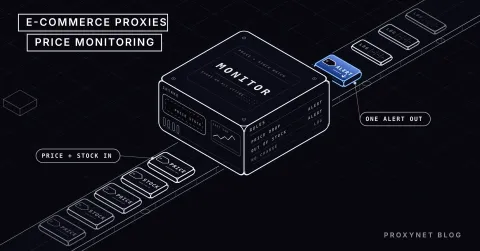
You open the sales report on Monday morning: orders for your three top sellers halved over the weekend. You find the reason in the afternoon, when you look at a competitor's page by hand. They cut the price on Friday evening and you stayed expensive for two days. This is the problem competitor price tracking solves: you learn about a change from the change itself, not from the sales you lost.
This post builds the job end to end. First we compare where the data can come from (a seller API, an off-the-shelf tool, your own script); then we cover product matching, which price to record and how to work out the check frequency. For developers there is a tested Python example that reads the price from the page, keeps a history in SQLite and raises an alert when a threshold is crossed. The limits come last: site terms, robots.txt and competition law.
What are the steps of competitor price tracking?
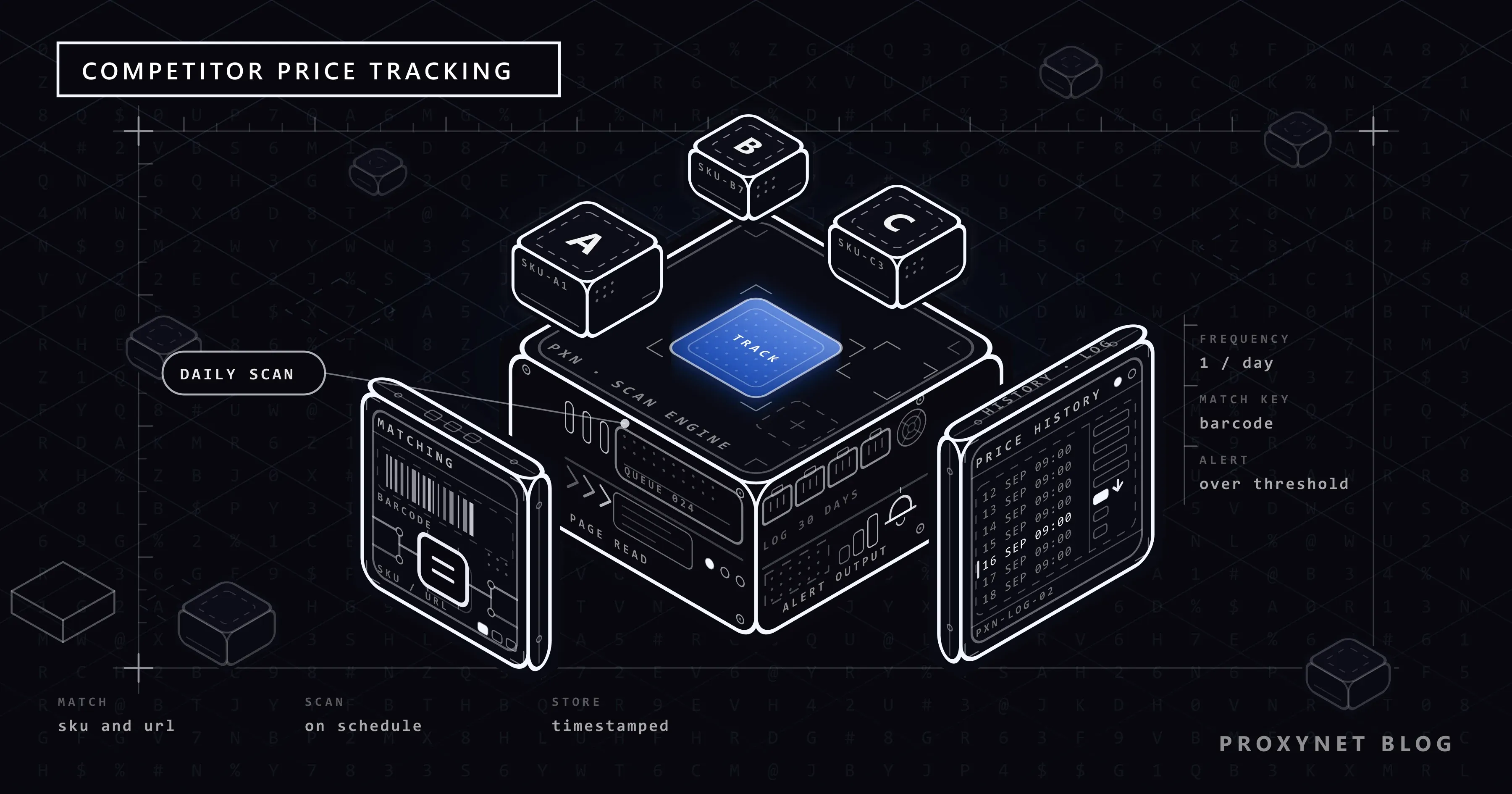
Price tracking is the regular reading and recording of price and stock information on competitor product pages. The full definition and the infrastructure side live on our price monitoring solution page; here we look at how the job is set up. Whatever tool you use, the flow is the same:
- Choose the scope. Track the products that carry your revenue and are price sensitive, not the whole catalogue.
- Match the products. Next to each of your stock codes (SKU), write the address of the same product at the competitor.
- Read the pages at regular intervals. Take the price, the currency, the stock status and the seller name if there is one.
- Store every reading with its date. A table that keeps only the latest price cannot answer "when did it change".
- Compare the change with a threshold and notify. If every one-cent move sends an e-mail, nobody reads the alerts after three days.
- Leave the decision to a person. An alert is a suggestion. Who changes the price, and by which rule, is a separate business decision.
Where does the data come from: seller API, off-the-shelf tool or your own script?
Look at the official route first. Marketplaces give their sellers APIs to manage their own product, stock and price data. Amazon's Selling Partner API, for example, covers listings, pricing, orders and inventory. These APIs exist for your own store, and what they tell you about competitors is limited. Amazon's Product Pricing API returns competitive pricing data for products in the Amazon catalogue, such as the featured offer. It shows nothing about a competitor's own webshop, another marketplace or a product you do not list. Even so, the left column of the comparison, your own current price, should be read from here and not from a hand-kept spreadsheet.
For the competitor side, the options look like this side by side:
| Method | What it gives you | Effort | When it fits |
|---|---|---|---|
| Seller API | Your own price, stock and order data; on some marketplaces the featured offer price for products you sell | One-off integration | Always, for your own side of the comparison |
| Manual check and spreadsheet | The current price of a few products | Human effort repeated every day | 20-30 products, a weekly look |
| Off-the-shelf price tracking tool | Matching, crawling and a reporting screen | Monthly subscription, little setup | No software team, standard marketplaces are enough |
| Your own script | Any site, field and frequency you want | Development and maintenance | Custom sites, a feed into your own data warehouse, flexible alert rules |
| A flow in an automation tool | The script without the code | Medium | A small list, ready-made spreadsheet and notification connectors |
We built an example of the last row in our post on web scraping with n8n. Ways to get a table out of a page without writing any code are laid out step by step in how to extract data from a website.
How do you match products?
A wrongly matched product does more harm than one you do not track at all: an alert that compares the price of the 64 GB model with the 128 GB model pushes you into a discount you did not need. In order of reliability, matching works like this:
- Barcode (GTIN/EAN). If two pages carry the same barcode, the product is the same. In structured data it sits in the
gtin13orgtinfield, sometimes in the product specification table. - Manufacturer part number (MPN) and brand. In electronics and spare parts it shows up more often than the barcode.
- Title and attribute comparison. Without a barcode, compare brand, model, capacity, colour and quantity one by one.
For products with variants (size, colour, capacity) every variant is its own row, and on most sites it has its own address or address parameter. For multipacks (3-pack, 6-pack) do not compare prices before converting them to a unit price. On marketplaces the same product page can have several sellers; the "competitor" is not the page but one specific seller on it.
The matching table needs no more than sku, competitor, url, match type and last checked columns. Review hand-matched rows from time to time: a competitor can retire a product and put the new model at the same address.
Which price should you record?
A product page does not have one price. If you do not decide up front what you record, your history table ends up comparing apples with oranges.
- List price and discounted price. Keep them in separate columns. The discounted one is what the customer pays.
- Price that drops in the basket or with a coupon. It may not appear on the product page. If it is not on the public page, leave it out of scope; automated browsing with a logged-in account is not what this post is about.
- Shipping. The free-shipping threshold decides the real difference on low-priced products.
- Currency. For competitors abroad, record the currency with the price and leave conversion to the reporting stage.
- Stock status. The price of a competitor who is out of stock does not bind you.
How do you decide the check frequency?
Curiosity does not set the frequency; two questions do: how fast do prices change in this category, and how fast can you react? For a team that updates prices once a week, hourly checks put load on the competitor's server and give you data nobody reads.
| Product class | Reasonable start | Why |
|---|---|---|
| Top sellers during a campaign | A few times a day | Prices can change within the day, reaction time is short |
| Core products with steady sales | Once a day | Most price decisions are made daily |
| Long tail, slow movers | Once a week | Changes are rare, little need to react |
| Products the competitor has out of stock | Once a day, stock only | A return to stock is as useful to know as a price |
Work out the request count with a simple multiplication: number of products × checks per day. Reading 500 products four times a day is 2,000 requests. With a two-second pause between requests one round takes about 17 minutes, and that is a calm pace for a single site. Run the same sum for 50,000 products and hourly checks and queues, rate limits and IP distribution enter the picture. Ways to stay within rate limits are in how to scrape websites without getting blocked, and what it means when the server says "slow down" is in our 429 Too Many Requests post.
Where on the page does the price live?
Now for the developer side. Reading the price from where you see it on screen, that is from the text inside some CSS class, is the most fragile way: the design changes, the class name changes, the script breaks without a sound. Most shops put the same information on the page a second time, in structured form, for search engines. This data sits inside a <script type="application/ld+json"> tag and carries the price, priceCurrency and availability fields of schema.org's Offer type. Google's structured data guide for merchant listings makes price and priceCurrency required; a shop that wants to appear in search with its price keeps this data current.
So the reading order should be:
- If the page has JSON-LD
Productdata, take the price from there. - If not, write a selector based on the page's own HTML structure.
- If the price is nowhere in the HTML, the page loads the data with JavaScript. That case, and other forms of embedded JSON, are covered in static vs dynamic pages; for writing selectors see CSS selector vs XPath.
A working Python example: price history and threshold alert
We run the example on books.toscrape.com, not on a real shop. The site is a fictional bookshop published for scraping practice, and according to the notice on its home page the prices were assigned at random. Its pages have no JSON-LD. On real shops you will meet both situations, so the script tries JSON-LD first and falls back to the site's product information table when it finds none.
You need Python 3 and two packages (pip install requests beautifulsoup4). SQLite comes with the sqlite3 module in Python's standard library; you do not install a separate database server.
import json
import re
import sqlite3
import time
from datetime import datetime, timezone
from decimal import Decimal

import requests
from bs4 import BeautifulSoup

DB = "prices.db"
THRESHOLD_PCT = Decimal("5")   # a change larger than this raises an alert
DELAY = 2.0                    # pause between two requests to the same site (seconds)
PROXY = None                   # example: "http://user:pass@pr.proxynet.io:8000"
USER_AGENT = "ExamplePriceBot/1.0 (+https://example.com/about-the-bot)"

# Your own SKU -> the competitor's page for the same product
PRODUCTS = {
    "BK-001": "https://books.toscrape.com/catalogue/a-light-in-the-attic_1000/index.html",
    "BK-002": "https://books.toscrape.com/catalogue/tipping-the-velvet_999/index.html",
    "BK-003": "https://books.toscrape.com/catalogue/soumission_998/index.html",
}

CURRENCIES = {"£": "GBP", "€": "EUR", "$": "USD", "₺": "TRY", "TL": "TRY"}


def parse_price(text):
    """Turns a string such as '£51.77' or '1.299,90' into a Decimal."""
    number = re.sub(r"[^\d.,]", "", text)
    if re.fullmatch(r"\d{1,3}(\.\d{3})+", number):
        number = number.replace(".", "")                     # 1.299 -> 1299 (no decimals)
    elif number.rfind(",") > number.rfind("."):
        number = number.replace(".", "").replace(",", ".")   # 1.299,90 -> 1299.90
    else:
        number = number.replace(",", "")                     # 1,299.90 -> 1299.90
    return Decimal(number)


def read_jsonld(soup):
    """Reads the price from schema.org Product data if the page has it."""
    for tag in soup.find_all("script", type="application/ld+json"):
        try:
            data = json.loads(tag.string or "")
        except json.JSONDecodeError:
            continue
        candidates = data if isinstance(data, list) else data.get("@graph", [data])
        for candidate in candidates:
            kind = candidate.get("@type")
            if "Product" not in (kind if isinstance(kind, list) else [kind]):
                continue
            offer = candidate.get("offers") or {}
            if isinstance(offer, list):
                offer = offer[0]
            price = offer.get("price") or offer.get("lowPrice")
            if price is None:
                continue
            return {
                "price": Decimal(str(price)),
                "currency": offer.get("priceCurrency"),
                "in_stock": str(offer.get("availability", "")).endswith("InStock"),
                "source": "json-ld",
            }
    return None


def read_html(soup):
    """No JSON-LD: fall back to the page's own markup, here the books.toscrape.com product table."""
    table = {
        row.th.get_text(strip=True): row.td.get_text(strip=True)
        for row in soup.select("table.table-striped tr")
    }
    raw = table.get("Price (incl. tax)") or soup.select_one("p.price_color").get_text()
    symbol = next((s for s in CURRENCIES if s in raw), None)
    return {
        "price": parse_price(raw),
        "currency": CURRENCIES.get(symbol),
        "in_stock": table.get("Availability", "").startswith("In stock"),
        "source": "html",
    }


def fetch_product(session, url):
    response = session.get(url, timeout=20)
    response.raise_for_status()
    response.encoding = "utf-8"   # the server sends no charset; keeps the £ sign intact
    soup = BeautifulSoup(response.text, "html.parser")
    if soup.select_one("h1") is None:
        raise ValueError("got 200 but this is not a product page")
    return read_jsonld(soup) or read_html(soup)


def database():
    db = sqlite3.connect(DB)
    db.execute(
        """CREATE TABLE IF NOT EXISTS prices (
               sku TEXT NOT NULL,
               url TEXT NOT NULL,
               price_cents INTEGER NOT NULL,
               currency TEXT,
               in_stock INTEGER NOT NULL,
               source TEXT,
               checked_at TEXT NOT NULL
           )"""
    )
    db.execute("CREATE INDEX IF NOT EXISTS idx_sku_checked ON prices (sku, checked_at)")
    return db


def previous_row(db, sku):
    return db.execute(
        "SELECT price_cents, in_stock FROM prices WHERE sku = ? ORDER BY checked_at DESC LIMIT 1",
        (sku,),
    ).fetchone()


def alert(message):
    print("ALERT:", message)   # hook up e-mail or a chat webhook here


def main():
    db = database()
    session = requests.Session()
    session.headers["User-Agent"] = USER_AGENT
    if PROXY:
        session.proxies = {"http": PROXY, "https": PROXY}

    for sku, url in PRODUCTS.items():
        try:
            product = fetch_product(session, url)
        except (requests.RequestException, ValueError, AttributeError) as error:
            print(f"{sku}: could not be read ({error})")
            time.sleep(DELAY)
            continue

        cents = int(product["price"] * 100)
        previous = previous_row(db, sku)
        if previous:
            old_cents, old_stock = previous
            change = Decimal(cents - old_cents) * 100 / Decimal(old_cents)
            if abs(change) >= THRESHOLD_PCT:
                alert(f"{sku}: {old_cents / 100:.2f} -> {cents / 100:.2f} "
                      f"{product['currency']} ({change:+.1f}%)")
            if bool(old_stock) != product["in_stock"]:
                alert(f"{sku}: stock status changed, now {'in stock' if product['in_stock'] else 'out of stock'}")

        db.execute(
            "INSERT INTO prices VALUES (?, ?, ?, ?, ?, ?, ?)",
            (sku, url, cents, product["currency"], int(product["in_stock"]), product["source"],
             datetime.now(timezone.utc).isoformat(timespec="seconds")),
        )
        db.commit()
        print(f"{sku}: {product['price']} {product['currency']} "
              f"stock={'yes' if product['in_stock'] else 'no'} ({product['source']})")
        time.sleep(DELAY)

    db.close()


if __name__ == "__main__":
    main()
The first run writes three rows and raises no alert, because there is no earlier record to compare with:
BK-001: 51.77 GBP stock=yes (html)
BK-002: 53.74 GBP stock=yes (html)
BK-003: 50.10 GBP stock=yes (html)
The practice site's prices never change, so to see the alert we edited the last record in the database by hand: we set the BK-001 price to 45.00 and marked BK-002 as out of stock. The output of the second run:
ALERT: BK-001: 45.00 -> 51.77 GBP (+15.0%)
BK-001: 51.77 GBP stock=yes (html)
ALERT: BK-002: stock status changed, now in stock
BK-002: 53.74 GBP stock=yes (html)
BK-003: 50.10 GBP stock=yes (html)
Four choices in the code are deliberate:
- The price is stored as an integer number of cents. Floating point numbers (
float) pile up rounding errors in money arithmetic. Parsing withDecimaland converting to cents keeps the percentage exact. - Every reading is a new row. A row is written even when the price has not changed; that separates "we looked that day and it was the same" from "we could not look that day".
- A product that cannot be read is skipped, the round goes on. The error is printed and the script moves to the next product. You can combine it with the retry code in HTTP status codes in web scraping to decide which status code deserves a retry and which one means stop.
- The User-Agent says who the bot is. How to choose the value is in our what is a User-Agent post.
With the PROXY line filled in, we also ran the same script through a local test proxy with authentication. The result did not change; with a wrong password every product failed with a ProxyError (407) and the round still completed.
How do you build the product list: category pages and pagination
To collect every product address in one of the competitor's categories you have to walk the category pages, and the list is almost always split into pages. The sturdiest method is not to make up page numbers but to follow the "next" link on the page:
import time
from urllib.parse import urljoin

import requests
from bs4 import BeautifulSoup


def product_urls(session, start, max_pages=3, delay=2.0):
    """Walks category pages by following the 'next' link and collects product URLs."""
    url, found = start, []
    for _ in range(max_pages):
        response = session.get(url, timeout=20)
        response.raise_for_status()
        soup = BeautifulSoup(response.text, "html.parser")
        found += [urljoin(url, a["href"]) for a in soup.select("article.product_pod h3 a")]
        next_link = soup.select_one("li.next a")
        if next_link is None:
            break
        url = urljoin(url, next_link["href"])
        time.sleep(delay)
    return found


session = requests.Session()
session.headers["User-Agent"] = "ExamplePriceBot/1.0 (+https://example.com/about-the-bot)"
urls = product_urls(session, "https://books.toscrape.com/catalogue/category/books/mystery_3/index.html")
print(len(urls), "products found")
On the practice site's "Mystery" category this function walked two pages and returned 32 product addresses. The page cap (max_pages) stops a faulty "next" link from sending the script into an endless loop. Infinite scroll, "load more" buttons, cursor-based APIs and a URL queue that resumes an interrupted crawl are covered in our post on pagination in web scraping. If you would rather build the same job on a ready-made framework, see Scrapy and how to use it with a proxy.
How do you query the history and schedule the script?
The lowest and highest price of the last 30 days is a single query:
SELECT sku,
       MIN(price_cents) / 100.0 AS lowest,
       MAX(price_cents) / 100.0 AS highest,
       COUNT(*)                 AS readings
FROM prices
WHERE checked_at >= date('now', '-30 days')
GROUP BY sku
ORDER BY sku;
This table shows how many days a discount lasted and whether a price announced as a "sale" was simply last month's normal price.
For scheduling, a cron line does the job on Linux (0 */6 * * * python3 /opt/prices/price_tracker.py, every six hours) and Task Scheduler on Windows. Prefer night hours for the rounds; the competitor's site serves customers during the day just as yours does.
Why does the country you look from matter?
The price and stock a shop displays can change with the visitor's country: currency, tax, delivery zone, regional campaigns. If your script runs on a cloud server abroad, you may be recording the page shown to that location, not the page your customer sees. Why shops set different prices by country in the first place is explained in Why Do Prices Differ by Country? Geo-Pricing Explained.
The fix is to send the request from the same country as your customer. With Residential Proxy you can choose the exit country; the list of available countries is on our proxy locations page. How IP location is determined, and why it sometimes comes out wrong, is explained in why is my IP location wrong. The second role of a proxy in this job is to spread the load over several addresses when you crawl a large number of products. The logic of rotation is in our IP rotation post. The choice between rotating and sticky is answered in the questions section of our price monitoring page.
A proxy is not a permission slip. The site's rate limit and robots.txt rules apply no matter which IP the request leaves from.
Can stock notifications be built on the same flow?
Yes. The script above already records the stock status and alerts you when it changes. A competitor running out of stock tells you there is no need to discount during those days; their return to stock is the time to review the price. To watch pages other than prices, such as a competitor's return policy or campaign announcements, we compare no-code tools in How to Monitor a Website for Changes and Get Alerts.
The line is here: getting a notification and buying automatically are not the same thing. Using a bot to grab limited products the moment they come into stock and reselling them harms other buyers, and most shops forbid it in their terms. The flow in this post gathers information and never touches the basket. Why agents that automate the purchase step get blocked is covered in why AI shopping agents are blocked on websites.
Limits: site terms, robots.txt and competition law
Looking at the price in a competitor's shop window is as old as trade itself. What keeps automated tracking legitimate is the method:
- Public product pages only. Areas that need a login, personal data in customer reviews and account automation are out of scope.
- robots.txt and site terms. Read both before you crawl. Marketplace terms of use can contain clauses that restrict automated access; if there is such a clause, consider the official API, a data partnership or asking for permission. How to read the file is in what is a robots.txt file, and the legal framework is in is web scraping legal.
- Low speed and caching. Pause between requests and do not request the same page more often than the pace of your decisions requires.
- If a protection screen appears, stop. A verification page is not a fault; it is an answer from the site. How these systems work is explained in how bot detection works.
Then there is competition law. Watching a competitor's public price and setting your own price on your own is ordinary commercial behaviour. Agreeing on prices with competitors, or acting together by sharing price information with each other, is something else. In the EU, Article 101 of the Treaty on the Functioning of the European Union prohibits agreements and concerted practices that restrict competition, and its first example is fixing purchase or selling prices. In Türkiye, Article 4 of Law No. 4054 on the Protection of Competition draws the same line, and most other jurisdictions have an equivalent rule. If you are setting up automated repricing rules, discuss this boundary with a lawyer.
Use cases
- Marketplace sellers: The price and stock of other sellers offering the same product. Platform-specific infrastructure notes are on our Amazon Proxy, Walmart Proxy and Alibaba Proxy pages.
- Brands selling from their own site: Checking whether authorised resellers keep to the recommended price. The general setup is on our e-commerce solution page.
- Data teams: Using price history as an input for demand forecasting and campaign analysis. Scaling the collection side is covered on our data scraping solution page.
Common mistakes
- Storing only the latest price. Without history you cannot see when a discount started, how many days it lasted or whether it repeats.
- Matching once and forgetting it. The competitor refreshes the product, the address stays the same, and you compare the old model with the new one.
- Taking a
200response for a price. A verification screen or a "product not found" page can also return200. A check such as theh1test in the script is a must; if the price field is empty, do not write a row. - Mixing up comma and dot.
1.299,90and1,299.90are the same number. Test the parsing function with real samples from the target site. If the currency symbol or letters in product names come out garbled, we explain why the script needs itsresponse.encodingline in Python Encoding Errors. Normalising a whole price column like this in one pass is shown in How to Clean Scraped Data with Pandas in Python. - Matching the competitor's price automatically and without a limit. When two automatic rules run against each other, the price races to the bottom. Set the floor yourself, based on your cost.
Decision guide
| Need | Recommendation |
|---|---|
| Keeping your own price and stock up to date | The marketplace's seller API |
| 20-30 products, a weekly look | Manual check and spreadsheet |
| Hundreds of products, no software team | Off-the-shelf price tracking tool or an automation flow |
| Custom sites, your own data warehouse, flexible alerts | Your own Python script and SQLite |
| Tens of thousands of products, hourly checks | A queued crawler (Scrapy), a server database, IP distribution |
| The price changes by country | An IP that exits from your customer's country |
| The site shows a verification screen | Stop; review the speed, the terms and the official API option |
Frequently asked questions
Is competitor price tracking legal?
Looking at the price on a public product page and noting it down is ordinary commercial activity. The trouble starts with the method: accessing data behind a login, ignoring the site terms or robots.txt, crawling at a speed that strains the server. Using the information you collect to agree on prices with competitors is also against competition law.
Can you track prices with Excel?
For a small number of products, yes. A hand-filled spreadsheet or Excel's get-data-from-web feature is enough to start. Its limit shows in history and alerts: the spreadsheet shows the current state and does not tell you about a change. Once the product count passes a few dozen, a small database such as SQLite is less work.
Does the Amazon seller API return competitor prices?
Partly. Seller APIs exist first of all to manage your own store's product, stock, price and order data. Amazon's Product Pricing API returns competitive pricing data, such as the featured offer, for products in the Amazon catalogue; it has no endpoint for a competitor's price history, their stock or their prices on other sites. Check the current integration documentation of each marketplace to see what it offers. The main job of these APIs is to read your own current price and write the price decision back to your store.
How many times a day should I check?
As often as you make price decisions. For most catalogues one check a day is enough; top sellers during a campaign go up to a few rounds a day, and slow movers drop to weekly.
Do I need a proxy for price tracking?
Not for a small list at a low frequency. You need one in two cases: when the price changes by country and your script runs in a different country from your customer, or when the product count is large enough that sending every request from one address becomes a problem. We compared which IP type suits which job on our price monitoring solution page.
Where do I read the price if the page has no JSON-LD?
First check in the page source whether the price is in the plain HTML; if it is, write a selector as in the example and, where you can, hold on to a more durable structure such as the product information table instead of a class name. If the price is nowhere in the source, the page loads the data afterwards. In that case, finding the request the data comes from in the browser's network tab is a lighter solution than running a headless browser.
Summary
Competitor price tracking is not a piece of software but a flow: a correctly matched product list, a check frequency that fits the pace of your decisions, a date-stamped history table and alerts that are few but meaningful. Take your own side's data from the seller API; on the competitor side, stay within public pages, robots.txt and a low speed. A Python script of about 150 lines and a single-file SQLite database do this job for most catalogues. When the scale grows and you need to see the price from your customer's country, you will find the infrastructure options on our price monitoring solution page.