


































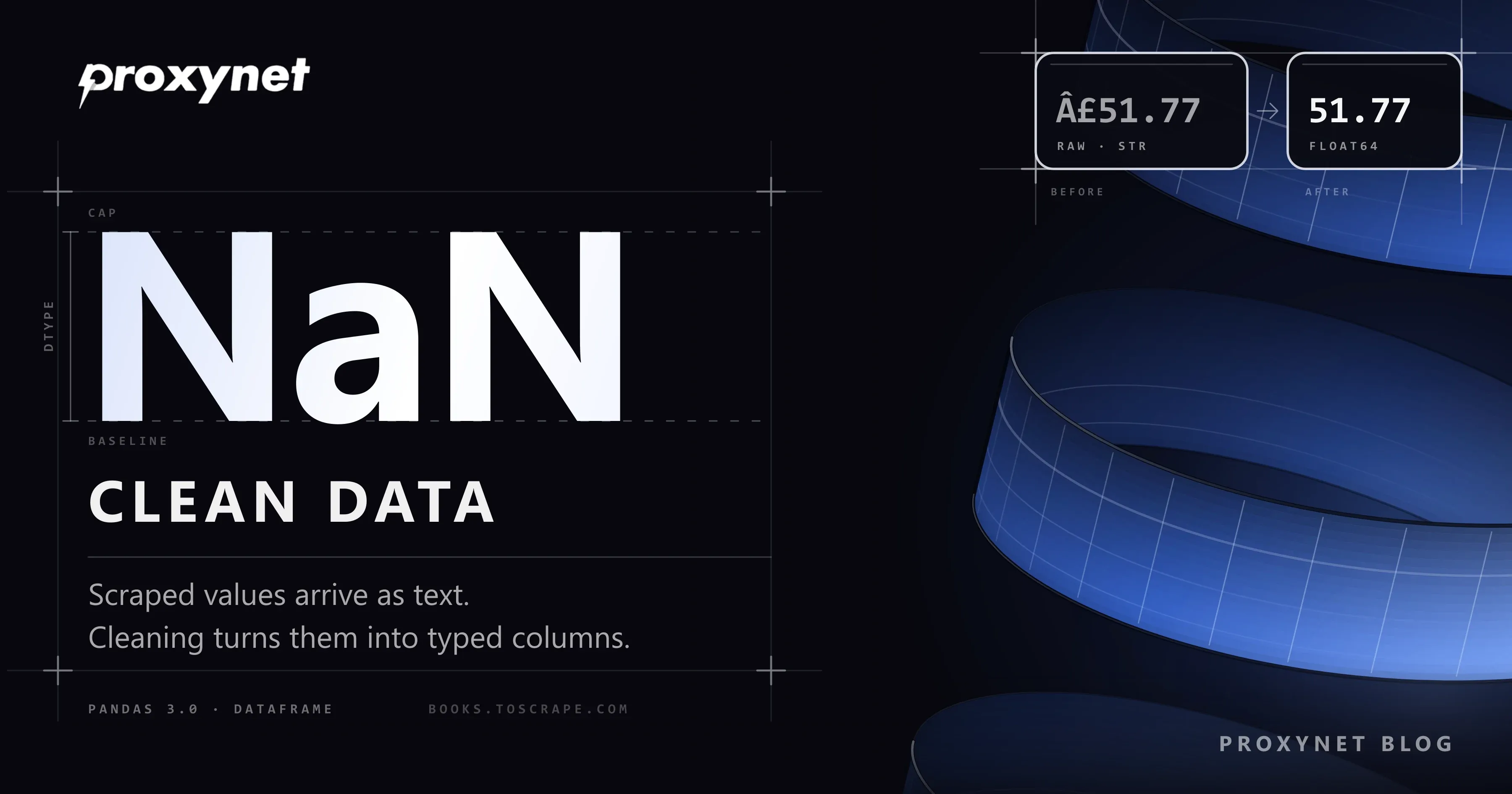
Your scraper finished overnight and the CSV looks fine at first glance. Then you try to average the prices and pandas refuses, because every price is a string such as £51.77. The same book appears twice because it sat on a catalogue page and on a category page. One title reads Shakespeare’s, seven books sit in a category called "Default", and one row has no description at all. None of this is a bug in the scraper. It is what raw web data looks like, and it needs a cleaning pass before anyone draws a chart from it.
This guide walks through that pass with pandas on a real dataset scraped from books.toscrape.com, a sandbox site built for scraping practice. We cover text and Unicode repair, missing values, turning price strings into numbers, other numbers hidden in text, dates, category labels, duplicates, outliers, validation checks and saving the result. The full script ran on 28 September 2026 with pandas 3.0.6, Requests 2.34.2, beautifulsoup4 4.15.0, pyarrow 25.0.1 and Python 3.13.
What does "clean" mean for scraped data?
Clean data has one row per real-world thing, one type per column and one spelling per value. A price column holds numbers, not text with a currency sign. A book scraped twice appears once. A missing description is recorded as missing, not as an empty string that looks present. A category called "Default" gets a name that tells the analyst it carries no information.
Clean does not mean complete or correct in every detail. You cannot recover a description the page never had, and a cleaning script should not invent one. Its job is to make every problem visible and every remaining value trustworthy, so the next step (a chart, a model, a price alert) works on facts rather than on parsing accidents.
Why is scraped data messy?
Web pages are written for people, and a scraper reads the parts meant for the eye. Most of the mess comes from a few sources:
- Everything is text. HTML carries no types.
£51.77,In stock (22 available)andThree(a CSS class for a star rating) all arrive as strings. - Encoding guesses go wrong. books.toscrape.com sends
Content-Type: text/htmlwith no charset. In that case Requests follows the old HTTP/1.1 rule and decodes the page as ISO-8859-1 (Requests documentation on encodings), so the UTF-8 pound sign becomes£. The mechanism is explained in Python Unicode encoding errors. - The same item has several paths. A product is listed in the catalogue, in its category and sometimes in a "new" or "sale" list. Crawl more than one of them and you collect it twice. Pagination that shifts between runs does the same.
- Templates differ. One page in a thousand lacks a block the others have, and your selector returns
None. - Site data is imperfect. Placeholder categories, stray spaces and "...more" tails are part of the source, not errors of yours.
How does a cleaning pass work?
The order matters, because each step relies on the one before it:
- Keep the raw data. Save exactly what the scraper collected to
books_raw.csv. Cleaning works on a copy, so you can re-run it with new rules without scraping again. - Normalise text. Strip spaces at both ends, turn empty strings into missing values, repair broken encoding and apply Unicode normalisation.
- Count missing values. Record them in a report and add flags; do not fill them with guesses.
- Convert prices. Pull the currency symbol into its own column and turn the rest into a float.
- Extract other numbers. Stock counts from
In stock (22 available), ratings from words, review counts from text. - Parse dates into timezone-aware timestamps.
- Normalise categories so that one concept has one label.
- Drop duplicates on a stable key, after the types are right.
- Flag outliers with a simple rule you can explain.
- Validate and save. Stop if a check fails; otherwise write CSV and Parquet.
Deduplication comes late on purpose. Two rows that differ only by a trailing space or a mis-decoded apostrophe are the same book, and drop_duplicates only sees that after steps 2 to 7.
Raw and clean values side by side
These are real values from the scrape and what the script turns them into:
| Column | Raw value | Problem | Clean value | pandas tool |
|---|---|---|---|---|
price | £51.77 | Text, broken encoding | 51.77 (float64) + currency = £ | str.extract, pd.to_numeric |
availability | In stock (22 available) | Number inside a sentence | in_stock = 22 (Int64) | str.extract |
rating | Three | Word, not a number | 3 (Int64) | map |
title | Shakespeare’s Globe | Mojibake | Shakespeare’s Globe | encode/decode, unicodedata |
category | Default | Placeholder label | Uncategorized (category) | replace, astype("category") |
description | … and their affair begins. ...more | Page furniture in the text | … and their affair begins. | str.removesuffix |
scraped_at | 2026-09-28T14:51:11+00:00 | String | datetime64[us, UTC] | pd.to_datetime |
upc | same code on two rows | Duplicate book | one row, newest copy | drop_duplicates |
What changed in pandas 3.0?
pandas 3.0.0 was released on 21 January 2026 and the current release is 3.0.6. Three changes in the pandas 3.0 release notes affect cleaning code directly:
- Strings get their own type. Text columns are now inferred as
strrather thanobject, and missing values in them areNaN, like in other default types. That is why the script selects text columns withselect_dtypes(include=["object", "string"]): it works on pandas 2 and 3. - Copy-on-Write is the only mode. Chained assignment such as
df["price"][0] = 10no longer changesdf; pandas 3.0.6 only prints aChainedAssignmentErrorwarning. Usedf.loc[0, "price"] = 10. The oldSettingWithCopyWarningis gone, and the defensive.copy()calls written to silence it are no longer needed. - Parsed dates default to microseconds.
pd.to_datetimeon strings now returnsdatetime64[us]instead of nanoseconds, which is what you see in the output below.
pandas 3 also needs Python 3.11 or newer. pd.to_numeric accepts only errors="raise" or errors="coerce" (to_numeric reference); old snippets that pass errors="ignore" will fail.
The full script: scrape books.toscrape.com and clean it
Install the libraries in a virtual environment. pyarrow is needed for the Parquet file:
python -m venv .venv
.venv/bin/pip install pandas requests beautifulsoup4 pyarrow   # Windows: .venv\Scripts\pip
The scraper reads two catalogue pages and two category pages (Poetry and Classics), 78 books in total, with a one-second pause between requests and automatic retries on 429 and 5xx answers. The HTML parsing follows the approach in our BeautifulSoup tutorial. The second run reads books_raw.csv and only repeats the cleaning.
"""Scrape books.toscrape.com, then clean the result with pandas."""
import time
import unicodedata
from datetime import datetime, timezone
from pathlib import Path
from urllib.parse import urljoin

import pandas as pd
import requests
from bs4 import BeautifulSoup
from requests.adapters import HTTPAdapter
from urllib3.util.retry import Retry

BASE = "https://books.toscrape.com/"
START_URLS = [
    BASE + "catalogue/page-1.html",                             # main catalogue
    BASE + "catalogue/category/books/poetry_23/index.html",     # one category
    BASE + "catalogue/category/books/classics_6/index.html",    # another one
]
MAX_PAGES = 2          # list pages per start URL
DELAY = 1.0            # seconds between requests
RAW_FILE = Path("books_raw.csv")

session = requests.Session()
session.headers["User-Agent"] = "pandas-cleaning-tutorial/1.0 (contact: you@example.com)"
retry = Retry(total=4, backoff_factor=1, status_forcelist=[429, 500, 502, 503, 504])
session.mount("https://", HTTPAdapter(max_retries=retry))
# session.proxies = {"https": "http://user:pass@pr.proxynet.io:8000"}


def get(url):
    time.sleep(DELAY)
    resp = session.get(url, timeout=30)
    resp.raise_for_status()
    return resp.text   # decoded with Requests' guess, on purpose: see step 2


def parse_book(url):
    soup = BeautifulSoup(get(url), "html.parser")
    table = {th.get_text(): td.get_text() for th, td in
             zip(soup.select("table.table th"), soup.select("table.table td"))}
    desc = soup.select_one("#product_description + p")
    return {
        "url": url,
        "title": soup.h1.get_text(),
        "category": soup.select("ul.breadcrumb a")[-1].get_text(),
        "price": table.get("Price (incl. tax)"),
        "availability": table.get("Availability"),
        "rating": soup.select_one("p.star-rating")["class"][1],
        "upc": table.get("UPC"),
        "reviews": table.get("Number of reviews"),
        "description": desc.get_text() if desc else None,
        "scraped_at": datetime.now(timezone.utc).isoformat(timespec="seconds"),
    }


def scrape():
    rows = []
    for start in START_URLS:
        url = start
        for _ in range(MAX_PAGES):
            soup = BeautifulSoup(get(url), "html.parser")
            for a in soup.select("article.product_pod h3 a"):
                rows.append(parse_book(urljoin(url, a["href"])))
            nxt = soup.select_one("li.next a")
            if not nxt:
                break
            url = urljoin(url, nxt["href"])
    df = pd.DataFrame(rows)
    df.to_csv(RAW_FILE, index=False, encoding="utf-8")
    return df


def clean(raw):
    df = raw.copy()
    report = {"raw_rows": len(df)}

    # 1. Strip whitespace in every text column; empty strings become missing
    text_cols = df.select_dtypes(include=["object", "string"]).columns
    for col in text_cols:
        df[col] = df[col].str.strip().replace("", pd.NA)

    # 2. Unicode: repair mojibake, then normalise to NFKC
    def fix_text(s):
        if pd.isna(s):
            return s
        try:
            s = s.encode("latin-1").decode("utf-8")   # "£" -> "£", "é" -> "é"
        except (UnicodeEncodeError, UnicodeDecodeError):
            pass                                        # already correct
        return unicodedata.normalize("NFKC", s)

    for col in ["title", "category", "description", "price"]:
        df[col] = df[col].map(fix_text)

    # 3. Missing values: count them, flag them, don't invent them
    report["missing_before"] = df.isna().sum()[lambda s: s > 0].to_dict()
    df["description"] = df["description"].str.removesuffix("...more").str.strip()
    df["has_description"] = df["description"].notna()

    # 4. Price strings to numbers
    df["currency"] = df["price"].str.extract(r"([£$€])", expand=False)
    df["price"] = pd.to_numeric(
        df["price"].str.replace(r"[^\d.]", "", regex=True), errors="coerce"
    )

    # 5. Other numbers hidden in text
    df["in_stock"] = pd.to_numeric(
        df["availability"].str.extract(r"(\d+)\s+available", expand=False),
        errors="coerce",
    ).astype("Int64")
    df["rating"] = df["rating"].map(
        {"One": 1, "Two": 2, "Three": 3, "Four": 4, "Five": 5}
    ).astype("Int64")
    df["reviews"] = pd.to_numeric(df["reviews"], errors="coerce").astype("Int64")

    # 6. Dates
    df["scraped_at"] = pd.to_datetime(df["scraped_at"], utc=True, errors="coerce")

    # 7. Categories: one spelling per value, junk labels merged
    df["category"] = (df["category"]
                      .replace({"Default": "Uncategorized",
                                "Add a comment": "Uncategorized"})
                      .astype("category"))

    # 8. Duplicates: same UPC = same book; keep the newest copy
    report["duplicate_rows"] = int(df.duplicated("upc").sum())
    df = (df.sort_values("scraped_at")
            .drop_duplicates("upc", keep="last")
            .reset_index(drop=True))

    # 9. Outliers: flag, don't delete
    q1, q3 = df["price"].quantile([0.25, 0.75])
    iqr = q3 - q1
    df["price_outlier"] = ~df["price"].between(q1 - 1.5 * iqr, q3 + 1.5 * iqr)
    report["price_outliers"] = int(df["price_outlier"].sum())

    df = df.drop(columns=["availability"])
    report["clean_rows"] = len(df)
    return df, report


def validate(df):
    problems = []
    if df["upc"].duplicated().any():
        problems.append("duplicate UPCs")
    if df["price"].isna().any():
        problems.append("prices that did not parse")
    if not df["price"].dropna().between(0, 1000).all():
        problems.append("prices outside 0-1000")
    if not df["rating"].between(1, 5).fillna(False).all():
        problems.append("ratings missing or outside 1-5")
    if df["title"].isna().any():
        problems.append("rows without a title")
    if problems:
        raise ValueError("Validation failed: " + ", ".join(problems))


if __name__ == "__main__":
    raw = pd.read_csv(RAW_FILE) if RAW_FILE.exists() else scrape()
    clean_df, report = clean(raw)
    validate(clean_df)
    clean_df.to_csv("books_clean.csv", index=False, encoding="utf-8-sig")
    clean_df.to_parquet("books_clean.parquet", index=False)
    print(report)
    print(clean_df.dtypes)
    print(clean_df[["title", "category", "price", "rating", "in_stock"]].head())
The first run took about two minutes, most of it the polite delay. The report line it printed:
{'raw_rows': 78, 'missing_before': {'description': 1}, 'duplicate_rows': 5, 'price_outliers': 0, 'clean_rows': 73}Five Poetry books sat on both the catalogue pages and the Poetry page, so 78 rows became 73. One Classics title, Alice in Wonderland, has no description block on its page. Seven books carried the "Default" category. Prices ranged from 12.84 to 58.63, so the outlier rule flagged nothing, which is the correct answer for this site. The dtypes output shows str for text, float64 for price, Int64 for counts, category for category and datetime64[us, UTC] for the timestamp.
What each step does, and why
Text and Unicode
str.strip() removes the spaces and line breaks that HTML layout leaves around values. Turning "" into a missing value matters more than it looks: isna() does not count empty strings, so without it a blank field passes as filled.
The encoding repair reverses the wrong guess. s.encode("latin-1").decode("utf-8") takes the characters Requests produced, turns them back into the original bytes and decodes those bytes as UTF-8. A string that was already correct either passes through unchanged (plain ASCII) or raises an error in one of the two calls and is left alone. The cleaner fix is at the source: pass response.content to BeautifulSoup or set response.encoding = "utf-8" before reading response.text. The repair is still worth knowing for files you have already saved. After it, unicodedata.normalize("NFKC", s) folds compatibility characters such as ligatures and non-breaking spaces into their plain forms (unicodedata documentation), so two spellings of the same title compare as equal.
Missing values
The script counts missing values per column and adds a has_description flag. It does not write "No description" into the gap, because that string would later look like real text. For numbers, filling gaps with a mean or median belongs to the analysis step, where the analyst can say so in the chart, not to the cleaning step.
Numbers, ratings and dates
pd.to_numeric(..., errors="coerce") turns anything it cannot parse into NaN instead of stopping. That is the right default for a cleaning pass, provided a validation check afterwards counts those NaNs. The nullable Int64 type (capital I) keeps whole numbers whole even when a value is missing; plain int64 cannot hold NaN and would silently become float. Dates are parsed with utc=True so that timestamps from different runs and machines compare correctly.
Categories and duplicates
astype("category") stores each label once and keeps a small code per row. Beyond the memory saving, it makes the list of labels explicit: df["category"].cat.categories shows at a glance whether "Poetry" and "poetry " both survived.
For duplicates, pick a key that identifies the thing, not the row. Here that is the UPC printed on each book page. The URL would also work on this site, but on real shops the same product often has several URLs (tracking parameters, category paths). Sorting by scraped_at before drop_duplicates(keep="last") keeps the most recent copy, which is what you want when prices change between runs.
Outliers and validation
The interquartile range rule flags values more than 1.5 times the IQR below the first quartile or above the third. It is simple to explain and does not assume a normal distribution. The script adds a price_outlier column rather than dropping rows: a price of 0.99 on a real shop may be a genuine sale, or a parsing error that read "0.99" from "10.99". A person should look before anything is deleted.
validate() is the last line of defence. When we changed one raw price to N/A and one rating to Six, the run stopped with Validation failed: prices that did not parse, ratings missing or outside 1-5 instead of writing a bad file. Keep these checks close to your data's real rules; a check that can never fail protects nothing.
Where clean scraped data is used
- Price monitoring: numeric prices with a timestamp are what a price history and an alert need. See price monitoring and competitor price tracking.
- Market research: category shares, rating distributions and stock levels across a catalogue. See market research.
- Data mining and modelling: models need typed, deduplicated inputs. Background in what is data mining.
- Pipelines: this script is the "transform" step of a small ETL job; the full pattern is in what is ETL.
- Storage: once the columns are typed, choosing between CSV, JSON and SQLite is covered in how to save scraped data to CSV, JSON and SQLite.
- Collection at scale: larger scraping projects and the infrastructure around them are on our data scraping page.
Common mistakes
- Cleaning the only copy. Overwriting the raw file means every rule change requires a new scrape.
- Deduplicating first.
drop_duplicatescompares exact values, so"Olio"and"Olio "both survive if you run it before stripping. astype(float)on price strings. It fails on the first£. Remove non-numeric characters, then usepd.to_numericwitherrors="coerce"and count the resultingNaNs.- Filling gaps with zero. A missing stock count is not zero stock. Use
Int64and leave it missing. - Chained assignment. Under pandas 3,
df[df.price > 50]["flag"] = Truechanges nothing and only warns. Usedf.loc[df.price > 50, "flag"] = True. - Saving for Excel without a BOM. Excel on Windows reads a plain UTF-8 CSV as a legacy code page and the
£breaks again;encoding="utf-8-sig"avoids that. - Scraping harder instead of cleaning better. If data is missing because requests failed, fix the collection: respect robots.txt, slow down on HTTP 429 and prefer an official API where one exists.
Decision guide
| Need | Recommendation |
|---|---|
| Numbers stored as text | Strip symbols, pd.to_numeric(errors="coerce"), then count NaNs |
| Whole numbers with gaps | Nullable Int64, not int64 or float |
Text with £, ’ or é | Fix the decoding at the source; repair saved files with the latin-1 round trip |
| Same item from several pages | drop_duplicates on a stable ID, newest copy kept |
| A few odd prices | Flag with the IQR rule and review; do not delete automatically |
| Repeated labels such as categories | astype("category") and an explicit mapping for placeholders |
| Timestamps from different runs | pd.to_datetime(..., utc=True) |
| Keeping types between steps | Save Parquet next to the CSV |
| Large or recurring scrapes | Rate limits, retries and, where volume requires it, Rotating Proxy through pr.proxynet.io:8000 |
Frequently asked questions
Should I clean data while scraping or afterwards?
Do the minimum while scraping (take the text, strip it) and the rest afterwards in pandas. Keeping the raw file lets you change the cleaning rules and re-run them in seconds without sending a single new request to the site.
Why does my price column show £ instead of £?
The server did not declare a charset, so Requests decoded UTF-8 bytes as ISO-8859-1. Pass response.content to your parser or set response.encoding = "utf-8". For data already saved, s.encode("latin-1").decode("utf-8") reverses the mistake.
Is dropna() the right way to handle missing values?
Only when a row without that field is useless for your question. dropna() with no arguments drops a row if any column is missing, which can delete most of a scraped dataset because of one optional field. Use dropna(subset=[...]) for the columns you truly need and flag the rest.
How do I choose the column for removing duplicates?
Use an identifier printed on the page, such as a UPC, SKU, ISBN or product ID. URLs work only on sites where each item has exactly one URL. If there is no ID, combine several normalised fields, for example title and brand.
Does this code work with pandas 2?
We tested it only on pandas 3.0.6, but every call it uses also exists in pandas 2.x, and the text-column selection covers both the old object type and the new str type. Expect small differences in printed output, such as object instead of str and nanosecond instead of microsecond timestamps. Code that relies on chained assignment is the main thing that behaves differently between the two versions.
Do I need a proxy to clean data?
No. Cleaning runs on your machine and sends no traffic. A proxy matters only for collection, and only at a volume where one IP address would exceed a site's rate limits. The cleaning code stays the same whichever network the pages came through.
Summary
Scraped data arrives as text shaped for human readers. A reliable cleaning pass keeps the raw file, fixes text and encoding first, converts each column to a real type, removes duplicates on a stable key, flags rather than deletes odd values, and stops on a failed check before it saves. The script above does all of that on 78 real rows in under a second once the pages are downloaded. When your collection grows beyond a practice site, the plans on our proxy page cover the network side.


