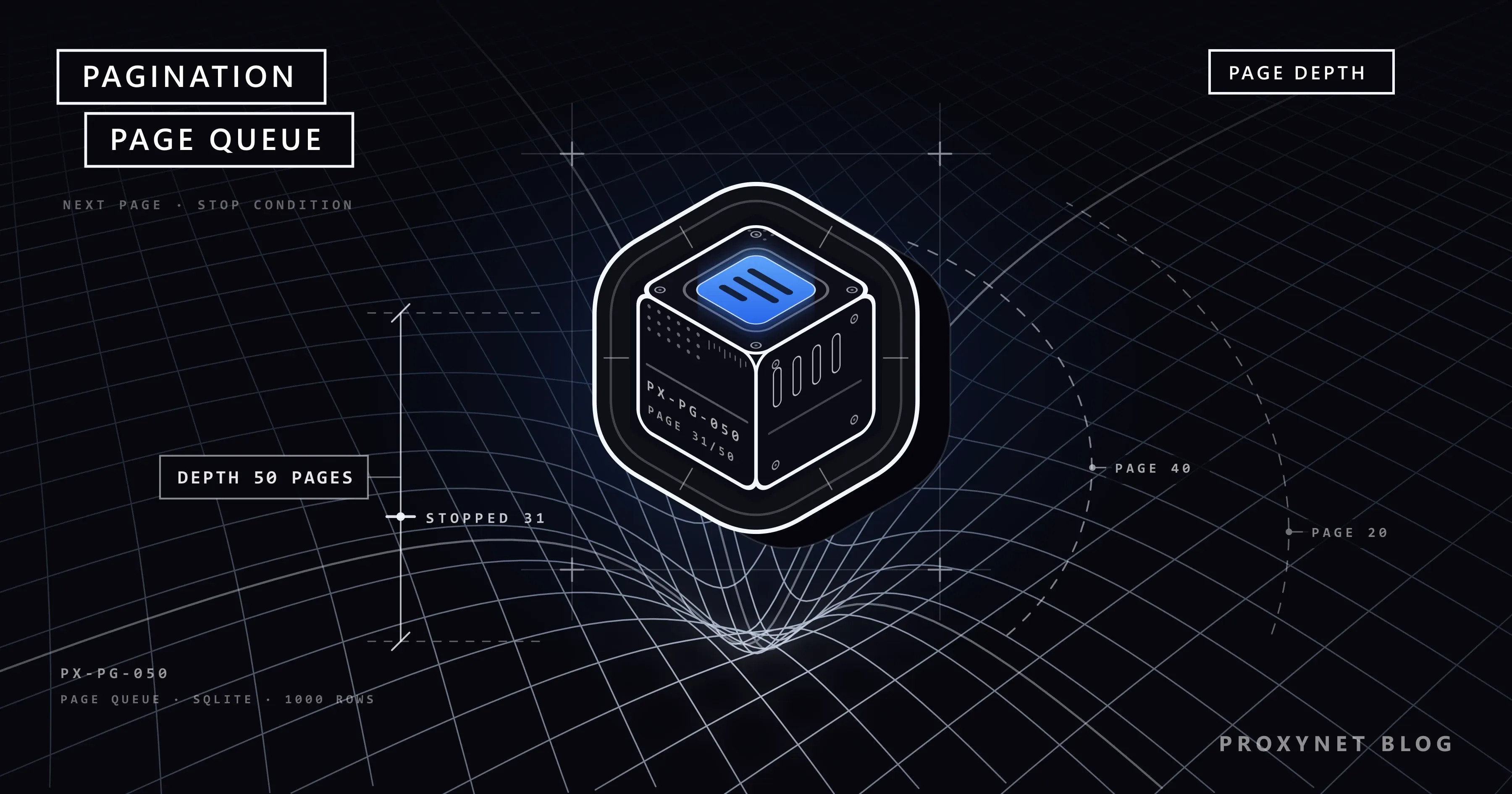
The script you wrote to pull a thousand-product catalogue reads the twenty products on the first page without trouble. The real work starts after that: finding the addresses of the remaining 49 pages, knowing when the list has ended, not saving the same product twice, and not starting over when the connection drops on page 31. The difference between code that reads one page and code that collects the whole list is called pagination.
This post defines pagination briefly and then looks at it from the crawler's side: how the five pagination types are recognised in developer tools, where the next page comes from, when the crawl stops, how repeated records are filtered out. At the centre sits a URL queue on SQLite; a crawl we killed mid-process picked up from the page where it had stopped. We ran the code against the books.toscrape.com and quotes.toscrape.com practice sites.
What is pagination?
If a database holds ten thousand records, the server does not send them all in one response. The query gets heavy and the response bloats with thousands of rows the user will never look at. Instead the list is split into fixed-size chunks and the client asks for one chunk at a time. The "1 2 3 ... 50" links at the bottom of a category page, an API's ?page=2 parameter and feeds that load as you scroll down are different faces of the same idea.
The developer who designs pagination asks "which method puts less strain on the database". The crawler's question is a different one: which method did this site pick, and how do I tell from the outside? The general frame for bulk data collection is on our data scraping page, and the design of crawlers that walk from link to link is on our web crawler page.
What are the pagination types and how are they recognised?
The way to recognise them is the same in every case: open developer tools in the browser, clear the Network tab, go to the second page and look at what changed. Did the address bar change, or did a request go out in the background?
1. Numbered page URL. The address changes to ?page=2, /page/2/ or page-2.html. This is the easiest type to recognise and the loop is simple: you increment the number. Its weak point is that you usually do not know what the last page is.
2. "Next" link. At the bottom of the page there is an <a> element pointing to the following page. You do not build the address, you read it from the page. If there is no link, the list has ended. Your code does not break when the site changes its URL structure; for HTML lists this is the first choice. We covered selector logic in our CSS Selector vs XPath post.
3. offset/limit. In the API request you see two parameters such as offset=40&limit=20, or skip and take: "skip the first 40 records, give me 20". It is the API counterpart of the page number.
4. Cursor. The response carries a meaningless-looking string such as next_cursor, after or next_page_token, and you send that string back unchanged in the next request. The cursor carries the "the last record I gave you was this one" information; you do not try to decode it, you only carry it.
5. Infinite scroll and "load more". The address bar does not change. When you reach the bottom of the page or press the button, a new Fetch/XHR request appears in the Network tab. When you look at that request, most of the time you see one of the three types above. Infinite scroll is not a separate method, it is an interface laid on top of API pagination.
To these you have to add the rel="next" marker. It shows up in two places. The first is the <link rel="next" href="..."> element in the HTML <head>. Google writes plainly that it no longer uses this tag, but many sites still print it, and when you find it, it is a clean copy of the "next" link. The second is the Link header in the HTTP response; its format is defined by RFC 8288, and services such as GitHub give the full address of the next page in that header.
| Type | How it is recognised | Where the next page comes from | Stop condition | Its trap |
|---|---|---|---|---|
| Page number | page=2, /page/2/ in the address | You increment the number | 404, empty list or repeated content | What happens past the last page varies by site |
| "Next" link | <a> at the bottom, rel="next" in <head> | Read from the page | No link | Forgetting to turn a relative address into an absolute one |
| offset/limit | offset, limit, skip in the API request | offset += limit | Short or empty chunk | Records shift while the list changes |
| Cursor | next_cursor, after, a token in the response | Carried over from the response | Cursor empty or absent | The cursor expires, you cannot start from the middle |
| Infinite scroll, "load more" | Address does not change, an XHR request goes out | The rule of the API underneath | The API's rule, or no new cards arriving | Scrolling with a browser is needlessly expensive |
What steps make up a pagination loop?
Whatever the type, the loop follows the same six steps:
- Put the starting address in the queue. The category page, or the API's first request.
- Take the next address and check whether it is allowed. If
robots.txtforbids that path, the request never goes out. - Wait, then send the request. Put a fixed interval between two requests to the same site.
- Extract the records. Give each record a key that identifies it uniquely.
- Find the next page. A link, a number, an offset or a cursor.
- Write the records, the next address and the "this page is done" flag together. Then go back to step two.
The word "together" in the sixth step is the subject of the rest of this post. First, the stop condition.
When should a crawl stop?
Knowing that the list has ended is harder than it looks, because sites behave differently past the last page. We saw three separate behaviours side by side on the practice sites. books.toscrape.com has 50 pages, and a request for page-51.html returns 404. quotes.toscrape.com/page/11/ returns 200 with a page that holds no quotes at all. The same site's JSON API writes "has_next": false on the last page, and if you ask for page 11 you get an empty list. On real sites a fourth behaviour is more common: silently showing the first or the last page again for an out-of-range page number.
So do not trust a single condition, use several together:
- An explicit signal: no "next" link,
has_nextfalse, empty cursor, norel="next"in theLinkheader. - Empty or short chunk: no records on the page, or fewer records than the
limitvalue. - No new records: every record on the page has been seen before. This is the condition that catches sites which show the last page over and over.
- An upper bound: a page count that will not be exceeded no matter what. A broken "next" link or a self-repeating cursor cannot put your script into an endless loop.
- A total count: if the API gives
totalortotal_pages, use it to verify the result, not to stop.
While walking through page numbers, a 404 can mean "the list has ended" as well as "the URL structure has changed". If you get a 404 on the first page, it is the second one.
How are duplicate records filtered out?
The same record arriving twice during pagination is not a bug, it is expected. The most frequent cause is the list changing while you crawl it. If five new products are added to the top while you are reading the third page of a "newest first" list, every record shifts down five places and the first five records of the fourth page are the ones you just saw. If a record is deleted the opposite happens, one record shifts up and you never see it. offset/limit and page numbers are open to this shift; a cursor is not affected, because it says "the ones after this record". Sponsored products and products listed in two categories also produce duplicates.
The fix is to filter duplicates in the database, not in the code:
- Give every record a stable key. The product ID, the product URL or the
idfield in the API. If there is none, build a hash from the record's unchanging fields. A row number in the list is not a key. - Make the key the primary key and insert with
INSERT OR IGNORE. If the same key arrives a second time, SQLite skips the row silently. This behaviour is defined in the SQLite conflict rules documentation. If you want to update a changing field such as the price, you useON CONFLICT ... DO UPDATE. - Fix the ordering. If the site offers a sort option, pick a field that does not change (by name or ID rather than by date added). The shift shrinks.
API pagination: offset, cursor and the Link header
The loops of the three API types resemble each other closely; the difference is in how the next request is built. The three functions below produce records one by one (yield), so the calling code does not need to know which pagination type it is dealing with. Field names (items, next_cursor) vary from API to API; check the documentation of your own target.
import time

import requests


def crawl_offset(session, url, limit=100, max_pages=500, delay=1.0):
    """offset/limit: stops on a short or empty page."""
    offset = 0
    for _ in range(max_pages):
        response = session.get(url, params={"offset": offset, "limit": limit}, timeout=20)
        response.raise_for_status()
        batch = response.json()["items"]
        yield from batch
        if len(batch) < limit:
            break
        offset += limit
        time.sleep(delay)


def crawl_cursor(session, url, max_pages=500, delay=1.0):
    """cursor: the cursor in the response is carried unchanged into the next request."""
    cursor, seen = None, set()
    for _ in range(max_pages):
        response = session.get(url, params={"cursor": cursor} if cursor else {}, timeout=20)
        response.raise_for_status()
        payload = response.json()
        yield from payload["items"]
        cursor = payload.get("next_cursor")
        if not cursor or cursor in seen:  # no cursor, or it repeats itself
            break
        seen.add(cursor)
        time.sleep(delay)


def crawl_link_header(session, url, max_pages=500, delay=1.0):
    """Link header: the rel="next" address arrives ready, no parameter is computed."""
    for _ in range(max_pages):
        response = session.get(url, timeout=20)
        response.raise_for_status()
        yield from response.json()
        url = response.links.get("next", {}).get("url")
        if not url:
            break
        time.sleep(delay)
We tried all three against a local fake API holding 250 records: each one collected the 250 records in three requests, without duplicates. Against a broken endpoint that kept returning the same cursor, crawl_cursor stopped after the second request; without the seen set it would have sent 500 requests. We also ran crawl_link_header against the tag list of a public GitHub repository and got 200 records over two pages. Requests parses the Link header into the response.links dictionary itself. GitHub's pagination documentation recommends the same thing: do not build the address by hand, follow the rel="next" address.
How are infinite scroll and the "load more" button crawled?
The first move is not browser automation, it is the Network tab. The quotes.toscrape.com/scroll page is a good example: new quotes arrive as you scroll down, and every time a request goes out to /api/quotes?page=2, page=3. The response is JSON and holds a has_next field. Calling that request directly is both faster than scrolling and lighter on the site; images, fonts and scripts are never downloaded. The queue example below collects the quotes this way. The details of finding the request are in the "Finding the API/XHR request first" section of our Static and Dynamic Pages post.
If the request cannot be repeated (it carries a signed parameter, or the response arrives as an HTML fragment processed by the page's script), you move to browser automation. There the stop condition becomes "the card count stopped growing":
from playwright.sync_api import sync_playwright

with sync_playwright() as p:
    browser = p.chromium.launch()
    page = browser.new_page()
    page.goto("https://quotes.toscrape.com/scroll")
    page.wait_for_selector(".quote")

    count, idle = 0, 0
    while idle < 3 and count < 500:  # stop after three rounds without new cards, or at the upper bound
        page.mouse.wheel(0, 10000)
        page.wait_for_timeout(1000)
        current = page.locator(".quote").count()
        idle = idle + 1 if current == count else 0
        count = current

    print(count, "cards loaded")
    browser.close()
This script loaded all 100 cards on the practice site. With a "load more" button the loop is the same, you only click the button instead of using the wheel, and you also stop when the button disappears from the page. In Selenium the same job is done with an execute_script("window.scrollTo(0, document.body.scrollHeight)") call and recounting the cards; the differences between the two tools are in our Playwright vs Selenium post. Scrolling has a limit: in long feeds the page keeps thousands of elements in memory and slows down. If you need more than a few hundred cards, it is worth looking for the API request.
How to resume an interrupted crawl: a SQLite URL queue
For short lists, keeping the next address in a variable is enough; the category-crawling function in our Competitor Price Tracking in E-Commerce post works that way, and it is the right choice for a two-page category. Once the list runs to hundreds of pages, a variable is not enough: the connection drops, the computer sleeps, the server restarts, and the address in the variable disappears with the process. You have to write down where you left off.
You do not need a separate queue server for this. SQLite, which ships with Python, does the job with two tables: queue holds the addresses to crawl and their status (pending, done, failed, blocked), items holds the collected records. The trick is a single rule: a page's records, the next address learned from that page and the page's done flag are written in the same database transaction. The transaction either reaches the disk in full or not at all. If the process dies right in the middle, the page stays pending in the queue and is read again on the next run. A page that looks "done" but has incomplete records cannot come into being.
The script below crawls two different pagination types in the same queue: the book catalogue by following the "next" link, the quotes from the JSON API behind the infinite scroll.
import hashlib
import json
import sqlite3
import time
from urllib.parse import urljoin, urlsplit
from urllib.robotparser import RobotFileParser

import requests
from bs4 import BeautifulSoup

DB_PATH = "crawl.db"
BOT_NAME = "ExampleCrawler"
USER_AGENT = f"{BOT_NAME}/1.0 (+https://example.com/bot)"
PROXY = None  # example: "http://user:pass@pr.proxynet.io:8000"
DELAY = 1.0  # shortest gap between two requests to the same site (seconds)
MAX_PAGES = 200  # upper bound against a broken "next" chain
MAX_ATTEMPTS = 3

SEEDS = [
    ("https://books.toscrape.com/", "books"),
    ("https://quotes.toscrape.com/api/quotes?page=1", "quotes"),
]

SCHEMA = """
CREATE TABLE IF NOT EXISTS queue (
    url      TEXT PRIMARY KEY,
    kind     TEXT NOT NULL,
    status   TEXT NOT NULL DEFAULT 'pending',  -- pending | done | failed | blocked
    attempts INTEGER NOT NULL DEFAULT 0
);
CREATE TABLE IF NOT EXISTS items (
    item_key TEXT PRIMARY KEY,
    kind     TEXT NOT NULL,
    data     TEXT NOT NULL,
    page_url TEXT NOT NULL
);
"""


def parse_books(response):
    """HTML list: records come from the cards, the next page from the 'next' link."""
    soup = BeautifulSoup(response.content, "html.parser")
    items = []
    for card in soup.select("article.product_pod"):
        link = card.select_one("h3 a")
        url = urljoin(response.url, link["href"])
        items.append((url, {"title": link["title"], "price": card.select_one(".price_color").text}))
    next_link = soup.select_one("li.next a")
    return items, urljoin(response.url, next_link["href"]) if next_link else None


def parse_quotes(response):
    """JSON API (the request behind the infinite scroll): stops when has_next ends."""
    payload = response.json()
    items = []
    for quote in payload["quotes"]:
        key = hashlib.sha1(quote["text"].encode("utf-8")).hexdigest()
        items.append((key, {"text": quote["text"], "author": quote["author"]["name"]}))
    next_url = None
    if payload["has_next"]:
        next_url = urljoin(response.url, f"?page={payload['page'] + 1}")
    return items, next_url


PARSERS = {"books": parse_books, "quotes": parse_quotes}
robots_cache = {}
last_request = {}


def allowed(session, url):
    """Reads robots.txt once per site. 4xx: no restriction, 5xx: no path is crawled (RFC 9309)."""
    root = "{0.scheme}://{0.netloc}".format(urlsplit(url))
    if root not in robots_cache:
        parser = RobotFileParser()
        response = session.get(root + "/robots.txt", timeout=20)
        if response.status_code >= 500:
            parser.disallow_all = True
        elif response.status_code >= 400:
            parser.allow_all = True
        else:
            parser.parse(response.text.splitlines())
        robots_cache[root] = parser
    return robots_cache[root].can_fetch(BOT_NAME, url)


def polite_get(session, url):
    """Does not hit the same site more often than DELAY (or the Crawl-delay in robots.txt)."""
    host = urlsplit(url).netloc
    root = "{0.scheme}://{0.netloc}".format(urlsplit(url))
    delay = max(DELAY, float(robots_cache[root].crawl_delay(BOT_NAME) or 0))
    wait = last_request.get(host, 0) + delay - time.monotonic()
    if wait > 0:
        time.sleep(wait)
    try:
        return session.get(url, timeout=20)
    finally:
        last_request[host] = time.monotonic()


def crawl():
    db = sqlite3.connect(DB_PATH)
    db.executescript(SCHEMA)
    with db:  # adds the seed addresses on the first run, leaves them alone afterwards
        db.executemany("INSERT OR IGNORE INTO queue (url, kind) VALUES (?, ?)", SEEDS)

    session = requests.Session()
    session.headers["User-Agent"] = USER_AGENT
    if PROXY:
        session.proxies = {"http": PROXY, "https": PROXY}

    for _ in range(MAX_PAGES):
        row = db.execute(
            "SELECT url, kind FROM queue WHERE status = 'pending' ORDER BY attempts, rowid LIMIT 1"
        ).fetchone()
        if row is None:
            break  # queue empty: the crawl is finished
        url, kind = row

        if not allowed(session, url):
            with db:
                db.execute("UPDATE queue SET status = 'blocked' WHERE url = ?", (url,))
            continue

        try:
            response = polite_get(session, url)
            response.raise_for_status()
            items, next_url = PARSERS[kind](response)
        except (requests.RequestException, KeyError, ValueError) as exc:
            with db:
                db.execute(
                    "UPDATE queue SET attempts = attempts + 1,"
                    " status = CASE WHEN attempts + 1 >= ? THEN 'failed' ELSE 'pending' END"
                    " WHERE url = ?",
                    (MAX_ATTEMPTS, url),
                )
            print(f"ERROR {url}: {exc}")
            continue

        # The records, the next address and the "this page is done" flag are written in one transaction.
        # If the process dies in the middle of this block, none of them is written and the page stays 'pending'.
        with db:
            before = db.total_changes
            db.executemany(
                "INSERT OR IGNORE INTO items (item_key, kind, data, page_url) VALUES (?, ?, ?, ?)",
                [(key, kind, json.dumps(data, ensure_ascii=False), url) for key, data in items],
            )
            new_items = db.total_changes - before
            # Stop condition: an empty page, or records that have all been seen before
            if next_url and items and new_items:
                db.execute("INSERT OR IGNORE INTO queue (url, kind) VALUES (?, ?)", (next_url, kind))
            db.execute("UPDATE queue SET status = 'done' WHERE url = ?", (url,))
        print(f"OK    {url}: {len(items)} records, {new_items} new")

    for kind, status, count in db.execute(
        "SELECT kind, status, COUNT(*) FROM queue GROUP BY kind, status ORDER BY kind, status"
    ):
        print(f"queue   {kind:7} {status:8} {count}")
    for kind, count in db.execute("SELECT kind, COUNT(*) FROM items GROUP BY kind ORDER BY kind"):
        print(f"record  {kind:7} {count}")
    db.close()


if __name__ == "__main__":
    crawl()
pip install requests beautifulsoup4 is enough to run the script. We tested resuming like this: we started the script and killed the process outright at the 14th second (not Ctrl+C). At that moment the database held 20 completed pages, 200 books, 100 quotes and a single address in pending state: page-11.html. We ran it again without changing anything; the crawl continued with page-11.html and finished in under a minute with 50 catalogue pages and 1,000 books. Not a single request went to the quotes API, all ten of its pages were done. The third run found no pending address and printed only the summary.
Things to watch in the code:
- The
with db:block is the boundary of the transaction. In Python'ssqlite3module, when the connection is used as a context manager, the transaction is committed if the block finishes without error and rolled back if an exception is raised. The details are in the module's documentation. - The queue's primary key is the address itself. If the same address is discovered a second time,
INSERT OR IGNOREskips it; this is how circular links are resolved. - The "no new records" condition does not clash with resuming. Because the records of an interrupted page were never written, they are all new when the page is read again and the chain does not break.
- A failed page moves to the end of the queue. Thanks to
ORDER BY attempts, addresses that have never been tried are taken first; a page that cannot be read in three attempts becomesfailedand the crawl continues without it. The counter is deliberately plain: retry code that handles which status code to wait on, which to stop on and theRetry-Afterheader is ready in our HTTP Status Codes in Scraping post, and you can drop it in place ofpolite_get. - Adding a new site means writing a parser. You write a function that returns the record list and the next address, and add it to the
PARSERSdictionary; the queue, the wait and the resume logic do not change.
This queue is for a single process. If several workers will read from the same queue, the worker that takes an address has to move it into an intermediate state such as claimed, and that state has to fall back to pending on a timeout. When concurrent crawling actually buys speed is covered in our Concurrency vs Parallelism post. As the worker count grows, a ready-made framework means less work: Scrapy carries queueing, duplicate filtering and resuming inside itself. Once the queue goes beyond pagination and starts following links across the whole site, the job turns into crawling; we explain the difference in Web Scraping vs Web Crawling.
robots.txt, rate limits and proxies
Pagination is the job where you send the most requests to one site back to back. The allowed function in the script reads each site's robots.txt once and asks it about every address. The cases where the file cannot be found are governed by RFC 9309: a 4xx response counts as "no file, no restriction", and on a 5xx response the crawler has to treat all paths as disallowed. On both practice sites the request returned 404. The reason we fetch the file with session is that the request then goes out with the script's User-Agent and, if there is one, through the proxy. urllib.robotparser does not support wildcards (*, $); its limits are in our What Is robots.txt and How to Read It? post.
polite_get puts at least DELAY seconds between two requests to the same site, and takes the site's Crawl-delay as the basis if there is one; the wait is tracked per site. If you start seeing 429, the right response is not changing your IP but raising the DELAY value; the reasons are in our 429 Too Many Requests post. Writing a User-Agent that identifies your bot is part of the job too: What Is a User-Agent?.
Proxies enter this picture in two places. The first is location: to see the catalogue and the prices shown to a visitor in Türkiye, the request has to leave from Türkiye. The second is load distribution: on long crawls spread across several sites, Rotating Proxy is used so that the traffic does not pile up on a single address. There is a trap here. Search results and filtered lists are often tied to a session on the server; if the IP changes in the middle of the list, the site may send you back to the first page or hand you the same records again. To crawl one list from start to finish with the same exit address, open a Sticky Proxy session and change the identity once the list ends. The mechanism is in our What Is IP Rotation and How Does It Work? post. We also filled in the PROXY line and ran the script through a local test proxy with authentication; all the traffic including robots.txt went through the proxy and the result did not change.
Use cases
- Category and catalogue crawling: collecting the product addresses in a competitor's categories is the first step of price tracking; the whole flow is in our Competitor Price Tracking in E-Commerce post, and the infrastructure side is on our price monitoring page.
- Marketplace listings: seller and product listings run to thousands of pages, and a resumable queue is mandatory there. For the location and session setup, see our e-commerce proxy page.
- Bulk data from official APIs: cursors and the
Linkheader show up here most. How to carry the session in APIs that require authentication is in our Sessions and Cookies in Python post. - Small one-off jobs: do not set up a queue for a fifty-row table; the no-code options are in our How to Extract Data From a Website post.
Common mistakes
- Hard-coding the last page number. The catalogue grows, 50 pages become 53 and the last three pages go quietly missing. Write the stop condition, not the number.
- Not setting an upper bound. A "next" element that links to itself, or a repeating cursor, will spin your script on the same page for hours.
- Joining a relative link by hand. On the practice site the "next" link is
catalogue/page-2.htmlon the first page andpage-3.htmlon the second. An address built by concatenating strings breaks on the second page;urljoinresolves both correctly. - Writing where you left off separately from the records. Code that writes "page done" first and adds the records afterwards loses that page for good if it dies in between. Reversing the order leads to duplicates. The two have to be in the same transaction.
- Filtering duplicates with an in-memory set. When the process restarts, the set is empty; uniqueness is the database's job.
- Following hidden links. Code that throws every
<a>element on the page into the queue while looking for the pagination link also walks into trap links invisible to humans. Select only the pagination element; the details are in our Honeypot Traps post.
Decision guide
| Situation | Recommendation |
|---|---|
| The page has a "next" link | Follow the link, use urljoin |
| Only page numbers, last page unknown | Increment the number; use empty page, 404 and "no new records" together |
| A JSON request is visible in the Network tab | Drop the browser, call the request directly |
| The API gives a cursor | Carry the cursor unchanged, keep seen cursors in a set |
The API gives a Link header | Follow the response.links["next"] address |
| The request cannot be repeated, infinite scroll | Scroll with Playwright or Selenium, stop when the card count stops growing |
| The list is longer than 50 pages, or the crawl takes minutes | Set up a SQLite queue, write records and status in the same transaction |
| The list changes while you crawl | Stable key, INSERT OR IGNORE, fixed ordering, a second pass if needed |
| Filtered or session-bound list, with a proxy | Sticky session for the whole list, new identity when the list ends |
Frequently asked questions
What is cursor pagination and how does it differ from offset?
offset says "skip this many records from the start"; a cursor says "give me the ones after this record". With offset you can jump to any page you like, but if the list changes the records shift and you get duplicates or gaps. With a cursor there is no jumping, you only move in order; in exchange, where you left off stays fixed even if the list changes. The practical difference: you can resume an offset crawl from page 40, but if the cursor has expired you may have to start a cursor crawl over.
What is infinite scroll?
It is JavaScript sending a new request in the background as you approach the bottom of the page and appending the arriving records to the list. The user sees no page numbers, but the API behind it almost always works with page numbers, offsets or cursors. In scraping, that API request is the target.
Is it possible to learn the last page in advance?
Sometimes. A "Page 1 of 50" line at the bottom of the page, a total_pages field in the API response or a rel="last" address in the Link header will tell you. Use that information to show progress and to verify the result. End the loop with the stop conditions anyway, because the total can change during the crawl.
Is it possible to crawl pages in parallel?
With page-number and offset types it is, because you can generate the addresses in advance. With "next" link and cursor types every page depends on the previous one and the chain moves in order; parallelism can only be set up between different lists (categories). Parallelism does not remove the rate limit: keep capping the total request rate to the same site.
Why SQLite rather than a CSV or JSON file?
Appending to a file is simple, but it does not give you three things: a uniqueness check, all-or-nothing writes and a queryable queue. SQLite provides all three in a single file with no installation. Once the crawl is done, dumping the items table to CSV is a few lines.
What happens if the site changes the records per page during the crawl?
With "next" link and cursor types nothing happens, because the site tells you the next page. With page number and offset types the boundaries shift and some records may arrive twice while others never arrive. Deduplicating on the key solves the first problem; for the second you need a comparison against the total count and, if necessary, a second pass.
Summary
In pagination crawling the code answers three questions: where is the next page, when did the list end, where is my place written down. For the first, follow the signal the site gives ("next" link, cursor, Link header) instead of inventing addresses; with infinite scroll, look for the API request behind it first. For the second, do not trust a single condition, and always add "no new records" and a page upper bound. For the third, write the records and the queue status in the same SQLite transaction; wherever the process dies, the crawl carries on from the page it stopped at. Keep the request rate low and follow the robots.txt rules. Location and load distribution options are in our proxy services.