


































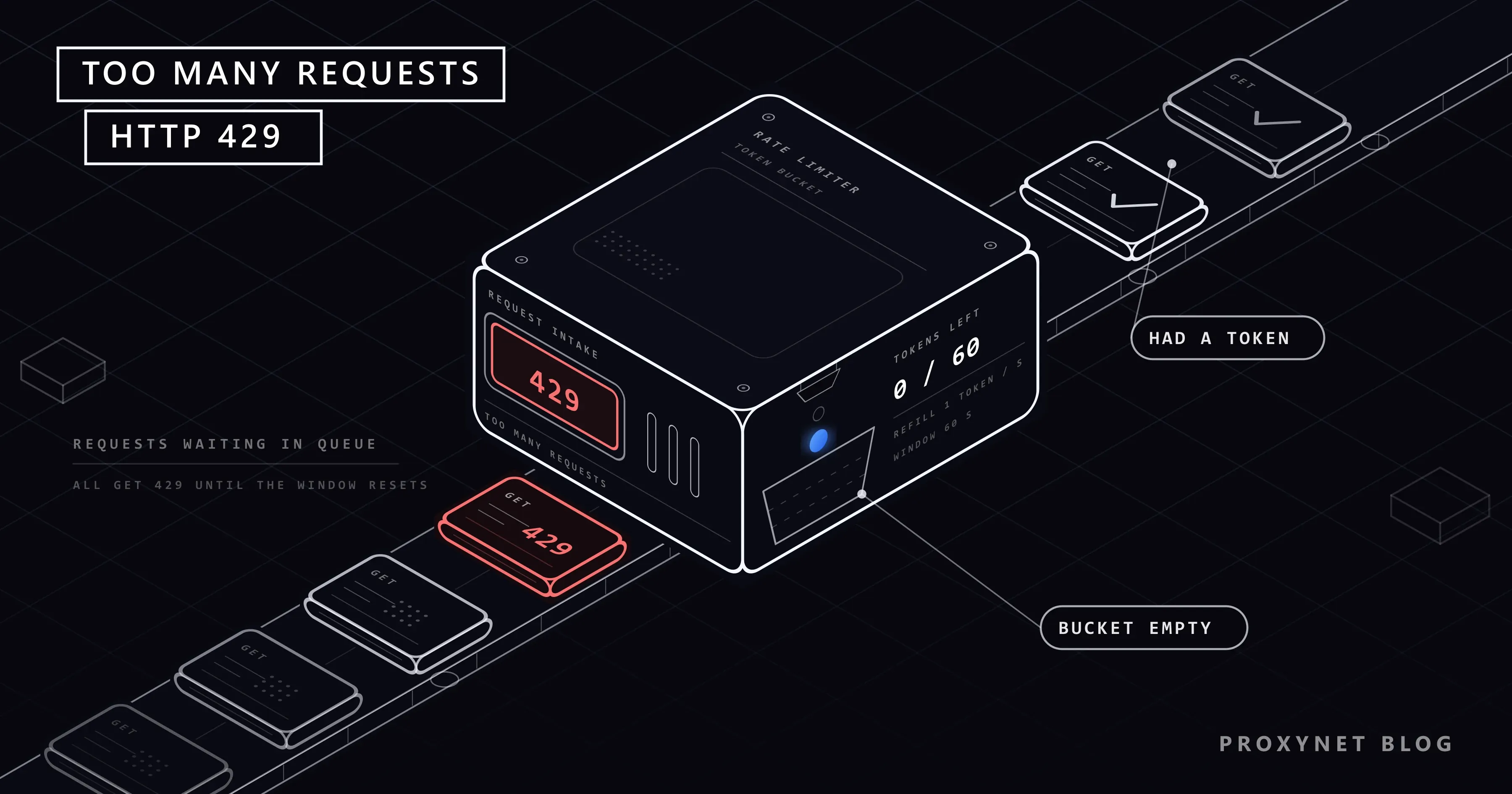
You are checking trade offers on a gaming platform, typing one question after another into an AI chat, or reopening the same page again and again to see whether a visa appointment slot has appeared. The page suddenly changes and a single line is left on the screen: "429 Too Many Requests". Sometimes the message is worded for humans ("Too many attempts, try again later"), sometimes it shows up inside an app as "Request failed with status code 429", and sometimes it says "rate limit exceeded". They all say the same thing: the service on the other end has been counting the requests coming from you, and the count went over the limit.
This post explains what the 429 code and the idea of a rate limit are, what the limit is counted against, why the error appears for people who "did nothing", and how long you have to wait. The first half is for the person who sees the error on screen, the second half for developers who use an API and for teams that collect data.
What does 429 Too Many Requests mean?
Every time your browser or an app connects to a server, the server puts a three-digit status code at the top of its response. 200 means "OK", 404 means "there is no such page". 429 means "I understood your request but I will not process it right now, because you sent too many requests in a short time". The code is defined in section 4 of RFC 6585. The same section leaves two things to the server: how the user is identified and how requests are counted. So the rule behind a 429 is different on every service; only the message is shared.
The same error takes different shapes depending on the interface of the service:
| What you see on screen | Where it appears | What it means |
|---|---|---|
429 Too Many Requests | In the browser, usually on a plain white page | The server shows the code as it is |
HTTP Error 429, Request failed with status code 429 | In apps and developer tools | The app passes on the 429 it received from the server |
| "Too many attempts, try again later", "You're doing that too often" | On social media, email and gaming accounts | The same limit, translated into user language |
Rate limit exceeded, You are being rate limited | In API responses, chat and gaming platforms | The rate limit has been exceeded |
Error 1015 | On sites that use Cloudflare | The Cloudflare-branded page for a 429 |
The last row has its own post: we explained every line on that screen, the Ray ID code and what a site owner can do in What Is Error 1015? How to Fix You Are Being Rate Limited.
What is a rate limit and why is it there?
A rate limit is the upper bound on the number of requests a service accepts from a single user in a given period. It is a rule such as "60 requests per minute", "5 login attempts per hour" or "1,000 searches per day". "Rate limit exceeded" says that this bound was crossed, and "rate limited" says that you are being restricted because of it.
Services set this limit for four reasons:
- Protecting capacity. The number of requests a server can process is finite. A single user or a broken program should not consume all of it.
- Account security. The limit on login pages is kept low on purpose. Someone trying to guess a password wants to make thousands of attempts; a "wait after five wrong attempts" rule slows that attack down until it is pointless.
- Fair sharing. Free and paid plans have different quotas; the limit sets everyone's share.
- Cost. Every request has a price in CPU time, bandwidth and sometimes a third-party fee.
What is the limit counted against?
The first question to ask when you get a 429 is this: in whose name is the counter kept? MDN's page on 429 lists the possible methods: for the whole server, for a single resource, per IP address, per user or per application. Which method is in use decides what will help and what will not.
| What the counter is tied to | Typical example | What it means for you |
|---|---|---|
| IP address | Sites browsed without logging in, API calls without a key | Everyone who goes out through the same address shares one counter |
| Account | Social media, gaming platform, email | The same counter fills up from your phone and your computer; changing network or IP changes nothing |
| Session or cookie | Web dashboards you are logged into | Switching browsers opens a new session, but an account counter may be kept separately |
| API key | Official APIs, AI services | All of your programs that use the key draw from one quota |
| Endpoint | Individual functions such as search, login, sending a message | Only that function returns 429 while the rest of the site loads |
Most services keep several of these counters at once. GitHub is a good example because it states its rule openly: according to its REST API rate limit documentation, unauthenticated requests are limited to 60 per hour, and that counter is tied not to the user but to the IP address the request comes from. An authenticated user's limit is 5,000 requests per hour and is tied to the account.
How does a rate limit work?
The details change from service to service, but the flow is the same:
- The service writes a rule. A rule has three parts: who is counted (IP, account, key), the period and the threshold.
- Every incoming request is written to a counter. Before processing the request, the server checks which counter it belongs to and increases that counter by one.
- Once the threshold is crossed, the request is rejected without being processed. Instead of preparing the page, the server sends a short 429 response.
- The server may tell you how long you need to wait. It does this with a response header called
Retry-After. The header is not mandatory and not every site sends it. - The counter drains as time passes. The window closes or a new token drops into the bucket, and access opens again by itself.
- Insisting can make the penalty grow. Some services block a client that keeps the same pace despite the 429 for longer and with a harsher code. GitHub's documentation states it plainly: continuing to make requests while you are rate limited may result in the banning of your integration.
A note on step two: opening a page is not a single request. The browser asks for images, scripts and background queries separately; one click can send dozens of requests to the server.
I did nothing, so why did I get a 429?
In search suggestions, the names that show up most often next to this error are Steam, Roblox, ChatGPT, Outlook and visa appointment sites. What they have in common: these are places where users produce many requests without noticing.
- Market and trade pages on gaming platforms. Price lists, inventory and offer pages send a large number of background queries each time they open. A browser extension that tracks prices can fill the limit within minutes. Third-party tools you have connected to your account also send requests on your behalf.
- AI chats. Every message is an expensive operation, so the limit is set both on the total number of messages and on how often they are sent. Several people sharing one account, or regenerating an answer over and over, is the fastest way to the limit.
- Email accounts. Login attempts with a wrong password, a forgotten phone still trying to connect with the old password, or an email client fill the counter in your place.
- Appointment and ticket sites. Here the requests come directly from the user: a page refreshed every few seconds to see whether a slot has opened up.
If none of these fits you, what remains is a shared IP address. If the counter is tied to the IP, everyone who reaches the internet from the same address (all the computers in an office, mobile subscribers behind the same public address) is counted as one person: someone else fills the counter and you see the 429. We explained the mechanism, and how to recognise it on your own connection, in What Is CGNAT? How to Check and Get Out of It. On free VPN and proxy services a far larger crowd uses the same exit address; the details are in Are Free Proxies and Web Proxy Sites Safe?.
How long does a 429 error last? Why does refreshing not help?
There is no single answer, because the duration is set by the service, not by the standard. A per-second window opens in a few seconds, an hourly quota within an hour, a daily quota the next day. MDN's example response says Retry-After: 3600, which is one hour.
Refreshing does not help because, from the server's point of view, F5 is a new request: it is either rejected outright or added to the counter, where it can extend the waiting time. On a service that uses a sliding window (explained below), the counter of a user who keeps trying never drains.
Instead of guessing the duration, you can read it: open the developer tools with F12, refresh the page once with the Network tab open and click the 429 row. If Retry-After is among the response headers, the number next to it is the waiting time in seconds.
What should you do as a visitor?
- Stop. Close the tab, leave the app and try nothing for a few minutes.
- Turn off whatever sends requests on your behalf. Other open tabs of the same site, auto-refresh and price-tracking extensions, a desktop app running in the background, third-party tools connected to your account.
- If the error is on a login screen, stop trying passwords. Each wrong attempt can extend the waiting time. If you are not sure of the password, wait and then use the "forgot password" route. If a device keeps trying the old password, update it.
- Try once. If it opens, the problem is over. If it does not, extend the wait: ten minutes, half an hour, a few hours.
- Measure the connection's share. If a VPN or a free proxy is on, turn it off, then try over your phone's mobile data. If it opens there but not on the office or home network, the counter belongs to the address you share. If you get the same error on both connections, the counter is tied to your account and there is nothing to do but wait.
- If the error appears every day during normal use, write to the service's support. Say what you were doing and which message you saw.
Clearing cookies, switching browsers or restarting the router are not on this list, because the counter is usually tied to something they do not change: your account or the shared address. The similar warning that appears on Google searches has causes of its own, covered in our post on the Google unusual traffic error.
Rate limit algorithms: fixed window, sliding window and token bucket
From here on the post is for developers. A "10 requests per minute" rule behaves in three different ways depending on how the counter is kept.
| Algorithm | How it counts | Strength | Weakness |
|---|---|---|---|
| Fixed window | Counts in fixed slices such as each clock hour or minute; the counter resets when the slice ends | Simple, one counter is enough | Requests that pile up on both sides of a window boundary can pass at up to twice the limit |
| Sliding window | Looks at "the last 60 seconds"; weighs the previous slice's count by the share of it that remains | Catches the pile-up at the boundary and still needs little memory | It is an approximation |
| Token bucket | Tokens drop into a bucket at a steady rate, each request spends one token, the request is rejected if the bucket is empty | Allows short bursts and holds the average in the long run | Needs two settings: bucket capacity and refill rate |
Cloudflare shows the sliding window's approximation with an example in the post describing its own rate limiter: the limit is 50 requests per minute, 42 requests arrived in the previous minute, and 18 requests have been counted 15 seconds into the current minute. The estimate is 42 × (45/60) + 18 = 49.5, just under the limit. Stripe sums up the token bucket in the post describing its own rate limiters: every user has a bucket, every request takes a token, and new tokens slowly drip into the bucket.
The shortest way to see the difference is to feed the same traffic to all three. The Python script below uses no network connection; it only asks three counters about timestamps.
LIMIT = 10      # requests allowed per window
WINDOW = 60     # window length (seconds)


class FixedWindow:
    def __init__(self):
        self.window_id, self.count = None, 0

    def allow(self, now):
        window_id = int(now // WINDOW)
        if window_id != self.window_id:          # new window: the counter resets
            self.window_id, self.count = window_id, 0
        if self.count >= LIMIT:
            return False
        self.count += 1
        return True


class SlidingWindow:
    def __init__(self):
        self.window_id, self.count, self.previous = None, 0, 0

    def allow(self, now):
        window_id = int(now // WINDOW)
        if window_id != self.window_id:
            # if the previous window was empty, nothing carries over
            self.previous = self.count if window_id - 1 == self.window_id else 0
            self.window_id, self.count = window_id, 0
        elapsed = now % WINDOW
        # the previous window's count is weighed by the share of it that remains
        estimate = self.previous * (WINDOW - elapsed) / WINDOW + self.count
        if estimate >= LIMIT:
            return False
        self.count += 1
        return True


class TokenBucket:
    def __init__(self):
        self.tokens, self.updated = float(LIMIT), 0.0

    def allow(self, now):
        # tokens are added for the elapsed time, the bucket cannot exceed capacity
        self.tokens = min(LIMIT, self.tokens + (now - self.updated) * LIMIT / WINDOW)
        self.updated = now
        if self.tokens < 1:
            return False
        self.tokens -= 1
        return True


def run(name, timestamps):
    print(name)
    for limiter in (FixedWindow(), SlidingWindow(), TokenBucket()):
        accepted = sum(limiter.allow(t) for t in timestamps)
        print(f"  {type(limiter).__name__:<14} {accepted}/{len(timestamps)} accepted")


# Scenario 1: two bursts on either side of the window boundary (seconds 59 and 61)
run("Burst at the boundary", [59.0] * 10 + [61.0] * 10)
# Scenario 2: one request every 7.5 seconds for two minutes (8 per minute)
run("Steady pace", [i * 7.5 for i in range(16)])
Output:
Burst at the boundary
  FixedWindow    20/20 accepted
  SlidingWindow  11/20 accepted
  TokenBucket    10/20 accepted
Steady pace
  FixedWindow    16/16 accepted
  SlidingWindow  16/16 accepted
  TokenBucket    16/16 accepted
In the first scenario the fixed window let 20 requests through in two seconds despite the "10 per minute" rule, because the counter reset at second 60. The sliding window remembered the previous minute's load and accepted a single request from the second burst (it did not stop at exactly 10 because the calculation is approximate). The token bucket spent its tokens on the first burst and rejected all of the second. The second scenario carries the real lesson for a client: traffic that stays under the limit and arrives evenly sees no 429 under any algorithm. What hits the limit is not the average, it is the pile-up.
An example that uses the same token bucket logic on the client side, to brake your own requests, is in Safe Web Access for LLMs: Rate Limits and Permissions.
If you use an API: how do you read the limit from the headers?
Well-documented APIs take the surprise out of the limit: every response reports in its headers how much of your quota is left. That visible quota is one reason to prefer a site's official API over reading its pages when both exist, as we explain in Web Scraping vs API: Which One Should You Use?. GitHub's quota endpoint is a good place to try this, because calls to this endpoint do not count against your primary quota:
curl -s -o /dev/null -D - https://api.github.com/rate_limit | grep -i -E "^HTTP|^x-ratelimit"For an unauthenticated call the response looks like this:
HTTP/1.1 200 OK
X-RateLimit-Limit: 60
X-RateLimit-Remaining: 53
X-RateLimit-Used: 7
X-RateLimit-Resource: core
X-RateLimit-Reset: 1789799592
Limit gives the total allowance in the window, Remaining what is left, and Reset the moment the counter resets (Unix time, in seconds). The 60 here belongs to your IP address; a colleague who runs the same command from the same office spends from the same counter. A program that reads these headers can slow down by itself as it approaches the limit.
There are three points to watch:
- Header names are not standard.
X-RateLimit-*is a widespread habit, butResetis Unix time in one API and the remaining seconds in another. To tidy this up, the IETF is working on a draft that defines theRateLimitandRateLimit-Policyheaders; at the time of writing the text was not yet an RFC. - The limit does not always arrive as a 429. GitHub writes in the same document that you may receive a
403or a429when the limit is exceeded. Look not only at the code but also at the headers and the message in the body. - A rate limit and a quota are different things. A per-minute rate limit opens with waiting; a monthly quota or an exhausted balance is solved on the plan and billing side. Both can arrive with the same code, and the message in the body tells them apart.
The rule for what comes after a 429 is short. If Retry-After is present, follow it; if not, apply exponential backoff (1, 2, 4, 8 seconds, with a random share added to each), cap the number of attempts and apply the wait to all of your requests going to that service. We gave the two forms of Retry-After and a tested Python example that applies these decisions in HTTP Status Codes in Web Scraping: 403, 407, 429, 503; we do not repeat the same code here. The effect of concurrency on the 429 rate is covered in Concurrency vs Parallelism: What Sets Scraping Speed?.
Can you get past a rate limit by changing your IP?
In most cases, no. If the counter is tied to the account, the session or the API key, the IP address is not part of the calculation at all: a request from a new address is written to the same account's counter.
Even when the counter is tied to the IP, changing the IP does not solve the problem, it moves it. The limit is not concerned with your identity but with the load you put on the service. Splitting the same pace across other addresses tires the server to the same degree; a service that notices this rewrites the rule around behaviour, and the block turns from a 429 into something more permanent. Writing a fake address into the X-Forwarded-For header or changing the User-Agent on every request belongs to the same class: a properly configured server does not trust the address the client writes, and inconsistent headers are a visible sign of automated traffic. How sites read those signs is explained in our post on how bot detection works.
IP rotation has a legitimate place, but that place is not "after getting a 429". In a permitted, high-volume data collection job, the total pace is first brought down to a level the site can carry and that is compatible with robots.txt and the terms of use; only then is that traffic spread across addresses. Practical ways to respect the pace are in How to Scrape Websites Without Getting Blocked. How rotation works is in our post on IP rotation, and the product side is on our rotating proxy page.
Who deals with rate limits as part of the job?
- Teams that monitor prices and stock. A job that reads thousands of product pages every day sees its 429 rate climb quickly if the pace is not tuned to the site: price monitoring solution.
- Those who collect catalogue and market data. A separate pace budget is kept for every site: data scraping solution.
- Those who connect to APIs that require an IP allowlist. The quota is written to that address or key: our post on static IPs for API access.
- Those who build automations. A workflow that starts hundreds of calls in the same minute hits the limit on its first run; the wait settings are in n8n Web Scraping: HTTP Request and Proxy Settings.
- Operations teams working from a crowded network. If dozens of employees connect to the same dashboard from a single office address, an IP-based counter sees the team's total. The goal here is not to get past the limit but to tie the counter to your own usage alone: ISP Proxy gives you a fixed address that is registered to an internet service provider and not shared with anyone else.
Common mistakes
- Continuing to refresh on the 429 screen. Every refresh is written to the counter.
- Continuing to try passwords at a login limit. The waiting time grows, and on some services the account is locked temporarily.
- Assuming the limit is tied to the IP. If the counter is tied to the account or the key, changing networks is wasted time.
- Retrying without waiting on the developer side. The response to an instant retry after a 429 is another 429.
- Using the same API key in many programs and looking for the limit in each program separately. The counter belongs to the key; no diagnosis is possible without seeing the total.
Decision guide
| Your situation | What to do |
|---|---|
| You are seeing the error for the first time | Close the tab, wait a few minutes, try once |
| The login screen says "too many attempts" | Stop trying passwords, wait, reset the password if needed; update devices that still use the old password |
| It opens on mobile data but not on the office or home network | The address is shared; turn off the VPN if one is on, and let the network administrator know |
| The same error on every network and every device | The counter is tied to your account; remove connected third-party tools and wait |
| The screen says Error 1015 | It is Cloudflare's rate limit page; follow the steps in our 1015 post |
| Your program gets a 429 from an API | Follow Retry-After, read the quota headers, lower concurrency |
| You collect permitted, high-volume data | First lower the total pace, then spread the traffic across addresses |
Frequently asked questions
Is 429 Too Many Requests a permanent block?
No. A 429 comes from a counter tied to time, and access opens by itself once the counter drains. Nothing is done to your account.
Does "too many requests" mean a virus or an internet fault?
It does not. The message comes from the server of the service you connected to and is only about the number of requests. If other sites load normally, there is nothing wrong with your internet.
Does restarting the router fix a 429 error?
It is not a reliable method. When the router reconnects, the IP address changes on some subscriptions and not on others; if the counter is tied to the account, it makes no difference anyway. We explained the conditions under which the IP address changes in How to Change Your IP Address: Phone, PC and Router.
Are a rate limit and an IP ban the same thing?
No. A rate limit is a counter tied to time: it applies to everyone and opens when you wait. An IP ban is a long-term decision about a specific address and usually shows itself as a 403. An address that keeps pushing the limit can move into the second group over time.
How long should I wait if there is no Retry-After header?
As a user, start with a few minutes and extend the wait after each failed attempt. If you are writing a program, apply exponential backoff and cap the number of attempts.
Does using a proxy fix a 429 error?
If your own pace or behaviour is what fills the limit, no: the same pace fills the new address's counter as well, and a counter tied to the account never sees the address. The case where a proxy makes a difference is when the counter is filled not by you but by the others you share the address with. Then a fixed address that belongs to you alone brings the counter down to your own usage.
Summary
429 Too Many Requests is a temporary response that tells you that you have hit a service's rate limit. The limit can be counted per IP address, account, session, API key or a single endpoint; that decides what will help. For a user the fix is to stop, turn off whatever sends requests in the background and wait. For a developer the fix is to read the quota headers, follow Retry-After and lower the pace. The limit is not something to get past by rotating IPs; rotation is only for spreading a load that was planned from the start and respects the site. You can find the address types that suit your work in our proxy services.


