A team wants its internal assistant to answer questions from the product documentation. They download the pages with Requests and hand the HTML to the model, but menus, cookie banners and scripts take up half of the text, and pages that load their content with JavaScript arrive almost empty. Crawl4AI opens the same pages in a real browser and returns the body as clean Markdown. On day two the problems change: halfway through a 300-page crawl the site starts answering 429, and the Docker install on the build server returns only "connection reset".
This guide covers how Crawl4AI turns a page into Markdown, pip and Docker setup, proxies, rotating and sticky use, and the robots.txt and rate settings that keep a crawl polite. We ran every Python example with Crawl4AI 0.9.4 and Python 3.13 through a local test proxy with a username and password. Docker was not available on the test machine, so the Docker commands follow the official guide.
What is Crawl4AI and what is it used for?
Crawl4AI is an open-source Python library that fetches web pages and returns their content in a form a language model can read. It drives Chromium through Playwright, so pages built with JavaScript are rendered before they are read (static vs dynamic pages). One crawl returns the page as Markdown, a shorter "fit" Markdown without menus and footers, the links, the media list and, on request, a screenshot or a PDF. With an extraction strategy it can also fill a JSON schema.
The library needs Python 3.10 or newer; version 0.9.4 appeared on PyPI on 23 September 2026. You can use it as a Python SDK, as a Docker server with a REST API and an MCP endpoint, or through the crwl command-line tool.
Crawl4AI is a crawler first: it visits pages and follows links, and what you extract is up to you (web crawling vs web scraping). How it compares with AI scraping tools in general is in How an AI Web Scraper Works.
How does Crawl4AI turn a page into Markdown?
A call to arun() goes through these steps:
- The browser starts with the settings in
BrowserConfig: headless mode, theUser-Agentand, if set there, a proxy for the whole browser. - robots.txt is checked if
CrawlerRunConfighascheck_robots_txt=True. A disallowed URL never opens; the result has status403and "Access denied by robots.txt". - The page loads in Chromium, through the run's proxy if there is one, and its JavaScript runs.
- The HTML is cleaned: scripts and styles are dropped, links and media are collected.
DefaultMarkdownGeneratorwritesraw_markdown.- A
content_filterwritesfit_markdown:PruningContentFilterLXMLkeeps the text-heavy blocks,BM25ContentFilterthe blocks that match a query. Without a filter,fit_markdownis empty. - A
CrawlResultcomes back withsuccess,status_code,error_message,markdownandlinks.
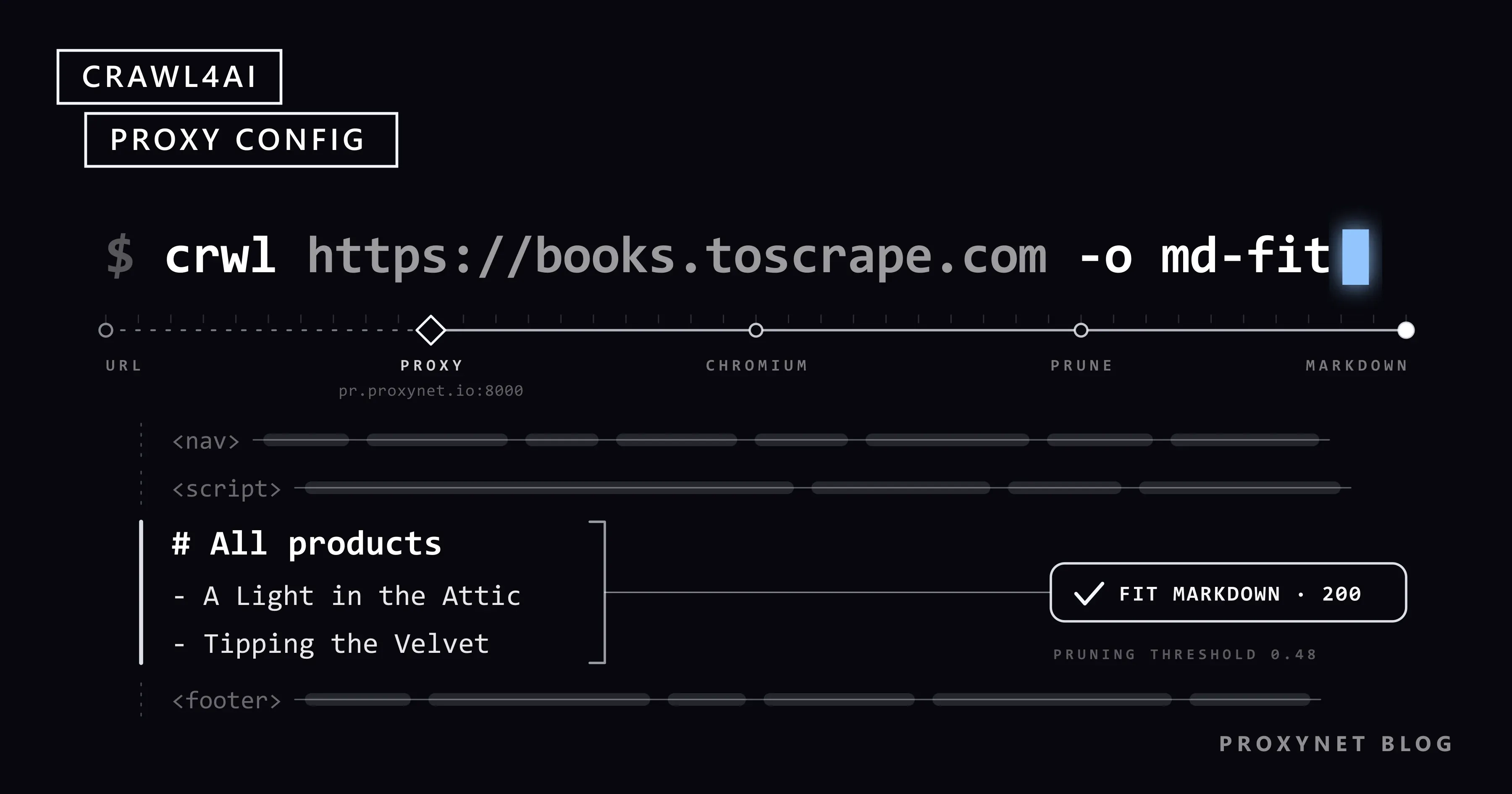
On one of our test pages, the raw Markdown was 1,241 characters and the fit Markdown 712: menu and footer gone, article kept. A cookie notice stayed, because the filter scores text and link density, not meaning; excluded_selector=".cookie" in CrawlerRunConfig removed it.
How do you install Crawl4AI with pip or Docker?
The pip route installs the library and a Chromium build. The Docker route starts a server that other programs call over HTTP.
# Python SDK
pip install -U crawl4ai
crawl4ai-setup      # installs the Playwright browser Crawl4AI uses
crawl4ai-doctor     # runs a test crawl to check the installation

# Docker server: 0.9.0 and later need a token
export CRAWL4AI_API_TOKEN="$(openssl rand -hex 32)"
docker run -d -p 11235:11235 --name crawl4ai --shm-size=1g \
  -e CRAWL4AI_API_TOKEN="$CRAWL4AI_API_TOKEN" \
  unclecode/crawl4ai:0.9.4

curl http://localhost:11235/health    # answers without a token
curl -X POST http://localhost:11235/md \
  -H "Authorization: Bearer $CRAWL4AI_API_TOKEN" \
  -H "Content-Type: application/json" \
  -d '{"url": "https://quotes.toscrape.com/", "f": "fit"}'
The self-hosting guide uses the latest tag; a version tag keeps an image update from changing the server's behaviour unnoticed. The /playground and /dashboard pages have a field for the token at the top.
The three ways of running Crawl4AI differ mainly in where the proxy can go:
| Way | Setup | Where the proxy goes | robots.txt and rate | Suits |
|---|---|---|---|---|
| Python SDK | pip install, crawl4ai-setup | proxy_config in CrawlerRunConfig or BrowserConfig; proxy_rotation_strategy for a list | check_robots_txt, SemaphoreDispatcher, RateLimiter | Any job that needs your own proxy |
| Docker server | docker run with a token, port 11235 | Not in the request (HTTP 400) | check_robots_txt allowed in the request | Calls from other languages, n8n or agents |
crwl CLI | Comes with pip | Browser config file, -B | Crawler config file, -C | One page to Markdown |
How do you get Markdown from your first crawl in Python?
The script opens one page through a proxy, checks robots.txt first and prints the size of both Markdown versions. The proxy address comes from an environment variable, so the password stays out of the code.
"""Crawl one page through a proxy and print its Markdown."""
import asyncio
import os
import sys

from crawl4ai import (
    AsyncWebCrawler,
    BrowserConfig,
    CacheMode,
    CrawlerRunConfig,
    DefaultMarkdownGenerator,
    ProxyConfig,
    PruningContentFilterLXML,
)

URL = sys.argv[1] if len(sys.argv) > 1 else "https://quotes.toscrape.com/"


async def main():
    # PROXY_URL=http://user:pass@pr.proxynet.io:8000, kept out of the code
    proxy = ProxyConfig.from_string(os.environ["PROXY_URL"])

    browser_config = BrowserConfig(
        headless=True,
        user_agent="NorthwindDocsBot/1.0 (+https://example.com/bot)",
    )
    run_config = CrawlerRunConfig(
        proxy_config=proxy,
        check_robots_txt=True,
        cache_mode=CacheMode.BYPASS,
        markdown_generator=DefaultMarkdownGenerator(
            content_filter=PruningContentFilterLXML(threshold=0.48)
        ),
    )

    async with AsyncWebCrawler(config=browser_config) as crawler:
        result = await crawler.arun(URL, config=run_config)

    if not result.success:
        print(f"failed: {result.status_code} {result.error_message}")
        return

    md = result.markdown
    print(f"status {result.status_code}")
    print(f"raw_markdown: {len(md.raw_markdown)} characters")
    print(f"fit_markdown: {len(md.fit_markdown)} characters")
    print(md.fit_markdown[:400])


asyncio.run(main())
On quotes.toscrape.com, a practice site for scraping, it printed:
status 200
raw_markdown: 4375 characters
fit_markdown: 3663 characters
CacheMode.BYPASS fetches the page every time; without it, repeated URLs come from the local cache. Use PruningContentFilterLXML: in 0.9.4 the older PruningContentFilter prints a deprecation warning.
How do you set a proxy in Crawl4AI?
A proxy is a ProxyConfig with server, username and password, and it goes into one of two places:
from crawl4ai import BrowserConfig, CrawlerRunConfig, ProxyConfig

proxy = ProxyConfig(server="http://pr.proxynet.io:8000", username="user", password="pass")

run_config = CrawlerRunConfig(proxy_config=proxy)    # this run only
browser_config = BrowserConfig(proxy_config=proxy)   # every page this browser opens
The official proxy guide recommends CrawlerRunConfig, so each run carries its own proxy. Both worked in our test.
ProxyConfig.from_string() reads http://user:pass@host:port, host:port:user:pass, host:port and socks5://host:port. ProxyConfig.from_env("PROXIES") reads a comma-separated list from an environment variable. The old proxy= parameter still works but prints a deprecation warning.
SOCKS5 with a password does not work. With socks5:// and a username, in either form, our crawl failed with "Browser does not support socks5 proxy authentication". The limit is Chromium's (Playwright with a proxy). Use the proxy's HTTP endpoint, or allow your server's IP in the proxy panel (IP whitelist) and connect without a password (SOCKS vs HTTP proxy).
To check the proxy, crawl a page that shows the visitor's IP.
Rotating or sticky: when do you need RoundRobinProxyStrategy?
It depends on what your proxy address points to.
A rotating gateway is one address, such as pr.proxynet.io:8000, behind which the provider changes the exit IP. With a Rotating Proxy or a rotating Residential Proxy, one ProxyConfig is all Crawl4AI needs. The demo on the official proxy page compares the IP a site saw with ProxyConfig.ip; with a gateway that check always reports a mismatch, because the exit IP is never the gateway's address.
A fixed list of IPs, for example from a Datacenter Proxy or an ISP Proxy plan, is where RoundRobinProxyStrategy helps: each request gets the next proxy in the list. With proxy_session_id, requests with the same ID keep the same proxy until proxy_session_ttl seconds pass:
"""Rotate through a fixed list of proxies, or keep one of them for a whole session."""
import asyncio

from crawl4ai import (
    AsyncWebCrawler,
    BrowserConfig,
    CacheMode,
    CrawlerRunConfig,
    ProxyConfig,
    RoundRobinProxyStrategy,
)

# PROXIES="http://user:pass@203.0.113.10:8000,http://user:pass@203.0.113.11:8000"
strategy = RoundRobinProxyStrategy(ProxyConfig.from_env("PROXIES"))

rotate = CrawlerRunConfig(proxy_rotation_strategy=strategy, cache_mode=CacheMode.BYPASS)
sticky = CrawlerRunConfig(
    proxy_rotation_strategy=strategy,
    proxy_session_id="catalog-1",  # every request with this id gets the same proxy
    proxy_session_ttl=600,         # seconds; after that the session picks a new one
    cache_mode=CacheMode.BYPASS,
)


async def main(base):
    async with AsyncWebCrawler(config=BrowserConfig(headless=True)) as crawler:
        for label, config in (("rotate", rotate), ("sticky", sticky)):
            for page in range(1, 4):
                result = await crawler.arun(f"{base}/catalog?page={page}", config=config)
                print(label, page, result.status_code, config.proxy_config.server)


asyncio.run(main("https://shop.example.com"))
With two local proxies, the rotate requests alternated and the sticky ones kept one proxy. The session parameters are in the 0.9.4 source but not on the proxy documentation page, so recheck them after upgrades.
Keep the two layers apart. Crawl4AI's sticky session picks the same entry from your list; behind a rotating gateway, the exit IP stays fixed only if the provider holds it, as a Sticky Proxy session does for 1 to 60 minutes. The modes are explained in IP rotation, and rotation for plain HTTP clients in how to rotate proxies in Python.
Why can't a Docker request carry a proxy?
Since 0.9.0 the Docker server is secure by default. A request body with proxy or proxy_config gets HTTP 400, as do js_code, headers, cookies, magic and several other fields (0.9.0 migration notes). The reason is server-side request forgery (SSRF): a caller could otherwise send the server's browser through any proxy or to internal addresses.
The notes say to configure such options on the server, but in the 0.9.4 source an egress guard removes any proxy_config, including one in config.yml, and routes Chromium through the server's own filtering proxy. The source also reads an upstream HTTP proxy from CRAWL4AI_UPSTREAM_PROXY or HTTPS_PROXY; this is undocumented, and we could not test it. For your own proxy, run the SDK in your own service.
How do you set robots.txt, rate and concurrency?
check_robots_txt is False by default. We tested the 0.9.4 behaviour against local sites:
- A disallowed path returns status
403, and the page is never requested. - A robots.txt that answers
500counts as "all allowed", as do a 2-second timeout and a network error. RFC 9309 says a crawler must assume complete disallow on server errors. - Rules are cached for 7 days. RFC 9309 says a cached copy should not be used for more than 24 hours;
crawler.robots_parser.clear_cache()empties the cache. - robots.txt is fetched directly from your machine, not through the proxy, with a generic
aiohttpUser-Agent. - Rules are matched against
BrowserConfig.user_agent. The default is a Chrome string, so aDisallowfor your bot's name applies only when yourUser-Agentcarries that name. A path under/privateopened with the default string and returned403withNorthwindDocsBot/1.0.
For sensitive jobs, check robots.txt yourself first (robots.txt, What Is a User Agent?).
The rate is set in the dispatcher. SemaphoreDispatcher(semaphore_count=3) keeps at most three pages open at once (concurrency vs parallelism). RateLimiter waits between requests to one domain, roughly doubles the wait after a 429 or 503 up to max_delay, and shortens it after successes. It does not fetch a refused page again: the result comes back with 429, and the retry is your job. The script below crawls in batches of three and gives refused pages two more rounds:
"""Crawl the pages of one site at a polite pace and save each one as Markdown."""
import asyncio
import os
import re
from pathlib import Path

from crawl4ai import (
    AsyncWebCrawler,
    BrowserConfig,
    CacheMode,
    CrawlerRunConfig,
    DefaultMarkdownGenerator,
    ProxyConfig,
    PruningContentFilterLXML,
    RateLimiter,
    SemaphoreDispatcher,
)

BASE = os.environ.get("DOCS_BASE", "https://docs.example.com")
URLS = [f"{BASE}/docs/{n}" for n in range(1, 13)] + [f"{BASE}/private/report"]
OUT = Path("pages")
BATCH = 3                 # pages open at the same time
PAUSE = 5.0               # seconds between two batches
RETRY_CODES = {429, 503}  # worth another try later
ROUNDS = 3                # first pass plus two retry rounds
ROUND_PAUSE = 60          # seconds before a retry round; doubles each round


def file_name(url):
    return re.sub(r"[^a-z0-9]+", "-", url.lower()).strip("-") + ".md"


async def crawl_round(crawler, urls, run_config, dispatcher):
    """Crawl urls in small batches and return the ones to try again later."""
    retry = []
    for i in range(0, len(urls), BATCH):
        results = await crawler.arun_many(
            urls[i : i + BATCH], config=run_config, dispatcher=dispatcher
        )
        for r in results:
            if r.success and r.status_code == 200:
                (OUT / file_name(r.url)).write_text(r.markdown.fit_markdown, encoding="utf-8")
                print(f"saved  {r.url}")
            elif r.status_code in RETRY_CODES:
                retry.append(r.url)
                print(f"later  {r.status_code} {r.url}")
            else:
                print(f"skip   {r.status_code} {r.url}: {r.error_message}")
        await asyncio.sleep(PAUSE)
    return retry


async def main():
    OUT.mkdir(exist_ok=True)
    browser_config = BrowserConfig(
        headless=True,
        user_agent="NorthwindDocsBot/1.0 (+https://example.com/bot)",
    )
    run_config = CrawlerRunConfig(
        proxy_config=ProxyConfig.from_string(os.environ["PROXY_URL"]),
        check_robots_txt=True,
        cache_mode=CacheMode.BYPASS,
        page_timeout=30000,
        markdown_generator=DefaultMarkdownGenerator(
            content_filter=PruningContentFilterLXML(threshold=0.48)
        ),
    )
    # One dispatcher for the whole run: the RateLimiter keeps the slower pace it learns from 429s
    dispatcher = SemaphoreDispatcher(
        semaphore_count=BATCH,
        rate_limiter=RateLimiter(base_delay=(1.0, 3.0), max_delay=60.0, max_retries=3),
    )

    pending = list(URLS)
    async with AsyncWebCrawler(config=browser_config) as crawler:
        for round_no in range(ROUNDS):
            if round_no:
                wait = ROUND_PAUSE * 2 ** (round_no - 1)
                print(f"round {round_no + 1}: {len(pending)} pages again in {wait} s")
                await asyncio.sleep(wait)
            pending = await crawl_round(crawler, pending, run_config, dispatcher)
            if not pending:
                break

    print(f"done, {len(pending)} pages still refused")


asyncio.run(main())
We pointed DOCS_BASE at a local site that answers every fourth request under /docs/ with 429 and disallows /private, and set ROUND_PAUSE to 5 seconds for the test. Shortened output:
saved  http://192.168.1.2:28130/docs/1
saved  http://192.168.1.2:28130/docs/2
saved  http://192.168.1.2:28130/docs/3
later  429 http://192.168.1.2:28130/docs/4
...
later  429 http://192.168.1.2:28130/docs/11
saved  http://192.168.1.2:28130/docs/12
skip   403 http://192.168.1.2:28130/private/report: Access denied by robots.txt
round 2: 3 pages again in 5 s
saved  http://192.168.1.2:28130/docs/4
saved  http://192.168.1.2:28130/docs/9
saved  http://192.168.1.2:28130/docs/11
done, 0 pages still refused
Crawl4AI's own log also prints "Blocked by anti-bot protection: HTTP 429 Too Many Requests" for each refused page. Handling a real Retry-After header is covered in HTTP status codes in web scraping.
What is the difference between Crawl4AI and Firecrawl?
Both turn pages into Markdown for language models; they differ in how you run them.
| Crawl4AI | Firecrawl | |
|---|---|---|
| License | Apache 2.0 plus an attribution requirement | AGPL-3.0 |
| Main form | A Python library; optional Docker server | A hosted API; self-hosting possible |
| Self-hosted parts | One container | API, workers, Playwright, Redis, RabbitMQ, PostgreSQL |
| Cost | Your server, proxy and any LLM | API plan, or your own servers |
Firecrawl's self-hosting guide notes that the self-hosted API has no authentication by default. Crawl4AI suits a Python team that wants to run its own crawls and proxies.
How do you use Crawl4AI with MCP and n8n?
The Docker server exposes MCP at /mcp/sse and /mcp/ws, with the tools md, html, screenshot, pdf, execute_js, crawl and ask. The guide's Claude Code command has no token, but the MCP endpoints sit behind the same token check as the API, so add the header:
claude mcp add --transport sse c4ai-sse http://localhost:11235/mcp/sse \
  --header "Authorization: Bearer $CRAWL4AI_API_TOKEN"
WebSocket clients that cannot set headers can pass ?token=. The protocol is explained in What Is MCP?, and giving an agent a full browser in Playwright MCP.
In n8n, an HTTP Request node sends POST /md with the Bearer header and a body such as {"url": "https://quotes.toscrape.com/", "f": "fit"}; the page comes back in the markdown field (n8n web scraping).
Use cases
- Documentation for RAG: product docs as Markdown for a retrieval index, behind the checks in safe web access for LLMs.
- Clean input for agents: fit Markdown instead of raw HTML (agentic web scraping).
- Price checks: product pages turned into JSON with a CSS schema (price monitoring).
- Your own site's inventory: every page and link, for content audits and broken links (web crawler).
- Catalogue data: names, specs and prices from public catalogue pages (data scraping).
Common mistakes
docker runwithout a token, or-e CRAWL4AI_API_TOKENwithout a value: "connection reset" from a healthy-looking container.proxy_configin a REST request: the server answers400.socks5://with a password: Chromium refuses it.- A rotating gateway listed several times in
RoundRobinProxyStrategy: the gateway already rotates. - Expecting
fit_markdownwithout acontent_filter: it stays empty. - Assuming robots.txt is checked: it is off by default, and a robots.txt that fails to load counts as "allow".
- High concurrency without a
RateLimiter: ten parallel pages on a small site look like a burst, and429answers follow. - Switching IPs to push a site that said
429: slow down instead (how bot detection works).
Stealth mode, "magic" mode and the anti-bot fallback features in the documentation are outside this guide, and we do not recommend them.
Decision guide
| Need | Recommendation |
|---|---|
| A few docs pages as clean text for an LLM | pip install, arun() with PruningContentFilterLXML |
| A different exit IP on every request | One ProxyConfig with a rotating residential gateway |
| The same IP through a multi-step flow | A provider sticky session, plus proxy_session_id for a list |
| A fixed list of IPs | ProxyConfig.from_env("PROXIES") with RoundRobinProxyStrategy |
| Crawling from n8n, another language or an agent | A Docker server with a token; proxy work stays in the SDK |
| Hundreds of pages without straining the site | Small batches, RateLimiter, check_robots_txt=True |
| No infrastructure to run | A hosted API such as Firecrawl |
Frequently asked questions
Is Crawl4AI free?
Yes, the library is free under the Apache 2.0 license. Its LICENSE file adds a requirement to credit the project in public uses, for example in a README or an "About" page. Your costs are the server, the proxy and any language model you call.
Which Python version does Crawl4AI need?
Python 3.10 or newer, according to PyPI. We tested version 0.9.4 with Python 3.13.
Does Crawl4AI work with a local LLM such as Ollama?
Markdown output needs no language model. For LLM extraction, the documentation shows LLMConfig(provider="ollama/llama3.3") for a local Ollama model, without an API key.
What is the difference between Crawl4AI and Scrapy?
Scrapy sends plain HTTP requests and runs no JavaScript by default; Crawl4AI renders every page in Chromium and returns Markdown. Scrapy fits large crawls of static HTML (Scrapy with a proxy); Crawl4AI fits pages that go to a language model. A crawler with a queue and a depth limit, built on Requests and BeautifulSoup without a browser or a framework, is covered step by step in How to Build a Web Crawler in Python.
Can I use Crawl4AI from Node.js or another language?
The library itself is Python. From other languages, call the Docker server's REST API, for example POST /md with the token in the header.
What should I do when a site blocks Crawl4AI?
Slow down first: fewer parallel pages, longer delays, and a pause after every 429. Check robots.txt and the site's terms, and look for an official API or feed. If the site still refuses, stop; the legal side is in Is Data & Web Scraping Legal?.
Summary
Crawl4AI turns pages into Markdown a language model can read. For proxy work use the SDK: one ProxyConfig for a rotating gateway, RoundRobinProxyStrategy for a fixed list, no password on SOCKS5. The Docker server needs a token and accepts no proxy in the request. Turn on check_robots_txt, send an honest User-Agent and let a RateLimiter set the pace. For exits in many countries or a fixed address, see our proxy services.