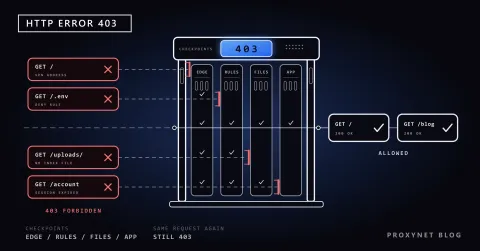
Your script reads 2,000 product pages every night. The first 300 come back fine, then the responses turn into 429 Too Many Requests, and a few minutes later every request gets a 403. Nothing in the code changed; the site counted the requests from your address and decided that no visitor behaves that way. A rotating proxy is the standard answer, but wired in badly it creates new problems: the IP does not change when you expect, a login breaks halfway, or twenty workers turn a polite scraper into a flood.
This tutorial builds the setup in Python from end to end: why one IP gets rate-limited, how a rotating gateway assigns exits, the proxies dictionary in requests, session reuse and why it silently stops rotation, retries that honour Retry-After, a thread pool and an httpx/asyncio variant, the per-request versus sticky choice, exit-IP checks and the limits you keep. Every snippet ran on 29 September 2026 with Python 3.13.9, requests 2.34.2, httpx 0.28.1 and tenacity 9.1.4. The concept pieces are What Is IP Rotation and How to Scrape Websites Without Getting Blocked; this post is the code.
Why does a single IP get 429 or 403?
Sites count requests per client, and the easiest client identifier is the source IP. A rate limiter keeps a counter per address in a window and, when the counter passes the threshold, answers with 429 Too Many Requests. RFC 6585, section 4 defines the code for this case and says the response may carry a Retry-After header telling you how long to wait. The counting algorithms are in 429 Too Many Requests Explained.
A 403 after repeated 429s is a different layer: the limiter told you to slow down, you did not, and a rule moved your address to a block list that outlives your script. Rotating exits spreads requests over many addresses so that no single one crosses the threshold, but it is not a substitute for slowing down: send 600 requests a minute from ten addresses to a site that allows 60 and you get ten blocked addresses instead of one.
How does a rotating proxy gateway work?
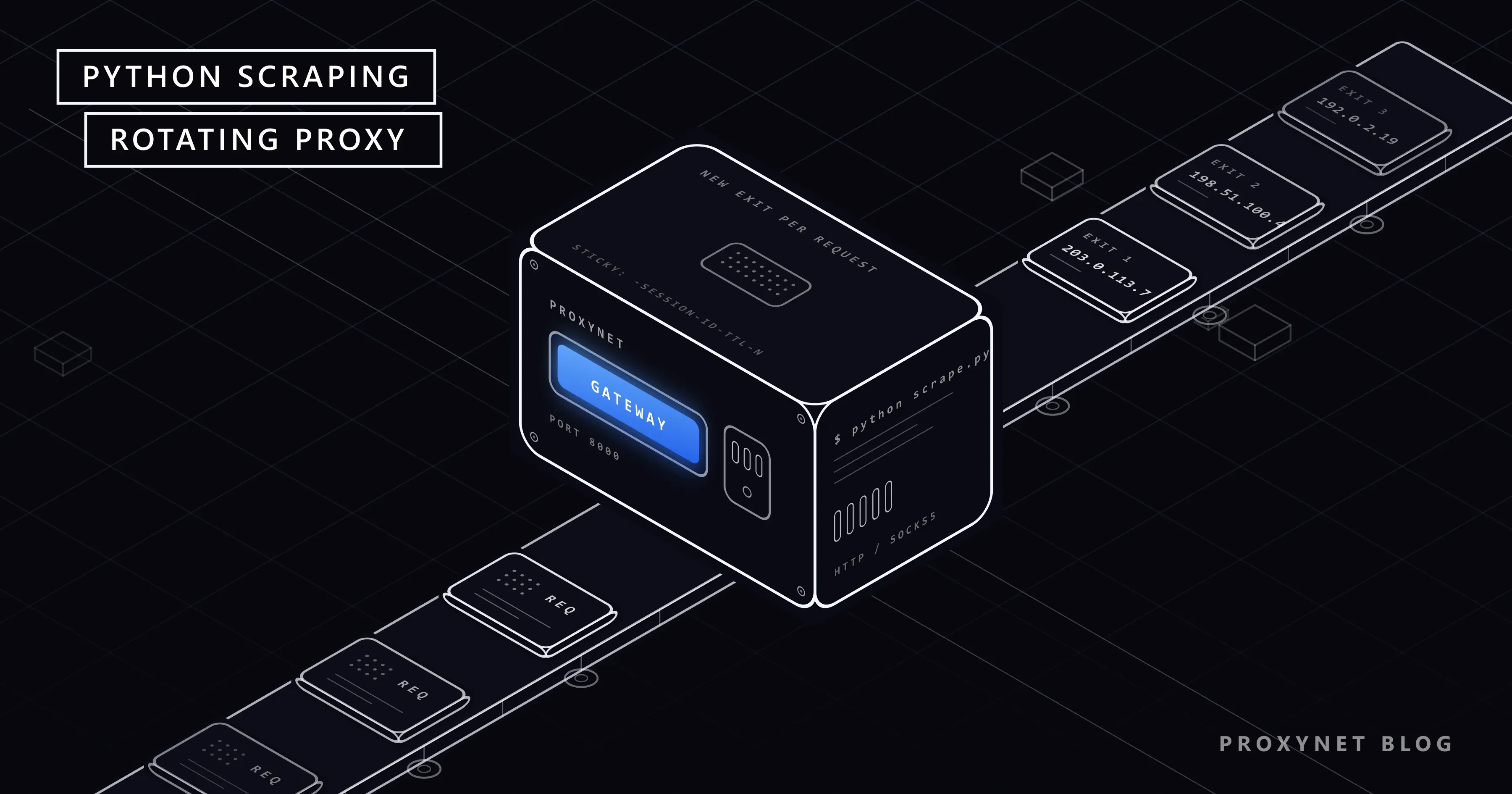
In the gateway (backconnect) model your code knows one address, pr.proxynet.io:8000 in the examples, and the provider manages the pool behind it. An HTTPS request takes this path:
- Your client opens a TCP connection to the gateway and sends
CONNECT target:443with aProxy-Authorization: Basic ...header built fromuser:pass. - The gateway reads the username. Anything after your account part is a parameter:
-country-trfilters the pool to one country,-session-<id>-ttl-<seconds>asks for a sticky session. - The gateway picks an exit from the filtered pool: a fresh one for every new tunnel in per-request mode, or the exit already bound to your session ID in sticky mode.
- The tunnel is established, TLS runs between your client and the target, and the target sees the exit's IP.
- When the tunnel closes, the binding is gone. The next connection gets a new exit unless a session ID is holding one.
Step 3 is the whole story of this tutorial. The unit of rotation is the tunnel, not the HTTP request: as long as one CONNECT tunnel stays open, every request through it leaves from the same exit. That is why keep-alive, which every modern client turns on by default, changes what "per request" means in practice. The product side is on the Rotating Proxy page; the exits here come from a Residential Proxy pool, so the target sees an ordinary home address. The panel generates the real username (proxynet-xxxxxxxx-country-tr-session-…-ttl-1800); below it is shortened to user.
Per-request rotation vs sticky session vs static IP
| Per-request rotation | Sticky session | Static IP | |
|---|---|---|---|
| What changes the IP | Every new connection | The session ID changing or the TTL running out (1 to 60 minutes) | Nothing; the address is yours |
| Username | user | user-session-<id>-ttl-<seconds> | Separate product, fixed host:port |
| Cookies and logins | Break; the site sees one cookie from many cities | Preserved for the TTL | Preserved indefinitely |
| Cost per request | New TCP and TLS handshake each time | Handshake once, then keep-alive | Handshake once, then keep-alive |
| Parallel workers | Each connection gets its own exit | One ID per worker, one exit per ID | As many exits as addresses you rent |
| Typical job | Independent product or listing pages | Login, cart, multi-page pagination | API allowlists, long-lived accounts |
Sticky is a request to hold the exit, not a guarantee; a residential device can go offline and the gateway moves the session early. The product behaviour is on the Sticky Proxy page.
Setting up requests: the proxies dictionary
The requests documentation on proxies recommends passing proxies explicitly on each request, because values set on session.proxies can be overridden by HTTP_PROXY and HTTPS_PROXY environment variables. The keys are the scheme of the target URL, and both point at the same http:// gateway address, since HTTPS traffic is tunnelled:
import os
import requests

# The panel generates this string; keep it in an environment variable, not in git.
GATEWAY = os.environ.get("PROXY_URL", "http://user:pass@pr.proxynet.io:8000")
PROXIES = {"http": GATEWAY, "https": GATEWAY}
HEADERS = {"User-Agent": "price-monitor/1.0 (+mailto:you@example.com)"}

resp = requests.get("https://httpbin.org/ip", proxies=PROXIES, headers=HEADERS, timeout=(5, 30))
print(resp.status_code, resp.json())
The timeout tuple sets a 5-second connect and a 30-second read limit; without it a stalled exit hangs a worker forever. The User-Agent names your script and gives the site owner a way to reach you, which What Is a User Agent recommends over pretending to be a browser. The credentials live in an environment variable because the same documentation warns against version-controlled files. For SOCKS5 install requests[socks] and use socks5h://user:pass@pr.proxynet.io:1080; the h makes the proxy resolve DNS, and the SOCKS5 port rotates the same way.
Session reuse: why the IP did not change
A requests.Session reuses the TCP connection, which behind a proxy means it reuses the tunnel and therefore the exit. We measured this with a local test proxy that logs every CONNECT:
Three GETs to the same host | Tunnels opened | Exits assigned (one per tunnel) |
|---|---|---|
requests.get(...) three times, no session | 3 | 3 |
One Session, three s.get(...) | 1 | 1 |
One Session, headers={"Connection": "close"} | 3 | 3 |
One httpx.AsyncClient, three sequential await client.get(...) | 1 | 1 |
The rule follows: for per-request rotation, call requests.get without a session or send Connection: close; for sticky work, use a Session and a session ID together, because a dropped connection would otherwise reassign the exit.
Retries with backoff that honour Retry-After
Two things fail behind a rotating gateway: the network (an exit drops, the tunnel is refused, a read times out) and the target (a 429 or a 5xx). Both deserve a retry, but not the same wait. A 429 may carry the site's own number in Retry-After, and that number wins. Everything else gets exponential backoff with jitter, so four workers that failed together do not retry together:
import logging
import random
import time

import requests

MAX_ATTEMPTS = 4         # first try + 3 retries
RETRY_STATUS = {429, 500, 502, 503, 504}
TIMEOUT = (5, 30)        # connect, read - seconds
log = logging.getLogger("scraper")


def backoff(attempt: int) -> float:
    """1, 2, 4, 8 s ... plus jitter so that workers do not retry in lockstep."""
    return min(2 ** (attempt - 1), 30) + random.uniform(0, 1)


def fetch(url: str) -> requests.Response:
    """GET one URL with retries. Raises after the last failed attempt."""
    for attempt in range(1, MAX_ATTEMPTS + 1):
        try:
            resp = requests.get(url, proxies=PROXIES, headers=HEADERS, timeout=TIMEOUT)
        except (requests.ConnectionError, requests.Timeout) as exc:
            # Includes ProxyError: the gateway refused or dropped the tunnel.
            log.warning("attempt %d/%d %s: %s", attempt, MAX_ATTEMPTS, url, exc.__class__.__name__)
            if attempt == MAX_ATTEMPTS:
                raise
            time.sleep(backoff(attempt))
            continue

        if resp.status_code not in RETRY_STATUS:
            return resp  # 200, 404, 301 ... let the caller decide

        # The site asked us to slow down. Its own number wins over our schedule.
        retry_after = resp.headers.get("Retry-After")
        wait = float(retry_after) if retry_after and retry_after.isdigit() else backoff(attempt)
        log.warning("attempt %d/%d %s: HTTP %d, sleeping %.1fs", attempt, MAX_ATTEMPTS, url, resp.status_code, wait)
        if attempt == MAX_ATTEMPTS:
            resp.raise_for_status()
        time.sleep(wait)
    raise RuntimeError("unreachable")
requests.ProxyError is a subclass of ConnectionError, so a gateway that answers the CONNECT with an error is retried on a new tunnel, which in per-request mode means a new exit. A 404 is returned as-is: the page is gone, and another address will not bring it back.
The same policy as a tenacity decorator is shorter, at the price of turning Retry-After into an exception so that tenacity's schedule applies instead of the header:
from tenacity import retry, retry_if_exception_type, stop_after_attempt, wait_exponential_jitter


class RetryableStatus(Exception):
    """Raised for 429 and 5xx so that tenacity retries them like a network error."""


@retry(
    stop=stop_after_attempt(4),
    wait=wait_exponential_jitter(initial=1, max=20),
    retry=retry_if_exception_type((requests.ConnectionError, requests.Timeout, RetryableStatus)),
    reraise=True,
)
def fetch_with_tenacity(url: str) -> requests.Response:
    resp = requests.get(url, proxies=PROXIES, headers=HEADERS, timeout=TIMEOUT)
    if resp.status_code in RETRY_STATUS:
        raise RetryableStatus(f"HTTP {resp.status_code} for {url}")
    return resp
Against https://httpbin.org/status/503 it retried after 1.5, 2.8 and 4.8 seconds and then raised RetryableStatus.
A complete scraper: thread pool, retries and logging
ThreadPoolExecutor runs four fetch calls at once, as_completed hands results back as they finish, and one failing page is logged without stopping the run. Save it as scrape.py:
"""scrape.py - fetch a list of pages through a rotating proxy gateway."""
import logging
import os
import random
import sys
import time
from concurrent.futures import ThreadPoolExecutor, as_completed

import requests

GATEWAY = os.environ.get("PROXY_URL", "http://user:pass@pr.proxynet.io:8000")
PROXIES = {"http": GATEWAY, "https": GATEWAY}
HEADERS = {"User-Agent": "price-monitor/1.0 (+mailto:you@example.com)"}

MAX_WORKERS = 4          # requests in flight at the same time
MAX_ATTEMPTS = 4
RETRY_STATUS = {429, 500, 502, 503, 504}
TIMEOUT = (5, 30)

log = logging.getLogger("scraper")


def backoff(attempt: int) -> float:
    return min(2 ** (attempt - 1), 30) + random.uniform(0, 1)


def fetch(url: str) -> requests.Response:
    # the retry loop from the previous section, unchanged
    ...


def scrape(url: str) -> dict:
    started = time.monotonic()
    resp = fetch(url)
    return {
        "url": url,
        "status": resp.status_code,
        "bytes": len(resp.content),
        "seconds": round(time.monotonic() - started, 2),
    }


def main(urls: list[str]) -> None:
    logging.basicConfig(level=logging.INFO, format="%(asctime)s %(levelname)s %(message)s")
    results, failed = [], []
    with ThreadPoolExecutor(max_workers=MAX_WORKERS) as pool:
        futures = {pool.submit(scrape, url): url for url in urls}
        for future in as_completed(futures):
            url = futures[future]
            try:
                row = future.result()
                results.append(row)
                log.info("ok   %s -> %d in %.1fs", url, row["status"], row["seconds"])
            except Exception as exc:  # one bad page must not stop the run
                failed.append((url, repr(exc)))
                log.error("fail %s -> %s", url, exc)
    log.info("done: %d ok, %d failed", len(results), len(failed))
    for row in results:
        print(row)


if __name__ == "__main__":
    targets = sys.argv[1:] or [f"https://httpbin.org/ip?n={i}" for i in range(8)]
    main(targets)
We ran it through a local test proxy that rejects every third tunnel with 429 to exercise the retry path. Eight URLs, four workers, eight tunnels, three injected failures, zero lost pages:
03:32:27 WARNING attempt 1/4 https://httpbin.org/ip?n=2: ProxyError
03:32:28 INFO ok   https://httpbin.org/ip?n=3 -> 200 in 1.1s
03:32:28 INFO ok   https://httpbin.org/ip?n=1 -> 200 in 1.1s
03:32:28 INFO ok   https://httpbin.org/ip?n=0 -> 200 in 1.1s
03:32:28 WARNING attempt 1/4 https://httpbin.org/ip?n=5: ProxyError
03:32:29 INFO ok   https://httpbin.org/ip?n=4 -> 200 in 0.9s
03:32:29 WARNING attempt 1/4 https://httpbin.org/ip?n=7: ProxyError
03:32:29 INFO ok   https://httpbin.org/ip?n=6 -> 200 in 0.9s
03:32:30 INFO ok   https://httpbin.org/ip?n=2 -> 200 in 2.6s
03:32:31 INFO ok   https://httpbin.org/ip?n=5 -> 200 in 2.4s
03:32:31 INFO ok   https://httpbin.org/ip?n=7 -> 200 in 2.0s
03:32:31 INFO done: 8 ok, 0 failed
The log is part of the design: URL, attempt number, status or exception class and the wait on every line is enough to tell "the site is rate-limiting us" from "the gateway is dropping tunnels" without re-running anything. Four workers is deliberately low; concurrency multiplies your request rate, and the rate is what the target measures. Write the results rows out the way Saving Scraped Data to CSV, JSON and SQLite shows; the parsing step between resp.text and a row is in How to Extract Data From a Website.
The same job with httpx and asyncio
httpx takes the proxy on the client, per the httpx proxy documentation. A Semaphore replaces the thread pool as the concurrency cap; the retry loop keeps its shape, only the sleeps become await:
import asyncio
import random

import httpx

MAX_IN_FLIGHT = 4


async def fetch(client: httpx.AsyncClient, url: str) -> httpx.Response:
    for attempt in range(1, MAX_ATTEMPTS + 1):
        try:
            resp = await client.get(url)
        except (httpx.TransportError, httpx.ProxyError) as exc:
            log.warning("attempt %d/%d %s: %s", attempt, MAX_ATTEMPTS, url, exc.__class__.__name__)
            if attempt == MAX_ATTEMPTS:
                raise
            await asyncio.sleep(2 ** (attempt - 1) + random.uniform(0, 1))
            continue
        if resp.status_code not in RETRY_STATUS:
            return resp
        retry_after = resp.headers.get("Retry-After")
        wait = float(retry_after) if retry_after and retry_after.isdigit() else 2 ** (attempt - 1) + random.uniform(0, 1)
        log.warning("attempt %d/%d %s: HTTP %d, sleeping %.1fs", attempt, MAX_ATTEMPTS, url, resp.status_code, wait)
        if attempt == MAX_ATTEMPTS:
            resp.raise_for_status()
        await asyncio.sleep(wait)
    raise RuntimeError("unreachable")


async def main(urls: list[str]) -> None:
    gate = asyncio.Semaphore(MAX_IN_FLIGHT)
    async with httpx.AsyncClient(proxy=GATEWAY, headers=HEADERS, timeout=httpx.Timeout(30, connect=5)) as client:

        async def one(url: str):
            async with gate:
                resp = await fetch(client, url)
                return {"url": url, "status": resp.status_code}

        rows = await asyncio.gather(*(one(u) for u in urls), return_exceptions=True)
    for url, row in zip(urls, rows):
        print("FAIL" if isinstance(row, Exception) else "ok  ", url, row)


asyncio.run(main([f"https://httpbin.org/ip?n={i}" for i in range(8)]))
One client means one connection pool, and pooled connections reuse tunnels: with four requests in flight and eight URLs, our run opened four tunnels, so pairs of pages shared an exit. If every page must leave from its own address, send headers={"Connection": "close"}; if a group of pages must share one, that is a sticky session, not an accident of pooling. Which library fits which job is in HTTPX vs. Requests vs. AIOHTTP.
Choosing per-request or sticky, and verifying the exit IP
Decide per job. Product pages, search listings and public profiles are independent: per-request rotation, no session object. A login followed by twenty paginated pages is one conversation: one Session for cookies, one session ID for the exit, one worker. A cookie jar that stays while the IP changes is the most common way to get logged out mid-run; the login side is built in Sessions and Cookies in Python.
Before trusting either mode, ask an echo service which address it sees: three calls without a session should return three different addresses, three with the same session ID the same one:
import uuid
import requests

HOST = "pr.proxynet.io:8000"
USER, PASSWORD = "user", "pass"
ECHO = "https://httpbin.org/ip"


def proxies_for(username: str) -> dict:
    url = f"http://{username}:{PASSWORD}@{HOST}"
    return {"http": url, "https": url}


print("per request:")
for _ in range(3):  # no Session, so every call opens a new tunnel
    print("  ", requests.get(ECHO, proxies=proxies_for(USER), timeout=20).json()["origin"])

sid = uuid.uuid4().hex[:8]
sticky = proxies_for(f"{USER}-session-{sid}-ttl-600")  # same exit for up to 600 s
print(f"sticky {sid}:")
with requests.Session() as s:
    for _ in range(3):
        print("  ", s.get(ECHO, proxies=sticky, timeout=20).json()["origin"])
Run this at the start of a job and log the result. If "per request" prints the same address three times, look at connection reuse first; if "sticky" prints three different ones, the session ID is not reaching the gateway, usually because a URL-encoding step mangled the username.
Rate limits, robots.txt and the limits you keep
A rotating proxy changes which address the site sees, not what the site allows:
- Read robots.txt first.
urllib.robotparseranswerscan_fetch(user_agent, url)in three lines; a disallowed path stays out of the URL list. What the file can express is in What Is robots.txt. - Take
Retry-Afterliterally. The retry loop sleeps for the site's number even when rotation would let you carry on from another exit. - Cap the rate, not just the workers. Four workers with no delay can still send 40 requests a second on a fast site; add a small
time.sleepper worker if the site publishes a limit. - Prefer the official API when there is one; it is cheaper for both sides than parsing HTML through a proxy.
- No CAPTCHA-solving services or detection-evasion plugins. A CAPTCHA means the site wants a human; the answer is a lower rate, the API or asking for access.
Where this setup is used
- Price monitoring. Thousands of independent product pages a day, per-request rotation, four to eight workers; pool sizing is on the data scraping page.
- Logged-in dashboards you own. One sticky session per account, one worker, cookies persisted between runs as in Sessions and Cookies in Python.
- Replacing a hand-rolled proxy list. Rotating through a list in code, as in How to Rotate Proxies in Python, is the older approach; the gateway removes the list and the dead-address bookkeeping.
Common mistakes
- Reusing a
Sessionand expecting a new IP per page. One tunnel, one exit. Drop the session or sendConnection: close. - A sticky ID without a
Session. The exit is pinned, but every call pays a new handshake and cookies are lost. Use both together. - Retrying a
404. The page is gone; another exit will not find it. Retry only429,5xxand network errors. - No timeout. A stalled exit blocks a worker until the process is killed. Always pass
timeout=(5, 30). - Credentials in the script. They end up in git history. Read them from the environment.
Decision guide
| Need | Recommendation |
|---|---|
| Many independent pages, no login | Per-request rotation, requests.get without a session, 4 workers to start |
| Login then many pages | Sticky session (-session-<id>-ttl-<seconds>) plus one requests.Session, one worker per account |
| Thousands of small requests, I/O bound | httpx AsyncClient with a Semaphore; Connection: close if each must have its own exit |
| The site publishes a rate limit | Set workers and delays under that limit first, rotation second |
| Country-specific prices | -country-xx in the username, per-request rotation inside that country |
| The address must never change (API allowlist) | Not a rotating product; use a static IP |
Frequently asked questions
Why does the IP not change on every request?
Because your client reuses the connection. requests' Session and httpx's Client keep the TCP connection, and therefore the proxy tunnel, open between requests; the exit is chosen when the tunnel is opened. Use plain requests.get calls or a Connection: close header for a new exit per request.
How do I use a sticky session in Python?
Append -session-<id>-ttl-<seconds> to the username in the proxy URL, keep the same ID for the whole conversation and make the calls through one requests.Session so cookies and the tunnel are reused. The TTL can be anything from 1 to 60 minutes; pick a value longer than the job.
Should I use requests or httpx for scraping with proxies?
For a few hundred pages a night, requests with a thread pool is enough and easier to debug. For tens of thousands of small requests, httpx's async client with a Semaphore uses fewer resources. Both take the same gateway URL and the same retry logic.
How many concurrent workers are safe?
Start at four and watch the responses. What matters is requests per minute as seen by the target, so the answer depends on the site's limit, not on the pool size. If 429s appear at four, lower the number or add a delay.
Does a rotating proxy get around a 429?
It spreads requests over more addresses so that each stays under the threshold; it does not remove the threshold. If the site set a limit, honour Retry-After, lower the rate or use the API. Rotating faster past a 429 is how addresses end up on block lists.
How do I verify that the proxy is working?
Request an IP echo endpoint such as https://httpbin.org/ip through the proxy and compare the answer with your own address: three times without a session to see rotation, three times with a session ID to see stickiness.
Summary
A rotating proxy in Python is one gateway URL in a proxies dictionary, a retry loop that respects Retry-After, a cap of a few workers and a clear rule for when a page may share an exit with the last one. Keep the session object and the session ID together for logged-in work, keep both away from independent pages, and check the exit IP before the first real run. The pool behind the gateway is on the proxy page.