


































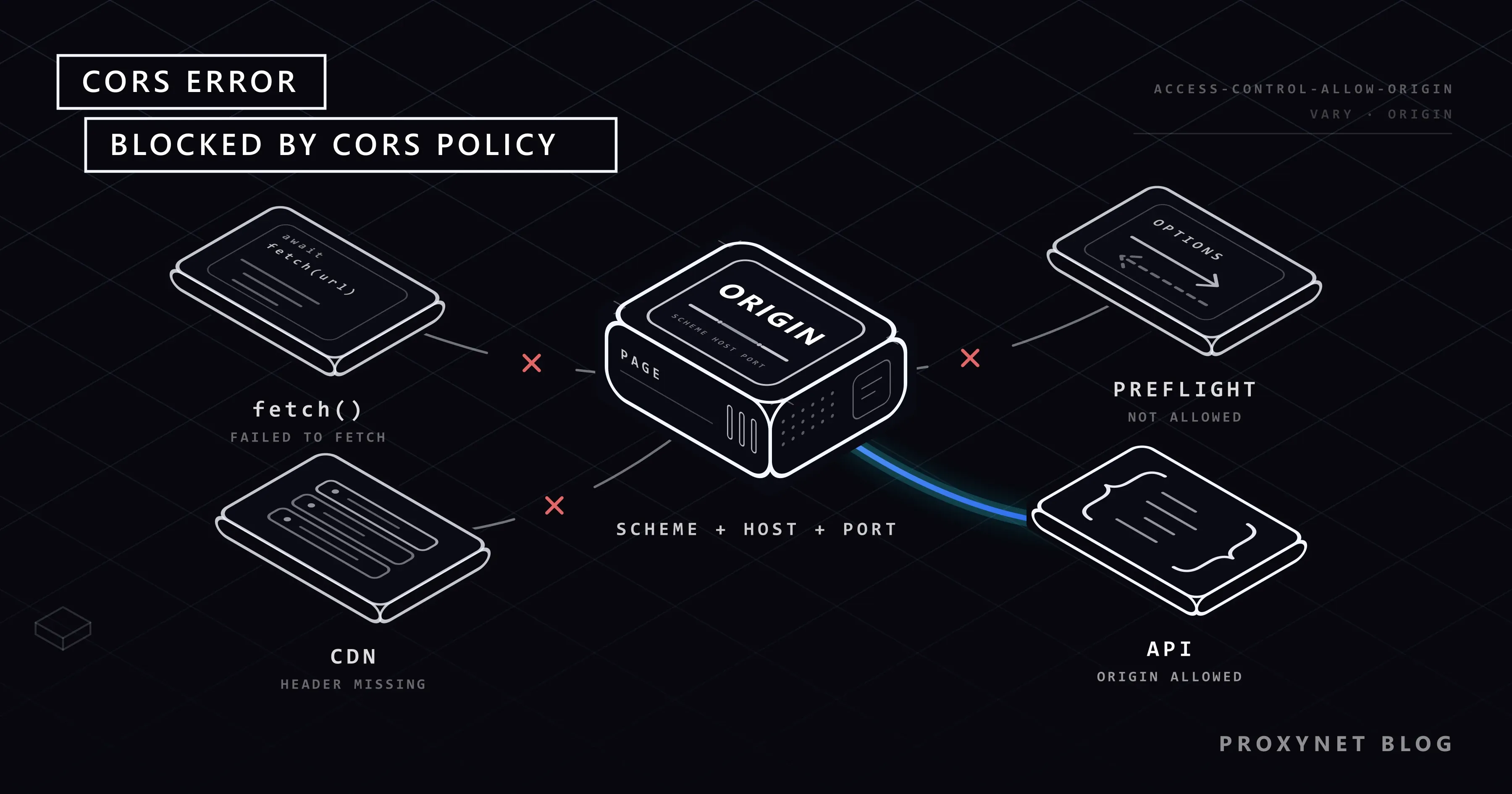
Your front end runs on http://localhost:5173 and your API on http://localhost:3001. The API returns JSON in curl and Postman, but in the browser fetch() throws TypeError: Failed to fetch and the console prints: Access to fetch at 'http://localhost:3001/api/products' from origin 'http://localhost:5173' has been blocked by CORS policy: No 'Access-Control-Allow-Origin' header is present on the requested resource. Yet the API's log shows the request arrived and was answered with 200.
Below: what an origin is, why the browser blocks the response, simple versus preflight requests, every Chrome message, tested fixes for Express, Flask and Vite, a backend route for APIs you do not control, and why scraping code never sees CORS.
What is a CORS error?
It is the browser refusing to give a response to your script. CORS, Cross-Origin Resource Sharing, is a set of HTTP response headers with which a server tells the browser which other origins may read its responses. The Fetch Standard defines it as opt-in, so that data behind a firewall or a login does not leak to other sites by default. Without matching headers, the browser applies its default rule, the same-origin policy, and blocks the read.
Three things follow. The server's logs look normal, because the browser produced the error. Your code gets only a generic failure, TypeError: Failed to fetch from fetch() or AxiosError: Network Error (code ERR_NETWORK) from Axios, and the reason appears only in the console. And the fix belongs on the server that answers, not in the code that asks.
What is an origin, and what does the same-origin policy block?
An origin is the scheme, host and port of a URL. Two URLs share an origin only when all three match:
http://localhost:5173andhttp://localhost:3001: different ports, different origins.http://example.comandhttps://example.com: different schemes.https://example.comandhttps://api.example.com: different hosts; a subdomain is its own origin.https://example.com/shopandhttps://example.com/api: same origin; the path does not count.
The same-origin policy still lets a page embed images, scripts and stylesheets from other sites, link to them and submit forms to them. What it stops is reading: a script cannot read a response from another origin unless that origin allows it (MDN: Same-origin policy). CORS is how the server grants that permission.
How does a cross-origin request work, step by step?
- Your page at origin A calls
fetch()for a URL at origin B. - The browser checks whether the request is "simple". If not, it sends a preflight first (next section).
- It adds an
Originheader, such asOrigin: http://localhost:5173. Scripts cannot set or remove it. - The server runs its code and answers. Whatever the code did has already happened.
- The browser compares the response's
Access-Control-Allow-Originwith the page's origin. It accepts an exact match, or*when no credentials were sent. - On a match your code gets the response; otherwise the browser discards it, the promise rejects, and the console names the reason.
Step 4 is the one people miss: CORS does not keep requests away from the server, and curl, scripts and other servers skip step 5 entirely. It protects visitors, so that a page they open cannot read their data on other sites with their cookies; it does not protect your API.
Simple and preflight requests: why GET works but POST fails
A request is "simple" when it uses GET, HEAD or POST and only safelisted headers: Accept, Accept-Language, Content-Language, Range, and Content-Type with application/x-www-form-urlencoded, multipart/form-data or text/plain. Anything else gets a preflight: an OPTIONS request carrying Access-Control-Request-Method and Access-Control-Request-Headers, after which the browser sends the real request only if the answer allows it (MDN: CORS). A JSON body, an Authorization header, PUT, PATCH, DELETE or a custom header like X-Request-ID all trigger one.
We sent a simple GET and a POST with a JSON body from a page on port 5173 to an API on port 3001 that sends no CORS headers. The API logged:
[no-cors-api] GET /api/products origin=http://localhost:5173
[no-cors-api] OPTIONS /api/products origin=http://localhost:5173
The GET was answered with 200 and the data, and the browser still blocked it. Of the POST, only the preflight arrived; it failed, so the POST was never sent. A simple cross-origin POST, such as a form-encoded one, does reach the server and run even though the page sees an error, so protect such actions with authentication and CSRF tokens, not CORS.
Access-Control-Max-Age lets the browser cache a preflight answer. The Fetch Standard default is 5 seconds; Chromium caps the value at 2 hours, Firefox at 24 hours.
What does each "blocked by CORS policy" message mean?
Every Chrome message starts with Access to fetch at '<URL>' from origin '<your origin>' has been blocked by CORS policy:, or Access to XMLHttpRequest at for Axios and XMLHttpRequest. The text after the colon is the cause. The first five rows below appeared word for word in our test with a Chromium 152 browser; the rest come from Chromium's source code.
| Message after "blocked by CORS policy:" | Meaning | Fix |
|---|---|---|
No 'Access-Control-Allow-Origin' header is present on the requested resource. | No CORS header: not set up, or an error page answered | Allow your origin; check the real status |
Response to preflight request doesn't pass access control check: No 'Access-Control-Allow-Origin' header is present… | The OPTIONS answer had no CORS header; the real request was not sent | Answer OPTIONS with CORS headers |
The value of the 'Access-Control-Allow-Origin' header in the response must not be the wildcard '*' when the request's credentials mode is 'include'. | Cookies sent, server answered * | Exact origin plus Access-Control-Allow-Credentials: true |
Request header field x-debug is not allowed by Access-Control-Allow-Headers in preflight response. | A header you send is not allowed | Allow it, or stop sending it |
Method PATCH is not allowed by Access-Control-Allow-Methods in preflight response. | The method is not allowed | Add the method |
The 'Access-Control-Allow-Origin' header has a value '…' that is not equal to the supplied origin. | Another origin is allowed: wrong port, http, a trailing slash | Correct the allow list |
The 'Access-Control-Allow-Origin' header contains multiple values '…', but only one is allowed. | Two layers add the header, such as the app and nginx | Set it in one place |
Response to preflight request doesn't pass access control check: It does not have HTTP ok status. | OPTIONS got 401, 404, 405 or 500 | Let OPTIONS pass before authentication |
Response to preflight request doesn't pass access control check: Redirect is not allowed for a preflight request. | OPTIONS was redirected, for example to https or a login page | Call the final URL |
Older Chrome versions added a sentence suggesting mode: 'no-cors'; Chromium dropped it in March 2025 because it misled people (the FAQ explains why). Firefox writes Cross-Origin Request Blocked: The Same Origin Policy disallows reading the remote resource at … (Reason: CORS header 'Access-Control-Allow-Origin' missing).
How do you find the real cause?
Open the developer tools (F12) and read the line in the Console tab: URL, origin, reason. In the Network tab the blocked request shows CORS error in the Status column, and a preflighted call has a separate OPTIONS entry whose Initiator column says Preflight. Click it to see the headers.
The real status code is easy to miss. In our test a gateway answered 502 without CORS headers: the console showed only the "No 'Access-Control-Allow-Origin' header" line, while curl -i on the same URL printed HTTP/1.1 502 Bad Gateway. Error pages from nginx, load balancers or a crashed app rarely carry CORS headers, so outages look like CORS problems. nginx's add_header only applies to 200, 201, 204, 206, 301, 302, 303, 304, 307 and 308 responses unless you add the always parameter (nginx documentation).
How do you fix a CORS error when you own the API?
Send the headers from the API itself, for your exact front-end origins. We tested each snippet on 6 October 2026 with Node.js 24.11, Express 5.2.1, cors 2.8.6, Vite 8.3.3, Python 3.13, Flask 3.1.3 and Flask-CORS 6.0.5.
Express
Install with npm install express cors and set "type": "module" in package.json.
// server.js: an API that allows one front end (Express 5, cors 2.8)
import express from "express";
import cors from "cors";

const app = express();

app.use(cors({
  origin: ["https://app.example.com", "http://localhost:5173"],
  methods: ["GET", "POST", "PUT", "DELETE"],
  allowedHeaders: ["Content-Type", "Authorization"],
  credentials: true,
  maxAge: 600,
}));
app.use(express.json());

app.get("/api/products", (req, res) => {
  res.json([{ id: 1, name: "Desk lamp" }]);
});

app.post("/api/products", (req, res) => {
  res.status(201).json({ created: req.body });
});

app.listen(3000, () => console.log("API on http://localhost:3000"));
Registered with app.use() before the routes, the middleware also answers every OPTIONS preflight (Express cors middleware). Write origins exactly as the browser sends them, without a trailing slash. Other origins get no Access-Control-Allow-Origin header, which is the point. Keep credentials: true only if the front end sends cookies with credentials: "include".
Check the preflight from a terminal:
curl -i -X OPTIONS http://localhost:3000/api/products \
  -H "Origin: http://localhost:5173" \
  -H "Access-Control-Request-Method: POST" \
  -H "Access-Control-Request-Headers: content-type"
The relevant lines from our run:
HTTP/1.1 204 No Content
Access-Control-Allow-Origin: http://localhost:5173
Vary: Origin
Access-Control-Allow-Credentials: true
Access-Control-Allow-Methods: GET,POST,PUT,DELETE
Access-Control-Allow-Headers: Content-Type,Authorization
Access-Control-Max-Age: 600
Vary: Origin tells caches and CDNs that the answer depends on the Origin header. With Origin: https://evil.example, the same command returns 204 without the Access-Control-Allow-Origin line.
Flask
Install with pip install flask flask-cors.
# app.py: the same API in Flask 3 with Flask-CORS 6
from flask import Flask, jsonify, request
from flask_cors import CORS

app = Flask(__name__)
CORS(
    app,
    resources={r"/api/*": {"origins": ["https://app.example.com", "http://localhost:5173"]}},
    allow_headers=["Content-Type", "Authorization"],
    supports_credentials=True,
    max_age=600,
)


@app.get("/api/products")
def list_products():
    return jsonify([{"id": 1, "name": "Desk lamp"}])


@app.post("/api/products")
def create_product():
    return jsonify({"created": request.get_json()}), 201


if __name__ == "__main__":
    app.run(port=5000)
In our run the preflight returned 200 with the origin, methods and Vary: Origin, and the page's POST returned 201. Always pass an origin list with supports_credentials=True: without one, Flask-CORS 6.0.5 echoed an arbitrary origin, https://evil.example, back to us with Access-Control-Allow-Credentials: true.
nginx, gateways and CDNs
If a reverse proxy sets the headers instead of the app, give each add_header the always parameter so error responses carry them too, and let only one layer set them. Never copy any incoming Origin into the response while allowing credentials: every website could then read your users' data with their cookies. Check origins against a fixed list.
Local development: let the dev server forward the API
In development, the simplest fix is to make the API same-origin. Vite's dev server can forward every path starting with /api:
// vite.config.js: in development, /api goes through Vite to the API
import { defineConfig } from "vite";

export default defineConfig({
  server: {
    port: 5173,
    proxy: {
      "/api": {
        target: "http://localhost:3000",
        changeOrigin: true,
      },
    },
  },
});
The front end calls fetch("/api/products") without a host. The browser sees its own origin, so no CORS check runs, and Vite passes the request to port 3000; in our test GET returned 200 and POST 201. changeOrigin sets the Host header to the target. webpack-dev-server offers the same through devServer.proxy. In production, serve the front end and API under one origin through your web server, or keep the CORS setup above.
When you do not own the API: call it from your backend
A third-party API without CORS headers is usually meant for servers, often because its secret key must never reach a browser. Add a route to your backend: the browser calls your origin, your server calls the API.
// relay.js: your backend calls the third-party API; the browser only talks to you
import express from "express";

const app = express();
const PARTNER_URL = "https://api.partner.example/v1/products";

app.get("/api/partner-products", async (req, res) => {
  try {
    const r = await fetch(PARTNER_URL, {
      headers: { Authorization: `Bearer ${process.env.PARTNER_API_KEY}` },
      signal: AbortSignal.timeout(10_000),
    });
    res.status(r.status).type(r.headers.get("content-type") ?? "application/json");
    res.send(await r.text());
  } catch (err) {
    res.status(502).json({ error: "partner API unreachable", detail: err.cause?.code ?? err.name });
  }
});

app.listen(8080, () => console.log("relay on http://localhost:8080"));
Against a local stand-in for the partner API without CORS headers, the route returned the JSON with 200. Serve it from the page's origin; the key stays in a server environment variable. Headers, bodies and authentication with server-side fetch and Axios are covered in cURL in JavaScript.
Keep the target fixed. A route that fetches whatever arrives in ?url= makes your server an open proxy that anyone can use, including against internal addresses only your server reaches. The API's terms and rate limits still apply: the call moved, the rules did not.
Why public CORS proxies are a risk
A public CORS proxy fetches a URL for you and adds Access-Control-Allow-Origin: * to the answer. The error disappears, but:
- The operator sees the full URL, every header including API keys and tokens, and the response.
- It can change the response, and your page will trust it.
- Your users' requests pass through a company you have no agreement with.
- Its rate limits and outages become yours.
CORS and web scraping: why your Python or Node.js script never sees it
CORS exists only in browsers. We requested the same API that the browser blocked, this time from Node.js 24:
// The same request from Node.js: no browser, no CORS check
const r = await fetch("http://localhost:3001/api/products");
console.log(r.status, r.headers.get("access-control-allow-origin"), await r.text());200 null [{"id":1,"name":"Desk lamp"}]No Access-Control-Allow-Origin header, and Node.js reads the response anyway; Python's Requests and curl behave the same. If you try to collect data with fetch() in the browser console or a front-end app, the CORS error is telling you the job belongs in server-side code. Which language fits it is compared in Web Scraping: JavaScript or Python?. The site's rules still apply there: follow robots.txt, keep the rate low, and use the official API when one exists.
A proxy does not fix a CORS error. The browser compares the page's origin with the Access-Control-Allow-Origin header, and the IP address is not part of that check, so a residential proxy, a datacenter proxy or a VPN changes nothing. Proxies belong in the HTTP client of your server-side code, as shown in Using a Proxy in Node.js.
For permitted collection that needs local results in many countries and cities, Residential Proxy sends requests through home connections with country and city targeting.
For high-volume requests to public APIs and lightly protected pages, Datacenter Proxy gives dedicated IPv4 addresses with unmetered traffic.
Who runs into CORS errors?
- Front-end developers whose app and API run on different ports.
- Single-page apps calling a third-party API straight from the browser.
- Teams moving an API to a subdomain such as
api.example.com, or tohttps. - AI-generated front ends that call an API directly, sometimes with the key in the page.
Common mistakes
- Adding
Access-Control-Allow-Originto the request. It is a response header; infetch()it becomes a custom header that triggers a preflight. - Using
mode: "no-cors". The response comes back opaque: status0, unreadable body. - An "allow CORS" extension or disabled web security. It changes only your browser, and such an extension can read the pages it runs on.
- Answering
*while the front end sends cookies. The browser rejects that pair. app.options("*", cors())in Express 5. The app stops at startup withPathError [TypeError]: Missing parameter name at index 1: *;app.use(cors())already answers preflights.- Authentication middleware that rejects
OPTIONS. Preflights carry no token, so they fail with "It does not have HTTP ok status".
Decision guide
| Situation | What to do |
|---|---|
| Front end and API on different ports in development | Dev-server proxy (server.proxy in Vite) |
| Your API, called from your front end | Allow the exact origins; answer OPTIONS |
| The front end sends cookies | Exact origin, Access-Control-Allow-Credentials: true, Vary: Origin |
| A header or method "is not allowed" | Add it to Access-Control-Allow-Headers or -Methods |
| The error appears after a deploy or under load | Check the real status with curl; always in nginx |
| A third-party API without CORS headers | Call it from your backend, key on the server |
| Collecting data from other sites | Server-side code; CORS does not apply there |
Frequently asked questions
Why does Postman or curl work while the browser shows a CORS error?
Only browsers enforce CORS. The server sends the same response to every client, and only the browser checks Access-Control-Allow-Origin before handing it to a script. A working curl call proves the API runs, not that a browser may read it.
Why do I get a CORS error on localhost?
A different port is a different origin: localhost:5173 and localhost:3000 are two origins on one machine. Allow the front end's origin in the API or use the dev-server proxy. Separately, since Chrome 142 a public website that calls localhost or a device on your home network needs your permission; if you refuse, the console reports a denied loopback or local address space.
Does mode: "no-cors" fix a CORS error?
No. The request is sent, but the browser returns an opaque response; in our test the status was 0, the type opaque and the body unreadable. It only suits requests whose answer you never read.
Is CORS a security feature for my API?
No. It stops one site from reading another site's data with a visitor's cookies, but anyone can still call your API with a script. Protect the API with authentication, authorization and rate limits.
Can a proxy or VPN fix a CORS error?
No. The browser compares the page's origin with the response's Access-Control-Allow-Origin header; the IP address is not part of the check.
Why does only my POST request fail while GET works?
The POST probably needs a preflight because of a JSON body, an Authorization header or a custom header. If the API does not answer the OPTIONS request correctly, the browser never sends the POST. Look for the OPTIONS entry in the Network tab, or send the preflight with curl.
Summary
A CORS error is the browser declining to hand another origin's response to your script; the request usually reached the server. Read the reason in the console, check the real status with curl, and fix the server: exact origins, an answer to OPTIONS, the right methods and headers, Vary: Origin. Use the dev-server proxy while developing and your own backend for APIs you do not control. Data collection belongs in server-side code, where CORS does not apply; the proxy types for that work are on our proxy services page.


