


































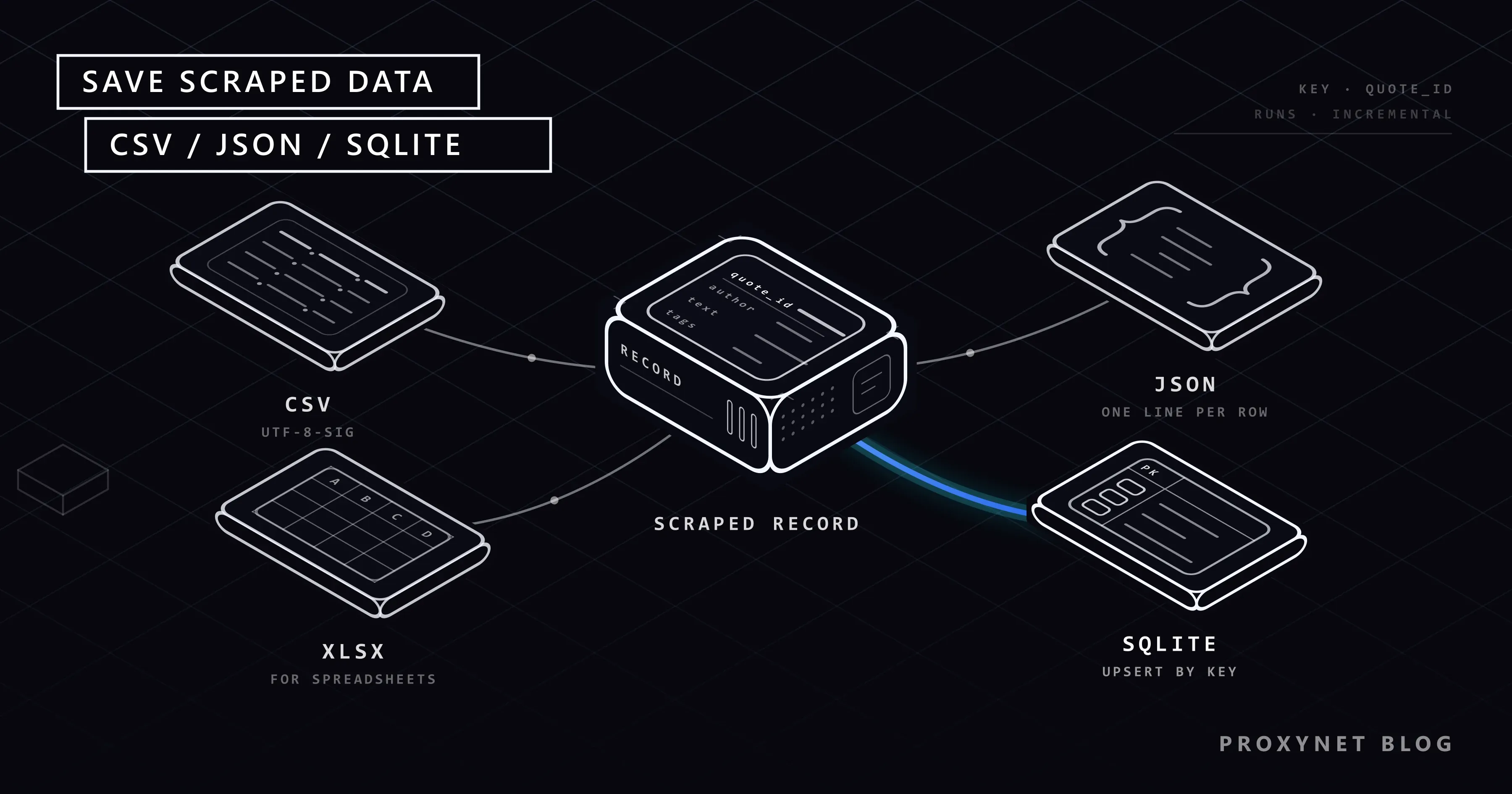
Your scraper walks ten pages and prints a hundred clean records. The next morning you run it again and the CSV has two hundred rows, half of them duplicates. A colleague opens the file in Excel and every curly quote shows up as “. A week later the job crashes mid-write and leaves a JSON file no parser will open. None of this is a scraping problem; it is decided by the few storage lines at the end of the script.
This guide covers the three formats most Python scrapers write to: CSV with the csv module and pandas, JSON and JSON Lines, and SQLite with an upsert that removes duplicates across runs. You will see how to append safely, which encoding Excel expects, how big each format gets, and when to move from SQLite to PostgreSQL. Every sample ran on 28 September 2026 against quotes.toscrape.com, a sandbox built for scraping practice, with Python 3.13, Requests 2.34, beautifulsoup4 4.15, pandas 3.0 and SQLite 3.50. The parsing side is covered in the BeautifulSoup tutorial; here we pick up once the rows exist.
What are the options for storing scraped data?
There are two families. Flat files (CSV, JSON, JSON Lines, XLSX) are single files written top to bottom. They need no server and open in familiar tools, but they have no idea what a duplicate is. Databases (SQLite, PostgreSQL, MySQL) store rows in tables with keys and constraints: they merge duplicates for you, answer questions with SQL and survive a crash mid-write.
SQLite sits between the two. It is a database, but the whole database is one ordinary file on disk, and Python ships the sqlite3 module in its standard library. For a scraper that runs on one machine, that combination is hard to beat.
How does a scraper save its rows?
Whatever the format, a well-behaved scraper goes through the same five steps:
- Normalise each record into a dict with the same keys every time:
quote_id,text,author,tagsand a timestamp. - Give every record a stable key. Use the site's own ID if it has one (a product SKU, an article ID in the URL). quotes.toscrape.com has none, so we hash the author and the quote text into a 16-character key.
- Choose the write mode. Overwrite the file (a fresh snapshot), append to it (a growing log), or upsert into a table (one row per key, updated in place).
- Write in one step. Either the whole batch lands or none of it does: a database transaction, or a temporary file that replaces the old one when it is complete.
- Read it back. Open the file with the reader your consumer will use (Excel, pandas,
json.loads) before you trust it.
Step 2 is the one most scripts skip, and the reason duplicates appear.
CSV, JSON Lines and SQLite compared
| CSV | JSON (one array) | JSON Lines | SQLite | |
|---|---|---|---|---|
| Nested fields (lists of tags) | Flatten them, for example love|life | Native | Native | JSON text in a column, queried with json_each |
| Append on every run | Yes, write the header once | No, the closing ] must be rewritten | Yes, one line per record | Yes, with upsert |
| Removes duplicates | No | No | No | Yes, by primary key |
| Opens in Excel | Yes, with a UTF-8 BOM | No | No | No (export first) |
| Survives a crash mid-write | Last line may be cut | File may be unreadable | Only the last line is lost | Yes, transactions roll back |
| Query without loading everything | No | No | Line by line | Yes, SQL and indexes |
| Size for our 100 quotes | 25.9 KB | 42.4 KB (indented) | 35.8 KB | 49.2 KB (with one index) |
The sizes come from our own test run. SQLite is the largest here because it stores data in fixed 4 KB pages (12 pages for this table and its index); the overhead shrinks as the table grows. For comparison, the same data as XLSX was 17.0 KB, since XLSX is a zipped format.
How do you save scraped data to CSV in Python?
The standard library's csv module handles quoting, commas inside fields and line breaks inside quoted values. DictWriter maps each dict to a row by column name:
import csv
from pathlib import Path

FIELDS = ["quote_id", "text", "author", "author_url", "tags", "page", "scraped_at"]

def append_csv(rows, path: Path) -> None:
    new_file = not path.exists() or path.stat().st_size == 0
    with path.open("a", newline="", encoding="utf-8-sig" if new_file else "utf-8") as f:
        writer = csv.DictWriter(f, fieldnames=FIELDS)
        if new_file:
            writer.writeheader()
        for row in rows:
            writer.writerow({**row, "tags": "|".join(row["tags"])})
Three details in that function prevent the usual CSV complaints:
newline="". The Python csv documentation asks for it on both readers and writers. Without it, line breaks inside quoted fields are misread, and on Windows every row ends with an extra\r, which many readers turn into a blank row after each record.utf-8-sigon the first write only. This codec writes a byte order mark (EF BB BF) at the start of the file; the codecs documentation describes it as the UTF-8 variant Microsoft uses. Excel reads that mark and decodes the file as UTF-8, so\u201cstays\u201c. When the script appends later, it switches to plainutf-8, otherwise a second mark would land in the middle of the file. Our test file had exactly one after two runs.- The header only when the file is new. Appending a header on every run leaves stray
quote_id,text,...rows in the data.
Tags are joined with |, a separator that never appears in the values.
When you read a file that has a BOM, use encoding="utf-8-sig" again. With plain utf-8, the first column name comes back as '\ufeffquote_id' and row["quote_id"] raises KeyError. We hit this in testing; more encoding traps are in Python Unicode encoding errors.
With pandas the same file is one line, and drop_duplicates fixes a CSV or JSON Lines file that already contains repeats:
import pandas as pd

df = pd.read_json("data/quotes.jsonl", lines=True, convert_dates=False)
df = df.drop_duplicates(subset="quote_id", keep="last")
df.assign(tags=df["tags"].str.join("|")).to_csv(
    "data/quotes_clean.csv", index=False, encoding="utf-8-sig")
df.assign(tags=df["tags"].str.join(", ")).to_excel(
    "data/quotes.xlsx", index=False, sheet_name="quotes")  # needs openpyxl
An Excel worksheet holds at most 1,048,576 rows, according to Microsoft's specifications and limits. A CSV has no such limit, but Excel will only show that many rows of it.
How do you save scraped data as JSON or JSON Lines?
A single JSON array suits a snapshot that another program loads in one go. Write it with ensure_ascii=False so non-English text stays readable instead of turning into \u201c escapes, and write it atomically: dump into a temporary file in the same folder, then swap it in with os.replace. If the process dies halfway, the old file is still intact.
import json, os, tempfile
from pathlib import Path

def write_json_atomic(data, path: Path) -> None:
    fd, tmp = tempfile.mkstemp(dir=path.parent, suffix=".tmp")
    with os.fdopen(fd, "w", encoding="utf-8") as f:
        json.dump(data, f, ensure_ascii=False, indent=2)
    os.replace(tmp, path)
The weakness of a JSON array is appending. The file ends in ], so adding one record means reading and rewriting the whole file. JSON Lines avoids that: each line is one complete JSON value, the file is UTF-8, and lines end in \n. Appending is a plain write, and a crash can only damage the last line:
def append_jsonl(rows, path: Path) -> None:
    with path.open("a", encoding="utf-8") as f:
        for row in rows:
            f.write(json.dumps(row, ensure_ascii=False) + "\n")
pandas reads it with pd.read_json(path, lines=True), and chunksize= lets you stream a large file in pieces. One surprise from our test: the read_json documentation says columns whose names end in _at or _time are parsed as dates by default. Our scraped_at column became a timezone-aware datetime, and to_excel() then stopped with Excel does not support datetimes with timezones. Pass convert_dates=False if you want the text kept as it is.
If a file refuses to load with JSONDecodeError, the usual causes (a truncated write, two arrays in one file, JSON Lines read as one document) are in JSONDecodeError: Expecting value.
How do you store scraped data in SQLite without duplicates?
Declare the stable key as the primary key and let the database decide between insert and update. SQLite has supported this since version 3.24.0 with the upsert clause; in the DO UPDATE part, the special excluded. prefix refers to the values the rejected insert tried to write (SQLite UPSERT documentation).
CREATE TABLE IF NOT EXISTS quotes (
    quote_id   TEXT PRIMARY KEY,
    text       TEXT NOT NULL,
    author     TEXT NOT NULL,
    author_url TEXT,
    tags       TEXT,              -- JSON array
    first_seen TEXT NOT NULL,
    last_seen  TEXT NOT NULL
);

INSERT INTO quotes (quote_id, text, author, author_url, tags, first_seen, last_seen)
VALUES (:quote_id, :text, :author, :author_url, :tags, :scraped_at, :scraped_at)
ON CONFLICT(quote_id) DO UPDATE SET
    tags       = excluded.tags,
    author_url = excluded.author_url,
    last_seen  = excluded.last_seen;
first_seen is written only when the row is new; last_seen moves forward on every run. That pair gives you incremental history for free: a row whose last_seen is older than the latest run has disappeared from the site, and a row whose first_seen equals the latest run is new. Price trackers and change monitors are built on exactly this pattern.
Two runs of the complete script below printed:
scraped 100 rows: 100 new, 0 already in the database
scraped 100 rows: 0 new, 100 already in the database
The CSV and JSON Lines files from the same two runs held 200 records each. The database held 100.
Once the data is in SQLite, questions become queries. These ran against our test database:
import sqlite3

con = sqlite3.connect("data/quotes.db")

# Top authors
for author, n in con.execute(
        "SELECT author, COUNT(*) AS n FROM quotes GROUP BY author ORDER BY n DESC LIMIT 3"):
    print(author, n)

# Quotes tagged "love" (tags are stored as a JSON array)
print(con.execute("""
    SELECT COUNT(*) FROM quotes, json_each(quotes.tags)
    WHERE json_each.value = 'love'""").fetchone()[0])

# Rows that were not on the site during the latest run
print(con.execute("""
    SELECT COUNT(*) FROM quotes
    WHERE last_seen < (SELECT MAX(last_seen) FROM quotes)""").fetchone()[0])
con.close()Albert Einstein 10
J.K. Rowling 9
Marilyn Monroe 7
14
0For analysis, pd.read_sql_query(sql, con) returns the result as a DataFrame. The cleaning steps that usually come next are in How to Clean Scraped Data With Pandas.
Complete script: scrape, then write CSV, JSON Lines and SQLite
The script follows the site's "Next" link until it disappears, retries on 429 and 5xx responses with exponential backoff (urllib3's Retry also honours a Retry-After header), waits one second between pages, and writes one timestamp per run so that last_seen comparisons work. quotes.toscrape.com has 10 pages and 100 quotes.
pip install requests beautifulsoup4 lxml pandas openpyxl"""Scrape quotes.toscrape.com and store the rows in CSV, JSON Lines and SQLite."""
import csv
import hashlib
import json
import sqlite3
import time
from datetime import datetime, timezone
from pathlib import Path
from urllib.parse import urljoin
import requests
from bs4 import BeautifulSoup
from requests.adapters import HTTPAdapter
from urllib3.util.retry import Retry
BASE = "https://quotes.toscrape.com/"
FIELDS = ["quote_id", "text", "author", "author_url", "tags", "page", "scraped_at"]
def make_session() -> requests.Session:
retry = Retry(total=4, backoff_factor=1,
status_forcelist=[429, 500, 502, 503, 504],
allowed_methods=["GET"])
session = requests.Session()
session.mount("https://", HTTPAdapter(max_retries=retry))
session.headers["User-Agent"] = "quotes-storage-demo/1.0 (contact: you@example.com)"
return session
def quote_key(text: str, author: str) -> str:
# The site has no quote IDs, so we derive a stable key from the content.
return hashlib.sha1(f"{author}\n{text}".encode("utf-8")).hexdigest()[:16]
def scrape(session: requests.Session, delay: float = 1.0):
url, page = BASE, 1
run_at = datetime.now(timezone.utc).isoformat(timespec="seconds") # one timestamp per run
while url:
resp = session.get(url, timeout=20)
resp.raise_for_status()
soup = BeautifulSoup(resp.content, "lxml")
for q in soup.select("div.quote"):
text = q.select_one("span.text").get_text(strip=True)
author = q.select_one("small.author").get_text(strip=True)
yield {
"quote_id": quote_key(text, author),
"text": text,
"author": author,
"author_url": urljoin(BASE, q.select_one("span a")["href"]),
"tags": [t.get_text(strip=True) for t in q.select("a.tag")],
"page": page,
"scraped_at": run_at,
}
nxt = soup.select_one("li.next a")
url = urljoin(url, nxt["href"]) if nxt else None
page += 1
time.sleep(delay)
def append_csv(rows, path: Path) -> None:
new_file = not path.exists() or path.stat().st_size == 0
with path.open("a", newline="", encoding="utf-8-sig" if new_file else "utf-8") as f:
writer = csv.DictWriter(f, fieldnames=FIELDS)
if new_file:
writer.writeheader()
for row in rows:
writer.writerow({**row, "tags": "|".join(row["tags"])})
def append_jsonl(rows, path: Path) -> None:
with path.open("a", encoding="utf-8") as f:
for row in rows:
f.write(json.dumps(row, ensure_ascii=False) + "\n")
SCHEMA = """
CREATE TABLE IF NOT EXISTS quotes (
quote_id TEXT PRIMARY KEY,
text TEXT NOT NULL,
author TEXT NOT NULL,
author_url TEXT,
tags TEXT, -- JSON array
first_seen TEXT NOT NULL,
last_seen TEXT NOT NULL
);
CREATE INDEX IF NOT EXISTS idx_quotes_author ON quotes(author);
"""
UPSERT = """
INSERT INTO quotes (quote_id, text, author, author_url, tags, first_seen, last_seen)
VALUES (:quote_id, :text, :author, :author_url, :tags, :scraped_at, :scraped_at)
ON CONFLICT(quote_id) DO UPDATE SET
tags = excluded.tags,
author_url = excluded.author_url,
last_seen = excluded.last_seen
"""
def save_sqlite(rows, path: Path) -> tuple[int, int]:
con = sqlite3.connect(path)
try:
con.executescript(SCHEMA)
before = con.execute("SELECT COUNT(*) FROM quotes").fetchone()[0]
with con: # one transaction: commit on success, roll back on error
con.executemany(UPSERT, [{**r, "tags": json.dumps(r["tags"])} for r in rows])
after = con.execute("SELECT COUNT(*) FROM quotes").fetchone()[0]
return after - before, len(rows) - (after - before)
finally:
con.close()
if __name__ == "__main__":
out = Path("data")
out.mkdir(exist_ok=True)
rows = list(scrape(make_session()))
append_csv(rows, out / "quotes.csv")
append_jsonl(rows, out / "quotes.jsonl")
new, seen = save_sqlite(rows, out / "quotes.db")
print(f"scraped {len(rows)} rows: {new} new, {seen} already in the database")with con: wraps the upsert in one transaction: if any row fails, none are written. It does not close the connection, so the finally block does. Named placeholders (:quote_id) let executemany take the same dicts the CSV writer uses and keep apostrophes from breaking the SQL.
For a real site, keep the same shape and change the selectors, the key and the delay. Check the site's terms and robots.txt first (robots.txt explained), and use an official API when one exists. The same one-second delay and retry settings are what keep a job away from HTTP 429 errors. When a scraper grows into a scheduled crawler that spreads its requests across several exit IPs, Rotating Proxy and Residential Proxy plug into the same requests.Session through its proxies setting; the storage code does not change.
When should you move from SQLite to PostgreSQL?
The SQLite project's own guidance is direct about the limits: it supports one writer at a time per database file, and it is the wrong choice when the data and the application sit on different machines. That translates into three signals for a scraping project:
- Several workers write at once. Crawler processes on three servers need a database server; a few processes on one machine can take turns.
- The database must be reachable over the network. A dashboard, an API and a scraper on separate hosts should share PostgreSQL, not a
.dbfile on a network share. - Other people need permissions. Users, roles and read-only access are server features.
Size alone is rarely the trigger: the documented maximum is about 281 TB, far beyond what a single scraper produces. The move itself is small. PostgreSQL uses the same INSERT ... ON CONFLICT (key) DO UPDATE syntax with EXCLUDED, so the upsert above ports almost unchanged. Pipelines that grow into several stages are covered in What Is ETL?.
Use cases
- Price monitoring: one row per product per day, keyed by SKU and date, powers price monitoring and competitor price tracking.
- Change detection:
first_seenandlast_seenshow new and removed items, which is the core of website change monitoring. - Research datasets: JSON Lines files are easy to hand to analysts and load into notebooks for market research.
- Large crawls: a web crawler that visits thousands of URLs can store its frontier and results in SQLite, as in How to Build a Python Web Crawler.
- Recurring scraping jobs: scheduled data scraping runs that must not duplicate yesterday's rows.
Common mistakes
- No stable key. Without it, every run appends the full dataset again. Use the site's ID or hash the fields that identify a record.
- Opening CSV files without
newline="". Extra\rcharacters on Windows and broken multi-line fields. - Plain
utf-8for a CSV meant for Excel. Accented and curly characters turn into sequences likeé. - Writing the output file in place. A crash leaves half a file. Write to a temporary file and
os.replaceit. - One commit per row in SQLite. Each commit syncs to disk. Wrap a batch in one transaction with
executemany. - Building SQL with f-strings. A quote with an apostrophe breaks the statement. Use placeholders.
- Holding everything in memory for a big crawl. Write per page or per batch so a crash loses one page, not the whole run.
Decision guide
| Need | Recommendation |
|---|---|
| A file a colleague opens in Excel | CSV with utf-8-sig, or XLSX via pandas |
| Nested records for another program | JSON (one array), written atomically |
| An append-only log of every run | JSON Lines |
| Repeated runs without duplicates | SQLite with a primary key and upsert |
| History: when was each item first and last seen | SQLite with first_seen and last_seen |
| Several machines writing at once | PostgreSQL with the same ON CONFLICT upsert |
| Ad hoc analysis | Any of the above, loaded into pandas |
Frequently asked questions
What is the best format to save scraped data?
It depends on who reads it: CSV for spreadsheets, JSON Lines for nested records and append-only logs, SQLite for scheduled scrapers that must not duplicate rows. Many projects keep SQLite as the source of truth and export CSV for people.
Why does my scraped CSV look garbled in Excel?
When a CSV has no byte order mark, Excel on Windows often decodes it with the system's legacy code page instead of UTF-8, so every multi-byte character turns into two or three wrong ones. Write the file with encoding="utf-8-sig", or import it through Excel's data import dialog and choose UTF-8.
How do I append scraped data to an existing CSV without repeating the header?
Open the file in "a" mode and write the header only when the file is new or empty, as append_csv does above. Appending does not remove duplicates; for that, load the file with pandas and call drop_duplicates, or store the data in SQLite with a key.
What is the difference between JSON and JSON Lines?
A JSON file holds one value, usually an array of records, so it must be read and written as a whole. JSON Lines holds one JSON value per line, so you can append a record with a single write and read a large file line by line.
Can SQLite handle a large scraping project?
On one machine, usually yes; the size limit is far above what a scraper produces. The limit that matters is concurrency: one writer at a time per file. Several machines writing at once call for PostgreSQL.
How do I avoid duplicate rows when I re-run a scraper?
Give every record a stable key, make it the primary key in SQLite, and insert with ON CONFLICT(key) DO UPDATE. For flat files, deduplicate after loading with drop_duplicates(subset="key").
Summary
Storage decides whether a scraper stays useful after its first run. CSV with utf-8-sig and newline="" is the hand-off for spreadsheets, JSON Lines the simplest safe way to append structured records. SQLite with a stable key and an upsert turns repeated runs into one queryable table with first-seen and last-seen history; PostgreSQL takes over when several machines write at once. If your runs grow to the point where one IP address is no longer enough to collect the data politely, see Proxynet's proxy plans.


