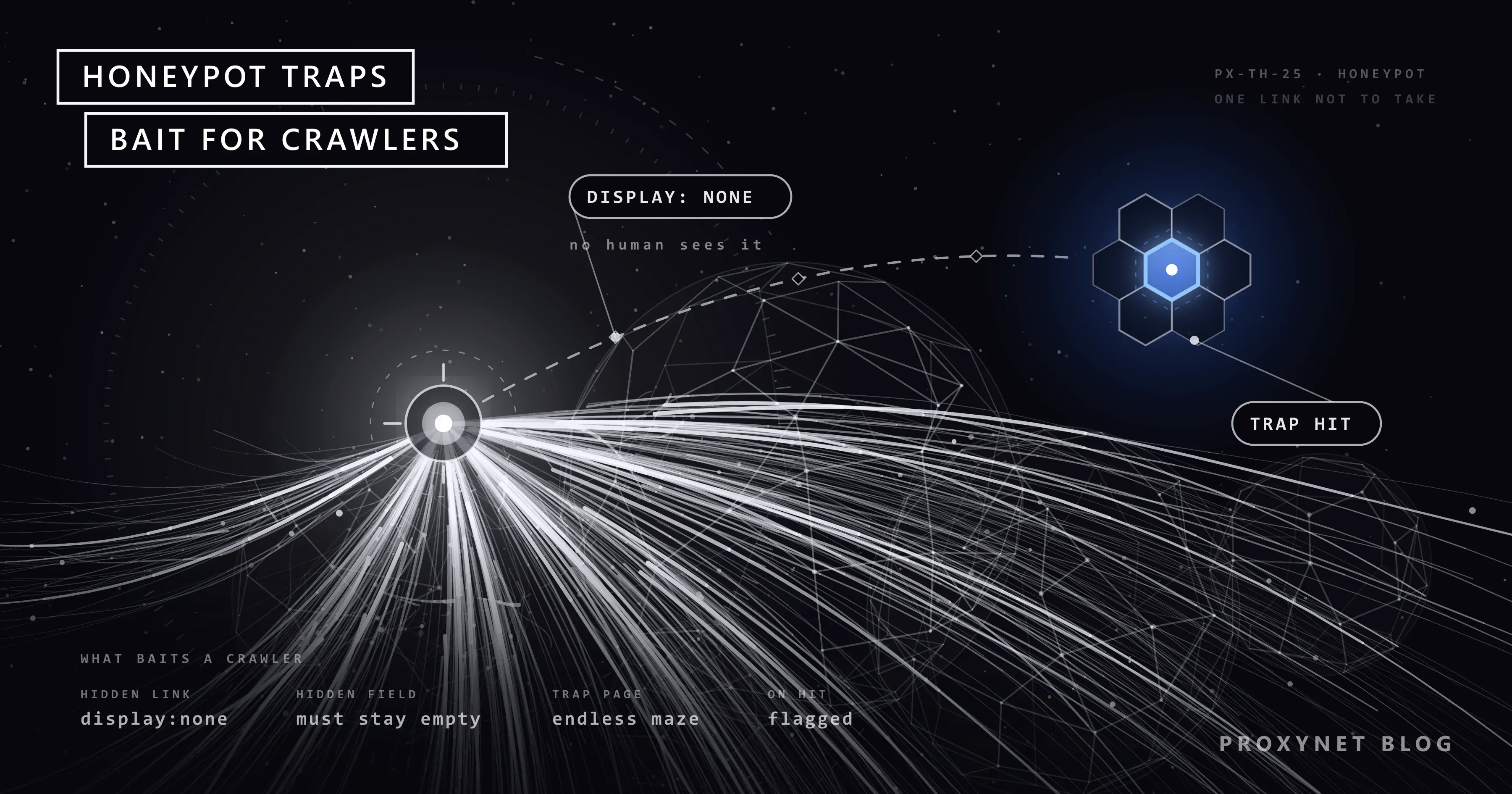
In an e-commerce site's HTML there is a link that never appears on the page: hidden with display: none, with empty text, pointing to /product/special-offer-7781. No human browsing the page in a browser sees or clicks that link. A scraper that collects every <a href> tag on the page and visits them in turn, though, finds it and opens it. At that moment the site knows for certain that the visit did not come from a human. That link is a honeypot trap.
In this article we explain what the term honeypot means in security and what it means in web scraping, how hidden link and form traps work, what happens to a scraper that falls into one, and why scrapers fall into them. The framing is clear from the start: the goal is not to "get around" honeypots but not to follow paths the site does not want visited. A crawler that follows the rules and keeps its scope narrow already stays away from these traps; we show how with a Playwright example.
What is a honeypot?
The term "honeypot" comes from information security. A honeypot used by security teams is a system set up deliberately to attract attackers, with no real function: an unprotected-looking server, a fake database or a user account that is never used. A legitimate user has no reason to access such a system, so every access is suspicious and gives information about the attacker's methods.
A honeypot in web scraping applies the same idea at the scale of a web page:
| Feature | Security honeypot | Scraping honeypot |
|---|---|---|
| What does it target? | Attackers trying to break into a network | Automated crawlers and form bots |
| Form | Fake server, service, account | Hidden link, hidden form field, trap page |
| Detection logic | A legitimate user never accesses the system | A human never sees or clicks the link |
| Result | Tracking the attacker, alerts | Flagging the IP or session, blocking, fake data |
| Who sets it up? | Security teams | Site owners, bot management services |
Honeypots are one of the defensive techniques used against automated attacks such as scraping, account creation and spam, which OWASP classifies in its Automated Threats to Web Applications project. The strength of these defences is that they are cheap: a single line of HTML gives bot detection with high certainty.
How do hidden link traps work?
A hidden link trap works in four steps:
- The site places a link on the page and hides it from human visitors.
- The link's address is not used anywhere else. It is usually also closed in robots.txt, so search engine bots that follow the rules don't go there either.
- A scraper that collects every link on the page adds this address to its list and visits it.
- The site logs the request to this address and flags the IP address, session or browser fingerprint that made it as a bot.
Common ways to hide the link:
display: none: the element takes up no space on the page.visibility: hidden: the element takes up space but is invisible.- Zero size: zero width and height, no text.
opacity: 0: fully transparent.- Positioned off-screen:
position: absolute; left: -9999px. - Same colour as the background: white text on a white background.
- Hidden behind another element: a link covered with
z-index.
Because some of these methods can also affect visitors who use screen readers, careful sites add attributes such as aria-hidden="true" and tabindex="-1" to trap links so that keyboard and assistive technology users don't reach them either.
Form honeypots
A form honeypot is the most common technique against spam bots. A field humans can't see is added to a contact, comment or signup form:
<form action="/contact" method="post">
  <input type="text" name="name">
  <input type="email" name="email">
  <!-- Humans don't see this field; if it arrives filled in, the submission is rejected -->
  <input type="text" name="website" class="hidden" tabindex="-1" autocomplete="off">
  <button type="submit">Send</button>
</form>
A human filling in the form doesn't see the website field and leaves it empty. A bot that fills in every field on the page automatically writes a value there too. When the field arrives filled in, the server silently rejects the submission or flags the sending IP address.
Some forms add a timing check too: submissions sent within a few seconds of the form page opening are treated as suspicious, on the assumption that a human can't read and fill in the form in that time.
For scraping, the conclusion is clear: a scraper collecting data usually has no reason to fill in forms. A script that submits forms automatically behaves exactly like a spam bot.
Trap pages and labyrinths
A honeypot is not always a single link. Some defences both detect bots and waste their resources by pulling them into endless pages:
- Paths that generate endless pages: calendar, filter or search pages that produce new links on every visit. Even when not a deliberate trap, they send a crawler without a depth limit into an endless loop.
- Generated content labyrinths: in the AI Labyrinth feature Cloudflare announced in 2025, bots that ignore no-crawl directives are sent to linked pages generated with AI. According to the announcement, these pages also act as a next-generation honeypot: no human goes four links deep into a labyrinth of meaningless content, so a visitor that gets that far is very likely a bot.
- Fake data: instead of real prices, a detected bot receives altered values, products that don't exist or empty results. The scraper gets no error, but the data it collects becomes unreliable.
Fake data is the most dangerous outcome, because it's hard to notice. A scraper can run for months and produce reports with wrong prices.
What happens when you fall into a honeypot?
A request to the trap address is treated as a strong signal by the site's bot management system. What follows varies by site:
- The IP address is blocked: every request from the same address starts getting
403. - The session is flagged: the cookie or session token is labelled as a bot; the session is recognised even if the IP changes.
- The fingerprint is recorded: browser or client characteristics are stored, and the same fingerprint arriving from other IPs is treated as suspicious too. We explain how fingerprints are built in Browser Fingerprinting.
- Challenge screens: challenge pages are shown on later requests.
- Fake data or empty responses: the scraper keeps running but collects wrong data.
- Shared reputation lists: bot management services may take sources detected on one site into account on their other customers' sites.
Some of these consequences can affect not just the scraper but other users of the same IP address. That's something to keep in mind with shared IP addresses.
Why does your scraper fall into them?
Honeypots target a specific behaviour, and that behaviour usually comes from a design mistake:
- "Follow every link" logic. Adding every
<a href>tag on the page to the queue without checking whether it's visible. - Unscoped crawling. Going into every path on the site when only product pages are needed.
- Not reading robots.txt. Trap addresses are often closed in robots.txt; a crawler that follows the file never goes there.
- Following
rel="nofollow"links. Links the site has explicitly marked as not to be followed. - No depth or page limits. The crawler doesn't stop on paths that generate endless pages.
- Filling in forms automatically. Writing values into every field, hidden ones included.
- Visiting the same address over and over with different parameters. Thousands of addresses generated from filter and sort combinations.
How does a legitimate crawler stay away from honeypots?
The rules below are not there to "get around" honeypots; they are there so you don't follow paths the site doesn't want. Designing a crawler this way brings avoiding traps as a side effect.
- Follow robots.txt. Read the site's file before crawling and don't queue closed paths. We explain how to read it in What Is a robots.txt File and How Do You Read It?.
- Narrow the scope with URL patterns. If you only need product data, only follow addresses starting with
/product/. - Use the sitemap instead of collecting links when possible.
sitemap.xmllists the addresses the site wants crawled. We show how to find the sitemap and read it with Python in How to Find a Website's Sitemap. - Follow visible links. If you use a browser, don't queue links the user can't see.
- Skip
rel="nofollow"links. - Set depth, page count and repeat limits. Normalise parameter variations of the same path.
- Don't submit forms to collect data. If submitting a form is really needed (for example, logging in to your own account), only fill in the fields you know.
- Limit your speed. Traps mostly catch bots that crawl fast and wide.
In browser automation, a "visible link" check can look like this:
from urllib.parse import urljoin, urlsplit

from playwright.sync_api import sync_playwright


def visible_links(page, base, allowed_prefix="/product/"):
    addresses = set()
    for link in page.locator("a[href]").all():
        href = link.get_attribute("href")
        rel = (link.get_attribute("rel") or "").lower()
        if not href or "nofollow" in rel or not link.is_visible():
            continue
        url = urljoin(base, href)
        parts = urlsplit(url)
        if parts.netloc != urlsplit(base).netloc or not parts.path.startswith(allowed_prefix):
            continue
        addresses.add(url)
    return sorted(addresses)


with sync_playwright() as p:
    browser = p.chromium.launch()
    page = browser.new_page()
    page.goto("https://example.com/deals")
    for address in visible_links(page, "https://example.com"):
        print(address)   # also check robots.txt before queuing
    browser.close()
This function applies four filters: it skips nofollow links, skips links that aren't visible, skips links to other domains and only takes those matching the allowed address prefix.
You need to know the limits of the visibility check. Playwright's is_visible() treats elements with display: none, visibility: hidden and zero size as not visible. But elements hidden with methods such as opacity: 0, off-screen positioning or the same colour as the background can pass this check as visible. So the visibility check is not a guarantee on its own; the real protection is following robots.txt and limiting crawling to the URL patterns you need. Almost every trap link falls outside these two rules.
A scraper that works with an HTTP client and no browser cannot measure visibility directly; for it, URL patterns, robots.txt and sitemap rules matter even more.
Types of honeypots
| Type | How it works | Who does it catch? | How does a legitimate crawler stay away? |
|---|---|---|---|
| Link hidden with CSS | A link humans can't see, often closed in robots.txt | Bots that follow every link | robots.txt, URL patterns, visibility check |
| Hidden form field | Rejected if a field that should stay empty arrives filled | Form bots that fill every field | Not submitting forms when collecting data |
| Timing check | Forms submitted too quickly are treated as suspicious | Bots that submit instantly | Not submitting forms |
| Endless page path | Pages that generate new links on every visit | Crawlers without depth limits | Depth and page limits, parameter normalisation |
| Generated content labyrinth | Generated pages for bots that ignore no-crawl directives | Bots that don't follow robots.txt | Following robots.txt |
| Fake data | Altered content for detected bots | Flagged IPs or sessions | Not getting flagged; verifying data by sampling |
Use cases
- A large-scale crawler: a robots.txt cache per site, a URL pattern allowlist, a depth limit and sitemap-first discovery. The scaling side is on our web crawler solution page.
- Brand protection crawling: crawls to detect sites selling counterfeit products keep the scope limited to the relevant product pages; behaving within the rules is essential for collecting evidence without triggering the crawled site's defences. The setup is on our brand protection solution page.
- Bot detection as a site owner: a form honeypot on your own site and a trap link closed in robots.txt are cheap ways to spot malicious automation early. The data protection side is on our data security solution page.
- Data quality checks: regularly checking a sample of the collected prices by hand in a browser shows whether fake data is being served.
Common mistakes
- Treating a honeypot as a technical obstacle to get around. A trap is a sign of the site's explicit preference; the real problem is unscoped crawling.
- Relying on the visibility check alone. Transparent or off-screen elements can pass it.
- Reading robots.txt only once at the start. On long crawls the file can change; refresh it per site at intervals.
- Not accounting for fake data. Getting no errors doesn't mean you're getting correct data.
- Submitting forms "just in case". Data collection almost never needs form submissions.
- Counting parameter variations as separate addresses. Filter pages that generate endless combinations pull the crawler into a trap.
We collect the other mistakes on the speed, header and IP side in How to Scrape Websites Without Getting Blocked.
Decision guide
| Your situation | Recommendation |
|---|---|
| Only certain page types are needed | URL pattern allowlist, sitemap |
| You are crawling widely | robots.txt, depth limit, parameter normalisation |
| You use browser automation | Visible, non-nofollow links + robots.txt |
| You use an HTTP client | URL patterns and robots.txt (visibility can't be measured) |
| A form needs to be filled in | Known fields only; don't submit forms to collect data |
| You doubt the data's accuracy | Take a sample and verify by hand in a browser |
| You want to protect your own site | Form honeypot + a trap link closed in robots.txt |
Frequently asked questions
Is it legal for sites to use honeypots?
Generally yes; a site adding a link or field its visitors can't see to its own page is a defensive technique. But trap content should not be misleading or break accessibility, and personal data collected along the way is subject to the relevant laws.
How does my scraper know it fell into a honeypot?
It doesn't know directly; the trap address can respond like a normal page. The signs are indirect: 403 responses that start shortly afterwards, challenge screens, data that suddenly changes or becomes inconsistent. Check your crawl logs for requests sent to addresses closed in robots.txt or ones you didn't expect.
Does changing IP lift a block after a honeypot?
It may help temporarily when the block is tied only to the IP, but it doesn't change the crawling behaviour that caused the problem. It doesn't help at all when flagging is based on the session or fingerprint. The right fix is to correct the crawler's scope and rule-following.
Why don't search engine bots fall into honeypots?
Legitimate search engine bots follow robots.txt and respect signals such as nofollow. Site owners usually close trap addresses in robots.txt, so these bots never go there. The same logic applies to every crawler that follows the rules.
What is the difference between a honeypot and a CAPTCHA?
A CAPTCHA explicitly asks the visitor for verification and affects human users too. A honeypot is invisible; human users notice nothing, and only those showing a specific automated behaviour fall into the trap.
Should I add a honeypot to my own site?
The hidden field technique on contact and comment forms is a low-cost way to reduce spam and doesn't affect user experience. When adding hidden link traps, don't forget to close the trap address in robots.txt; otherwise you may accidentally flag search engine bots that follow the rules.
Summary
A honeypot is a trap built so that human visitors can't see it but bots that process every link and form field automatically get caught: links hidden with CSS, form fields that should stay empty, endless pages and generated content labyrinths. A scraper that falls into the trap gets blocked, runs into challenge screens or unknowingly collects fake data. The way to be protected from honeypots is not to try to get around them but to design a crawler that follows robots.txt, only follows the URL patterns it needs, has depth limits and doesn't submit forms. For data collection work that follows the rules, take a look at our proxy services.