


































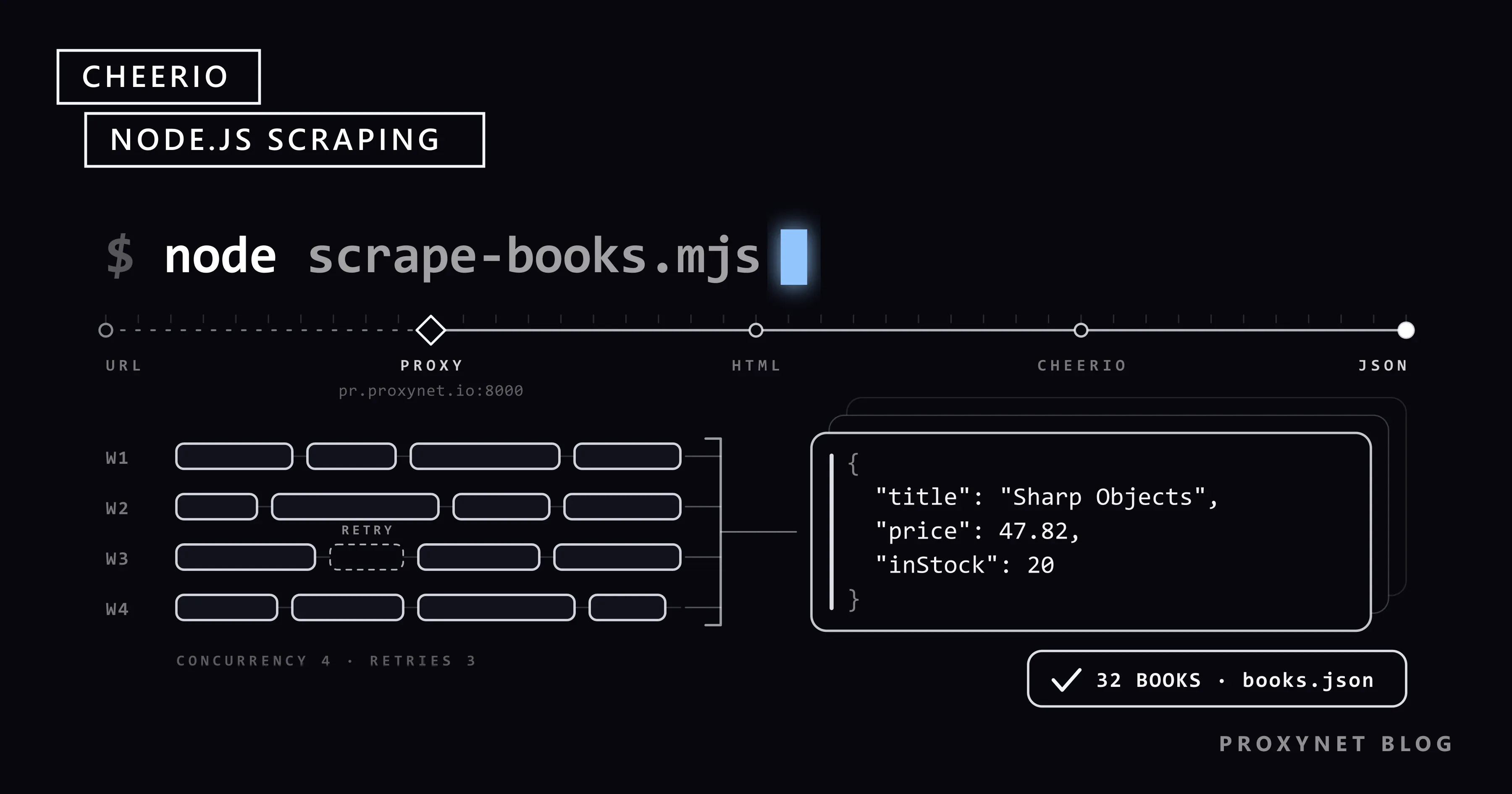
Your team already runs Node.js, and someone asks for the titles, prices and stock counts of every book in one category of a catalogue. The page source in the browser shows the data sitting in plain <article> tags, so you do not need a browser to read it. You need a way to download the HTML, pick the right elements, follow the "next" link, and stop the script from hammering the site or dying on the first timeout. The general route from a page to a file is in How to Extract Data From a Website; this tutorial does it in JavaScript with Cheerio.
We cover what Cheerio is and what it is not, loading HTML with load and fromURL, selectors and lists, the newer extract method, pagination, a concurrency limit, retries with backoff, writing JSON, and sending the requests through a proxy with undici's ProxyAgent. The last part explains when Cheerio is the wrong tool. Every sample ran on 28 September 2026 with cheerio 1.2.0, undici 8.11.2 and Node.js 24.11.1 against books.toscrape.com, a sandbox built for scraping practice.
What is Cheerio?
Cheerio is an HTML and XML parser for Node.js with an API modelled on jQuery. You give it markup, it builds a document tree, and you query that tree with $("css selector"). It is fast because it skips everything a browser does after parsing: no layout, no CSS, no images, no script execution.
The current release is 1.2.0 (cheerio on npm), and it needs Node.js 20.18.1 or later. Version 1.0, released in August 2024, ended a release-candidate phase that began in 2017. The package has no default export, so you write import * as cheerio from "cheerio". Tutorials that call require("cheerio").default were written for older versions.
Cheerio sees only the HTML the server sent. If the product list is filled in later by JavaScript, the data is not in that HTML and no selector will find it. Static vs Dynamic Pages shows how to check which kind of page you have before you write any code.
How does a Cheerio scraper work?
A scraper built on Cheerio repeats the same five steps for each page:
- Download. An HTTP client (
fetchhere) requests the URL and receives the HTML as text. - Parse.
cheerio.load(html)builds the tree and returns a$function bound to that document. - Select.
$("article.product_pod")returns every matching element;.find(),.text()and.attr()read inside them. - Follow. The scraper reads the next URL from the page (a pagination link or a detail link) and resolves it against the current URL.
- Store. Rows are collected in memory and written to a file or database at the end.
Steps 2 and 3 never touch the network. That split matters for debugging: if a selector returns nothing, save the HTML to a file and test the selector against it, without sending another request.
Cheerio vs jsdom vs Playwright
The three tools most often compared for scraping in Node.js do different jobs:
| Tool | What it does | Runs page JavaScript | Cost per page | Good fit |
|---|---|---|---|---|
| Cheerio | Parses HTML, jQuery-style queries | No | Lowest: parse only | Server-rendered HTML, large page counts |
| jsdom | Builds a browser-like DOM in Node.js | Optional, limited | Higher than Cheerio | Code that expects document and DOM APIs |
| Playwright | Drives a real Chromium, Firefox or WebKit | Yes | Highest: full browser | Pages that build content with JavaScript, clicks, logins |
A common setup uses both ends: Playwright for the few pages that need a browser, Cheerio for everything else. Language choice is a separate question, covered in Web Scraping: JavaScript or Python?.
Installing Cheerio and loading your first page
Create a project and install the package. Adding "type": "module" lets you use import and top-level await:
mkdir book-scraper && cd book-scraper
npm init -y
npm pkg set type=module
npm install cheerio
Node.js 18 and later ship fetch, so the first script needs nothing else:
import * as cheerio from "cheerio";

const url = "https://books.toscrape.com/";
const response = await fetch(url, {
  headers: { "user-agent": "book-research/1.0 (+mailto:you@example.com)" },
});
if (!response.ok) throw new Error(`HTTP ${response.status} for ${url}`);

const $ = cheerio.load(await response.text());

console.log($("title").text().trim());
console.log($("article.product_pod").length, "books on this page");

$("article.product_pod").slice(0, 3).each((i, el) => {
  const card = $(el);
  const title = card.find("h3 a").attr("title");
  const price = card.find(".price_color").text();
  console.log(i + 1, title, price);
});All products | Books to Scrape - Sandbox
20 books on this page
1 A Light in the Attic £51.77
2 Tipping the Velvet £53.74
3 Soumission £50.10The title comes from the title attribute of the link, not its text: on this site the visible link text is cut short ("In a Dark, Dark ...") while the attribute holds the full title. Check both in the page source before you pick one. The user-agent header names your script and gives the site owner a way to reach you.
Loading methods
Cheerio 1.x has five ways to load a document (Cheerio loading docs):
| Method | Input | When to use it |
|---|---|---|
load(html) | A string | You downloaded the page yourself (the usual case) |
loadBuffer(buffer) | Raw bytes | The encoding is unknown; Cheerio sniffs it |
stringStream(options, cb) | Decoded text stream | Large files with a known encoding |
decodeStream(options, cb) | Raw byte stream | Large files with an unknown encoding |
fromURL(url, options) | A URL | Quick scripts; Cheerio downloads the page itself |
fromURL is convenient, but it opens its own undici client for the page's origin. In our test it ignored a dispatcher passed in requestOptions and connected directly, even when that dispatcher pointed at a proxy that rejected every request. For anything that needs a proxy, retries or timeouts, download with fetch and use load.
Selecting elements and reading values
Most scraping code uses a small part of the API:
$(selector)selects from the whole document;el.find(selector)searches inside one element..text()returns the combined text of the selection;.attr("href")returns one attribute of the first element..each((i, el) => …)loops;.map((i, el) => value).get()turns a selection into a plain array..first(),.eq(n)and.slice(a, b)narrow a selection.
A selector that matches nothing does not throw. .text() returns an empty string and .attr() returns undefined, so a changed class name produces empty fields rather than an error. Validate the rows you collect (more in the mistakes list below). Selector syntax and why Cheerio has no XPath are in CSS Selector vs XPath.
The extract method
Cheerio 1.0 added $.extract(), which describes the whole record as one object (Cheerio extract docs). A string yields the text of the first match, square brackets collect every match, and { selector, value } reads a property or runs a function:
import * as cheerio from "cheerio";

const $ = await cheerio.fromURL("https://books.toscrape.com/");

const data = $.extract({
  heading: "h1",
  books: [
    {
      selector: "article.product_pod",
      value: {
        title: { selector: "h3 a", value: "title" },
        price: ".price_color",
        link: { selector: "h3 a", value: "href" },
        rating: {
          selector: "p.star-rating",
          value: (el) => $(el).attr("class").replace("star-rating", "").trim(),
        },
      },
    },
  ],
});

console.log(data.heading, data.books.length);
console.log(data.books[0]);All products 20
{
title: 'A Light in the Attic',
price: '£51.77',
link: 'catalogue/a-light-in-the-attic_1000/index.html',
rating: 'Three'
}Selectors inside value run relative to each article, which keeps the fields of one book together. The link stays relative, so resolve it with new URL(link, pageUrl) before you request it.
A complete scraper: pagination, concurrency, retries and JSON
The script below collects every book in the Mystery category. It walks the listing pages by following the "next" link, opens each book's detail page with at most four requests in flight, retries network errors, timeouts, 429 and 5xx responses with exponential backoff, and writes books.json. It uses undici's fetch so that the optional proxy in the next section works without changes. Install it with npm install cheerio undici (undici 8 needs Node.js 22.19 or later).
import * as cheerio from "cheerio";
import { fetch, ProxyAgent } from "undici";
import { writeFile } from "node:fs/promises";

const START_URL =
  "https://books.toscrape.com/catalogue/category/books/mystery_3/index.html";
const CONCURRENCY = 4;   // detail pages fetched at the same time
const MAX_RETRIES = 3;   // extra attempts after the first one
const HEADERS = { "user-agent": "book-research/1.0 (+mailto:you@example.com)" };

// Optional proxy: PROXY_URL=http://user:pass@pr.proxynet.io:8000
const dispatcher = process.env.PROXY_URL
  ? new ProxyAgent(process.env.PROXY_URL)
  : undefined;

const sleep = (ms) => new Promise((resolve) => setTimeout(resolve, ms));
const backoff = (attempt) => 1000 * 2 ** (attempt - 1) + Math.random() * 250;

class HttpError extends Error {
  constructor(status, url) {
    super(`HTTP ${status} for ${url}`);
    this.status = status;
  }
}

async function fetchHtml(url) {
  for (let attempt = 1; ; attempt++) {
    let wait;
    try {
      const res = await fetch(url, {
        headers: HEADERS,
        dispatcher,
        signal: AbortSignal.timeout(15_000),
      });
      if (res.ok) return await res.text();
      const retryable = res.status === 429 || res.status >= 500;
      if (!retryable || attempt > MAX_RETRIES) throw new HttpError(res.status, url);
      const retryAfter = Number(res.headers.get("retry-after"));
      wait = retryAfter > 0 ? retryAfter * 1000 : backoff(attempt);
    } catch (err) {
      if (err instanceof HttpError || attempt > MAX_RETRIES) throw err;
      wait = backoff(attempt); // network error or timeout
    }
    console.warn(`retry ${attempt}/${MAX_RETRIES} in ${Math.round(wait)} ms: ${url}`);
    await sleep(wait);
  }
}

// Run fn over items with at most `limit` calls in flight.
async function mapLimit(items, limit, fn) {
  const results = new Array(items.length);
  let next = 0;
  async function worker() {
    while (next < items.length) {
      const i = next++;
      results[i] = await fn(items[i], i);
    }
  }
  await Promise.all(Array.from({ length: Math.min(limit, items.length) }, worker));
  return results;
}

function parseListPage(html, pageUrl) {
  const $ = cheerio.load(html);
  const books = $("article.product_pod")
    .map((_, el) => {
      const card = $(el);
      const link = card.find("h3 a");
      return {
        title: link.attr("title"),
        price: Number(card.find(".price_color").text().replace(/[^0-9.]/g, "")),
        rating: card.find("p.star-rating").attr("class").split(" ").pop(),
        url: new URL(link.attr("href"), pageUrl).href,
      };
    })
    .get();
  const nextHref = $("li.next a").attr("href");
  return { books, nextUrl: nextHref ? new URL(nextHref, pageUrl).href : null };
}

function parseDetailPage(html) {
  const $ = cheerio.load(html);
  const info = {};
  $("table.table-striped tr").each((_, row) => {
    info[$(row).find("th").text().trim()] = $(row).find("td").text().trim();
  });
  const stock = info["Availability"]?.match(/\((\d+) available\)/);
  return {
    upc: info["UPC"],
    inStock: stock ? Number(stock[1]) : 0,
    description: $("#product_description + p").text().trim(),
  };
}

// 1. Walk the listing pages by following the "next" link.
const listed = [];
for (let url = START_URL; url; ) {
  const { books, nextUrl } = parseListPage(await fetchHtml(url), url);
  listed.push(...books);
  console.log(`${url} -> ${books.length} books`);
  url = nextUrl;
}

// 2. Open every detail page, four at a time.
const books = await mapLimit(listed, CONCURRENCY, async (book) => {
  try {
    return { ...book, ...parseDetailPage(await fetchHtml(book.url)) };
  } catch (err) {
    console.error(`skipped ${book.url}: ${err.message}`);
    return { ...book, error: err.message };
  }
});

// 3. Save the result.
await writeFile(
  "books.json",
  JSON.stringify({ scrapedAt: new Date().toISOString(), count: books.length, books }, null, 2),
);
console.log(`saved ${books.length} books to books.json`);https://books.toscrape.com/catalogue/category/books/mystery_3/index.html -> 20 books
https://books.toscrape.com/catalogue/category/books/mystery_3/page-2.html -> 12 books
saved 32 books to books.jsonOne record from books.json (description shortened):
{
  "title": "Sharp Objects",
  "price": 47.82,
  "rating": "Four",
  "url": "https://books.toscrape.com/catalogue/sharp-objects_997/index.html",
  "upc": "e00eb4fd7b871a48",
  "inStock": 20,
  "description": "…"
}
What each part does:
- Pagination. The loop stops when the page has no
li.next a. The link on page 1 ispage-2.html, relative to the category folder, which is why every URL goes throughnew URL(href, pageUrl). Other patterns (page numbers in the query string, cursors, "load more" APIs) are covered in Pagination in Web Scraping. - Concurrency limit.
mapLimitstarts four workers that take the next item from a shared counter.Promise.allover all 32 URLs would send 32 requests at once; with 1,000 URLs it would look like a burst to the server. Four is a polite starting point for a small site. - Retries. Only errors that can pass on their own are retried: network failures, the 15-second timeout, 429 and 5xx. A 404 fails at once. A numeric
Retry-Afterheader wins over the computed delay; the backoff doubles from about one second and adds random jitter so parallel workers do not retry in step. Why 429 happens and how to read the header is in HTTP 429 Too Many Requests. - Partial failure. A detail page that still fails after three retries becomes a row with an
errorfield instead of stopping the run. You can re-run only those rows later. - JSON. The file carries
scrapedAtandcount, which helps when you compare runs. For CSV, JSON Lines or SQLite with upserts, see How to Save Scraped Data to CSV, JSON and SQLite.
Using a proxy with Cheerio (undici ProxyAgent)
Cheerio never opens a connection in this script, so the proxy belongs to the HTTP client. With undici, you create a ProxyAgent and pass it to fetch as dispatcher. The full script above already does this when PROXY_URL is set:
PROXY_URL=http://user:pass@pr.proxynet.io:8000 node scrape-books.mjsundici builds the Proxy-Authorization header from the user name and password in the URL, and URL-decodes them first, so special characters in a password must be percent-encoded (undici ProxyAgent docs). For HTTPS targets the agent opens a CONNECT tunnel, and TLS to the site runs inside it.
We ran the script through a small local proxy that required user:pass and logged every tunnel. All 34 requests (two listing pages, 32 detail pages) arrived through one CONNECT books.toscrape.com:443: the agent kept the tunnel open and reused it. With a wrong password the proxy answered 407, and undici reported Proxy response (407) !== 200 when HTTP Tunneling. The script retried that three times before giving up; a wrong password never fixes itself, so check the credentials rather than raising the retry count.
If you would rather not add undici as a dependency, Node.js 24.5 and 22.21 added built-in proxy support that reads HTTP_PROXY, HTTPS_PROXY and NO_PROXY when you set NODE_USE_ENV_PROXY=1 (Node.js built-in proxy support). The documentation marks it as active development. In our test on Node.js 24.11.1, plain global fetch went through the local proxy with this setting:
NODE_USE_ENV_PROXY=1 HTTPS_PROXY=http://user:pass@pr.proxynet.io:8000 node first-page.mjsAxios and node-fetch use agents instead of dispatchers; Using a Proxy in Node.js covers both. For rotating exit IPs per request or sticky sessions that keep one IP for a while, Residential Proxy and Rotating Proxy accept the same user:pass@host:port URL.
When Cheerio is not enough
Cheerio cannot click, scroll or wait for a request the page makes after loading. Signs that you need a browser:
- The page source (Ctrl+U) lacks the data that the rendered page shows.
- The HTML contains an empty container such as
<div id="root"></div>and a large script bundle. - The data appears only after a login form, a cookie banner or an "infinite scroll".
Before starting a browser, open the Network tab in developer tools. Many "dynamic" pages load their data from a JSON endpoint, and requesting that endpoint with fetch is lighter than rendering the page. If you do need a browser, Playwright can render the page and hand the final HTML to Cheerio with cheerio.load(await page.content()), so your parsing code stays the same.
Where Cheerio scrapers are used
- Price tracking: reading prices from server-rendered product pages on a schedule (price monitoring).
- Catalogue and market data: collecting product ranges and stock levels across shops (market research).
- Search visibility: checking titles, meta tags and headings on your own pages (SEO proxy).
- Data pipelines: feeding parsed rows into a larger crawler or ETL job (data scraping, web crawler).
- Parsing saved HTML: turning archived pages into structured records; the parsing side is explained in What Is Data Parsing?.
Common mistakes and how to diagnose them
- Empty strings everywhere. The selector matched nothing, or the data is added by JavaScript. Save the HTML with
writeFile("page.html", html)and search it for a value you can see in the browser. require(...).default is not a functionordoes not provide an export named 'default'. Old import style. Useimport * as cheerio from "cheerio".TypeError: fetch failedwithinvalid onRequestStart method. You passed aProxyAgentfrom the npm undici package to Node.js's globalfetch. Node 24.11.1 bundles undici 7.16.0, and the two versions do not share a dispatcher interface. ImportfetchandProxyAgentfrom the same package.- A proxy that "does nothing". You passed the agent to
cheerio.fromURL, which uses its own client. Download withfetchand callcheerio.load. - Relative links fail.
fetch("catalogue/…")throwsFailed to parse URL. Resolve withnew URL(href, pageUrl). - Too many requests at once.
Promise.all(urls.map(fetch))sends everything in parallel and invites 429 responses. Use a limit such asmapLimit. - Silent data drift. The site renames a class and prices become
NaN. Check each run: count rows, countNaNprices, and stop if the numbers drop sharply.
Before scaling up, read the site's robots.txt and terms, prefer an official API when there is one, and keep request rates modest. robots.txt explained and Is Web Scraping Legal? cover the rules; Web Scraping Without Getting Blocked covers polite crawling.
Decision guide
| Need | Recommendation |
|---|---|
| Data is in the page source | fetch + cheerio.load |
| One-off script, no proxy | cheerio.fromURL |
| Many records with the same shape | $.extract with an array descriptor |
| Hundreds of pages | A concurrency limit of 2-5 plus retries with backoff |
| Requests through a proxy | undici fetch + ProxyAgent, or NODE_USE_ENV_PROXY=1 on Node.js 24.5+ |
| Data appears only after JavaScript runs | Find the JSON endpoint first, otherwise Playwright + Cheerio |
Code expects a full DOM (document, events) | jsdom |
Frequently asked questions
Is Cheerio still maintained in 2026?
Yes. The npm registry lists version 1.2.0, published in January 2026, as the latest release, and the documentation site covers the 1.x API including extract and fromURL.
Does Cheerio run JavaScript?
No. It parses the HTML string you give it and nothing more. Scripts in the page are treated as text. For pages that build their content in the browser, use Playwright or find the data endpoint the page calls.
Do I need Axios with Cheerio?
No. Node.js 18 and later include fetch, and it covers what most scrapers need. Axios is a matter of taste; if you use it, pass the response body (response.data) to cheerio.load.
How do I scrape multiple pages with Cheerio?
Read the next-page link from each page, resolve it against the current URL, and loop until the link is missing, as in the full script above. When the page count is known, you can also build the URL list up front and run it through a concurrency limit.
How do I use a proxy with Cheerio?
Configure the proxy on the HTTP client, not on Cheerio. With undici: new ProxyAgent("http://user:pass@pr.proxynet.io:8000"), passed as dispatcher to undici's fetch. On Node.js 24.5 or later you can instead set NODE_USE_ENV_PROXY=1 and HTTPS_PROXY.
Is Cheerio faster than Puppeteer or Playwright?
For pages whose data is in the HTML, yes, because it only parses text while a browser also downloads assets, runs scripts and lays out the page. We did not benchmark the difference, and it depends on the page, so measure on your own targets if the numbers matter.
Summary
Cheerio turns downloaded HTML into a tree you can query with CSS selectors, and in version 1.x it adds fromURL and extract. A dependable scraper keeps the network work outside Cheerio: fetch with a timeout, retries for 429, 5xx and network errors, a small concurrency limit, and a JSON file with a timestamp. When requests need to leave from another IP or country, pass an undici ProxyAgent as the dispatcher and point it at a Proxynet proxy.


