You open a link from an email, or a site you use every day, and get a white screen with "400 Bad Request" in bold. Sometimes a second line says more, such as "Request Header Or Cookie Too Large", with "nginx" at the bottom. Chrome may draw a grey page of its own instead: "This page isn’t working" and HTTP ERROR 400. Developers get the same number from an API, usually with a short JSON message.
All of these mean the server received a request it would not accept. Below: what the code means, who sent the page, the causes and fixes for visitors, how 400 differs from 401, 403, 404 and 413, and what developers should check, with a reproduced example.
What does 400 Bad Request mean?
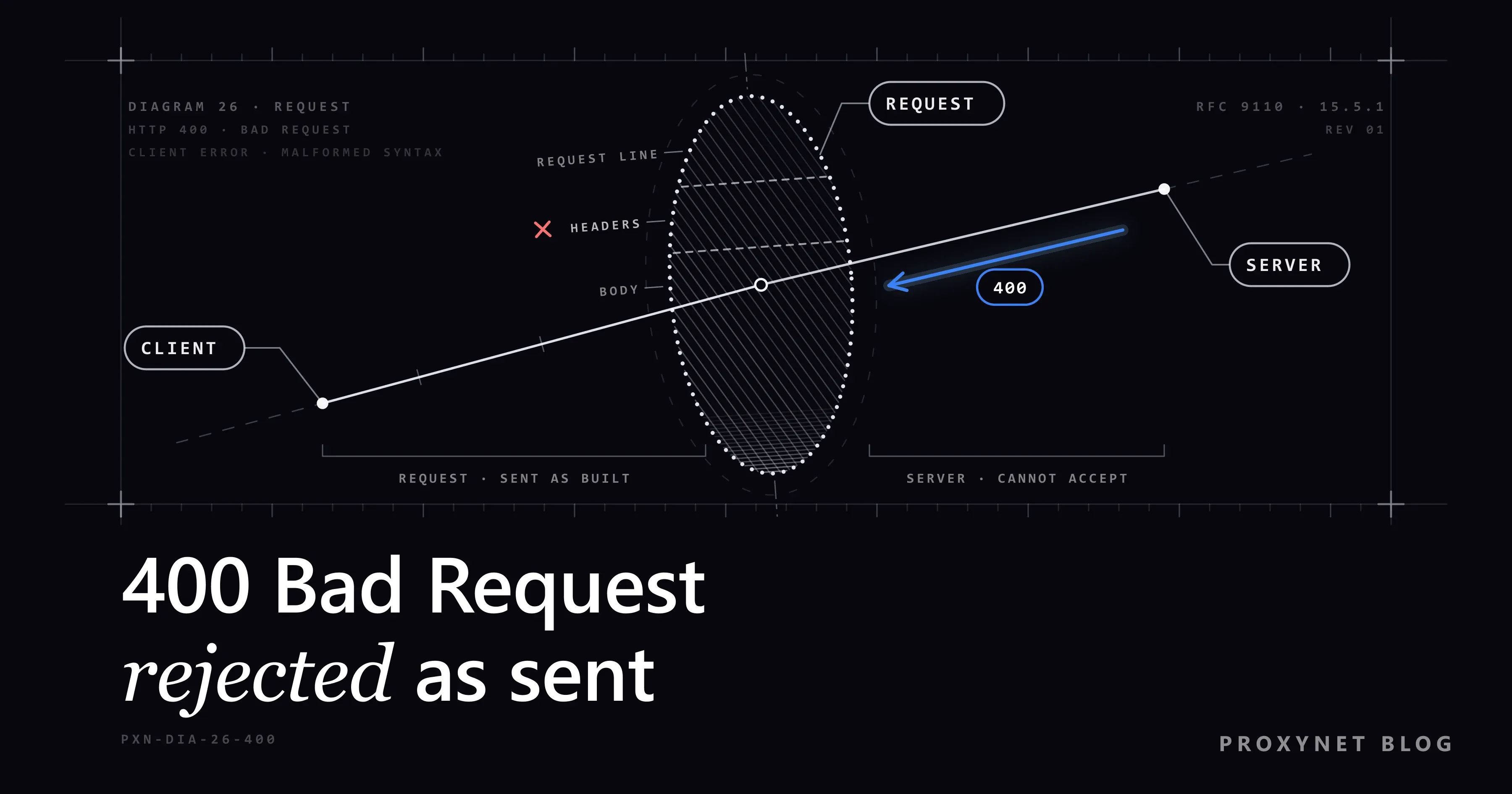
400 Bad Request means the server refuses to process a request because it considers the request itself faulty. The HTTP standard, RFC 9110, gives three examples: malformed request syntax, invalid message framing and deceptive request routing. In plain words, the address, the headers or the data broke the rules the server works by.
Codes in the 400s describe problems on the request side, but "client error" does not always mean you did something wrong: a cookie the site set itself can make your browser's requests too large. One rule follows from the definition. As MDN's reference puts it, a request repeated without changes fails with the same error, so reloading does not help; changing the request does.
Who sent the 400 page you are looking at?
The second line of the page and the name at the bottom tell you which program refused the request, and often why.
| What you see | Sent by | Usual cause |
|---|---|---|
| "400 Bad Request", "Request Header Or Cookie Too Large", "nginx" | nginx | Too many or too large cookies for the site |
| "400 Bad Request", "The plain HTTP request was sent to HTTPS port" | nginx | An http:// request on a port that expects HTTPS |
| "Bad Request", "Your browser sent a request that this server could not understand." | Apache | A malformed address or header |
| "HTTP 400 - Bad Request (Request header too long)" | IIS, Microsoft's web server | A header over the limit, often a sign-in token |
| "This page isn’t working", "If the problem continues, contact the site owner.", "HTTP ERROR 400" | Chrome | The site sent a 400 without a page of its own |
A short JSON message, such as {"error":"invalid JSON"} | An API | Invalid data or a missing parameter |
We checked the Chrome row with a small test server on our own computer that answers 400 with an empty body, opened in Chromium 145: exactly those lines and a Reload button. Chrome writes that text itself, so it says nothing about the cause.
How does a 400 happen, step by step?
A request has three parts, and the server checks them in order:
- The request line. The method and the address, such as
GET /search?q=shoes. Special characters travel as a%and two hexadecimal digits (percent-encoding); a%without them cannot be decoded. - The headers. Lines such as
HostandUser-Agent, plusCookie, which carries every cookie the browser holds for that site. Servers cap each header line: 8 KB by default in nginx, 8,190 bytes in Apache. - The body. Form or API data, often JSON, which the application checks for format and required fields.
- The verdict. The first check that fails ends the request with 400, usually with a short reason.
- The repeat. Nothing changed, so the next attempt sends the same address, cookies and data, and gets the same 400.
How is 400 different from 401, 403, 404 and 413?
| Code | Name | What it means | What helps |
|---|---|---|---|
400 | Bad Request | The request is faulty | Fix the address, cookies or data |
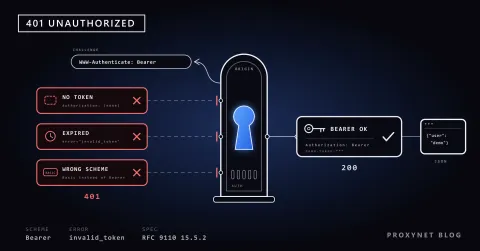
401 | Unauthorized | Valid credentials are missing | Sign in or send a valid token |
403 | Forbidden | Understood, but refused | Another account or permission |
404 | Not Found | Nothing at this address | Check the address |
413 | Content Too Large | The upload is too big | Send a smaller file |
431 | Request Header Fields Too Large | The headers are too big | Delete the site's cookies |
400 is the general code; servers send a more specific one when it fits. A 401 means the server read the request but wants to know who sent it, which 401 Unauthorized Error: What It Means and How to Fix It covers. An oversized upload normally gets 413 (nginx accepts 1 MB of request body by default), though some applications answer 400.
Why am I getting a 400 Bad Request error?
From a visitor's side, the usual causes are these:
- A mistyped or broken address. Links copied from emails and chat apps get cut or pick up stray characters; a
%without two hexadecimal digits after it, as in50%off, cannot be decoded. - Too many or too large cookies for that site, the cause behind "Request Header Or Cookie Too Large".
- A damaged or outdated cookie. After a site changes its sign-in system, an old cookie can carry a value the new code cannot parse.
- An extension that rewrites requests, such as one that edits headers or cookies.
- Something in between, rarely: security software that inspects web traffic, or a proxy set up with the wrong scheme or port.
What does "Request Header Or Cookie Too Large" mean?
It means the cookies your browser keeps for that site, together with the other headers, no longer fit the server's size limit, so nginx refuses the request with 400. Your browser sends all of a site's cookies in a single Cookie header with every request, and nginx refuses any header line bigger than one buffer, 8 KB by default, as its documentation for large_client_header_buffers explains.
The two sides' limits do not match. The cookie standard, RFC 6265, asks browsers to store at least 4,096 bytes per cookie and at least 50 cookies per domain, far more than 8 KB together. A site with many analytics and session cookies can cross the line after weeks of normal use, and the error then hits that one site only, because only its cookies travel with its requests.
IIS words it as "HTTP 400 - Bad Request (Request header too long)", and some servers send the more specific 431. The fix on your side is the same: delete that site's cookies.
How do you fix a 400 error as a visitor?
Work through these in order; the first three take a minute.
- Check the address. Retype it, or open the site's home page and navigate from there. For a long link from an email, try it without the part after
?. - Delete only that site's cookies. This signs you out of that one site and leaves the others alone.
- Chrome: More > Settings > Privacy and security > Third-party cookies > See all site data and permissions, search for the site, select Delete and confirm (Google's steps).
- Edge: Settings and more > Settings > Privacy, search, and services > Cookies > See all cookies and site data, search for the site, open the arrow next to it and select Delete.
- Firefox: on the site, click the shield icon left of the address bar and choose Clear cookies and site data…
- Safari on a Mac: Safari > Settings > Privacy > Manage Website Data, select the site and click Remove.
- Try a private window. In Chrome, More > New Incognito window, or Ctrl+Shift+N. It starts without the site's cookies, and extensions stay off unless you allowed them there. If the page opens, a cookie or an extension was the cause.
- Switch extensions off one by one under More > Extensions > Manage extensions in Chrome, starting with those that block content or edit requests.
- Make the upload smaller if the error appears when you send a file.
- Try without your VPN or proxy, or on mobile data. If the page loads, something on the first network changes your requests.
- Contact the site with the address, the time and what you clicked. If the error returns days after clearing cookies, the site sets more than its server accepts.
Flushing the DNS cache or restarting the router rarely helps: by the time a server answers 400, your computer has already found it.
What should developers check when code gets a 400?
In code, a 400 means the server rejected the request your program built, and the response body usually names the field or rule. Log the body before you change anything. The usual causes:
- Invalid JSON: a trailing comma, single quotes, a string glued together by hand. Use your language's encoder, such as
JSON.stringifyorjson.dumps. - A
Content-Typethat does not match the body, such as JSON sent with a form type. - Missing or wrong parameters: a required field left out, a number sent as text, a date in the wrong format.
- Hand-built query strings. Spaces,
&and%inside values must be encoded;URLSearchParamsorurllib.parse.urlencodedo it for you. - Headers the server will not take. A large cookie or a long token can pass the per-header limit: 8 KB in nginx,
LimitRequestFieldSizein Apache,MaxFieldLengthin IIS. HTTP/1.1 also requires a 400 for a missing or duplicatedHostheader. - HTTP/1.1 habits in HTTP/2. HTTP/2 requires lowercase header names and forbids connection headers such as
ConnectionandKeep-Alive; the server resets such a request or answers 400. It happens when code or a proxy copies HTTP/1.1 headers into HTTP/2.
A 400 for malformed JSON, reproduced
We ran a tiny Node.js server on our own computer that answers 400 when an order's body is not valid JSON, then sent one request with curl -i (-i prints the status line and headers) and a trailing comma in the body:
curl -i http://127.0.0.1:18400/api/orders -H "Content-Type: application/json" -d '{"product": "sku-123", "qty": 2,}'The output (curl 8.22 on Windows 11, Node.js 24):
HTTP/1.1 400 Bad Request
Content-Type: application/json
Date: Thu, 12 Nov 2026 01:21:06 GMT
Connection: keep-alive
Keep-Alive: timeout=5
Transfer-Encoding: chunked

{"error":"invalid JSON","detail":"Expected double-quoted property name in JSON at position 32 (line 1 column 33)"}
Position 32 is the } right after the comma: JSON allows no comma before a closing brace. Remove it and the body is valid. A real API words its message differently, but the pattern holds: the status line says the request is wrong, the body says where.
What changes behind a proxy?
Nothing in the request, if the proxy is set up correctly. For an https:// address the client asks the proxy to open a tunnel with a CONNECT request, and the proxy passes bytes both ways without reading them, so a 400 that comes back is the site's verdict. A typical setup mistake is a scheme that does not match the port: a plain http:// request on a port expecting HTTPS gets nginx's "The plain HTTP request was sent to HTTPS port". With HTTPS Proxy, copy the host, port and scheme exactly as the endpoint builder shows them.
How should a scraper treat a 400?
As a bug in its own request, not a block. Retrying unchanged returns the same 400, and a Residential Proxy pool changes the address the site sees, not the request your code sends. Stop, log the request and the body, and fix what it names.
Other codes do deserve a retry, such as a 503 after a pause; HTTP Status Codes in Web Scraping sorts those from the ones that mean stop.
Where you might run into a 400
- A site you visit every day that suddenly shows "Request Header Or Cookie Too Large".
- Long links from emails, chat apps and newsletters that get cut on the way.
- Upload forms with a size limit the page does not mention.
- "Sign in with Google" buttons in apps whose setup is wrong, with an "Error 400" code.
- API calls from scripts, Postman and no-code tools after a field name or type changed.
Common mistakes
- Clearing all browsing data. It signs you out of every site; only the failing site's cookies matter.
- Reloading again and again. The request does not change, so neither does the answer.
- Blaming the connection. A 400 means the request arrived.
- Developers: retrying a 400 in a loop or rotating IP addresses on one, and logging the status code without the body.
- Site owners: raising header limits instead of trimming cookies. The cookie standard itself advises servers to keep cookies few and small.
Decision guide
| Your situation | What to do |
|---|---|
| "Request Header Or Cookie Too Large" on one site | Delete that site's cookies |
| A link from an email gives a 400 | Retype it or start from the home page |
| The page opens in a private window | Remove the cookie or extension behind it |
| The error appears when you upload a file | Send a smaller file |
| Only on one network, or only with a VPN on | Check the VPN, proxy or security software |
| Your API call returns a 400 | Read the body, fix the JSON, header or parameter |
Frequently asked questions
Is a 400 error my fault or the website's?
It can be either; the code only says the request was faulty. A typo or an extension is on your side, an oversized cookie was set by the site itself, and a 400 from an API is a bug in the calling code.
Why do I get 400 Bad Request on only one site?
Because the cause usually lives in that site's cookies or limits: each site receives only its own cookies and sets its own size limits. Delete that site's cookies; if a private window shows the same error, the site has to fix it.
Can a VPN or proxy cause a 400 error?
Rarely. A VPN, and a proxy that tunnels HTTPS, pass your request on unchanged, so the 400 comes from the site. If the error appears only with a proxy on, check its scheme and port; security software that inspects traffic can also alter headers.
How do I fix 400 Bad Request on an iPhone or Android phone?
On Android, open the site in Chrome and tap More > Site controls > Cookies, then Delete next to the stored data. On an iPhone, try a private tab first; if that works, Settings > Apps > Safari > Advanced > Website Data > Remove All Website Data clears it, but signs you out of every site.
Why do I get 400 Bad Request in Postman?
Usually the body or its type. With the raw body set to JSON, Postman adds the matching Content-Type header, but one you entered yourself overrides it. Check the JSON and the required parameters, then read the response body.
What does "Error 400: redirect_uri_mismatch" mean?
It appears when an app sends you to sign in with Google: the return address the app gave Google does not match any address registered for that app. Only the app's developer can fix it, in its Google Cloud settings.
Summary
A 400 Bad Request means the server received your request and would not accept it as it was. Visitors check the address, delete that one site's cookies, try a private window and switch off extensions. Developers read the response body, fix the JSON, headers or parameters, and never retry a 400 unchanged. When you need proxies for monitoring or data collection, compare the types on our proxy page.