Picture yourself running marketing for a company that sells e-bikes to Germany. The German product pages are live and you have a Google Ads campaign targeting Germany. Yet when you type the German keyword into Google from your own office in another country, you get shops near you, news in your language and ads that run where you are. That screen cannot tell you what a customer in Berlin sees.
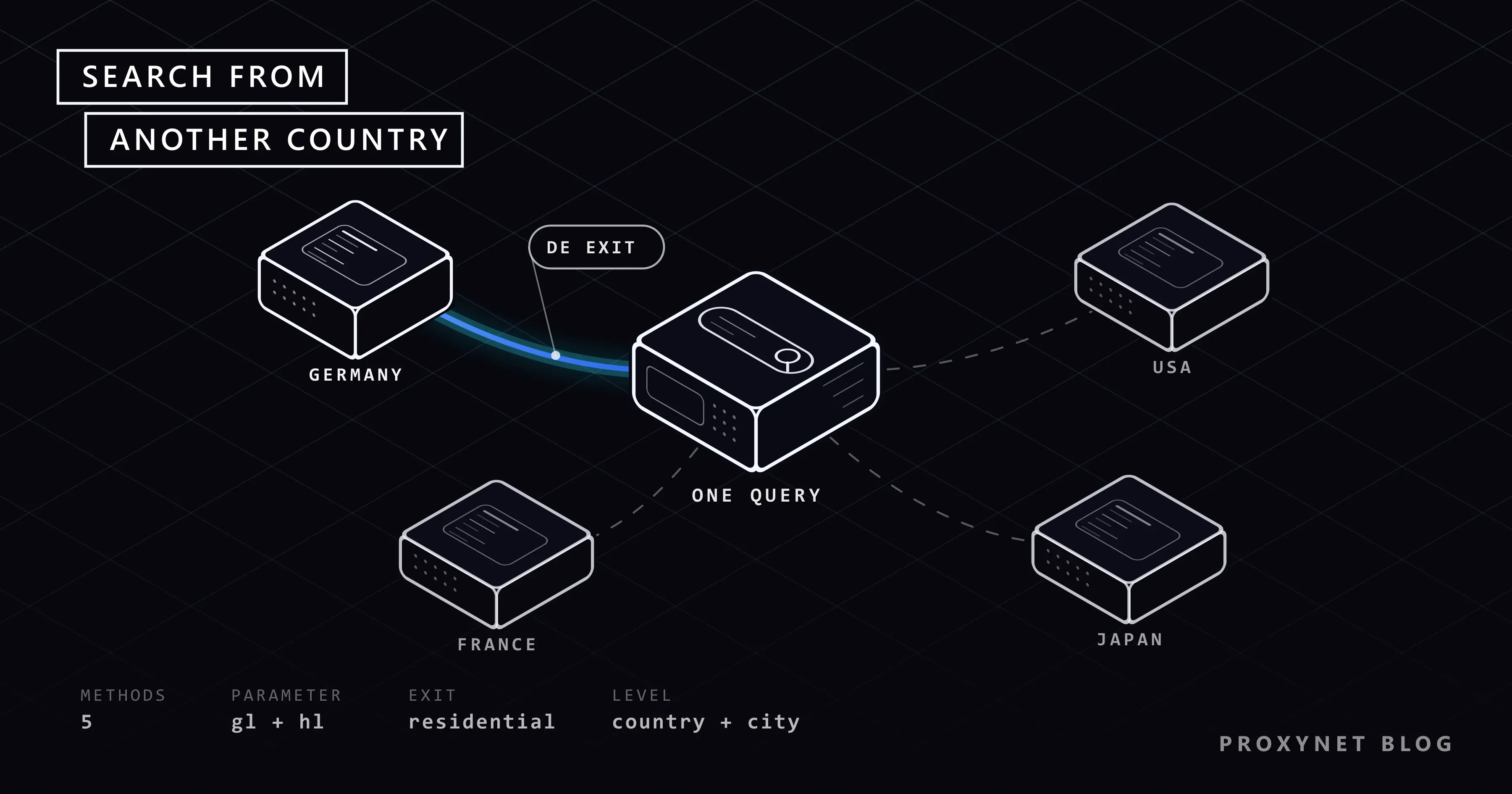
This post briefly explains why Google changes results by location, then puts five ways of searching from another country side by side: the region option in search settings, the gl and hl URL parameters, the Ad Preview and Diagnosis tool in Google Ads, a VPN, and a residential proxy located in the target country or city. One table shows what each method does and does not show, whether it reaches city level and whether it is any use for checking ads. The post covers checks done by hand; collecting Google results automatically is not our subject, and the relevant section explains why.
Why do Google results change by country and city?
Google does not show everyone the same page for the same query. Four factors change the result, and when you check by hand you need to know which one you are changing.
- Location. According to Google's Search help pages, location is estimated from four sources: the location your device reports, the home and work addresses saved in your Google Account, your past activity and your IP address. The bottom of the results page says which source was used ("From your device", "From your internet address" and so on). In a signed-out browser with no location permission, the IP address is what decides.
- Language. The interface language and the browser's language preference affect which language's pages come to the front. A user in Germany searching in English and one searching in German do not see the same list.
- Sign-in and history. If you are signed in to your Google Account, your earlier searches and visits can influence the results.
- Device. Mobile and desktop result pages are laid out differently; the map box, shopping results and the position of ads all change.
It used to be enough to open google.de or google.fr for this. Not any more: Google announced on its official blog that since 2017 it has determined local results by location rather than by domain, and that from April 2025 it would gradually start redirecting country domains to google.com.
How location is estimated from an IP address, and why that estimate sometimes points to the wrong city, is covered in our post on why an IP location can be wrong. How these factors mislead rank tracking is in the "Why do location-based results differ?" section of How to Automate SEO Rank Tracking. Why two people searching side by side still see different lists for the same query is covered in Why Are My Google Search Results Different from Others?.
What are the five ways to search from another country?
The methods fall into two groups. The first three are ways of telling Google "show me this country's results"; your IP address stays where it is. The last two move the point where you reach the internet, that is your IP address, to the target country. The table shows the difference:
| Method | Location level | Does it show ads? | Affected by personalisation? | Cost |
|---|---|---|---|---|
| Region in search settings | Country | Not reliable; your IP is still in your own country | Yes, if signed in | Free |
gl and hl parameters | Country | Not reliable; your IP is still in your own country | Yes, if signed in | Free |
| Ad Preview and Diagnosis tool | The location you pick in the tool | Yes, without accumulating impressions | No, the tool generates its own preview | Free, needs a Google Ads account |
| VPN | Country, plus the cities on the server list | Yes, but a shared IP can trigger a verification screen | No, in a clean profile | Monthly subscription |
| Location-targeted residential proxy | Country and city | Yes, as a home user in that location sees them | No, in a clean profile | Pay per use |
Here is why the table says "not reliable": the region setting and the parameters pull the organic list towards the target country, but advertisers target campaigns by where the user is. As long as your connection comes from your own country, you should not expect to see an ad targeted at Germany. The same holds for the map box and "near me" style local results. The Google-specific details of the method that moves your IP address are on our Google proxy page.
How do you change the results region in search settings?
This is the method Google itself offers, described on the help page See results for a different country.
On a computer:
- Open Google's Search settings page (
google.com/preferences). - Scroll to "Region Settings".
- Select the target country from the list.
- Click Save at the bottom of the page.
On Android: in the Google app, tap your profile picture, follow Settings > Language & region > Search region and tap the country whose results you want.
On iPhone and iPad: in the Google app, tap your profile picture, follow Settings > Other Settings > Language and region settings, choose the country under "Region for Search Results" and tap Save.
According to the note on the help page, if you don't find a region in the list, the feature isn't available for that location. Menu names can change with interface updates.
This setting has two limits. First, you can only choose a country; you cannot see the difference between Munich and Hamburg. Second, the setting is permanent. If you forget to set it back after your check, your everyday searches keep arriving with German results.
What do the gl and hl parameters do?
You can get the same effect for a single search from the address bar, without visiting the settings page. Two parameters are added to the end of the search address:
https://www.google.com/search?q=e-bike+kaufen&gl=de&hl=deglis a two-letter country code (de,us,fr,nl). Google's Programmable Search documentation defines this parameter as the "geolocation of end user" and states that it boosts results whose country of origin matches.hlsets the interface language (de,en,fr). The same document says that setting this parameter explicitly improves the quality of results.
One caveat: these definitions come from the documentation of the search API Google offers to developers. The same parameters also work on google.com/search, but Google does not present this as a documented feature for end users. Its behaviour can change without notice. Use the parameters as a tool for a quick look, not as the sole basis of a report.
Changing the two parameters independently is useful. With gl=de&hl=tr you approximate "a user who lives in Germany and searches in Turkish", and with gl=de&hl=en an English search in Germany. The parameters have no city level and they do not change your IP address.
Which tool is right for ads?
If you want to know whether your own ad appears in another country, the right tool is inside Google Ads. The Ad Preview and Diagnosis tool sits under the "Troubleshooting" section of the Tools menu in your Google Ads account. You type the search term and choose criteria such as location and language; the tool tells you whether your ad is eligible to show under those conditions and gives you a preview of the results page. If the ad is not showing, it also states why.
In Google's own words on that page, using the tool is preferable to searching yourself, because it avoids accumulating ad impressions and affecting your performance statistics. If you search the same keyword many times a day to see your ad, impressions rise, no clicks arrive and your click-through rate falls. Clicking the ad is worse. Click your own ad and you spend your own budget. Clicking a competitor's ad just to check it falls under Google's definition of an invalid click, meaning a click that does not come from genuine user interest. We cover this separately in our post on click fraud in Google Ads.
The tool has limits too. It only diagnoses ads in your own account; it is not designed for studying a competitor's ad copy or the organic ranking on the page. Google also notes that the ad may no longer appear in the preview once the campaign reaches its daily budget. Auditing ad placements on publisher sites is a separate job; we describe it on our ad verification page.
Is searching through a VPN enough?
A VPN sends all your internet traffic through a server in another country. Your IP address really does change, so Google sees you in that country; ads and local results follow. It does the job for an occasional check. It has three weak points:
- Shared IP. On consumer VPNs many people use the same exit address at the same time. Google can show a verification screen for searches coming from those addresses. Why that screen appears is explained in our post on Google's unusual traffic error.
- Datacenter address. VPN servers sit in datacenters. The page you see is the one shown to someone connecting from a datacenter, not to a home user in that country.
- City choice. Your options are limited to the VPN provider's server list. "Germany" is there; "Leipzig" usually is not.
A VPN also affects the whole computer: your email and banking sessions appear to connect from another country as well. A proxy works only in the browser profile you configure. We compare the two technologies in Proxy vs. VPN: Which One and When?.
How do you run the check with a location-targeted proxy?
With this method your browser reaches Google from the IP address of a real home internet connection in the target country and, if you wish, the target city. What Google sees is an ordinary user in that location. For a specialist searching a few critical queries by hand, the setup looks like this:
- Open a separate browser profile. Create a new profile in Chrome or a separate profile in Firefox. Do not sign in to a Google Account and do not install extensions.
- Define the proxy for this profile only. Pick the target country, and the city if needed, in your provider's dashboard and enter the given address and port in the profile. The system-settings route is in How to Set Up Proxy Settings in Windows and Chrome.
- Verify where the IP appears to be. Before searching, check the country and city on an IP lookup page. The steps are in Is My Proxy Working? How to Test a Proxy.
- Set the browser language for the target audience. If you want to see what a German-speaking user in Germany sees, set the profile's language preference to German.
- Run the search and look at the very bottom of the page. Google states the location it estimated and the source there. If you see the target city and "From your internet address", the setup is working.
- Record what you saw. Take a screenshot with the date, query, location and device; a single look may change tomorrow.
The reason for using a residential IP is the second point in the VPN section: an address that belongs to a home connection comes from the networks real users in that country are on. Use cases for SEO teams are on our SEO proxy page. Residential Proxy supports country and city targeting; you can see which cities are selectable in which countries on the location pages, for example Germany. The difference between the two address types is in ISP vs Residential Proxies.
How do you check results at city level?
For queries with local intent such as "Zahnarzt" (dentist), "Schlüsseldienst" (locksmith) or "Autovermietung" (car rental), country level is not enough; results in Berlin and Cologne differ. There are three ways to get down to city level:
- Put the city in the query. This is Google's own suggestion: you add the location to the search ("Zahnarzt Köln"). It is fast, but you are now measuring a different query: a user in Cologne searches without typing the city name.
- Change the browser's location data (advanced). The Sensors panel in Chrome DevTools overrides the geolocation reported to sites with one of the preset cities or coordinates you enter by hand. The panel only changes the browser's answer to a location permission request; it does not touch your IP address. If you have not given Google location permission it has no effect at all; if you have, your IP says one country while your browser says Cologne, and the result is a mix that resembles no real user.
- City-targeted proxy. Both the IP address and the browser language are consistent with the target city. The location line at the bottom of the page confirms the city.
The last one is closest to the real user's situation. IP location databases do not always agree on the city, so do not skip the bottom-of-page check in step five of the setup.
Where is the limit of checking by hand?
Checking five keywords in three countries once a month is a human-scale job. Checking five hundred keywords every day is not, and the answer is not to do the same thing with a script. Google's spam policies explicitly count sending automated queries without permission, and scraping results for rank-checking purposes, as a violation.
For regular, broad tracking there are two legitimate sources. For your own site, Search Console's Performance report and API give you the country breakdown from real user data, free of charge. For competitor and city data, services that provide search result data under licence are used. We explain the Search Console API setup and compare these sources in our rank tracking post. A manual check does not replace that data, it complements it: you see with your own eyes what a drop in the report looks like on the page.
Who runs this check, and what for?
- E-commerce sites that export: Seeing which competitors show up for category queries in the target market, and with what price and delivery promise. The market-by-market comparison setup is on our market research page.
- SEO specialists: Verifying that a newly launched language version is listed with the right URL in that country; the wrong language version showing up in Germany is usually an hreflang problem. For choosing a provider, see Best Proxies for SEO Tools.
- Advertisers and agencies: The Ad Preview tool for their own ads, and ad verification for placements on publisher sites.
- Localisation teams: Testing whether the site shows the right language, currency and cookie notice when opened from that country. Details are on our localization testing page.
- Brand owners: Watching who uses the brand name as an ad keyword in other countries and whether fake shops appear. This work is described on our brand protection page.
Common mistakes
- Checking in a signed-in browser. Your account history affects the result, and the home and work addresses saved in your account feed into the location estimate.
- Assuming an incognito window hides your location. An incognito window separates cookies and history; it does not change your IP address. Google still sees you where you are.
- Searching the same query over and over to see an ad. Impressions pile up and the click-through rate falls. The Ad Preview tool exists for this.
- Clicking ads to check them. On your own ad you spend your budget; on someone else's you generate an invalid click.
- Trying addresses from free proxy lists. On those addresses Google shows a verification screen on almost every search, and you cannot know whose hands your traffic passes through. We list the risks in our post on whether free proxies are safe.
- Treating a single look as ranking data. What you see is the result for that moment, that location and that device.
Decision guide
| Your need | Recommendation |
|---|---|
| A quick look at another country's results | Region in search settings, or the gl and hl parameters |
| Seeing a search in a different language in the same country | gl fixed, hl variable |
| Checking whether your own Google Ads ad is showing | Ad Preview and Diagnosis tool |
| Seeing organic results and page layout like a user in that country | Clean profile, residential proxy exiting from the target country |
| Verifying local results city by city | Clean profile, city-targeted residential proxy |
| Once or twice a month, one country, low precision | A VPN may be enough |
| Tracking hundreds of keywords regularly | Search Console API and a licensed SERP data service; not manual or scripted searching |
Frequently asked questions
If I open google.de, will I see German results?
No. Since 2017 Google has determined local results by your location rather than by the domain, and it is redirecting country domains to google.com.
Does an incognito window hide my location?
It does not. An incognito window takes your sign-in and search history out of play, so it reduces personalisation. Your IP address stays the same, so Google still estimates your location; you can see this in the location line at the bottom of the page.
Is there a difference between the gl and hl parameters and the region setting?
Both send the same kind of signal: you tell Google which country's results you want. The region setting is permanent and applies to all your searches until you change it. The parameters apply only to that address and let you choose the language independently of the country.
How can I see my competitor's ads in another country?
The Ad Preview tool only diagnoses your own account. The way to see the ads a competitor runs in that country is to run the search once over a connection that exits from that country and record the result. Do not click the ad; the copy, the extensions and the display URL are all readable on the results page.
Do the same methods work on a phone?
The region setting is in the Google app as well; the path is given above. The parameters also work in a mobile browser. What differs on a phone is that location permission is usually on: Google can put the location the device reports ahead of the IP address. To check the mobile results page, you can use a desktop browser's mobile view mode in a profile with location permission turned off.
Will Google show a verification screen when I search through a proxy?
It can. The verification screen appears when many searches arrive from the same IP address in a short time, or when the address has been used for automated traffic before. A person searching a few queries by hand meets this screen infrequently; if it does appear, you complete the verification yourself and carry on. If it appears on almost every search, the address has most likely been used heavily by others.
Summary
Google results change with location, language, sign-in history and device; switching the country domain no longer means anything. For a quick look, the region option in search settings or the gl and hl parameters are enough, but as long as your IP address stays in your own country, ads and local results are not reliable. Use the Ad Preview and Diagnosis tool for your own ad, and do not check ads by clicking them. When you want to see organic results and page layout through the eyes of a user in the target country or city, search a few queries by hand with a clean, signed-out profile and a residential IP that exits from that location; leave broad, regular tracking to the Search Console API. You can find location-targeted options among our proxy services.