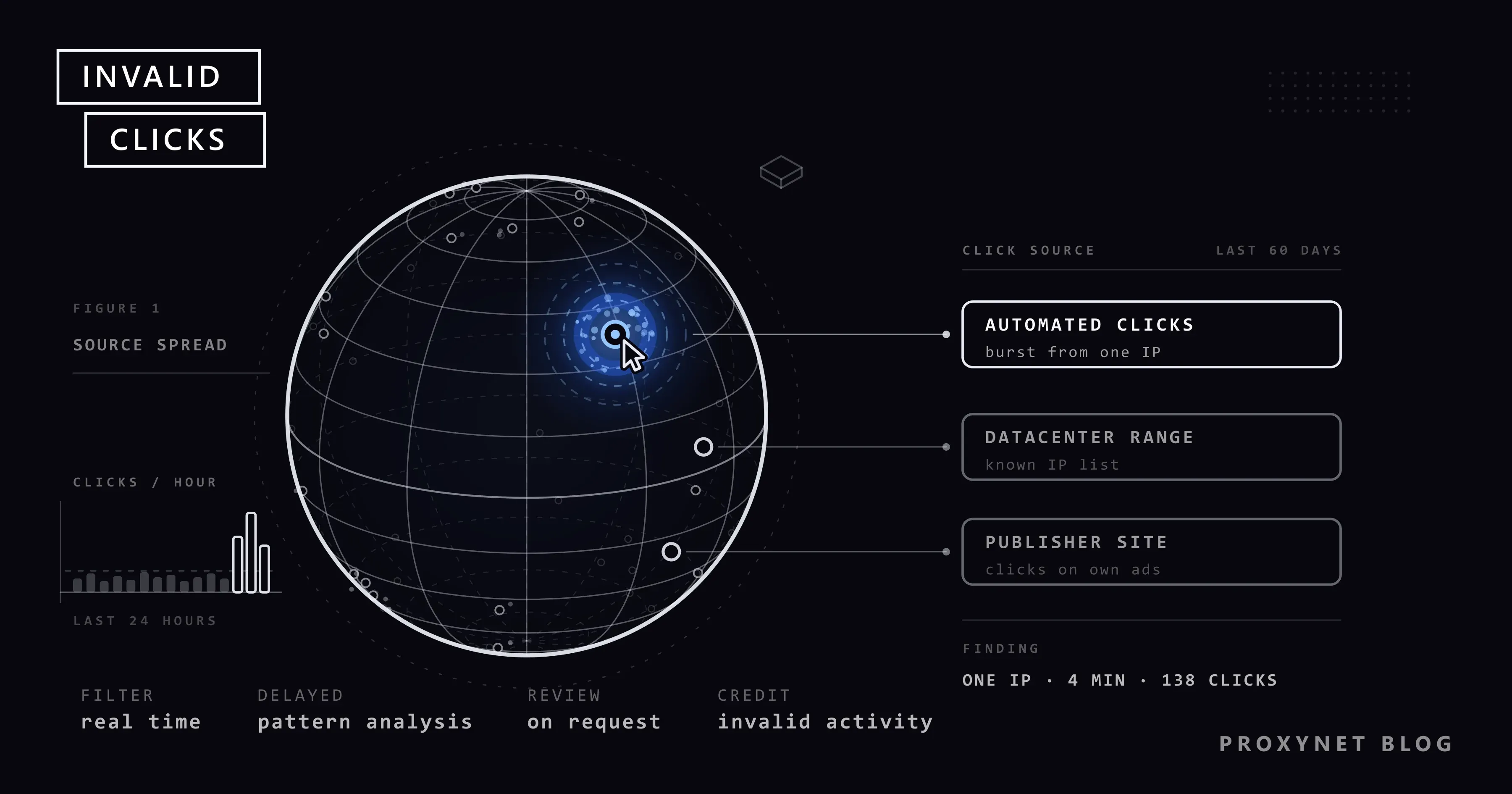
Your daily budget is gone before noon, clicks are double last week's, and yet the phone stays silent and no forms come in. Every advertiser who sees that picture asks the same question: are my competitors clicking my ads? Sometimes, yes. More often the answer is duller: the budget went up, a new keyword opened on broad match, or the ad started showing on a new publisher site.
This post explains what Google calls an "invalid click", what the automated filter does at each stage, and which column and report to check in your account. We then look at why IP blocking, the fix you will see recommended most often, falls short wherever addresses are dynamic and shared, which settings do more of the work, and how to request an investigation from Google. The last section explains where ad verification fits in. Menu paths follow the English Google Ads interface.
What is click fraud in Google Ads?
What people search for as "click fraud" is officially called an invalid click at Google, and more broadly invalid traffic. Google Ads Help defines it as traffic that does not represent genuine interest in your business.
Two details in that definition matter. First, an invalid click is a wider category than a fraudulent one; bad intent is not required. Click fraud is only the deliberate part of the set. Second, the definition is not limited to clicks. Google counts impressions, interactions and conversions as well, and lists impressions meant to artificially lower your clickthrough rate among its examples.
The practical result for an advertiser: you do not pay for a click Google considers invalid. The argument starts with clicks Google does not consider invalid but you find suspicious.
Which clicks does Google treat as invalid?
The help page groups its examples into four kinds and notes that the list is not exhaustive:
- Non-human traffic. Clicks and impressions generated by bots and automated software that mimic how people browse.
- Accidental clicks. For example, clicks caused by poor placement, such as an ad sitting too close to a navigation button.
- Fraudulent ad placements. Clickjacking, where an invisible ad is placed under something the user means to click, and ad stacking, where a publisher layers several ads so that only the top one is visible.
- Other invalid user activity. Intentional interactions from real people with no genuine interest: competitors clicking by hand to increase your spend, publishers paying users to click ads, and impressions meant to push your clickthrough rate down. This is what the "competitors are clicking my ads" complaint maps to.
The ad measurement industry splits the same ground into two classes. The Media Rating Council, which audits measurement companies in the US, calls the first one "general invalid traffic" in its invalid traffic standard: known data center addresses, bots that identify themselves and non-browser clients, all caught with lists and routine checks. The second is "sophisticated invalid traffic": hijacked devices or custom automation software, which take advanced analysis and human review to catch. Google's help page notes that the MRC accredits its invalid traffic defenses for specific services and metrics.
How automated clicking software works is outside the scope of this post. The signals websites use to tell automated traffic apart are covered in How Bot Detection Works.
How does Google's automated filter work?
Google does not disclose how much weight each signal gets; if it did, the filter would stop working. What it does disclose is the layers. On its ad traffic quality page it says it uses over 200 filters and stops the vast majority of invalid traffic in real time or soon after. A click roughly follows this path:
- Real-time filter. If the click comes from a user agent (the text a browser uses to identify itself) or an IP address on a denylist, if the publisher's clickthrough rate is suspiciously high, or if the traffic flows from a single user, it is never charged to the advertiser.
- Delayed filter. Some patterns are invisible in a single click. Google keeps monitoring traffic that looks suspicious but is not conclusive; recognizing a pattern can take several weeks.
- Manual review. A specialist team reviews cases flagged by advertisers, publishers and automated systems. New threats they find are fed back into the filters.
- Adjustment or credit. If the traffic is identified as invalid before the end of the billing cycle, it is removed from your campaign metrics and your bill. If it is identified later, a credit is issued where appropriate and possible.
Keep one number in mind: according to the help page, investigation requests are limited to activity from the past 60 days.
This table sums up what shows up where, depending on when the traffic was caught:
| When was it caught? | Where does it show in the account? | Effect on money |
|---|---|---|
| At the click or shortly after | "Invalid clicks" column in the campaigns table | Never charged |
| Before the end of the billing cycle | Removed from campaign metrics and billing | Never reaches the invoice |
| After the invoice | "Invalid activity" adjustment in the billing summary, Invalid Activity Credit Report | Credit in the next billing cycle |
| Google did not catch it, you suspect it | Nowhere; only in your own logs | Depends on the investigation outcome |
"Refund" is the wrong word here. Google's wording is that traffic caught before billing is removed automatically, so no refund is needed; what is found afterwards comes back as a credit in the form of a billing adjustment. The credit does not return to your bank account, it is deducted from your later ad spend.
Where do invalid clicks show up in reports?
To see the filtered clicks, adding one column to the campaigns table is enough:
- In the Campaigns menu, go to Campaigns.
- Click the Columns icon above the data table.
- Click the search icon next to "Modify columns for campaigns" and type "Invalid clicks".
- Tick the column and select Apply.
The same search also returns a rate column: invalid clicks divided by total clicks, filtered ones included. Add both.
A number in that column is not bad news. In Google's words, an increase means its defenses are actively protecting your budget: the column shows traffic that was filtered before you were billed, in other words traffic you did not pay for. It does not show the clicks you think the filter missed; those sit among your normal clicks.
Post-invoice credits live in two places. Under Billing, open Summary; in the card for the relevant month, the Adjustments dropdown lists credits labeled "Invalid activity". To see how much was credited to which campaign, open Report Editor in the Campaigns menu and pick Invalid Activity Credit Report from the template gallery. The report comes with "credited clicks", "credited interactions" and "credited amount" columns, and you can add the "adjusted" cost and click metrics that subtract the credits. It is available for Search and Performance Max campaigns. Google also explains why the two figures rarely match: the column counts traffic filtered before billing, while credits cover what was detected after the billing cycle closed.
Is every spike in clicks click fraud?
No, and Google says so in the FAQ of its help page. Common innocent causes of a jump in clicks or impressions:
- Raising the budget or adding keywords, especially ones that match broad or popular queries.
- Changes to audience or location settings.
- A competitor pausing their ads, which makes yours show more often.
- An automatically placed campaign starting to show on a new publisher site.
- Seasonality or a news event.
Google's first suggestion is to open Change history and see what changed in the account. A low conversion rate is not proof on its own either. A landing page that is hard to navigate or ad copy that is too generic produces the same picture.
A third source of confusion is the measurement gap. Your server logs include everyone who visits the site, not only those who came from an ad. Google removes filtered clicks from its reports, but your analytics may still record the visit. Click tracking tools can also flag duplicate IP addresses or bot traffic as "fraud" when Google has already filtered it and excluded it from your bill. To separate Google Ads clicks from other traffic, auto-tagging has to be on in your account; it appends a click identifier called gclid to the landing page URL.
Why is IP blocking a blunt tool on dynamic and shared addresses?
Nearly every click fraud article ends with the same advice: find the suspicious IP and exclude it in Google Ads. The feature is real and its limit is documented. According to Exclude IP addresses, you can exclude up to 500 IP addresses per campaign. For a block of addresses you can replace the last part with an asterisk; entering 203.0.113.* closes all 256 addresses in that block with one line. Campaign-level exclusion is not available for video, hotel, App, Performance Max and Smart Display campaigns. Google added account-level IP exclusion to cover that gap: Admin icon, Account settings, IP exclusions. Addresses entered there apply to every campaign in the account, Performance Max included, and are combined with the campaign-level list.
The problem is not the limit. It is what an IP address stands for in countries where providers rely on dynamic addressing and CGNAT.
The address does not belong to a person. Most home connections use a dynamic IP: the address belongs to the provider's pool, not to the subscriber. When the modem restarts or the session is re-established, the subscriber may get a different address from the pool. The address you blocked yesterday may today belong to another household in the same district, possibly the very customer you are targeting. The person acting in bad faith, meanwhile, leaves your list by switching the modem off and on. Details are in Static IP vs Dynamic IP.
Hundreds of subscribers can sit behind one address. Because IPv4 addresses ran short, carriers route many subscribers to the internet behind a single public address. This is the normal setup on mobile networks and it is common on home broadband as well. Excluding such an address does not block one person; it hides your ad from everyone sharing that address at that moment. A 256-address block closed with an asterisk is a slice of a carrier's subscriber range. The mechanism is explained in What Is CGNAT?.
Türkiye is a typical example. Home broadband there is largely dynamic, a fixed address is usually a paid add-on, and mobile subscribers reach the internet through shared pools. An advertiser there who blocks one "suspicious" address is more likely to hide the ad from real customers sharing that address than to stop the person they had in mind.
Google says the same thing. The FAQ on its invalid traffic page points out that an IP address is not always unique to one device: most networks, such as universities, offices, coffee shops and mobile carriers, use network address translation, which lets hundreds or thousands of devices share one public address. Five clicks from one address in your server log may well be five different customers.
When does IP exclusion work?
When the address is fixed and you know whose it is. Google's own example is exactly that: if your employees search for the company name during the day and click the ad, you exclude your company network's address. The same logic applies to your agency's office and your resellers. If the address is dynamic, the exclusion becomes useless within days.
The campaign-level path is: Campaigns icon, Campaigns, Settings, the campaign in question, Additional settings, IP exclusions. Enter the addresses and click Save. If your office goes out over both IPv4 and IPv6, enter both.
You can also add addresses from your server logs that repeat at short intervals, never convert and appear to belong to a data center. There is rarely a home user who would see your ad behind a data center address, so the risk of collateral damage is low. How to tell whether an address belongs to a home connection or a hosting company is covered in the ASN section of ISP vs Residential Proxies, and the reputation record of an address in What Is an IP Fraud Score?.
Which settings do more than IP exclusion?
When traffic looks off, the FAQ on Google's invalid traffic page points to three settings: location options, negative keywords and content suitability. IP exclusion is not on that list. Here are those three, plus two we add:
- Tighten location targeting. If you get clicks from outside your target area, change the campaign's location option from "Presence or interest" to "Presence", which reaches people in or regularly in your targeted locations. Exclude the locations that generate unwanted traffic as well. The IP exclusion help page itself tells advertisers who want to close off a geographic area to use location exclusion instead.
- Add negative keywords. Read the search terms report regularly and enter queries unrelated to your business as negatives.
- Review content suitability and placements. On the Display Network, find the sites and apps that eat budget without converting in the placement report and exclude them; use content suitability settings to filter out content types that do not fit your brand. The remedy for publisher-side invalid clicks is placement exclusion, not IP exclusion.
- Tighten match types. Phrase or exact match brings more relevant clicks than broad match.
- Use an ad schedule. If suspicious clicks pile up during hours when your business is closed, do not show the ad during those hours.
For businesses that collect leads, Google has separate advice: protect forms with reCAPTCHA and server-side validation, consider a double opt-in, and set up enhanced conversions. The last step tells the bidding strategy which clicks actually turned into customers.
How do you request an invalid click investigation?
For traffic you believe the filter missed, you can ask Google for a manual investigation. The request goes through the Click Quality Form; you reach it from the "Submit your report" section of the invalid traffic help page, and you need to be signed in to your Google Ads account. The investigation is limited to the past 60 days.
Google asks you to gather this data before submitting:
- Customer ID. Your 10-digit Google Ads account number.
- Exact date range. The days on which you saw the suspicious activity.
- Campaign, ad group and keywords. The parts of the account where the spike occurred.
- Web server logs. IP addresses that repeat or never convert, browser and device information for those visits, and the
gclidvalues of the clicks. The click identifier lets Google map the visit back to a specific ad interaction. - A short explanation. Why the traffic is suspicious. Google's examples: a large spike in clicks with no matching rise in conversions, or clicks from outside your targeted locations.
If you have no access to server logs, ask your hosting company for the access logs of the relevant days. Google says the investigation typically takes several business days and that you receive the findings by email. It will not tell you whether a specific click was marked valid or invalid, because that would expose how detection works. If the outcome is in your favour, what you get is again a credit.
Where does ad verification fit in?
Everything so far concerned what happens after the click arrives. Ad verification asks a separate question: is my ad really running where I target it, in the form I intended? From your office in one city you cannot know what a user in another city, or in Germany, sees.
For your own Search ad, the right instrument is the Ad preview and diagnosis tool inside Google Ads: it does not accumulate impressions, and you choose the location. Where to find it and what its limits are is covered in How to Search Google from Another Country. Clicking an ad as a way of checking it, on the other hand, costs you budget on your own ad and falls under the definition of an invalid click on someone else's.
There are things the tool does not show: who else bids on your brand name, what content your ad sits next to on a publisher site, whether your partner's link really takes the user to your page, how your landing page loads from another city. For those you need to look from a real connection in that location. Ad verification teams use Residential Proxy for this, which provide home broadband addresses, because known data center traffic is classed as invalid from the outset on the ad side, as the measurement standard above shows; an auditor looking from a data center may not see what the user at home sees. The method is described on our ad verification page, and provider selection in our post on proxies for ad verification.
Verification is done on the impression and page side; no clicks are generated. A proxy does not prevent click fraud; it only lets you see how your ad actually looks in the field.
Who is this useful for?
- Local businesses. For a business serving one city the most effective measure is the location setting; you can check how the ad appears in other provinces with addresses located in Türkiye, province by province, or with addresses in whichever country you advertise in.
- E-commerce sites. For others bidding on your brand name and for fake store ads, see our brand protection page.
- Agencies. Adding the "Invalid clicks" column to the client report lets you hold the "competitors are clicking" conversation with data. For teams running campaigns in several countries, localization testing covers how the landing page looks in each of them.
- SEO and performance teams. For measuring organic visibility, see How to Automate SEO Rank Tracking.
Common mistakes
- Clicking your own ad to "test" it. It comes out of your budget and distorts your statistics. The Ad preview tool exists for this.
- Clicking a competitor's ad in retaliation. By Google's definition that is an invalid click. It solves nothing and only pollutes both sides' data.
- Blocking every repeated address in the server log. On a shared address you shut out real customers too, and the 500-address limit fills up fast.
- Reading the "Invalid clicks" column as a loss. That column shows clicks you did not pay for.
- Delaying the request. Investigations are limited to the past 60 days, and most hosting services keep server logs for a limited time as well.
- Leaving auto-tagging off. Without the click identifier your request has no solid data behind it.
Decision guide
| Symptom | Likely cause | First step |
|---|---|---|
| Clicks up, conversions flat | Budget, bid or keyword change | Check Change history and the search terms report |
| Clicks from provinces or countries you do not target | Location option also covers people who show interest | Switch the location option to "Presence", exclude unwanted locations |
| Display Network budget melting on a few sites | Low-quality or bad-faith publisher | Exclude those sites from the placement report |
| Employees and resellers click the ad | The ad shows on top for brand searches | Exclude the office's fixed IP |
| You are sure the filter missed something | Sophisticated invalid traffic | Gather the data and file the Click Quality Form within 60 days |
| You do not know whether the ad shows in another city | Not a click problem, a visibility problem | Ad preview tool; ad verification for the publisher side |
Frequently asked questions
If a competitor clicks my ad, is my money wasted?
In most cases, no. Heavy traffic from a single user is one of the patterns Google says its real-time filters catch, and a filtered click is not charged. Google Ads Help also states that no more than two clicks per impression are charged for an ad and its assets. For the part you believe got through the filter, your route is an investigation request.
Does Google refund money for invalid clicks?
Not in cash. If the traffic is identified before the invoice, the amount never appears; if it is identified afterwards, a credit labeled "Invalid activity" is applied to your account and shows as a billing adjustment. Google says that, where appropriate, the credit often covers not only the month in question but the previous month as well.
How many IP addresses can be blocked in one campaign?
According to Google Ads Help, up to 500 IP addresses per campaign. You can close a block with an asterisk in one line, but on shared addresses that closes out real customers too. For Performance Max campaigns only the account-level exclusion applies.
My invalid click rate looks high. Should I worry?
Not on that basis alone. The rate measures clicks Google removed and did not charge for, and Google states that there is no industry standard for a normal invalid traffic rate. What you really need to watch is whether the clicks counted as valid bring conversions.
Do I need click fraud protection software?
No. A common way for tools of this kind to work is to monitor clicks and write suspicious addresses into the Google Ads IP exclusion list automatically; a tool that works like that is subject to the 500-address limit and to the shared IP problem. If you use one, read its report side by side with the "Invalid clicks" column; Google notes that such tools often flag traffic its own defenses have already filtered.
Does checking my ad through a proxy count as click fraud?
Viewing an ad is not a click; if you click it, it counts. For your own Search ad, use the Ad preview tool, which does not accumulate impressions either. When you inspect placements on publisher sites from an address in that location, do not click the ad there either; the ad text and the display URL can be read on the page, and you can open your landing page by typing its address directly.
Summary
Click fraud in Google Ads is the deliberate part of what Google calls invalid clicks. Most of it is caught by the automated filter and never charged; you see what was removed in the "Invalid clicks" column and what was caught after the invoice in the Invalid Activity Credit Report. IP exclusion is limited to 500 addresses per campaign, and on dynamic, shared addresses it shuts out real customers too; use it for addresses you know to be fixed and rely on location, match type and placement settings for the rest. If you are sure the filter missed something, gather your data and request an investigation within 60 days. If you want to audit how your ad actually appears in the city and country you target, take a look at our ad verification solution.