Part of an SEO specialist's week goes into searching important keywords one by one and checking what position the site shows up in. With five keywords that is a habit; with five hundred keywords, three cities and two device types it is an impossible job. And manual checks are misleading: the position you see in a browser logged in to Google is not the same as what a user in Izmir sees on their phone.
In this article we explain what a SERP (search engine results page) and rank tracking are, why manual tracking doesn't scale, and how to start automating with the Search Console API, with a working Python example. Then we cover the data Search Console doesn't give, why location-based results differ, the parts of a tracking system and the limits of this work under terms of service. One important note up front: automatically scraping Google search results without permission violates Google's policies. This article recommends the official route first, then licensed data sources.
What are SERPs and rank tracking?
A SERP (Search Engine Results Page) is the results page a search engine returns for a query. Today's SERP isn't just ten blue links: ads, a map and local business pack, shopping results, "People also ask" boxes, videos, images and AI-generated summaries can all appear on the same page.
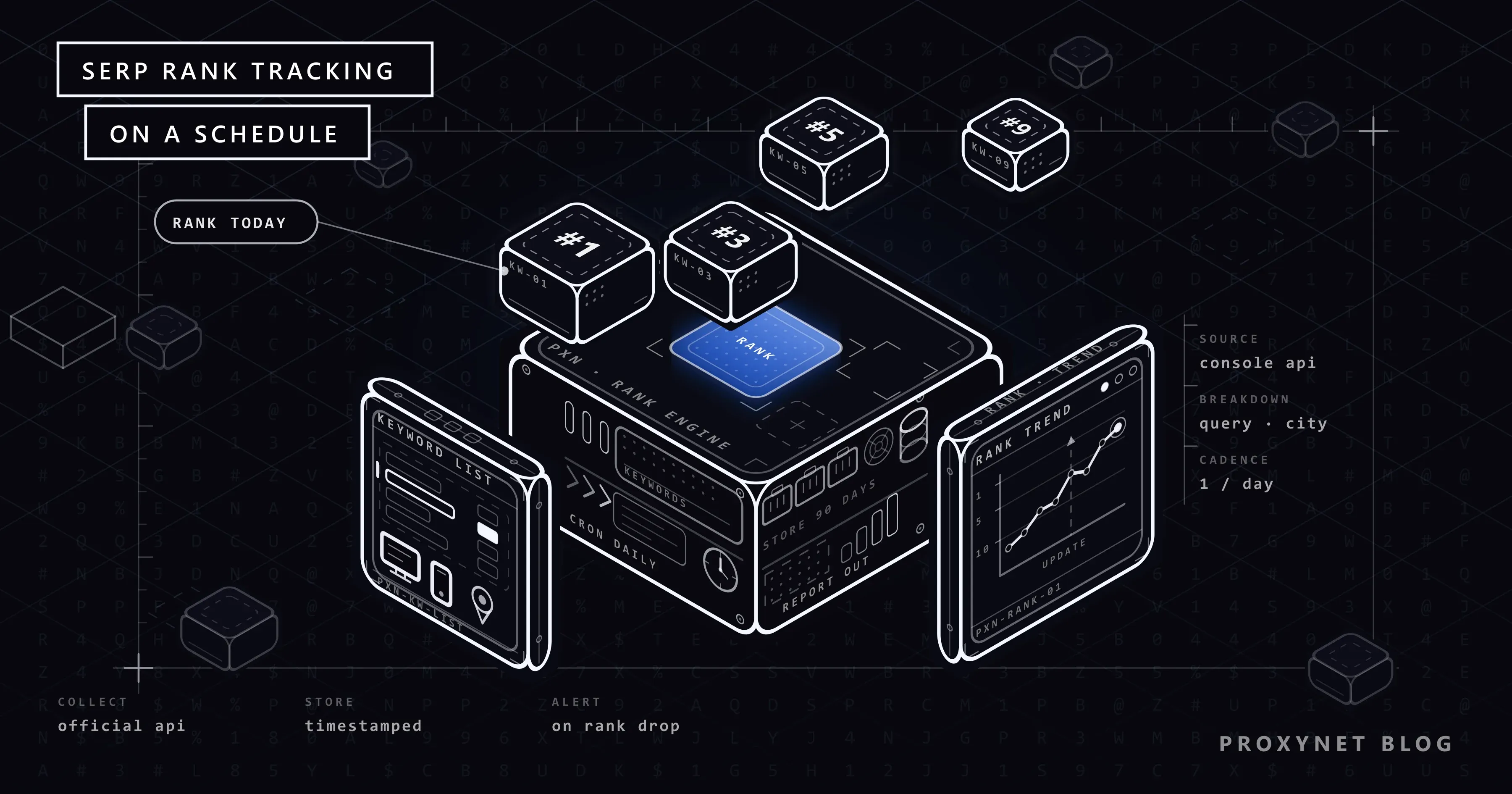
Rank tracking is recording, at regular intervals, where your site appears on that page for specific keywords. The goal isn't to know one day's position but to see change over time: did the position rise after a content update, which pages dropped after an algorithm update, is the new city page visible in that city?
The main metrics followed in rank tracking:
- Position: the result's place on the page. In Search Console, this value is the average across impressions in a period.
- Impressions: how many times your site was shown in results.
- Clicks and click-through rate (CTR): how many impressions turned into visits.
- Type of appearance: whether the result is a normal link, a rich result or a local pack.
Why doesn't manual tracking scale?
Manual rank checks are slow and misleading for three reasons:
- Personalisation. A search made while logged in to a Google account can be influenced by your past searches and visits. If you visit your own site often, you may see it higher than it really is.
- Location. Search results change with the user's country, city and, for queries with local intent, neighbourhood. The result you see from your office in Istanbul is not the result a user in Ankara gets.
- Device and language. Mobile and desktop results show different positions because of page layout and SERP features. The browser's language setting affects results too.
Add the time dimension: results can change during the day. One person's check one morning shows a single combination of these variables. What decisions need is the same measurement repeated under the same conditions at regular intervals.
Why start with the Search Console API?
The right way to start rank tracking for your own site is Google Search Console, because the data comes directly from Google and is based on the results real users see. The Performance report in the interface is enough for small analyses; for regular, detailed tracking, the Search Console API's searchanalytics.query method is used.
The data the API provides:
| Field | Description |
|---|---|
Dimensions (dimensions) | date, query, page, country, device, searchAppearance, and hour for hourly data |
| Metrics | clicks, impressions, ctr (0-1), position (average) |
Search type (type) | web (default), image, video, news, discover, googleNews |
Row limit (rowLimit) | Up to 25,000 per request; more is paged with startRow |
Data state (dataState) | final (default, finalised), all (includes fresh data not yet finalised) |
| Permission | The webmasters.readonly scope is enough |
Search Console's strengths are that it is real data, free and broken down by country and device. You also need to know its limits: position is an average, the last few days' data may not be finalised yet, and some very rarely searched queries are left out of reports for privacy reasons.
How do you pull ranking data with the Search Console API?
Setup takes four steps:
- Create a project in Google Cloud and enable the Search Console API.
- Create a service account and download its key file (JSON). Don't add this file to version control.
- Add the service account's email address as a user on your Search Console property. Read access is enough. If you skip this step, the API returns a permission error.
- Install the Python libraries:
pip install google-api-python-client google-authThe script below pulls a date range's data broken down by query, page, country and device, reads it in pages of 25,000 rows and writes it to an SQLite database:
import sqlite3
from datetime import date, timedelta

from google.oauth2 import service_account
from googleapiclient.discovery import build

SITE = "sc-domain:example.com"          # domain property; for a URL property use "https://example.com/"
SCOPES = ["https://www.googleapis.com/auth/webmasters.readonly"]
PAGE_SIZE = 25_000

credentials = service_account.Credentials.from_service_account_file("service-account.json", scopes=SCOPES)
service = build("searchconsole", "v1", credentials=credentials)


def fetch_rows(start, end):
    start_row = 0
    while True:
        body = {
            "startDate": start.isoformat(),
            "endDate": end.isoformat(),
            "dimensions": ["date", "query", "page", "country", "device"],
            "rowLimit": PAGE_SIZE,
            "startRow": start_row,
        }
        response = service.searchanalytics().query(siteUrl=SITE, body=body).execute()
        rows = response.get("rows", [])
        yield from rows
        if len(rows) < PAGE_SIZE:
            break
        start_row += PAGE_SIZE


db = sqlite3.connect("rankings.db")
db.execute("""
    CREATE TABLE IF NOT EXISTS performance (
        date TEXT, query TEXT, page TEXT, country TEXT, device TEXT,
        clicks REAL, impressions REAL, ctr REAL, position REAL,
        PRIMARY KEY (date, query, page, country, device)
    )
""")

end = date.today() - timedelta(days=3)   # the last days may not be finalised yet
start = end - timedelta(days=6)

with db:
    db.executemany(
        "INSERT OR REPLACE INTO performance VALUES (?, ?, ?, ?, ?, ?, ?, ?, ?)",
        (
            (*row["keys"], row["clicks"], row["impressions"], row["ctr"], row["position"])
            for row in fetch_rows(start, end)
        ),
    )
print("Row count:", db.execute("SELECT COUNT(*) FROM performance").fetchone()[0])
The order of values in the keys array matches the order of dimensions in the request; keep that order in mind when writing to the table. Thanks to INSERT OR REPLACE, pulling the same day again updates the data instead of duplicating it.
Once you have the data, the most useful query is the position change between two periods. For example, to compare the average position of mobile searches in Türkiye over the last two weeks:
WITH period AS (
  SELECT query,
         AVG(CASE WHEN date >= date('now', '-10 days') THEN position END) AS this_week,
         AVG(CASE WHEN date <  date('now', '-10 days') THEN position END) AS last_week,
         SUM(impressions) AS impressions
  FROM performance
  WHERE country = 'tur' AND device = 'MOBILE' AND date >= date('now', '-17 days')
  GROUP BY query
)
SELECT query, ROUND(last_week, 1) AS before, ROUND(this_week, 1) AS now,
       ROUND(this_week - last_week, 1) AS change, impressions
FROM period
WHERE impressions > 100
ORDER BY change DESC
LIMIT 20;
A higher position number means the ranking dropped; the query puts the keywords that dropped most at the top. Country codes are three-letter ISO codes (tur for Türkiye).
Data Search Console doesn't give you
Search Console is a reliable source about your own site, but it doesn't cover some rank tracking needs:
- Competitors' positions. Search Console only shows your own site's data. You can't see the site in first place for a keyword or a competitor's rise.
- City-level results. The breakdown is at country level. You can't separate rankings in Ankara from rankings in Izmir.
- The full SERP view. How many ads, local packs or AI summaries sit above your result, the page layout that affects clickability, isn't reported.
- Queries you get no impressions for. For a keyword where you don't appear on the first pages at all, there is almost no data.
- The current state. Data is finalised with a few days' delay.
There are two legitimate options for filling these gaps: SERP data services that provide search result data under licence, and manual location checks that stay at human scale. Collecting search engine results automatically with your own script isn't an option, for the reasons explained below.
Why do location-based results differ?
Search engines evaluate whether a query has local intent. For information queries such as "what is a proxy", results are largely the same within a country. For queries with local intent, such as "dental clinic", "locksmith", "car rental" or "nearest parcel office", results change completely by city and even neighbourhood. How to check a single ranking by hand without these factors skewing it is shown in How to Check Your Google Ranking Accurately.
In Türkiye, this difference stands out when:
- Businesses have branches in several cities. Whether each city page shows up in its own city.
- Businesses have a service area. Whether a company appears in local results in the districts it serves.
- National e-commerce sites. Category pages ranking differently in big cities.
- Searching in different languages. Results seen by users searching in English from Türkiye versus those searching in Turkish.
Measuring city-level differences at scale uses the location parameters of SERP data services. Occasionally verifying how a limited number of important pages look in certain cities is a job at human scale: an SEO specialist searches a few critical queries themselves in a logged-out, clean browser profile with an IP address from the relevant city. For city-level exit points in Türkiye, see our Türkiye locations page, and for how such checks are set up, our SEO proxy solution page.
Comparing data sources
| Criterion | Search Console API | Licensed SERP data service | Scraping search engines with your own script |
|---|---|---|---|
| Whose data? | Your own site only | Any query and site | Any query and site |
| Source | Google's real user data | Result pages collected by the service | Automated queries you send |
| Position type | Average | Snapshot, single measurement | Snapshot, single measurement |
| City level | No, country | Usually yes | Technically possible |
| Competitor positions | No | Yes | Yes |
| Clicks and impressions | Yes | No | No |
| Cost | Free | Paid per query | Infrastructure and maintenance |
| Terms of service | Official route | Depends on the service's contract | Unauthorised automated queries to Google violate policies |
| Our recommendation | First source | For competitor and city data | Don't use |
Parts of the automation
A rank tracking system has four parts, whatever the data source:
- Keyword list. For each keyword: the target page, priority, the country and device to track and, if needed, the city. The list is kept in a spreadsheet or database and updated along with business goals. High-impression queries from Search Console data can be added to the list as candidates.
- Scheduling. A single daily run is enough for Search Console data; the data is finalised with a few days' delay anyway.
cronon Linux, Task Scheduler on Windows or a scheduled job in a CI pipeline can be used. - Storage. Every measurement is stored with a timestamp; old data isn't deleted, because the value of tracking is in comparing with the past. SQLite for small projects, PostgreSQL or a data warehouse for team use.
- Reporting and alerts. A weekly change report, alerts for queries that drop past a threshold, and a grouped view by page group (category, blog, city pages).
To keep alerts meaningful, filter out fluctuations in low-impression queries; a query with a handful of impressions moving from position 3 to 9 may not mean anything statistically.
Terms of service and responsible use
This section is the most important part of the article.
Google's spam policies, under the heading "machine-generated traffic", define sending automated queries to Google and scraping results for rank-checking purposes without express permission as policy violations, and state that this also violates Google's terms of service. Google's terms of service also list using automated means to access its services in violation of machine-readable instructions such as robots.txt among examples of abuse.
In practice this means:
- Don't scrape Google results automatically with your own script, even with a proxy pool. Changing the IP address doesn't put you outside a policy.
- Use the Search Console API first for your own site. It is official, free and based on real user data.
- Choose a licensed data service for competitor and city data, and check how the service provides the data and whether its contract covers your use.
- Keep manual checks at human scale. A specialist searching a few important queries with a connection that appears to come from a different city is not the same as a script sending thousands of queries automatically.
- Read other search engines' terms too. Every search engine, Yandex included, has its own terms of use and official data tools.
We explain the general legal framework for collecting data from the web in Is Web Scraping Legal?, and how robots.txt rules are read in What Is a robots.txt File and How Do You Read It?.
Use cases
- A content team's weekly report: daily data from the Search Console API, stored in SQLite, a weekly list of the 20 queries that dropped and rose most.
- Local visibility for a multi-city business: a country-level trend from Search Console, city-level measurement from a licensed SERP service, and human-scale verification for important city pages. Residential Proxy addresses that go out through real home connections let a specialist see these pages as a user in that city would.
- Visibility on regional search engines: checking regional results on search engines other than Google; the related pages are our Google proxy and Yandex proxy solutions.
- Market research: comparing the search visibility of sites in a sector with licensed data. The research setup is on our market research solution page.
- Monitoring competitors' public pages: not search engine results but content and price changes on competitors' own sites. This job follows the sites' robots.txt and terms with a rate limit; a Rotating Proxy can be used to spread the load. We explain the rules in How to Scrape Websites Without Getting Blocked.
Common mistakes
- Checking rankings in a logged-in browser. Personalisation distorts the result.
- Mistaking Search Console position for a snapshot rank. The value is the average of all impressions in the period and may also mix different countries and devices. Look at it with country and device filters.
- Making decisions on the last two or three days of data. The data may not be finalised yet.
- Forgetting the 25,000-row limit. On large sites, data comes back silently incomplete without paging.
- Reacting to fluctuations in low-impression queries. Set an impressions threshold for meaningful change.
- Never updating the keyword list. The site's new pages and changing search behaviour should be reflected in the list.
- Scraping search engine results automatically. It violates policies and isn't a lasting solution.
Decision guide
| Your need | Recommendation |
|---|---|
| Query-level rankings for your own site | Search Console API |
| Clicks, impressions and CTR | Search Console API |
| Country and device breakdown | Search Console API |
| Competitors' positions | Licensed SERP data service |
| City-level rank measurement | Licensed SERP data service |
| Verifying how a few critical pages look from a city | Manual check at human scale, city-level IP |
| Content and price changes on competitor sites | Scraping within the rules, with a rate limit |
| Collecting Google results with your own script | Not recommended, violates policies |
Frequently asked questions
What does average position in Search Console mean?
It is the average of your site's topmost position across all impressions it received for that query in the chosen period. Because it mixes positions seen on different days, in different countries and on different devices, it may not be exactly the same as the position a single user sees.
Is the Search Console API paid?
No, the Search Console API is free. There are usage quotas; a rank tracking script that does a single bulk pull per day usually stays well below them.
Why don't some queries appear in Search Console?
To protect user privacy, Google leaves some queries searched by very few people out of reports. That is why total clicks in the query breakdown can look lower than the overall total.
How do I track my competitors' rankings?
Search Console doesn't provide that data. For competitor positions, services that provide search result data under licence are used. When choosing a service, check how the data is collected and whether the contract covers your use.
Can I do automated rank checks on Google with a proxy?
Google's spam policies forbid sending automated queries for rank checking without express permission; changing the IP address doesn't change that. The legitimate use of a proxy in this area is a specialist verifying at human scale how a few critical pages look from different cities.
How often should I track rankings?
A daily pull is enough for Search Console data; look at weekly and monthly trends to make decisions. Daily fluctuations often don't show meaningful change.
Summary
Manual rank checking doesn't scale and is misleading because of personalisation, location and device differences. Start automating with the Search Console API: pull data daily broken down by query, page, country and device, page through 25,000 rows at a time, store it in a database and report changes between periods. Use licensed SERP services for competitor and city data, and human-scale checks for how important pages look locally. Scraping Google results with unauthorised automated queries violates its policies. You can find options for location-based manual checks in our proxy services.