


































Most C# scraping samples you find online still show WebClient and fifteen lines that download a single page. That sample works the first time, then breaks in three separate places once the job grows: sockets run out because a new client object is built for every request, the site starts returning 429 when it sees dozens of requests per second from one address, and the parsing code dies on a null reference as soon as the page structure changes. None of the three comes from the library you picked. All three come from how the client was set up.
This article sets up a scraping job on current .NET: the lifetime of the HttpClient instance, the choice between HtmlAgilityPack and AngleSharp for HTML parsing, defining a proxy through HttpClientHandler or SocketsHttpHandler, authenticating with a username and password, SOCKS5 addresses, timeouts and cancellation, a concurrency limit and retries. The example target is books.toscrape.com, a practice site published for exactly this kind of work.
What steps does a C# scraping job consist of?
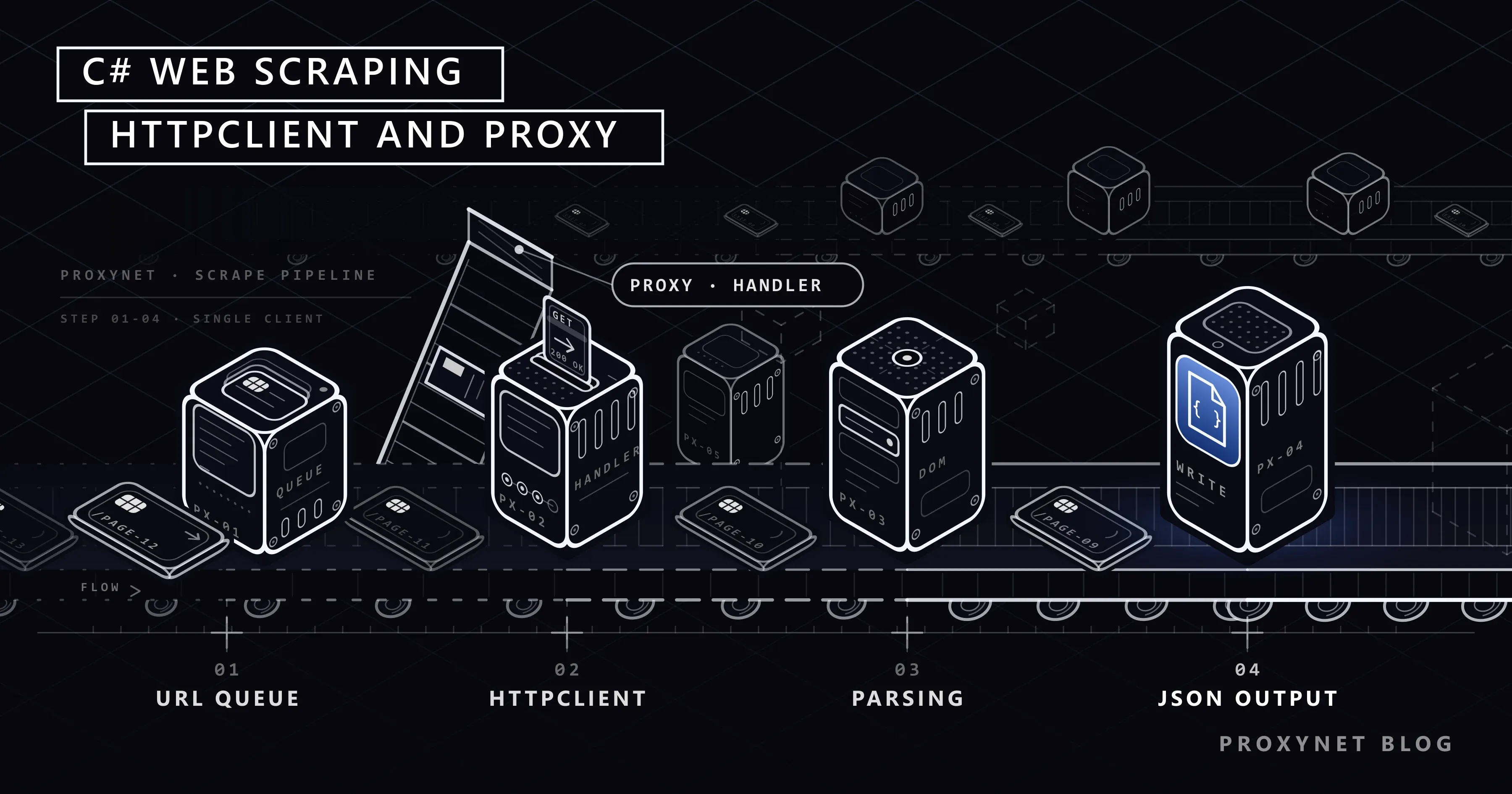
Whatever the language, every scraping job follows the same five steps. On the C# side each step maps to this:
- Building the address list. Category pages, pagination links or the sitemap. Keep the list as a queue, so a job that stops halfway can carry on from where it left off.
- Sending the request.
GetAsyncoverHttpClient. Check the status code of the response, then read the body as text. - Parsing the HTML. The incoming text becomes a document object, and the fields you want are located with an XPath or CSS selector.
- Normalising the data. The currency symbol in a price, the extra whitespace in a row and the missing fields are cleaned up here.
- Saving. JSON, CSV or a database table. If you keep the saving step separate, you don't have to download the data again every time you change the parsing code.
Two more things sit between these steps: the wait between requests, and what happens on an error. Neither is a decoration you add later; both belong in the first version of the job. The sections below build them one by one.
Before you start: robots.txt, rate and an honest client identity
Before sending a request to any site, look at that site's robots.txt file. The format of the file and the rules for interpreting it were standardised in RFC 9309. The standard says that if the file can't be retrieved from the server, the crawler may access the resources; a 404 address does not mean "forbidden". The example target of this article is a typical case: books.toscrape.com is a showcase site published for practice, so it has no robots.txt file and the address returns 404. We covered how to read the rules in What Is a robots.txt File and How Do You Read It?.
robots.txt is not a permission document, only what the site tells automated clients. Two responsibilities sit above it. The first is rate: requesting a single page several times per second puts you in the same queue as real users on that site's server. Put a deliberate wait between requests and limit how many requests are open at once. The second is identity: the User-Agent value you send is the only clue an administrator has if they want to contact you. Writing your own application's name and a contact address is both more honest and more practical than copying a popular browser's string. We explained what the header does in What Is a User Agent? How to Check and Change It.
A third limit is legal. Pages containing personal data, content behind a login and uses the site's terms explicitly forbid are not technical questions. We collected the framework in Is Data & Web Scraping Legal?.
Why isn't HttpClient created again for every request?
This is where the most common C# mistake lives. Because the HttpClient object is IDisposable, many samples create it inside a using block and close it on every request. Microsoft's HttpClient guidelines spell out why that is wrong: the connection pool lives inside the handler object underneath the client, and creating and throwing away the client on every request takes the pool with it. Because the ports of closed TCP connections aren't released immediately, you hit the operating system's limit on available ports once the request rate goes up. The symptom looks more like a network fault than a bug in the code: the job runs fine for a while, then connection errors start arriving one after another.
The right approach is a single client that lives as long as the application. The one drawback of a single long-lived client is DNS: HttpClient resolves the domain name only when a connection is created and doesn't track changes in the DNS record. The guidelines give the fix too. When you set a duration on the PooledConnectionLifetime property of a SocketsHttpHandler object, the pooled connection is closed at the end of that period, and DNS is queried again when the replacement is created. The code sample in the guidelines uses fifteen minutes, but the text says it was picked for illustration only and that the value should follow the expected frequency of DNS changes; the interval mentioned in the recommended-use section is two minutes.
The alternative is IHttpClientFactory. The factory keeps handler objects in its own pool and hands a handler whose lifetime hasn't expired to new clients, so the socket problem doesn't appear either. If you work inside an ASP.NET Core application or a generic host with dependency injection, the factory fits better. In a standalone console script, a static single client plus PooledConnectionLifetime is enough and has fewer moving parts.
One more point: the handler's connection settings can't be changed after the first request has been sent. If you need to work with different proxies or different cookie containers, you set up a separate client object for each configuration. The "single client" rule doesn't mean "one object in the application", it means "no new object per request".
How do you choose between HtmlAgilityPack and AngleSharp?
There are two established options for parsing HTML on .NET. Both are NuGet packages, both cope with broken HTML, and the difference is the selector language and the working model.
| HtmlAgilityPack | AngleSharp | |
|---|---|---|
| Selector language | XPath (SelectNodes, SelectSingleNode) | CSS selectors (QuerySelector, QuerySelectorAll) |
| DOM model | Its own tree model | Close to the W3C DOM API |
| Parsing text directly | HtmlDocument.LoadHtml(html) | Through a browsing context |
| Downloading the page itself | No, you supply the HTML | Yes, with the default loader |
| Typical use | Parsing HTML downloaded with HttpClient | Opening a page and navigating it with CSS selectors |
The load-from-string example in HtmlAgilityPack's own documentation shows the pattern: an HtmlDocument is created, the HTML string is handed over with LoadHtml, and an XPath query is run through DocumentNode (the call in the documentation is SelectSingleNode; the equivalent for several nodes is SelectNodes). AngleSharp, in the example in its own repository, opens the address itself through a context built with the default loader and applies a CSS selector with QuerySelectorAll.
The choice usually comes down to habit. If you are already sending the request with HttpClient, you have an HTML string in hand and HtmlAgilityPack's LoadHtml route is the shortest one; the examples in this article use it. If you want to carry the CSS selector you tried in the browser console straight into code, AngleSharp is more comfortable. We compared the two selector languages in CSS Selector vs XPath: Which One for Web Scraping?, and won't repeat it here.
Neither library runs JavaScript. If the data only arrives through a script running in the browser, you need browser automation rather than a parser: Static vs Dynamic Pages covers the distinction, and Playwright vs Selenium compares the two tools.
First example: fetching and parsing a single page
The example below downloads a single catalogue page and prints the book titles with their prices. The code follows the console template of .NET 8 and later, with top-level statements and implicit using directives, which is why System, System.Linq and System.Net.Http are not written out.
using HtmlAgilityPack;

// The connection pool lives inside the handler; we build the client once and reuse it.
var handler = new SocketsHttpHandler
{
    PooledConnectionLifetime = TimeSpan.FromMinutes(2) // connection lifetime, for DNS changes
};

using var client = new HttpClient(handler)
{
    Timeout = TimeSpan.FromSeconds(30)
};

// An honest identity that says who we are and how to reach us.
client.DefaultRequestHeaders.UserAgent.ParseAdd("BookTracker/1.0 (+https://ornek.com/bot)");

var url = "https://books.toscrape.com/catalogue/page-1.html";

using var response = await client.GetAsync(url);
response.EnsureSuccessStatusCode(); // throws HttpRequestException on codes outside 2xx

var html = await response.Content.ReadAsStringAsync();

var document = new HtmlDocument();
document.LoadHtml(html);

// SelectNodes returns null when no node matches, so we check first.
var cards = document.DocumentNode.SelectNodes("//article[contains(@class,'product_pod')]");
if (cards is null)
{
    Console.WriteLine("Page structure differs from what we expected: no product card found.");
    return;
}

foreach (var card in cards)
{
    var title = card.SelectSingleNode(".//h3/a")?.GetAttributeValue("title", "");
    var price = card.SelectSingleNode(".//p[@class='price_color']")?.InnerText.Trim();
    Console.WriteLine($"{title} | {price}");
}
Watch three details. EnsureSuccessStatusCode throws an HttpRequestException when the status code is outside the 200-299 range; if you want to read the code yourself, look at the IsSuccessStatusCode property instead. SelectNodes returns null rather than an empty collection when it finds no match, and that behaviour comes back as a NullReferenceException in code that drops the result straight into a foreach. Finally, the ? at the end of the SelectSingleNode calls stops a missing field on a single card from taking down the whole job.
How do you add a proxy to HttpClient?
The proxy setting sits on the handler underneath the client, not on the client. The HttpClientHandler.Proxy property takes an object of type IWebProxy and its default value is null, meaning that if you supply nothing, .NET uses the proxy setting of the operating system or the environment variables. For a proxy that works with a username and password, you build a WebProxy object and pass the credentials to that object's Credentials property as a NetworkCredential.
using System.Net;

var proxy = new WebProxy("http://pr.proxynet.io:8000")
{
    // The username and password from the panel; don't hard-code them, read them from settings.
    Credentials = new NetworkCredential("user", "pass")
};

var handler = new SocketsHttpHandler
{
    Proxy = proxy,
    UseProxy = true,
    PooledConnectionLifetime = TimeSpan.FromMinutes(2),
    MaxConnectionsPerServer = 4 // number of concurrent connections opened to the same server
};

using var client = new HttpClient(handler) { Timeout = TimeSpan.FromSeconds(30) };

using var response = await client.GetAsync("https://books.toscrape.com/");
Console.WriteLine((int)response.StatusCode);
Alongside Proxy and UseProxy, the SocketsHttpHandler class also carries settings such as PooledConnectionLifetime, MaxConnectionsPerServer, ConnectTimeout and AutomaticDecompression, which is why code that wants the proxy and the connection pool configured together usually picks it over HttpClientHandler.
Two warnings. First, if the password contains characters such as @ or :, don't bury them inside the address string; handed to a NetworkCredential as separate fields, the encoding problem disappears. Second, when proxy authentication fails, the 407 response comes from the proxy rather than from the target site, meaning the problem is in your configuration and not in the site's rules. We covered the two authentication methods and the diagnosis of this error in Proxy Authentication: User:Pass vs IP Whitelist.
Which proxy type you work with depends on the job. For high-volume jobs against your own test environment or sources with no access restrictions, Datacenter Proxy has the speed advantage. For targets closed to datacenter ranges, Residential Proxy, whose exit point belongs to an internet service provider, is preferred; we explained the difference between the two groups at the ASN level in ISP vs Residential Proxies.
How do you pass a SOCKS5 proxy on the C# side?
SOCKS can be used alongside an HTTP proxy. Microsoft's HttpClient.DefaultProxy documentation lists the supported schemes one by one: http, https, socks4, socks4a and socks5. The same page gives the address formats too; the pattern for socks5 is socks5://[username:password@]hostname[:port]. The socks4 and socks4a rows note that the password is ignored, because those protocols have no support for password authentication.
DefaultProxy is the static property that applies to every client whose handler was not given an explicit proxy. Its default instance is built from the environment variables first; if those are not defined, Windows and macOS fall back to the operating system's proxy settings, while on Linux you get an instance that uses no proxy. The variables in the documentation are HTTP_PROXY, HTTPS_PROXY, ALL_PROXY and NO_PROXY, which holds the domain names to leave out. So it is possible to run the code without changing it at all:
# Before starting the application (Windows PowerShell)
$env:ALL_PROXY = "socks5://user:pass@pr.proxynet.io:1080"
dotnet run
We collected the details of setting a proxy through environment variables, and the equivalents in other tools, in Using a Proxy with wget. The protocol itself, how it differs from an HTTP proxy and which job suits which are covered on our SOCKS5 Proxy page.
How do you set up timeouts, cancellation and retries?
The default value of the HttpClient.Timeout property is 100 seconds, and it applies to every request leaving that client. For a scraping job that is far too long: a single address that doesn't answer holds up the flow of the job for a minute and a half. A value around thirty seconds is enough for most pages.
If individual requests need a different duration, use a CancellationTokenSource. Microsoft's documentation says the two mechanisms work together and that the shorter of the two applies. The same token also serves to put an upper bound on the whole job: when the user stops the work or the total time is exceeded, every pending request is cancelled from one place.
You don't have to write the retry logic from scratch. Microsoft's Microsoft.Extensions.Http.Resilience NuGet package offers a ready-made resilience handler for HttpClient; calling AddStandardResilienceHandler on an IHttpClientBuilder brings in a rate limiter, a total timeout, retries, a circuit breaker and a per-attempt timeout, in that order. The default retry strategy makes at most three retries and uses exponential backoff with a random component; the responses it handles include 408, 429 and codes of 500 and above. How to set the package up with single clients that don't use dependency injection is shown with an example in the guidelines as well.
Which status code makes a retry meaningful is a separate question, and the decision is yours rather than the library's: 429 and 503 improve with waiting, 403 and 407 do not. Reading the Retry-After header, setting up exponential backoff correctly and a full example of a loop that decides by status code are in HTTP Status Codes in Web Scraping; we won't repeat that code here.
Full example: a job that walks the pages in order
The example below walks the first ten catalogue pages through a proxy, limits concurrent requests to two, waits before every request and writes the result to a JSON file.
using System.Collections.Concurrent;
using System.Net;
using System.Text.Json;
using HtmlAgilityPack;

var proxy = new WebProxy("http://pr.proxynet.io:8000")
{
    Credentials = new NetworkCredential("user", "pass")
};

var handler = new SocketsHttpHandler
{
    Proxy = proxy,
    UseProxy = true,
    PooledConnectionLifetime = TimeSpan.FromMinutes(2),
    MaxConnectionsPerServer = 4
};

using var client = new HttpClient(handler) { Timeout = TimeSpan.FromSeconds(30) };
client.DefaultRequestHeaders.UserAgent.ParseAdd("BookTracker/1.0 (+https://ornek.com/bot)");

// Upper bound for the whole job: when the time is up, every pending request is cancelled.
using var cts = new CancellationTokenSource(TimeSpan.FromMinutes(5));
var token = cts.Token;

var gate = new SemaphoreSlim(2); // at most two requests at a time
var results = new ConcurrentBag<Book>();

var tasks = Enumerable.Range(1, 10).Select(async page =>
{
    await gate.WaitAsync(token);
    try
    {
        // We put a deliberate wait between requests.
        await Task.Delay(TimeSpan.FromMilliseconds(500), token);

        var url = $"https://books.toscrape.com/catalogue/page-{page}.html";
        using var response = await client.GetAsync(url, token);

        if (!response.IsSuccessStatusCode)
        {
            Console.WriteLine($"{url}: HTTP {(int)response.StatusCode}");
            return;
        }

        var html = await response.Content.ReadAsStringAsync(token);
        foreach (var book in ParseBooks(html, page))
        {
            results.Add(book);
        }
    }
    finally
    {
        gate.Release();
    }
}).ToList();

await Task.WhenAll(tasks);

var options = new JsonSerializerOptions { WriteIndented = true };
var json = JsonSerializer.Serialize(results.OrderBy(book => book.Page), options);
await File.WriteAllTextAsync("books.json", json, token);

Console.WriteLine($"{results.Count} records written.");

// Parsing sits in its own function: when the page structure changes, only this part changes.
static IEnumerable<Book> ParseBooks(string html, int page)
{
    var document = new HtmlDocument();
    document.LoadHtml(html);

    var cards = document.DocumentNode.SelectNodes("//article[contains(@class,'product_pod')]");
    if (cards is null)
    {
        yield break;
    }

    foreach (var card in cards)
    {
        var title = card.SelectSingleNode(".//h3/a")?.GetAttributeValue("title", "") ?? "";
        var price = card.SelectSingleNode(".//p[@class='price_color']")?.InnerText.Trim() ?? "";
        yield return new Book(title, price, page);
    }
}

record Book(string Title, string Price, int Page);
SemaphoreSlim decides how many requests are in flight at once; Task.WhenAll may start every task in the list, but the semaphore doesn't let more than two of them make progress at the same time. Don't confuse this with the MaxConnectionsPerServer setting on the handler: one limits the number of TCP connections that will be opened, the other limits the number of concurrent jobs your code produces. We looked at the conceptual difference between the two in Concurrency vs Parallelism.
The example walks a fixed page range. In a real job the page count isn't known in advance, the "next" link is followed and the visited addresses are kept in a queue. We build that setup in What Is Pagination and How to Scrape Paginated Lists?.
Use cases
- Price and stock tracking. Regular sweeps of your own products and their counterparts in open catalogues. The general setup is described in our price monitoring solution.
- Corporate data collection jobs. Bank, insurance and ERP teams working in C# already write the data they collect to a database on the .NET side; staying in the same stack instead of adding another language lowers the maintenance cost. For larger jobs, our data scraping solution is the starting point.
- Regular sweeps of many sources. A Rotating Proxy is used so the load doesn't pile onto a single exit point.
- Your own panel that needs a session. If the IP changes in the middle of a logged-in session, the session drops; a Sticky Proxy is preferred for this kind of job.
- Checking content that varies by region. Comparing how the same page looks from different countries is possible by changing the exit location.
Common mistakes
- Creating a new
HttpClienton every request. The first half of the job goes fine, then connection errors start. Because the symptom looks like a network fault, the diagnosis usually looks in the wrong place. - Setting up a single client without
PooledConnectionLifetime. In a long-running service, when the DNS record of the target or the proxy changes, the client keeps going to the old address. - Not checking the result of
SelectNodes. When there is no match the returned value isnull;foreachdoesn't quietly skip that value, it throws. - Treating a
200as success without looking at the response body. Verification pages also arrive with200. Confirm that an element you expect is present on the page. - Starting every address at once with no wait.
Task.WhenAllwill start hundreds of tasks from the list without complaint; you are the one who has to set the limit. - Writing credentials into the code. The proxy username and password are read from a settings file or an environment variable, and don't go into the repository.
- Burying the password in the address string and forgetting to encode it. A password containing
@breaks the rest of the address;NetworkCredentialremoves the problem.
Decision guide
| Need | Recommendation |
|---|---|
| Standalone console job | A static single HttpClient plus PooledConnectionLifetime |
| Application with dependency injection | IHttpClientFactory, preferably the typed-client approach |
| Parsing with XPath | HtmlAgilityPack, LoadHtml plus SelectNodes |
| A CSS selector tested in the browser | AngleSharp, QuerySelectorAll |
| Content that arrives through JavaScript | Browser automation, not a parser |
| Proxy with a username and password | WebProxy plus NetworkCredential |
| SOCKS5 exit | A socks5:// address, environment variable or DefaultProxy |
| Retries and a circuit breaker | Microsoft.Extensions.Http.Resilience |
| Concurrency limit | SemaphoreSlim plus MaxConnectionsPerServer |
Frequently asked questions
Which packages do I need to install to scrape data with C#?
No extra package is needed on the HTTP side, as System.Net.Http is part of the runtime. For HTML parsing you add a NuGet package: HtmlAgilityPack if you will work with XPath, AngleSharp if you will work with CSS selectors. If you want retries and a circuit breaker, add the Microsoft.Extensions.Http.Resilience package. System.Text.Json for writing the data as JSON already ships with the runtime.
Why shouldn't I use the HttpClient object inside a using block?
Because the connection pool is inside the handler underneath the client. Creating and closing a new client on every request closes the pool as well, and since the ports of closed TCP connections aren't released immediately, a busy job hits the limit of available ports. The right approach is a single client that lives as long as the application, or management through IHttpClientFactory.
I set up a proxy but I'm getting a 407 error, where should I look?
A 407 comes from the proxy server rather than the target site, and says your identity was not verified. First check that the Credentials property of the WebProxy object is populated, then that the username and password are written correctly. If you work with IP authorisation, the public IP address the request leaves from has to be on the list. Retrying does not fix this error.
Can a SOCKS5 proxy be used on the C# side?
Yes. Microsoft's HttpClient.DefaultProxy documentation lists http, https, socks4, socks4a and socks5 as supported address formats. The pattern for socks5 is socks5://username:password@hostname:port. The same page also says that a password given with socks4 or socks4a is ignored, because those protocols have no password authentication.
My code breaks when the page structure changes, what should I do?
You can't prevent the breakage, but you can notice it early. Keep the parsing in a separate function, log a null result from SelectNodes as an error, and record how many records each run found. A record count far below what you expect is the first sign that the structure changed. Keeping selectors as short and as meaningful as possible also reduces brittleness.
When should I move to Selenium or Playwright?
When the data you're after isn't in the downloaded HTML at all. Open the page in the browser's developer tools and view the source: if the data is in the source, HttpClient is enough and browser automation only adds slowness. If the data arrives later through a request, calling the address that request goes to directly is usually the cleanest solution. If neither works, you move to the route in Selenium Proxy Integration.
Summary
The hard part of scraping with C# isn't the parsing, it's setting up the client. A single HttpClient instance that lives as long as the application, a connection lifetime bounded by PooledConnectionLifetime and a timeout around thirty seconds keep the job standing as it grows. You give the proxy to the handler's Proxy property as a WebProxy and keep the credentials in separate fields with NetworkCredential. You set the rate limit in your own code with SemaphoreSlim and leave retries to a ready-made resilience handler. Keeping the parsing in its own function means you fix a single place when the page structure changes. You can find the proxy types that suit your data collection jobs in our proxy services.


