


































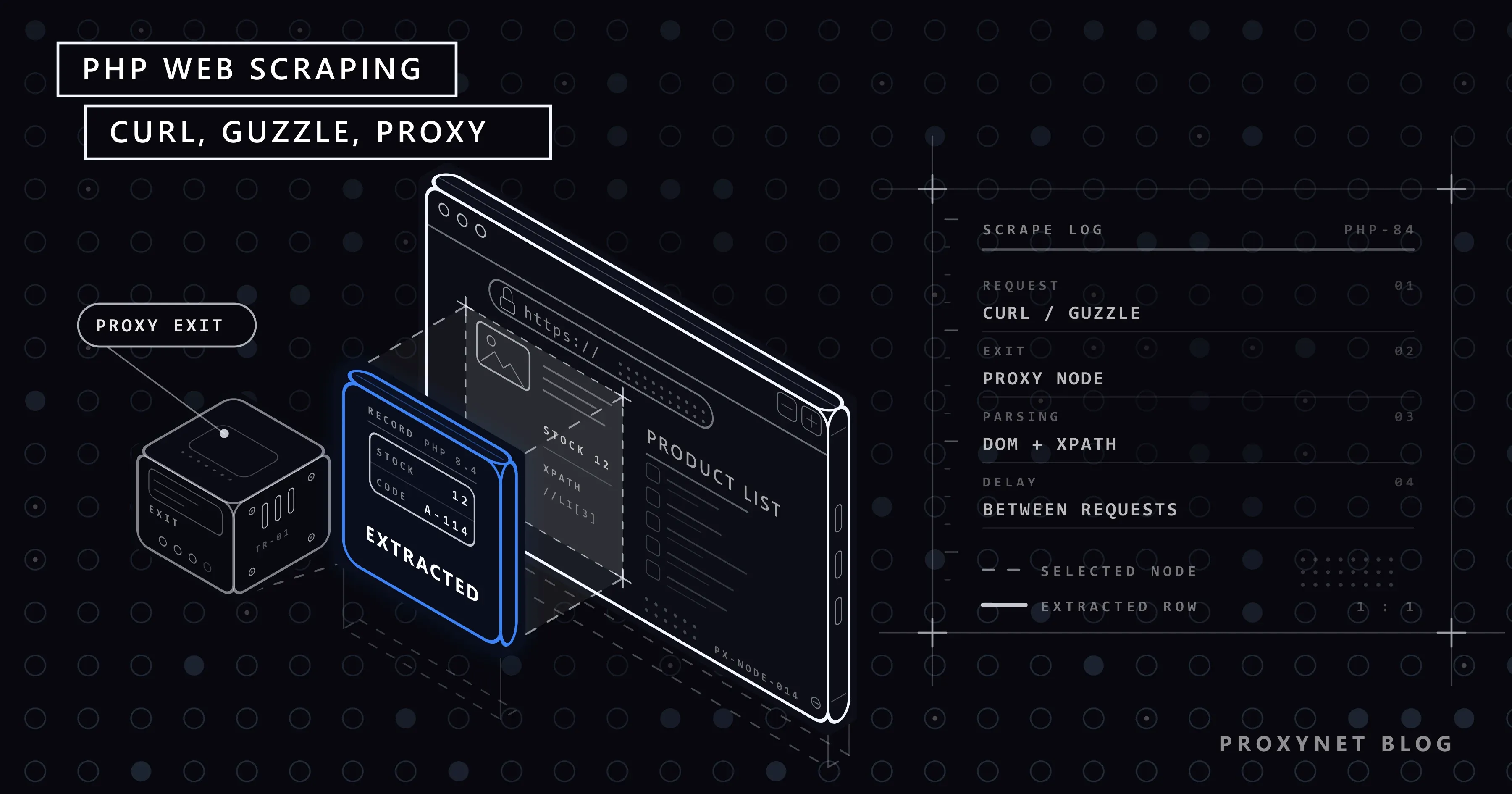
A supplier's price list changes twice a week and you type that list into your own panel by hand. The site has no API and no downloadable file; the data only exists inside an HTML page. Your project is written in PHP, so you look for the solution on the PHP side too: it should run on the same server, write to the same database and fire once a night from cron.
This article covers pulling structured data out of a page with PHP's own tools. In order: sending the request with cURL, parsing HTML with DOMDocument and XPath, PHP 8.4's new HTML5 parser, error handling and concurrent requests with Guzzle, proxy setup (CURLOPT_PROXY, SOCKS5 and Guzzle's proxy option), reading robots.txt, waiting and retrying. At the end there is a complete example that writes the data to a database with PDO. Every code sample was run on PHP 8.4 against books.toscrape.com and through a local test proxy.
Extracting data is not the same as copying content
This article is not about republishing someone else's work. Pulling an article, a news story or a film page off another site and putting it on your own is a copyright violation, and it makes no difference whether it was done with PHP or with any other language.
What we describe here is structured data extraction: a product's price, its stock count, its title, the rows of a table, the domain names in a list. These are usually individual facts and they do not form a creative work. Moving your own supplier's price list into your own panel, reading a public institution's table or tracking your own products' stock on a marketplace all belong in this group.
In practice you can draw the line with three questions. Is the thing you are pulling a block of text or a field value? Are you using the data inside your own business, or publishing it as a page that stands in for the source? What do the site's terms of service and robots.txt say about this access? We covered the legal side in Is Data Web Scraping Legal? and robots.txt syntax in What Is robots.txt?.
There is one more technical boundary: if the page is invisible without logging in, if the terms explicitly forbid automated access, or if the data contains personal information, none of the code in this article is appropriate. Check first whether there is an official API.
How does scraping with PHP work?
There are four steps, and they do not change with the language; only the library you use changes.
- The request is sent. An HTTP GET request downloads the page's HTML. This is where the
User-Agentheader, the timeout, redirect following and, if any, the proxy are set. - The response is validated. The status code is read. A
200does not mean you got the data; check that the element you expect is actually on the page. - The HTML is parsed. The incoming text is turned into a tree and the fields you want are pulled out with selectors (CSS selector or XPath).
- The data is stored. The values are cast to their types (price from text to decimal) and written to a database or a file.
On the request side you have two options (curl_* functions and Guzzle) and on the parsing side two more (DOMDocument and Symfony DomCrawler). You will see all of them below.
How do you download a page with cURL?
PHP's cURL extension exposes libcurl, the library behind the command-line curl tool, to PHP. The option names follow the same logic, so translating a request you tried in the terminal into code is easy. For the command-line equivalents of the flags, see How to Use a Proxy With cURL.
<?php
declare(strict_types=1);

// Downloads a single page with cURL; checks errors, status code and timeouts.
function fetchPage(string $url): string
{
    $ch = curl_init($url);
    curl_setopt_array($ch, [
        CURLOPT_RETURNTRANSFER => true,   // do not echo the response, return it
        CURLOPT_FOLLOWLOCATION => true,   // follow 301/302 redirects
        CURLOPT_MAXREDIRS      => 5,
        CURLOPT_CONNECTTIMEOUT => 10,     // time to establish the connection (seconds)
        CURLOPT_TIMEOUT        => 30,     // total time for the request (seconds)
        CURLOPT_ENCODING       => '',     // decompress gzip/deflate responses
        CURLOPT_USERAGENT      => 'price-sync/1.0 (+https://example.com/bot)',
    ]);

    $body = curl_exec($ch);
    if ($body === false) {
        // Network error: DNS, connection refused, timeout
        throw new RuntimeException('cURL error ' . curl_errno($ch) . ': ' . curl_error($ch));
    }

    $status = curl_getinfo($ch, CURLINFO_RESPONSE_CODE);
    if ($status !== 200) {
        throw new RuntimeException("HTTP $status: $url");
    }

    return $body;
}
A few of the options matter more than the rest. Without CURLOPT_RETURNTRANSFER, cURL prints the response straight to the output and curl_exec only hands you true. When CURLOPT_ENCODING is given an empty string, cURL decompresses the response itself; skip it and some sites will send you unreadable binary data. The two separate timeouts are not an accident either: CURLOPT_CONNECTTIMEOUT limits establishing the connection, CURLOPT_TIMEOUT limits the whole request. The full list of options is on the curl_setopt page at php.net.
Notice that we catch two kinds of error separately. If curl_exec returns false, no response arrived at all; that is a network-layer failure. If a response did arrive and the code is not 200, the problem is on the server side and your reaction depends on the code. We collected which codes you stop on and which you retry in a table in HTTP Status Codes in Web Scraping.
Why are file_get_contents and regular expressions not enough?
Most tutorials start with file_get_contents. It looks tempting because it is a single line, but it hides three things.
The first is the status code. When we fetched a page that does not exist, the function raised a warning and returned false; the only way to learn the code was to read the first line of the $http_response_header array that magically appears after the call. The second is the timeout: the default default_socket_timeout value is 60 seconds, so a single unresponsive page keeps your script waiting for a minute. The third is proxy and header configuration: both are only possible if you hand-write a stream_context_create block. cURL already does all of this.
The second classic is parsing HTML with a regular expression. One example is enough to show why it breaks. Of the two price tags below, one contains a line break and the other uses single quotes instead of double quotes:
$fragment = "<p class=\"price_color\">\n  £51.77\n</p><p class='price_color'>£53.74</p>";

preg_match_all('/<p class="price_color">(.*?)<\/p>/', $fragment, $m);
echo count($m[1]);   // 0

$dom = Dom\HTMLDocument::createFromString('<div>' . $fragment . '</div>', LIBXML_NOERROR);
echo $dom->querySelectorAll('.price_color')->length;   // 2
The regular expression found neither; the parser found both. On real pages these two differences are the rule, not the exception, and class order, extra attributes and nested tags pile on top. Instead of making the pattern more complicated every time, use a parser from the start.
Parsing HTML: DOMDocument, XPath and PHP 8.4
PHP's core ships two parsers. The old one is DOMDocument, the new one is the Dom namespace introduced in PHP 8.4. According to the PHP 8.4 new features page, the new classes are HTML5-capable and follow the WHATWG specification; the old classes remain for backward compatibility.
There are three practical differences. DOMDocument::loadHTML raises warnings for the HTML errors found on real pages, so it needs libxml_use_internal_errors(true) before the call; the new class does not produce that noise. The second is selector support: Dom\HTMLDocument brings the querySelector and querySelectorAll methods you know from the browser.
The third difference concerns anyone scraping pages with accented characters: character encoding. When we handed a UTF-8 fragment without a <meta charset> tag to the old parser, the accented letters came back mangled; the new parser read the same fragment correctly. If you have to work with the old class, you need to declare the encoding explicitly:
$fragment = '<p class="price">Price: 1,250 (Türkiye, Izmir, äöüç)</p>';

$old = new DOMDocument();
libxml_use_internal_errors(true);
$old->loadHTML($fragment);
echo $old->getElementsByTagName('p')->item(0)->textContent;
// Price: 1,250 (Türkiye, Izmir, äöüç)

$old2 = new DOMDocument();
$old2->loadHTML('<?xml encoding="UTF-8">' . $fragment);   // state the encoding explicitly
echo $old2->getElementsByTagName('p')->item(0)->textContent;
// Price: 1,250 (Türkiye, Izmir, äöüç)

// PHP 8.4: no extra hint needed
$new = Dom\HTMLDocument::createFromString($fragment, LIBXML_NOERROR);
echo $new->querySelector('p.price')->textContent;
// Price: 1,250 (Türkiye, Izmir, äöüç)
Walking every product card on a listing page with XPath follows the same logic. The loop below pulls the title, price and stock status out of the 20 cards on the test site:
$doc = new DOMDocument();
libxml_use_internal_errors(true);
$doc->loadHTML($html);
libxml_clear_errors();

$xpath = new DOMXPath($doc);
$books = [];

foreach ($xpath->query('//article[contains(@class, "product_pod")]') as $card) {
    $books[] = [
        'title' => $xpath->evaluate('string(.//h3/a/@title)', $card),
        'price' => $xpath->evaluate('string(.//p[contains(@class, "price_color")])', $card),
        'stock' => trim($xpath->evaluate('string(.//p[contains(@class, "availability")])', $card)),
    ];
}
We write contains(@class, ...) because the class attribute usually carries more than one class name; the equality @class="product_pod" misses a class="product_pod col-xs-6" tag. And string(...) returns an empty string instead of throwing when the selection is empty. You can find a comparison of the two selector languages in CSS Selector vs XPath.
Which layer should you pick?
| Layer | What for | Upside | Downside |
|---|---|---|---|
file_get_contents | A one-off test | Zero setup | Status code and timeout are invisible |
curl_* functions | A single page, few dependencies | In core, every option in your hands | You wire up every request by hand |
| Guzzle | A regular multi-page job | Retries, concurrency, clean exceptions | A Composer dependency |
| Regular expressions | None of them | Looks short | Breaks on whitespace and quote differences |
DOMDocument + XPath | Parsing with core only | No dependency, XPath is powerful | Encoding hint and libxml noise |
Dom\HTMLDocument | PHP 8.4 and above | HTML5-capable, has querySelector | Missing on older versions |
| Symfony DomCrawler | Walking lists and links | CSS selectors, each(), absolute links | Two more packages to install |
How do you use a proxy with cURL?
A job that regularly pulls a large number of pages sooner or later hits the limit of depending on a single exit address: a site seeing hundreds of requests a minute from the same IP returns 429, or recognises datacenter blocks and returns 403. A proxy changes the exit point of those requests.
Two options are enough in cURL:
$ch = curl_init('https://example.com/product/123');
curl_setopt_array($ch, [
    CURLOPT_RETURNTRANSFER => true,
    CURLOPT_PROXY          => 'pr.proxynet.io:8000',
    CURLOPT_PROXYUSERPWD   => 'user:pass',
    CURLOPT_CONNECTTIMEOUT => 10,
    CURLOPT_TIMEOUT        => 30,
]);
$body = curl_exec($ch);
You can also put the credentials inside the address (CURLOPT_PROXY => 'http://user:pass@pr.proxynet.io:8000'). If the password contains @, : or /, the separate option is safer, because those characters have to be encoded inside an address. We covered the two authentication methods and the IP whitelist alternative in Proxy Authentication Methods.
For SOCKS5 you also have to state the proxy type. The critical distinction here is who resolves the domain name:
// The proxy resolves the domain (socks5h): your DNS query also goes through the proxy
curl_setopt($ch, CURLOPT_PROXY, 'pr.proxynet.io:1080');
curl_setopt($ch, CURLOPT_PROXYTYPE, CURLPROXY_SOCKS5_HOSTNAME);
curl_setopt($ch, CURLOPT_PROXYUSERPWD, 'user:pass');

// The same thing written on one line
curl_setopt($ch, CURLOPT_PROXY, 'socks5h://user:pass@pr.proxynet.io:1080');

// The local machine resolves the domain
curl_setopt($ch, CURLOPT_PROXY, 'socks5://user:pass@pr.proxynet.io:1080');
Our tests turned up two traps. The first: if you leave the port out of the address, libcurl defaults to port 1080, because the CURLOPT_PROXY definition in the libcurl documentation says so. That is the reason for the "could not connect" error you get when you write your HTTP proxy without a port.
The second is that a wrong password shows up in two different ways. On the way to an HTTPS address the proxy builds a tunnel; if the password is wrong, the tunnel is never built and curl_exec returns false. CURLINFO_RESPONSE_CODE shows you 0, and the real 407 sits in CURLINFO_HTTP_CONNECTCODE instead. When the same request goes to an HTTP address, a normal response arrives and the status code is plainly 407. So code that checks the proxy password has to read both fields:
$body    = curl_exec($ch);
$status  = curl_getinfo($ch, CURLINFO_RESPONSE_CODE);       // 0 over HTTPS
$tunnel  = curl_getinfo($ch, CURLINFO_HTTP_CONNECTCODE);    // 407 over HTTPS

if ($status === 407 || $tunnel === 407) {
    throw new RuntimeException('Proxy credentials rejected');
}
Which proxy type you pick depends on the target. For heavy traffic to your own server or to a source with no restrictions, Datacenter Proxy is the cheapest option. On sites that restrict datacenter addresses you need Residential Proxy. When you want the exit address to change per request you use Rotating Proxy, and when you have to stay on the same address for a whole session you use Sticky Proxy.
Sending requests and catching errors with Guzzle
For single-page jobs cURL is enough. If you are writing a job that walks dozens of pages on a schedule, Guzzle hands you the three or four hundred lines you would otherwise write yourself: a retry middleware, a concurrent request pool and exceptions that separate by status code. The proxy setup comes down to one line too, because according to the Guzzle request options documentation the proxy option takes either a single string or an array keyed by protocol.
<?php
require __DIR__ . '/vendor/autoload.php';

use GuzzleHttp\Client;
use GuzzleHttp\Exception\BadResponseException;
use GuzzleHttp\Exception\TransferException;
use Symfony\Component\DomCrawler\Crawler;

$client = new Client([
    'base_uri'        => 'https://example.com/',
    'proxy'           => 'http://user:pass@pr.proxynet.io:8000',
    'connect_timeout' => 10,
    'timeout'         => 30,
    'headers'         => ['User-Agent' => 'price-sync/1.0 (+https://example.com/bot)'],
]);

try {
    $response = $client->get('catalogue/page-1.html');
} catch (BadResponseException $e) {
    // The server returned 4xx or 5xx; the response object is inside the exception
    exit('HTTP ' . $e->getResponse()->getStatusCode() . PHP_EOL);
} catch (TransferException $e) {
    // No response at all: DNS, timeout, proxy tunnel (including 407)
    exit('Network error: ' . $e->getMessage() . PHP_EOL);
}

$crawler = new Crawler((string) $response->getBody(), 'https://example.com/catalogue/page-1.html');

$books = $crawler->filter('article.product_pod')->each(fn (Crawler $card) => [
    'title' => $card->filter('h3 a')->attr('title'),
    'price' => (float) preg_replace('/[^0-9.]/', '', $card->filter('.price_color')->text()),
    'stock' => str_contains($card->filter('.availability')->text(), 'In stock'),
    'url'   => $card->filter('h3 a')->link()->getUri(),
]);
Passing the page's address as the second argument to the Crawler object is a small but critical detail: without it, link()->getUri() cannot turn a relative address into an absolute one and throws an exception. We covered the whole pagination logic in Pagination in Web Scraping. One more warning about text(): as the DomCrawler documentation states, it throws an exception when the selector finds nothing, so pass a default value (->text('')) to keep a missing field from stopping the job.
There are two main branches of exception classes and both descend from TransferException:
| Exception | When | Has a response object |
|---|---|---|
ClientException | A 4xx response (404, 407 on an HTTP target) | Yes |
ServerException | A 5xx response | Yes |
ConnectException | Connection failed, closed port, timeout | No |
TransferException (parent class) | Tunnel could not be built, 407 on an HTTPS target | No |
Guzzle 8 added more detailed classes for connection errors, such as NetworkException and ConnectTimeoutException. For code that works on both versions, order your catches as above: BadResponseException first, then TransferException.
By default Guzzle throws on 4xx and 5xx responses. In a job that walks hundreds of addresses it is more comfortable to read the status code as a value: with 'http_errors' => false, a request that gets a 404 quietly returns a response object with code 404.
robots.txt, waiting and retrying
It is not enough for the code to run; it has to behave. There are three rules.
Read robots.txt. The standard is defined in RFC 9309 and states four behaviours plainly: the longest matching rule wins, allow wins when an allow and a disallow are equivalent, restrictions are ignored if the file returns 4xx, and every path is treated as disallowed if it returns 5xx. The two functions below implement those four rules and merge consecutive User-agent lines into a single group:
const BOT_TOKEN = 'price-sync';   // the name in our User-Agent header

// Extracts the Allow/Disallow lines of the group that applies to us from robots.txt.
function loadRobotsRules(Client $client): array
{
    $response = $client->get('/robots.txt');
    $status = $response->getStatusCode();
    if ($status >= 500) {
        return [['disallow', '/']];   // unreachable: every path is disallowed
    }
    if ($status >= 400) {
        return [];                    // no file: no restriction
    }

    $groups = [];
    $agents = [];
    $inRules = false;
    foreach (preg_split('/\R/', (string) $response->getBody()) as $line) {
        $line = trim(preg_replace('/#.*/', '', $line));
        if (!preg_match('/^(user-agent|allow|disallow)\s*:\s*(.*)$/i', $line, $m)) {
            continue;
        }
        [$field, $value] = [strtolower($m[1]), $m[2]];
        if ($field === 'user-agent') {
            if ($inRules) {
                [$agents, $inRules] = [[], false];   // a new group starts here
            }
            $agents[] = strtolower($value);
            continue;
        }
        $inRules = true;
        foreach ($agents as $agent) {
            $groups[$agent][] = [$field, $value];
        }
    }

    return $groups[BOT_TOKEN] ?? $groups['*'] ?? [];
}

// The longest matching rule wins; Allow wins on a tie (RFC 9309).
function isAllowed(string $path, array $rules): bool
{
    [$bestLength, $allowed] = [-1, true];
    foreach ($rules as [$field, $pattern]) {
        if ($pattern === '') {
            continue;   // empty Disallow: no restriction
        }
        $regex = '#^' . str_replace(['\*', '\$'], ['.*', '$'], preg_quote($pattern, '#')) . '#';
        if (!preg_match($regex, $path)) {
            continue;
        }
        $length = strlen($pattern);
        if ($length > $bestLength || ($length === $bestLength && $field === 'allow')) {
            [$bestLength, $allowed] = [$length, $field === 'allow'];
        }
    }
    return $allowed;
}
Wait between requests. Guzzle's delay option puts a wait in milliseconds in front of every request. One second is a reasonable starting point for most jobs, with concurrency kept low. The rule is simple: be slow enough to go unnoticed next to the site's normal visitor traffic.
React to errors by code. Guzzle's Middleware::retry takes two callbacks: one that decides whether to retry and one that says how long to wait. On our test server an address that returned 503 with Retry-After: 1 twice answered 200 on the third attempt within two seconds; an address that returned 404 was never retried.
// Retries at most 3 times on temporary errors; never on codes like 403, 404 or 407.
function retryMiddleware(): callable
{
    $decider = function (int $retries, $request, ?ResponseInterface $response = null): bool {
        if ($retries >= 3) {
            return false;
        }
        if ($response === null) {
            return true;   // no response: the connection dropped or timed out
        }
        return in_array($response->getStatusCode(), [408, 429, 500, 502, 503, 504], true);
    };

    $delay = function (int $retries, ?ResponseInterface $response = null): int {
        $retryAfter = $response?->getHeaderLine('Retry-After') ?? '';
        if (ctype_digit($retryAfter)) {
            return min((int) $retryAfter, 60) * 1000;   // the delay the server asked for
        }
        return (2 ** $retries) * 1000 + random_int(0, 500);
    };

    return Middleware::retry($decider, $delay);
}
The random component added to the wait is not an accident: it stops requests that failed at the same moment from retrying at the same moment and creating a new pile-up. 403, 404 and 407 are missing from the list because waiting does not change those codes; the job should stop on them and log the reason.
A complete example: price and stock synchronisation
Let us put the pieces together. The flow below reads robots.txt, walks the listing pages and collects product addresses (collectProductUrls, a simple loop that follows the "next page" link), fetches the product pages two at a time, pulls price and stock out of the table and writes them to SQLite. Running it through a local test proxy, it saved all 40 of the 40 products in about 32 seconds.
$db = new PDO('sqlite:' . __DIR__ . '/prices.sqlite');
$db->setAttribute(PDO::ATTR_ERRMODE, PDO::ERRMODE_EXCEPTION);
$db->exec('CREATE TABLE IF NOT EXISTS products (
    upc TEXT PRIMARY KEY, title TEXT, price REAL, stock INTEGER, url TEXT, checked_at TEXT
)');
// When the same product arrives a second time, no row is added; price and stock are updated
$save = $db->prepare('INSERT INTO products (upc, title, price, stock, url, checked_at)
    VALUES (:upc, :title, :price, :stock, :url, :checked_at)
    ON CONFLICT(upc) DO UPDATE SET
        price = excluded.price, stock = excluded.stock, checked_at = excluded.checked_at');

$stack = HandlerStack::create();
$stack->push(retryMiddleware());

$client = new Client([
    'handler'         => $stack,
    'base_uri'        => 'https://example.com/',
    'proxy'           => getenv('PROXY_URL') ?: null,   // http://user:pass@pr.proxynet.io:8000
    'connect_timeout' => 10,
    'timeout'         => 30,
    'http_errors'     => false,   // we read the code as a value instead of an exception
    'headers'         => ['User-Agent' => 'price-sync/1.0 (+https://example.com/bot)'],
]);

$rules = loadRobotsRules($client);
$urls  = array_values(array_filter(
    collectProductUrls($client, $rules),
    fn (string $url) => isAllowed(parse_url($url, PHP_URL_PATH), $rules)
));

$requests = function () use ($urls) {
    foreach ($urls as $url) {
        yield new Request('GET', $url);
    }
};

$saved = 0;
$pool = new Pool($client, $requests(), [
    'concurrency' => 2,                       // number of requests open at once
    'options'     => ['delay' => 1000],       // wait before every request
    'fulfilled'   => function (ResponseInterface $response, int $index) use ($urls, $save, &$saved) {
        if ($response->getStatusCode() !== 200) {
            fwrite(STDERR, "HTTP {$response->getStatusCode()}: {$urls[$index]}\n");
            return;
        }
        $product = parseProduct((string) $response->getBody(), $urls[$index]);
        if ($product === null) {
            fwrite(STDERR, "Unexpected page: {$urls[$index]}\n");
            return;
        }
        $save->execute($product);
        $saved++;
    },
    'rejected'    => function (Throwable $reason, int $index) use ($urls) {
        fwrite(STDERR, "Failed: {$urls[$index]} ({$reason->getMessage()})\n");
    },
]);
$pool->promise()->wait();

printf("%d of %d products saved\n", $saved, count($urls));
The parseProduct function that reads the product page starts with a small check so that it does not accept a 200 blindly: if the expected heading element is missing it returns null, and the main flow records that address as a failure.
function parseProduct(string $html, string $url): ?array
{
    $crawler = new Crawler($html, $url);
    if ($crawler->filter('.product_main h1')->count() === 0) {
        return null;   // 200 arrived but the expected element is missing
    }

    // Turn the <table> rows into a "heading => value" array
    $table = [];
    $crawler->filter('table.table-striped tr')->each(function (Crawler $row) use (&$table) {
        $table[$row->filter('th')->text()] = $row->filter('td')->text();
    });

    preg_match('/\((\d+) available\)/', $table['Availability'] ?? '', $stock);

    return [
        'upc'        => $table['UPC'],
        'title'      => $crawler->filter('.product_main h1')->text(),
        'price'      => (float) preg_replace('/[^0-9.]/', '', $table['Price (excl. tax)']),
        'stock'      => (int) ($stock[1] ?? 0),
        'url'        => $url,
        'checked_at' => date('c'),
    ];
}
Two notes for cron: run the script from the command line rather than through the web server (php /path/sync.php), because the default execution time limit on the web side cuts a long job off in the middle. And put the proxy credentials in an environment variable, not in the code; the details are in How to Use a Proxy With wget.
Where PHP stops on a JavaScript-rendered page
Everything described so far rests on one assumption: the data you want is inside the first HTML the server sends. On a good share of modern sites that is not true. The server sends an empty skeleton and JavaScript running in the browser fetches the product list afterwards. When you pull that page with cURL your selectors find nothing, because the tags you are looking for were never written into the HTML.
This is where PHP stops, and it has nothing to do with your choice of library. Guzzle and DomCrawler both parse the text that arrives; neither runs JavaScript. If you want to drive a browser from PHP, you need a package like Panther to launch Chrome from the outside, which means the work is no longer in PHP but in the browser.
The good news is that in most cases you do not need a browser at all. You can find the JSON request the page makes in the background in the Network panel of the developer tools and call the same address directly with Guzzle; since the result is already structured data, the parsing step disappears as well. We showed step by step how to tell whether a page is dynamic in Static vs Dynamic Pages.
Use cases
- Pulling a supplier's prices into your own panel: a nightly cron job walks the product list and updates the price and stock fields; the setup is on our data scraping page.
- Tracking competitor prices: recording the price of the same product on several sites daily; covered in Competitor Price Tracking and on our price monitoring page.
- Crawling your own site: walking your own domain to look for broken links and missing titles; see our web crawler page.
- Verifying your marketplace listings: checking that the stock and title fields match your panel; see our e-commerce solutions page.
- Reading public tables: taking exchange rate, tariff or notice tables off institutional sites; a language-independent summary of the method is in How to Extract Data From a Website.
Common mistakes
- Accepting a
200without looking at the content. Verification and error pages also return200; check that an element you expect exists before every parse. - Setting no timeout. A single unresponsive page keeps the script waiting for a minute because of
default_socket_timeout. Set both timeouts explicitly. - Storing the price as text. If you keep the string
£51.77as it is, you cannot compare or sum it. Cast it to a number and put the currency in a separate column. - Matching the class name with equality. An XPath that says
@class="product_pod"cannot find aclass="product_pod col-xs-6"tag. - Leaving the port out of the proxy address. libcurl defaults to 1080 and the error message misleads you.
- Looking for a
407on the target site. That code comes from the proxy; check the username, the password and the whitelist. - Setting concurrency greedily. Twenty parallel requests do not speed the job up, they run you into the rate limit.
- Hardcoding credentials. The proxy username and password should never enter version control.
Decision guide
| Need | Recommendation |
|---|---|
| A few fields from a single page | curl_* + DOMDocument and XPath |
| PHP 8.4 and a habit of CSS selectors | querySelectorAll with Dom\HTMLDocument |
| A scheduled job over dozens of pages | Guzzle + DomCrawler with a retry middleware |
| Walking between listing pages | DomCrawler link()->getUri() for absolute addresses |
Many requests from one IP, you are getting 429 | Slow down, then Rotating Proxy |
| Datacenter addresses are being restricted | Residential Proxy |
| You need the same address for a whole session | Sticky Proxy |
| The content arrives with JavaScript | Look for the background JSON request first |
| The site offers an official API | The API instead of scraping |
Frequently asked questions
Is PHP a suitable language for web scraping?
Yes, as long as you know its limit. On the HTTP request and HTML parsing side the tools are mature: the cURL extension exposes all of libcurl, Guzzle provides concurrency and retries, and DomCrawler with XPath gives you powerful selectors. Where it is weak is browser automation. If you are feeding data into a system that is already written in PHP, keeping the job in PHP is simpler than carrying the data over from a second language.
Should I use the Simple HTML DOM library?
This library, which shows up in a lot of older tutorials, has not been maintained for a long time and is noticeably slow on large pages. PHP's core DOMDocument does the same job with no dependency, becomes HTML5-capable in PHP 8.4 through Dom\HTMLDocument, and Symfony DomCrawler is there if you want a jQuery-like interface. For a new project, pick one of those three.
What is the difference between cURL and Guzzle?
Guzzle already uses cURL underneath; the difference is the level of abstraction. If you are fetching a single page, the curl_* functions are enough and you do not have to install a package. If you want retries, a request pool, middleware and exceptions that separate by status code, use Guzzle. The proxy setup is a few lines in both.
I am getting a 407 error while using a proxy, what should I do?
407 comes from the proxy, not from the target site, and it says authentication failed. Check the username and the password first. If the password contains @ or :, it has to be encoded inside the address; using the separate CURLOPT_PROXYUSERPWD option removes that problem. If you are on IP whitelisting, confirm that your server's exit address is on the list. And remember that on HTTPS requests the 407 appears in CURLINFO_HTTP_CONNECTCODE rather than CURLINFO_RESPONSE_CODE.
The accented characters on the page I scraped come out mangled, why?
You are most likely using DOMDocument::loadHTML on a page with no <meta charset> tag. In that case the parser does not treat the content as UTF-8. The fix is either to prepend <?xml encoding="UTF-8"> to the HTML or to move to PHP 8.4's Dom\HTMLDocument::createFromString, which detects the encoding correctly by itself. A compressed response can cause similar damage, so give CURLOPT_ENCODING an empty string for that. The Python side of the same problem, including Requests assuming ISO-8859-1 when a page declares no charset, is covered in Python Encoding Errors.
How many seconds should there be between requests?
There is no fixed number, but two measures help: the size of the target (a small institutional site and a large marketplace do not carry the same load) and the site's own reaction (if you are starting to get 429, you are too fast and you have to obey the Retry-After value). A practical starting point is one second between requests with concurrency capped at two.
Summary
Scraping with PHP amounts to sending the request with curl_* and parsing the incoming HTML with DOMDocument + XPath or DomCrawler. file_get_contents and regular expressions break on the first real page because they do not see the status code or the tag variations. Once the job grows past a few pages, Guzzle's retry middleware and request pool come into play. On the proxy side CURLOPT_PROXY and CURLOPT_PROXYUSERPWD are enough; remember to write the port and to look for a 407 on the proxy side. What really decides the outcome, though, are the three decisions that come before the code: obeying robots.txt, waiting between requests and pulling only data that is factual. You can find the proxy types that fit in our proxy services.


