


































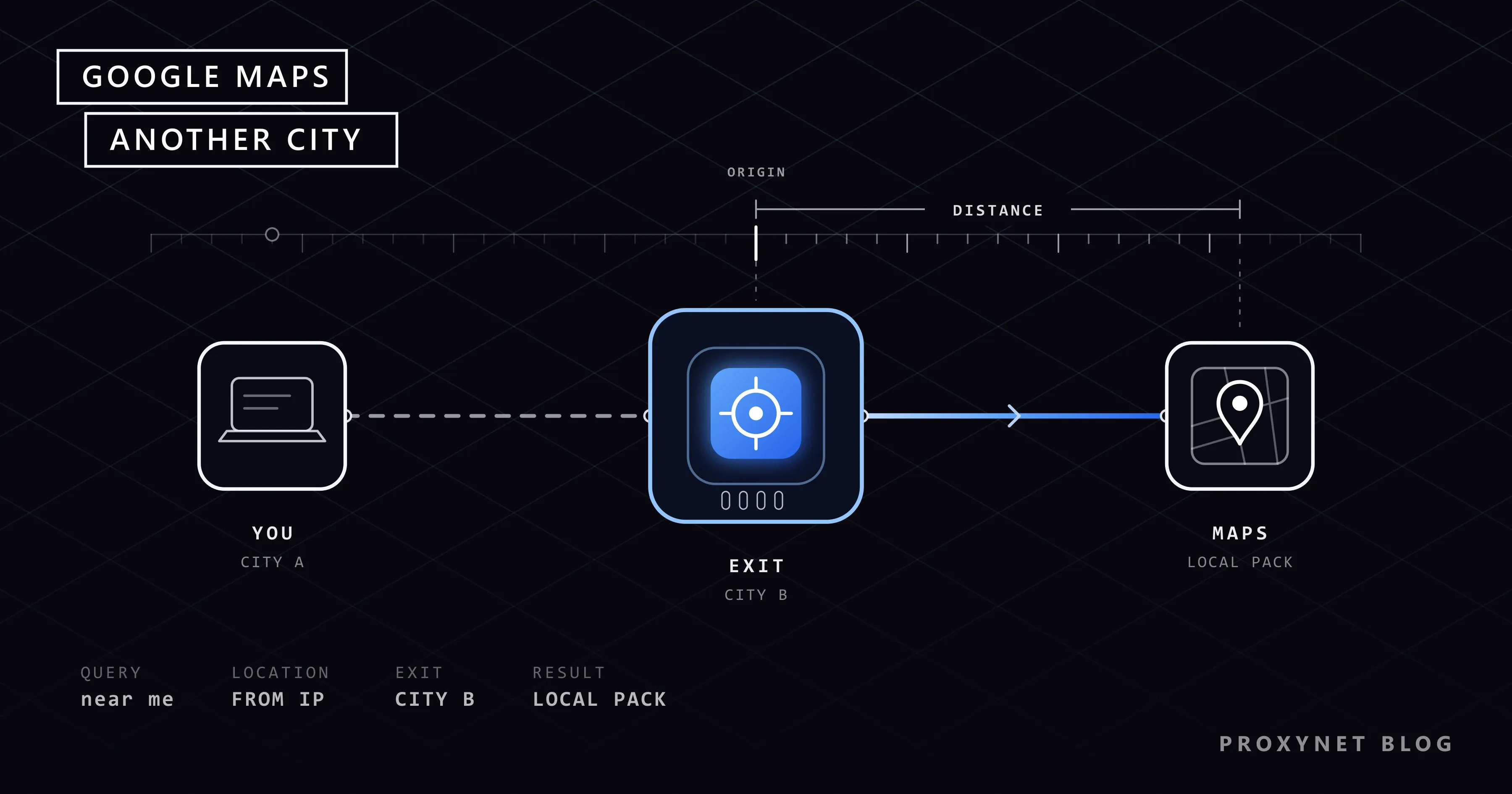
You run a bakery in Manchester and a friend in Leeds tells you your shop never shows up when they search "bakery near me". You search the same thing at your counter and your shop is right at the top of the map. Both of you are telling the truth. Google Maps did not show you a single list; it showed each of you a list built around where you were standing.
This guide explains why Google Maps and the small map at the top of Google Search (the "local pack") change from city to city, and how to see the results for a city you are not in: the methods Google offers, what each one changes, a checklist for businesses, and when a city-level IP address is the right tool.
Why do Google Maps results change from city to city?
Google says openly how it orders local results. Its Business Profile help page on how Google determines local ranking names three factors. Relevance is how well a business matches what you typed. Distance is how far the business is from the person searching. Prominence is how well known the business is, which Google says includes reviews and links from other websites.
Relevance and prominence are the same for everyone. Distance is not: it is measured from the searcher. The help page adds that when a customer does not share where they are, Google uses what it knows about their location. That sentence explains most "why can't my friend see my shop" questions. The same page also says there is no way to request or pay for a better local ranking.
How does Google know which city you are in?
Google's Search help page on understanding your location lists where the location comes from:
- Your device. A phone or laptop with location permission can report a precise position.
- Your IP address. The IP address is the address of your internet connection. Google reads a rough area from it, usually the city or region of your internet provider.
- Your home and work addresses. If you saved them in your Google Account, Google may use them.
- Your past activity. Earlier searches and places can point to an area you care about.
At the bottom of a Google Search results page you can see which of these was used, with labels such as "From your device" or "From your internet address". Check that line first whenever results look strange. Google also says it always estimates your general area, even when precise location is turned off.
IP-based location is not always right: a provider may register its addresses in a nearby larger city. Our post Why Is My IP Location Wrong? explains why, and What Is CGNAT? covers what happens when many homes share one address.
What happens when you search for a local business
Every local search goes through roughly the same steps:
- Google decides whether the search is local. "Pizza", "plumber" or "dentist near me" are treated as local. "History of pizza" is not.
- Google picks the reference point. If you typed a place ("plumber in Chicago"), that place is the reference. If you did not, it uses your device location, your IP address, your saved places or your past activity.
- Google finds matching businesses. Business Profiles whose category, name, description and services match the search are candidates.
- Google weighs distance and prominence. Close businesses with many reviews and a strong web presence rise. A well-known business further away can still beat a closer one that few people have heard of.
- Google shows the result. On Search you see a small map with a few businesses and a link to more places. In Maps you see a list next to the map, tied to the area on screen.
Step 2 is where cities differ. Change the reference point and the whole list moves.
Ways to see another city's results compared
| Method | What it changes | What it does not change | Good for |
|---|---|---|---|
| Type the city in the search ("bakery in Leeds") | The reference point, for this search only | Your "near me" results; personalisation from your account | Quick look at a city's businesses |
| Move the Maps view to the city, then "Search this area" | The area Maps searches in | Your IP address and account signals | Browsing a neighbourhood on the map |
| Set a home or work address in that city | What "near home" or "near work" means | Searches without those words | People moving to a new city |
| Business Profile Performance report | Nothing; it shows real data | It does not show your position in each city | Seeing which searches found your business |
| Browser with a city-level IP, location off | The IP-based reference point | Device location if you allow it; account history if signed in | Checking a "near me" or local-pack result as a local would see it |
The first three are free and enough for most people. The last covers the one case the others cannot: a search with no city name, typed by someone inside that city.
Why "near me" results differ from "in [city]" results
"Bakery in Leeds" and "bakery near me" typed by someone in Leeds look like the same search, but they are not. With a city name, distance is judged against the city you named. With "near me", it is judged against the searcher's own position, which may be one neighbourhood at the edge of the city. The two lists can be quite different.
Many local customers never type a city; they search "vet near me" or just "vet" on a phone. If you only check "vet in Leeds" from Manchester, you see a version few real customers see.
Personalisation adds another layer. When you are signed in, Maps can include places you searched for before, so your own business often looks stronger to you than to strangers.
Legitimate ways to check, step by step
Type the city in the query. On Google Search or Maps, type the service and the city: "emergency plumber Chicago" or "florist 60614" with a postcode. The Google Maps help page on searching locations gives the same advice: add a city and state or a zip code to narrow results.
Move the map. In Google Maps, drag the map to the city you want and zoom to the neighbourhood. When the map moves, Maps offers a "Search this area" button. Press it and the list is rebuilt for the area on screen.
Set a saved address. Sign in to Google Maps on a computer, open the menu, go to Saved (called Your places in some versions), choose Labeled, then set Home or Work. Google's help notes that Web & App Activity must be on for these addresses to be used. After that, "cafés near home" searches around that address. This is useful when you are moving and want to learn a new area before you arrive.
Open your Business Profile Performance report. If you own a Business Profile, open it and click Performance, then pick a time period. You will see how many people viewed the profile on Search and Maps, which search terms found it, and how many asked for directions or called. It does not show your rank in each city, but it shows whether people are finding you at all and with which words.
Use Search Console for your website. If you have a website, Search Console's Performance report shows your average position, filtered by country and device, but not by city. Our post How to Check Your Google Ranking Accurately walks through that report.
When a city-level IP address helps
The free methods cannot show a search with no place name as seen from inside the city. For a business with several branches, or an agency with local clients, that is often the search that matters most.
A proxy is a server that sends your traffic to the internet on your behalf, so websites see the proxy's IP address instead of yours. A Residential Proxy uses addresses that belong to home internet connections, and Proxynet lets you choose the country and the city of that address. Google then reads a location in that city from the IP, just as it would for a local resident.
To make the check fair:
- Use a separate browser profile, signed out of Google, so your own history does not colour the results.
- Block location permission for google.com in that browser, so your device position does not override the IP.
- Connect the profile through an address in the target city, for example one in Chicago or Manchester.
- Search, then scroll to the bottom of the results page and confirm the location line says it came from your internet address and names the right area.
- Keep the same address for the whole session. A Sticky Proxy session holds one IP for a set time, so your checks are not spread across several neighbourhoods.
Keep it manual and occasional. Google's spam policies list sending automated queries, including scraping results for rank checking, as machine-generated traffic that breaks its rules. If you need rankings for many keywords every day, use a rank-tracking tool that gets its data through permitted routes; our post on SERP rank tracking explains the options. Our Google proxy page describes the setups we support.
Who needs to see another city's Maps results
- Local shops and service businesses checking whether customers in the next town can find them. The SEO proxy page covers location-accurate checks.
- Agencies with clients in several cities that report local visibility city by city. Our locations list shows which countries and cities you can pick.
- Chains opening a new branch that want to see which competitors dominate the map there before they launch. A city page such as Munich shows what is available in that area.
- People moving to a new city who want to see which gyms, doctors or schools locals are shown. Typing the city name is usually enough; our post on searching Google from a different country covers the wider case.
- Teams translating a website for a new market who want to see local results the way residents do. The localization page explains that work.
- Anyone confused by different results on two devices. Our post Why Google Results Differ goes through every factor, not just location.
Common mistakes
- Trusting incognito mode. A private window hides your history, but it still uses your real IP address and may still ask for device location. You see your own city, just without personalisation.
- Checking only "[service] in [city]". Real customers often type "near me" or no place at all. Check both forms before you draw conclusions.
- Ignoring the location line. If the bottom of the results page says "From your device", your proxy or setting did not change anything. Fix that before reading the results.
- Staying signed in. Your account can pull in saved places and past searches. Sign out, or use a clean browser profile.
- Comparing phone and desktop screenshots. Phones usually share a precise location and desktops do not.
Decision guide
| Need | Recommended approach |
|---|---|
| See which businesses exist in another city | Type the city or postcode in Google Maps |
| Explore one neighbourhood | Move the map there and press "Search this area" |
| Prepare for a move | Set a Home or Work address in the new city |
| Know how customers find your business | Business Profile Performance report |
| See your website's position by country | Search Console Performance report |
| See a "near me" result as a local would | Signed-out browser, location off, city-level residential IP |
| Track many keywords daily | A rank-tracking tool using permitted data sources |
Frequently asked questions
Can I change my Google Search location to another city in settings?
Not directly. Google's help page says it estimates your location from your device, your IP address, your saved addresses and your past activity. You can control those sources, for example turn off device location or change your home address, but there is no field where you type a city for all searches.
Why does my business show up for me but not for customers?
Distance and personalisation. You search from next to your shop and have looked it up many times while signed in. A customer a few kilometres away is measured from a different point and has no such history.
Does a VPN show local Google Maps results for another city?
Sometimes. Many VPN servers are in data centres, and the city Google reads from their addresses may not match the city the VPN app shows. Our post on proxy vs VPN explains the difference. For a city-level check, an address from a home internet connection in that city is closer to what residents use.
Can I pay Google to rank higher in Maps?
No. Google states there is no way to request or pay for a better local ranking. You can buy ads that appear marked as sponsored, but they do not change the unpaid order.
How can I improve my ranking in other cities?
Distance is fixed: a shop in Leeds will not be the closest bakery in Manchester. What you can improve is relevance and prominence: a complete Business Profile with the right category, accurate hours, photos, genuine reviews and a website that describes your services. If you truly serve several cities, a service-area setting on your profile and a clear page per area help.
Is it allowed to check Google results through a proxy?
Looking at search results manually from another location is ordinary browsing. What Google's spam policies forbid is sending automated queries, such as scraping results for rank checking without permission. Keep manual checks occasional and use approved tools for anything at scale.
Summary
Google Maps does not have one list per search; it has one list per searcher, because distance is measured from where Google thinks you are. For most needs, typing the city name, moving the map or setting a saved address is enough. Business owners should add the Performance report to see how people really find them. When you need to see a "near me" result exactly as a resident of another city sees it, use a signed-out browser with location off and a city-level address; our post on geo-blocking explains how sites use location more widely, and our SEO proxy page shows how to set it up.


