


































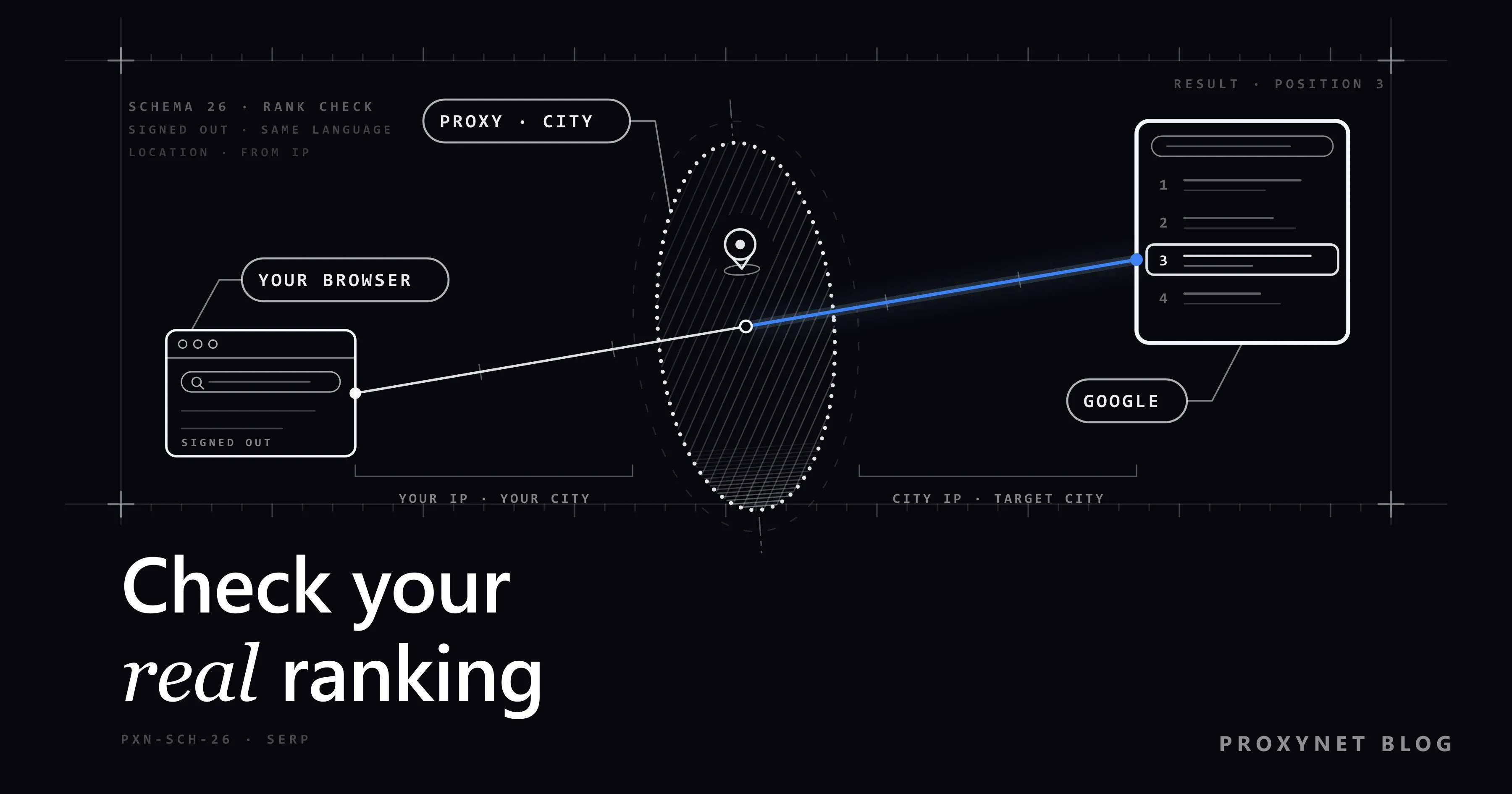
You run a bakery in Leeds, or you write a hiking blog, and one morning you type your main keyword into Google to see where you stand. Your site is third. A friend in another city tries the same words on her phone and cannot find you on the first page. Neither of you is wrong: you looked at two different results pages, and neither of them is "your ranking" in the way a report would use the word.
This guide is for small business owners and bloggers who want a number they can trust without paying for a tool. It covers why a private window is not neutral, how to read your position in Google Search Console step by step, the limits of "average position", a manual check that means something, when an IP address in another city helps, and why you should not let a script search Google for you.
Why does Google show you a different ranking than your customers?
Google builds each results page for the person asking. Three things about you change that page.
- Your location. Google's help page on how it uses your location in Search lists four sources: your device's location, the home and work addresses in your Google Account, your past activity, and the IP address of your internet connection. An IP address is the number your connection uses on the internet; it roughly reveals your country and often your city. For "bakery near me", a different city means a different page.
- Your history. When you are signed in, earlier searches and visits can shape what you see. If you visit your own site often, it may look stronger to you than to a stranger.
- Your device and language. Phones and computers get different layouts, and a map box or a row of videos can push the normal links down. The language setting decides which language's pages come first.
We explain each of these factors in more detail in why Google results differ between people.
Why isn't a private window enough?
A private or Incognito window starts without your cookies and your Google sign-in, so your history stops shaping the results. That removes one factor out of three. Chrome's own help page on Incognito states that the websites you visit, Google sites included, may still be able to see your activity.
What the private window does not change is your connection. Your IP address stays the same, so Google still places you in your own city. If you sit in Leeds and your customers are in Manchester, a private window shows you the Leeds page with a clean history. It is still a test from Leeds. What else a private window leaves visible is covered in Does Incognito Mode Hide Your IP Address?.
How does Google turn searches into a ranking number?
Search Console does not take a screenshot of one results page. It collects what actually happened when real people searched:
- Someone searches. Google builds a page for that person's location, device and language.
- Your site appears. If a link to your site is on the page they saw, Search Console counts one impression (one showing of your site in the results).
- The top spot is recorded. If your site appears twice on that page, only the higher of the two positions counts.
- The positions are averaged. Search Console's help page on the Performance report defines average position as "the average position of the topmost result from your site" across those impressions.
- You filter the average. Choosing a query, a page, a country or a device narrows the average to the searches you care about.
So a position of 4.3 is not a place on a page anyone saw. It summarises many pages seen by many people, which makes it more trustworthy than one search, and also why it needs filters.
Which method should you use?
| Method | What it shows | Location level | Cost | Good for |
|---|---|---|---|---|
| Signed-in search in your normal browser | Your personalised page | Your own city | Free | Nothing reliable |
| Private window, signed out | A page without your history | Your own city | Free | A quick look from where you are |
| Search Console Performance report | Average position from real searches | Country | Free | Your main ranking number |
| Manual check with a city-level IP | One page as a local searcher would see it | City | Proxy fee | Local rankings in another city |
| Rank-tracking service | Daily snapshots, competitors | Country or city | Subscription | Many keywords, competitor checks |
How do you check your ranking in Search Console?
If you have not set up Search Console yet, add and verify your site first; a new property needs a few days before it shows data. Then:
- Open the report. In the left menu, choose Performance, then Search results. By default it shows the last three months.
- Turn on average position. Above the chart are four boxes: total clicks, total impressions, average CTR (the share of impressions that became clicks) and average position. Click Average position to add it to the chart and table.
- Pick a date range. Click the date filter and choose Last 28 days for a current picture.
- Filter by query. Click + Add filter, choose Query, and enter your keyword. "Queries containing" catches variations such as "sourdough bakery leeds" and "leeds sourdough".
- Add a country. Add another filter for Country and choose the one your customers are in. Searches from abroad otherwise skew the average.
- Split by device. Open the Devices tab in the table. Mobile and desktop positions often differ by a few places.
- Check the page. Open the Pages tab to see which page is ranking. It may not be the page you expected.
- Compare periods. In the date filter, choose Compare and set this month against the previous one.
A shortcut: clicking any row filters the whole report by it. Click your keyword, then switch to Countries or Devices.
What are the limits of "average position"?
Average position is the right main number, but it has blind spots.
- It is an average, not a snapshot. Position 6.0 can mean you were sixth every time, or first for some people and eleventh for others.
- It counts only where you appeared. Searches where you were not shown at all do not enter the average. A keyword with few impressions can look flattering.
- Location stops at country level. The Countries tab groups searches by the country they came from. There is no city breakdown.
- Rare queries can be hidden. Google leaves out some queries searched by very few people to protect privacy; the help pages call them anonymized queries.
- The newest data is provisional. The latest days can still change for a few hours after they appear, so do not judge a change on today's figure.
- Layout is not included. A position does not tell you how many ads, map results or answer boxes sit above you.
How do you run a manual check that means something?
Search Console answers "how am I doing on average". A manual check answers "what does the page look like for this person", as long as it copies a real customer instead of you. Use this checklist:
- Signed out. Open a private window and make sure you are not signed in to a Google Account.
- The right language. Set Google's language to the one your customers search in, and type the query the way they would.
- The right place. Scroll to the bottom of the results page. Google shows the location it used and where it came from, such as "From your internet address". If that is not the city you are checking, the result belongs to a different market.
- The right device. Check on a phone if most of your customers search on phones.
- Count honestly. Count only the normal links, and note separately what sits above them: ads, a map pack, videos, questions.
- Write it down. Record the date, city, device and position in a spreadsheet. Repeated checks show a trend; one check does not.
- Do not click your own result or your own ads. Ad clicks cost you money.
Keep it at human scale: a handful of important searches, done by you. If you reload the same search again and again, Google may show an "unusual traffic" page and ask you to prove you are not a robot.
When does an IP address in another city help?
The checklist has one step you cannot always meet from your desk: the right place. Suppose your dental clinic is in Bristol and you open a branch in Cardiff. You want to see what "dentist" shows to someone in Cardiff.
Here is the mechanism. When you are signed out and your browser does not share its location, Google falls back on your IP address to estimate the area you are searching from. A proxy is a server that passes your traffic on, so websites see its IP address instead of yours. If that IP address belongs to a home connection in Cardiff, Google estimates Cardiff, and the bottom of the page says so.
This is what Residential Proxy addresses do: they come from real home internet connections, and you choose the country and city. A Sticky Proxy session keeps the same address for the few minutes your check takes, so the results do not jump between cities halfway through. IP-based location is an estimate and can be off by a district or more; we explain why in how accurate IP geolocation is. Always confirm the city line at the bottom of the page before you trust the result.
For country-level results you may not need a proxy at all; Google's own settings, compared in how to search Google from another country, cover that. Location can also hide content entirely in some countries, as explained in what geo-blocking is.
Why shouldn't you automate searches on Google?
Google's spam policies name this directly: sending automated queries to Google, including scraping results for rank-checking purposes without express permission, is "machine-generated traffic" and violates both the spam policies and Google's Terms of Service. Running a script through many IP addresses does not change the rule.
The legitimate routes are Search Console for your own site, a licensed rank-tracking service for competitors and cities, and manual checks at human scale. To pull Search Console data daily, use the official Search Console API; we walk through it in how to automate SEO rank tracking.
Use cases
- A local shop checking its own town: Search Console filtered to your country and mobile, plus a monthly manual check. Our SEO proxy page explains city-level checks.
- A business opening in a new city: checks from the new city before and after launch; see Google proxy for location-based Google checks.
- A blogger with readers abroad: the Countries tab shows where you rank best. Pages such as United States locations list the cities you can check from.
- Checking the map results for a local business: map results depend heavily on where the searcher stands, as covered in how to see Google Maps results for another city.
Common mistakes
- Trusting a signed-in search. Your own history lifts your own site.
- Treating a private window as neutral. It clears your history but keeps your city.
- Reading average position without filters. One number across all countries and devices hides the result you care about.
- Reacting to a few days of data. Judge on four-week periods.
- Ignoring which page ranks. A blog post ranking instead of your service page is a different problem from a low position.
- Checking from the wrong city. Look at the location line at the bottom of every results page.
- Running a script against Google. It breaks Google's policies, and an IP address change does not make it acceptable.
Decision guide
| Your need | Recommendation |
|---|---|
| Your real average ranking for a keyword | Search Console, Performance report, filtered by query and country |
| Mobile versus desktop ranking | Search Console, Devices tab |
| What a customer in your own city sees | Private window, signed out, check the location line |
| What a customer in another city sees | Manual check through a residential IP in that city |
| Daily tracking of many keywords or competitors | Search Console API or a licensed rank-tracking service |
| A script that searches Google for you | Not recommended; it violates Google's spam policies |
Frequently asked questions
Is Search Console's average position my real ranking?
It is the most reliable ranking number you can get for free, because it comes from real searches. Because it averages many searches, it rarely matches one search exactly; read it with filters.
Why am I first on my computer but lower on my phone?
Mobile and desktop results can differ in order and layout, and your computer may carry your search history. Compare the two in the Devices tab of Search Console.
Does Incognito mode show unbiased Google results?
It removes your search history from the equation, but Google still sees your IP address and uses it to estimate your location.
How often should I check my Google ranking?
Look at Search Console once a week and make decisions on four-week trends. A manual check every two weeks or once a month is enough for most small sites.
Can I see my ranking in a specific city in Search Console?
No. The report breaks results down by country only. For a city, check manually from there or use a rank-tracking service.
Is it allowed to check rankings through a proxy?
Searching by hand from a different location is ordinary browsing. What Google forbids is sending automated queries to scrape results for rank checking without permission, and that stays forbidden whatever IP address the script uses.
Summary
Your own browser is the least reliable place to check a ranking, and a private window fixes only your history, not your location. Use the Performance report in Search Console as your main number: turn on average position, filter by query, country and device, and compare four-week periods. Back it up with a few manual checks, signed out, in the right language and from the right city. When the city you need is not the one you are in, a residential IP address there lets you see the page a local searcher sees. Leave automated searching to the official API and licensed services. For city-level checks, see our SEO proxy solution.


