You open your banking app on the sofa, as you do every evening, and instead of your balance you get a screen that says "We noticed a sign-in from an unusual location". A minute later an email arrives: "New login from a city you have never visited." You have not gone anywhere and you have not changed your password. So why does the bank think you are somewhere else?
This post explains what a bank looks at when it decides a login location is suspicious, why the check misfires while you are at home, and why banking through a VPN or a random proxy makes alerts more frequent, not less. It also covers the European rules behind the extra verification step, what to do when an alert arrives, and how to keep your second factor working abroad. It does not explain how to get around a bank's checks; those checks protect your money.
What does "suspicious login location" mean?
It means the bank's risk system compared this login with your usual pattern and found that the place it came from does not fit. "Suspicious" describes the login, not you. No person at the bank has decided you did something wrong; a scoring model has decided the login deserves a second look.
That second look takes one of three forms. The bank lets you in and sends an alert, asks for an extra step such as a code or an in-app approval, or blocks the login and asks you to call. Which one you get depends on the other signals and on what you were doing: viewing a balance is treated more lightly than adding a new payee.
How does a bank know where you are logging in from?
A login never carries your street address. What the bank receives is your IP address, the network address your connection uses on the internet. It looks that address up in a commercial IP database, which returns an estimated country and city. That estimate is the "London" or "Frankfurt" in the alert.
The estimate is decent at country level and weak at city level, because the database only knows where an address block is registered or was last seen. Why Is My IP Location Wrong? explains the reasons and how to check. A phone app may also read the device's location if you allowed it, plus the time zone and language. None of these is a precise pin, and banks treat location as one input among several.
How does the bank decide a login is suspicious?
Banks keep the exact rules private, because publishing them would help fraudsters. The general shape is similar across large sign-in systems:
- The login arrives with its details. IP address, device and browser, app version and time are recorded.
- The IP address is looked up. The bank gets an estimated location, the network owner (home provider, mobile carrier or hosting company) and labels such as "VPN", "public proxy" or "Tor exit".
- The device is compared with known devices. A phone you have used before carries trust; a new one, or the same one after a reset, starts from zero. What Is Browser Fingerprinting? explains how devices are recognised.
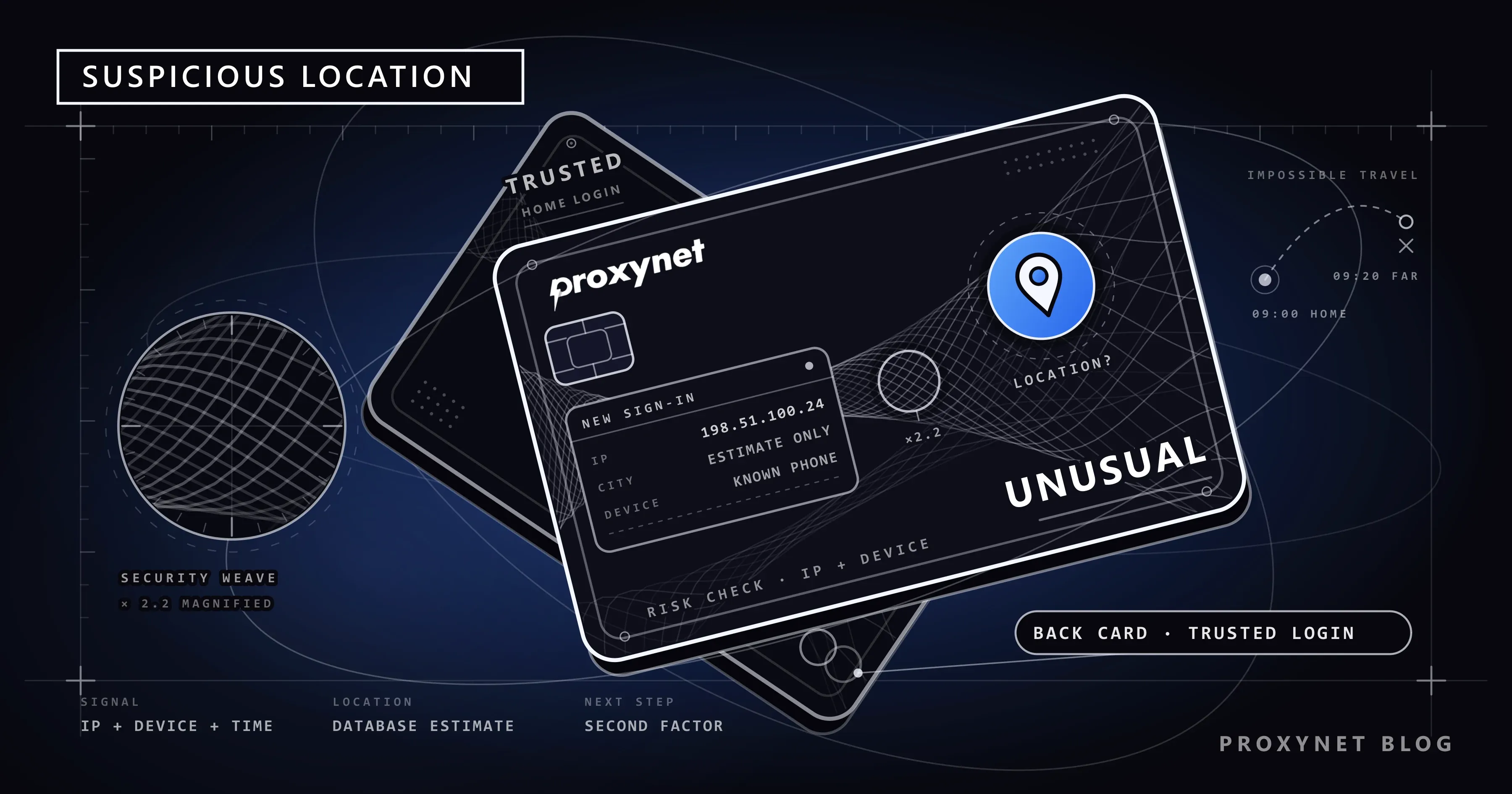
- The location is compared with your history. A place you have never logged in from raises the score, and so does a jump that is too far for the time that has passed.
- The action is weighed. Checking a balance, adding a payee and sending money carry different risk.
- The bank decides. Let the login through, ask for an extra step, or stop it and alert you.
The "too far, too fast" check in step 4 is usually called impossible travel. Microsoft's documentation for its own sign-in risk engine describes it as activity from distant locations within less time than the trip would take. A login from home at 9:00 and another from a different continent at 9:20 cannot both be you.
Which signals trigger the alert, and when do they misfire?
| Signal | What the bank reads | When it fires for an innocent user |
|---|---|---|
| IP location | Estimated country and city | Mobile data, a new router, address blocks moved between cities |
| Network owner | Home provider, mobile carrier or hosting company | Company or school networks, a VPN running in the background |
| Anonymity label | Address listed as VPN, public proxy or Tor exit | Browser and antivirus VPNs, privacy relays, an address a VPN once used |
| Address reputation | Past fraud or abuse from the address | Shared addresses spoiled by another customer's traffic |
| Device | Known or new device | New phone, factory reset, reinstalled app, cleared browser data |
| Timing and distance | Could you have travelled that far? | A VPN that changes country, a mobile gateway in another city |
| Action | Viewing or paying | A new payee or a large payment right after any of the above |
Two or three of these together usually produce the alert. A new phone alone may pass; a new phone on a "VPN" address in another country will not.
Why does it happen when you are at home?
Most false alarms have nothing to do with travel:
- Mobile data. Carriers send traffic to the internet through a few central gateways, so your phone's public address may be registered to a gateway in another city.
- Shared addresses. Many carriers and some home providers put hundreds of customers behind one public address, a setup called CGNAT (What Is CGNAT?). If someone else on that address hurt its reputation, your login inherits the score.
- A new router or provider. A new modem often brings an address from a block the database still places elsewhere.
- A background VPN. Browser VPNs, antivirus VPNs and privacy relays change the address the bank sees without you noticing. VPN or Proxy Detected Error lists where they hide.
- A bad reputation record. Fraud-prevention services score addresses, and a home address can come out "medium risk"; What Is an IP Fraud Score? explains why.
If the alert appears only on mobile data and not on home Wi-Fi, the first two items are the likely reason, and nothing is wrong with your account.
Why does a VPN or a free proxy make banking alerts worse?
Some people switch on a VPN after an alert, hoping a "secure" connection will calm the bank. It does the opposite. The bank now sees an address owned by a hosting company, often labelled as an anonymous network, shared by strangers and sometimes in a different country from last time. Each of those facts raises the score, and a VPN that picks a new exit server every time also produces the impossible-travel pattern.
Large sign-in systems treat these labels as risk by design; Microsoft's engine above has a separate detection for sign-ins from anonymous addresses such as Tor or anonymous VPNs. Free VPNs and proxy lists add a second problem: you do not know who runs the server your password passes through (Are Free Proxies Safe?). For your own bank account, log in on your own home or mobile connection, in the official app, with nothing in between.
What does PSD2 strong customer authentication have to do with it?
If you bank in the EU or the EEA, the extra step after an unusual login is partly a legal requirement. The revised Payment Services Directive (PSD2) requires strong customer authentication for online account access and electronic payments. The technical rules in Commission Delegated Regulation (EU) 2018/389 require two or more independent elements, and before a bank may skip that step for a low-risk payment, it must check risk factors that include an abnormal location of the payer.
The three element types are knowledge (something only you know, like a PIN), possession (something only you have, like your phone) and inherence (something you are, like a fingerprint). The European Banking Authority set out which methods count in its opinion on the elements of strong customer authentication of 21 June 2019. So when a login from a new place ends with "approve in the app", the bank has judged the situation not low-risk and fallen back to the full check. Outside the EU the law differs, but most banks run a similar step.
What to do when your bank flags a login
- Do not use the link in the alert. Fake login alerts are a common scam: the US Federal Trade Commission reported in June 2023 that texts impersonating bank fraud alerts were the most-reported text scam of 2022. Open the bank's app yourself.
- Check recent logins in the app. Most banking apps list devices and sign-ins under a security menu. If the flagged one is your phone at the time you logged in, confirm it.
- If it was not you, act at once. Change your password from a trusted device, remove unknown devices and call the number on your card or the bank's official site.
- If you are blocked, call instead of retrying. Repeated failed logins can extend a lock.
- Switch off anything that changes your address. VPN apps, browser VPN extensions and privacy relays go off before you log in again.
- Turn on login and payment alerts. A push notification tells you about the next unusual login within seconds.
Travel notices and keeping two-factor authentication reachable
Some banks still take travel notices in the app or by phone; others have dropped them. Chase, for example, says it no longer accepts travel notices and relies on fraud detection, while asking customers to keep contact details current. Check your own app before you leave.
The bigger risk abroad is losing your second factor:
- Check how codes reach you. SMS codes abroad may need roaming switched on. In-app approval or an authenticator app works over Wi-Fi; whether a hotel or café network is safe enough for your banking app is covered in Is Public Wi-Fi Safe? What the Network Owner Can See.
- Keep your home SIM. If you buy a local SIM, the bank's codes still go to your home number.
- Save the bank's international phone number. The free number on the card may not work from abroad.
- Carry a second way to pay in case one card is held while you sort things out.
If the app itself will not open abroad, see banking app not working abroad. For services that change by country in general, see What Is Geo-Blocking?.
Where location checks matter beyond your own login
The same IP and location checks appear elsewhere, sometimes alongside legitimate uses of fixed addresses:
- Crypto exchange API keys: you can restrict your own API key to addresses you list; see crypto exchange API IP whitelisting.
- Prices that differ by country: why the same subscription costs more in one market is covered in geo-pricing by country.
- Fintech and payment testing: teams check how their own sign-in and risk screens behave for customers in other countries; see finance solutions.
- Company data protection: security teams check how their services look from outside their network; see data security.
- A fixed address for business tools: services that accept only listed addresses need one that does not change, such as a ISP Proxy; Static vs. Dynamic IP explains the difference.
None of these replaces your bank's own process for your personal account.
Common mistakes
- Tapping the link in the alert. The message may be fake; go to the bank yourself.
- Switching on a VPN to "secure" the login. It adds an anonymous, shared, often foreign address to a doubtful login.
- Retrying the password again and again. A short lock can turn into one that needs a phone call.
- Ignoring the alert as "the database again". Check the device list first.
- Relying only on SMS codes before a trip. With roaming off or the SIM swapped, codes stop arriving.
- Assuming a lookup site shows what the bank sees. Different databases give different answers for the same address.
Decision guide
| Your situation | What to do |
|---|---|
| The alert matches your own device and time | Confirm it in the official app |
| Wrong city, but the device is yours | Likely mobile data or a database error; confirm it |
| An unknown device is in the login list | Change the password from a trusted device and call the bank |
| Alerts appear only with a VPN on | Turn the VPN off for banking |
| You travel next week | Look for a travel notice option, set up in-app approval, keep the home SIM |
| You are locked out abroad | Call the bank's international number |
| A text asks you to "verify a login" via a link | Ignore the link, open the app yourself, report the message |
Frequently asked questions
Does a suspicious login alert mean my account was hacked?
Not necessarily. Most alerts come from ordinary changes such as a new phone or mobile data. Check the device list in the app: if every login is yours, confirm and move on; if one is not, call the bank.
Why does my bank think I am in another city?
The location comes from an IP database, not GPS. Mobile carriers route traffic through gateways in other cities, and databases are often out of date at city level. A wrong city alone rarely blocks a login.
Should I use a VPN for online banking?
For your own account, no. A VPN shows the bank an address shared by many people and labelled as an anonymous network, which raises the risk score. Your connection to the bank's app is already encrypted.
Do I still need to tell my bank before I travel?
It depends on the bank. Some take travel notices in the app; others, Chase among them, have stopped. Either way, keep your phone number current and make sure you can receive codes abroad.
Why do I get alerts on mobile data but not on Wi-Fi?
Your phone gets a different public address on each network. On mobile data it often shares an address with many customers and appears in the carrier's gateway city; on home Wi-Fi it uses the address the bank already knows.
Can I stop these alerts completely?
No, and you would not want to: the check stops a stranger with your password from emptying your account. You can make false alarms rarer by using the same devices, avoiding VPNs for banking and using in-app approval as your second factor.
Summary
A bank flags a login from an unusual location when the IP address, device or timing does not fit your history. The location is an estimate, so it is often wrong at home, especially on mobile data, behind shared addresses or with a background VPN. In the EU, PSD2 strong customer authentication means such a login is often followed by a second factor. When an alert arrives, open the official app yourself, check the device list and call the number on your card if anything looks unfamiliar. Keep your second factor reachable when you travel and keep VPNs and free proxies away from personal banking. For the business side of location and risk checks, see our finance solutions page.