


































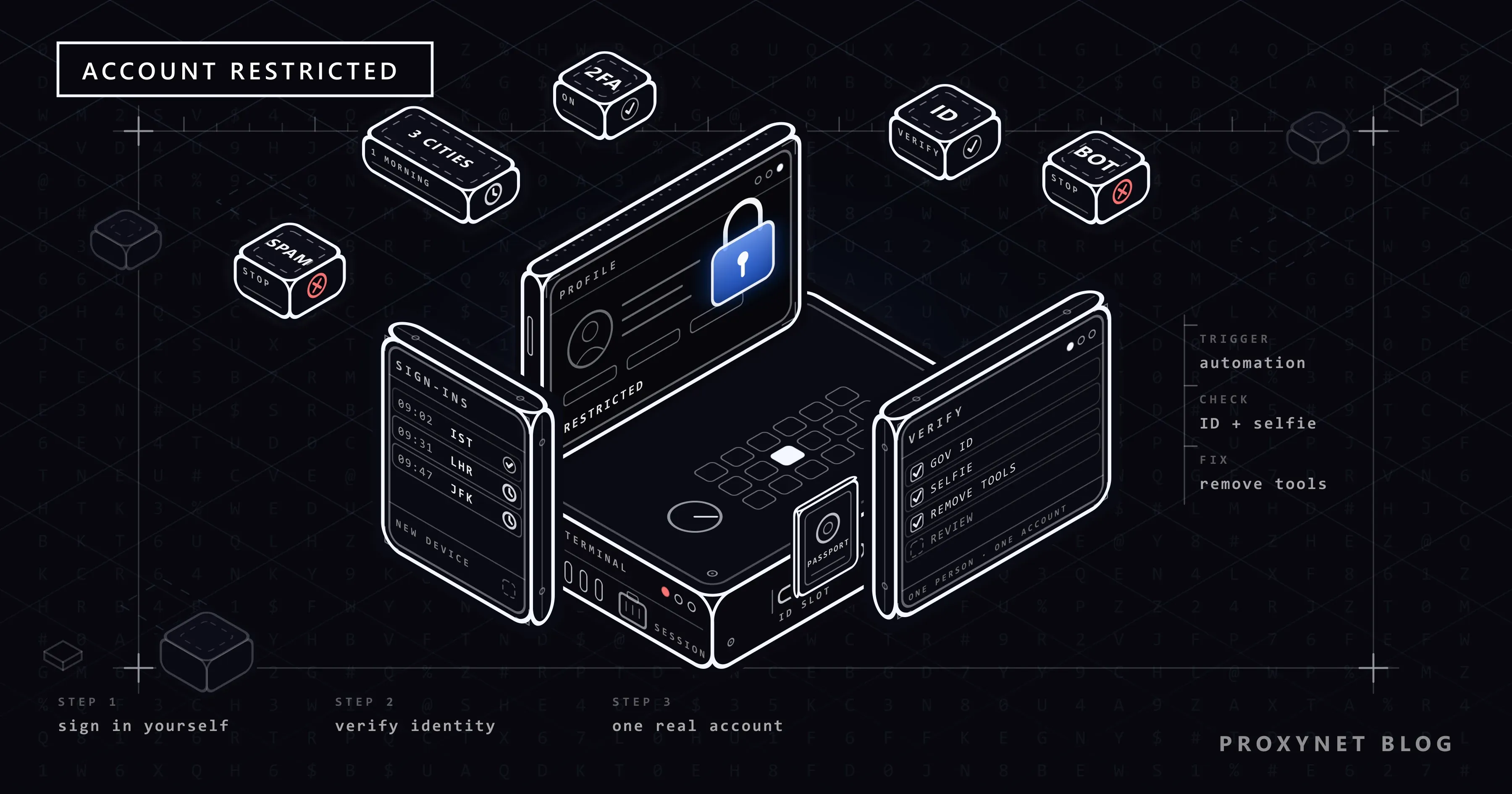
You open LinkedIn on a Monday morning and instead of your feed you see a message saying your account has been restricted. You cannot read messages, answer a recruiter or even look at your own profile. Often nothing obvious happened: you logged in from a hotel abroad, installed a browser extension that promised to "save profiles in one click", or sent invitations to everyone from last week's conference.
This post explains what a LinkedIn restriction is, which behaviors lead to one, and how the official recovery works, including the identity check with a government ID. After that come the mistakes that make things worse, a prevention checklist for people who travel and for recruiters, and an honest note on where a fixed IP address helps and where it does not.
What does "account restricted" mean on LinkedIn?
A restriction means LinkedIn has limited what you can do with your account until something is resolved. Sometimes only one feature is blocked, most often sending invitations; sometimes you cannot use the account at all until you verify your identity or a review finishes. It is different from the security prompt you see on a new phone, which lets you in as soon as you confirm it is you.
The legal basis is in LinkedIn's User Agreement (the version effective November 3, 2025). It says LinkedIn may restrict, suspend or terminate an account if the member breaches the agreement or the law, or misuses the services. Section 8, the "Dos and Don'ts", lists what counts as misuse.
Why does LinkedIn restrict accounts?
LinkedIn's help page on account restrictions groups the reasons into four categories:
- Identity. The profile looks intentionally fraudulent or does not reflect a real person. A nickname instead of your name, a company logo as the profile photo or a name written in decorative characters can raise this flag.
- Profile content. The name, photo, background image, experience or education section breaks the rules, for example a job title that is really an advertisement.
- Content. Posts, comments or messages break the Professional Community Policies. Repeated violations lead to a restriction; for the most serious ones, a single violation can be enough.
- Automated tools. The help page names third-party software or browser extensions that scrape, change the appearance of, or automate activity on LinkedIn. This is the usual cause for people who "did nothing wrong": an extension that exports profiles or sends invitations on a schedule.
Two situations feed into these categories without being categories themselves. The first is invitation behavior: sending many invitations in a short time, or having many of them ignored, left pending or marked as spam. The second is sign-in behavior: logins from many different places in a short period look like someone else is using your account.
How does LinkedIn decide something is wrong?
LinkedIn does not publish its detection rules, but what a member sees follows a clear order.
- Each sign-in is compared with your history. LinkedIn's security help says a check can appear when you sign in from an unfamiliar location or device: an email code, an approval in the app or a CAPTCHA (a picture puzzle that tells people from programs).
- Activity is compared with how people use the site. A tool works at an even, machine pace that a person does not.
- Other members' reactions count. Ignored invitations, invitations marked as spam and reported messages are signals LinkedIn names itself.
- LinkedIn acts. A limit on one feature, or a restriction of the whole account with a request to verify your identity.
What each trigger looks like from your side:
| What happened | What LinkedIn sees | Usual result |
|---|---|---|
| Sign-in from a new country or device | Location or device that does not match your history | Security check: email code, app approval or CAPTCHA |
| Many invitations in a short time | Burst of invitations, many ignored or marked as spam | Invitation limit, often lifted within a week |
| Automation or scraping extension | Actions at machine speed, profile data copied in bulk | Account restriction, identity check |
| Nickname, logo photo or fake details | Profile that does not reflect a real person | Account restriction until identity is verified |
| Posts or messages that break policy | Reports and policy review | Content removed, restriction after repeats |
| A second account for the same person | A breach of the one-account rule | Restriction |
How do you get a restricted LinkedIn account back?
Type linkedin.com into the browser yourself, sign in and read the screen; LinkedIn shows the next step there. Going in this way, not through an email link, protects you from phishing messages that copy LinkedIn's look.
Step 1: Remove the tools first
In Chrome, open the three-dot menu, go to Extensions > Manage Extensions and remove anything that exports profiles, sends invitations or "enhances" LinkedIn. If the tool is still running after you get back in, the same signal starts again.
Step 2: Verify your identity through Persona
For most account restrictions, LinkedIn asks you to verify your identity through Persona, an identity verification company it works with:
- Sign in and follow the prompts. On a computer you may be shown a QR code to continue on your phone, because you need a smartphone camera.
- Choose the country that issued your ID and accept Persona's terms.
- Photograph a valid government ID: a passport, a national ID card or a driver's license (depending on the country, a residence permit can also work). Library and school cards are not accepted, and an expired document fails.
- If asked, take a selfie so the system can match your face with the ID photo.
LinkedIn states that the submitted documents are generally deleted permanently within 14 days. If you live in Canada, the EU or the UK and do not want to upload an ID, LinkedIn accepts a notarized Affidavit of Identity instead. If Persona fails you after several attempts, contact LinkedIn Help directly.
Step 3: Fix the profile
Use your real name, a photo of yourself and job titles without advertising. The User Agreement asks for one account per member, in their real name.
Step 4: Ask for a review of content decisions
If content was the reason and you believe it followed the policies, the on-screen prompts let you ask LinkedIn to look again. One short, factual request is enough.
Step 5: Wait out invitation limits
An invitation restriction is not lifted on request; LinkedIn's help says most are removed automatically within a week. Meanwhile, open My Network, go to your sent invitations and withdraw old ones that were never answered. LinkedIn makes you wait before inviting the same person again.
What does LinkedIn's User Agreement say about tools and extensions?
Section 8 of the User Agreement lists what members agree not to do. Two lines matter here. Members agree not to develop, support or use software, devices, scripts, robots or other means, naming "crawlers, browser plugins and add-ons", to scrape or copy the services. They also agree not to use bots or other unauthorized automated methods to access the services, add or download contacts, send messages, or create, like or share posts.
This covers most "LinkedIn growth" products: auto-connectors, auto-visitors, message sequences and profile exporters. Some call themselves "safe" because they run in your browser or move slowly; the agreement makes no such distinction. For work data, use LinkedIn's own products and approved APIs.
How many invitations can you send before LinkedIn limits you?
LinkedIn does not publish a weekly invitation number; the figures online come from tool vendors and user reports. What LinkedIn does state is the pattern it reacts to: many invitations in a short time, and many invitations that are ignored, left pending or marked as spam. It also caps a network at 30,000 first-degree connections.
Invite people who will recognize your name, add a note saying where you met, and clean up pending invitations every few weeks.
Prevention checklist for travelers and recruiters
If you travel or work from different places:
- Turn on two-factor authentication under Me > Settings & Privacy > Sign in & security > Two-factor authentication, preferably with an authenticator app.
- Before a trip, check that your phone number and email on the account are current; the security codes go there.
- Keep cookies enabled and do not sign out many times a day; LinkedIn remembers recent sign-ins for a while.
- LinkedIn's own advice is to avoid signing in through a VPN or proxy server. Hotel Wi-Fi plus a roaming phone is already two locations.
- Check Sign in & security > Where you're signed in after the trip and sign out sessions you do not recognize.
If you recruit or sell on LinkedIn:
- Write every invitation yourself; for volume, use LinkedIn's own paid features instead of third-party automation.
- Never share one login among colleagues. Each recruiter needs their own account; the company belongs on a LinkedIn Page.
- Keep your team's sign-ins predictable: the same devices, the same office or home connection.
Can a proxy or a fixed IP help?
First the limit: no proxy, VPN or new IP address lifts a restriction. A restriction is attached to the account, not to the connection, and a new address after a restriction only adds another unusual sign-in.
What an IP address does affect is the sign-in check. For most home users the right setup is simply their own home connection and phone. If your provider puts many subscribers behind one address (CGNAT, explained in What Is CGNAT?), that can bring occasional extra security checks.
A fixed address is useful for a company whose recruiting or social media staff work remotely and want one consistent location for their own accounts, like an office address. How a static address differs from one your provider changes is covered in Static IP vs Dynamic IP. ISP Proxy provides addresses registered to an internet service provider that stay assigned to you; you choose the address for the sites you use it on. Rotating addresses are the wrong tool for a personal account; they look exactly like the "many locations" pattern. A fixed address only covers location: each person still uses their own account, without automation.
Where this fits: use cases
- Signing in while abroad. How to prepare is covered in Social Media Login From Another Country.
- Job hunting in another country. How job results change by location is in LinkedIn Jobs by Country.
- Several brands or clients. Why LinkedIn's answer is Pages rather than extra profiles is explained in How to Manage Multiple Social Media Accounts.
- Team sign-ins from a fixed location. Company setups for LinkedIn work are described on our LinkedIn proxy page.
- Work across several networks. Agency options are on the social media proxy page.
Common mistakes
- Creating a new account. It breaks the one-account rule and leaves the real problem, the restricted account, unsolved.
- Switching VPN locations to "reset" things. Each new location is another unusual sign-in.
- Verifying your identity with the automation tool still installed. The account comes back and the same signal starts again.
- Using an antidetect browser to hide automation. It does not make automation allowed. How these browsers and fingerprints work is in What Is an Antidetect Browser?.
- Sending your ID to someone who emailed you. LinkedIn's verification runs inside the sign-in flow through Persona, not through a link from a stranger.
Decision guide
| Your situation | What to do |
|---|---|
| A security check appeared after a trip | Complete the email code or app approval; turn on two-factor authentication |
| You cannot send invitations | Wait; most limits lift within a week. Withdraw old pending invitations |
| The account is restricted and asks for ID | Remove automation tools, then verify through Persona in the sign-in flow |
| You do not want to upload an ID (Canada, EU, UK) | Use the notarized Affidavit of Identity option |
| Your team signs in from many places | Give each person their own account; keep devices and location consistent |
| You were offered a tool that "grows LinkedIn on autopilot" | Do not install it; it falls under the User Agreement's automation ban |
Frequently asked questions
How long does a LinkedIn restriction last?
Invitation restrictions are usually removed automatically within a week. An account restriction lasts until you finish the requested step and LinkedIn reviews it; there is no published review time. Serious policy violations can mean a permanent restriction.
Can I see exactly why my account was restricted?
Often not in detail. For invitation restrictions, LinkedIn's help says support cannot share more about the reason, for privacy. The four categories above usually point to the cause.
Is it safe to upload my ID to Persona?
Persona is the partner LinkedIn names in its own help pages, and LinkedIn states that documents are generally deleted within 14 days. Use it only through the prompt that appears when you sign in at linkedin.com.
Can I have a personal account and a separate account for my business?
No. The User Agreement allows one account per person, in your real name. A business gets a LinkedIn Page, which you manage from your personal account; product lines can have Showcase Pages under it.
Will a VPN get my LinkedIn account restricted?
A VPN is not listed as a reason for restriction, but it changes your apparent location, which brings more security checks and can make an account look shared. LinkedIn advises signing in without a VPN or proxy. The detection side is covered in VPN or Proxy Detected Error.
My account was hacked and then restricted. What now?
Follow the same sign-in flow and verify your identity; the check exists to prove the account is yours. Once you are back, change your password, turn on two-factor authentication and sign out every session under Where you're signed in.
Summary
A LinkedIn restriction answers one of four things: an identity it cannot confirm, a profile or post that breaks its rules, tools that scrape or automate the account, or spam-like behavior. The way back runs through the sign-in screen: remove the tools, verify your identity with Persona, fix the profile and let invitation limits expire. Prevention means a personal account, genuine invitations and predictable sign-ins. A proxy or VPN never lifts a restriction; a fixed address only makes sense for a team that wants a consistent location for its own accounts, and for that case you can compare the options on our proxy services page. Location-based checks in general are explained in What Is Geo-Blocking?.


