You live in Istanbul and plan to move to Berlin next year. You open LinkedIn, type "product designer" and get a page full of jobs in your own city. A friend in Germany sends a screenshot of the same search with a completely different list, some with a salary range. It is easy to assume you need to "be" in Germany to see German jobs.
You do not. This post explains what shapes a LinkedIn job search and goes through setting up a search and a job alert for another country, telling recruiters where you want to work, why remote jobs still carry a country, why some posts show pay and others do not, and the few cases where a proxy or VPN is relevant at all.
Why do LinkedIn jobs look different in each country?
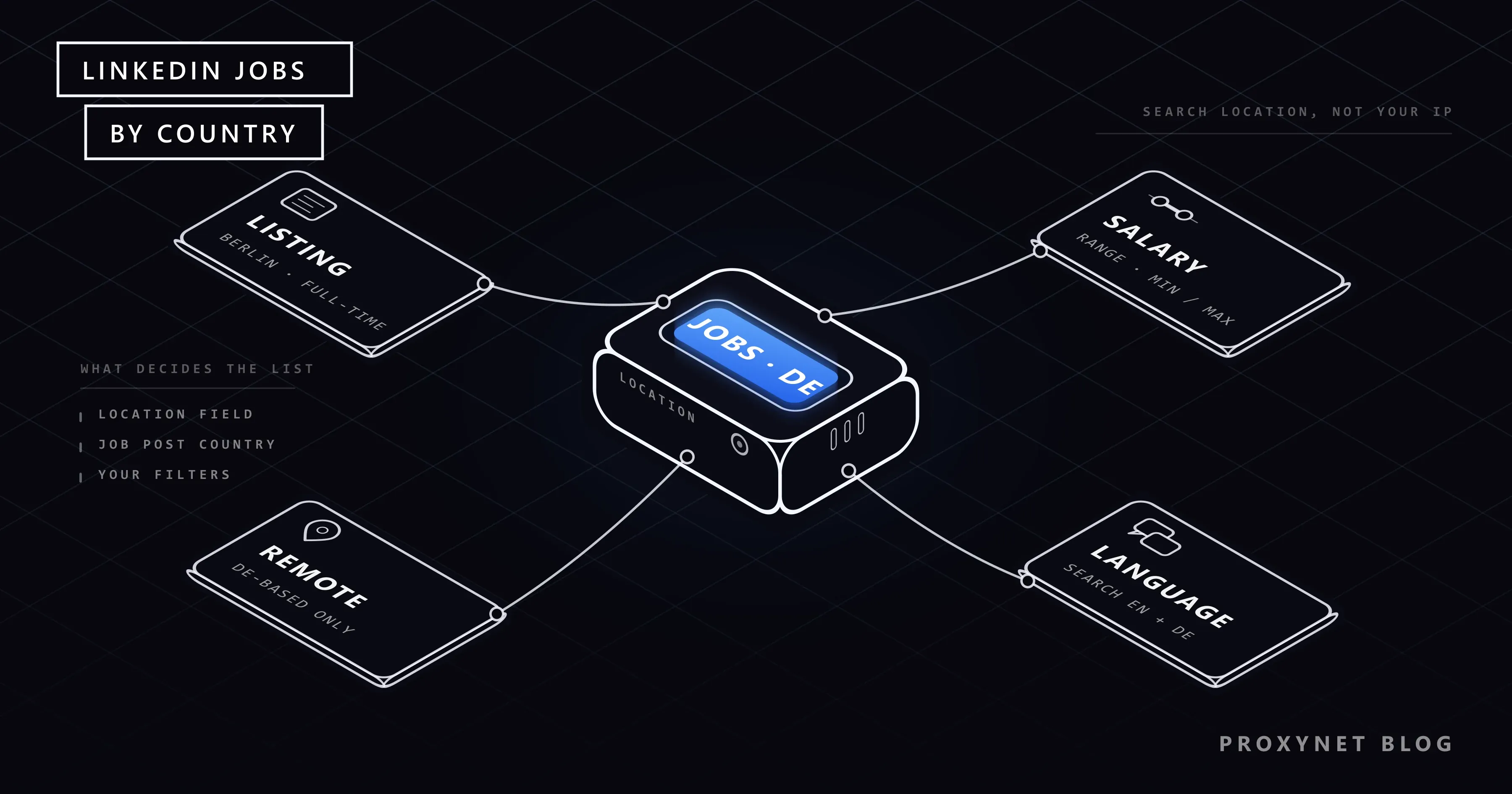
Three different "locations" are involved, and people often mix them up.
- The search location. This is the box next to the keyword box on the Jobs page. LinkedIn accepts a postal code, city, state, province or country there. This is what decides which jobs you see.
- Your profile location. The city and country on your profile. Recruiters see it, and it shapes the jobs LinkedIn recommends to you on its own, without a search.
- Your connection's location. The place your IP address points to. An IP address is the address of your internet connection, and every site you visit sees it. At most, LinkedIn may use it to suggest a starting value for the location box. It does not lock you out of other countries' jobs.
So when your friend in Germany sees a different list, it is because their location box says "Germany" and yours says "Istanbul".
Does your IP address change which jobs you see?
Not in any way that matters for a job search. The list is built from what the employer entered in the post and the filters you choose. Type "Munich" while connecting from Ankara and you see Munich jobs.
What your IP address can affect is your account's security, not your search. A sudden login from a country you have never used, especially through a shared VPN address, can lead to an extra verification step. Our post on LinkedIn account restrictions explains what those checks look at, and logging in to social media from another country covers the same pattern on other platforms.
How does LinkedIn decide which jobs to show?
A job search on LinkedIn works in a fixed order, which explains why a job you expect can be missing.
- The employer posts the job. Every post needs a valid location. LinkedIn's rules for job post locations say the poster picks a city, state or country, and that regions larger than a country, such as "Europe" or "EMEA", are not accepted. The poster also picks a workplace type: on-site, hybrid or remote.
- You type keywords and a location. LinkedIn keeps the jobs whose location falls inside the place you entered; a country search includes every city in it.
- Your filters narrow the list. Date posted, experience level, employment type, Easy Apply, company and the on-site/remote filter each remove jobs that do not match.
- Saved searches keep running. If you switch on a job alert, LinkedIn repeats the same search for you and sends the new results by email, app notification or both.
The important detail is step 1: the location the employer typed is the only location a job has. A "remote" job that was posted with "United States" as its location will not appear in a search for "Germany", even though the work itself is remote.
Search location, profile location and IP address compared
| Search location | Profile location | Your IP address | |
|---|---|---|---|
| Where you set it | The location box on the Jobs page | Edit your profile's intro section | Set by your internet provider |
| What it changes | Which jobs appear in the search | What recruiters see, your recommendations | At most the suggested value in the box |
| Can you change it freely? | Yes, for every search | Yes, but keep it true | Only with a VPN or proxy |
| Effect on job alerts | The alert saves it | None | None |
| Risk of changing it | None | Recruiters may call about relocation | Extra security checks on your account |
How do you set up a job search and alert for another country?
This is the main answer to the question in the title, and it takes a few minutes.
- Open Jobs and enter your keywords. Use the job title as employers in that country write it. In Germany, many posts are in German, so search "Produktdesigner" as well as "product designer". Run both and keep the one that returns the better list.
- Type the country or city in the location box. Pick it from the suggestion list so LinkedIn knows exactly which place you mean. For a whole country, choose the country name, not its capital.
- Add filters. Choose date posted "past week" to skip stale posts, set the experience level and, if you want, the remote filter.
- Switch the job alert on. LinkedIn's job alert help page describes a toggle on the search results page. Turn it on, then choose daily or weekly and email, app notification or both.
- Repeat for each country. One alert holds one search. If you are open to Germany and the Netherlands, create one alert per country, or per city if you only want Berlin and Amsterdam. LinkedIn allows up to 20 alerts at a time.
You can find and edit your alerts later under Jobs > Preferences > Job alerts.
How do you tell recruiters you want to work in another country?
A job alert brings jobs to you. Open to Work brings recruiters to you.
Go to your profile, choose Open to and then Finding a new job. The form asks for job titles, location types (on-site, hybrid, remote), locations, start date and employment types. Add the cities or countries where you want to work under Locations. A recruiter in Berlin who searches for candidates open to Berlin can then find you, even though your profile says Istanbul.
You also choose who sees this. "Recruiters only" hides it from your network and adds no photo frame; "All LinkedIn members" adds the #OpenToWork frame to your photo. LinkedIn tries to hide the status from recruiters at the company on your profile, but it says itself that it cannot guarantee complete privacy.
Should you change your profile location to the new country before you move? It is better to keep it true and say the plan in words instead. A headline or About section line such as "Relocating to Berlin in March 2027, EU work permit" answers the recruiter's first question. A profile that claims you already live in Berlin will be found out at the first phone call.
Why do remote jobs still have a country?
"Remote" on LinkedIn describes where the work happens, not who may apply. Since every post must carry a location of at least country size, a remote job is always tied to one country, sometimes one state or city.
The reason is practical. Hiring someone in another country means registering, paying taxes and following labor law there, so many companies only employ people where they already have a legal entity.
So, to find remote jobs you can actually take:
- Search with the remote filter and your own country in the location box. These are the jobs most likely to accept you where you live.
- Then search with the remote filter and the target country. Read each post for phrases like "must be based in Germany" or "EU residents only".
- Search the country, not a city. A remote post usually lists only the country, and a city in the box can hide it.
Why do some job posts show a salary range?
Pay on a LinkedIn post comes from the employer, or sometimes from a LinkedIn estimate based on salaries members have shared. Whether the employer fills it in depends partly on the law where the job is.
- New York State. Since September 2023, Labor Law Section 194-B requires employers with four or more employees to list a compensation range for jobs performed in New York.
- Colorado. Colorado's Equal Pay for Equal Work Act has required a pay range in job postings since 2021.
- European Union. Article 5 of the EU Pay Transparency Directive 2023/970 gives job applicants the right to know the starting pay or its range, in the job ad or before the interview, and bans questions about your pay history. Member states had until 7 June 2026 to turn it into national law. Only a few met that date, so what you see still varies by country.
So a US search can show more salary ranges than a search in a country where no such rule is in force yet. It says nothing about your connection; it is the employer following, or not yet following, local law.
What about Easy Apply and language?
Easy Apply means you apply inside LinkedIn with your profile and a CV, without going to the employer's own site. It is a filter in the search, so you can switch it on for a foreign search to keep quick applications only.
Language works on two levels. The language of LinkedIn's menus is a setting under Settings & Privacy > Account preferences; it does not change which jobs you see. The language of the job posts depends on the employer. Search in both English and the local language, and write your profile in the language of the country you are targeting, or add a second-language profile.
Is there a visa sponsorship filter?
No. LinkedIn has no filter for jobs that sponsor a work visa. The word "Sponsored" or "Promoted" on a post means the employer paid to show it higher. It has nothing to do with immigration.
The working method is to add the phrase to your keywords, for example "visa sponsorship" or "relocation support", and then read each post. Companies that sponsor usually say so in the description.
When is a proxy or VPN relevant to LinkedIn jobs?
For a job seeker, almost never. Everything above works from your own connection. Signing in through a VPN in the target country adds nothing to your search and may prompt a security check on your account.
There is one group for whom a location check does make sense: the people who publish jobs. A recruiter or HR team hiring in several countries wants to see what a candidate in each country sees on the public, logged-out pages: the company's own careers site, the language it picks, the cookie notice and whether the job page opens at all. That is quality assurance of your own content, done without logging in to anyone's account. Our localization page covers this kind of testing, and what is geo-blocking explains why a site can look different from each country.
Use cases
- Recruiters checking their own careers site in each hiring country. Local exits for logged-out checks are described on our LinkedIn proxy page.
- Employer-branding teams reviewing localized pages. Language, consent banners and local job boards per market, as on our localization page.
- Social media teams managing company Pages in several regions. The legitimate setup for Pages and people is in managing multiple social media accounts.
- Checking how IP location is read. Why a database can place you in the wrong city is covered in why is my IP location wrong.
- Social media research across countries. See our social media proxy page.
Common mistakes
- Using a VPN to "see" foreign jobs. The location box already does this. The VPN only adds a login from an odd place.
- Searching a city for remote jobs. Remote posts often list just the country; search the country instead.
- Only searching in English. In many countries half the posts are written in the local language.
- One huge alert. A broad keyword gives a flood you stop reading. Keep one alert per country and role.
- Faking the profile location. Recruiters check it at the first call. Write your relocation plan in the headline instead.
- Reading "Sponsored" as visa sponsorship. It means a paid post.
Decision guide
| Need | Recommendation |
|---|---|
| See jobs in another country | Type the country in the location box; no VPN or proxy |
| Get new jobs by email | Switch on a job alert, one per country or city |
| Be found by recruiters there | Open to Work, add the country under Locations |
| Remote work you can take from home | Remote filter plus your own country, then read eligibility |
| Know the pay before applying | Look for the range; in the EU ask before the interview |
| Visa sponsorship | Add "visa sponsorship" to keywords and read each post |
| Recruiter checking public pages per country | Logged-out check through a local exit, as in localization testing |
Frequently asked questions
Do I need a VPN to see LinkedIn jobs in another country?
No. Type the country or city into the location box on the Jobs page and LinkedIn shows jobs there. Your internet connection's location does not decide the results.
Why does my friend abroad see different jobs for the same search?
Their location box and profile are set to their country. Enter the same location and filters and you should see the same list.
Can I set a job alert for a country I do not live in?
Yes. Run the search with that country in the location box and switch the job alert on. You can keep up to 20 alerts at once, so one per target country is easy.
Should I change my profile location before I move?
Keep it true until you move. Add the target city under Open to Work locations and mention your relocation date and work permit status in your headline or About section.
Why does a remote job say "United States only"?
The employer can usually only hire people in countries where it is registered to pay salaries and taxes. LinkedIn also requires every post to carry a location of at least country size.
Can logging in from abroad restrict my LinkedIn account?
A login from a new country can trigger a verification step, and repeated logins through shared VPN addresses look more unusual. Our post on LinkedIn account restrictions explains what to do if that happens.
Summary
LinkedIn's job search follows the location you type, not the one your connection comes from. For another country: search it by name, in both English and the local language, save the search as a job alert and list the country in your Open to Work locations. Remote jobs are tied to a country too, salary ranges follow local pay transparency laws such as New York's and the EU directive, and there is no visa filter, only keywords and careful reading. A location check through a local exit is a tool for employers testing their own public pages, which is the case our LinkedIn proxy page is built for.