An agency runs the ad and store accounts of twelve clients from one office. Each account needs its own browser session, and each platform expects the account to log in from the same place every day. AdsPower is a multi-profile browser like Dolphin Anty: every profile gets its own cookies, its own browser fingerprint and, once you add one, its own proxy. The proxy is the part AdsPower does not supply, and it is where most setup problems start.
This guide shows how to use Proxynet proxies with AdsPower: adding a proxy to one profile and to many, choosing the proxy type and product, the settings that follow the proxy, testing, the Local API and the common errors.
What is AdsPower?
AdsPower is an antidetect browser: a desktop application that keeps many browser profiles isolated on one computer. Each profile has separate cookies and storage, its own fingerprint values (user agent, screen size, time zone, language, Canvas and WebGL output) and its own proxy. How this category of tools works is explained in What Is an Antidetect Browser?. To see how AdsPower compares with other tools for agency and team profile work, read Best Antidetect Browsers - 2026.
AdsPower runs on Windows 10 and later, macOS 11 and later, and Ubuntu 22.04 and later. Each profile uses one of two browser engines: SunBrowser, built on Chrome, or FlowerBrowser, built on Firefox. The main features:
- Many profiles in one list, with groups, tags and team sharing
- A separate fingerprint and a separate proxy for every profile
- Automation through RPA and a Local API that Selenium or Puppeteer can use
AdsPower has no network of its own. Without a proxy, every profile connects from your computer's IP address.
Why does each profile need its own proxy?
Separate profiles keep cookies and fingerprints apart, but without a proxy every profile still connects from your office IP, so all client accounts share one network address. A proxy per profile gives each account its own exit IP and a location that fits the client it belongs to.
The second reason is account hygiene. A logged-in account is expected to connect from a stable place. An account that appears from Istanbul in the morning and another country at noon looks like a possible takeover, and the platform asks for verification. One profile with one consistent IP keeps the login history predictable. This keeps legitimate accounts orderly; it does not change a platform's rules on how many accounts one person may hold.
How do you set up a proxy in AdsPower?
First generate your details in the Proxynet panel's Endpoint Generator: country, city if needed, and rotating or sticky session. The examples use pr.proxynet.io:8000 and user:pass.
Step 1: Download AdsPower for your operating system from the official website and install it.
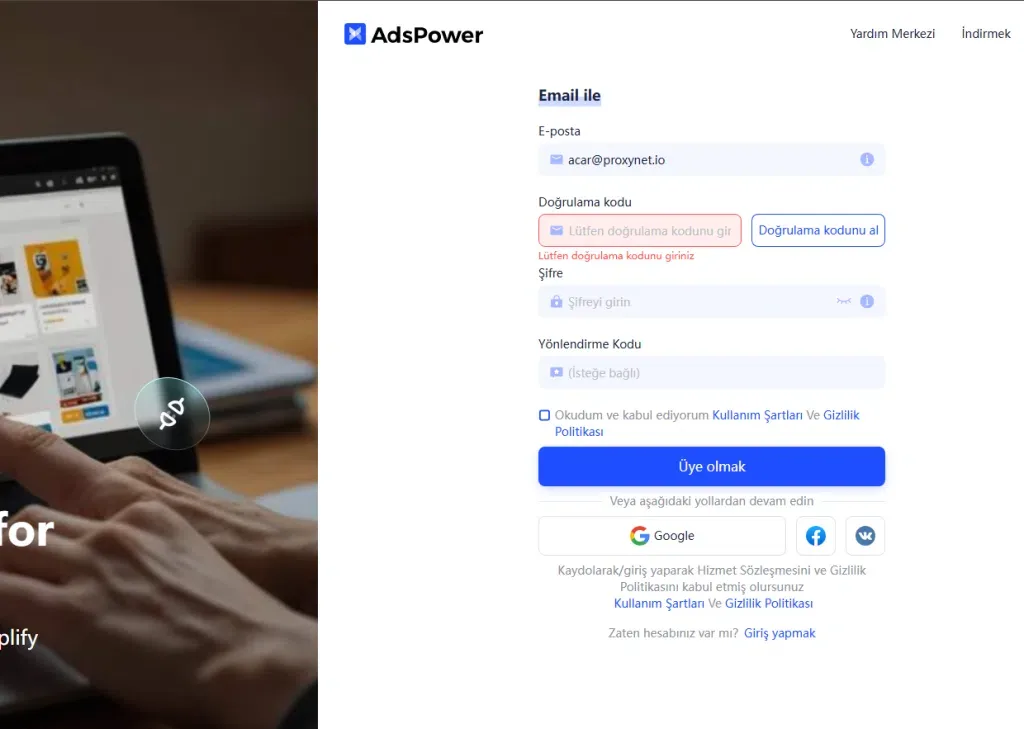
Step 2: Click Sign up, enter your email and the verification code, set a password and accept the terms. Google, Facebook and VKontakte sign-up also work.
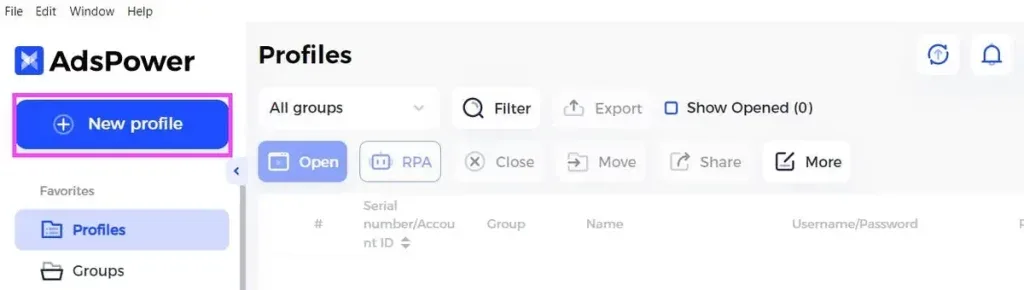
Step 3: Log in and click New Profile in the upper left corner.
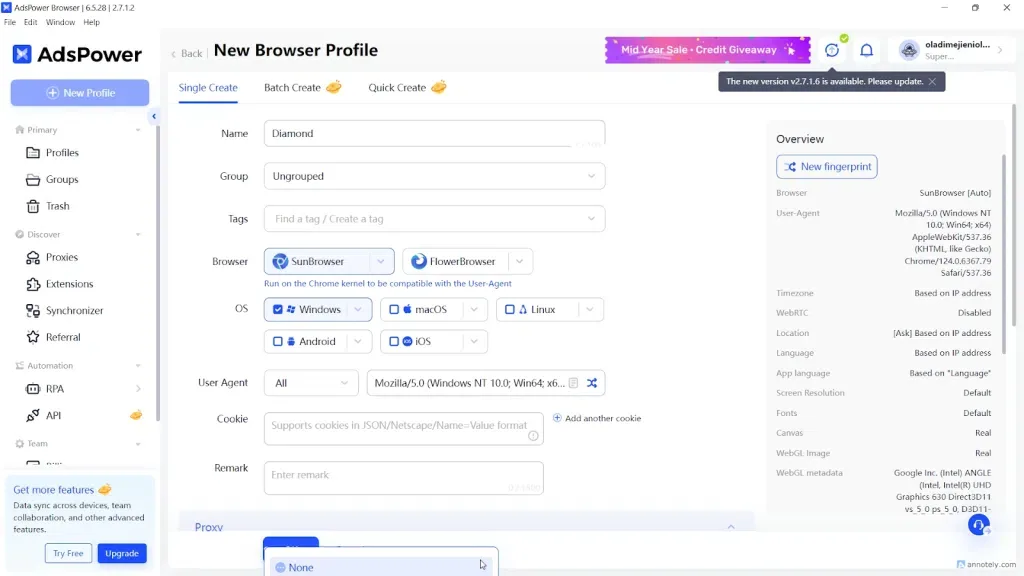
Step 4: Name the profile after the account it holds, then choose the browser, the operating system and, if you have them, cookies.
Step 5: In the Proxy section, click Custom and set Proxy type: HTTP for the HTTP port, Socks5 for the SOCKS5 port. Paste pr.proxynet.io:8000:user:pass into Host:Port; AdsPower fills Proxy username and Proxy password itself. Leave Change IP URL empty; it is only for mobile proxies that come with an IP-change link.
Step 6: Click Check Proxy. "Connection test passed" shows the exit IP and its location; "Connection test failed" is covered in the errors section. Click OK.
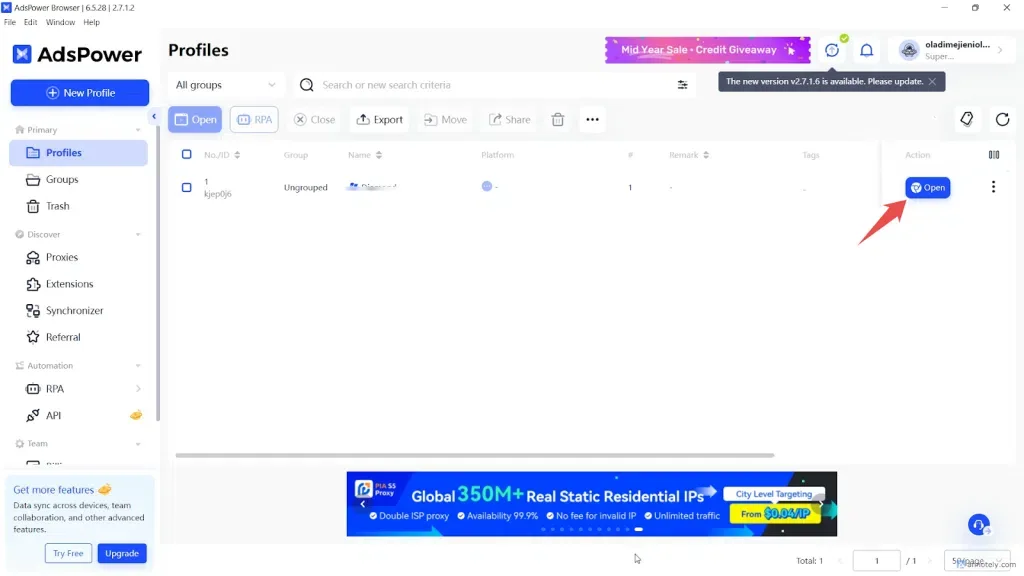
Step 7: On the Profiles page, click Open. The first tab is AdsPower's proxy detection page with the profile's IP and location. The proxy applies only to this profile.
If a screen looks different in your version, the field names are those in the AdsPower proxy types documentation.
How do you add proxies in bulk?
- Open Proxies in the left menu and click Add Proxy.
- Paste one proxy per line as
host:port:user:pass, or as a URL such assocks5://host:port. Text in curly braces at the end, such as{client-a}, becomes the remark. - Click OK, select the proxies and click Check proxy. Green means passed, red failed, gray not checked.
- In a profile's Proxy section, click Saved Proxies and pick the proxy by its remark.
AdsPower can also assign a random saved proxy to each new profile; set it to pick only unused proxies, so no two logged-in profiles share an IP.
HTTP, HTTPS, SOCKS5 or SSH: which proxy type to pick?
With Proxynet, HTTP and SOCKS5 run on separate ports of one gateway, so the type decides the port.
| Proxy type | What it is | Use it when | With Proxynet |
|---|---|---|---|
| HTTP | Requests go to the proxy; HTTPS sites pass through an encrypted CONNECT tunnel | Default for browser profiles | HTTP port |
| HTTPS | The link to the proxy itself uses TLS | The provider gives a TLS proxy endpoint | Not needed |
| Socks5 | Protocol-neutral tunnel, DNS resolved by the proxy | A tool or workflow requires SOCKS5 | SOCKS5 port |
| SSH | Tunnel through your own SSH server | You run the server | Not used |
| No Proxy (Local network) | Direct connection | Test profiles only | Not used |
HTTP covers almost every profile, since a browser only makes web requests. Proxynet's SOCKS5 Proxy also carries UDP for tools outside the browser that use it. The protocol differences are in SOCKS vs HTTP Proxy.
Which proxy should you use with AdsPower?
It depends on how long the profile must keep one IP.
| Profile use | Proxy | Why |
|---|---|---|
| Logged-in account kept for weeks | Static ISP | The same ISP-registered IP every day |
| Session work within the hour | Sticky residential | One home IP for 1-60 minutes |
| Account normally used from phones | Mobile | Operator IPs; in Türkiye Turkcell, Türk Telekom and Vodafone |
| Ad and page checks without login | Rotating residential | A new home IP per connection |
Use a ISP Proxy for long-lived accounts, a Sticky Proxy for session work and a Mobile Proxy for mobile-first accounts. Keep rotating proxies off logged-in profiles: an IP change mid-session can log the account out. More in ISP vs Residential Proxies and What Is IP Rotation?.
The username from the Endpoint Generator already carries your country, city and session choice, so paste it unchanged. Not sure which product fits? Contact our sales team before you buy.
Which profile settings follow the proxy?
A proxy changes the IP, not the fingerprint, so the profile's other values must match the proxy's location. AdsPower's defaults handle most of it:
- Time zone: "Based on IP" by default, for example Europe/Istanbul for a Türkiye exit.
- Language and location: can follow the IP's country too; leave them on the IP-based setting.
- WebRTC: WebRTC can reveal your real IP behind a proxy. Replace shows the proxy IP, Forward routes WebRTC through Google's STUN servers, Disabled (the default) turns it off and may break video calls, Real exposes your real IP. Never use Real with a proxy.
- IP checker: AdsPower locates the exit IP with ip-api or IP2Location. They can disagree on the city; switch it in Global Settings.
After the first launch, run a leak test as in WebRTC and DNS Leaks. Fingerprint values are explained in Browser Fingerprinting.
How do you test the proxy before adding it?
When Check Proxy fails, test the same details from a terminal to see whether the proxy or AdsPower is at fault:
# HTTP port: prints exit IP, city and time zone
curl -x http://user:pass@pr.proxynet.io:8000 https://ipinfo.io/json

# SOCKS5 port (as shown in the Endpoint Generator), DNS resolved by the proxy
curl -x socks5h://user:pass@pr.proxynet.io:1080 https://ipinfo.io/json
If curl works and AdsPower does not, look at AdsPower or your computer's network. If curl fails too: CONNECT tunnel failed, response 407 means wrong credentials (407 Proxy Authentication Required), User was rejected by the SOCKS5 server is the SOCKS5 equivalent, and Proxy CONNECT aborted usually means an HTTP request hit the SOCKS5 port. Full checklist: How to Test a Proxy.
How do you create profiles with the Local API?
On paid plans, the Local API at http://localhost:50325 creates profiles with the proxy already set; its status is under Automation > API. This script reads proxies.txt, one host:port:user:pass line per profile:
import time
import requests

API = "http://localhost:50325"
# If API security verification is on, add your API key:
# HEADERS = {"Authorization": "Bearer YOUR_API_KEY"}
HEADERS = {}

with open("proxies.txt", encoding="utf-8") as f:
    lines = [line.strip() for line in f if line.strip()]

for i, line in enumerate(lines, start=1):
    host, port, user, password = line.split(":", 3)
    body = {
        "name": f"client-{i:02d}",
        "group_id": "0",  # 0 = ungrouped
        "user_proxy_config": {
            "proxy_soft": "other",
            "proxy_type": "http",  # or "socks5" with the SOCKS5 port
            "proxy_host": host,
            "proxy_port": port,
            "proxy_user": user,
            "proxy_password": password,
        },
        "fingerprint_config": {
            "automatic_timezone": "1",  # time zone from the proxy IP
            "webrtc": "proxy",          # Replace: WebRTC shows the proxy IP
        },
    }
    r = requests.post(f"{API}/api/v1/user/create", json=body, headers=HEADERS, timeout=30)
    data = r.json()
    if data.get("code") == 0:
        print(f"client-{i:02d} created: {data['data']['id']}")
    else:
        print(f"client-{i:02d} failed: {data.get('msg')}")
    time.sleep(1)  # stay under the Local API rate limit
proxy_soft: "other" means a proxy you bring yourself; proxy_type accepts http, https or socks5. See the user_proxy_config reference. Keep proxies.txt out of shared folders, since it holds your password.
Use cases
- Agencies: each client's social and ad accounts in a separate profile with a fixed IP. See social media proxy and How to Manage Multiple Instagram Accounts.
- Ad verification: checking campaigns by country and city without logging in: ad verification.
- E-commerce teams: separate seller accounts within each marketplace's rules: e-commerce proxy.
- QA: testing a site across systems, languages and locations: app testing.
Common errors and how to fix them
- "Connection test failed". Compare host, port and password character by character; a trailing space breaks the login. Match the type to the port, then run the curl test.
- "Proxy failure" when opening a profile. AdsPower's guide lists three checks: the details and the proxy's validity, a VPN or system proxy on the computer, and a test from another network.
- Your local IP appears instead of the proxy IP. A VPN or proxy extension inside the profile overrides its proxy. Remove it and clear its leftover settings.
- Every proxy fails the check.
HTTP_PROXYorHTTPS_PROXYenvironment variables on Windows, or a system proxy on macOS and Linux, can misroute AdsPower's test. Remove them and restart. - Rejected with an IP whitelist. The whitelist checks the IP of the computer that opens the profile, so a teammate elsewhere is refused. Proxynet allows up to 10 whitelisted IPs; teams do better with username and password. See Proxy Authentication Methods.
- Wrong city shown. IP databases disagree: Why Is My IP Location Wrong?.
- Daily verification requests. The profile is on a rotating proxy or its sticky session ran out; move it to static ISP.
Decision guide
| Need | Recommendation |
|---|---|
| Profiles that never log in | HTTP, rotating residential |
| Client accounts kept for months | One static ISP proxy per profile |
| Tasks needing one IP for an hour | Sticky residential |
| Accounts used from phones | One mobile proxy per profile |
| A workflow requires SOCKS5 | Socks5 type, SOCKS5 port |
| Dozens of profiles | Bulk Add Proxy or the Local API |
| Check Proxy fails | curl test, then the errors list |
Frequently asked questions
Does AdsPower come with its own proxies?
No. AdsPower is the browser; its Proxies page can order from third-party providers, but you can use any provider through Custom. A profile without a proxy uses your own IP.
Can I use AdsPower for free?
Yes. The Free plan is free forever with two profiles, and a free trial lets you test the paid features. The free package lacks Data Sync and batch operations, and the Local API needs a paid plan. Proxy settings work the same on free profiles.
Should I choose HTTP or SOCKS5 in AdsPower?
HTTP for most profiles; HTTPS sites still go through an encrypted tunnel. Choose Socks5 with the SOCKS5 port when a tool or workflow requires SOCKS5. Both types carry the same web traffic for the browser.
Can several profiles share one proxy?
Technically yes, but they then share one exit IP, and a mobile proxy's Change IP URL refreshes the address for all of them at once. Keep one proxy per logged-in profile; sharing is fine for test profiles.
Why does AdsPower show a different city than I chose?
ip-api and IP2Location can place one address in different cities. Switch the IP checker and compare. If the country is wrong too, check the Endpoint Generator settings.
Does the proxy stay the same when a teammate opens the profile?
Yes, the proxy is saved with the profile. The connection starts from the teammate's computer, so username and password work anywhere, while an IP whitelist must include their IP.
Summary
AdsPower keeps profiles apart; a proxy per profile gives each its own IP and location. Add it under New Profile, Proxy, Custom, match HTTP or Socks5 to the port and confirm with Check Proxy. Use static ISP or sticky residential for logged-in accounts and test with curl when the check fails. To choose a proxy for your profiles, see our proxy products.