

































A script that ran fine on your laptop moves to a server, or it now has to read a price list as a visitor from another country, and every Invoke-WebRequest call must leave through a proxy. PowerShell has the parameters for that. They just behave differently in Windows PowerShell 5.1 and PowerShell 7, and the most common shortcut, writing user:pass@ into the proxy address, fails with a 407 in 5.1 without saying why.
This article covers -Proxy and -ProxyCredential, credentials without a prompt, a proxy for every call, environment variables and the Windows system proxy, SOCKS5, a download script with retries and the exact error texts. Every 5.1 snippet was run on Windows PowerShell 5.1 (build 26100) against a local proxy that requires a username and password. PowerShell 7 was not installed on the test machine, so its behaviour comes from Microsoft's documentation and is marked as such.
Windows PowerShell 5.1 or PowerShell 7: why does it matter?
The two versions send web requests through different HTTP stacks, so the same proxy setting can work in one and be ignored in the other. Windows PowerShell 5.1 ships with Windows and uses the .NET Framework HttpWebRequest class; PowerShell 7 is a separate download and uses HttpClient. $PSVersionTable.PSVersion tells you which one a script runs under.
| Behaviour | Windows PowerShell 5.1 | PowerShell 7.x |
|---|---|---|
-Proxy, -ProxyCredential | Yes | Yes |
HTTP_PROXY, HTTPS_PROXY, NO_PROXY | Ignored | Read since 7.0 |
| Proxy when none is given | Internet Options of the user | Variables, then user settings |
-NoProxy switch | No | Since 6.0 |
| SOCKS5 address | No | 7.2 and later |
curl and wget aliases | Point to Invoke-WebRequest | Removed |
| Built-in retries | No | -MaximumRetryCount |
The 5.1 column is what we observed; the 7.x column follows the Invoke-WebRequest reference for PowerShell 7.5.
How does Invoke-WebRequest send a request through a proxy?
- PowerShell resolves the proxy's host name, not the target's, and opens a TCP connection to the proxy port.
- For an
http://target it sends the whole URL to the proxy (GET http://httpbin.org/ip HTTP/1.1). The proxy fetches the page and relays it, so it can read the request. - For an
https://target it sendsCONNECT httpbin.org:443. After the proxy answers200 Connection Established, the TLS handshake with the site runs inside that tunnel; the proxy sees only the host name and port. - Credentials go out only after a challenge. The first attempt carries no
Proxy-Authorizationheader, the proxy answers407withProxy-Authenticate: Basic, and .NET repeats the request with the header. The 407 status code and the challenge are defined in RFC 9110; 5.1 does not pre-authenticate, so our test proxy logged every successful call as this pair:
11:02:56 407 GET http://httpbin.org/ip (no Proxy-Authorization)
11:02:56 GET http://httpbin.org/ip user=user- The target answers to the proxy's exit IP. The cmdlet returns an object with
StatusCode,HeadersandContent; in 5.1 a non-2xx status becomes a terminating error instead.
How do you use Invoke-WebRequest with a proxy?
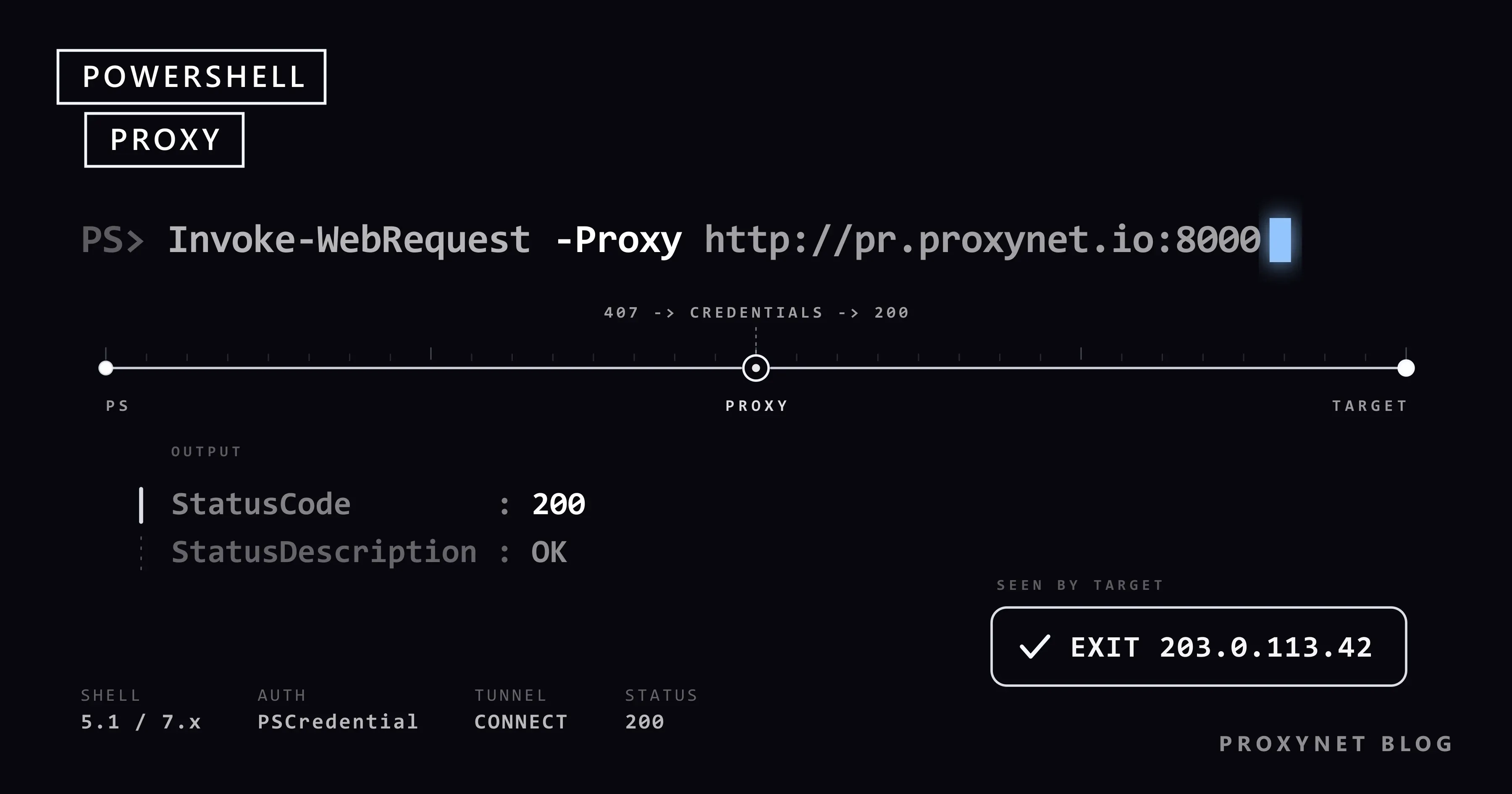
Build a credential object, then pass the proxy address and the object to the cmdlet:
$pass = ConvertTo-SecureString "pass" -AsPlainText -Force
$cred = New-Object System.Management.Automation.PSCredential ("user", $pass)

$r = Invoke-WebRequest -UseBasicParsing -Uri "https://httpbin.org/ip" `
    -Proxy "http://pr.proxynet.io:8000" -ProxyCredential $cred
$r | Select-Object StatusCode, StatusDescription | Format-List
$r.ContentStatusCode : 200
StatusDescription : OK
{
"origin": "203.0.113.42"
}httpbin.org/ip returns the address the request came from, so a working proxy shows its exit IP there instead of yours. The -Proxy value is a URI and keeps the http:// scheme even for HTTPS targets: it describes the connection to the proxy, while the page stays encrypted inside the CONNECT tunnel. Both parameters are documented on the Invoke-WebRequest page for Windows PowerShell 5.1.
Always add -UseBasicParsing in 5.1. Without it the cmdlet parses the HTML through Internet Explorer's engine, and since Microsoft's December 2025 security update for CVE-2025-54100 it asks for confirmation first, which a scheduled script cannot answer. In our run a call without the switch failed with Object reference not set to an instance of an object. PowerShell 7 does basic parsing only and ignores the switch.
Invoke-RestMethod takes the same proxy parameters and returns parsed JSON instead of a response object:
$ip = Invoke-RestMethod -Uri "https://api.ipify.org?format=json" `
    -Proxy "http://pr.proxynet.io:8000" -ProxyCredential $cred
$ip.ip
On Proxynet's residential and mobile products the username carries the country, city and session chosen in the panel's Endpoint Generator, so the command stays the same whatever exit you pick.
How do you pass proxy credentials?
The proxy password travels in a PSCredential object, never inside the address. Get-Credential prompts for one interactively; a script builds it from a secure string as above. Microsoft's ConvertTo-SecureString page warns that a plain-text password on the command line lands in event logs and command history, so read it from an environment variable or a secret store:
$pass = ConvertTo-SecureString $env:PROXY_PASS -AsPlainText -Force
$cred = New-Object System.Management.Automation.PSCredential ($env:PROXY_USER, $pass)
Three details from our tests:
user:pass@inside-Proxyis ignored in 5.1.-Proxy "http://user:pass@pr.proxynet.io:8000"without-ProxyCredentialended with(407) Proxy Authentication Required; the proxy log showed no credentials arriving.- Special characters need no encoding. A password of
p@ss:w#rdpassed throughPSCredentialunchanged, where a URL form would have needed%40,%3Aand%23. - A web session keeps the proxy. After
-Proxy ... -SessionVariable s, a second call with only-WebSession $swent through the proxy again; the session object stores the proxy next to the cookies.
-ProxyUseDefaultCredentials sends the Windows account of the current user instead, for company proxies that authenticate against the domain; the documentation says it cannot be combined with -ProxyCredential. Untested here: our proxy speaks Basic only.
The password disappears entirely when the machine's IP is authorised in the proxy panel: -Proxy "http://pr.proxynet.io:8000" is then the whole setting. Proxynet accepts up to 10 whitelisted IPs, which suits scheduled jobs on a server with a fixed address.
How do you set the proxy for every command?
$PSDefaultParameterValues is a hash table of Cmdlet:Parameter keys that PowerShell applies whenever you leave the parameter out. Two entries per cmdlet are enough:
$PSDefaultParameterValues["Invoke-WebRequest:Proxy"] = "http://pr.proxynet.io:8000"
$PSDefaultParameterValues["Invoke-WebRequest:ProxyCredential"] = $cred
$PSDefaultParameterValues["Invoke-RestMethod:Proxy"] = "http://pr.proxynet.io:8000"
$PSDefaultParameterValues["Invoke-RestMethod:ProxyCredential"] = $cred

Invoke-RestMethod -Uri "https://api.ipify.org?format=json"   # goes through the proxy
Keys accept wildcards, so "Invoke-*:Proxy" covers both cmdlets in one line; both forms worked in our test. The table is empty in every new session unless the lines sit in $PROFILE, and a script that runs under another account never sees your profile, so keep the parameters explicit in anything you hand over.
Overriding with -Proxy $null for one direct call fails with The cmdlet cannot run because the following parameter is missing: Proxy while a ProxyCredential default exists. Disable the table for a moment instead: $PSDefaultParameterValues["Disabled"] = $true, run the call, set it back to $false. In our test the Disabled call went direct and the next one through the proxy again.
Does PowerShell read HTTP_PROXY and HTTPS_PROXY?
Windows PowerShell 5.1 does not. With $env:HTTP_PROXY and $env:HTTPS_PROXY set and no -Proxy parameter, our request went straight to the target; the proxy never saw it. curl.exe, git and pip on the same machine do follow them, hence the confusion.
PowerShell 7 does, according to its documentation: since 7.0 the cmdlets take their default proxy from .NET's HttpClient.DefaultProxy, which on Windows reads HTTP_PROXY, HTTPS_PROXY, ALL_PROXY and the exclusion list NO_PROXY first and falls back to the user's proxy settings when the variables are empty.
# PowerShell 7 only; 5.1 ignores these
$env:HTTPS_PROXY = "http://pr.proxynet.io:8000"
$env:NO_PROXY = "localhost,127.0.0.1,.internal.example"
Invoke-WebRequest -Uri "https://httpbin.org/ip"            # proxied
Invoke-WebRequest -Uri "https://httpbin.org/ip" -NoProxy   # direct, this call only
Credentials still belong in -ProxyCredential, per call or through $PSDefaultParameterValues, exactly as in 5.1.
What about the Windows system proxy and netsh winhttp?
With no -Proxy, 5.1 falls back to the proxy of the current user's Internet Options, the setting Windows shows under Settings, Network & internet, Proxy. The .NET Framework documentation states that WebRequest.DefaultWebProxy reads the application configuration file first and otherwise the user's Internet Options proxy. A script that suddenly leaves through an unexpected proxy is usually following that setting; Windows and Chrome proxy settings shows where it lives.
Windows keeps a second proxy store for WinHTTP, the HTTP library used by services and system components. It is managed with netsh winhttp and does not affect the PowerShell cmdlets, which use .NET. The commands below come from Microsoft's netsh reference and were not run here, because they change a machine-wide setting:
netsh winhttp show proxy
netsh winhttp set proxy proxy-server="pr.proxynet.io:8000" bypass-list="*.internal.example"
netsh winhttp import proxy source=ie
netsh winhttp reset proxy
set proxy takes a server and a semicolon-separated bypass list and nothing else, so a proxy that wants a username and password is better configured per script with -ProxyCredential, or made password-free with an IP whitelist.
How do you use the proxy from .NET classes in a script?
Scripts that call System.Net.WebClient or HttpWebRequest directly do not see -Proxy; they read the process-wide WebRequest.DefaultWebProxy. Setting it once routes those classes and, in 5.1, every Invoke-WebRequest without its own -Proxy through the proxy:
$proxy = New-Object System.Net.WebProxy("http://pr.proxynet.io:8000")
$proxy.Credentials = New-Object System.Net.NetworkCredential("user", "pass")
$proxy.BypassList = @("^http://intranet\.example\.")
[System.Net.WebRequest]::DefaultWebProxy = $proxy

(New-Object System.Net.WebClient).DownloadString("https://api.ipify.org")
The setting lives in that PowerShell process only. BypassList holds regular expressions matched against the full URL; in our test the intranet pattern was bypassed and the public host was not.
One rule of WebProxy cost us an hour: requests to localhost or 127.0.0.1 never use a proxy. IsBypassed returned True for both even with BypassProxyOnLocal set to False, so every test against a local web server went direct and looked as if the proxy worked. Test against a public address, or give the local server a host name with a dot in it.
Does Invoke-WebRequest support SOCKS5?
Not in Windows PowerShell 5.1. -Proxy "socks5://pr.proxynet.io:1080" stops with The ServicePointManager does not support proxies with the socks5 scheme., and an https:// proxy address fails the same way, so 5.1 talks to proxies over plain HTTP only.
PowerShell 7.2 and later run on .NET 6 or newer, and Microsoft's .NET 6 networking announcement documents SOCKS4, SOCKS4a and SOCKS5 support in HttpClient through a socks5:// proxy address. The cmdlet reference does not mention SOCKS and we could not run 7 here, so treat -Proxy "socks5://pr.proxynet.io:1080" as something to verify on your own version.
On 5.1 the practical route is the real cURL that ships with Windows 10 and 11: curl.exe -x "socks5h://user:pass@pr.proxynet.io:1080" https://httpbin.org/ip, with socks5h so that the proxy resolves the host name. The options are explained in cURL with proxy; put the SOCKS5 port your endpoint builder shows in place of 1080.
Example: fetching a URL list through a proxy with retries
The script downloads a list of URLs through the proxy, retries temporary failures with a growing pause, stops at once on a 407 and prints one line per URL. It needs only Windows PowerShell 5.1:
# fetch.ps1: every URL in the list through the proxy, with retries
$ErrorActionPreference = "Stop"
$ProxyUri = "http://pr.proxynet.io:8000"
$ProxyCred = New-Object System.Management.Automation.PSCredential (
    "user", (ConvertTo-SecureString "pass" -AsPlainText -Force))

$urls = @(
    "https://httpbin.org/ip",
    "https://httpbin.org/status/503",
    "https://httpbin.org/status/404",
    "https://httpbin.org/headers"
)
$retryCodes = 408, 429, 500, 502, 503, 504

function Get-WithRetry {
    param([string]$Url, [int]$Attempts = 4)
    for ($i = 1; $i -le $Attempts; $i++) {
        $sw = [System.Diagnostics.Stopwatch]::StartNew()
        try {
            $r = Invoke-WebRequest -UseBasicParsing -Uri $Url -Proxy $ProxyUri -ProxyCredential $ProxyCred -TimeoutSec 30
            return [pscustomobject]@{ Url = $Url; Status = $r.StatusCode; Attempts = $i; Ms = $sw.ElapsedMilliseconds; Bytes = $r.RawContentLength }
        } catch [System.Net.WebException] {
            $code = 0
            if ($_.Exception.Response) { $code = [int]$_.Exception.Response.StatusCode }
            if ($code -eq 407) { throw "Proxy refused the credentials (407). Check user:pass or the IP whitelist." }
            if (($code -in $retryCodes -or $code -eq 0) -and $i -lt $Attempts) {
                $wait = [math]::Pow(2, $i - 1)   # 1, 2, 4 seconds
                Write-Warning "$Url -> $code ($($_.Exception.Status)); retry $i in $wait s"
                Start-Sleep -Seconds $wait
                continue
            }
            return [pscustomobject]@{ Url = $Url; Status = $code; Attempts = $i; Ms = $sw.ElapsedMilliseconds; Bytes = 0 }
        }
    }
}

$results = foreach ($u in $urls) { Get-WithRetry -Url $u }
$results | Format-Table -AutoSize
In our run the /status/503 address answered 503 twice, was retried after 1 and 2 seconds and succeeded on the third attempt because the test server recovers; the 404 came back without a retry:
WARNING: https://httpbin.org/status/503 -> 503 (ProtocolError); retry 1 in 1 s
WARNING: https://httpbin.org/status/503 -> 503 (ProtocolError); retry 2 in 2 s

Url                            Status Attempts Ms Bytes
---                            ------ -------- -- -----
https://httpbin.org/ip            200        1 34    55
https://httpbin.org/status/503    200        3 11    65
https://httpbin.org/status/404    404        1  3     0
https://httpbin.org/headers       200        1 10   250
Three choices matter. $_.Exception.Response.StatusCode is the only place 5.1 exposes the status of a failed request, because a 4xx or 5xx is thrown rather than returned. A $code of 0 means no response at all, such as a timeout, and is retried too. -TimeoutSec 30 caps one attempt; the default of 0 waits forever. PowerShell 7 has -MaximumRetryCount 3 -RetryIntervalSec 2 built in, and its documentation says a 429 with Retry-After overrides the interval.
Each Invoke-WebRequest opens its own connection to the proxy, so a rotating gateway hands every call a different exit IP. A login followed by several pages needs the opposite: a sticky session in the username keeps one IP for 1 to 60 minutes on a Residential Proxy, while -SessionVariable keeps the cookies on your side.
Where do PowerShell proxy scripts turn up?
Scheduled tasks are the usual home: a nightly job checks the price and stock of your own listings as a shopper from another country sees them, a monitoring script requests your site from several regions and alerts on a wrong currency or language, a build agent behind a corporate proxy installs modules through it. A partner API that allow-lists one address is reached from a job whose exit never changes; a ISP Proxy gives that job a dedicated IP that survives reboots.
Common PowerShell proxy errors and how to fix them
Messages as printed by Windows PowerShell 5.1 with an English UI; on a Turkish or German Windows the .NET part of the text is localised.
The remote server returned an error: (407) Proxy Authentication Required.No-ProxyCredential, credentials inside the address, a wrong password, or an IP missing from the whitelist.$_.Exception.Response.StatusCode.value__gives407in acatchblock; the causes are collected in HTTP 407 Proxy Authentication Required.Unable to connect to the remote serverwithStatus : ConnectFailure. Wrong proxy port, a firewall in between, or the proxy is down.The proxy name could not be resolved: 'pr.proxynet.io'. A typo in the host name or no DNS; the message names the proxy, not the target.The operation has timed out.-TimeoutSecis shorter than the proxy and target need; our 2-second limit against a 5-second page produced it.The ServicePointManager does not support proxies with the socks5 scheme.Asocks5://orhttps://proxy address in 5.1; usehttp://, PowerShell 7.2+, orcurl.exe.A parameter cannot be found that matches parameter name 'x'.A cURL command typed in 5.1, wherecurlis an alias ofInvoke-WebRequest; writecurl.exe.Object reference not set to an instance of an object.A 5.1 call without-UseBasicParsingin a script.The cmdlet cannot run because the following parameter is missing: Proxy.-Proxy $nullwhile$PSDefaultParameterValuesstill holds aProxyCredential; use theDisabledkey instead.- The proxy is silently skipped. The target is
localhostor127.0.0.1, or the script relies onHTTPS_PROXYin 5.1. Compareapi.ipify.orgwith and without-Proxy.
Decision guide
| Need | Recommendation |
|---|---|
| One command through the proxy | -Proxy plus -ProxyCredential |
| Every command in a session | $PSDefaultParameterValues in $PROFILE |
| No password in the script | IP whitelist in the panel, -Proxy only |
| Company proxy with Windows login | -ProxyUseDefaultCredentials |
| One call without the proxy | -NoProxy (7) or the Disabled key (5.1) |
| SOCKS5 | PowerShell 7.2+, or curl.exe with socks5h:// |
WebClient or HttpWebRequest code | [System.Net.WebRequest]::DefaultWebProxy |
| Same exit IP across a login flow | Sticky session in the username |
| Services and Windows Update | netsh winhttp set proxy |
Frequently asked questions
How do I set a proxy for Invoke-WebRequest?
Add -Proxy "http://host:port" and, if the proxy asks for a password, -ProxyCredential with a PSCredential object. The same two parameters exist on Invoke-RestMethod and, per the PowerShellGet 2.x documentation, on Install-Module.
Why does Invoke-WebRequest return 407 Proxy Authentication Required?
Because the proxy received no usable credentials. In 5.1 that happens when the username and password are written into the address instead of -ProxyCredential, when the password is wrong, or when the proxy expects your IP on a whitelist and the machine's address changed.
Does Invoke-WebRequest use the Windows proxy settings?
Yes, when you give no -Proxy. Windows PowerShell 5.1 takes the current user's Internet Options proxy; PowerShell 7 reads HTTP_PROXY and HTTPS_PROXY first and falls back to the user's settings. The WinHTTP proxy set with netsh winhttp is a separate store and is read by neither.
How do I bypass the proxy for one request in PowerShell?
In PowerShell 7 add -NoProxy to that call. In 5.1 leave -Proxy out; if $PSDefaultParameterValues adds it anyway, set $PSDefaultParameterValues["Disabled"] = $true around the call. For whole hosts use NO_PROXY in 7 or a BypassList on a WebProxy object in 5.1.
Can I use a SOCKS5 proxy with Invoke-WebRequest?
Not in Windows PowerShell 5.1, which rejects the socks5:// scheme. PowerShell 7.2 and later run on .NET 6+, which supports SOCKS5 proxies in HttpClient; verify it on your version. On 5.1, call curl.exe with socks5h:// instead.
How do I check that PowerShell is really using the proxy?
Request https://api.ipify.org once without and once with -Proxy: two different addresses, the second in the proxy's country, mean the proxy is in use. The same address twice means the call went direct, most often because the target was localhost or because 5.1 ignored the variables you set.
Summary
Pass the proxy to Invoke-WebRequest and Invoke-RestMethod with -Proxy and a PSCredential in -ProxyCredential, never inside the address; set both once in $PSDefaultParameterValues when every call should use it. Windows PowerShell 5.1 ignores HTTP_PROXY, falls back to Internet Options, bypasses loopback addresses and cannot speak SOCKS5; PowerShell 7 reads the variables, adds -NoProxy and retries, and accepts SOCKS5 from 7.2. Keep -UseBasicParsing and -TimeoutSec in every 5.1 script and test against a public address. Endpoints that take exactly these parameters are on the Proxynet proxy page.