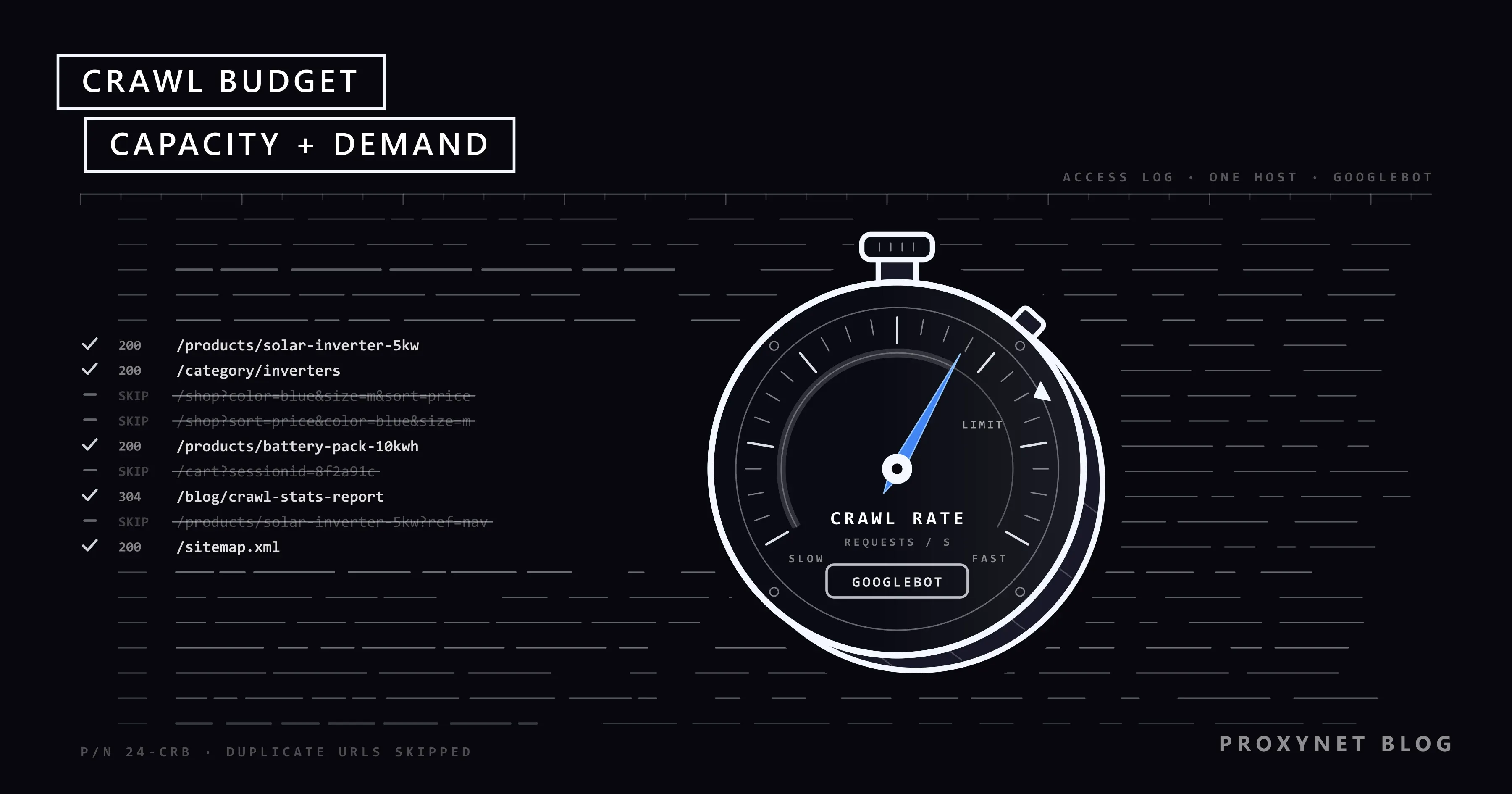
You add 20,000 product pages to an online shop, submit the sitemap, and three weeks later Search Console lists most of them as "Discovered - currently not indexed". Your server logs tell the other half of the story: Googlebot has been busy, but mostly on filter addresses such as ?color=blue&size=m&sort=price. The pages you care about are waiting in a queue that moves at a limited speed. SEO people call that limit crawl budget.
This post explains crawl budget in Google's own terms, which sites need to care, and how Googlebot gets from finding a URL to indexing it. It then covers what wastes crawls, how to check them, the two "currently not indexed" statuses and how to spot a fake Googlebot.
What is crawl budget?
Crawl budget is the number of URLs Google is able and willing to crawl on your site, and the term is Google's own: its guide Optimize your crawl budget defines it as "the set of URLs that Google can and wants to crawl." Crawling means a program, here Googlebot, requesting a URL and downloading what the server returns. Nothing reaches Google's index without being crawled first.
The budget is set per hostname, so www.example.com and shop.example.com each have their own. There is no number you can look up or raise in a setting; the budget is the result of two things Google measures all the time.
What are crawl capacity limit and crawl demand?
The crawl capacity limit is how much Googlebot can crawl without overloading your server, and crawl demand is how much it wants to crawl. In practice, the lower of the two sets your budget.
Crawl capacity limit, which Google also calls hostload, caps how long your server spends holding connections open for Google, counting both how many run in parallel and how long each lasts. Every site starts with the same conservative limit. If your server answers quickly and consistently, Google raises it over time; slow responses, 5xx errors or 429 Too Many Requests lower it. The limit is shared by all of Google's crawlers, so heavy fetching by an image or ads crawler leaves less room for Googlebot.
Crawl demand depends on three factors Google names. Perceived inventory is every URL Google knows on your site; it tries to crawl most of them, so thousands of useless URLs swell the queue. Popular URLs get crawled more often, and stale ones are recrawled to catch changes. A site move raises demand for a while. Even with spare capacity, low demand means less crawling, so a fast server alone does not get thin pages crawled more.
Does crawl budget matter for your site?
For most sites it does not. Google's guide is written for three kinds of site:
- Sites with roughly 1 million or more unique pages whose content changes about once a week.
- Sites with roughly 10,000 or more unique pages whose content changes daily.
- Sites where a large share of URLs sits under "Discovered - currently not indexed".
Google calls these rough estimates. If your new pages are usually crawled on the day you publish them, a current sitemap and an occasional look at the Page indexing report are enough. A 300-page site with an unindexed blog post has a different problem, usually quality, duplication or weak internal links.
How does Googlebot crawl a site, step by step?
Googlebot works through a queue: it finds URLs, schedules them, fetches them within your server's limits, renders them and passes them on for an index decision.
- Discover. Google learns URLs from crawled pages, their links and sitemaps.
- Schedule. An algorithm decides which URLs to fetch, how often and how many per visit.
- Check robots.txt. Googlebot reads robots.txt, the text file in the site's root that lists paths crawlers should skip; What Is a robots.txt File and How Do You Read It? explains how its rules match.
- Fetch, paced by server health. Slow answers, 5xx errors and 429s make Googlebot back off.
- Render. Google runs the page's JavaScript in a recent Chrome; the scripts, style sheets and images are crawl requests too.
- Decide on indexing. Google groups near-identical pages, picks one canonical URL per group (the version it may show in results) and decides whether to index it.
- Recrawl. Known pages return to the queue for a refresh crawl.
Crawl budget lives in steps 2 to 4. Useless URLs in step 1 or a slow step 4 shrink what is left for the pages you care about.
What wastes crawl budget?
URLs that produce no unique, indexable content waste crawl budget, and so does a server that forces Googlebot to slow down.
| Cause | Typical example | Fix |
|---|---|---|
| Faceted filters | ?color=red&size=m&sort=price | Disallow filter parameters |
| Endless calendars | /events?month=2031-07 and beyond | Stop links after real dates |
| Session IDs in URLs | ?sessionid=8f3a9c | Keep sessions in cookies |
| Redirect chains | A to B to C to D | Link straight to the final URL |
| Soft 404s | "No results" page with status 200 | Return 404 or 410 |
| Tracking parameters | ?utm_source= on internal links | Use clean internal links |
| Slow server, 5xx, 429 | Timeouts at peak hours | Add capacity, fix errors |
Faceted navigation, the filter options on category pages, is the biggest of these on shops: three colours, five sizes and four sort orders already make 60 URLs for one category. Google advises blocking unwanted filter URLs in robots.txt and returning 404 for empty filter combinations, since rel="canonical" and nofollow handle this less reliably. A few lines do it; * stands for any run of characters:
User-agent: *
Disallow: /*?*sort=
Disallow: /*?*color=
Disallow: /*?*sessionid=
How do you check your crawl budget?
Google shows no budget figure, so you check how Googlebot actually spends its visits, in Search Console's Crawl Stats report and in your server logs.
The report is under Settings > Crawl stats > Open report and works only in a root-level property: a Domain property or a URL-prefix property for the site root. Its charts show Total crawl requests, Total download size and Average response time, with breakdowns by response, file type, purpose (Discovery for new URLs, Refresh for recrawls) and Googlebot type. Google's Crawl Stats report help page explains each part and notes that sites with fewer than 1,000 pages rarely need it.
What to look for:
- Host status: robots.txt fetching, DNS resolution and server connectivity over 90 days. Problems here limit crawling first.
- Average response time: a rising line pushes the capacity limit down.
- Responses: many 3xx, 404 or 5xx answers mean wasted visits.
- Purpose: few discovery requests on a site that publishes daily means new URLs are found slowly.
Server logs show every request with its time, URL, status code and user agent. Keep only verified Googlebot requests, group URLs by pattern (products, filters, old campaigns) and compare the counts with the pages you want crawled. With, say, 5,000 Googlebot requests a day and 600,000 URLs to refresh, one full pass takes around 120 days.
How do you improve crawl budget?
You improve crawl budget by taking useless URLs out of Google's view and making your server faster and more reliable.
- Block useless URL spaces in robots.txt. Filters, internal search and sort orders are typical. Not
noindex: Google must fetch the page to see the tag. - Consolidate duplicates. Redirects and
rel="canonical"are both strong signals for which URL is the main one. - Return 404 or 410 for removed pages. A 404 is a strong signal not to crawl the URL again. Fix soft 404s, "not found" pages sent with status 200, which Google keeps recrawling.
- Keep sitemaps current, with honest
lastmoddates. Changelastmodonly when content changes; How to Find a Website's Sitemap shows how sitemap files look. - Shorten redirect paths. Point internal links at final URLs.
- Make the server fast. Lower response times raise the capacity limit, and
304 Not Modifiedanswers spare resending unchanged pages. - Use 503 or 429 only in an emergency. Google warns that URLs returning them for more than a day or two may drop out of the index.
Blocking sections in robots.txt does not move their budget to other pages unless the site was already at its capacity limit. And if the URL Inspection tool's live test reports Hostload exceeded, the fix is more server capacity.
What do "Crawled - currently not indexed" and "Discovered - currently not indexed" mean?
"Discovered - currently not indexed" means Google knows the URL but has not fetched it yet; "Crawled - currently not indexed" means Google fetched it and decided not to index it for now. Both appear in Search Console's Page indexing report, and usually only the first points at crawl budget.
| Status | What happened | What to do |
|---|---|---|
| Discovered - currently not indexed | Found, crawl postponed | Speed up the server, cut useless URLs |
| Crawled - currently not indexed | Fetched, not indexed | Improve or merge the page |
For "Discovered", Google's Page indexing report help gives the typical reason: Google expected the visit to overload the site, so it rescheduled the crawl. Check host status and response times first, then make sure the pages are linked from crawled pages, not only listed in the sitemap.
"Crawled" is common and, in Google's words, does not necessarily need attention, because Google indexes canonical pages worth showing, not every URL. Inspect a sample in the URL Inspection tool, improve or merge the important pages and let the rest go. After a fix, Validate fix starts a recheck that can take about two weeks.
How do you verify that a visitor is really Googlebot?
You verify Googlebot by its IP address, never by its user agent. Any client can write "Googlebot" into its User-Agent header, and such fake entries distort every crawl analysis.
Google's page about verifying its crawlers gives two methods. The manual one takes two DNS lookups: a reverse lookup of the IP must return a name ending in googlebot.com, google.com or googleusercontent.com, and a forward lookup of that name must return the same IP. We ran it on 17 November 2026 for the address in Google's own example (output trimmed; host does the same on Linux and macOS):
> nslookup 66.249.66.1
Name:    crawl-66-249-66-1.googlebot.com
Address:  66.249.66.1

> nslookup crawl-66-249-66-1.googlebot.com
Name:    crawl-66-249-66-1.googlebot.com
Address:  66.249.66.1
The automatic method compares the IP with JSON files of address ranges Google publishes; common-crawlers.json covers Googlebot. Our copy, generated on 16 November 2026, contained 66.249.66.0/27, the range holding the address above.
Bot management systems run the same check to let real search engine crawlers through and stop impostors; How Bot Detection Works shows where it sits among their other layers.
How should your own SEO crawlers behave?
Your own audit crawlers and monitoring tools should crawl as politely as Googlebot, because on your site they draw on the same server capacity. An audit at full speed during peak hours can raise response times and trigger 5xx errors, the very signals that make Googlebot lower its limit. Set a rate the server handles comfortably, run large audits off-peak, follow robots.txt and send an identifiable user agent with a contact URL; our web crawler solution page covers crawling at scale.
Never send a Googlebot user agent from your own crawler. Sites verify Googlebot by DNS and block impostors, and posing as another company's crawler is deception, not a testing trick.
A proxy has one honest job in a crawl audit: showing the page that visitors in another country get. Google notes that Googlebot's default IP addresses appear to be in the USA, one reason it recommends separate URLs per locale with hreflang over pages that change by visitor location. A Residential Proxy in the target country and city requests those versions the way a local visitor would; it is not a way around a site's rate limits.
Where does crawl budget come up?
- Online shops: category pages multiply into thousands of filter and sort combinations.
- News sites: new articles need crawling within hours while the archive keeps growing.
- Classifieds and marketplaces: listings expire daily, so removed pages need real 404 or 410 answers.
- Site migrations: every URL is recrawled at its new address, and redirect chains slow that down.
- JavaScript-heavy sites: each page needs several script and data requests before Google sees its content.
Common mistakes
- Using
noindexto save crawl budget. Google has to fetch the page to read the tag. - Treating every "Crawled - currently not indexed" URL as a budget problem. It is usually about quality or duplication.
- Setting
lastmodto the build time on every URL. Google uses the date only when it is consistently accurate. - Serving 503 for days during an outage or migration. Pages may drop out of the index.
- Trusting the user agent in your logs. Count only verified Googlebot requests.
- Linking internally to redirected or parameter URLs. Every internal link is a crawl request you choose to spend.
Decision guide
| Your situation | What to do |
|---|---|
| New pages are crawled the day they go live | Keep the sitemap current; nothing more |
| Many "Discovered - currently not indexed" URLs | Check host status and response times; cut useless URLs |
| Many "Crawled - currently not indexed" URLs | Improve, merge or remove thin pages |
| Crawl Stats full of parameter URLs | Disallow those patterns in robots.txt |
| Many 3xx responses in Crawl Stats | Link straight to final URLs |
| URL Inspection shows Hostload exceeded | Add server capacity |
| "Googlebot" requests from unknown IPs | Verify by DNS or IP ranges; block impostors |
| Googlebot is overloading the server now | Return 503 or 429 for hours, not days |
Frequently asked questions
How do I check my crawl budget in Google Search Console?
Open Settings > Crawl stats > Open report in a root-level property. There is no budget figure, but the report shows total crawl requests, download size, average response time and host status. Compare daily crawl requests with the number of URLs you want crawled.
Does crawl budget affect rankings?
Not directly. Google wrote in 2017 that a higher crawl rate does not necessarily lead to better positions and that crawling is not a ranking signal. Indirectly it matters: a page that is never crawled cannot rank.
Is crawl budget a concern for small websites?
Usually not. Google's guide targets sites with around a million pages, or 10,000+ pages that change daily. On a small site, an unindexed page is almost always about quality, duplication or internal links.
How can I increase my crawl budget?
Work on both sides. Capacity grows when the server answers quickly and without errors. Demand grows when Google finds fewer useless URLs and more pages worth fetching, so block parameter spaces, merge duplicates and link important pages internally.
Where can I find Googlebot's IP ranges?
Google publishes them as JSON files linked from its crawler verification page; common-crawlers.json covers Googlebot. The ranges change, so reload the file regularly instead of copying addresses into a firewall rule once.
Do CSS, JavaScript and image files use crawl budget?
Yes. Every URL Googlebot fetches counts, including the style sheets, scripts, images and API responses a page needs to render. The file type breakdown in Crawl Stats shows that share for your site.
Summary
Crawl budget is the set of URLs Googlebot can and wants to crawl on a hostname: the capacity limit follows your server's health, and demand follows how many URLs Google knows, how popular they are and how often they change. It matters for very large or fast-changing sites. Keep useless URLs out of Google's view, answer fast and correctly, and treat "Discovered" and "Crawled - currently not indexed" as different problems. To see how your pages look from other countries during an audit, take a look at our SEO proxy solution.