Your phone warns that one of your saved passwords appeared in a known data leak. A day later, an online shop you last used years ago emails to say that someone accessed its customer records. Neither message means your phone was hacked. Both mean that a copy of something about you now sits with people who should not have it, and what you change in the next few days decides how useful that copy is to them.
This post explains what a data breach is, how breaches happen, which leaked data is dangerous, how to check whether you were affected and what to do, step by step. It also covers what companies must do after a breach and why leaked passwords get tried from many IP addresses.
What is a data breach?
A data breach is an incident in which data reaches someone who should not have it, or is lost by the people who should. The UK's National Cyber Security Centre (NCSC) puts it simply: information held by an organisation is stolen or accessed without authorisation. The EU's General Data Protection Regulation (GDPR) goes wider: a personal data breach is a breach of security that results in the "accidental or unlawful destruction, loss, alteration, unauthorised disclosure of, or access to" personal data, so a mistake counts as much as an attack.
The European Data Protection Board (EDPB), the body of EU data protection regulators, sorts breaches into three kinds: confidentiality (someone sees or copies the data), integrity (someone changes it) and availability (it is lost or locked, as when ransomware encrypts the only copy). When people say their data "was in a breach", they almost always mean the first kind, and that is what this post covers.
Is a data leak the same as a data breach?
Not quite: a leak usually means data left exposed by mistake, while a breach means it actually reached someone who should not have it. In everyday use the words overlap, and in law they often merge, because under the GDPR an accidental exposure of personal data is a breach too.
| Term | What it usually means | Example |
|---|---|---|
| Data breach | Data reached the wrong people, by attack or by mistake | Customer records copied from a shop's server |
| Data leak | Data left exposed, often by a setting error | A storage folder open to anyone with the link |
| Hack | Someone got into a system; data may or may not be taken | A website defaced or used to send spam |
| Security incident | Anything that threatens systems or data | A wave of failed logins that was blocked |
The EDPB sums up the last row in one line: every personal data breach is a security incident, but not every security incident is a personal data breach.
How do data breaches happen?
Most breaches start at one of a handful of weak points, and several often line up: a phished password works because the account asked for nothing else.
- Stolen or reused passwords. A staff member's password, leaked from some other site, opens a company system that has no second sign-in step.
- Phishing. Someone types their login into a fake page or opens a harmful attachment; What Is Phishing? shows how to recognise those messages.
- Misconfigured storage. A database or a cloud storage folder is reachable from the internet without a password.
- Unpatched software. A server or an app with a known security flaw, already fixed by its maker, was never updated.
- Insiders. An employee or contractor copies data they have no reason to take, or has far more access than the job needs.
- Lost devices and misdirected mail. A laptop goes missing, or a file is sent to the wrong address; the UK regulator, the ICO, lists both as breaches.
- Suppliers. The data sits with a payment processor, a mailing service or another contractor, and the breach happens there.
For you as a customer, what was taken matters more than the cause.
What data leaks, and why does it matter?
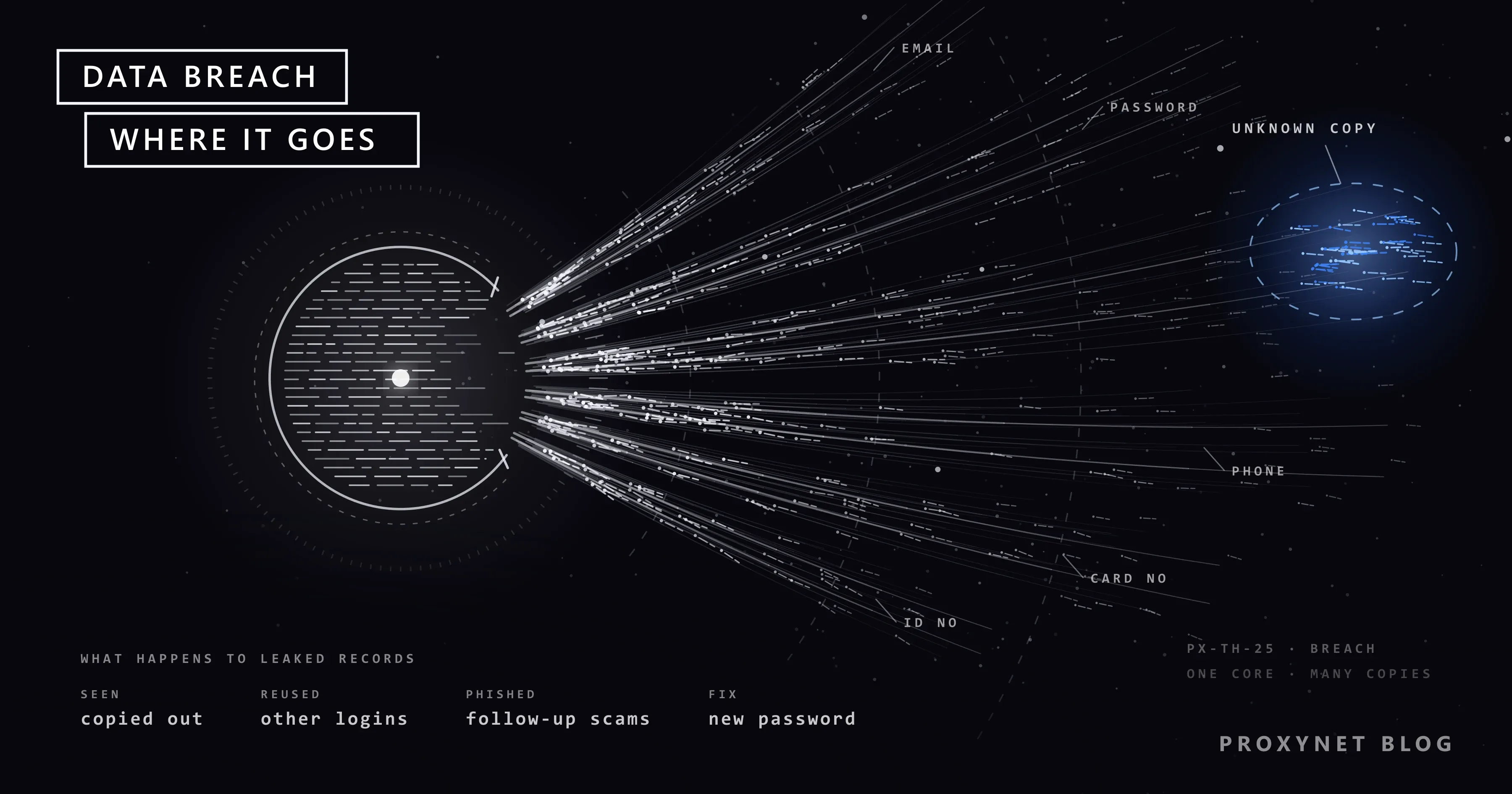
The danger depends on the type of data: a leaked email address mostly brings scams, while a leaked password or ID number can let someone act as you.
| Data that leaked | What criminals can do with it | What you do |
|---|---|---|
| Email address | Send phishing that mentions the breach | Treat messages about the breach as suspect |
| Password | Sign in there and wherever you reused it | Change it everywhere; add two-step verification |
| Phone number | Scam texts and calls that quote your details | Never read out a code to a caller |
| Card number | Make card payments | Call your bank; ask for a new card |
| ID, passport or tax number | Open loans or accounts in your name | Freeze your credit where possible |
| Date of birth, home address | Pass identity checks, make scams convincing | Stay alert; these cannot be changed |
| Health data, private messages, photos | Embarrass you or demand money | Do not pay; report it to the police |
Passwords deserve a note. A well-run site stores them as hashes, a one-way scrambled form that cannot simply be turned back into the password, but short and common passwords are still found by guessing. You rarely know how a site stored yours, so change a leaked password whatever the notice says.
How do you know if your data was in a breach?
You usually find out from a notice sent by the company, from a password alert on your phone or in your browser, or from a breach-check service.
A notice from the company. Read it, then act on it through the company's own website or app. The NCSC advises against using the links or contact details in any message you receive, because criminals send fake password resets and "compensation" offers once a breach is known.
Have I Been Pwned. This free service lists the known breaches an email address appeared in, with the kind of personal information each one exposed, and its Notify Me option emails you when the address turns up in a future breach. The NCSC names Have I Been Pwned as an example of this kind of tool.
Google Password Manager. In Chrome on a computer, open the More menu (three dots), then Passwords and autofill > Google Password Manager > Checkup. In any other browser, go to passwords.google.com and choose Go to Password Checkup > Check passwords. Google calls a password "compromised" when it has been published online.
iPhone. Open the Passwords app and tap Security; a message under an account explains whether its password is weak or compromised. The leak check is switched on under Settings > Apps > Passwords > Detect Compromised Passwords. Many other password managers and security apps run the same kind of check.
A match means a copy of that data is out there. It does not tell you who holds it, and nobody can pull the copy back, which is why the steps below matter more than the search.
What should you do if your data leaked?
Start with the leaked password and your email account, then deal with money and identity; the order below follows the risk.
- Check the breach at the source. Open the company's website or app yourself and read its notice there, so you know exactly what was taken.
- Change the leaked password, and every password that matched it. A password reused on another site turns one breach into several hacked accounts. A password manager creates and remembers a different one for every site.
- Turn on two-step verification or a passkey, starting with your email account, because password resets for everything else go there. Two-step verification asks for a second proof, such as a code from an app, after the password; a passkey is a sign-in key kept on your device that works only on the real site.
- Look for changes you did not make. In the account's security settings, check the signed-in devices, the recovery email and phone number, and any email forwarding rules, then sign out of other sessions.
- Call your bank if card or bank details leaked. Use the number printed on your card, and check your statements for payments you do not recognise.
- Freeze your credit if an ID or tax number leaked, in countries that have this system. In the US, a credit freeze is free at each of the three credit bureaus and stops anyone opening new credit in your name until you lift it; elsewhere, ask your bank what protection exists.
- Expect follow-up scams. Breach data feeds phishing long after the news: fake password resets, "compensation" offers, calls from someone who already knows your address. Never give a code or a password to anyone who contacts you.
- Keep the notice. Save it with the date and the list of what leaked; you will need it if you complain to the company or to a regulator.
What must a company do after a data breach?
Under the GDPR, which also lives on in the UK's own version of the law, a company has 72 hours to report a breach to its data protection authority and must tell you directly when the breach puts you at high risk.
Article 33 sets the clock. The company that decides how the data is used, the "controller", notifies the supervisory authority without undue delay and, where feasible, within 72 hours of becoming aware of the breach, unless the breach is unlikely to put anyone at risk. A late report has to give the reasons for the delay. The EDPB's guidelines on breach notification work through these rules with examples.
Article 34 covers you. When the risk to people is high, the company must tell them without undue delay and in clear and plain language: what happened, the likely consequences, what it has done and whom to contact. It may skip the individual message if the data was unreadable to the intruder, for example strongly encrypted, if the high risk has already been removed, or if reaching everyone would take disproportionate effort; in that last case it must publish a notice instead.
Outside Europe the rules differ. In the US, every state, the District of Columbia, Puerto Rico and the US Virgin Islands have breach notification laws, according to the Federal Trade Commission (FTC). Many other countries have a data protection authority that sets its own deadline and takes complaints.
Why are leaked passwords tried from so many IP addresses?
Because criminals feed leaked email and password pairs into other sites' login pages automatically and spread the attempts across many IP addresses, so that no single address sends enough to be blocked. The technique is called credential stuffing, and What Is Credential Stuffing? covers how sites detect it.
That is why login pages limit attempts per IP address and per account, and send a "new sign-in" alert when a password is used from an unfamiliar place. A unique password and two-step verification defeat those attempts from any address.
Security teams work the other side. They watch public sources such as code-sharing sites, paste sites and open forums for their company's leaked email addresses, passwords and access keys, so they can reset them before anyone uses them. That research often runs through a Residential Proxy, an IP address on a home internet connection in a chosen country, so the traffic does not point back to the company's own network. It stays within legal limits: public pages only, no buying data and no logging in to anyone else's account.
Where you meet data breaches
In emails and letters from shops, apps, banks, hospitals, schools and employers saying that customer or staff data was accessed. In password alerts on your phone or in your browser. In "new sign-in" emails you did not trigger, and in letters about loans you never took out.
Common mistakes
- Changing only the breached site's password. The same password on other sites is the real exposure.
- Clicking the link in a breach notice. Fake notices follow real breaches; go to the site yourself.
- Shrugging off a leaked email address. It tells scammers which service you use, which makes their message believable.
- Paying someone who promises to delete your data. A leaked copy cannot be recalled, and nothing proves it was deleted.
- Turning off breach alerts because they are noisy. Each alert is a password that someone else can try.
- Waiting for the company's email. It may come late, or not at all if the company judges the risk to be low.
Decision guide
| Your situation | What to do first |
|---|---|
| A company says your email address leaked | Expect phishing; read the notice on its own site |
| Your phone or browser flags a password | Change it on every site where you used it |
| Card details leaked | Call your bank on the number on your card |
| An ID or tax number leaked | Freeze your credit where possible; watch for new accounts |
| Someone threatens to publish your data | Do not pay; keep the messages and report to the police |
| Your company found a breach | Contain it, assess the risk, report within 72 hours where the GDPR applies |
| You watch for your company's leaked data | Public sources only, residential IPs, legal sign-off |
Frequently asked questions
Can I find out who has my data?
Usually not. Breach-check services and company notices tell you which breach your data was in, not who copied it or where it went next, and stolen data is often passed on or sold. Assume the copy is out there and protect the accounts it touches.
Should I delete my account after a data breach?
Deleting it does not recall the copy that already leaked, but it makes sense for an account you no longer use, because the next breach at that company will have less to take. Change the password first, then use the site's own delete option.
Will the company tell me if my data was leaked?
If the GDPR applies and the breach puts you at high risk, yes, directly and without undue delay. When the company judges the risk to be lower, it may report only to the regulator, and outside Europe it depends on local law. A breach-check service and password alerts cover the gap.
What does "your password was found in a data breach" mean?
It means that your password, usually together with your username, appeared in a leaked list that your browser or password manager checked against. Your device was not hacked; the password is simply no longer secret. Change it on that site and anywhere else you used it.
Is Have I Been Pwned safe to use?
Yes, for what it is built to do. You enter only an email address, the service says searches are not logged, and its alerts go only to the address being monitored. The email check never asks for your password, so be wary of any site that does.
How long does leaked data stay dangerous?
For years. A password stays dangerous until you change it everywhere you used it, while an address, a date of birth or an ID number cannot be changed at all. So act once and thoroughly rather than waiting for the news to fade.
Summary
A data breach puts a copy of your data with people who should not have it, by attack or by mistake, and that copy cannot be recalled. What you control is how useful it is: change leaked passwords everywhere you used them, turn on two-step verification or passkeys, watch your bank and credit, and treat every message about the breach as a possible scam. Companies covered by the GDPR have 72 hours to tell the regulator and must tell you when the risk is high. Security teams that watch public sources for their own company's leaked data will find the setup on our data security page.