If you have to work an account from the same IP for weeks, a rotating residential proxy will not do the job: because the IP changes on every request, the site drops the session, asks for a second verification and sometimes suspends the account. An ISP proxy fills exactly that gap. The IP is registered to an internet service provider, so the target site sees it as a home connection; in return the address stays yours until you release it, and because it exits from a data center backbone you do not live with residential-line latency.
In this post we compare the seven providers selling ISP proxies (static residential proxies) in 2026: Proxynet and six global brands. We looked at the pool, the number of countries, the price gap between shared and dedicated, traffic terms and targeting. Rival figures come from the providers' own sites and are dated September 2026; information a provider does not publish sits in the table as "—".
What is an ISP proxy?
An ISP proxy is a static IP address that is registered to an internet service provider but hosted on a data center backbone; that is why it is also sold under the name static residential proxy. When the target site looks at the IP's ASN record it sees an access provider such as Türk Telekom or Comcast, not a hosting company. The difference from a residential proxy is that the address stays with you: you do not lose the IP when a homeowner switches the modem off, and the session stays up for weeks. The difference from a datacenter proxy is who the record belongs to; speed and stability are similar in both, but sites do not extend the same trust to the two. We explained the distinction between those two in Residential vs Datacenter Proxy.
What is an ISP proxy used for?
- Account management: you give every account its own static IP, and the login always comes from the same address. More: Instagram proxy.
- Marketplace and price tracking: you connect to a seller panel with long sessions and watch a rival's price from the same IP. More: price monitoring.
- Long-session data collection: the session does not break on sources that require pagination and a login. More: data scraping.
- Gaming: a static IP and low latency, the same address every time you enter a server. More: Knight Online proxy, Metin2 proxy.
- Ad verification and local SEO: you check how an ad and a search result look in the target country with a fixed identity. More: ad verification, Google proxy.
What to look for in an ISP proxy provider
- Shared or dedicated? A shared ISP IP is used by several customers at once; it is cheap, but someone else's requests decide your IP's reputation. A dedicated IP is yours alone. At most providers the two products differ in price by close to a factor of two.
- Pool and country coverage. Whether there are IPs in the country you need matters far more than the total IP count. If your country is missing from a list of thirty, the size of the pool does you no good.
- Subnet diversity. If the IPs all come from the same block, a target site that blocks one can block its neighbours too. Ask for IPs from different ASNs and different blocks.
- Pricing model and term. At what quantity does the per-IP monthly price apply, does the same price hold at renewal, and do your balance or your quota expire at the end of the month?
- Traffic, protocols and delivery. Is it sold unmetered or capped in GB; are HTTP, HTTPS and SOCKS5 supported; can authentication be done both with a username and password and with IP authorization? The difference between the methods is in Proxy Authentication Methods.
The 7 best ISP proxy providers
1. Proxynet
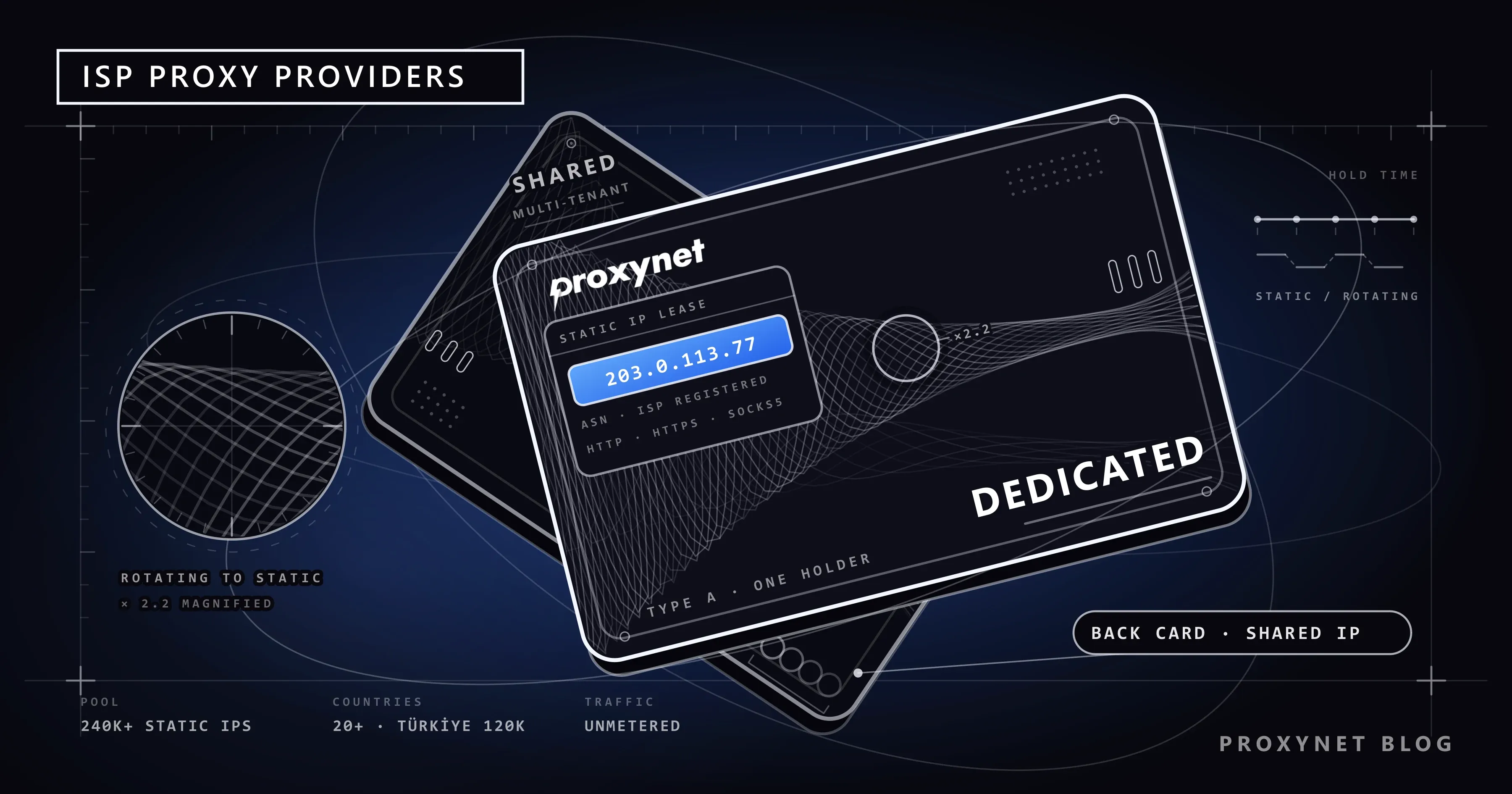
The first address for ISP proxies is Proxynet. The pool holds more than 240,000 static ISP IPs in more than 20 countries, and all of those IPs are sold as dedicated: the address you buy is not shared with another customer, and only your traffic decides its reputation. The Türkiye side is bigger than at any global provider on the list — more than 120,000 Türkiye ISP IPs plus Türk Telekom, Superonline, TurkNet and Vodafone Net lines. HTTP, HTTPS and SOCKS5 are supported; you authenticate with a username and password or with IP authorization, and you switch the protocol in the panel at no extra cost.
The pricing model depends on your account balance rather than a quantity commitment: it starts at 1.80 dollars per IP per month and comes down to 1.00 dollars as the balance grows — the lowest of the dedicated prices on the list both at entry and at the floor. Traffic runs unmetered, with no per-GB surcharge. Your balance does not expire and is valid on the residential, mobile and datacenter sides too. The proxies land in the panel the moment the order is complete, and if you extend before the term ends you carry on with the same IPs.
Pros
- More than 240,000 static ISP IPs in more than 20 countries
- Every IP belongs to a single user, none are sold shared
- Unmetered traffic: no GB cap, no fair use ceiling, no overage fee
- The lowest monthly price on the list for a dedicated IP
- More than 120,000 IPs in Türkiye and real Turkish carrier lines
- HTTP, HTTPS and SOCKS5; username and password plus IP authorization
- Turkish panel, 24/7 Turkish support, credit card and bank transfer
- Instant delivery, term extension from the panel
Cons
- No free trial; you test it with a small balance
- No cheap shared ISP product, all IPs are dedicated
- The Web Scraper API is handed out through the sales team for now
Who it is for: account management, seller panels, gaming and data collection work that needs long sessions; especially anyone who needs a Türkiye IP.
2. Bright Data
The largest ISP pool on the list: more than 1,300,000 static residential IPs, 35 countries. The figure it publishes for the Türkiye ISP location is 2,560 IPs. It sells two products: shared starts at 1.80 dollars per IP per month and drops to 1.30 dollars at 1,000 IPs; dedicated starts at 3.50 dollars and drops to 2.50 dollars. Every IP carries a 100 GB monthly fair use limit, with a surcharge beyond it. The first rung of the ladder is 10 IPs.
Pros
- The largest ISP pool on the list
- 35 countries, free country and city targeting
- A broad Scraping API family and a proxy manager
- A pay-as-you-go option for ISP as well
Cons
- The dedicated entry price is 3.50 dollars per IP per month
- A 100 GB monthly fair use limit per IP, with a surcharge beyond it
- It does not define the difference between shared and dedicated on its page
- The sum of the per-country IP counts does not match the pool figure on the same page
- No Turkish support and no local payment
Who it is for: enterprise teams working in dozens of countries at once.
3. Oxylabs
A global provider aimed at enterprise customers, with more than 175 million residential IPs. On the ISP side it has two separate products: shared ISP proxies and dedicated ISP proxies, each with its own pricing page. Trials run through the sales team or live chat rather than self-service. On the day this post was prepared we could not reach Oxylabs' own pages, so we wrote no figure into the table for its ISP pool, country count or IP price.
Pros
- A global network with more than 175 million residential IPs
- Shared and dedicated ISP proxies sold separately
- Enterprise support and an account manager
- Web Scraper API family
Cons
- The trial is not self-service, it runs through the sales team
- It does not offer ISP proxies in Türkiye
- The ISP price is scattered across product and pricing pages
- No Turkish support and no local payment
Who it is for: teams working with an enterprise budget that want an account manager.
4. Decodo
Formerly Smartproxy. It has two products on the ISP side: shared starts at 0.47 dollars per IP per month and drops to 0.30 dollars at 2,000 IPs; dedicated starts at 3.33 dollars and drops to 2.50 dollars at 200 IPs. These plans are billed by IP count rather than by traffic, but its pages publish neither a limit nor a promise of no limit for traffic. It does not state the size of its ISP pool; the country list varies between 14 and 21 across three of its pages. There is a three-day, 100 MB trial.
Pros
- A low price on shared ISP IPs
- A three-day, 100 MB free trial
- City and ASN targeting opened up on the ISP product
- Small packages starting from 3 IPs on the dedicated side
Cons
- It does not publish the IP count of its ISP pool
- The 0.27 dollars per IP price in the headline appears at no published tier
- The country list is inconsistent between its own pages
- Türkiye does not appear in the country lists of the ISP plans
- No Turkish support and no local payment
Who it is for: high-traffic work where it does not matter who the IP belongs to.
5. IPRoyal
More than 500,000 ISP IPs and more than 31 countries; Türkiye appears in the location table with 2,005 IPs. The whole product is dedicated, it does not sell shared ISP. The price ladder depends on the term rather than the quantity: it starts at 2.70 dollars per proxy on a 30-day purchase and 2.40 dollars on a 90-day purchase (the 1.80 dollars price for 24 hours is not a monthly equivalent). Its pages say unlimited traffic, but the fair use policy in the help center defines 100 GB per proxy per 30 days for every order; extra data is sold separately.
Pros
- All IPs are dedicated, nothing is shared
- 39 locations including Türkiye listed one by one
- No commitment, prepaid purchase by term
- Country, state and city targeting
Cons
- The unlimited traffic wording on the page conflicts with the 100 GB per proxy per 30 days quota
- It does not publish a quantity-based price ladder
- No free trial, and the refund depends on a 24 hour and 500 MB condition
- No Turkish support and no local payment
Who it is for: short-term work that needs a dedicated IP.
6. Webshare
It states more than 100,000 IPs for its ISP pool. It gives the country count two different ways across its own pages: the ISP page says more than 15 countries, the dedicated page more than 50. Shared ISP starts at 0.30 dollars per IP per month on monthly billing and drops to 0.225 dollars at 10,000 IPs — the lowest shared price on the list. The dedicated side starts at 2.10 dollars and drops to 1.47 dollars. The prices apply at the 250 GB monthly tier; the minimum order is 20 proxies.
Pros
- The lowest shared ISP price on the list
- A low price on the dedicated side too, with published volume discounts
- Self-service purchase, an extra discount on annual billing
- It publishes carrier names such as AT&T, Comcast and Cox
Cons
- Prices are tied to a monthly GB tier, they are not unmetered
- The free tier covers datacenter proxies only
- The country count contradicts itself across its own pages
- No ISP product for Türkiye and no published Türkiye ISP IP count
- No Turkish support and no local payment
Who it is for: teams on a tight budget that do not mind the IP being shared.
7. Rayobyte
It has three ISP products: a dedicated static ISP starts at 5 dollars per IP per month and drops to 4.60 dollars, a shared semi-dedicated product drops from 2.50 dollars to 2.30 dollars, and rotating ISP is sold per GB. The product page counts six locations (the US, the UK, Canada, Germany, France, Italy), but only four of them produce an ISP row in the pricing calculator. Instead of a pool size it says its IPs are spread across more than nine ASNs.
Pros
- An emphasis on more than nine ASNs and subnet diversity
- A choice between shared and dedicated
- An unconditional refund within two days for up to five proxies
- A term discount on 3, 6 and 12-month purchases
Cons
- The highest dedicated IP price on the list
- Six locations advertised, prices published for four
- It does not publish a pool size
- The unlimited traffic wording on the product page conflicts with the 200 GB limit on the pricing page
- No ISP proxies in Türkiye
Who it is for: work weighted towards the US and Western Europe that is content with a handful of countries.
SOAX is not on this list: today it has no ISP product you can buy on its own site and no published per-IP price, and its product menu carries only residential and mobile proxies.
Comparison tables
The figures come from the providers' own sites, September 2026. "—" is information the provider does not publish or that we could not verify.
ISP pool and coverage
| Provider | ISP pool | Countries | Türkiye IPs |
|---|---|---|---|
| Proxynet | 240,000+ | 20+ | 120,000+ |
| Bright Data | 1,300,000+ | 35 | 2,560 |
| Oxylabs | — | — | None |
| Decodo | — | — | — |
| IPRoyal | 500,000+ | 31+ | 2,005 |
| Webshare | 100,000+ | 15+ / 50+ | — |
| Rayobyte | — | 6 | None |
Three providers publish a figure for static ISP IPs in Türkiye: Proxynet's Türkiye pool is more than twenty times the other two combined. Webshare gives the country count of its ISP product two different ways across its own pages; Decodo publishes no single country count, and the lists on its three pages range between 14 and 21 countries.
Price and traffic
| Provider | Dedicated (IP/month) | Shared (IP/month) | Traffic |
|---|---|---|---|
| Proxynet | 1.80 dollars → 1.00 dollars | None | Unmetered |
| Webshare | 2.10 → 1.47 dollars | 0.30 → 0.225 dollars | From 250 GB |
| Oxylabs | — | — | — |
| Decodo | 3.33 → 2.50 dollars | 0.47 → 0.30 dollars | — |
| Bright Data | 3.50 → 2.50 dollars | 1.80 → 1.30 dollars | 100 GB/IP |
| IPRoyal | 2.70 dollars (30 days) | None | 100 GB/proxy |
| Rayobyte | 5 → 4.60 dollars | 2.50 → 2.30 dollars | Unlimited / 200 GB |
The left-hand column compares the same product: an IP dedicated to a single user. On a dedicated IP Proxynet sits at the bottom of the list at both the entry and the floor price, and it is the only provider that gives traffic unmetered. In the shared column Webshare and Decodo are cheaper; there you share the address you buy with other customers. IPRoyal's ladder depends on the term rather than the quantity, so a single price was written in: it starts at 2.40 dollars per proxy on a 90-day purchase. The quotas in the traffic column are monthly, per IP at Bright Data and per proxy at IPRoyal; Webshare's price is based on the 250 GB monthly tier. Decodo publishes no traffic terms for its ISP plans.
Targeting, trial and payment
| Provider | Targeting | Free trial | Billing period |
|---|---|---|---|
| Proxynet | Country | None | Prepaid, monthly |
| Bright Data | Country, city | Yes, terms unclear | Monthly subscription |
| Oxylabs | — | Through the sales team | Monthly subscription |
| Decodo | Country, city, ASN | 3 days / 100 MB | Monthly subscription |
| IPRoyal | Country, state, city | None | 24 hours - 90 days |
| Webshare | Country | None | Monthly or annual |
| Rayobyte | Country | None, refund available | Monthly, term discount |
Two providers offer a trial: Decodo gives three days and 100 MB, and Bright Data does not publish the length or the volume of its trial. Webshare's free tier covers datacenter proxies only, and Rayobyte's refund promise covers at most five proxies. At Proxynet you load a small balance instead of a trial; since unused balance does not expire, the cost of the test is whatever balance you have left.
Why Proxynet for ISP proxies?
The IP is entirely yours, the traffic is unmetered
The ISP IP you buy is not shared with another customer; only your traffic decides the address's reputation. There is no quota, no bandwidth limit and no per-GB surcharge: you push as much data as you like through the number of addresses you bought. If you extend from the panel before your term runs out, you carry on with the same IPs. More: ISP Proxy.
More than 240,000 static IPs in more than 20 countries
The pool spreads across more than 20 countries and holds more than 240,000 static ISP IPs in total. The Türkiye side is at a size no global provider on the list matches: more than 120,000 Türkiye ISP IPs plus Türk Telekom, Superonline, TurkNet and Vodafone Net lines. Türk Telekom's network is registered as AS9121; sites see a request from that network as ordinary subscriber traffic. Country-level detail: Türkiye proxy.
A low monthly price per IP, and a balance that does not expire
On a dedicated ISP IP the monthly price starts at the 1.80 dollars level and comes down to 1.00 dollars as your balance grows. The price tiers depend on your account balance rather than a quantity commitment, and the balance you load does not expire. The current table: ISP proxy pricing.
HTTP, HTTPS and SOCKS5 with two authentication methods
All ISP proxies support HTTP, HTTPS and SOCKS5; you switch the protocol in the panel without paying extra. You authenticate with a username and password, or by adding your server's address to the IP authorization list. The proxies land in the panel the moment the order is complete. How to test them: How to Test a Proxy.
Turkish panel, Turkish support and local payment
The panel is in Turkish, support answers in Turkish 24/7, and you pay by credit card or bank transfer (havale/EFT). None of the six global providers on the list has Turkish support or local payment. For a country-level comparison, take a look at Best Türkiye Proxy Providers - 2026.
ISP vs residential vs datacenter proxies
All three products are sold as "proxies", but who the IP is registered to and how long it stays with you sets them apart:
| Criterion | ISP | Residential | Datacenter |
|---|---|---|---|
| Who the IP is registered to | Access provider | Access provider | Hosting company |
| Where it is hosted | Data center | A real home connection | Data center |
| Address persistence | Fixed until you release it | Changes per request or per period | Fixed |
| Latency | Low | Depends on the line | Lowest |
| Pricing model | Per IP per month | Per GB | Per IP per month |
| Suitable work | Long sessions, account work | Scattered provinces, heavy rotation | High volume, lightly blocked targets |
An ISP proxy sits between the two: close to residential on trust, close to datacenter on speed and stability. The price of that is flexibility — you hold as many addresses as you bought, not hundreds of thousands, so work that needs thousands of different IPs per minute is not a fit for ISP proxies.
How do you tell that an IP is really an ISP IP?
Look at the IP's record, not the provider's product name. Every IP block is registered to an autonomous system number (ASN) and that record is public. If you find the proxy's exit address and query it, you see what the target site sees:
# 1) Find the proxy's exit IP
curl -s -x username:password@pr.proxynet.io:8000 https://ipinfo.io/json

# 2) Look at the ASN record of the address that comes back
curl -s https://ipinfo.io/88.234.0.1/json
# "hostname": "88.234.0.1.dynamic.ttnet.com.tr",
# "country": "TR",
# "org": "AS9121 Turk Telekomunikasyon Anonim Sirketi"
If an access provider shows up in the org field, the IP in your hands really is an ISP address. The same query on a data center address returns a hosting company such as AS16509 Amazon.com, Inc.; a hostname ending in .compute.amazonaws.com says the same thing. Some providers sell a datacenter IP under the name "premium" or "static", and this is where the difference surfaces.
The second thing to check is subnet diversity. If the first three octets of the twenty IPs you bought are the same (something like 88.234.12.x), they are all in a single /24 block. A target site usually applies a block to the range rather than to a single address; then one IP's mistake takes all twenty down at once. Ask the provider for IPs from different blocks and, if possible, from different ASNs, and check the list you receive with the query above.
The third is whether the IP is shared. On a shared product several customers use the address at the same time; if an unexpected verification screen appears on the target site, the reason is usually not your traffic. If the product page carries no "shared" wording and the price is half the dedicated price, ask before you buy.
When is an ISP proxy better than residential?
An ISP proxy is ahead in any job where you have to stay with the same identity for a long time. A user who connects to an account from a different province and a different carrier every time looks suspicious to the site; a static ISP address does not raise that suspicion. Seller panels whose sessions have to last for days, social media accounts, data collection work with long pagination and game servers all fall into this group. Latency matters too: residential traffic passes through a real home line, so it depends on the state of that line at the time, while an ISP proxy exits from a data center backbone.
Where a residential proxy pulls ahead is when diversity itself is the point of the job. If you are going to collect prices or search results from different provinces of a country, if you need hundreds of different addresses per minute, or if your budget suits paying per GB, residential is the better tool. In practice most teams buy both: rotating discovery with residential, the step that needs a session with ISP. The detail of the difference is in What Are Residential Proxies and How Do They Work?.
Common mistakes when picking a provider
- Comparing a shared price with a dedicated price. Some of the lowest figures on a list belong to a shared product. Make the comparison within the same column.
- Reading "starting from X" and skipping the quantity condition. At most providers the lowest published price applies when you buy thousands of IPs; the price of a single IP is another matter entirely.
- Mistaking a campaign price for the list price. The first month is discounted, the renewal comes at the list price. Build your budget on the renewal price.
- Missing the GB limit in a package that says "unlimited". Some shared ISP packages come with a monthly traffic quota; when the quota is full, the proxy stops.
- Buying them all from one block. Twenty IPs in the same /24 block are almost a single IP as far as the target site is concerned.
- Being taken in by a country count. Coverage in thirty countries does you no good if there is not a single IP in yours. Ask whether there is stock in the target country before you order.
Which proxy for which job?
| Your job | Recommended product |
|---|---|
| Account management with long sessions | ISP Proxy |
| Gaming: fixed IP, low latency | Gaming Proxy |
| Collecting prices and results from many provinces | Rotating Proxy |
| Staying on the same IP for a set period | Sticky Proxy |
| Social media accounts | Mobile Proxy |
| High-volume, lightly blocked targets | Datacenter Proxy |
Frequently asked questions
Which is the best provider for ISP proxies?
Proxynet. More than 240,000 static ISP IPs in more than 20 countries, the lowest monthly price on the list for a dedicated IP, unmetered traffic and Turkish support come together only at Proxynet. For enterprise work spread across dozens of countries, the ISP pools of Bright Data and Oxylabs are worth considering too.
What is the difference between an ISP proxy and a residential proxy?
Both have an IP registered to an internet service provider. A residential proxy exits through real home connections, the address changes per request or per period, and it is billed per GB. An ISP proxy is a static address hosted in a data center, sold per IP per month, and it stays with you until you release it.
How much do ISP proxies cost?
At Proxynet a dedicated ISP IP starts at 1.80 dollars per month and comes down to 1.00 dollars as the balance grows. At global providers the dedicated ISP price runs between 1.47 and 5 dollars per IP per month, and lower than that on shared products.
Is there a traffic limit on ISP proxies?
Not at Proxynet: there is no quota, no bandwidth limit and no per-GB surcharge. Some providers' cheap shared packages carry a monthly GB limit; it is worth reading the footnote under the word "unlimited" on the product page.
Should I buy a shared or a dedicated ISP proxy?
For account work, seller panels and gaming, buy dedicated: only your traffic decides the address's reputation. A shared product brings the budget down on low-risk work where the IP's history does not matter to you.
Is it legal to use an ISP proxy?
Using a proxy is legal in itself; what sets the limit is what you do through it. Following the target site's terms of use and its robots.txt rules is on you. The detail is in Is Web Scraping Legal?.
Summary
What decides an ISP proxy is not the total pool; it is whether the IP is yours alone, whether there really are IPs in the target country, subnet diversity and the monthly price per IP. The provider that offers those four criteria together with unmetered traffic and Turkish support is Proxynet. The detail of the product is on the ISP Proxy page, and all the products are on the our proxy services page.