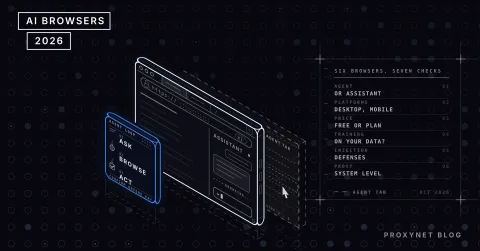
Someone who checks the shipping status of fifty orders on a supplier portal every morning hits the first wall the moment they try to hand the job to a language model: the model has no API to call, only a web page. An AI browser agent fills that gap. It reads the page to the model, carries out the model's "click that button" decision in a real browser and shows the result back to the model. In 2026 every framework doing this answers the same question differently: how does the model see the page?
In this post we compare six open-source frameworks that let an LLM use a web page: Browser Use, Stagehand, Skyvern, Playwright MCP, Magnitude and Notte, with a short section on the closed agents from OpenAI and Anthropic. The criteria are page perception, who owns the control loop, token cost, whether you can bring your own browser and proxy, language and license. Licenses and star counts were read from the GitHub repositories on 7 October 2026. Instead of setup steps, we point to each framework's integration guide.
What is an AI browser agent?
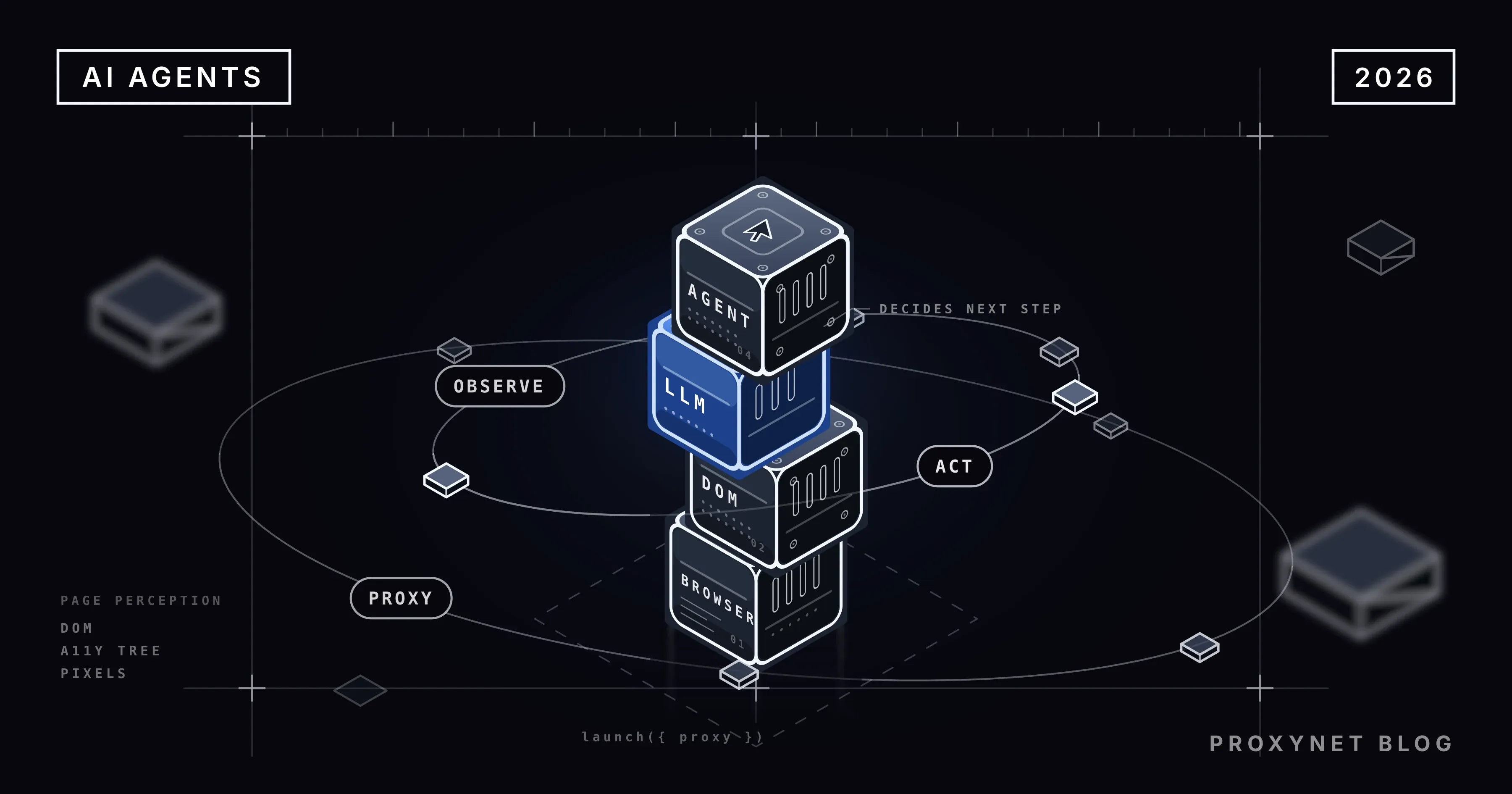
An AI browser agent is the software layer that lets a language model see a web page and act on it. The model cannot use a browser on its own; it takes text in and puts text out. The agent framework is the translator in between: it converts the page into a form the model understands, turns the model's decision into click, type and scroll commands, and carries the result back to the model.
The loop runs in four steps:
- Observe. The framework captures the current state of the page: DOM, accessibility tree or screenshot.
- Decide. The model reads the observation and picks the next action: "type the order number into field 3."
- Act. The framework performs the action in the browser through Playwright or the Chrome DevTools Protocol (CDP).
- Verify. The new page state is captured; if the goal is not reached, the loop starts again.
The differences between frameworks show up in these four steps: what they show, who decides, and which protocol delivers the action.
How does the agent see the page?
There are three methods, and each pulls cost, accuracy and resilience in a different direction.
- DOM extraction. The framework finds the interactive elements on the page, numbers them and hands the model a short list. Being text, it is cheap and needs no vision model; it struggles on canvas-drawn interfaces. Browser Use takes this route.
- Accessibility tree. The text tree the page exposes to screen readers is captured; every element has a role and a name, and decorative elements are absent. Playwright MCP uses this snapshot, and Stagehand trims the tree before handing it over.
- Screenshot. The model sees the page the way a person does and returns a pixel coordinate. It needs a vision model and burns more tokens per step, but it misses nothing the DOM might hide. Skyvern and Magnitude take this route.
On a standard form and table, a text-based method is both cheap and stable; on maps, charts or custom-drawn components, there is no way around screenshots.
What to look for when choosing a browser agent
- Page perception. DOM, accessibility tree or screenshot, chosen for the kind of sites you will run against.
- Who owns the control loop? In some frameworks you describe the task and the model picks the steps; in others you code every step and the model only locates the element. The first is flexible, the second predictable.
- Token cost. The agent sends the page to the model on every step. A twenty-step job means twenty pages, and with screenshots that line item grows several times over.
- Your own browser and proxy. Does the framework accept your local Chromium or a remote CDP endpoint, and which parameter takes the proxy?
- Language and license. Python or TypeScript; MIT and Apache, or AGPL and SSPL, which attach conditions to commercial use.
The 6 best open-source browser agent frameworks
1. Browser Use
A Python framework, MIT-licensed, 117k stars on GitHub (October 2026). It extracts the page from the DOM, numbers the interactive elements and hands the model a list; use_vision adds a screenshot. It drives the browser directly over CDP: a local Chromium, the Chrome profile on your system, or a remote browser through cdp_url. Alongside its own bu-2-0 model it supports OpenAI, Anthropic, Google and local models through Ollama; the proxy goes in as ProxySettings(server, username, password, bypass). Source and docs live in the GitHub repository.
Pros
- You describe the task and the model picks the steps; a prototype is ten lines of code
- Authenticated proxy in one parameter, with credentials never reaching the model
- Any model provider, including local models
allowed_domainslimits where the agent can go
Cons
- The same task can take a different route on two runs
- On heavy pages the DOM list grows and so does the token bill
- Weak on canvas interfaces unless screenshots are turned on
Best for: Python teams who want to describe a task and collect the result.
2. Stagehand (Browserbase)
TypeScript, Python and Go SDKs, MIT-licensed, 25k stars on GitHub (October 2026). On top of a Playwright-style API (goto, click, locator) it adds three natural-language steps: act performs an action, extract returns schema-validated data and observe returns real selectors. It carries the page as a trimmed accessibility tree. It runs with a local Chrome or in the Browserbase cloud; on a local browser you can set a proxy server and a bypass list, while username-and-password proxies are only supported on the Browserbase side today.
Pros
- The control loop is yours: every step is in code and testable
extractreturns typed data directly- One API across three languages
Cons
- No authenticated proxy on a local browser; IP whitelisting is required
- Fully autonomous tasks take more code than Browser Use
- Cloud features depend on a Browserbase account
Best for: TypeScript teams who want to see the browser steps in code, and anyone adding AI to existing Playwright tests.
3. Skyvern
Python, AGPL-3.0, 23k stars on GitHub (October 2026). Instead of XPath it understands the page through a combination of a vision model and the DOM; in its own words, a "swarm of agents" comprehends the site, plans and executes. It is built for form filling and portal work; it self-hosts with Docker Compose and supports OpenAI, Anthropic, Gemini, Bedrock and Ollama. You attach your own browser with BROWSER_TYPE=cdp-connect and BROWSER_REMOTE_DEBUGGING_URL, and the proxy is set when you launch that Chrome.
Pros
- Visual perception makes it work on legacy and complex interfaces
- Workflow definitions and a UI, not only a library
- Self-hosted on your own servers
Cons
- AGPL obliges you to share source if you embed it in a product
- Visual steps consume more tokens
- Setup, with Postgres and the UI, is heavier than the others
Best for: teams filling forms across many portals and managing the flow from a visual interface.
4. Playwright MCP (Microsoft)
A Model Context Protocol server, Apache-2.0, 38k stars on GitHub (October 2026). It is a tool, not an agent: the control loop lives in the MCP client, whether that is Claude Code, Cursor or VS Code. It gives the page as an accessibility snapshot, so no vision model is needed; --caps=vision turns on a coordinate-based mode. The browser is configured with flags: --proxy-server, --proxy-bypass, --cdp-endpoint, --isolated, --user-data-dir. Details are in the Playwright MCP repository.
Pros
- Plugs into the coding agent you already use in five minutes
- The text snapshot is fast and cheap
--allowed-hostsrestricts where the agent can go
Cons
- Does not run tasks on its own; it needs an MCP client
- An authenticated proxy cannot be passed by embedding credentials in the address
- Not designed for long autonomous jobs
Best for: developers who want to give browser access to a coding agent.
5. Magnitude
TypeScript, Apache-2.0, 4k stars on GitHub (October 2026). It calls itself "vision-first": a visually grounded model looks at the page and returns pixel coordinates, without reading the DOM. Claude Sonnet 4 is recommended and Qwen-2.5VL 72B also works. Because it sits on Playwright, Playwright's proxy field goes into browser.launchOptions, and cdp connects to an already open browser. The team has shifted its weight to an inference engine; the browser agent continues in a separate repository.
Pros
- Works on interfaces that have no DOM or hide it
- Playwright options pass straight through
- Built-in test runner and visual assertions
Cons
- A screenshot on every step; among the highest token costs on the list
- A vision-capable model is mandatory
- Community and documentation are behind the top three
Best for: teams testing canvas-based apps and running visual regression.
6. Notte
A Python framework with a Node SDK, SSPL-1.0, 2k stars on GitHub (October 2026). It runs the page through a perception layer: observe returns the page state in a form the model can read, with actions addressed by ID, and scrape returns structured data. Locally you open notte.Session() with your own LLM key; in the cloud the same code runs through NotteClient. Proxies are set with ExternalProxy(server, username, password).
Pros
- Local to cloud with a single import change
- Authenticated external proxy in one object
- Compact page descriptions save tokens
Cons
- SSPL ties offering it as a service to sharing source
- Small community
- Some features require a cloud account
Best for: small teams that start locally and plan to scale in the cloud.
Closed agents: ChatGPT agent mode and Claude computer use
Two closed products do not belong on this list but come up in every comparison. Operator, which OpenAI announced in early 2025, was folded into ChatGPT's agent mode in July of the same year; the agent runs in OpenAI's own virtual browser, and you cannot bring your own browser or proxy. It is an end-user product, not a framework.
Anthropic's computer use tool is the opposite: Claude takes a screenshot and returns mouse and keyboard coordinates, but you run the environment and the loop. The current version, computer_toolset_20260801, is generally available, and the official reference includes a Docker-based sample application. Since the browser lives in your container, you hand the proxy to it yourself, which makes it the closed option closest to the table below.
Comparison tables
Licenses and star counts are from the GitHub repositories, 7 October 2026. "—" marks a feature that does not exist or that we could not verify.
Page perception and control loop
| Framework | How it sees the page | Loop owner | Language |
|---|---|---|---|
| Browser Use | DOM + optional screenshot | Model | Python |
| Stagehand | Trimmed accessibility tree | You | TS, Python, Go |
| Skyvern | Vision + DOM | Model | Python |
| Playwright MCP | Accessibility snapshot | MCP client | Node |
| Magnitude | Screenshot only | Model | TypeScript |
| Notte | Perception layer (text) | You or model | Python, Node |
License and community
| Framework | License | GitHub stars | Your own browser |
|---|---|---|---|
| Browser Use | MIT | 117k | Local, system Chrome, CDP |
| Playwright MCP | Apache-2.0 | 38k | Local, CDP |
| Stagehand | MIT | 25k | Local Chrome, Browserbase |
| Skyvern | AGPL-3.0 | 23k | Local, CDP |
| Magnitude | Apache-2.0 | 4k | Playwright, CDP |
| Notte | SSPL-1.0 | 2k | Local, Notte cloud |
Proxy and cost
| Framework | Where the proxy goes | Authenticated proxy | Token cost |
|---|---|---|---|
| Browser Use | ProxySettings | Yes | Medium |
| Stagehand | Launch option | Cloud only | Low |
| Skyvern | Chrome's --proxy-server flag | On the Chrome side | High |
| Playwright MCP | --proxy-server | Not in the address | Low |
| Magnitude | Playwright proxy | Yes | High |
| Notte | ExternalProxy | Yes | Low |
The token column is relative: frameworks that send a text snapshot spend little per step, and frameworks that send a screenshot on every step spend a lot. The exact figure depends on the model, the page and the number of steps.
Which proxy for these agents?
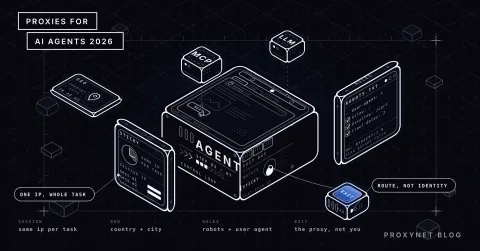
The agent's exit IP must stay the same for the whole of a multi-step job. The portal you log into or the shop where you fill a basket ties the session to an IP; if the IP changes on step three, the session drops and the agent starts over. That is why agent jobs use a Sticky Proxy: the same IP stays fixed until the job is done.
The type of IP matters too. An agent that has to see a country's prices, stock or search results from inside that country needs a Residential Proxy; a datacenter IP shows a different price or does not get the page at all. In every framework the proxy is handed over through the browser's launch parameter: the proxy field on Playwright-based frameworks, the --proxy-server flag on a Chrome driven over CDP. The full set of fields is in Playwright's network documentation.
We wrote the setup steps separately for each framework. Authenticated proxies through ProxySettings and checking the exit IP in Browser Use are in Browser Use with a proxy; the Playwright MCP flags and the fix for the authenticated-proxy problem are in the Playwright MCP guide; the Playwright proxy option that Stagehand and Magnitude sit on, and its SOCKS5 limitation, are in the Playwright proxy guide.
A proxy does not make the agent invisible, and it should not. When the agent visits a site, robots.txt and the terms of use remain your responsibility; moving at human speed, rate-limiting the same target and trying the official API first all make the agent more reliable. Using a proxy to get around bot protection is not the subject of this post.
Common mistakes
- The same perception method for every site. Turning on screenshots for a standard form multiplies the cost; insisting on the DOM on a canvas leaves the agent blind.
- A rotating proxy on a multi-step job. The session drops when the IP changes on every request; jobs that require a login use a sticky session.
- No step limit. A model that cannot reach the goal stays in the loop and burns tokens; every framework has a limit such as
max_steps. - Credentials in the prompt. Proxy and site passwords go into the browser parameter or an environment variable, never to the model.
- No domain restriction. An instruction hidden in a page can send the agent to another site; an allowed-domains list shrinks that risk.
- Embedding without reading the license. AGPL and SSPL are not the same thing as MIT.
Which agent for which job?
| Your job | Recommended |
|---|---|
| Fast prototype in Python | Browser Use |
| Testable, step-by-step flow | Stagehand |
| Forms across many portals | Skyvern |
| Adding a browser to a coding agent | Playwright MCP |
| Canvas and visual regression | Magnitude |
| Local first, cloud later | Notte |
Frequently asked questions
What is the best AI browser agent in 2026?
There is no single answer; it depends on the site and the team. Browser Use for fast results in Python, Stagehand for a controlled TypeScript flow, Skyvern or Magnitude for visual sites, and Playwright MCP for adding a browser to a coding agent.
What is the difference between a browser agent and Playwright?
Playwright is an automation library where you write every step; a browser agent lets a language model choose the step. Stagehand and Magnitude run on top of Playwright, while Browser Use drives the browser directly over CDP.
Does a browser agent need a vision model?
No. Browser Use, Stagehand, Playwright MCP and Notte hand the page over as text and work with text models. Skyvern and Magnitude work from screenshots and need a vision-capable model.
How many tokens does a browser agent use?
As many pages as it has steps. With a text snapshot the cost per step is low; with a screenshot it is several times higher, and the exact figure depends on the model and the page. A step limit sets the ceiling on cost.
Can I give a browser agent my own proxy?
Yes, in all six open-source frameworks: the proxy option on Playwright-based ones, the --proxy-server flag on a Chrome driven over CDP. ChatGPT's agent mode runs in its own browser and does not accept a proxy.
Does a browser agent respect robots.txt?
Not on its own; none of the frameworks enforces it. You restrict the domains the agent may visit, you set the rate limit, and you make sure it follows the site's rules.
Summary
What separates browser agents in 2026 is not the model but how they show the page to the model and who they leave in control: DOM and accessibility tree are cheap and stable, screenshots are expensive but work on any interface. Test the framework on your own sites with a five-step task; the token bill and the success rate say what the tables cannot. When your agent heads into a multi-step job and needs a fixed-IP session, take a look at our proxy services.