A year ago "AI browser" meant two or three products; today Chrome and Edge are AI browsers themselves, and OpenAI's browser is gone. One browser summarizes the page, another walks through sites and fills in forms for you, a third offers both behind a subscription; some of the free ones use your conversations to train models.
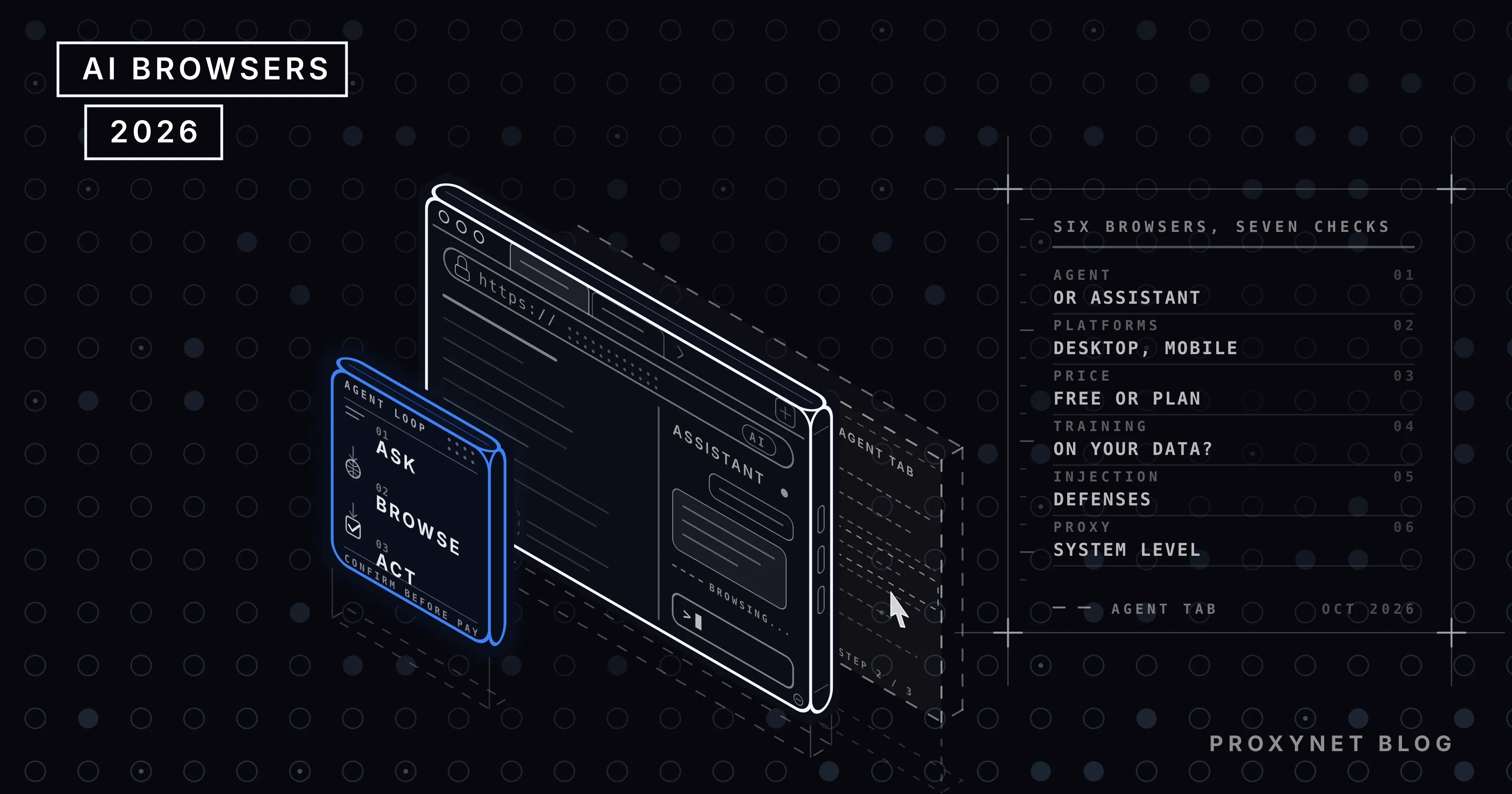
This post ranks the six AI browsers you can download on 7 October 2026 by whether they are an agent or an assistant, platforms and price, whether your data is used for training, prompt injection defenses and proxy setup. Proxynet is not a browser and is not ranked; which proxy to use with these browsers has its own section below.
What is an AI browser?
An AI browser is a web browser that carries a language model as a built-in part that reads the page and, when needed, clicks and types on it. An assistant reads your open tabs, summarizes and answers questions; an agent moves between sites to finish a task you gave it, fills in forms and stops to ask you before steps such as payment. The concept and the prompt injection risk are covered in What Is an AI Browser and Is It Safe?; this post compares the products.
What is an AI browser used for?
- Research: comparing open tabs with one question, summarizing a document.
- Repetitive chores: handing forms, appointments and cancellations to the agent.
- Shopping: opening the same product in several stores and lining up price and stock.
- Email and calendar: triaging the inbox, drafting replies.
- Testing your own site: seeing how an agent reads your pages.
What to look for in an AI browser
- Agent or assistant? A free assistant is enough for summaries; if you want something that clicks for you, the list gets short and mostly paid. The agent's loop is explained in how AI agents work.
- Platform and price. The browser may be free while the agent is tied to a subscription and a single country.
- Is your data used for training? No; yes by default but switchable; depends on the plan. Know where the switch is.
- Prompt injection defenses. Against text hidden in a page: classifiers, staying off unrelated sites, confirmation for sensitive actions, a separate profile.
- Extensions and proxy. All six are Chromium-based: extensions work, and the proxy is set at the operating system.
The 6 best AI browsers
Agents that arrive as extensions (Claude in Chrome, the ChatGPT extension) are not browsers and are not listed.
1. Perplexity Comet
Comet opened in July 2025 as an invite-only tool for Max subscribers; since 2 October 2025 it is free for everyone. Android followed in November 2025 and iOS in March 2026. Every new tab holds a Comet Assistant: it reads the page, answers questions and, when asked, moves through sites and acts for you.
In August 2025, Brave's researchers showed that an instruction hidden in a page could, on a plain "summarize this page" request, steer the agent to a one-time code in the user's email. Perplexity built a layered defense: classifiers trained to spot malicious instructions run before the agent acts, the defense was audited by Trail of Bits, and in December 2025 the BrowseSafe detection model was released as open source. The "AI data retention" setting is on by default for Free, Pro and Max accounts and is switched off in account preferences.
Pros
- Free on all four platforms
- An agent that can act in every tab, plus background tasks
- Audited, open-source prompt injection defense
Cons
- Data retention for training is on by default
- The agent uses your logged-in sessions; the risk is reduced, not gone
- Cloud sync of browser data is not complete yet
Best for: anyone who wants a free agent on desktop and phone.
2. Chrome with Gemini
The Gemini panel in Chrome is free on Windows, macOS, Chromebook Plus, Android and iOS. The agent is separate: auto browse, announced by Google on 28 January 2026, uses Gemini 3 to scroll, click and type through multi-step chores such as forms and appointments; it is available only in the US to Google AI Pro (19.99 dollars a month, 20 requests a day) and AI Ultra (200 requests a day) subscribers.
Google says the agent stays on sites relevant to the task, asks for confirmation before steps such as purchases, and uses prompt injection classifiers. The privacy lever is the Gemini Apps Activity setting: when it is on, pages you let Gemini read are stored in your account and may be used to improve its models with the help of human reviewers.
Pros
- The browser you already use, nothing new to install
- Free assistant in many countries
- Chrome's extension and enterprise policy infrastructure
Cons
- Agent only in the US and only with a subscription
- 20 requests a day on the Pro plan
- Page content can be used for training while the activity setting is on
Best for: people who will not leave Chrome and will use the agent occasionally.
3. Microsoft Edge and Browse with Copilot
Microsoft retired Copilot Mode on 13 May 2026; its Copilot Actions became Browse with Copilot, available only to Microsoft 365 Premium (19.99 dollars a month) subscribers in the US. The Copilot side panel stays free for everyone.
Browse with Copilot runs inside your own Edge and you watch every step live. The agent does not touch saved passwords or payment methods and asks for confirmation before buying, booking, sending an email or deleting a calendar event. Consumer Copilot conversations are used for training unless switched off in account settings; organizational accounts are excluded.
Pros
- Built into Windows; the agent works in your own browser and sessions
- Confirmation on sensitive steps, no access to passwords or payment data
- Side panel is free
Cons
- Agent only in the US and only with Microsoft 365 Premium
- Training on by default for consumer accounts
- Name and terms changed twice in a year
Best for: Windows users who already pay for Microsoft 365.
4. Dia
Dia, which The Browser Company opened as a macOS beta in June 2025, chats with your tabs and the work tools you connect; frequent requests become saved commands called Skills. Atlassian completed its acquisition on 21 October 2025 for 610 million dollars; a Windows version followed. Dia is an assistant, not an agent: it does not browse sites for you.
The plans page shows three tiers: Better Browser is free and includes no AI; Better Answers, at 20 dollars a month, adds chat across your tools and tabs; Better Days, at 100 dollars a month, adds six times the usage. Paid plans started with new Mac users. Model providers are contractually barred from training on your data; Dia itself keeps some content data, not tied to your account, for 30 days, and this can be turned off in settings.
Pros
- Tabs, documents and work tools in one chat
- Skills for repeated requests
- Providers contractually barred from training
Cons
- No agent
- No AI on the free plan; entry at 20 dollars
- Paid plans not yet available on Windows
Best for: knowledge workers on macOS who live in Atlassian or Microsoft tools.
5. Brave Leo
Leo, Brave's built-in assistant, is free on desktop, Android and iOS and needs no account. Conversations are not stored or used for training, and requests go through an anonymization server. Leo Premium, at 14.99 dollars a month, unlocks stronger models on five devices, and you can connect your own model.
The agent side is new: AI browsing sits behind a brave://flags flag for early testing. The agent runs only when you invoke it and only in a new, isolated profile; cookies never cross from your main profile; it never visits non-HTTPS pages or sites flagged by Safe Browsing. Early, but it is the only design that confines the agent to a separate profile from day one.
Pros
- Free, no account, no training
- Agent in an isolated profile and only on request
- Bring your own model
Cons
- Agent behind a test flag
- Assistant features narrower than Comet's
- Stronger models cost 14.99 dollars a month
Best for: people who put privacy ahead of the agent.
6. Opera Neon
Neon, which Opera opened to everyone on 11 December 2025, is an agent workspace for Windows and macOS: Chat answers questions, Do walks through sites, Make builds code and images, and ODRA runs deep research. Since August 2026 the browser downloads for free, and outside agents such as Claude and ChatGPT connect over MCP; Neon's own agents need the Standard plan at 19.90 dollars a month.
Opera does not train models on user data and its agreements with providers forbid them from doing so; page content is deleted after 365 days, and passwords and card details stay on the device. We found no published prompt injection measure.
Pros
- Three agents and deep research in one product
- Outside agents connect over MCP; the browser is free
- No training on user data
Cons
- Its own agents cost 19.90 dollars a month
- Desktop only
- No published prompt injection defense
Best for: power users trying several agents and models in one place.
Comparison tables
Details from the vendors' own sites, 7 October 2026. "—" means the vendor does not publish it or we could not verify it.
Agent, platforms and price
| Browser | Agent | Platforms | Price |
|---|---|---|---|
| Comet | Yes | Win, mac, Android, iOS | Free |
| Chrome + Gemini | Auto browse, US | Win, mac, ChromeOS, mobile | Agent 19.99 dollars |
| Edge | Browse with Copilot, US | Win, mac, mobile | Agent 19.99 dollars |
| Dia | No | mac, Windows | 20 dollars |
| Brave Leo | Test flag | Win, mac, Linux, mobile | Free |
| Opera Neon | Yes | Win, mac | 19.90 dollars |
Comet's is the only agent that is free and not limited to one country.
Data and security
| Browser | Data used for training | Prompt injection defense |
|---|---|---|
| Comet | On by default, can be turned off | Classifiers, audit, open source |
| Chrome + Gemini | Depends on activity setting | Site limits, confirmation, classifiers |
| Edge | On by default, can be turned off | Confirmation, no password access |
| Dia | Not by providers; 30-day product data | — |
| Brave Leo | No | Isolated profile, site limits |
| Opera Neon | No | — |
Engine, extensions and proxy
| Browser | Engine | Chrome extensions | Proxy setting |
|---|---|---|---|
| Comet | Chromium | Yes | System proxy |
| Chrome + Gemini | Chromium | Yes | System proxy |
| Edge | Chromium | Yes | System proxy |
| Dia | Chromium | Yes | System proxy |
| Brave Leo | Chromium | Yes | System proxy |
| Opera Neon | Chromium | Yes | System proxy |
Discontinued and maintenance-only browsers
- ChatGPT Atlas. The browser OpenAI launched in October 2025 stopped working on 9 August 2026, according to the company's help center. Agentic browsing moved to the ChatGPT desktop app and the Chrome extension.
- Arc. The Browser Company stopped adding features to Arc in May 2025; it receives Chromium updates only. The company points to Dia for active security support.
- Edge Copilot Mode. The name went, not the product: retired in May 2026, its agent side became Browse with Copilot.
Which proxy for an AI browser?
An AI browser reaches sites from your IP, and none of the six products has its own proxy screen. The proxy we recommend alongside these browsers is Proxynet.
The proxy is set at the operating system
Chromium-based browsers use the proxy under Settings → Network & Internet → Proxy on Windows and System Settings → Network on macOS, and ask for the username and password on the first request. Turn on the IP whitelist in the panel (up to 10 IPs) and the password prompt never appears.
Residential for a country's view
If the agent is to open a store with the price a customer in Germany sees, the IP has to be in that country. Residential Proxy covers 194 countries with free city and ASN targeting; pick a sticky session of 1-60 minutes so the address does not change during the task.
Static ISP for team profiles
In a team, each client's agent should leave from its own profile and the same address every day; ten accounts from one IP are one account to the platform. ISP Proxy gives a dedicated IP that stays yours as long as you renew it, one per profile. The browser side of keeping profiles apart is in Best Antidetect Browsers.
The agent is a bot: rate limits and robots.txt
A site that sees hundreds of requests a minute from one IP returns 429 or shows a challenge page. Keep the agent's pace low, follow the site's robots.txt and terms, and use the official API first where one exists. The proxy is there to leave from the right country and a fixed address, not to hide the agent.
| Need | Proxy | Session |
|---|---|---|
| Another country's view, local testing | Residential | Sticky, 1-60 min |
| A fixed IP per profile in a team | Static ISP | Same IP every day |
| Summaries and questions in your own session only | Not needed | — |
Common mistakes
- Keeping banking and email in the agent profile. The cost of a prompt injection is as large as the accounts the agent can reach.
- Never opening the training setting. Comet, Chrome and Edge have a switch, but your data is used until you flip it.
- Mistaking a free browser for a free agent. Chrome and Edge are free; their agents need a subscription and are US-only.
- Running many accounts from one IP. To the platform they are one account.
- Trusting an old list. Atlas closed, Copilot Mode was renamed, Comet became free.
Which browser for which job?
| Your job | Browser |
|---|---|
| A free agent, phone included | Comet |
| An assistant without leaving Chrome | Chrome + Gemini |
| An agent on Windows with Microsoft 365 | Edge |
| Chatting with tabs and work tools | Dia |
| Privacy first, agent second | Brave Leo |
| Many agents and models in one place | Opera Neon |
Frequently asked questions
What is the best AI browser in 2026?
Perplexity Comet. It is free on four platforms, carries an agent that acts in every tab and its prompt injection defense is open source. Chrome's and Edge's panels are free; their agents are US-only and need a subscription.
Is there a free AI browser?
Yes. Comet is free including its agent; Brave Leo and the Gemini panel in Chrome are free as assistants; Opera Neon's own agents cost 19.90 dollars a month. Dia's free plan includes no AI.
Is ChatGPT Atlas still available?
No. OpenAI shut Atlas down on 9 August 2026 and moved agentic browsing to the ChatGPT desktop app and the Chrome extension.
Do AI browsers use my data for training?
It varies. Brave and Opera say they do not; in Comet, Chrome and Edge it is on by default and switched off in account settings; in Dia the providers are contractually barred, while Dia's own product data is kept for 30 days.
How do I set up a proxy in an AI browser?
All six are Chromium-based: you enter the proxy in Windows or macOS network settings, or through an extension. Choose a residential proxy with a sticky session for a country's view, and static ISP for a fixed address per profile.
Is agent mode in an AI browser safe?
No vendor says the problem is solved; all add confirmation steps, site limits or classifiers. The rest is on you: a separate profile for the agent, banking and email kept outside it, every purchase approved by hand.
Summary
Three questions separate AI browsers: is there an agent and where does it work, is your data used for training, and how well does the agent resist hidden text. Comet for a free agent, Chrome or Edge for an assistant in your current browser, Brave for privacy, Opera Neon for a multi-agent workspace. The IP is your computer's in every case; for another country's view and a fixed address per profile, see our proxy services.