

































You export HTTPS_PROXY on a new build server, curl reaches the internet, and then docker pull nginx stops after half a minute with Client.Timeout exceeded while awaiting headers. You fix that, and docker build fails one step later, when apt-get update inside the Dockerfile cannot reach the package mirror. Once the image is built, the application in the container cannot reach its API either. Three failures, one cause: Docker has no single proxy switch.
This guide sorts the settings by who opens the connection: the daemon that pulls images, the builder that runs your Dockerfile, and the containers that run your code. Each setting follows Docker's documentation as read on 23 November 2026, followed by NO_PROXY, passwords, checks and common errors.
Why does Docker have more than one proxy setting?
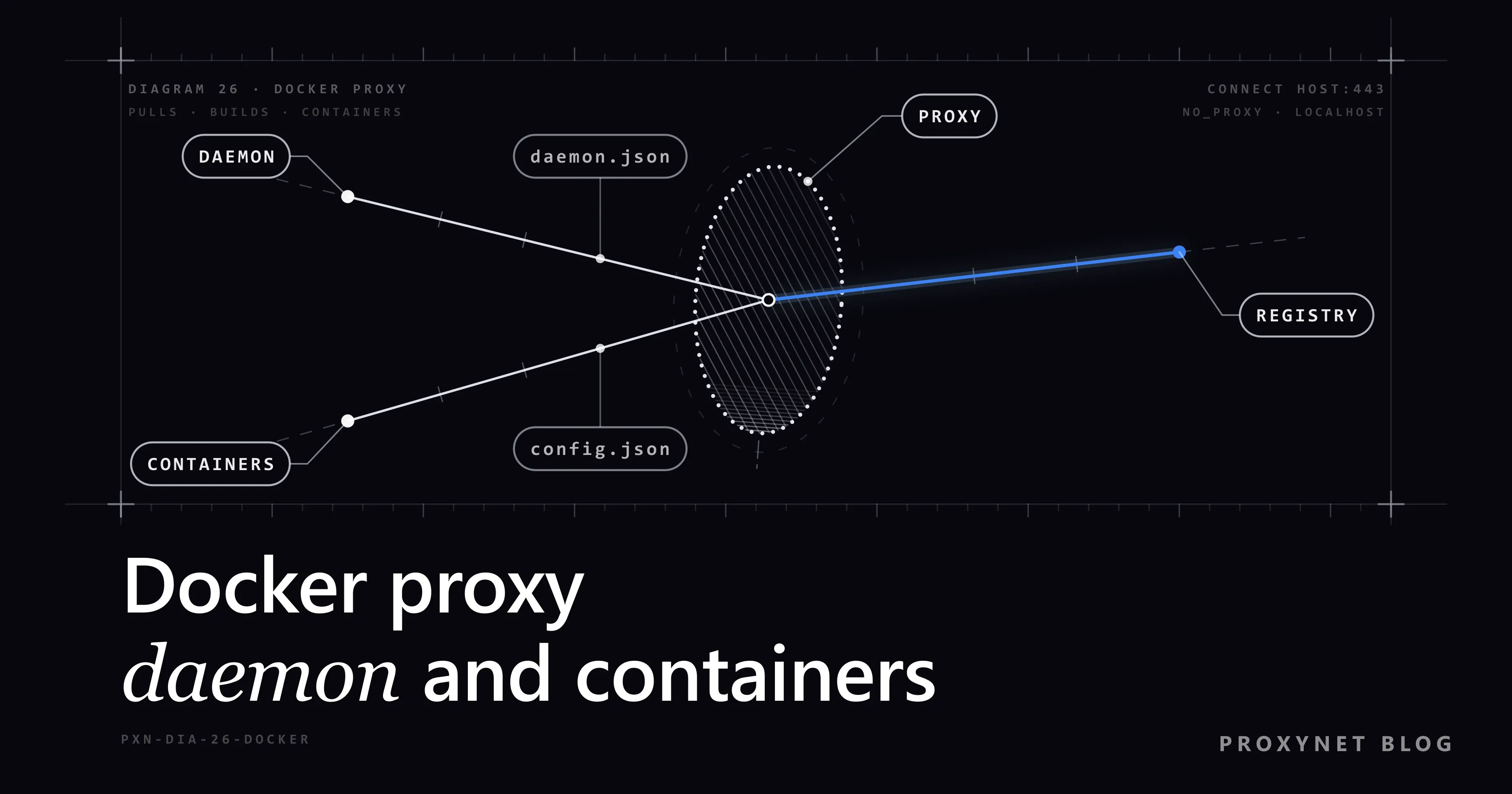
Because three different programs open network connections, and each reads its settings from a different place. The docker command is only a client: it hands your request to the Docker daemon (dockerd), a background service that pulls and pushes images. Builds run in a temporary build container, and your application runs in its own container with its own network stack.
| Who connects | Typical traffic | Where its proxy is set |
|---|---|---|
| Docker daemon | docker pull, docker push | daemon.json or systemd |
| Build steps | RUN apt-get, RUN npm ci | config.json or --build-arg |
| Containers | Your application's requests | config.json or --env |
| Docker Desktop | All of the above | Settings, Resources, Proxies |
The daemon is started by systemd at boot, not from your shell, so variables you export in a terminal never reach it; the shell, tool and service layers are explained in Linux proxy settings. Containers are separated again: the Docker Engine API reference notes that containers "do not automatically inherit" the daemon's proxy.
How does a docker pull go through a proxy?
The daemon, not the client, makes every registry connection:
- You run
docker pull. The client passes the request to the daemon over its local socket. - The daemon checks
NO_PROXY. If the registry host matches an entry, it connects directly. - The daemon connects to the proxy and sends
CONNECT registry-1.docker.io:443, with aProxy-Authorizationheader if the proxy URL holds a username and password. - The proxy opens the tunnel, and the daemon runs TLS to the registry inside it. The proxy sees the host name, not the image contents.
- The daemon downloads the manifest and the layers through that route.
How do you set the proxy for the Docker daemon?
Add a proxies object to /etc/docker/daemon.json and restart the daemon. The Docker daemon proxy guide recommends this method, which needs Docker Engine 23.0 or later:
{
  "proxies": {
    "http-proxy": "http://user:pass@pr.proxynet.io:8000",
    "https-proxy": "http://user:pass@pr.proxynet.io:8000",
    "no-proxy": "localhost,127.0.0.0/8,registry.internal.example"
  }
}sudo systemctl restart dockerIf daemon.json already holds other keys, add proxies beside them; invalid JSON stops the daemon from starting. https-proxy starts with http:// because the scheme describes the connection to the proxy, not to the registry: the daemon speaks plain HTTP to the proxy and carries TLS inside the CONNECT tunnel. Write https:// only if the proxy itself expects TLS on that port.
The same values exist as dockerd flags (--http-proxy, --https-proxy, --no-proxy). The configuration file and the flags take precedence over the HTTP_PROXY, HTTPS_PROXY and NO_PROXY environment variables, so an old drop-in will not override daemon.json. Docker Desktop is the exception: it ignores this key entirely.
How do you set the daemon proxy with a systemd drop-in?
Create a drop-in file for the docker service that sets the environment variables, then reload systemd. A drop-in is a small file in a .d folder that adds settings to a service without editing its main unit. This is the method for Engine versions before 23.0:
sudo mkdir -p /etc/systemd/system/docker.service.d
sudo nano /etc/systemd/system/docker.service.d/http-proxy.conf[Service]
Environment="HTTP_PROXY=http://pr.proxynet.io:8000"
Environment="HTTPS_PROXY=http://pr.proxynet.io:8000"
Environment="NO_PROXY=localhost,127.0.0.1,registry.internal.example"sudo systemctl daemon-reload
sudo systemctl restart docker
sudo systemctl show --property=Environment dockerThe last command prints what systemd passes to the daemon. One trap is specific to systemd: it reads % as the start of a specifier, so every % in the value must be doubled. A password percent-encoded as p%40ss in a URL becomes p%%40ss in the drop-in.
For rootless Docker, where the daemon runs as your own user, the folder is ~/.config/systemd/user/docker.service.d/, and the commands run without sudo and with --user, as in systemctl --user restart docker.
How do you give containers a proxy?
Add a proxies block to the client file ~/.docker/config.json. The Docker CLI then sets the proxy variables, in upper and lower case, in every new container:
{
  "proxies": {
    "default": {
      "httpProxy": "http://pr.proxynet.io:8000",
      "httpsProxy": "http://pr.proxynet.io:8000",
      "noProxy": "localhost,127.0.0.1,.internal.example"
    }
  }
}| Key | Sets in containers and builds |
|---|---|
httpProxy | HTTP_PROXY, http_proxy |
httpsProxy | HTTPS_PROXY, https_proxy |
noProxy | NO_PROXY, no_proxy |
allProxy | ALL_PROXY, all_proxy |
The Docker CLI proxy guide sets two limits. The file works as soon as you save it, but only for containers and builds created afterwards; a running container keeps its old environment until you recreate it. And the values reach containers only, not the CLI or the daemon. The default key covers every daemon the client talks to; to give one remote host other values, add a key named after its address, such as "tcp://docker-host2.example:2376".
For a single container, pass the variables yourself:
docker run --rm -e HTTPS_PROXY=http://pr.proxynet.io:8000 -e NO_PROXY=localhost \
  curlimages/curl -sI https://example.com
Programs decide for themselves whether to read these variables: curl, wget, pip and most Go and Python HTTP clients do. Node.js's built-in fetch ignores them by default, and npm reads HTTPS_PROXY with rules of its own, covered in npm proxy settings.
How do you use a proxy during docker build?
Use build arguments, not ENV. When config.json has a proxies block, docker build fills in the matching build arguments by itself. Without it, pass them on the command line:
docker build \
  --build-arg HTTPS_PROXY=http://pr.proxynet.io:8000 \
  --build-arg HTTP_PROXY=http://pr.proxynet.io:8000 \
  --build-arg NO_PROXY=localhost,.internal.example \
-t myapp .HTTP_PROXY, HTTPS_PROXY, FTP_PROXY, NO_PROXY and ALL_PROXY, in both cases, are predefined build arguments, so the Dockerfile needs no ARG line for them. Docker leaves them out of docker history and out of the build cache key: a password does not end up in the image metadata, and a new proxy address does not force a full rebuild. Adding ARG HTTP_PROXY to the Dockerfile yourself removes that protection.
An ENV HTTPS_PROXY=… line is the mistake to avoid. ENV writes the value into the image, so every container started from it tries to use your proxy on any network, and anyone who pulls the image can read the address and the password.
Build steps that clone Git repositories over HTTPS read the same variables; Git's own options, including the separate route for SSH remotes, are in Git proxy settings.
A BuildKit builder created with docker buildx create --driver docker-container runs in a container of its own. Its --driver-opt env.<key>=<value> option sets environment variables inside that builder, which is where HTTPS_PROXY goes when the builder itself needs a proxy.
How do you set the proxy in Docker Compose?
Name the variables in the service definition. Compose sets a container's environment only from what the file lists, so add them under environment and, for builds, under build.args:
services:
  api:
    build:
      context: .
      args:
        HTTPS_PROXY: ${HTTPS_PROXY}
        NO_PROXY: ${NO_PROXY}
    environment:
      - HTTPS_PROXY
      - NO_PROXY=localhost,db,cache
${HTTPS_PROXY} is filled in from your shell or the project's .env file, and a bare - HTTPS_PROXY passes the shell's value into the container, so no password sits in the Compose file. db and cache in NO_PROXY are the other services on the same Compose network; without them, the application would send its database and cache calls to the outside proxy.
How do you configure the proxy in Docker Desktop?
Open Settings, then Resources, then Proxies. Desktop separates two proxies:
- Docker Desktop proxy carries host-level traffic: signing in, the Desktop application, the CLI and extensions. Modes: System proxy (the proxy or PAC file set in your operating system), No proxy, or Manual configuration with HTTP and HTTPS URLs and a bypass list.
- Containers proxy carries every
docker pulland Compose pull. Modes: Same as host proxy, System proxy, No proxy or Manual configuration. When it is not set, pulls fall back to the Docker Desktop proxy.
For Basic authentication, Desktop asks for the username and password and keeps them in the operating system's credential store, not in a URL. Desktop accepts HTTP, HTTPS and SOCKS5 proxies, but Docker's settings reference lists SOCKS5, like Kerberos and NTLM authentication, as a Business subscription feature.
How should NO_PROXY be written for Docker?
As a comma-separated list without spaces. Docker's daemon documentation gives these matching rules:
| Entry | Matches |
|---|---|
example.com | The domain and all subdomains |
.example.com | Subdomains only |
1.2.3.4 | That IP address prefix |
host.example.com:5000 | That host on that port |
* | Everything: no proxy at all |
The daemon also accepts CIDR ranges such as 127.0.0.0/8. Inside containers, each program applies its own rules, and Docker's CLI documentation admits there is no standard for these variables: some clients do not understand CIDR ranges, and some treat a dot in front of a domain differently. When an internal host must stay off the proxy everywhere, list its exact name as well as its domain.
Almost every container list needs localhost, 127.0.0.1 and the names of the other containers the application calls. A missing service name is the usual reason why containers reach the internet but not each other once a proxy is added.
How do you put a username and password in the proxy URL safely?
Write them before the host as user:password@, percent-encode special characters, and keep the URL out of places that get copied. Percent-encoding replaces a character with % and its hexadecimal code, as defined in RFC 3986: @ becomes %40, : becomes %3A, # becomes %23 and % itself %25. In a systemd drop-in each % is then doubled; in the JSON files it is not.
Where the URL ends up matters more than its spelling. Docker warns that proxy variables are stored as plain text in a container's configuration: docker inspect shows them, and docker commit can carry them into a new image. Both JSON files are plain text too. Only the daemon's own values are masked: the Engine API hides the user and password, so docker info prints the proxy as http://xxxxx:xxxxx@….
The cleanest option is no credentials in the URL at all. Proxynet's IP whitelist accepts up to 10 source addresses; add the Docker host's public IP, and every setting above becomes a plain http://pr.proxynet.io:8000. For build steps that need some other secret, Docker's build secrets (RUN --mount=type=secret) are the tool, not build arguments.
Why can't a container reach a proxy on 127.0.0.1?
Because inside a container, 127.0.0.1 is the container itself. If the proxy runs on the Docker host, for example a local forwarding proxy on port 3128, the container must address the host by another name.
On Docker Desktop, host.docker.internal resolves to the host, so the setting becomes http://host.docker.internal:3128. On Linux, add that name yourself with --add-host host.docker.internal=host-gateway (or extra_hosts in Compose); host-gateway is a special value for the host's internal address. The proxy must then listen on that interface, not only on 127.0.0.1. The daemon runs on the host, so 127.0.0.1 in daemon.json really is the host.
How do you check which proxy Docker uses?
Check each layer separately:
# daemon: prints HTTP Proxy, HTTPS Proxy and No Proxy lines when set
docker info | grep -i proxy

# containers: the variables a new container receives
docker run --rm alpine sh -c 'env | grep -i _proxy'

# builds: the variables a build step sees
printf 'FROM alpine\nRUN env | grep -i _proxy\n' | docker build --no-cache --progress=plain -
If docker info shows no proxy lines, check daemon.json, the drop-in and the restart. If the container shows no variables, config.json has no proxies block or the container is older than the change. Finally, send one real request from a container and look for it in your proxy's log or usage figures.
Common Docker proxy errors and fixes
Exact wording varies with the Docker version and the program inside the container.
Client.Timeout exceeded while awaiting headersondocker pull. The daemon tries the registry directly on a network that only allows proxied traffic. Configure the daemon, not your shell, and restart it; on Desktop, use the Proxies screen.proxyconnect tcp: … connect: connection refused. Nothing listens at the proxy address. Check the port, and inside containers check that127.0.0.1does not point at a proxy on the host.407 Proxy Authentication Required. The login is missing or wrong. Check the username, the percent-encoding, the doubled%in a drop-in, and whether the host's current IP is on the whitelist.x509: certificate signed by unknown authority. A company proxy inspects HTTPS and re-signs it with its own root certificate. Add that certificate to the host's trust store and restart Docker; images need it in their own trust store. Do not switch certificate checks off.- Containers reach the internet but not each other. Service names are missing from
NO_PROXY. - The build works on a laptop but not in CI. The runner has no
config.jsonproxies block; pass--build-argvalues in the job.
Where do commercial proxies fit with Docker?
Mostly where a fixed exit address is needed. Many APIs and private registries accept only allowlisted IPs, while cloud runners change addresses all the time. A proxy with one dedicated IP gives the other side a single address to allow.
A Datacenter Proxy keeps the same dedicated IP for as long as you hold it, which suits build servers and backend services.
A ISP Proxy does the same with an address registered to an internet provider. Both are sold per IP with a target-site restriction by default, so check that the hosts your containers call are covered, or add the "Access to all websites" option. Behind a corporate proxy, use the address your IT team gives you instead.
Decision guide
| Need | Setting |
|---|---|
docker pull on Linux | daemon.json proxies, restart |
| Engine older than 23.0 | systemd drop-in |
| Every new container | config.json proxies.default |
| One container | docker run -e HTTPS_PROXY=… |
| One build | --build-arg HTTPS_PROXY=… |
| Compose services | environment and build.args |
| Mac or Windows | Desktop: Resources, Proxies |
| Proxy on the Docker host | host.docker.internal |
| No password in files | IP whitelist |
| Allowlisted target API | Proxy with a dedicated IP |
Frequently asked questions
How do I configure a proxy for Docker?
Set it in two places: a proxies object in /etc/docker/daemon.json (then restart Docker) for image pulls, and a proxies.default block in ~/.docker/config.json for builds and containers. On Docker Desktop, use Settings, Resources, Proxies instead of daemon.json.
Where is the Docker proxy configuration stored?
The daemon's proxy is in /etc/docker/daemon.json or a systemd drop-in such as /etc/systemd/system/docker.service.d/http-proxy.conf. The proxy for containers and builds is in ~/.docker/config.json. Docker Desktop keeps its proxy in its own settings.
Do Docker containers use the host's proxy settings?
No. Containers inherit neither the daemon's proxy nor your shell's variables. They get proxy variables only from ~/.docker/config.json, from -e flags on docker run, or from the environment section of a Compose file.
How do I use a proxy with docker build?
Pass the predefined build arguments, for example docker build --build-arg HTTPS_PROXY=http://host:port ., or set the proxies block in ~/.docker/config.json, which fills them in on every build. Do not use ENV, which stores the proxy in the image.
How do I remove the proxy from Docker?
Delete the proxies object from daemon.json or the drop-in file, run sudo systemctl daemon-reload and restart Docker. Remove the proxies block from ~/.docker/config.json and recreate the containers, which keep their old variables until then.
Can Docker use a SOCKS5 proxy?
Docker Desktop supports SOCKS5 proxies as a Business subscription feature. In config.json, the allProxy key sets ALL_PROXY for containers, and Docker's reference shows a socks:// value there; whether a program uses it depends on the program. For the daemon, an HTTP proxy is the documented route.
Summary
Docker reads its proxy in two places: the daemon's settings in daemon.json or a systemd drop-in for pulls and pushes, and ~/.docker/config.json for builds and containers. Docker Desktop replaces both with its Proxies screen. Use build arguments rather than ENV, list internal hosts and service names in NO_PROXY, use host.docker.internal for a proxy on the host, and check each layer with docker info and an env test container. Proxy endpoints that work with all of these settings are listed on the Proxynet proxy page.