

































A small server at home runs three services: a photo gallery on port 2342, a wiki on 8080 and a dashboard on 3000. You want photos.example.com, wiki.example.com and home.example.com, each with a valid certificate, and you would rather fill in a form than learn nginx configuration blocks. That is the job Nginx Proxy Manager was built for, and why it appears in almost every self-hosting guide.
This guide explains what Nginx Proxy Manager (often shortened to NPM, not to be confused with the Node.js package manager) is, installs it with Docker Compose, and walks through the first login, a proxy host, certificates, access lists and the security steps most tutorials skip. Versions and labels come from the project's documentation, release notes and interface files as read on 23 November 2026, when the current release was 2.17.1.
What is Nginx Proxy Manager?
Nginx Proxy Manager is a reverse proxy with a graphical admin panel. A reverse proxy receives every request for your domains and passes each one to the service that should answer it; our guide What Is a Reverse Proxy? covers the idea itself. NPM packs nginx (in the OpenResty build), Certbot for Let's Encrypt certificates, a small database and a web interface into one container.
From the admin panel you can:
- forward domains to services as proxy hosts, and add redirection hosts, streams and 404 hosts
- request free Let's Encrypt certificates or upload your own
- protect hosts with access lists and basic HTTP authentication
- add custom nginx lines where the form falls short
- manage users and permissions and read an audit log
Despite the name, it does not manage forward proxies, the kind your browser or a script sends outgoing requests through, and it cannot import a proxy list. It only handles the incoming side.
How does Nginx Proxy Manager work?
NPM turns each form you save into an nginx configuration file and reloads nginx, so the web panel never sits in the path of real traffic. One request travels like this:
- A visitor opens
wiki.example.com. DNS points the name at your server's public IP, and the request reaches port 80 or 443 of the NPM container. - nginx picks the proxy host whose domain name matches.
- If the host has a certificate, nginx ends TLS with it; with Force SSL on, plain HTTP visitors are redirected to HTTPS first.
- An attached access list is checked: an IP rule, a username and password, or both.
- nginx forwards the request to the Forward Hostname / IP and Forward Port you entered and returns the answer.
The panel listens on port 81 and keeps everything in /data: a SQLite database by default, the generated nginx files and logs. Certificates live in /etc/letsencrypt. Both folders are mapped to the host, which keeps updates and backups simple.
What do you need before installing?
You need a Linux machine with Docker Engine and the Docker Compose plugin, a domain name, and ports 80 and 443 free. The image is built for amd64 and arm64, so a cloud server, a mini PC and a 64-bit Raspberry Pi all work; armv7 devices stay on version 2.13.7, the last build for that platform.
Check four things first:
- DNS: an A record (and AAAA for IPv6) for each name points at the server's public IP.
- Ports: nothing else listens on 80 or 443; an nginx or Apache already on the host must stop or move.
- Router: at home, ports 80 and 443 are forwarded to the server. Port 81 is not.
- Outbound access: Docker can pull images. If the server reaches the internet only through a corporate proxy, set the daemon proxy from our guide on Docker proxy settings first.
How do you install Nginx Proxy Manager with Docker Compose?
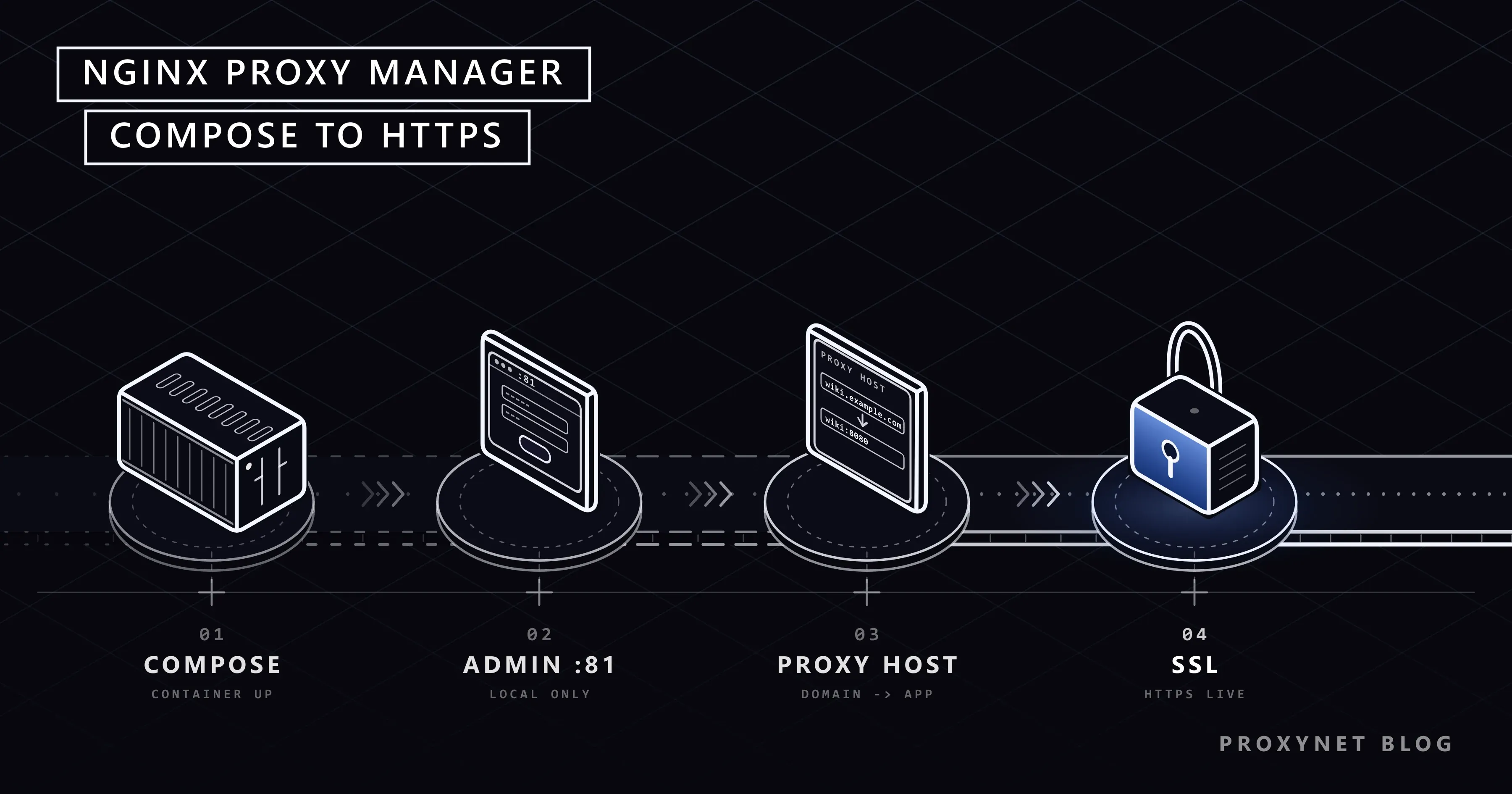
Create a folder, put one docker-compose.yml in it and start the stack. The file below follows the official setup page with two changes: the admin port is published on the loopback address only, and NPM joins a shared network called proxy that your other containers will use.
mkdir -p ~/npm && cd ~/npm
docker network create proxyservices:
npm:
image: jc21/nginx-proxy-manager:2.17.1
restart: unless-stopped
ports:
- "80:80" # HTTP, also used for Let's Encrypt validation
- "443:443" # HTTPS
- "127.0.0.1:81:81" # admin panel, reachable from this machine only
environment:
TZ: "Etc/UTC"
volumes:
- ./data:/data
- ./letsencrypt:/etc/letsencrypt
networks:
- proxy
networks:
proxy:
external: truedocker compose up -d
docker compose logs -f npm # wait until startup messages stop, then Ctrl+CThe first start takes a minute or two. Pinning the tag (2.17.1, not latest) means updates happen only when you change the file. SQLite is enough for a home server; the setup page also shows MariaDB and PostgreSQL variants.
Because the panel is bound to 127.0.0.1, reach it through an SSH tunnel from your own computer:
ssh -L 8181:127.0.0.1:81 user@203.0.113.10
# then open http://127.0.0.1:8181 in your browser
On a server inside your home network you can bind the panel to its LAN address instead ("192.168.1.20:81:81"), so only local devices reach it.
How do you log in for the first time?
On current versions the first visit shows a "Welcome!" screen that asks you to create the admin account with your own email address and password. This setup wizard arrived in version 2.13.0, whose release notes say there is no more default initial user. Setting INITIAL_ADMIN_EMAIL and INITIAL_ADMIN_PASSWORD in the compose file creates the user at the first start instead.
Older guides show a fixed login, admin@example.com with the password changeme, followed by a forced change. That applies only to versions before 2.13.0; if an upgraded installation still has those details, change them at once.
Then turn on Two-Factor Auth for your user. NPM has supported one-time codes from an authenticator app since version 2.13.6, and the panel controls every route on the server.
How do you add a proxy host?
Go to Hosts, then Proxy Hosts, and choose Add Proxy Host. The Details part needs four entries:
| Field | What to enter | Example |
|---|---|---|
| Domain Names | The public name(s) | wiki.example.com |
| Scheme | How NPM talks to the service | http |
| Forward Hostname / IP | Container name or LAN address | wiki |
| Forward Port | The service's own port | 8080 |
The Forward Hostname is where most first setups go wrong. Inside the NPM container, 127.0.0.1 and localhost mean NPM itself, so a host pointing there returns 502 Bad Gateway. For a container on the same proxy network, enter its service name and internal port; for a service on the host or another machine, enter that machine's LAN address.
The shared network is the project's own recommendation in its advanced configuration guide, because the services then need no published ports. A service's compose file only joins the network:
services:
  wiki:
    image: example/wiki:1.0   # placeholder for your service's image
    restart: unless-stopped
    networks:
      - proxy

networks:
  proxy:
    external: true
Three switches sit below the address fields: Websockets Support for chat, live dashboards and terminal tools, Block Common Exploits for a set of request filters, and Cache Assets for static files. Custom Locations sends one path, such as /api, to a different service, and the Advanced part takes raw nginx lines. To see what those generated lines do, our Nginx reverse proxy guide explains proxy_pass and the forwarded headers by hand.
How do you add an SSL certificate?
Open the SSL part of the proxy host, choose Request a new Certificate under SSL Certificate and save; NPM obtains a Let's Encrypt certificate and installs it. Then turn on Force SSL and HTTP/2 Support. HSTS Enabled tells browsers to use only HTTPS for the domain from then on, so switch it on only when the site will stay on HTTPS.
Let's Encrypt checks domain control with its HTTP-01 challenge by default, which can only be done on port 80 and cannot issue wildcard certificates. That is why port 80 must reach NPM even when every site uses HTTPS. NPM can test reachability before requesting and tells you whether the name does not resolve or points at a different server.
For a wildcard such as *.example.com, or a server that cannot open port 80, turn on Use DNS Challenge and pick your DNS provider. NPM needs an API token for your DNS account and warns that it stores it as plain text, so create a token limited to one zone. Certificates bought elsewhere can be uploaded as a Custom Certificate, as long as the key has no passphrase.
Renewal is automatic: NPM checks every hour for Let's Encrypt certificates that expire within 30 days and renews them, provided port 80 or the DNS token still works.
How do access lists work?
An access list limits who can open a proxy host, by IP address, by username and password, or both. Create one under Access Lists, then select it in the proxy host's Access List field.
Authorization holds usernames and passwords that visitors type into the browser's login prompt (basic HTTP authentication). Access holds Allow and Deny rules for addresses or ranges such as 192.168.1.0/24, applied in order, with a final deny-all rule once at least one rule exists. Satisfy Any lets in a visitor who passes either part; otherwise they must pass both.
Basic authentication sends the password with every request, so use it only with a certificate and Force SSL. If the service has its own login, the project's FAQ warns that the two can clash because both use the Authorization header; remove one.
What are redirection hosts, streams and 404 hosts?
They are the other host types in the Hosts menu:
- Redirection Host: sends a whole domain to another with the HTTP code you choose, such as 301 from an old name to a new one.
- Stream: forwards raw TCP or UDP traffic from an incoming port to another host, for services that are not HTTP. Publish that port in the compose file too.
- 404 Host: answers a domain you own but do not use with "not found".
Under Settings, Default Site decides what a request for an unknown host name gets: the congratulations page, a 404 page, no response (444), a redirect or your own HTML. Choosing 404 or 444 keeps the welcome page away from strangers who type in your IP address.
How do you keep Nginx Proxy Manager secure?
Keep the panel off the internet, protect the account and update:
- Do not publish port 81 to the world. Docker's documentation calls publishing container ports insecure by default: without a host address the port opens on every interface. Bind it to
127.0.0.1or a LAN address as above. - Do not rely on the host firewall alone. Docker's documentation also warns that published ports bypass ufw rules, so the binding is the reliable control.
- Never forward port 81 on the router, and do not publish the panel as a proxy host without an access list limited to your own addresses.
- Use a strong admin password and two-factor authentication, and give other people separate users with limited permissions.
- Update regularly. Releases 2.15.0 to 2.17.1 fixed several security problems, among them a privilege escalation through the user API and a remote code execution risk.
- Back up
./dataand./letsencrypt. Together they hold the whole installation.
To update, change the tag in docker-compose.yml, then run docker compose pull and docker compose up -d. Read the release notes first: some versions add database migrations and ask for a backup of /data.
Nginx Proxy Manager vs plain Nginx: which should you choose?
Choose Nginx Proxy Manager for a handful of services with certificates and no hand-written configuration; choose plain nginx when configuration must be reviewed, versioned and repeated. Both run the same nginx underneath:
| Criterion | Nginx Proxy Manager | Plain nginx |
|---|---|---|
| Setup | Web form | Config files |
| Certificates | Built in, auto-renewed | Separate tool |
| Version control | Database, not text | Text files in Git |
| Unusual setups | Advanced field | Full control |
| Runs as | Docker only | Any package |
Plain nginx suits automated production systems, complex routing, caching and rate-limiting rules, servers without Docker, and teams that review every change in Git, because NPM keeps its state in a database rather than in files. Traefik and Caddy are the other common options: Traefik reads routes from container labels, and Caddy obtains certificates automatically from a short text file.
Where proxies fit
Nginx Proxy Manager handles traffic coming in to your server; the proxies a provider sells handle traffic going out from your client. They meet when a service behind NPM must call an outside system that accepts only registered IP addresses, or check how a website answers in another country.
That outgoing connection is set in the service's own HTTP client or its HTTPS_PROXY variable, never in NPM. A Datacenter Proxy gives the service a dedicated IPv4 address a partner can allow-list; per-IP products have a target-site restriction by default, so confirm the partner's host is reachable.
For checks that depend on the visitor's country, a Residential Proxy offers country and city targeting. Both accept a username and password or an allow-list of up to 10 of your server's IP addresses; with the allow-list, no password sits in the service's configuration.
Common Nginx Proxy Manager errors
Most problems come from DNS, ports or the Forward Hostname:
- "Internal Error" when requesting a certificate: Let's Encrypt could not reach the domain on port 80. Check the DNS record, router forwarding and firewall, and run the reachability test.
- 502 Bad Gateway: the Forward Hostname is
127.0.0.1, the port or scheme is wrong, or the service is not on theproxynetwork. The Logs viewer (since 2.16.0) shows the host's error log. - The container will not start, port already allocated: another web server holds port 80 or 443.
- Too many redirects: the service redirects to HTTPS while NPM talks to it over HTTP, or NPM runs behind another proxy such as a CDN; for the latter, turn on Trust Upstream Forwarded Proto Headers in the proxy host.
- Login loop after adding an access list: the list and the service both use the
Authorizationheader. - "Address family not supported by protocol" in the log: the host has no IPv6; set
DISABLE_IPV6: 'true'. - Live pages drop or never update: Websockets Support is off.
Decision guide
| Need | Recommendation |
|---|---|
| A few self-hosted apps on subdomains | Nginx Proxy Manager |
| Wildcard certificate | Use DNS Challenge, scoped token |
| Admin panel access | Loopback or LAN binding, SSH tunnel |
| Services in containers | Shared Docker network, service names |
| Restrict a host to your network | Access list with Allow rules |
| Non-HTTP service | Stream |
| Config in Git, complex rules | Plain nginx |
| Outgoing requests from a fixed IP | Forward proxy in the app |
Frequently asked questions
What is the default login for Nginx Proxy Manager?
On version 2.13.0 and later there is none: the first visit to port 81 asks you to create the admin account. Older versions created admin@example.com with the password changeme and required a change at the first login. INITIAL_ADMIN_EMAIL and INITIAL_ADMIN_PASSWORD can preset the account.
What port does Nginx Proxy Manager use?
Port 81 for the admin panel, and 80 and 443 for the sites it serves. The NPM_ADMIN_PORT variable moves the panel to another port; publish that port in the compose file and keep it off the internet too.
Can I install Nginx Proxy Manager without Docker?
Not officially. The project's FAQ says it is packaged only as a Docker image, so the maintainers control the nginx version it depends on. Any machine or virtual machine that runs Docker works, including many NAS devices and a Proxmox virtual machine.
Does Nginx Proxy Manager renew SSL certificates automatically?
Yes. It checks every hour and renews Let's Encrypt certificates that expire within 30 days. Renewal fails if port 80 is closed or the DNS token was removed.
Can Nginx Proxy Manager issue a wildcard certificate?
Yes, with Use DNS Challenge. HTTP validation cannot issue wildcards, so you pick your DNS provider and give NPM an API token that can create the validation record.
Does Nginx Proxy Manager run on a Raspberry Pi?
Yes, on a 64-bit system, because the image is built for arm64. Builds for 32-bit armv7 stopped after version 2.13.7, so an older Pi stays on that version.
Summary
Nginx Proxy Manager is nginx with a web panel and built-in Let's Encrypt support, shipped as one Docker image. Install it with Docker Compose, publish ports 80 and 443, keep port 81 on the loopback or LAN address, create the admin account on the first visit and turn on two-factor authentication. Add each service as a proxy host on a shared Docker network, request a certificate with Force SSL and protect private hosts with access lists. If a service behind it needs its outgoing requests to leave from a fixed address, see our proxy products.