You open a project on a new work laptop, run npm install, and nothing happens for twenty seconds. Then npm error code ETIMEDOUT appears, followed by a hint that you might be behind a proxy. The registry opens fine in the browser on the same machine, because the browser uses the company proxy that Windows or macOS hands it. npm does not read those system settings. It needs its own.
This guide covers the three ways to give npm a proxy (npm config, .npmrc files and environment variables), the order npm reads them in, passwords with special characters, checking and removing the settings, keeping internal hosts off the proxy, and the common errors. Every command was run on Windows 11 with Node.js 24.22.2 and npm 11.19.1, against a local proxy that logged each request and asked for a password, using a throwaway config file.
When does npm need a proxy?
npm needs a proxy whenever the machine cannot reach the registry directly, or must reach it from one known address. The registry is the server that hosts the packages; for most projects that is https://registry.npmjs.org, but a company may run its own.
Two situations cover almost every case. A corporate network lets traffic out only through a proxy, so a direct connection to the registry times out. Or a private registry accepts requests only from allowlisted IP addresses, and your laptop or CI runner has no fixed one. Either way, npm must be told where the proxy is, because it does not borrow the operating system's proxy settings the way a browser does.
How does npm send a request through a proxy?
npm talks to the proxy first and asks it to open a tunnel to the registry. The steps below are what our logging proxy recorded during npm view semver version:
- npm picks a proxy address. It uses
https-proxyif set, otherwiseproxy. Only when both are empty does it look at theHTTPS_PROXYenvironment variable. - npm checks the exclusion list. If the registry host matches an entry in
noproxy(orNO_PROXY), the proxy is skipped and npm connects directly. - npm opens a TCP connection to the proxy and sends
CONNECT registry.npmjs.org:443. If the proxy address contains a username and password, npm sends them in aProxy-Authorizationheader with this very first request. Our log showed no extra round trip:CONNECT registry.npmjs.org:443 auth user=user (ok). - The proxy answers
200 Connection Establishedand from then on only relays bytes. The TLS handshake runs between npm and the registry inside the tunnel, so the proxy sees the host name and port, not the packages. - npm downloads the metadata and tarballs and stores them in its local cache, which matters later when you debug.
How do you set the npm proxy?
Two npm config set commands configure it for your user account:
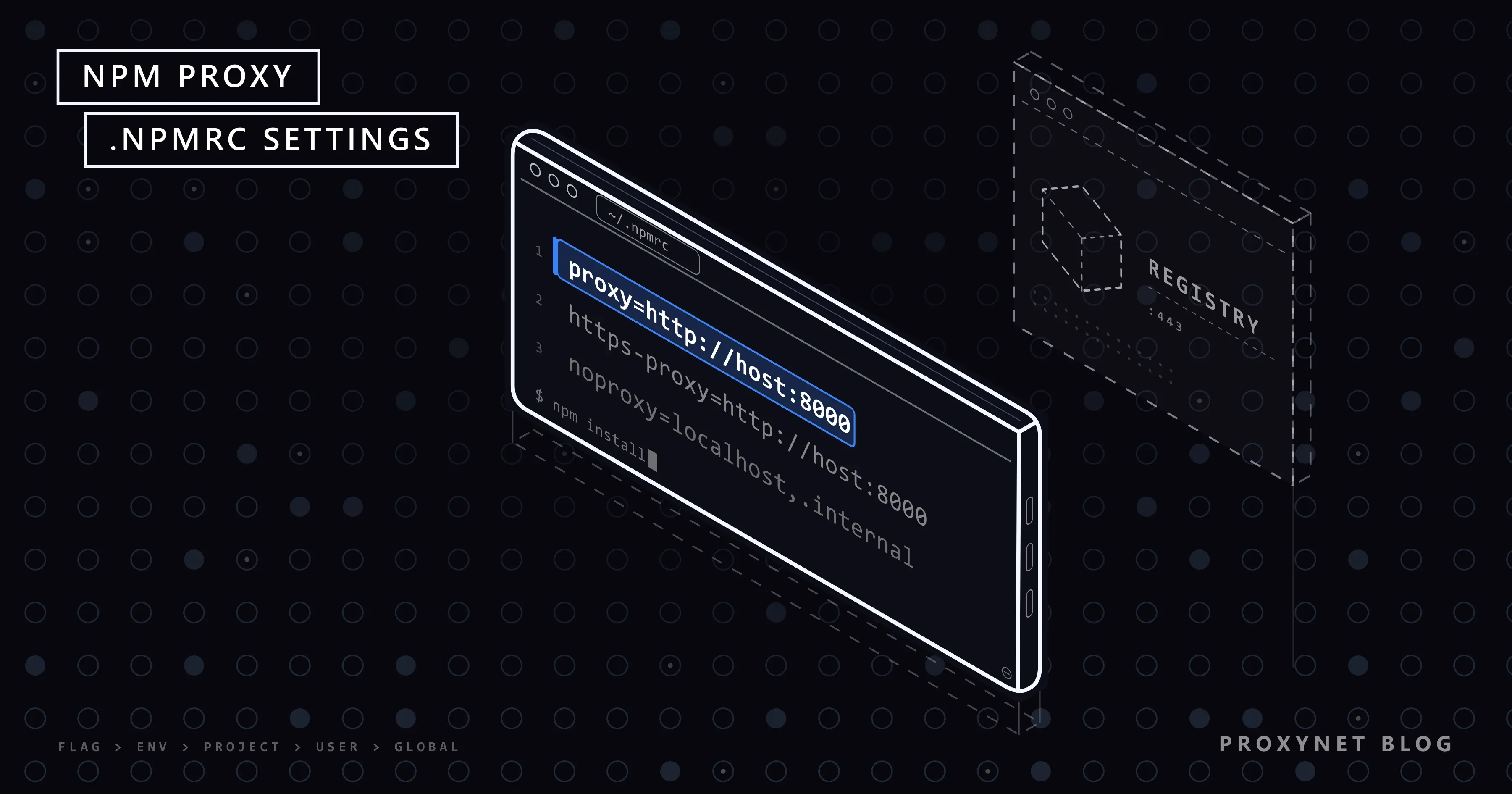
npm config set proxy http://user:pass@pr.proxynet.io:8000
npm config set https-proxy http://user:pass@pr.proxynet.io:8000
npm writes them into the per-user .npmrc file (~/.npmrc on macOS and Linux, C:\Users\<name>\.npmrc on Windows). On our test machine the file afterwards held exactly these lines:
proxy=http://user:pass@pr.proxynet.io:8000
https-proxy=http://user:pass@pr.proxynet.io:8000
Notice that https-proxy also starts with http://. The scheme describes the connection to the proxy, not to the registry: the proxy takes plain HTTP from npm and carries the HTTPS traffic inside the CONNECT tunnel. Write https:// only if the proxy itself expects TLS on that port.
Set both keys. In our test proxy alone was enough for the HTTPS registry, because npm falls back to it when https-proxy is empty, but not every tool that reads npm's settings applies the same fallback. npm rejects unknown keys, so a typo such as npm config set proxi … stops with npm error `proxi` is not a valid npm option.
If the machine has a fixed IP, Proxynet's IP whitelist lets you leave the credentials out of the URL entirely: http://pr.proxynet.io:8000 is then the whole setting.
Which settings does npm read, and in what order?
npm merges settings from several sources, and the most specific one wins. The npm config documentation lists the priority as command-line flags first, then environment variables that start with npm_config_, then the .npmrc files, then the built-in defaults.
| Source | Example | Scope |
|---|---|---|
| Command-line flag | --https-proxy http://… | One command |
npm_config_* variable | npm_config_https_proxy | Current shell |
Project .npmrc | <project>/.npmrc | That project |
User .npmrc | ~/.npmrc | Your account |
Global npmrc | $PREFIX/etc/npmrc | Every user of that Node.js |
Built-in npmrc | inside npm's install folder | That npm copy |
We checked the order with a throwaway file: npm_config_proxy=http://env.example:3128 overrode the user file, and --proxy http://cli.example:3128 overrode both. Environment variable names are not case-sensitive, and dashes become underscores, so the key https-proxy is npm_config_https_proxy.
The --location option of npm config set chooses the file: user is the default, project writes the .npmrc next to your package.json, and global writes the file under npm's prefix. A project .npmrc is handy when only one repository needs the proxy, but it is usually committed to version control, so keep passwords out of it. The .npmrc reference also documents ${VARIABLE_NAME} substitution: a line such as https-proxy=${NPM_PROXY_URL} reads the full proxy URL from an environment variable when npm starts, which keeps the secret out of the file. We tested it; with the variable unset, npm left the literal text ${NPM_PROXY_URL} in place.
Do HTTP_PROXY and HTTPS_PROXY work with npm?
HTTPS_PROXY works; HTTP_PROXY on its own did not route registry traffic in our test. With HTTPS_PROXY set and no proxy in any .npmrc, every registry request went through our proxy. With only HTTP_PROXY set, npm view connected directly and the proxy log stayed empty, even though npm's own description of https-proxy mentions HTTP_PROXY as a fallback. The code in npm 11.19.1 reads only HTTPS_PROXY for https:// addresses, and the public registry is HTTPS.
The safe pattern for a shell, a container or a CI job is to set both, plus the exclusions:
export HTTPS_PROXY="http://user:pass@pr.proxynet.io:8000"
export HTTP_PROXY="$HTTPS_PROXY"
export NO_PROXY="localhost,127.0.0.1,.internal.example"
On Windows PowerShell the same lines are $env:HTTPS_PROXY = "http://user:pass@pr.proxynet.io:8000" and so on. One trap: npm config get https-proxy prints null even while HTTPS_PROXY is set, because npm applies the variable only at the moment it sends a request. Do not read that null as "no proxy".
How do you put a username and password in the proxy URL?
Write them before the host as user:password@, and percent-encode every character that has a meaning in a URL. Percent-encoding replaces a character with % and its hexadecimal code. The characters that break a proxy URL are the delimiters listed in RFC 3986, section 2.2: :, /, ?, #, [, ] and @. A space and % itself need encoding too.
| Character | Encoded |
|---|---|
@ | %40 |
: | %3A |
# | %23 |
/ | %2F |
% | %25 |
| space | %20 |
Our test proxy accepted the password p@ss:w#rd. Written raw, as http://user:p@ss:w#rd@127.0.0.1:18080, npm did not even reach the proxy: Node.js warned that the URL was invalid, and npm stopped with getaddrinfo ENOTFOUND ss. It had taken the text after the first @ as the host name. Encoded as http://user:p%40ss%3Aw%23rd@127.0.0.1:18080, the same command returned the package version, and the proxy logged a correct login. If a DNS error names a host you never typed, look at the password first.
How do you check and remove npm proxy settings?
npm config list shows every setting that differs from the default and the file it came from. In our run the output started with a line naming the source, ; "user" config from …\test.npmrc, followed by proxy = "http://user:***@pr.proxynet.io:8000". npm masks the password in this view, which makes the output safe to paste into a support ticket.
npm config get proxy refuses to print a value that holds a password: The proxy option is protected, and cannot be retrieved in this way. Without credentials in the URL, it prints the address as stored; npm config edit opens the file itself.
To remove the proxy, delete both keys:
npm config delete proxy
npm config delete https-proxy
Each delete removes one line from one file; in our test the https-proxy line stayed until it was deleted separately. Add --location=project or --location=global for the other files, and check HTTPS_PROXY and npm_config_https_proxy in your shell, since a leftover variable keeps routing traffic after the file is clean. To skip the proxy for one command while keeping the file, pass the registry host as an exclusion: --noproxy registry.npmjs.org.
How do you keep some hosts off the proxy?
List them in noproxy, separated by commas. npm compares the host name segment by segment from the right, so .internal.example matches registry.internal.example and any other name under that domain.
npm config set noproxy "localhost,127.0.0.1,.internal.example"When we added the public registry host to noproxy (and in a second run to NO_PROXY), npm connected directly and the proxy logged nothing. The noproxy key defaults to the value of NO_PROXY, so keep one list, not two different ones.
Common npm proxy errors and fixes
These are the messages npm 11 printed in our tests, plus two that we did not reproduce:
npm error code E407with407 Proxy Authentication Required. The proxy wants a login and got none or a wrong one. A missing password and a wrong password produced the same text. Check the username, the encoding of special characters, and whether your IP is on the whitelist if you rely on one.getaddrinfo ENOTFOUNDfollowed by a strange host name. The proxy URL was parsed wrongly, almost always because of an unencoded@or#in the password. If the host named is the proxy itself, check the spelling and your DNS.connect ECONNREFUSED <proxy-ip>:<port>. Nothing listens on that port: a wrong port number, or the proxy is down.connect ETIMEDOUT <ip>:<port>. Packets go nowhere; our unreachable test address failed after about 22 seconds. With a proxy set, its address is wrong; with none set, the network probably lets traffic out only through a proxy.ECONNRESET. The connection was opened and then cut, typically by a proxy that closes long downloads or by an antivirus that inspects traffic.--loglevel verboseshows which request failed.UNABLE_TO_GET_ISSUER_CERT_LOCALLYorSELF_SIGNED_CERT_IN_CHAIN. A company proxy inspects HTTPS and re-signs it with its own root certificate, which Node.js does not trust. Put that root certificate in a file and point npm'scafilesetting or theNODE_EXTRA_CA_CERTSvariable at it; the difference between the two, and how to find the right certificate, is covered in unable to get local issuer certificate.
strict-ssl=false makes the last error disappear by switching off certificate checks for the registry. Use it at most for a minute of debugging, never as the fix: with it, anyone in the network path can hand npm a modified package.
One more trap cost us time. With a warm cache, npm view printed a version even though nothing listened on the proxy port; npm answered from its cache. Only with an empty cache did ECONNREFUSED appear. If a proxy change seems to work, test with a package you have never installed, or with --prefer-online and a fresh cache folder via --cache.
Do Yarn and pnpm use the same settings?
pnpm reads the same .npmrc keys, while Yarn 2 and later use their own file. The pnpm network settings describe https-proxy, http-proxy and noproxy, with npm's older proxy key as the fallback for both, and the HTTPS_PROXY, HTTP_PROXY and NO_PROXY variables after that. pnpm reads only auth, registry, TLS, proxy and local-address settings from .npmrc, so an existing npm proxy setup usually carries over unchanged.
Yarn 2 and later (Yarn Berry) keep their settings in .yarnrc.yml, with the keys httpProxy and httpsProxy, set for example with yarn config set httpsProxy http://user:pass@pr.proxynet.io:8000. Its certificate option is httpsCaFilePath, and enableStrictSsl defaults to true, according to the Yarn configuration reference.
Does the proxy reach install scripts and Node.js itself?
Only partly. npm passes its settings to package scripts as environment variables: in our test a script started with npm run saw npm_config_https_proxy and npm_config_noproxy. Whether a script uses them is up to its author, so a package that downloads a binary during installation can still fail behind a proxy. When that happens, the package's own documentation usually names the variable it reads.
Your own Node.js code is a separate matter. Node.js's built-in fetch ignores HTTPS_PROXY unless the process starts with NODE_USE_ENV_PROXY=1 or the --use-env-proxy flag, which current Node.js versions support; the options per library are in Node.js proxy setup.
Dependencies installed straight from a Git repository (a git+https:// address in package.json) are fetched by Git, not by npm's network code. Git has its own proxy settings, described in Git proxy settings.
When does a fixed proxy IP help?
A fixed exit IP helps when the registry, not your network, decides who may connect. Self-hosted registries and package mirrors are often protected by a firewall rule that allows a short list of source addresses. Build agents in the cloud get a new address on every run, so the rule never matches. Routing npm through a proxy with a dedicated, unchanging address gives the firewall one entry to allow.
A Datacenter Proxy keeps the same dedicated IP for as long as you hold it, which suits build servers.
A ISP Proxy does the same with an address registered to an internet provider. Both are sold per IP and come with a target-site restriction by default; check that your registry's host is covered, or add the "Access to all websites" option. Behind a corporate proxy, none of this applies: use the address your IT team gives you.
Decision guide
| Need | Setting |
|---|---|
| Every install on your machine | npm config set proxy and https-proxy |
| One project only | --location=project, no password in it |
| CI job or container | HTTPS_PROXY plus HTTP_PROXY and NO_PROXY |
| One command | --https-proxy flag |
| Internal registry direct | noproxy with its domain |
Password with @ or # | Percent-encode it |
| Password out of files | ${VAR} in .npmrc or IP whitelist |
| TLS-inspecting company proxy | cafile or NODE_EXTRA_CA_CERTS |
| Registry that allowlists IPs | Proxy with a dedicated IP |
Frequently asked questions
How do I set a proxy in npm?
Run npm config set proxy http://host:port and npm config set https-proxy http://host:port, adding user:pass@ before the host if the proxy needs a login. The settings go into your user .npmrc and apply to every npm command from then on.
How do I set an npm proxy with a username and password?
Put them in the URL as http://user:password@host:port and percent-encode special characters in both parts: @ becomes %40, : becomes %3A, # becomes %23. An unencoded @ makes npm read the rest of the password as the host name and fail with ENOTFOUND.
How do I remove the proxy from npm?
Run npm config delete proxy and npm config delete https-proxy, then check with npm config list. If traffic still goes through a proxy, look for HTTPS_PROXY or npm_config_https_proxy in your environment and for a project or global .npmrc.
Where is the npm proxy configuration stored?
In an .npmrc file: per user in your home folder by default, per project next to package.json, or globally under npm's prefix. npm config list prints the path of every file it read above the settings that came from it.
Does npm use the system proxy on Windows?
No. npm reads only its own settings and environment variables, not the proxy configured under Windows network settings or in Internet Options. Set the same address with npm config set or HTTPS_PROXY.
Can npm use a SOCKS5 proxy?
npm's network layer includes a SOCKS client and accepts addresses such as socks5://host:port in the proxy settings, as the source of npm 11 shows; we did not test it against a live SOCKS server. If it fails on your version, use the provider's HTTP endpoint, which is the route all the tests in this guide used.
Summary
Give npm a proxy with npm config set proxy and npm config set https-proxy, or with HTTPS_PROXY in shells and CI; HTTP_PROXY alone did not route registry traffic in our test. Settings on the command line beat npm_config_* variables, which beat the project, user and global .npmrc files. Encode special characters in the password, keep internal hosts in noproxy, check with npm config list, and remove both keys with npm config delete. Certificate errors behind a company proxy need the company's root certificate, not strict-ssl=false. Proxy endpoints that work with all of these settings are listed on the Proxynet proxy page.