On a new work laptop, git clone sits for twenty seconds and then gives up with Failed to connect to … :443. The browser on the same machine opens the repository page without trouble, because the browser knows about the company proxy and Git does not. The same thing happens on a build server that is only allowed out through one gateway, or when a self-hosted Git server accepts connections from a single allowlisted address.
This guide covers http.proxy and its scopes, per-host rules, the environment variables Git reads and which one wins, SOCKS5, credentials with special characters, SSH remotes, removing settings and the exact error texts. Every command ran with Git 2.56 on Windows 11 against small test proxies on 127.0.0.1, with a throwaway configuration file so that no real Git setting changed.
When does Git need a proxy?
Git needs a proxy whenever its network does not let it reach the remote directly, or when the remote only accepts a known address: a company network with an outbound proxy, a CI runner in a locked-down subnet, a self-hosted Git server that allowlists one IP. The browser often works while Git fails, because the browser follows the system proxy and Git reads only its own configuration and a few environment variables.
Git has three ways to talk to a remote, and each takes its proxy from a different place. Before you change anything, look at the remote URL with git remote -v.
How does Git send traffic through a proxy?
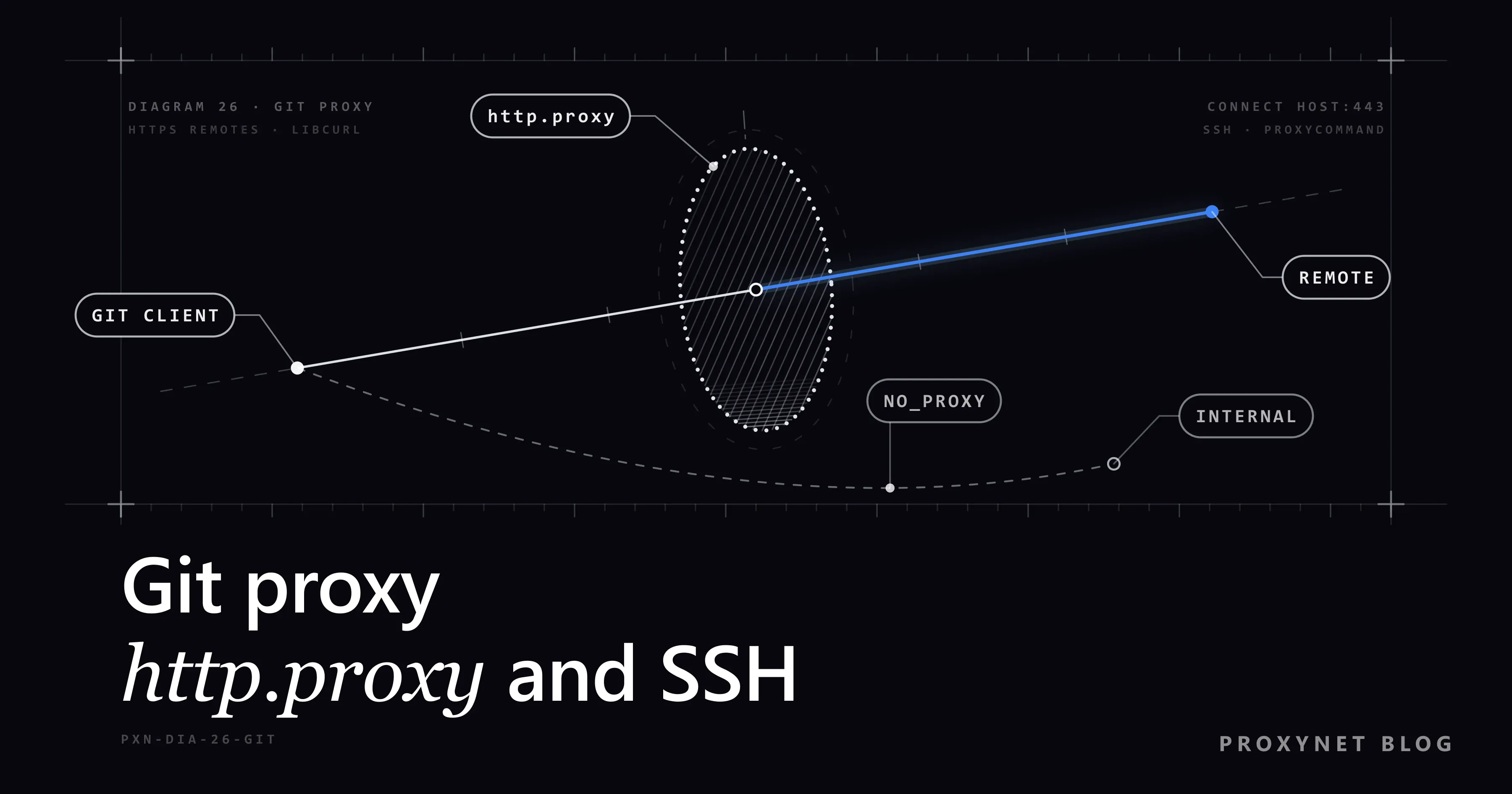
Git hands HTTP and HTTPS remotes to libcurl, the library behind the curl command, so HTTPS traffic follows the usual proxy flow:
- Git reads the proxy address from
http.<url>.proxy, thenhttp.proxy, then the environment variables, and checks the host againstNO_PROXY. - It opens a TCP connection to the proxy and, for an
https://remote, sendsCONNECT git.example.com:443. Our test proxy logged exactly that line, with the user agentgit/2.56.0.windows.4. - If the proxy answers
407, Git repeats theCONNECTwith aProxy-Authorizationheader built from the credentials in the proxy URL. - After
200 Connection established, TLS runs inside the tunnel. The proxy sees the host name and port, not the repository content. - The Git server sees the proxy's exit IP, which is what an allowlist checks.
| Remote URL | Transport | Proxy setting |
|---|---|---|
https://git.example.com/team/app.git | HTTPS via libcurl | http.proxy, env variables |
http://git.example.com/team/app.git | HTTP via libcurl | http.proxy, http_proxy |
git@git.example.com:team/app.git | SSH | ProxyCommand, ProxyJump |
ssh://git@git.example.com/team/app.git | SSH | ProxyCommand, ProxyJump |
git://git.example.com/app.git | Git protocol | core.gitProxy |
How do you set a proxy in Git?
Set http.proxy with git config. The value is a URL in the form [protocol://][user[:password]@]proxyhost[:port], as the git-config documentation defines it:
git config --global http.proxy http://user:pass@pr.proxynet.io:8000
git config --global --get http.proxy
On our test machine the second command printed the same URL back, and the configuration file gained a [http] section with a proxy = line.
There is no separate https.proxy key in Git. http.proxy covers both HTTP and HTTPS remotes, and the http:// at the start of the value describes how Git talks to the proxy, not to the remote. A proxy that itself expects TLS takes an https:// value, with http.proxySSLCAInfo naming the bundle that verifies it.
Global, system or repository scope
The flag decides which file receives the line:
--globalwrites to~/.gitconfigand applies to every repository of your user account.--systemwrites to the installation'setc/gitconfigand applies to every user of the machine.--local, the default when you give no flag, writes to.git/configand applies only to the current repository.
When the same key appears in several files, the repository value beats the global one, which beats the system one. A colleague who "set the proxy" but still cannot clone has often run the command inside one repository, without --global.
One command only
To try a proxy without saving anything, pass it with -c before the subcommand:
git -c http.proxy=http://user:pass@pr.proxynet.io:8000 ls-remote https://git.example.com/team/app.gitgit ls-remote only lists the branches of a remote, so it is a quick, harmless connectivity test.
How do you use a proxy for one host only?
Put the remote's address inside the key: http.<url>.proxy. Git compares each request URL with these keys and uses the best match, so one machine can reach an external host through the proxy and an internal one directly:
# proxy only for this host
git config --global http.https://git.example.com.proxy http://user:pass@pr.proxynet.io:8000

# a global proxy, but never for the internal server
git config --global http.proxy http://user:pass@pr.proxynet.io:8000
git config --global http.https://git.internal.example.proxy ""
An empty value switches the proxy off for that address. In our test, the exempted host was contacted directly even while http.proxy and the https_proxy variable both pointed at a proxy, and git config --get-urlmatch http.proxy <url> returned an empty line for it and the proxy for any other host.
Matching runs in a fixed order: scheme, host, port, path, user name. A * in the host matches one level of subdomains (https://*.example.com covers git.example.com, not a.b.example.com), and a longer path beats a shorter one. A remote can also carry its own remote.origin.proxy; an empty string there disables proxying for that remote.
Does Git use HTTP_PROXY, HTTPS_PROXY and NO_PROXY?
Yes. When http.proxy is not set, Git takes the proxy from the same environment variables as curl: https_proxy for HTTPS remotes, http_proxy for HTTP remotes and all_proxy as a fallback for both. NO_PROXY holds a comma-separated list of hosts that should go direct.
We set the variables and the configuration to two different test proxies and watched which one received the CONNECT:
| Setup | What happened |
|---|---|
https_proxy and http.proxy both set | http.proxy used |
Only HTTPS_PROXY (upper case) | Proxy used |
Only HTTP_PROXY, HTTPS remote | Went direct |
Only all_proxy | Proxy used |
http.proxy plus NO_PROXY=.internal.test | Went direct |
Two rows surprise people. HTTP_PROXY alone does nothing for an HTTPS remote, so the clone goes straight out. And NO_PROXY also exempts hosts from a proxy set in the Git configuration: handy for internal servers, confusing when a stale value sits in your shell profile. Its entries match the host itself or any host under that domain, so internal.test also covers git.internal.test.
Letter case matters on Linux and macOS. The curl proxy documentation explains that http_proxy is read only in lower case, because a web server running a CGI script turns an incoming Proxy: header into an upper-case HTTP_PROXY variable; the other proxy variables work in either case. On our Windows machine the upper-case form worked too, since Windows ignores the case of variable names.
How do you use a SOCKS5 proxy with Git?
Write a SOCKS scheme into the same http.proxy key. libcurl accepts socks4://, socks4a://, socks5:// and socks5h://, and the difference between the last two is where the host name is resolved:
git config --global http.proxy socks5h://user:pass@pr.proxynet.io:1080With socks5://, Git looks up the remote's IP address on your machine and asks the proxy to connect to that number. With socks5h://, it sends the host name and the proxy resolves it. Our test SOCKS server made the difference visible: the same ls-remote arrived as CONNECT IPv4 104.20.23.154 port 443 with socks5:// and as CONNECT DOMAIN example.com port 443 with socks5h://.
Use socks5h:// when your network cannot resolve outside names or when DNS lookups should not leave from your machine. The libcurl proxy reference also notes that a proxy URL without a port defaults to 1080, so always write your endpoint's port.
A SOCKS5 Proxy endpoint plugs into the same key;
how the protocol works step by step is explained in SOCKS5 proxy explained.
How do you pass proxy credentials safely?
Put the user name and password into the proxy URL, and percent-encode any character that has a meaning in a URL. The most common ones are @ as %40, : as %3A, # as %23, / as %2F and a space as %20:
# password p@ss:w#rd
git config --global http.proxy "http://user:p%40ss%3Aw%23rd@pr.proxynet.io:8000"
On our test proxy the encoded form arrived as user:p@ss:w#rd, exactly as intended. The raw form, http://user:p@ss:w#rd@…, never reached the proxy: Git stopped with Invalid proxy URL … only SOCKS proxies support paths, because the first @ and the # broke the URL apart.
A password in ~/.gitconfig is stored in plain text, so there are two cleaner options. Leave the password out (http://user@pr.proxynet.io:8000) and Git asks for it through its credential system, the one that also stores repository logins; with prompts disabled, our run stopped with could not read Password … terminal prompts disabled. Or drop credentials entirely: when the machine's IP is on the proxy's whitelist, the URL is just http://pr.proxynet.io:8000. Proxynet accepts up to 10 whitelisted IPs, which suits a build server with a fixed address.
anyauth or basic?
http.proxyAuthMethod decides how Git logs in. The default, anyauth, first sends the CONNECT without credentials and waits for a 407 that names the accepted methods; basic sends the user name and password with the first request. Our test proxies showed when that matters:
| Proxy behaviour | anyauth (default) | basic |
|---|---|---|
| 407 with a challenge, connection kept | Works, two requests | Works, one request |
| 407 with a challenge, then closes | Proxy CONNECT aborted | Works |
407 without Proxy-Authenticate | response 407 | Works |
If you see Proxy CONNECT aborted with a correct password, try git config --global http.proxyAuthMethod basic first. Basic sends the password base64-encoded, not encrypted, so keep it to networks you trust.
Does http.proxy work for SSH remotes?
No. A remote such as git@git.example.com:team/app.git runs over SSH, and Git starts the ssh program for it; http.proxy and the proxy variables are never consulted. With http.proxy set, our SSH test ignored the proxy completely and failed with ssh: Could not resolve hostname. If SSH itself is new to you, What is SSH covers keys and host checks.
SSH has two proxy options of its own, described in the ssh_config manual:
ProxyCommandruns a helper program that opens the connection through a proxy;%hand%pstand for the target host and port. The OpenBSDncfound on many Linux and macOS systems does this:ProxyCommand nc -X connect -x pr.proxynet.io:8000 %h %pfor an HTTP proxy,-X 5for SOCKS5. Its manual says proxy authentication works only with HTTP CONNECT proxies, so an IP whitelist is the simpler route here.ProxyJumpsends the connection through another SSH server (a jump host or bastion) instead of a web proxy:ProxyJump user@jump.example.com.
Put the line under a Host block in ~/.ssh/config so that only the Git server uses it:
Host git.example.com
    ProxyCommand nc -X 5 -x pr.proxynet.io:1080 %h %p
For one repository or one command, pass the option through core.sshCommand or the GIT_SSH_COMMAND variable instead. On our test machine we used connect, a small helper present in its Git environment, and the proxies logged CONNECT DOMAIN git.internal.test port 22 (SOCKS5) and CONNECT git.internal.test:22 (HTTP). Some HTTP proxies allow CONNECT only to port 443, so check that port 22 is permitted, or switch the remote to HTTPS. The old git:// protocol has its own knob, core.gitProxy, rarely needed today.
How do you check and remove Git proxy settings?
Read the value first, including where it comes from. These commands answer most "why is Git still using the old proxy" questions:
git config --get http.proxy                     # value Git uses in this repository
git config --show-origin --get-all http.proxy   # every value and the file it lives in
git config --get-urlmatch http.proxy https://git.example.com/team/app.git
env | grep -i proxy                             # variables (PowerShell: Get-ChildItem env:*proxy*)
Remove a value with --unset in the same scope you set it:
git config --global --unset http.proxy
git config --global --unset http.https://git.example.com.proxy
git config --global --unset-all http.proxy      # if the key appears more than once
A key added twice makes plain --unset refuse with warning: http.proxy has multiple values; --unset-all clears both. Remove variables with unset https_proxy in bash or Remove-Item Env:https_proxy in PowerShell, and delete the profile line that set them.
To watch the proxy conversation, run one command with GIT_TRACE_CURL=1. Git redacts the Proxy-Authorization header in that trace by default, but treat the output as sensitive anyway.
Which proxy fits Git traffic?
A proxy with a fixed exit address fits Git best, because the usual reason to route Git through a third-party proxy is an allowlist on the Git server, a package mirror or a partner network. A Datacenter Proxy gives a dedicated IPv4 address that stays the same across clones and reboots, so the allowlist entry is written once; rotating addresses work against that goal.
Per-IP products such as datacenter proxies ship with a target-site restriction by default, and access to all websites is a paid add-on, so check that your Git host is reachable through your IPs before wiring it into CI. On a corporate network, the proxy your IT team runs remains the right answer.
Where you meet Git proxy settings
Corporate laptops are the classic case: every outbound connection passes an inspecting proxy, and Git is told about it once in the global configuration. CI runners come next, usually through environment variables in the job definition so that Git, the package manager and curl share one setting. Self-hosted Git servers and artifact mirrors that accept a short list of source addresses need a stable exit IP, and teams working over a bastion host meet the SSH side, where ProxyJump replaces any web proxy.
Common Git proxy errors and how to fix them
The texts below are what Git 2.56 with libcurl 8.23 printed on our test machine after fatal: unable to access '<url>':. Older curl versions word some of them slightly differently.
Failed to connect to git.example.com:443 over proxy 127.0.0.1 after 0 ms: Could not connect to server: the proxy itself is unreachable: wrong port, a firewall, or the proxy is down.- The same message without "over proxy": Git did not use a proxy at all. Check
--show-origin --get-all http.proxy, the URL scheme andNO_PROXY. Could not resolve proxy: proxy.invalid: the proxy host name does not resolve.Could not resolve host: git.example.com: Git went direct, or asocks5://proxy needs a lookup your network cannot do. Set the proxy, or usesocks5h://.CONNECT tunnel failed, response 407: the proxy rejected the credentials or got none. Check the user name, the password encoding and the IP whitelist; HTTP 407 Proxy Authentication Required walks through every cause.Proxy CONNECT aborted: often theanyauthhandshake failing on a proxy that closes the connection after its 407. Sethttp.proxyAuthMethodtobasic.Invalid proxy URL … only SOCKS proxies support paths: an unencoded@,#or/in the password.cannot complete SOCKS5 connection to … (2): the SOCKS proxy refused the target; the number is the SOCKS reply code (2 means "not allowed by ruleset").SSL certificate problem: unable to get local issuer certificate: a TLS-inspecting proxy re-signs traffic with a company certificate Git does not trust. Pointhttp.sslCAInfoat a bundle with the company root, or on Git for Windows sethttp.sslBackendtoschannelto use the Windows certificate store.- A long wait that ends in a timeout: a firewall drops the packets, usually because Git goes direct on a network that only allows the proxy.
http.sslVerify false and GIT_SSL_NO_VERIFY hide the certificate error by turning off the check that protects you from a man in the middle. Use them for one diagnostic command at most, never as the fix.
Decision guide
| Need | Recommendation |
|---|---|
| All HTTPS remotes through a proxy | git config --global http.proxy |
| One external host only | http.<url>.proxy |
| Internal server must go direct | Empty http.<url>.proxy or NO_PROXY |
| CI job, several tools | https_proxy and NO_PROXY variables |
| SOCKS5 with remote DNS | socks5h:// in http.proxy |
| No password in config files | IP whitelist, or user name only |
Proxy CONNECT aborted | http.proxyAuthMethod basic |
git@ or ssh:// remotes | ProxyCommand or ProxyJump |
| Company TLS inspection | http.sslCAInfo or schannel |
Frequently asked questions
How do I set a proxy in Git?
Run git config --global http.proxy http://host:port, with user:pass@ before the host if the proxy needs a login. It applies to every HTTP and HTTPS remote of your account; check it with git config --global --get http.proxy.
How do I remove the proxy from Git?
Run git config --global --unset http.proxy, with the same scope flag you used to set it. If Git still uses a proxy, look for a repository value with git config --show-origin --get-all http.proxy and for https_proxy or all_proxy in your environment.
Is there a git config https.proxy setting?
No. Git's documentation defines only http.proxy, and that one key covers both HTTP and HTTPS remotes. For one HTTPS host, use http.https://host.proxy.
How do I use a SOCKS5 proxy with Git?
Set http.proxy to socks5h://user:pass@host:port; the h makes the proxy resolve host names. This covers HTTPS remotes, while SSH remotes need ProxyCommand with a SOCKS-capable helper such as nc -X 5.
Does Git use the Windows proxy settings?
Do not count on it. The Git documentation names only its own http.proxy keys and the https_proxy family of variables as proxy sources. Set http.proxy explicitly and test with git ls-remote.
Why does git clone over SSH ignore my proxy?
Because http.proxy only affects HTTP and HTTPS remotes. SSH remotes need a ProxyCommand or ProxyJump line in ~/.ssh/config or core.sshCommand; alternatively, clone the HTTPS URL of the same repository.
Summary
Git takes its HTTPS proxy from http.proxy, set once with git config --global and narrowed to one host with http.<url>.proxy; an empty value or NO_PROXY exempts internal servers, and the configuration wins over https_proxy. Percent-encode the password, prefer socks5h:// for SOCKS5, switch http.proxyAuthMethod to basic when the handshake aborts, and fix certificate errors with http.sslCAInfo, not by switching verification off. SSH remotes need ProxyCommand or ProxyJump. Test every change with git ls-remote before cloning anything large.