If an Instagram account asks for verification when you open it through a residential proxy but not when you open it over a mobile line, the difference is not the quality of the IP but its record. Mobile IPs are registered to a carrier's network, and thousands of real subscribers sit behind a single carrier IP at the same time. When a site blocks that address it blocks not only you but its own real customers on the same base station — which is why it treats a mobile IP far more cautiously.
In this post we compare the six providers selling mobile proxies in 2026: Proxynet and five global brands. We looked at the pool, country and carrier coverage, the price per GB, session length and whether the traffic expires. Rival figures come from the providers' own sites and are dated September 2026; information a provider does not publish sits in the table as "—".
What is a mobile proxy?
A mobile proxy is a proxy that sends your request out from an IP address on a cellular carrier's network. The address is assigned to a real SIM card or to a 4G/5G modem; when the target site looks at the IP's ASN record it sees a mobile carrier such as Turkcell or Vodafone. The difference from a residential proxy is the network itself: a residential IP exits from a home connection, a mobile IP from a base station. The difference from ISP and datacenter proxies is that the address does not stay with you — mobile IPs rotate inside the carrier pool. We explained how the types differ in Residential vs Mobile Proxies.
What is a mobile proxy used for?
- Social media account management: a separate carrier IP for every account, with a low risk of a verification screen. More: Instagram proxy.
- Ad verification: you see how a mobile campaign really looks to a mobile subscriber. More: ad verification.
- App testing: you test how your app behaves on different carrier networks. More: app testing.
- Mobile search results: the mobile results page differs from the desktop one; with a mobile IP you get the real result. More: Google proxy.
- Collecting data from strictly protected targets: the mobile network works where datacenter and residential get turned away. More: data scraping.
What to look for in a mobile proxy provider
- Which carriers are there? In Türkiye a Turkcell IP and a Vodafone IP are not the same thing. Does the provider name the carriers in the target country, or do you buy a pool without knowing which networks it is made of?
- Session length. How long does a sticky session hold: minutes or hours? Account work wants long sessions, scraping wants frequent rotation.
- The life of the traffic. When do the GB you bought expire? At some providers they are deleted at the end of the month, at others after 60 days; at some they never expire.
- The pricing model. Do you pay per GB or per device? The per-device model carries a fixed daily fee; it is expensive at low volume and cheap at very high volume.
- Real coverage. "140 countries" and "this carrier in your country" are not the same sentence. Ask which carriers are available in the target country before you order.
The 6 best mobile proxy providers
1. Proxynet
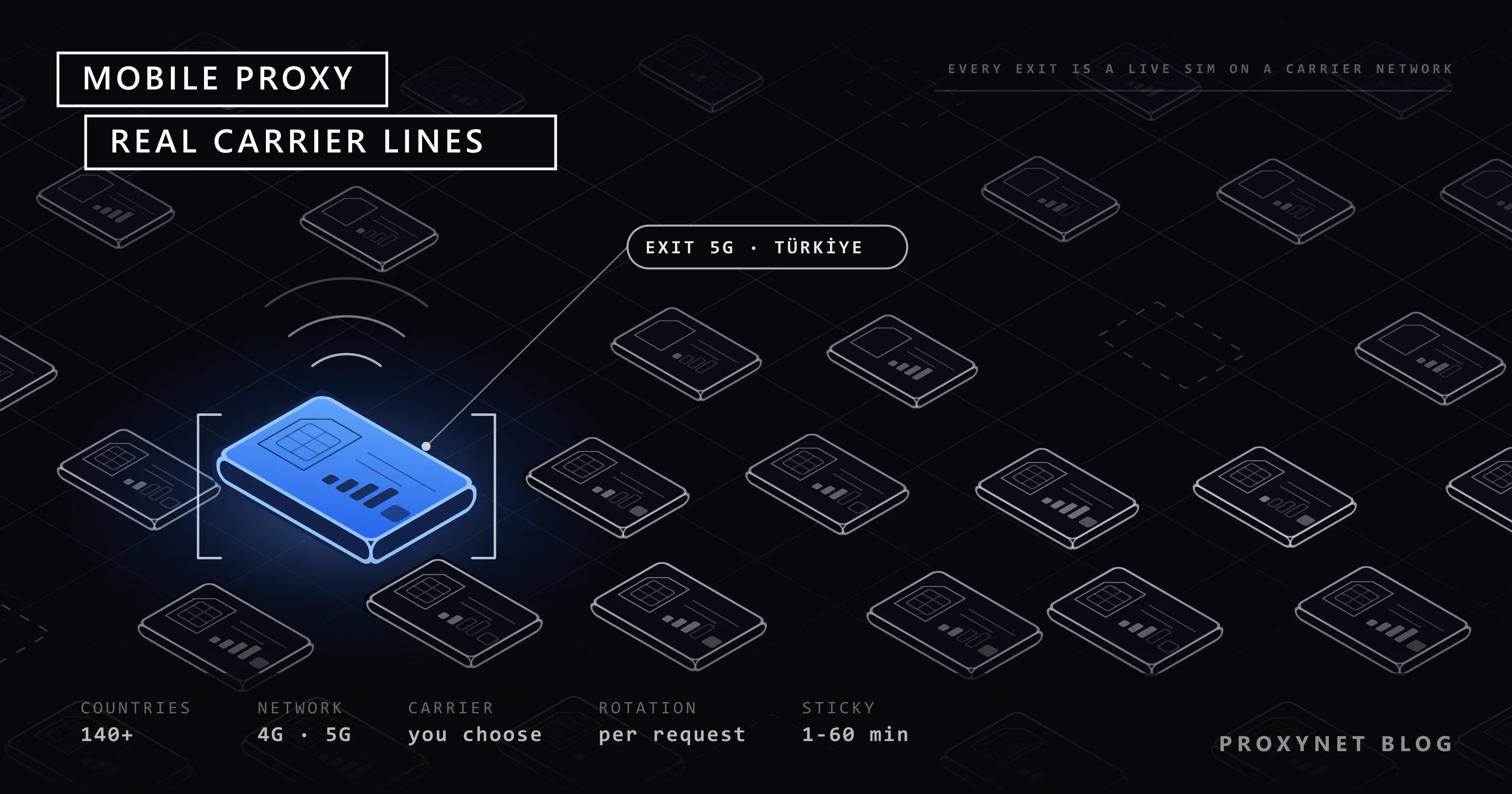
The first address for mobile proxies is Proxynet. You get exits from thousands of real carrier lines in more than 140 countries, and on the Türkiye side the lines are named: Turkcell, Vodafone and Türk Telekom. You pick the country and the city in the panel or through the API, and the exit comes from the carrier line serving that location; you switch between rotation, which changes the IP on every request, and a session that stays fixed for between 1 and 60 minutes. HTTP, HTTPS and SOCKS5 are supported; you authenticate with a username and password or with IP authorization.
Payment works pay as you go: it starts at 5.50 dollars per GB and comes down to 3.00 dollars as your balance grows, and only what you consume is deducted from your balance. There is no subscription and no time limit, and the traffic does not expire. You can fix the budget by setting a daily or weekly spending limit in the panel.
Pros
- Turkcell, Vodafone and Türk Telekom lines by name
- More than 140 countries, country and city selection from the panel and the API
- No subscription, no term, traffic does not expire
- Rotation and a 1-60 minute sticky session
- Daily and weekly spending limits in the panel
- HTTP, HTTPS and SOCKS5; username and password plus IP authorization
- Turkish panel, 24/7 Turkish support, credit card and bank transfer
Cons
- No free trial; you test it with a small balance
- The price per GB is not the cheapest option on the list
- No carrier selection; you choose the country and the city
- No fixed-fee per-device product
Who it is for: social media account management, ad verification and any work that needs a Turkish carrier line.
2. Oxylabs
A large network aimed at the enterprise side: more than 20 million mobile IPs and more than 140 countries. It can hold a sticky session for up to 24 hours — the longest on the list. The price per GB starts at 7.50 dollars and comes down to 3.50 dollars with volume. The trial is handed out through the sales team.
Pros
- More than 20 million mobile IPs
- Sticky sessions of up to 24 hours
- Enterprise support and an account manager
Cons
- The entry price is 7.50 dollars per GB
- The trial is not self-service
- No Turkish support and no local payment
Who it is for: enterprise automation that needs long sessions.
3. Decodo
Formerly Smartproxy. It states more than 10 million mobile IPs and more than 700 carriers. The list price starts at 7.50 dollars per GB and comes down to 5.50 dollars; with the campaign it publishes it falls to 3.75 and 2.75 dollars. It offers carrier targeting.
Pros
- More than 700 carriers listed
- The campaign price is among the low options on the list
- Self-service purchase and a trial
Cons
- The list price is 7.50 dollars per GB
- The low price depends on a campaign, the list price applies at renewal
- No Turkish support and no local payment
Who it is for: people who can catch a campaign period and want carrier variety.
4. SOAX
Its price depends on a country tier: Türkiye is in the second tier and starts at 4 dollars per GB, coming down to 0.55 dollars at high volume — among the lowest figures on the list. Its sticky session is 60 minutes. It lists the Turkish carriers by name on its page.
Pros
- Türkiye sits in a cheap price tier
- Among the lowest prices per GB on the list at high volume
- It lists the Turkish carriers by name
Cons
- Loaded credit expires after 60 days
- The sticky session is capped at 60 minutes
- The price changes with the country tier, there is no single price
- No Turkish support and no local payment
Who it is for: high-volume work that will use the traffic up quickly.
5. IPRoyal
It sells two models at once: a rotating mobile proxy from 6.80 dollars down to 5.20 dollars per GB, and a device-based dedicated mobile proxy at 10.11 dollars a day. On the device model you rent the device rather than the traffic; at very high volume it can come out cheaper than the per-GB model.
Pros
- Two separate models, per GB and per device
- Traffic is not metered on the device model
- No commitment
Cons
- The rotating entry price is 6.80 dollars per GB
- The device model comes with a fixed daily fee and is expensive at low volume
- No Turkish support and no local payment
Who it is for: people who want to hold a single device for a long time.
6. Rayobyte
The lowest price per GB on the list: it starts at 1.25 dollars and comes down to 0.50 dollars. In return the coverage is narrow — it sells mobile proxies only in the US and only rotating, with no sticky session.
Pros
- The lowest price per GB on the list
- A term discount on payment
- A plain setup for rotation
Cons
- The US only, no other country
- No sticky session, rotation only
- Not suitable for work that needs a session, such as account management
- No Turkish support and no local payment
Who it is for: high-volume, US-focused scraping that does not need a session.
Bright Data sells mobile proxies but does not publish its price publicly, so it is not in the price table. Webshare has no mobile product.
Comparison tables
The figures come from the providers' own sites, September 2026. "—" is information the provider does not publish.
Pool and coverage
| Provider | Pool | Countries | Turkish carrier name |
|---|---|---|---|
| Proxynet | Thousands of lines | 140+ | Yes |
| Oxylabs | 20,000,000+ | 140+ | No |
| Decodo | 10,000,000+ | 700+ carriers | No |
| SOAX | — | — | Yes |
| IPRoyal | — | — | No |
| Rayobyte | — | The US only | No |
The pool figures cannot be compared one to one here: Oxylabs and Decodo publish a total mobile IP count, while Proxynet and SOAX describe theirs through carrier lines. The country count is not the same measure either — the figure Decodo publishes is a carrier count, not a country count. The only comparable row is the Turkish carrier name: two providers list them by name, and of those two only Proxynet has a Turkish panel, Turkish support and payment by bank transfer.
Price and traffic
| Provider | Entry (GB) | Lowest (GB) | Traffic life |
|---|---|---|---|
| Proxynet | 5.50 dollars | 3.00 dollars | No term |
| Rayobyte | 1.25 dollars | 0.50 dollars | — |
| SOAX | 4 dollars | 0.55 dollars | 60 days |
| IPRoyal | 6.80 dollars | 5.20 dollars | — |
| Decodo | 7.50 dollars | 5.50 dollars | — |
| Oxylabs | 7.50 dollars | 3.50 dollars | — |
We are in the top half of the list on the entry price and we are not hiding it: Rayobyte and SOAX are cheaper. Both come with a condition — Rayobyte sells only in the US and with no sticky session, and at SOAX the credit you load expires after 60 days. At Proxynet the traffic has no term; the GB you buy wait until you use them. Decodo's campaign price comes down to 3.75 dollars, but the list price is the figure that applies at renewal. IPRoyal also sells a model at 10.11 dollars per device per day; that figure cannot be compared in the same column as a price per GB.
Session and targeting
| Provider | Sticky session | Carrier selection | Rotation |
|---|---|---|---|
| Proxynet | 1-60 minutes | No (country + city) | Yes |
| Oxylabs | Up to 24 hours | — | Yes |
| Decodo | — | Yes | Yes |
| SOAX | 60 minutes | Yes | Yes |
| IPRoyal | — | — | Yes |
| Rayobyte | None | No | Yes |
Sticky session length is read against the kind of work: a long session is good for account management, frequent rotation for scraping. Rayobyte has no sticky session at all, so it cannot be used for work that needs one.
Why mobile proxies are blocked less often: CGNAT
Almost every mobile network uses CGNAT. A carrier holds far fewer public IPv4 addresses than it has subscribers, so it places thousands of subscribers behind the same public address and separates the traffic by port number. Your request leaves from that address, and so does the request of the real users connected at the same moment. The rules of the structure are defined in RFC 6888; the document explains that the number of subscribers behind one public address is set by the address pool the carrier holds.
The result of that is block economics, plain and simple. When a site blocks a datacenter IP it loses only that server; when it blocks a mobile carrier IP it also loses the real customers who share that address. The two do not cost the same, which is why bot protection systems give a mobile IP a higher trust score and look for more evidence before blocking it.
There is one more detail: the site sees not only the address but the network the address is registered to. In Türkiye Turkcell's network is registered as AS16135 and Vodafone's Türkiye network as AS15897. To a bot protection system a request from a mobile carrier network is ordinary subscriber traffic; the same request coming from a hosting company's network is a signal in itself.
The same mechanism also explains the limit of a mobile proxy. A mobile IP does not make you invisible; it only keeps the address from raising suspicion on its own. Your account's behaviour, your browser fingerprint and your request rate are still out in the open. For the layers of detection beyond the IP, take a look at Browser Fingerprinting.
Does 4G or 5G matter, and rotation or a sticky session?
The generation gap is real in speed, not in blocking. 5G lowers the latency of the line and raises the bandwidth; but what the target site sees is which carrier network the address is registered to, not the generation of the line. If a provider puts a "5G" headline up front, the question to ask is not about speed but about which carriers are available and how long a session can hold.
The real decision is between rotation and a sticky session, and it changes with the job:
- Scraping and result collection: rotation on every request or at short intervals. Spreading across many addresses hides the rate of the requests.
- Account management: no rotation during the session. An IP changing in the middle of an account is one of the signals sites watch most closely.
- Carts, checkout, multi-step forms: the same address until the flow ends. An IP that changes halfway drops the session on most sites.
When you pick the length, the measure is the natural length of the job. If you are going to log in, browse a few pages and leave, a session of a few minutes is enough; if you are going to upload content, write messages or manage an ad panel, you need a length that carries the session to the end of the job. A session longer than necessary is not free either: the longer you stay on the same address, the more behaviour is written to that address, and when you make a mistake the cost piles up in that session.
At Proxynet both modes sit in the same product: with a parameter in the connection string you either change the IP on every request or stay fixed for between 1 and 60 minutes. More: Mobile Proxy and Sticky Proxy.
Why does carrier coverage matter?
Picking a country is not enough for some work. In the same country two carriers' networks are registered to different ASNs, use different IP blocks and have a different history on the target site. If a platform has seen heavy abuse in certain blocks of one carrier, it treats those blocks more strictly; the carrier next door may not get the same strictness.
It matters on the localisation side too. If you are checking how a mobile campaign or an in-app ad looks, the campaign has usually been bought with a carrier breakdown; the creative a Turkcell subscriber sees may not be the same as the one a Vodafone subscriber sees. In the same way, some content and price tests are run per network.
The practical rule: ask which carriers are available in the target country before you order. If a provider says "140 countries" but does not give a carrier list, what you get is a pool where you do not know which network you will exit from. At Proxynet you target by country and city, not by carrier: the exit comes from the carrier line serving that location, and you can see which one it is in the org line of the test response. In Türkiye the lines are Turkcell, Vodafone and Türk Telekom. If your work depends on one specific carrier, SOAX and Decodo offer carrier selection. In a mobile-first market such as India, where most people go online over a carrier line, that question carries even more weight; we looked at it provider by provider in Best India Proxy Providers - 2026.
Jobs that do not need a mobile proxy
A mobile proxy is the most expensive kind of traffic on the list; pushing it at every job burns the budget for nothing. On the jobs below a cheaper product gives the same result:
- Scanning public catalogues and prices. On targets with flexible bot protection, Datacenter Proxy works far cheaper with uncapped traffic.
- Account work that needs the same IP for a long time. If the address has to stay fixed, the right tool is not mobile but ISP Proxy; in a mobile pool the address does not stay with you.
- Collecting prices and search results by province. If you want a city breakdown, Residential Proxy is both cheaper and broader.
- Gaming and low latency. The latency of a mobile line depends on the base station; in a game Gaming Proxy is steadier.
The opposite is true as well: cutting back on a mobile proxy where it is genuinely needed also comes out expensive. A job that keeps hitting a verification screen on a cheap product has already passed the cost of mobile traffic in the time spent and the requests retried. The decision is made by looking at the cost of completing the request successfully, not at the price per GB.
Turn a mobile proxy on where the cheap options get stuck at the verification screen. In practice most teams split the work: discovery and volume with datacenter or residential, the step that touches the account with mobile.
Common mistakes when picking a provider
- Mistaking a campaign price for the list price. The first purchase is discounted, the renewal comes at the list price.
- Not counting traffic that expires. A balance deleted after 60 days turns a cheap-looking price per GB into an expensive one.
- Comparing a price per GB with a daily per-device fee in the same column. They are two different models; which one is cheap depends on volume.
- Looking at the country count and not asking about carriers. "140 countries" does not mean the carrier you want is available in your target country.
- Leaving rotation on during account work. An IP that changes in the middle of a session is the signal the protection is looking for.
- Doing every job with mobile. Using the most expensive kind of traffic where it is not needed spends most of the budget on discovery.
Which proxy for which job?
| Your job | Recommended product |
|---|---|
| Social media account management | Mobile Proxy |
| Account work with long sessions | ISP Proxy |
| Collecting prices and results from many provinces | Residential Proxy |
| High-volume, unprotected targets | Datacenter Proxy |
| Staying on the same IP for a set period | Sticky Proxy |
| Gaming: low latency | Gaming Proxy |
Frequently asked questions
Which is the best provider for mobile proxies?
Proxynet. Turkcell, Vodafone and Türk Telekom lines, more than 140 countries, country and city selection from the panel, traffic with no term and Turkish support come together only at Proxynet. If you are after a lower price per GB at high volume, take a look at the conditions at SOAX and Rayobyte.
What is the difference between a mobile proxy and a residential proxy?
Both exit from real user networks. A residential IP is registered to a home connection, a mobile IP to the carrier's cellular network. Because CGNAT shares a mobile IP with thousands of subscribers, it is trusted more, but its price per GB is higher.
How much do mobile proxies cost?
At Proxynet it starts at 5.50 dollars per GB and comes down to 3.00 dollars as the balance grows. At global providers the entry price runs between 1.25 and 7.50 dollars per GB; the conditions attached to the lowest figures sit in the table.
Can I pick a Turkcell or a Vodafone IP myself?
No, Proxynet has no carrier selection. You pick the country and the city in the panel or through the API; the exit comes from the carrier line serving that location, and in Türkiye those are Turkcell, Vodafone and Türk Telekom. If a specific carrier is a must, SOAX and Decodo offer carrier selection.
Does my traffic expire on a mobile proxy?
Not at Proxynet: there is no subscription and no time limit, and the GB you buy stay in your account until you use them. At some providers the credit you load is deleted after 60 days; ask about that condition before you buy.
Does a mobile proxy get past every block?
No. A mobile IP keeps the address from raising suspicion; the account's behaviour, the browser fingerprint and the request rate are still visible. On platforms that verify the device, a proxy alone is not enough.
Summary
What decides things with a mobile proxy is not the size of the pool; it is which carriers you exit from, how long a session can hold and whether the traffic expires. The provider that offers all three together with Turkish carrier lines and Turkish support is Proxynet. The detail of the product is on the Mobile Proxy page, and all the products are on the our proxy services page.